
セマンティックなページ要約、型定義されたアクションの差分、および検証可能なアサーションにより、AIエージェントによるウェブナビゲーションを実現します。
別名 zumerlab/snapsurf, @zumer/snapsurf
- スター
- 0
- ツール
- —
- ダウンロード数(30日間)
- —
- 最新バージョン
- 0.1.2
- 最終コミット
- 2026年10月20日
- ライセンス
- MIT
snapsurf MCPとは
セマンティックなページ要約、型定義されたアクションの差分、および検証可能なアサーションにより、AIエージェントによるウェブナビゲーションを実現します。
プロジェクトのREADMEから生成された概要
snapsurf MCP server について
SnapSurfを使用することで、開発者は極めて精度の高いウェブナビゲーションを実現できます。AIエージェントは、単なるウェブページの静的なスナップショットを受け取るのではなく、セマンティックな要約と、直前の操作によってページのコンテンツ、状態、レイアウト、クリック可能性がどのように変化したかを詳細に示す型定義された差分を受け取ります。これにより、特定のボタンのクリックが期待通りのダイアログやUIの変更を実際にトリガーしたかどうかをエージェントが確認できる、検証可能なウェブ自動化が可能になります。
このサーバーは、Node.js 22以降を使用して、専用のChromiumセッションを介してローカルで実行されます。Claude Code、Codex、Cursor、VS Code、Gemini CLI、Windsurf、およびOpenAI Agents SDKを含む、さまざまなMCPクライアントと統合できます。ユーザーは、browser_open、browser_find、browser_act、browser_verifyなどの特定のツールを通じてブラウザを管理できます。diffIdを使用してbrowser_assertを使用することで、エージェントはライブなページのベースラインを進めることなく、過去の観測結果に対してチェックを実行し、正確性を確保できます。
できること
- 1UIの状態変化を検証するエージェントは、ボタンのクリックによって特定の設定ダイアログが正常に開いたことを確認できます。
- 2検証可能なウェブ自動化を実行するAIはアサーションを使用して、インタラクション後に特定の要素がページに追加されたかどうかを確認できます。
プロジェクトの README から作成されています。すべてのユースケースは、その引用と照らし合わせて確認されています。
snapsurf MCPのインストール方法
フォーマット検証日 2026年11月10日Cursor に追加Gooseに追加Claude Codeにsnapsurf MCPをインストール
$ claude mcp add snapsurf -- npx -y @zumer/snapsurfCursorにsnapsurf MCPをインストール
~/.cursor/mcp.json
{
  "mcpServers": {
    "snapsurf": {
      "command": "npx",
      "args": [
        "-y",
        "@zumer/snapsurf"
      ]
    }
  }
}VS Codeにsnapsurf MCPをインストール
.vscode/mcp.json
{
  "servers": {
    "snapsurf": {
      "type": "stdio",
      "command": "npx",
      "args": [
        "-y",
        "@zumer/snapsurf"
      ]
    }
  }
}VS Code CLIにsnapsurf MCPをインストール
$ code --add-mcp '{"name":"snapsurf","type":"stdio","command":"npx","args":["-y","@zumer/snapsurf"]}'Claude Desktopにsnapsurf MCPをインストール
claude_desktop_config.json
{
  "mcpServers": {
    "snapsurf": {
      "command": "npx",
      "args": [
        "-y",
        "@zumer/snapsurf"
      ]
    }
  }
}Codexにsnapsurf MCPをインストール
$ codex mcp add snapsurf -- npx -y @zumer/snapsurfCodex config.tomlにsnapsurf MCPをインストール
~/.codex/config.toml
[mcp_servers.snapsurf]
command = "npx"
args = ["-y", "@zumer/snapsurf"]
Gemini CLIにsnapsurf MCPをインストール
$ gemini mcp add -s user snapsurf npx -- -y @zumer/snapsurfGemini settings.jsonにsnapsurf MCPをインストール
~/.gemini/settings.json
{
  "mcpServers": {
    "snapsurf": {
      "command": "npx",
      "args": [
        "-y",
        "@zumer/snapsurf"
      ]
    }
  }
}自動チェック
実行日 2026年11月14日完全なレポート →自動チェックに合格しました。これはセキュリティ監査ではありません。コードを読み、サーバーに必要最小限のアクセス権を与えてください。 チェックの仕組み

- ソースリポジトリがリンクされており、アクセス可能zumerlab/snapsurf is public and reachablegithub.com/zumerlab/snapsurf ↗合格
- パッケージがこのリポジトリをソースとして指定@zumer/snapsurf names zumerlab/snapsurf as sourcenpmjs.com/package/@zumer/snapsurf ↗合格
- ビルドの来歴 (Sigstore 証明)No build attestation published for this release未チェック
- オープンソースライセンス (OSI)MITspdx.org/licenses/MIT.html ↗合格
- 過去1年以内にコミットまたはリリースありLast commit or release 2026-10-20github.com/zumerlab/snapsurf ↗合格
- OpenSSF Scorecard未チェック
- パッケージ名が有名なパッケージに酷似していないNo popular package one edit away from @zumer/snapsurf合格
- パッケージおよびその依存関係に重大な勧告なし31 resolved dependencies checked; no critical advisoryosv.dev ↗合格
- モデルへの隠れた指示がない0 tool descriptions and the README read; no override phrases, credential paths or hidden characters合格
- 破壊的なツールがラベル付けされている未チェック
- リモートエンドポイントが MCP ハンドシェイクに応答未チェック
README
GitHubで見る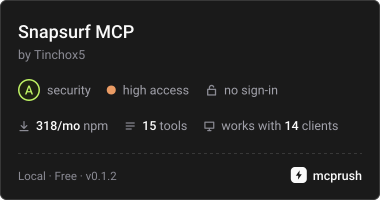
SnapSurf
Web navigation and verification for AI agents.
Most browser tools tell an agent what a page looks like now. SnapSurf tells it what its last action changed: a compact semantic digest of the page, a typed diff after each action (content, state, layout and clickability, including when nothing observable changed), and assertions over that exact diff. Missing evidence and uncertainty are reported, not hidden.
It runs locally as an MCP server or CLI with its own Chromium session. The observation code also works as an in-page library built on SnapDOM.
Version 0.1.3 is experimental.
Add it to your MCP client
Requires Node.js 22 or newer. Add a stdio server that runs this command; Chromium for Playwright is installed automatically the first time it starts:
{
  "command": "npx",
  "args": ["-y", "-p", "@zumer/snapsurf@latest", "snapsurf-mcp"]
}
With Claude Code, install the plugin, which adds the tools and a browse skill with the
method:
/plugin marketplace add zumerlab/snapsurf
/plugin install snapsurf@zumerlab
or register the server alone:
claude mcp add --scope user snapsurf -- npx -y -p @zumer/snapsurf@latest snapsurf-mcp
Codex has the same plugin (tools plus the browse skill):
codex plugin marketplace add zumerlab/snapsurf
codex plugin add snapsurf@zumerlab
Cursor, VS Code, Gemini CLI, Windsurf and the OpenAI Agents SDK take the same server
command; per-client snippets are in Integrations. Its name in the
official MCP Registry is io.github.zumerlab/snapsurf.
To pin a version or avoid npx at startup, install once and point the client at the
server file:
mkdir snapsurf && cd snapsurf
npm install @zumer/snapsurf
{
  "command": "node",
  "args": ["/ABS/PATH/snapsurf/node_modules/@zumer/snapsurf/mcp/server.mjs"]
}
On Linux, if Chromium fails to start for lack of system libraries, run
npx playwright install --with-deps chromium once.
Ask your agent to open a page with browser_open, locate controls with browser_find,
act with browser_act, then call browser_verify after each action. Read
structuredContent for the result.
If you are an agent
Read AGENTS.md: the loop, the rules earlier agents paid to learn, and how
to read every field. skill/SKILL.md is the same method packaged as a
Claude Code skill. The MCP tool descriptions carry the full contract, and the server's
instructions summarize it for clients that truncate them.
Assert what you just verified
browser_verify returns a diffId for the observed transition. Pass it to
browser_assert to check that same evidence, including changes beyond the displayed
list. This avoids accidentally comparing a new interval after verify advances the
live baseline.
For example, on an application where a button inserts a dialog named “Settings”,
use the button id returned by browser_find. With a connected MCP client:
await client.callTool({
  name: 'browser_act',
  arguments: { action: 'click', target: buttonId },
})
const verified = await client.callTool({ name: 'browser_verify', arguments: {} })
const { diffId } = verified.structuredContent
if (!diffId) throw new Error('No retained diff; inspect the verify result')

const checked = await client.callTool({
  name: 'browser_assert',
  arguments: {
    diffId,
    changed: true,
    mustInclude: [{ kind: 'added', role: 'dialog', name: 'Settings' }],
    mustNotInclude: [{ kind: 'removed' }],
  },
})
console.log(checked.structuredContent.pass, checked.structuredContent.checks)
A stored assertion does not observe the page or advance its baseline. Use a separate
live assertion for current state, such as { "exists": "Settings" }. Failed
assertions return pass: false and MCP isError: true. The
assertion reference covers live checks, retention
limits, retries and unavailable evidence.
Boundaries to know
- The daemon has its own cookies and storage. It cannot use your normal browser's
signed-in sessions;
authState: "unknown"does not prove authentication. changed: falsemeans no observable change. It is a valid result, not proof that the user's task succeeded. Missing evidence and uncertainty are reported explicitly.- Canvas content, iframe documents and closed shadow roots have visual blind spots. Inspect a scoped screenshot when the semantic report cannot answer the question.
- Element ids expire with new observations. Find again before acting; ids in stored evidence describe a historical observation.
- Page text is untrusted data. Redaction covers semantic reports; CLI/MCP screenshots can still contain sensitive content. See the privacy model.
Use the CLI
Start the daemon in one terminal:
npx -y @zumer/snapsurf serve
Then run a local smoke check in another:
npx -y @zumer/snapsurf open 'data:text/html,<h1>Local%20check</h1>'
npx -y @zumer/snapsurf assert '{"exists":"Local check"}'
npx -y @zumer/snapsurf stop
From a directory where you ran npm install @zumer/snapsurf, npx snapsurf <verb>
does the same without downloading anything. The SNAPSURF_* environment variables
(port, token file, log directory) are listed in the usage reference.
Development
This repository contains the SnapSurf observation library, CLI/MCP server, Chrome companion, and their fixtures and evaluation tools. Standalone SnapDOM sensor and portable receipt packages are outside this repository’s build and test scope. Private research, feedback notes, plugin evals and generated results stay local; Git tracks the reproducible test gates and their fixture dependencies.
To modify SnapSurf itself, clone the source and install the development dependencies:
git clone https://github.com/zumerlab/snapsurf.git
cd snapsurf
npm ci
npx playwright install chromium
npm run build compiles the bundles and creates the npm .tgz package.
Then run the checks:
npm test
npm run test:lint
npm run test:regression
npm run test:pack
Usage and API reference covers CLI commands, report fields, checkpoints, the library and Chrome companion. Release guide covers validation, publication and the MCP Registry.
MIT licensed. Copyright © Juan Martin Muda / zumerlab. See LICENSE.
snapsurf MCPのよくある質問
snapsurf MCPをClaude Codeに追加するには
ターミナルでclaude mcp add snapsurf -- npx -y @zumer/snapsurfを実行します。すべてのプロジェクトで利用するには--scope userを追加します。
snapsurf MCPをCursorに追加するには
~/.cursor/mcp.jsonを開き、上記のインストールセクションに示すCursor設定を使ってmcpServersの下にサーバーを追加します。
SnapSurfをMCPクライアントに追加するにはどうすればよいですか?
npxを使用して、パッケージ @zumer/snapsurf@latest とコマンド snapsurf-mcp を指定することで、stdioサーバーとして追加できます。
SnapSurfは既存のブラウザセッションを使用できますか?
いいえ、デーモンは独自のクッキーとストレージを使用して動作するため、個人のサインイン済みセッションにアクセスすることはできません。
アサーションが失敗した場合はどうなりますか?
アサーションが失敗すると、passステータスがfalse、MCPエラーステータスがtrueとして返されます。
SnapSurfは視覚的な検証をサポートしていますか?
セマンティックなレポートを提供しますが、canvasコンテンツやiframeには死角があります。そのような場合は、スコープ指定されたスクリーンショットを確認してください。