
word-aligner MCPサーバー
コミット 2026年11月11日異なる言語間や翻訳レイヤー間で単語同士を視覚的に結びつける、共有可能な単語アライメント図を作成します。
別名 tinygodsdev/bitext-word-alignment, bitext-word-alignment
- スター
- 5
- ツール
- —
- ダウンロード数(30日間)
- —
- 最新バージョン
- 1.0.0
- 最終コミット
- 2026年11月11日
- ライセンス
- MIT
word-aligner MCPとは
word-alignerはMCPサーバーです。 異なる言語間や翻訳レイヤー間で単語同士を視覚的に結びつける、共有可能な単語アライメント図を作成します。.
プロジェクトのREADMEから生成された概要
word-aligner MCP server について
Word Alignerは、語学学習者、教師、言語学者、人工言語制作者が単語間の翻訳を視覚的な図として作成するために設計されたウェブベースのツールです。原文、翻訳、IPA、グロスなど、複数のテキスト行を重ねて配置し、曲線コネクタを使用して手動で単語同士を接続できます。この手動によるアプローチにより、一対多や多対一のリンクを完全に制御できるため、複雑な語順の入れ替えや文法的な変化を示すのに非常に適しています。
開発者は、無料のHTTP API、または create_word_alignment ツールを提供するMCP serverを介して、この機能を統合できます。MCP serverとして使用する場合、認証なしでstreamable HTTP経由で動作します。サーバーは共有可能なURLとプレビュー画像を返します。ユーザーはタイポグラフィ、トークン化、方向性をカスタマイズでき、右から左へ書く言語や、日本語の縦書きのような垂直方向の記述システムにも対応しています。完成した図は、PNG、SVG、PDF、またはHTMLファイルとしてエクスポートできます。
できること
- 1翻訳時の語順変更の可視化語順が変わる場合でも、原文の単語がターゲット言語の文のどこに対応しているかを示します。
- 2言語学的グロスの作成学術研究用に、形態素のアライメントやIPAの注釈を含む逐語訳(インターリニア・グロス)を生成します。
- 3人工言語のドキュメント化カスタムスクリプトフォントや追加の注釈レイヤーを使用して、人工言語を英語にマッピングします。
- 4アライメントリンクの自動化APIへのPOSTリクエストを使用して、共有可能なアライメントURLをプログラムで生成します。
プロジェクトの README から作成されています。すべてのユースケースは、その引用と照らし合わせて確認されています。
word-aligner MCPのインストール方法
フォーマット検証日 2026年11月10日Claude Codeにword-aligner MCPをインストール
$ claude mcp add --transport http bitext-word-alignment https://aligner.tinygods.dev/mcpCursorにword-aligner MCPをインストール
~/.cursor/mcp.json
{
  "mcpServers": {
    "bitext-word-alignment": {
      "url": "https://aligner.tinygods.dev/mcp"
    }
  }
}VS Codeにword-aligner MCPをインストール
.vscode/mcp.json
{
  "servers": {
    "bitext-word-alignment": {
      "type": "http",
      "url": "https://aligner.tinygods.dev/mcp"
    }
  }
}Codexにword-aligner MCPをインストール
~/.codex/config.toml
[mcp_servers.bitext-word-alignment]
url = "https://aligner.tinygods.dev/mcp"
Gemini CLIにword-aligner MCPをインストール
~/.gemini/settings.json
{
  "mcpServers": {
    "bitext-word-alignment": {
      "httpUrl": "https://aligner.tinygods.dev/mcp"
    }
  }
}自動チェック
実行日 2026年11月14日詳細レポート →まだ検証されていません。サーバーには80点のスコア、重大な問題がないこと、および検証に必要な十分なデータが必要です。 チェックの仕組み

- ソースリポジトリがリンクされており、アクセス可能tinygodsdev/bitext-word-alignment is public and reachablegithub.com/tinygodsdev/bitext-word-alignment ↗合格
- パッケージがこのリポジトリをソースとして示している未チェック
- ビルドの来歴(Sigstore 証明)未チェック
- オープンソースライセンス (OSI)MITspdx.org/licenses/MIT.html ↗合格
- 過去1年以内にコミットまたはリリースありLast commit or release 2026-11-11github.com/tinygodsdev/bitext-word-alignment ↗合格
- OpenSSF Scorecard未チェック
- パッケージ名が有名なパッケージに酷似していない未チェック
- パッケージと依存関係に重大なアドバイザリがない未チェック
- モデルへの隠れた指示がない0 tool descriptions and the README read; no override phrases, credential paths or hidden characters合格
- 破壊的なツールがラベル付けされている未チェック
- リモート endpoint が MCP ハンドシェイクに応答するinitialize answered with protocol 2025-06-18 in 438 ms合格
README
GitHubで見るAligner — word-by-word translation visualizer
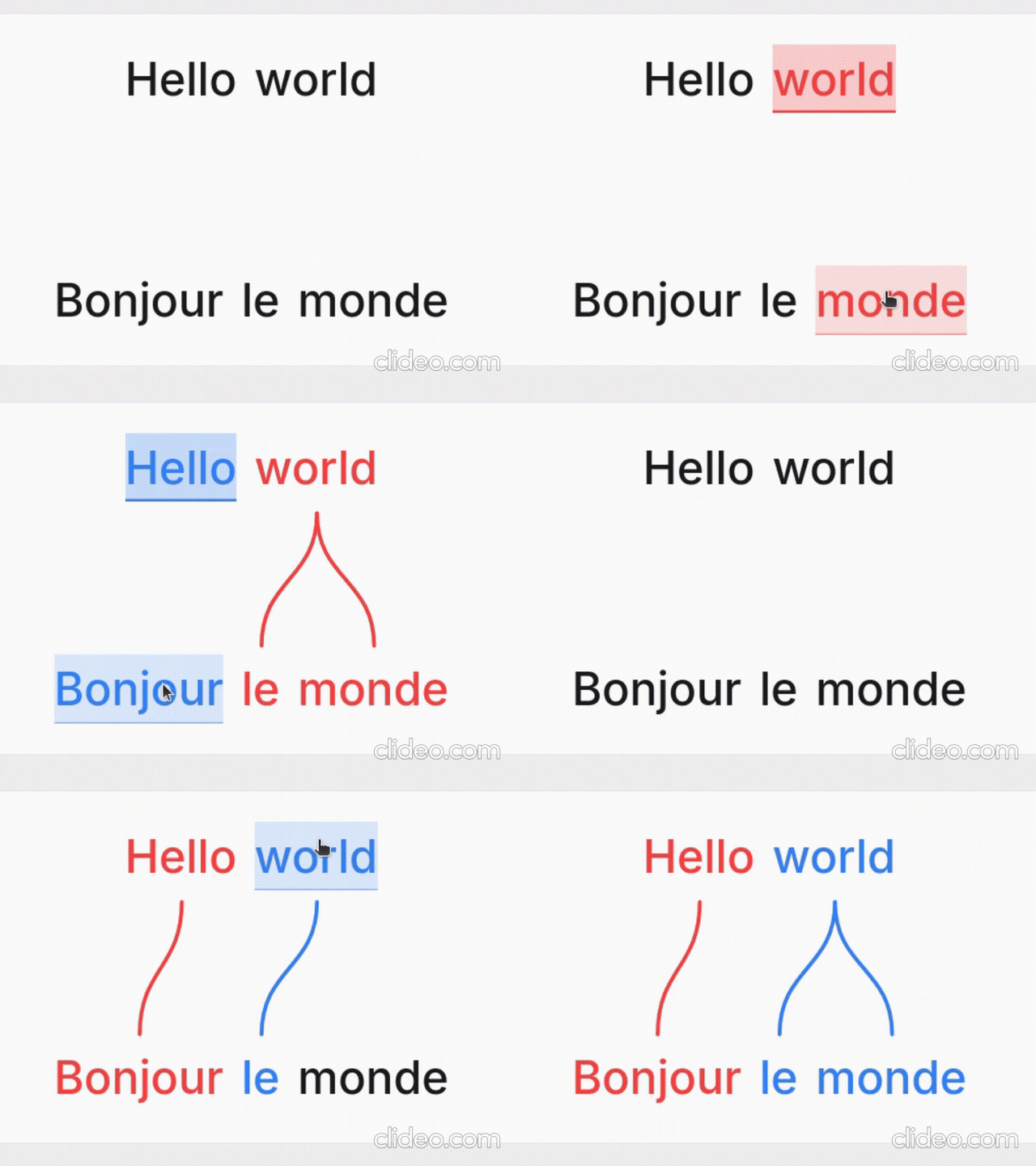
Word Aligner is a free web tool that shows which word matches which across stacked lines of text. Type or paste a sentence and its translation, click a word and then its match on the line above or below, and curved connectors draw the alignment between them. Add extra rows for glosses or IPA, then export the diagram or share it with a link.
No accounts, no machine translation — you stay in control of every link. Great for lessons, social posts, grammar notes, and conlang documentation.
What it's for
- Language learners — see exactly why a translation says what it does: which source word became which target word, what gets dropped, and where word order changes.
- Teachers — build handouts, slides, and flashcards; export a clean PNG or SVG and drop it into a lesson without retyping anything.
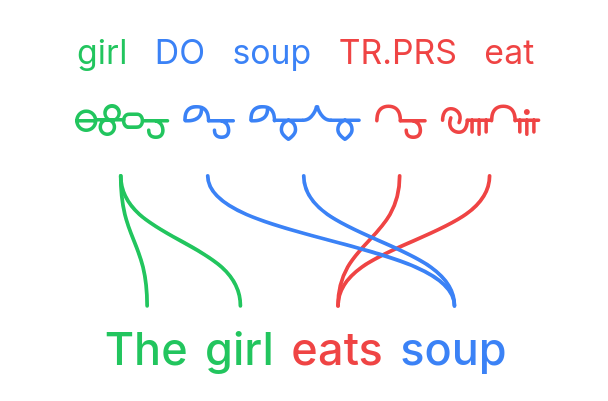
- Linguists — produce Leipzig-style interlinear glosses with morpheme alignment, case/agreement tags, and free translations.
- Conlangers — show how a constructed language maps onto English, with custom script fonts, gloss rows, and IPA.
What it does
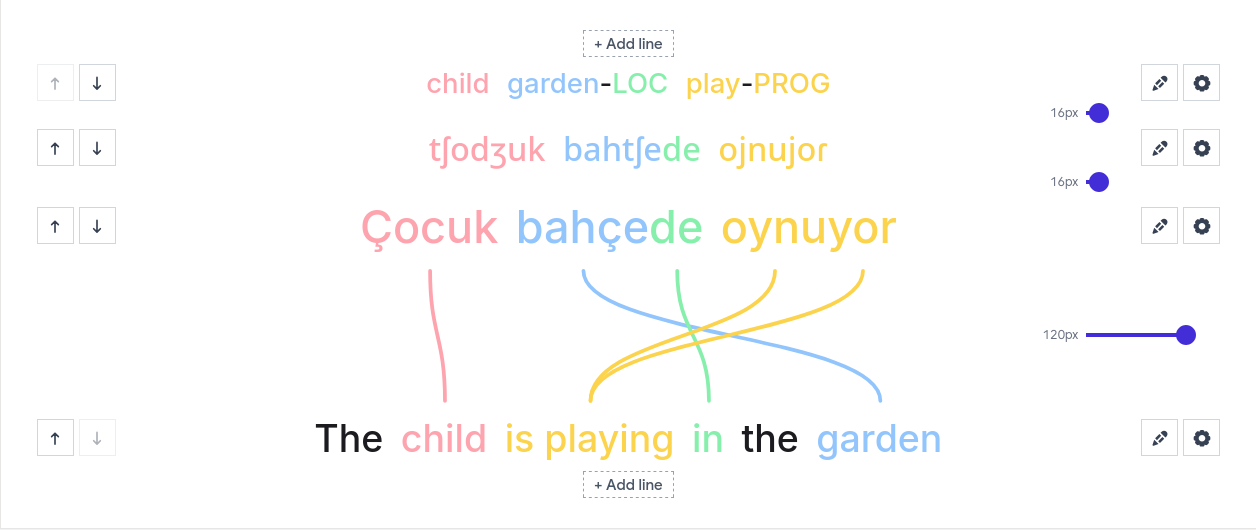
- Multi-line alignment — stack as many rows as you need (source, translation, gloss, IPA); links connect vertically adjacent lines.
- Manual word linking — click a word, then its match; supports one-to-many and many-to-one links and freely crossing connectors for reordered translations.
- Interlinear glosses & IPA — add annotation tiers above or below any line.
- Right-to-left scripts — Hebrew, Arabic, and mixed LTR/RTL layouts.
- Vertical writing systems — stand the whole diagram up as columns for Japanese tategaki, Chinese, or traditional Mongolian; characters stack or the line rotates, chosen per line, so a horizontal translation stays readable beside it.
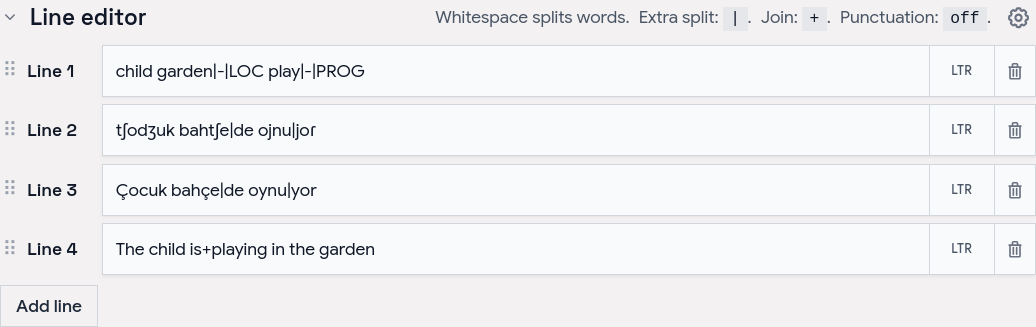
- Tokenization control — choose how text splits into word boxes (split characters, a join marker for fixed expressions, optional punctuation handling).
- Per-line typography — font, size, spacing, and direction per line; custom and Google Fonts.
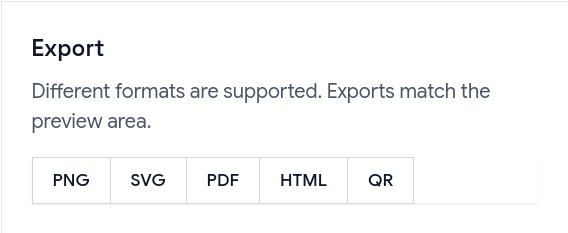
- Exports — PNG, SVG, PDF, and a self-contained HTML file; exports match the preview, including custom-font shaping.
- Shareable URLs — the whole alignment (text, links, and visual settings) is encoded in a
?data=link.
Examples
Browse ready-made examples — bilingual pairs, Turkish interlinear with IPA, RTL scripts, vertical Japanese and traditional Mongolian, Tagalog compounds, Japanese–Chinese–English word order, and more interlinear glosses — at aligner.tinygods.dev/examples. Open any one in the editor to adapt it.
How it works
Edit your lines in the line editor, then link words in the preview.
Tune colors, tokenization, and fonts in settings, then export or share.
Word alignment vs. interlinear vs. parallel text
- Interlinear translation places a gloss directly under each source word — compact, but it hides reordering. Aligner keeps both sentences on their own line and draws connectors, so reorderings, splits, and merges stay obvious.
- Parallel text is side-by-side bilingual reading for long-form study. Aligner focuses on one sentence pair at a time with explicit connectors showing which tokens correspond.
API
Word Aligner has a free HTTP API for generating alignment links programmatically.
POST https://aligner.tinygods.dev/api/align
Content-Type: application/json

{
  "lines": ["Hello world", "Bonjour le monde"],
  "alignments": [[0, 0, 1, 0], [0, 1, 1, 2]]
}
Returns { "url": "https://aligner.tinygods.dev/?data=..." }.
Supports per-line options (font, size, RTL), global visual settings (palette, line style, background), pair-level gap control, and multi-line stacks with selective connectors.
- API docs: aligner.tinygods.dev/api
- OpenAPI schema: aligner.tinygods.dev/api/align/openapi.json
Using Word Aligner as an AI agent tool
The word-aligner-skill/ directory is a ready-to-install skill that teaches AI assistants (Claude, ChatGPT, etc.) how to use the API. Once installed, it enables flows like:
"Translate 'я хочу спать' into English and show me the word alignment."
The agent translates, calls the API, and returns a shareable link.
- For Claude: point your Claude project at this repository or add the contents of
word-aligner-skill/SKILL.mdas a custom instruction. - For ChatGPT: zip
word-aligner-skill/and upload it as a custom Skill.
Install instructions and a downloadable archive are also on the site: aligner.tinygods.dev/skill.
MCP server
There is also an MCP server at https://aligner.tinygods.dev/mcp that exposes a single create_word_alignment tool. It returns a shareable link plus a preview image, and runs inside the same app over Streamable HTTP with no auth. Connect it in Claude:
claude mcp add --transport http word-aligner https://aligner.tinygods.dev/mcp
See docs/mcp-server.md for ChatGPT Developer Mode setup and the tool schema.
Learn more
- App: aligner.tinygods.dev
- About / documentation: aligner.tinygods.dev/about
- Privacy: aligner.tinygods.dev/privacy
Created by Dani Polani. See other tools for linguistics and conlanging.
word-aligner MCPのよくある質問
word-aligner MCPをClaude Codeに追加するには
ターミナルでclaude mcp add --transport http bitext-word-alignment https://aligner.tinygods.dev/mcpを実行します。すべてのプロジェクトで利用するには--scope userを追加します。
word-aligner MCPをCursorに追加するには
~/.cursor/mcp.jsonを開き、上記のインストールセクションに示すCursor設定を使ってmcpServersの下にサーバーを追加します。
Word Alignerは何に使えますか?
語学学習者の単語の照合、教師の配布資料作成、言語学者の逐語訳(インターリニア・グロス)の作成、そして人工言語制作者による人工言語のマッピングなどに利用できます。
図をエクスポートすることはできますか?
はい、アライメントの結果をPNG、SVG、PDF、または自己完結型のHTMLファイルとしてエクスポート可能です。
作成したものを共有するにはどうすればよいですか?
すべてのテキスト、リンク、視覚的な設定をエンコードしたリンクを通じて、アライメントを共有できます。