
AIが生成したコードベースをローカルでスキャンして脆弱性やシークレットを特定し、エージェントによる修正と再スキャンをガイドします。
別名 Synvoya/codeinspectus
- スター
- 51
- ツール
- 10
- ダウンロード数(30日間)
- 1,118
- 最新バージョン
- 4.1.0
- 最終コミット
- 2026年11月5日
- ライセンス
- Apache-2.0
CodeInspectus MCPとは
CodeInspectusはMCPサーバーです。 AIが生成したコードベースをローカルでスキャンして脆弱性やシークレットを特定し、エージェントによる修正と再スキャンをガイドします。. 10個のツールを提供しており、codeinspectus_scan, codeinspectus_setup, codeinspectus_rescanなどがあります。
プロジェクトのREADMEから生成された概要
CodeInspectus MCP server について
CodeInspectusは、コーディングエージェントの中からAIが生成したコードベースのセキュリティ脆弱性やシークレットをスキャンすることを可能にします。このローカルファーストなMCP serverにより、Claude Code、Cursor、Windsurfなどのツールを使用している開発者は、自身のマシン上で直接、包括的なセキュリティ監査を実行できます。スキャン中のネットワーク送信はゼロであり、必要なエンジンをインストールした後はすべての解析をオフラインで行うため、プライバシーが確保されます。
本サーバーは5つの異なるエンジンを連携させて深いカバレッジを提供します。これには、SAST用のOpengrep、シークレット用のGitleaks、依存関係のCVE用のTrivy、オフラインの依存関係マッチング用のGoogle osv-scannerが含まれます。さらに、プロンプトインジェクションのシンク、安全でないモデルからシェルへの遷移、脆弱なSupabase認証パターンなど、AI特有のリスクを検知するために設計された独自のSynvoyaエンジンも搭載しています。ユーザーは、エージェントが問題を発見し、修正を適用し、新しいスキャンで修正を確認するという、スキャン・修正・再スキャンの完全なループを回すことができます。アカウント作成は不要で、すべてのエンジンバイナリは整合性を保つためにSHAピン留めされています。
できること
- 1AI生成コードの脆弱性監査LLMが生成したコードに特化したルールを使用して、新しいリポジトリのセキュリティ上の欠陥をスキャンするようAIエージェントに指示します。
- 2露出したシークレットや認証情報の検出コードベース内にハードコードされたシークレットや機密情報の漏洩がないか、エージェントに検索させます。
- 3セキュリティ修正ループの自動化エージェントに脆弱性を発見させ、コードを修正させ、その後2回目のスキャンを実行して問題が解決したことを確認させます。
- 4AI特有のセキュリティリスクの特定プロンプトインジェクションのシンクや、モデルの不適切な出力がJavaScriptのeval関数に到達するといった、現代的な脆弱性をチェックします。
プロジェクトの README から作成されています。すべてのユースケースは、その引用と照らし合わせて確認されています。
CodeInspectus MCPのインストール方法
フォーマット検証日 2026年11月10日Cursor に追加Gooseに追加Claude CodeにCodeInspectus MCPをインストール
$ claude mcp add codeinspectus -- npx -y codeinspectusCursorにCodeInspectus MCPをインストール
~/.cursor/mcp.json
{
  "mcpServers": {
    "codeinspectus": {
      "command": "npx",
      "args": [
        "-y",
        "codeinspectus"
      ]
    }
  }
}VS CodeにCodeInspectus MCPをインストール
.vscode/mcp.json
{
  "servers": {
    "codeinspectus": {
      "type": "stdio",
      "command": "npx",
      "args": [
        "-y",
        "codeinspectus"
      ]
    }
  }
}VS Code CLIにCodeInspectus MCPをインストール
$ code --add-mcp '{"name":"codeinspectus","type":"stdio","command":"npx","args":["-y","codeinspectus"]}'Claude DesktopにCodeInspectus MCPをインストール
claude_desktop_config.json
{
  "mcpServers": {
    "codeinspectus": {
      "command": "npx",
      "args": [
        "-y",
        "codeinspectus"
      ]
    }
  }
}CodexにCodeInspectus MCPをインストール
$ codex mcp add codeinspectus -- npx -y codeinspectusCodex config.tomlにCodeInspectus MCPをインストール
~/.codex/config.toml
[mcp_servers.codeinspectus]
command = "npx"
args = ["-y", "codeinspectus"]
Gemini CLIにCodeInspectus MCPをインストール
$ gemini mcp add -s user codeinspectus npx -- -y codeinspectusGemini settings.jsonにCodeInspectus MCPをインストール
~/.gemini/settings.json
{
  "mcpServers": {
    "codeinspectus": {
      "command": "npx",
      "args": [
        "-y",
        "codeinspectus"
      ]
    }
  }
}CodeInspectus MCPツール 10
READMEから検出codeinspectus_scancodeinspectus_setupcodeinspectus_rescancodeinspectus_plan_cleanupcodeinspectus_apply_cleanupcodeinspectus_rollback_cleanupcodeinspectus_compliance_reportcodeinspectus_explain_findingcodeinspectus_generate_sbomcodeinspectus_list_rules
| codeinspectus_scan | — | |
| codeinspectus_setup | — | |
| codeinspectus_rescan | — | |
| codeinspectus_plan_cleanup | — | |
| codeinspectus_apply_cleanup | — | |
| codeinspectus_rollback_cleanup | — | |
| codeinspectus_compliance_report | — | |
| codeinspectus_explain_finding | — | |
| codeinspectus_generate_sbom | — | |
| codeinspectus_list_rules | — |
自動チェック
実行日 2026年11月12日完全なレポート →自動チェックに合格しました。これはセキュリティ監査ではありません。コードを読み、サーバーに必要最小限のアクセス権を与えてください。 チェックの仕組み

- ソースリポジトリがリンクされており、アクセス可能合格
- オープンソースライセンス (OSI)合格
- 過去1年以内にコミットまたはリリースあり合格
- パッケージ名が有名なパッケージに酷似していない合格
- リモートエンドポイントがHTTPSを使用未チェック
- 破壊的なツールがラベル付けされている合格
- モデルへの隠れた指示がない合格
- パッケージおよびその依存関係に重大な勧告なし合格
README
GitHubで見るCodeInspectus, by Synvoya





A local-first, privacy-preserving security MCP server and CLI. Any AI coding agent (Claude Code, Cursor, Codex, Windsurf, Cline, Aider) can invoke CodeInspectus to scan AI-generated / "vibe-coded" code for real vulnerabilities, map findings to compliance frameworks as honest code-level coverage, and drive a scan → fix → rescan loop — fully on your machine, with no account and zero network egress at scan time.
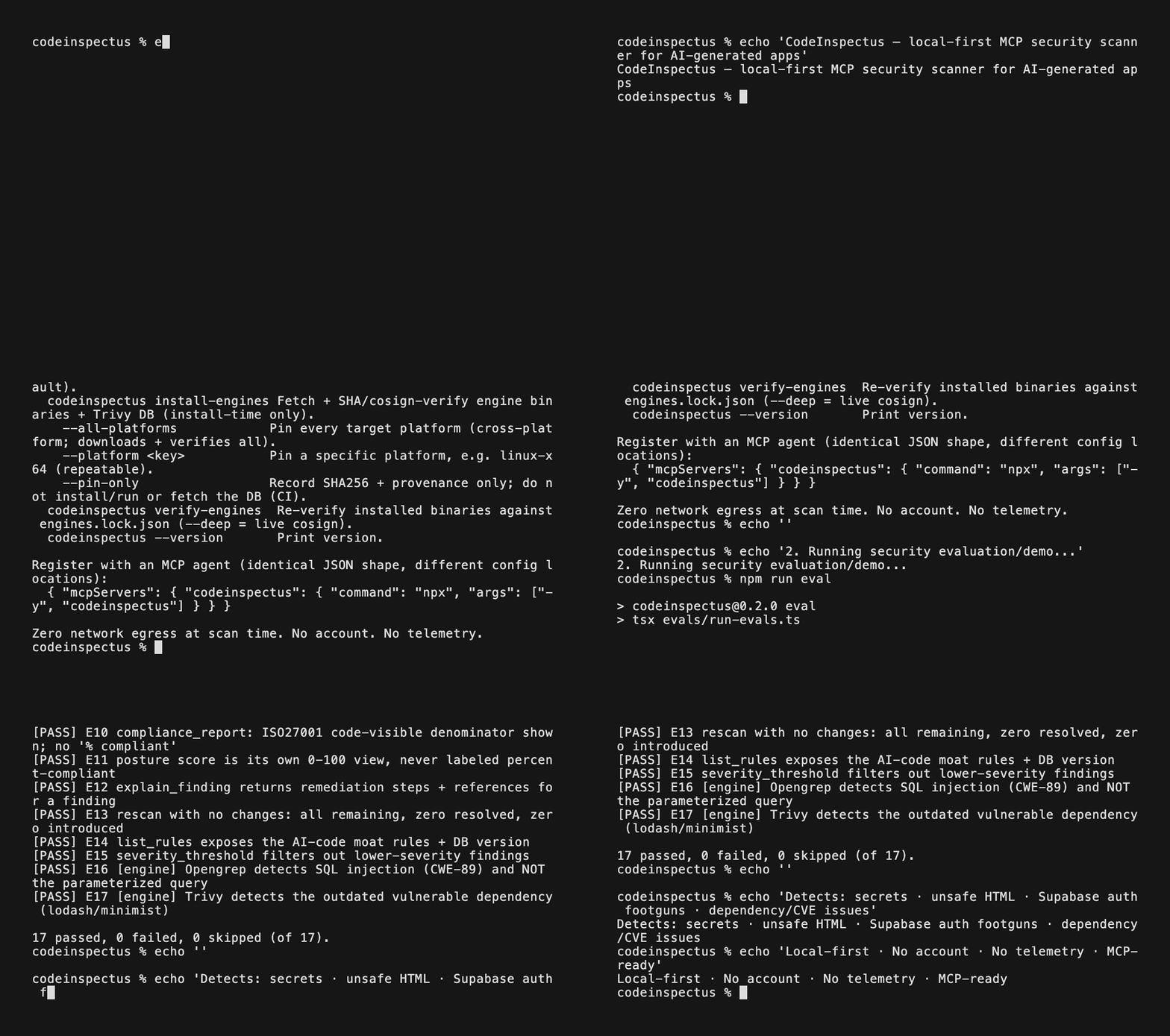
Reproduce the V2.1 proof: the codeinspectus@2.1.0 package scans an immutable public Rich
commit, finds one high-confidence GitHub Actions expression-injection pattern, applies GitHub's
documented intermediate-env remediation in a temporary clone, confirms it as 1 resolved,
0 remaining, 0 introduced, 0 not rechecked, then creates and verifies sealed evidence for both
states. Run the reproduction script or read the
scanner-derived case study. The recorded
pre-publication run used the exact V2.1 tarball; the script defaults to npm after publication.
The case uses the ai scanner class to isolate stable native behavior; use a normal full scan for
broad repository coverage.
If CodeInspectus is useful, star the repository so other AI-app builders can find it.
CodeInspectus runs five engines behind one normalized, CWE-keyed schema: four best-in-class open-source engines, plus the Synvoya engine, our own, which carries the AI-code-specific checks and recent advisories that generic scanners miss:
- Opengrep — SAST / OWASP Top 10 (SARIF)
- Gitleaks — secrets
- Trivy — dependency CVEs (SCA), IaC misconfig, secrets, SBOM, and licence findings when you opt in (
include_licenses: true/--licenses; off by default) - osv-scanner (Google) — offline dependency matching against OSV.dev data, including
OpenSSF malicious-package (
MAL-) advisories. It runs only on the OSV databases you approved for the ecosystems your repository uses - Synvoya engine (ours) — an offline gap-advisory layer for what those engines miss:
declared Node.js, PHP, Python, Ruby, Go, .NET and Java versions (version-manager pins, manifests,
CI setup steps, image tags), end-of-life lines, exploited products such as Adobe Commerce and
WordPress core, malicious package versions, vendored and CDN-loaded JavaScript libraries (checked
by osv-scanner through a per-scan SBOM), Magento editions, the declared Go toolchain, and GitHub
Actions advisories. It reads only what the repository declares, ships inside the package with
SHA-256 integrity checks, and folds into an upstream finding rather than duplicating it. Synvoya also
provides the PHP and Node.js Opengrep rule packs (
syn-php-*,syn-node-*). See docs/SYNVOYA.md - CodeInspectus Pub — first-party, exact-version Dart/Flutter dependency matching and
CycloneDX/SPDX inventory from
pubspec.lock, backed by a bundled offline OSV Pub snapshot - CodeInspectus native checks — client-side secret/bundle exposure, Supabase
RLS / inverted-auth (the CVE-2025-48757 class), prompt-injection sinks,
model-produced tool arguments reaching Node, Python, or narrowly supported Go, Java, C#, PHP, Rust, and Ruby shell sinks without a visible guard,
general model output reaching JavaScript
eval/Functionor import-proven shell-string APIs, conventional Next.js and import-proven Express admin API handlers missing visible authentication or server-side authorization, Supabase Edge Functions with explicit anonymous deployment but no request authentication or privileged-operation authorization, client-writableuser_metadataauthorization, and unsanitized model/user output rendered viadangerouslySetInnerHTML(XSS / LLM05), plus explicit API-boundary leaks, raw request-to-database writes, sensitive logging, and evidence-gated security-header/CSP/Referrer-Policy/Permissions-Policy/session-cookie/Supabase-CAPTCHA configuration checks. Separate first-party packs cover six narrow Flutter/Dart source failure modes and eight bounded Android/iOS repository-configuration failures, plus four React Native and two Expo framework-specific mobile failures. A bounded Python AI/API pack covers ten narrow Django, Flask, FastAPI, Starlette, Jinja, OpenAI, Anthropic, LangChain, and OS-command source failures. Separate Go, Java, and C# AI packs each contribute one exact official OpenAI SDK tool-argument-to-shell rule; the PHP pack contributes one equivalent rule for the community-maintainedopenai-php/clientecosystem, and the Rust pack contributes one bounded rule for the community-maintainedasync-openaiecosystem. A Ruby pack contributes one equivalent rule for the exact officialopenaigem. A Firebase configuration pack contributes three literal public-write rules for Firestore, Cloud Storage, and Realtime Database. A GitHub Actions pack contributes two workflow rules for direct untrusted-context shell interpolation and exactpull_request_targetcheckout-and-execute chains.
The shipped manifest contains 126 curated detections: 72 first-party native rule
IDs (29 JavaScript/TypeScript, 6 Flutter/Dart, 4 Android, 4 iOS, 4 React Native, and
2 Expo, plus 10 Python AI/API, 1 Go AI, 1 Java AI, 1 C# AI, 1 PHP AI, 1 Rust AI, 1 Ruby AI,
3 Firebase configuration, 2 GitHub Actions workflow, and 2 JavaScript baseline SAST rules), 18 Opengrep-owned
SAST rules, 19 Synvoya PHP Opengrep rules (syn-php-*), 12 Synvoya Node.js Opengrep rules
(syn-node-*), and 5 custom Gitleaks rules. All 20
ci-baseline-* Opengrep YAML rules remain physically active:
the two native-owned rules reconcile exact results and fall back to Opengrep on mismatch or
native unavailability. Opengrep, Gitleaks, Trivy, and osv-scanner are optional, managed, additive engines.
CodeInspectus explains each engine's coverage, license, platform-specific size, and required action before asking permission. After approval it downloads the official, SHA-pinned engine binaries, stores them outside the npm package, and calls them as local subprocesses. It does not fork them.
Why CodeInspectus?
AI-generated apps often ship with security mistakes that generic scanners miss: exposed client-side secrets, weak Supabase auth patterns, unsafe HTML rendering, prompt-injection sinks, and risky AI/vector-store integrations.
CodeInspectus combines proven local scanners with AI-app-specific rules, then exposes the workflow through an MCP server so coding agents can scan, explain, and help fix issues before shipping.
Install
Prerequisite: Node.js ≥22. Node 24 LTS is recommended. No separate engine or Cosign
installation is required. CodeInspectus can bootstrap a SHA-pinned Cosign verifier inside
~/.codeinspectus/ after approval; signature verification remains fail-closed.
On Linux, the current upstream Opengrep assets require glibc. Alpine/musl remains supported for
native CodeInspectus rules, Gitleaks, and Trivy, but setup marks Opengrep unavailable before any
download and reports aggregate scan coverage as partial when it is selected.
The official @contentauth/c2pa-node validator is an optional peer because its upstream package
downloads a platform-native binding during its own lifecycle script. Normal CodeInspectus installs
do not install that peer. Install it explicitly alongside CodeInspectus when local C2PA validation
is required; otherwise candidate assets report partial content_provenance coverage.
# Interactive: inspect coverage, licenses, and sizes; then approve all or choose components.
npx codeinspectus setup

# Automation after an operator has reviewed the plan:
npx codeinspectus setup --status
npx codeinspectus setup --all
npx codeinspectus setup --select opengrep,gitleaks

# osv-scanner: install it and download only the OSV databases this repository needs
# (--path reads lockfile names to pick ecosystems; --osv-ecosystems names them explicitly).
npx codeinspectus setup --select osv-scanner --path /absolute/path/to/repository
npx codeinspectus setup --select osv-scanner --osv-ecosystems npm,PyPI
On a terminal, a first bare npx codeinspectus run opens this guided setup. MCP clients continue
to start over piped stdio and expose codeinspectus_setup: agents must request a plan, show it,
ask permission, then call install with confirm_downloads=true. Declined choices are saved so
users are not repeatedly prompted; setup --reset clears them.
Setup first checks local state without network access. It downloads only missing,
mismatched, or newly pinned binaries, verifies them against the immutable lockfile shipped in the
npm package, and atomically installs them under ~/.codeinspectus/. It refreshes the offline
Trivy vulnerability DB only when it is missing, lacks rescan provenance, or is more than seven
days old. Rule-only CodeInspectus upgrades therefore download nothing. After setup, scans
perform zero network I/O.
osv-scanner's vulnerability data is one OSV database per package ecosystem. Setup downloads a
database only after you approve it, only for the ecosystems your repository's lockfiles name
(--path, or the path the MCP setup tool takes) or the ones you list with --osv-ecosystems, and
only from osv-vulnerabilities.storage.googleapis.com. The allow-list is language ecosystems: npm,
PyPI, Packagist, Go, crates.io, RubyGems, Maven, NuGet, and Pub, plus the small "GitHub Actions" database
(about 100 KB, offered when the repository has workflows) that Synvoya's Actions matcher reads. Distribution
ecosystems are never downloaded. The npm database is over 200 MB zipped, so setup shows each size before you approve.
OSV publishes no signature for these files; integrity is TLS to that one host plus a SHA-256
CodeInspectus records at install time. Setup (unless you declined osv-scanner) and a bare
repair-engines (while osv-scanner is installed) also refresh an OSV database you already
installed once it is more than seven days old or has lost its install record; neither adds an
ecosystem you did not approve. To add a database later:
npx codeinspectus repair-engines osv-scanner --osv-ecosystems PyPI.
Every scan and codeinspectus_list_rules response includes structured engine_setup state:
ready, repair_required, db_refresh_recommended, or unsupported_platform. MCP agents are
instructed to explain non-ready state and obtain approval through codeinspectus_setup. There is
no silent npm postinstall download. repair-engines remains available for advanced/manual use;
the older install-engines command remains a compatibility alias.
If a Trivy DB was installed before 0.3.2, scan output tells your agent that CVE rescan
tracking is not yet enabled. The agent should run setup (codeinspectus_setup, or npx codeinspectus setup)
once; this re-fetches the DB through the verified install path and records its provenance.
Until then, vanished CVEs conservatively report not_rechecked; current scan findings
remain complete and unaffected.
Re-verify your pinned binaries any time:
npx codeinspectus verify-engines
CLI, CI, and local evidence workflows
codeinspectus scan . --format sarif --output results.sarif
codeinspectus scan . --format csv --output findings.csv
codeinspectus scan . --format sarif --output results.sarif --fail-on-severity high
codeinspectus scan . --baseline SCAN_ID --fail-on-new-severity high
codeinspectus scan . --licenses
codeinspectus scan . --fail-on-severity high --accept-gaps vendored-js,third-party-bundles
codeinspectus scan . --diff origin/main --head HEAD
codeinspectus scan . --working-tree --base HEAD
codeinspectus bundle create SCAN_ID --output-dir /outside/repository/scan-results
codeinspectus bundle verify /outside/repository/scan-results
codeinspectus bulk scan /absolute/path/to/local-repositories --concurrency 2
codeinspectus history scan . --from BASE_SHA --to HEAD_SHA --since 2026-07-01 --until 2026-07-30 --max-commits 20
codeinspectus issue export SCAN_ID CI-0001 --adapter github --visibility private
Git-scoped scans retain full repository context, tag changed versus supporting-context
findings, and report exact resolved revisions and explicit completeness limits. They never
checkout, reset, stage, or modify the repository. See
docs/GIT-SCOPED-SCANS.md.
Sealed bundles retain redacted JSON, SARIF, Markdown, coverage, provenance and an additive
canonical scan record with content hashes for every artifact. Verification is mandatory before
bundle export or comparison. See docs/SEALED-SCAN-BUNDLES.md.
CSV is a deterministic spreadsheet-safe projection of the canonical JSON model. It always retains
an explicit scan/coverage row, even with zero findings, and neutralizes formula-triggering cells.
See docs/CSV-EXPORT.md for the stable column contract.
The V2 TypeScript SDK is available from codeinspectus/sdk. It is a bounded,
shell-free wrapper around the exact installed local CLI and exports versioned finding, coverage,
history, baseline, triage and bundle types without duplicating scanner logic. See
docs/TYPESCRIPT-SDK.md.
Bulk mode scans already-existing repositories under one explicit local parent with bounded
concurrency, per-repository isolation and an atomic resumable manifest. It never clones or requires
a GitHub account. See docs/BULK-SCANNING.md.
Repository-history mode is separately opt-in and requires exact revision, UTC date and commit-count
bounds. It scans isolated immutable snapshots, marks shallow or truncated history partial, and never
describes an old finding as current or a historical secret as active. See
docs/REPOSITORY-HISTORY.md.
Issue adapters generate one redacted, review-required GitHub, Jira or Linear JSON payload without
authentication or submission. Destination visibility is mandatory and public/private disclosure
warnings remain in the artifact. See docs/ISSUE-PAYLOADS.md.
The first command is report-only: findings are retained but do not fail complete scans. The second enforces a severity threshold. Both fail closed with exit 2 when aggregate coverage is partial or unknown; coverage takes precedence over finding severity. Exit 1 is reserved for threshold findings after complete coverage. See the CLI command reference and CI policy and SHA-pinned GitHub Actions workflow for the full exit contract, SARIF upload, artifact privacy, and fork/Dependabot behavior.
Two options shape what a scan reports. Licence findings are off by default since 4.0 (they are
informational and none is fixable); --licenses (MCP include_licenses: true, SDK includeLicenses)
turns them on, and a scan without them carries an informational coverage note. --accept-gaps
(MCP accept_gaps) names declared coverage gaps you accept so that they alone do not fail CI; the
gap stays listed and coverage still reads partial. Gap ids are in
CI policy.
Baseline enforcement fails only on findings proven new against a compatible explicit stored scan. Incompatible, partial, or unknown comparison evidence fails closed with exit 2. Local triage adds append-only review context without hiding or changing findings. See baselines and local triage for commands, exact matching, bounds, storage, redaction, schemas, and audit behavior.
Local scan history can be listed, inspected, rerun, and compared without network access:
codeinspectus scans list --repository "$PWD"
codeinspectus scans show SCAN_ID
codeinspectus scans rerun SCAN_ID
codeinspectus scans compare OLD_SCAN_ID NEW_SCAN_ID --format json
Comparison is evidence-gated: absence is Resolved only after compatible producer components and
complete like-for-like coverage; otherwise it is Not rechecked / unknown. See the
scan history and comparison contract for filters, bounds, V1.x compatibility,
corruption handling, and Reopened provenance.
The shipped agent rules also define an approval-gated
one-finding remediation workflow: investigate one exact finding,
propose the regression and smallest patch, edit only after separate approval, test, then rescan
against the exact prior scan. Only a CodeInspectus resolved result supports a scanner-resolution
claim; not_rechecked remains an explicit proof gap.
Two explicit, optional workflows extend investigation without changing scanner truth:
- Threat-model and knowledge-base review treats every repository-controlled document as untrusted context. Documents can explain or prioritize raw findings, but never suppress, downgrade, override, or mark them resolved.
- Bounded multi-agent review keeps deterministic findings and agent interpretations in separate evidence lanes, applies explicit agent/time/scope/cost limits, and requires an exact-prior deterministic rescan before any scanner-resolution claim.
These rules are included in the npm package under agent-rules/; normal CLI and MCP scans do not
load documents, invoke models, or depend on either workflow.
An MCP server is installed once per machine and shared across all your
projects — it is not a per-repo npm install dependency.
Client registration
The server command is the same across clients, but each client uses its own configuration format. Clients with JSON MCP configuration use:
{
  "mcpServers": {
    "codeinspectus": { "command": "npx", "args": ["-y", "codeinspectus"] }
  }
}
| Client | How |
|---|---|
| Claude Code | claude mcp add-json codeinspectus '{"command":"npx","args":["-y","codeinspectus"]}' |
| Cursor | add to ~/.cursor/mcp.json (or project .cursor/mcp.json) |
| VS Code | code --add-mcp '{"name":"codeinspectus","command":"npx","args":["-y","codeinspectus"]}' |
| Codex | use one of the Codex-specific options below |
| Windsurf / Cline / Aider | add the JSON block above to that client's MCP configuration |
For Codex, choose one registration method:
# Codex CLI
codex mcp add codeinspectus -- npx -y codeinspectus
- Codex app or IDE extension: open Settings → MCP servers → Add server,
choose STDIO, set the command to
npxand arguments to-y,codeinspectus, then restart. - Codex configuration file: add this to global
~/.codex/config.tomlor a trusted project's.codex/config.toml:
[mcp_servers.codeinspectus]
command = "npx"
args = ["-y", "codeinspectus"]
tool_timeout_sec = 600
Codex defaults MCP tool calls to 60 seconds. CodeInspectus runs multiple security engines concurrently and permits up to five minutes per engine, so 600 seconds avoids premature client timeouts on larger repositories. This is a Codex client timeout only; it does not change engine limits or other clients' configurations.
Optional: drop in the ready-made agent-rules/ so your agent
auto-runs the scan → fix → rescan loop.
MCP clients that support server instructions, including Codex, also receive the safe workflow automatically: show findings first, obtain granular approval before fixes, and rescan before claiming an issue is resolved. The agent-rule files remain useful when you want the same policy persisted explicitly in a repository.
Tools
| Tool | Purpose |
|---|---|
codeinspectus_scan |
Full local scan of a path (engines + AI checks). Options: scanners, severity_threshold, max_findings, include_compliance, accept_gaps, and include_licenses (licence findings are off by default; the result carries an informational coverage note when they were not requested). Returns CWE-keyed findings, detected technologies, exact native-pack and Pub dependency coverage, remediations, framework tags, and three-state repository evidence for supported runtime controls. |
codeinspectus_setup |
Offline setup plan, saved decline choices, or approval-gated verified downloads to ~/.codeinspectus; never writes to the target repository. |
codeinspectus_rescan |
Re-scan after fixes; diffs vs a prior scan → resolved / remaining / introduced, with fresh technology and pack coverage. |
codeinspectus_plan_cleanup |
Fresh read-only V3.3 plan for exact verified repository-trust artifact IDs, including preimage hashes, transformations, blockers and approval requirements. |
codeinspectus_apply_cleanup |
Apply one explicitly approved exact plan with managed backups, atomic bounded edits/copy-only media cleanup, same-validator verification and a content-free audit log. |
codeinspectus_rollback_cleanup |
Restore an applied cleanup only when current bytes still match the recorded post-clean state. |
codeinspectus_compliance_report |
Per-framework code-level control coverage (not certification). |
codeinspectus_explain_finding |
Deep explanation + full remediation for one finding. |
codeinspectus_generate_sbom |
CycloneDX/SPDX SBOM using Trivy plus native Pub inventory/fallback (written to the managed dir by default, or an absolute .json path you choose; never replaces an existing non-SBOM file). |
codeinspectus_list_rules |
Active detectors, native-pack inventory/rule ownership, engine versions, detection-DB + Trivy/Pub DB provenance and freshness, and structured machine setup/repair state. |
CodeInspectus scans, plans and reports without repository mutation. The only source/repository
mutation surfaces are the explicitly approved V3.3 apply/rollback tools. It stores engine data,
scan history, cleanup checkpoints and content-free audit records under ~/.codeinspectus.
codeinspectus_generate_sbom can also write an optional SBOM to a managed directory by default,
or to an absolute .json path you choose; it refuses to replace any existing file that is not
already an SBOM. Git runs only in read-only mode with command-line overrides, so a scanned
repository's own config cannot make a scan run programs (fsmonitor hooks, signature programs, or
filter drivers) or rewrite .git/index.
Each scan also reports a read-only git-safety state: if there's no git repo or uncommitted changes, it recommends creating a checkpoint before fixes — your agent runs git only with your approval; the tool never runs git commands that change your repository.
CodeInspectus MCPのよくある質問
CodeInspectus MCPをClaude Codeに追加するには
ターミナルでclaude mcp add codeinspectus -- npx -y codeinspectusを実行します。すべてのプロジェクトで利用するには--scope userを追加します。
CodeInspectus MCPをCursorに追加するには
~/.cursor/mcp.jsonを開き、上記のインストールセクションに示すCursor設定を使ってmcpServersの下にサーバーを追加します。
CodeInspectus MCPが提供するツールは
10個のツールを提供しており、codeinspectus_scan, codeinspectus_setup, codeinspectus_rescan, codeinspectus_plan_cleanup, codeinspectus_apply_cleanupなどがあります。
CodeInspectusを利用する際、アカウント作成やコードのクラウド送信は必要ですか?
いいえ。ローカルファーストな設計であり、アカウントは不要です。スキャン中のネットワークI/Oは一切発生しません。エンジンは初回承認時に一度ダウンロードされるだけで、以降はローカルのサブプロセスとして実行されます。
どのコーディングエージェントでCodeInspectus MCP serverを使用できますか?
Claude Code、Cursor、Codex、Windsurf、Cline、Aiderなど、あらゆるAIコーディングエージェントから呼び出し可能です。
CodeInspectusではどのスキャンエンジンが動作しますか?
SAST用のOpengrep、シークレット用のGitleaks、依存関係およびIaC用のTrivy、オフラインでのOSVマッチング用のosv-scanner、そしてAI生成コード特有のチェックを行う独自のSynvoyaエンジンを組み合わせて使用します。
Node.jsのバージョン要件はありますか?
Node.js 22以降が必要です。Node 24 LTSを推奨します。
スキャンエンジンのインストール方法は?
対話型のセットアップコマンドを実行してください。カバレッジ、ライセンス、サイズを確認した後、すべてのコンポーネントを承認するか、特定のコンポーネントを選択してインストールします。