
軽量で依存関係のないC言語のバイナリを使用して、AIクライアントが画像の変換、リサイズ、クロップ、フィルタ適用を行えるようにします。
別名 swperb/imgcli, imgcli-mcp
- スター
- 0
- ツール
- —
- ダウンロード数(30日間)
- —
- 最新バージョン
- 0.2.0
- 最終コミット
- 2026年11月13日
- ライセンス
- MIT
imgcli MCPとは
imgcliはMCPサーバーです。 軽量で依存関係のないC言語のバイナリを使用して、AIクライアントが画像の変換、リサイズ、クロップ、フィルタ適用を行えるようにします。.
プロジェクトのREADMEから生成された概要
imgcli MCP server について
imgcliは、迅速な変換、リサイズ、フィルタリングを行うために設計された軽量なツールであり、AIクライアントを通じた効率的な画像処理を実現します。依存関係のない単一のC言語バイナリとして機能し、ローカルマシン上で動作するため、スピードと低フットプリントが重要となる自動化パイプラインに最適です。AIエージェントは、convert_image、probe_image、list_filters といった特定のツールを使用して、重いシステムライブラリを必要とせずに視覚データを操作できます。
このサーバーは、ffmpegスタイルのフィルタグラフ構文を使用して、スケーリング、クロップ、またはグレースケールやセピアのような色調整などの複雑なタスクを単一のパスで実行します。PNG、JPEG、BMP、TGA、GIF、PPM、QOIを含むさまざまな形式をサポートしています。libcのみにリンクする232 KBの自己完結型バイナリであるため、ImageMagickのような大規模なツールキットのオーバーヘッドや複雑さを回避でき、サムネイル生成や画像へのウォーターマーク追加などのタスクにおいて、より高速な代替手段を提供します。
できること
- 1バッチサムネイル生成AIエージェントは、単一のコマンドを使用して、フォルダ内のすべての画像を小さなサムネイルにリサイズできます。
- 2複雑なビジュアルフィルタの適用彩度、コントラスト、ぼかしなどの複数のエフェクトを組み合わせるようAIに指示して、画像をスタイライズできます。
- 3自動画像ウォーターマーク開発者はこのツールを使用して、特定の不透明度設定でロゴをメイン画像にオーバーレイできます。
プロジェクトの README から作成されています。すべてのユースケースは、その引用と照らし合わせて確認されています。
imgcli MCPのインストール方法
フォーマット検証日 2026年11月10日Cursor に追加Gooseに追加Claude Codeにimgcli MCPをインストール
$ claude mcp add imgcli -- npx -y imgcli-mcpCursorにimgcli MCPをインストール
~/.cursor/mcp.json
{
  "mcpServers": {
    "imgcli": {
      "command": "npx",
      "args": [
        "-y",
        "imgcli-mcp"
      ]
    }
  }
}VS Codeにimgcli MCPをインストール
.vscode/mcp.json
{
  "servers": {
    "imgcli": {
      "type": "stdio",
      "command": "npx",
      "args": [
        "-y",
        "imgcli-mcp"
      ]
    }
  }
}VS Code CLIにimgcli MCPをインストール
$ code --add-mcp '{"name":"imgcli","type":"stdio","command":"npx","args":["-y","imgcli-mcp"]}'Claude Desktopにimgcli MCPをインストール
claude_desktop_config.json
{
  "mcpServers": {
    "imgcli": {
      "command": "npx",
      "args": [
        "-y",
        "imgcli-mcp"
      ]
    }
  }
}Codexにimgcli MCPをインストール
$ codex mcp add imgcli -- npx -y imgcli-mcpCodex config.tomlにimgcli MCPをインストール
~/.codex/config.toml
[mcp_servers.imgcli]
command = "npx"
args = ["-y", "imgcli-mcp"]
Gemini CLIにimgcli MCPをインストール
$ gemini mcp add -s user imgcli npx -- -y imgcli-mcpGemini settings.jsonにimgcli MCPをインストール
~/.gemini/settings.json
{
  "mcpServers": {
    "imgcli": {
      "command": "npx",
      "args": [
        "-y",
        "imgcli-mcp"
      ]
    }
  }
}設定
IMGCLI_BINPath to the imgcli binary if not on PATH (e.g. after `brew install swperb/tap/imgcli`).
| 名前 | 説明 | 種類 |
|---|---|---|
| IMGCLI_BIN | Path to the imgcli binary if not on PATH (e.g. after `brew install swperb/tap/imgcli`). |
自動チェック
実行日 2026年11月14日完全なレポート →自動チェックに合格しました。これはセキュリティ監査ではありません。コードを読み、サーバーに必要最小限のアクセス権を与えてください。 チェックの仕組み

- ソースリポジトリがリンクされており、アクセス可能swperb/imgcli is public and reachablegithub.com/swperb/imgcli ↗合格
- パッケージがこのリポジトリをソースとして指定imgcli-mcp names swperb/imgcli as sourcenpmjs.com/package/imgcli-mcp ↗合格
- ビルドの来歴 (Sigstore 証明)No build attestation published for this release未チェック
- オープンソースライセンス (OSI)MITspdx.org/licenses/MIT.html ↗合格
- 過去1年以内にコミットまたはリリースありLast commit or release 2026-11-02github.com/swperb/imgcli ↗合格
- OpenSSF ScorecardOpenSSF Scorecard 7.9 / 10; weakest: CII-Best-Practices 0, Signed-Releases 0, Code-Review 2scorecard.dev/viewer/?uri=github.com/swperb/imgcli ↗合格
- パッケージ名が有名なパッケージに酷似していないNo popular package one edit away from imgcli-mcp合格
- パッケージおよびその依存関係に重大な勧告なし99 resolved dependencies checked; no critical advisoryosv.dev ↗合格
- モデルへの隠れた指示がない0 tool descriptions and the README read; no override phrases, credential paths or hidden characters合格
- 破壊的なツールがラベル付けされている未チェック
- リモートエンドポイントが MCP ハンドシェイクに応答未チェック
README
GitHubで見るimgcli — command-line image conversion & processing in C

ImageMagick's power, ffmpeg's syntax, zero dependencies. A tiny C binary that converts, resizes, crops, filters, and composites images — PNG, JPEG, BMP, TGA, GIF, PPM, QOI — driven by an ffmpeg-style filtergraph. No system libraries; compiles anywhere a C11 compiler exists.
⚡ ~8× faster than ImageMagick on common resize/filter ops, in a 232 KB single binary (~470× smaller) — see the benchmarks. A lightweight alternative to ImageMagick
convertorffmpegfor still images.
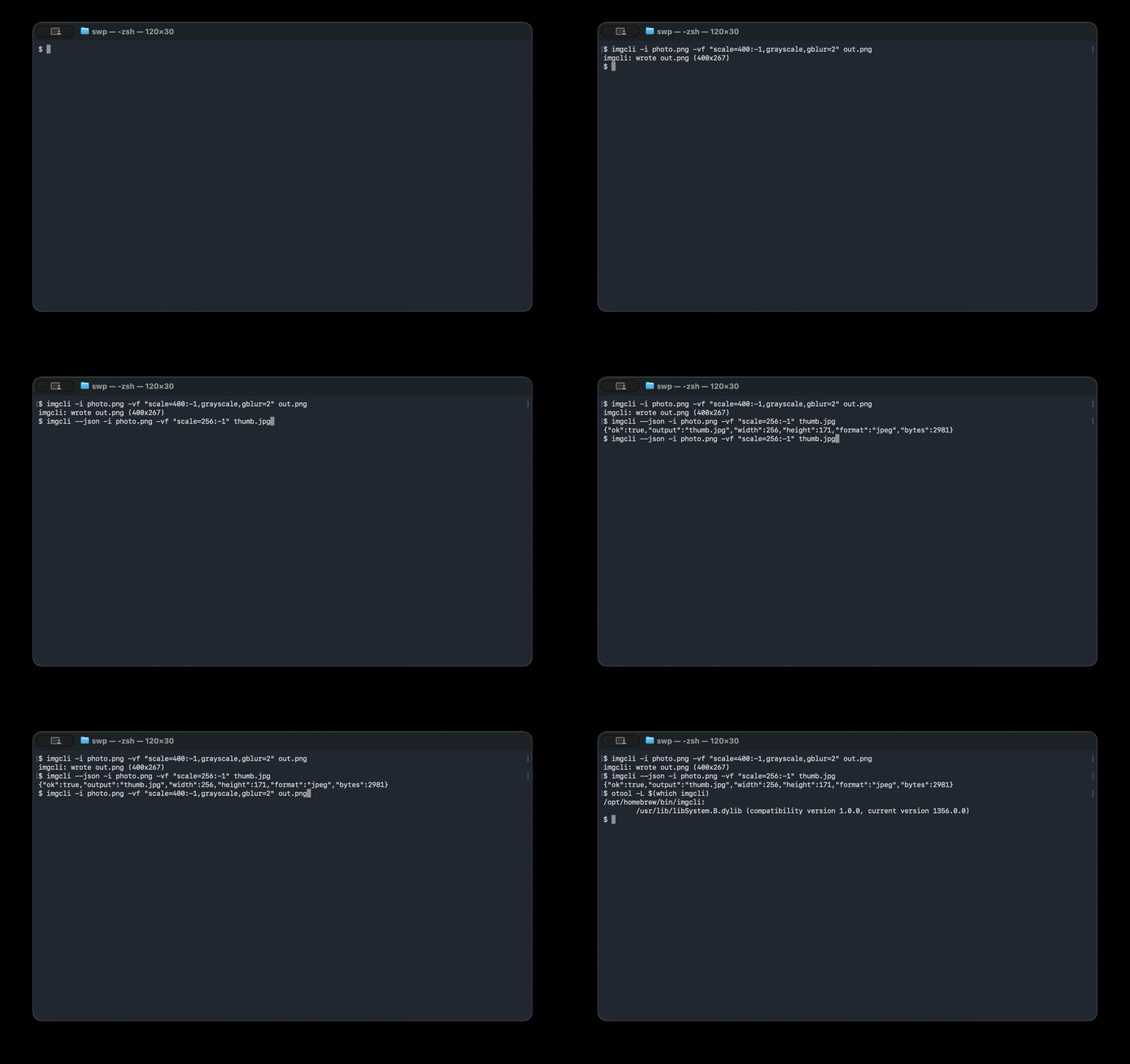
# Convert + resize + filter in one pass:
imgcli -i photo.jpg -vf "scale=1024:-1,grayscale,contrast=1.2,gblur=1.5" out.png
What it does: format conversion · resize / scale · crop · pad · rotate · flip · brightness / contrast / saturation / gamma / hue · grayscale · sepia · invert · threshold · box & Gaussian blur · sharpen · Sobel edge detect · emboss · custom convolution kernels · alpha-composite overlay · draw boxes · solid fills.
Design: the same paradigm as ffmpeg — decode → normalize to one common frame format (RGBA) → run a comma-separated filtergraph → encode by output extension.
Benchmarks
imgcli vs ImageMagick on an Apple Silicon Mac (single-threaded, warm cache).
Reproduce with make && bench/bench.sh — see bench/RESULTS.md
for the full method and caveats.
| Operation | imgcli | ImageMagick | speedup |
|---|---|---|---|
| PNG→JPEG + resize (one-shot) | 1.6 ms | 4.7 ms | 2.9× |
| Resize 1200×1200 → 300w | 6.0 ms | 51.6 ms | 8.6× |
| Grayscale 1200×1200 | 48.4 ms | 389 ms | 8.0× |
| Footprint | imgcli | ImageMagick |
|---|---|---|
| Install size | 232 KB | ~109 MB (≈470× larger) |
| Dependencies | 0 (libc only) | 17 packages |
ImageMagick is a far broader 16-bit/HDRI toolkit with 200+ formats; imgcli is a lean 8-bit pipeline that wins on speed, size, and startup — the shape that matters when an agent or script spawns one process per task.
Dependencies & formats
The default build is dependency-free — a single binary that links only the
system C library (libc). Decoding/encoding is handled by the bundled,
public-domain stb and
qoi single-header libraries, compiled
directly in. Nothing to apt install, no shared libraries, no version hell.
- Built-in formats — no dependencies: PNG, JPEG, BMP, TGA, GIF, PPM, QOI. Other formats that can be implemented in plain C (e.g. TIFF) will also be built in and keep the binary dependency-free.
- Formats that need external libraries — opt-in only: WebP, AVIF, HEIC, and JPEG XL
cannot be decoded without large external libraries (libwebp, libavif, libheif, libjxl);
there is no public-domain single-header decoder for them and they are not
practical to hand-roll. If imgcli adds these, it will be strictly via opt-in
build flags (e.g.
make WEBP=1) that link those libraries.
The "zero dependencies" claim applies to the default build, and always will — opt-in format libraries are never compiled into it. A build that enables such a flag is, by definition, no longer dependency-free, and that trade-off is stated at the point you opt in.
Why it's structured this way
| ffmpeg concept | imgcli equivalent |
|---|---|
AVFrame / pixfmt |
every image is normalized to packed 8-bit RGBA (Image) |
| demuxer/decoder | img_load via vendored stb_image (PNG/JPEG/BMP/TGA/GIF/…) |
-vf filtergraph |
name=a:b:c, name, … chain parsed in filters.c |
AVFilter |
each filter mutates or replaces the current frame |
| muxer (by extension) | img_save (png/jpg/bmp/tga + a hand-written PPM writer) |
lavfi test sources |
testsrc=, color=, gradient=, checker= generators |
Codecs come from the public-domain stb
single-header libraries (third_party/). They're bundled, not linked, so the
tool stays portable and self-contained while still reading/writing the formats
the world actually uses — the same trade-off ffmpeg makes by leaning on codec
libraries instead of reinventing them.
Install
# Homebrew (macOS / Linux)
brew install swperb/tap/imgcli

# Nix (no install — run straight from GitHub)
nix run github:swperb/imgcli -- -y -i in.png out.jpg
nix profile install github:swperb/imgcli

# Debian / Ubuntu / WSL (.deb from the latest release)
curl -fsSLO https://github.com/swperb/imgcli/releases/latest/download/imgcli_0.5.0_amd64.deb
sudo apt install ./imgcli_0.5.0_amd64.deb

# Arch (AUR)
yay -S imgcli            # or: paru -S imgcli

# Docker
docker run --rm -v "$PWD:/work" -w /work ghcr.io/swperb/imgcli -y -i in.png out.jpg

# Windows — winget
winget install swperb.imgcli
# Windows — Scoop (installs straight from the manifest)
scoop install https://raw.githubusercontent.com/swperb/imgcli/main/packaging/scoop/imgcli.json

# Prebuilt binaries: https://github.com/swperb/imgcli/releases

# From source (only a C compiler and -lm required)
make            # produces ./imgcli
make demo       # generates a few sample images
sudo make install   # installs the binary + man page to /usr/local
Use it as a native agent tool (MCP)
An MCP server wraps imgcli so AI agents can
call convert_image, probe_image, and list_filters directly — see
mcp/.
Usage
imgcli [-i INPUT]... [-vf GRAPH] [-q N] [-f FMT] [-y|-n] [--json] OUTPUT

  -i INPUT     a file, '-' for stdin, or a generator (testsrc=WxH,
               color=NAME:WxH, gradient=WxH, checker=WxH). Repeat -i for
               compositing inputs; the first is the primary frame, the rest
               feed `overlay`.
  -vf GRAPH    filtergraph, e.g. "scale=800:-1,grayscale,gblur=2"
  -q N         JPEG quality 1..100 (default 90)
  -f FMT       output format (png/jpg/bmp/tga/ppm/qoi); required when OUTPUT
               is '-' (stdout), an optional override for files
  -y / -n      overwrite / never overwrite the output
  --out-dir D  batch mode: write one output per input into D (basename kept,
               extension from -f or the input). Globs in -i are expanded.
  --fail-fast  in batch mode, stop at the first failing file
  --json       emit one machine-readable JSON result line (an array in batch)
  --quiet      suppress the human-readable success line
  --dry-run    validate the filtergraph + report output dims; write nothing
  -filters [NAME]  list every filter, or just NAME's syntax (add --json for a
               machine-readable list)
  -info        print input dimensions and exit
  -V           print version
  -h           help

OUTPUT is a file path or '-' for stdout. When piping, the result line is
written to stderr so stdout carries only the encoded image bytes.

Batch mode (`--out-dir`) processes each input independently and keeps going on
per-file errors (use `--fail-fast` to stop). The exit code is non-zero if any
file failed.
Colours accept #rgb, #rrggbb, #rrggbbaa, 0x…, r-g-b[-a], or names
(red, white, transparent, …). No commas, so they're safe inside a graph.
Filters
Geometry — scale=W:H[:nearest|bilinear|bicubic|lanczos] (-1 keeps aspect;
bicubic/lanczos are high-quality separable resamplers that anti-alias on
downscale and stay sharp on upscale — bilinear is the default),
crop=W:H[:X:Y], pad=W:H[:X:Y[:color]], hflip, vflip,
transpose=90|180|270, rotate=DEG[:color] (arbitrary angle, canvas expands).
Colour — grayscale, invert, sepia, solarize, brightness=V, temperature=V,
contrast=V, saturation=V, gamma=V, hue=DEG, threshold=V, opacity=V, tint=color.
Convolution — blur=R (box), gblur=SIGMA (separable Gaussian),
sharpen[=AMOUNT], edge (Sobel), emboss, convolution=K[:DIV:BIAS]
(custom N×N kernel, e.g. convolution=0 -1 0 -1 5 -1 0 -1 0).
Composite / draw — overlay=X:Y[:INDEX] (alpha "over" compositing of
another -i input), fill=color, drawbox=X:Y:W:H:color[:fill|thickness].
Examples
# Thumbnail, preserving aspect ratio (lanczos = best downscale quality)
imgcli -i photo.jpg -vf "scale=400:-1:lanczos" thumb.png

# Stylise: desaturate a touch, boost contrast, soften
imgcli -i photo.jpg -vf "saturation=0.6,contrast=1.15,gblur=1" look.jpg

# Watermark a logo in the top-left, 60% opacity, then convert to JPEG
imgcli -i page.png -i logo.png -vf "opacity=0.6,overlay=24:24" out.jpg

# Rotate 30° onto a transparent canvas
imgcli -i sticker.png -vf "rotate=30:transparent" rotated.png

# No input file? Generate a test card.
imgcli -i testsrc=640x480 card.png

# Pipe-friendly: read stdin, write stdout (use -f to name the output format)
curl -s https://example.com/in.png | imgcli -i - -vf "scale=800:-1" -f jpg - > out.jpg

# Batch a whole folder into thumbnails (one call; per-file results)
imgcli -i "photos/*.jpg" --out-dir thumbs -vf "scale=400:-1:lanczos" -f png
For AI agents & scripting
imgcli is built to be a reliable tool in an automated pipeline: one self-contained binary, no dependencies, deterministic, non-interactive, and machine-readable. See AGENTS.md for a token-economical recipe sheet.
# Always pass -y (don't prompt) and --json (parseable result) in automation:
imgcli --json -y -i in.jpg -vf "scale=512:-1" out.png
# -> {"ok":true,"output":"out.png","width":512,"height":341,"format":"png","bytes":34122}
- Deterministic & non-interactive — never prompts; refuses to overwrite
without
-y; one process per conversion. - Structured output —
--jsonfor results,--quietto silence chatter; stable exit codes (0ok,1runtime error,2usage error). - No network, no subprocesses — safe to run on untrusted inputs in a sandbox.
- Probe without converting —
imgcli --json -info -i file.jpg.
Security
imgcli decodes untrusted image files in C, so memory safety is taken seriously. The codebase has been audited against the OWASP Top 10, common C/CWE classes, and ffmpeg's historical vulnerability classes. Highlights:
- Decompression-bomb safe — dimensions are validated from the header before pixels are decoded; hard caps on size (16384 px/axis, 64 Mpx).
- Integer-overflow-safe allocation through a single capped choke point.
- No protocols/URLs/subprocesses — ffmpeg's worst class (SSRF / file-read via HLS playlists) is structurally impossible here.
- Hardened build (
_FORTIFY_SOURCE, stack protector, PIE/RELRO, format warnings), ASan/UBSan (make asan), and a fuzz harness (make fuzz).
Full threat model, OWASP/CWE mapping, ffmpeg-CVE-class analysis, and dependency policy: SECURITY.md.
Layout
src/image.{h,c}    Image (RGBA frame) + load/save (stb glue, PPM writer)
src/filters.{h,c}  filtergraph parser + every filter + registry
src/source.{h,c}   synthetic input generators
src/util.{h,c}     colour / size parsing
src/main.c         CLI argument handling (incl. --json output)
third_party/       vendored stb_image.h, stb_image_write.h (public domain)
fuzz/              libFuzzer harness for the decode -> filtergraph path
AGENTS.md          token-economical usage guide for agents/scripts
SECURITY.md        threat model, OWASP/CWE mapping, hardening, dependency policy
Contributing
Contributor setup, validation targets, filter-registry guidance, and PR expectations live in CONTRIBUTING.md.
Have a question or idea? Use Discussions. For bugs and feature/format requests, open an issue — the templates will guide you.
Support
If imgcli is useful to you, consider sponsoring its development — it funds new formats, security hardening, and maintenance. See SPONSORS.md.
License
The imgcli source is yours to use freely (MIT). The vendored stb
headers are public domain (or MIT, at your option) and the vendored qoi.h is
MIT-licensed; full third-party notices are in
THIRD_PARTY_NOTICES.md.
imgcli MCPのよくある質問
imgcli MCPをClaude Codeに追加するには
ターミナルでclaude mcp add imgcli -- npx -y imgcli-mcpを実行します。すべてのプロジェクトで利用するには--scope userを追加します。
imgcli MCPをCursorに追加するには
~/.cursor/mcp.jsonを開き、上記のインストールセクションに示すCursor設定を使ってmcpServersの下にサーバーを追加します。
imgcliがデフォルトでサポートしている画像形式は何ですか?
デフォルトのビルドでは、外部依存関係なしでPNG、JPEG、BMP、TGA、GIF、PPM、およびQOIをサポートしています。
自動化パイプラインやAIエージェントでimgcliを使用できますか?
はい。マシン読み取り可能な結果を得るための --json フラグ、出力を抑制する --quiet フラグを備えており、非対話型として設計されているため、自動化に適しています。
信頼できない画像ファイルに対してimgcliを実行しても安全ですか?
はい。解凍爆弾(decompression-bomb)対策や整数オーバーフローに安全なメモリ割り当てなどのセキュリティ機能が含まれており、ネットワークプロトコルやサブプロセスのサポートもありません。