
AIが生成したHTMLを共有可能なライブリンクとして公開したり、同じURLのまま既存のページを更新したりできます。
別名 phanosh/host-html, host-html-mcp
- スター
- 1
- ツール
- —
- ダウンロード数(30日間)
- —
- 最新バージョン
- 0.2.1
- 最終コミット
- 2026年11月3日
- ライセンス
- MIT
host-html MCPとは
host-htmlはMCPサーバーです。 AIが生成したHTMLを共有可能なライブリンクとして公開したり、同じURLのまま既存のページを更新したりできます。.
プロジェクトのREADMEから生成された概要
host-html MCP server について
host-html は、Claude Code、Cursor、または Codex を使用する開発者が、AIによって生成されたコードをライブサイトへと変換することを可能にします。サーバーにHTMLコンテンツを提供することで、デプロイメントパイプラインやサーバーを管理することなく、作成した成果物をオンラインでホストする共有可能なリンクを即座に生成できます。このツールは、チャットインターフェースから数秒で機能的なウェブプレビューへと移行したいユーザー向けに設計されています。
このサーバーを使用するには、無料アカウントを作成し、HOSTHTML_API_KEY 環境変数を通じて個人のAPIキーを提供する必要があります。システムには主に2つのツールが用意されています。新しいライブリンクを作成する publish_html と、同じURLの既存ページのコンテンツを更新する update_page です。公開機能は無料アカウントでも利用可能ですが、カスタムスラッグやパスワード保護などの高度な機能には Pro または Team プランが必要です。また、このサーバーは host-pdf コマンドを通じて、HTMLスライドを高品質なPDFファイルとしてエクスポートすることもサポートしています。
できること
- 1即時のウェブプレビュー公開コーディングセッション中に生成されたHTMLスニペットのライブURLを作成します。
- 2スライドのドキュメント変換HTMLベースのプレゼンテーションスライドを高品質なPDFファイルに変換します。
プロジェクトの README から作成されています。すべてのユースケースは、その引用と照らし合わせて確認されています。
host-html MCPのインストール方法
フォーマット検証日 2026年11月10日Claude Codeにhost-html MCPをインストール
$ claude mcp add --env HOSTHTML_API_KEY=<YOUR_HOSTHTML_API_KEY> host-html -- npx -y host-html-mcpCursorにhost-html MCPをインストール
~/.cursor/mcp.json
{
  "mcpServers": {
    "host-html": {
      "command": "npx",
      "args": [
        "-y",
        "host-html-mcp"
      ],
      "env": {
        "HOSTHTML_API_KEY": "<YOUR_HOSTHTML_API_KEY>"
      }
    }
  }
}VS Codeにhost-html MCPをインストール
.vscode/mcp.json
{
  "servers": {
    "host-html": {
      "type": "stdio",
      "command": "npx",
      "args": [
        "-y",
        "host-html-mcp"
      ],
      "env": {
        "HOSTHTML_API_KEY": "<YOUR_HOSTHTML_API_KEY>"
      }
    }
  }
}Claude Desktopにhost-html MCPをインストール
claude_desktop_config.json
{
  "mcpServers": {
    "host-html": {
      "command": "npx",
      "args": [
        "-y",
        "host-html-mcp"
      ],
      "env": {
        "HOSTHTML_API_KEY": "<YOUR_HOSTHTML_API_KEY>"
      }
    }
  }
}Codexにhost-html MCPをインストール
~/.codex/config.toml
[mcp_servers.host-html]
command = "npx"
args = ["-y", "host-html-mcp"]

[mcp_servers.host-html.env]
HOSTHTML_API_KEY = "<YOUR_HOSTHTML_API_KEY>"
Gemini CLIにhost-html MCPをインストール
~/.gemini/settings.json
{
  "mcpServers": {
    "host-html": {
      "command": "npx",
      "args": [
        "-y",
        "host-html-mcp"
      ],
      "env": {
        "HOSTHTML_API_KEY": "<YOUR_HOSTHTML_API_KEY>"
      }
    }
  }
}設定
HOSTHTML_API_KEY必須シークレットPersonal API key (hh_...) from host-html.com → Account → API keys
| 名前 | 説明 | 種類 |
|---|---|---|
| HOSTHTML_API_KEY | Personal API key (hh_...) from host-html.com → Account → API keys | 必須シークレット |
自動チェック
実行日 2026年11月13日詳細レポート →自動チェックに合格しました。これはセキュリティ監査ではありません。コードを読み、サーバーに必要最小限のアクセス権を与えてください。 チェックの仕組み

- ソースリポジトリがリンクされており、アクセス可能合格
- オープンソースライセンス (OSI)合格
- 過去1年以内にコミットまたはリリースあり合格
- パッケージ名が有名なパッケージに酷似していない合格
- リモートエンドポイントがHTTPSを使用合格
- 破壊的なツールがラベル付けされている未チェック
- モデルへの隠れた指示がない合格
- パッケージと依存関係に重大なアドバイザリがない合格
README
GitHubで見るhost-html
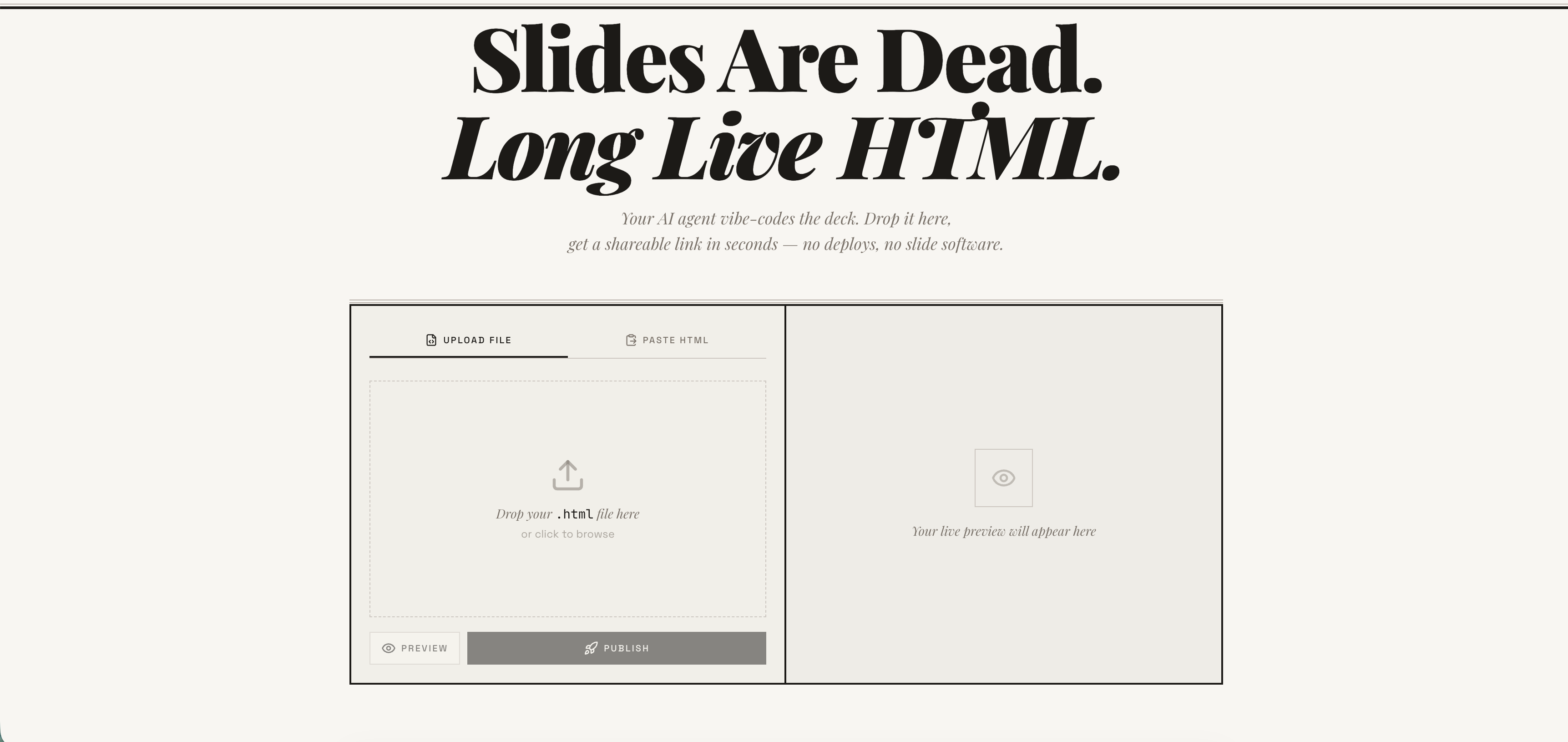
Publish any HTML file as a live link — instantly. Free account required. No deploy pipeline, no server to manage. → host-html.com
Heads up — breaking change in v2.0.0: Anonymous publishing has been retired. Publishing now requires a free, email-verified host-html account and a personal API key set as
HOSTHTML_API_KEY. See Setup: get an API key. Older releases that relied on the built-in shared key will stop publishing.
Install
Claude Code
/plugin marketplace add phanosh/host-html
/plugin install host-html@host-html
The official Claude Code marketplace listing is in the works — until it lands, install directly from this repo with the two commands above.
Claude Desktop, Cursor, Codex (MCP server)
// claude_desktop_config.json / .cursor/mcp.json / .mcp.json
{
  "mcpServers": {
    "host-html": {
      "command": "npx",
      "args": ["-y", "host-html-mcp"],
      "env": { "HOSTHTML_API_KEY": "hh_your_key_here" }
    }
  }
}
Two tools: publish_html (HTML in, link out) and update_page (new HTML, same link).
Source and docs: mcp-server/ · npm: host-html-mcp
Other AI Agents (Skills)
npx skills add phanosh/host-html -g -y
Then use the skills:
/host-html          # publish HTML as a live link
/host-pdf           # export HTML slides to PDF
/host-html finds the HTML, publishes it, and hands you a live URL in seconds.
/host-pdf captures each slide at retina quality and assembles a PDF.
Works with Claude Code, Cursor, Codex, Copilot, and 40+ more agents.
Setup: get an API key
Publishing now requires a free host-html account:
-
Sign in (free) at host-html.com
-
Confirm your email
-
Go to Account → API keys → Create key
-
Copy the generated key (starts with
hh_…— shown once) -
Set it as an environment variable:
export HOSTHTML_API_KEY=hh_your_key_here
The skill reads HOSTHTML_API_KEY automatically. Custom slugs (see the Direct
API table below) still require a Pro/Team plan; publishing itself does not.
Update
When a new version is released here, pull it into your local Claude Code with:
/plugin marketplace update phanosh/host-html
That single command refreshes the marketplace catalog and installs any version bumps in marketplace.json, plugin.json, or the skill frontmatter. To check what you're on:
/plugin
To stay current automatically, open /plugin, go to the Marketplaces tab, select phanosh/host-html, and toggle auto-update on — Claude Code will then pull updates on startup.
For the standalone skills install (npx skills add ...), re-run the same command to upgrade:
npx skills add phanosh/host-html -g -y
Direct API
The publish edge function requires a personal host-html API key (format
hh_…) as the bearer token — see Setup to generate
one. Pass it via the Authorization header (no apikey header is needed):
curl -X POST https://suifgsvtcbrawzdhyuhk.supabase.co/functions/v1/publish \
  -H "Authorization: Bearer $HOSTHTML_API_KEY" \
  -H "Content-Type: application/json" \
  -d '{"html": "<h1>Hello</h1>", "title": "my page"}'
Request
| Field | Type | Required | Description |
|---|---|---|---|
html |
string | ✓ | HTML content (max 1MB) |
title |
string | Page title | |
slug |
string | Custom URL path matching ^[a-z0-9-]{2,64}$ (paid plans) |
|
password |
string | Password-protect the page (4–72 chars, paid plans, JSON body only) |
Response 201
{
  "url": "https://host-html.com/p/abc123",
  "slug": "abc123",
  "edit_token": "...",
  "page_id": "...",
  "has_password": false,
  "expires_at": "2026-03-16T..."
}
has_password is true when the request set a password (the page is locked
and served from private storage); false otherwise.
expires_at is string | null. On a free plan it is the ISO timestamp when the page goes
dark; on a paid plan the page never expires and the field is null. It is the authoritative
expiry — read it from the response rather than assuming a fixed duration, and handle the null
rather than formatting it as a date.
License
MIT
host-html MCPのよくある質問
host-html MCPをClaude Codeに追加するには
ターミナルでclaude mcp add --env HOSTHTML_API_KEY=<YOUR_HOSTHTML_API_KEY> host-html -- npx -y host-html-mcpを実行します。すべてのプロジェクトで利用するには--scope userを追加します。
host-html MCPをCursorに追加するには
~/.cursor/mcp.jsonを開き、上記のインストールセクションに示すCursor設定を使ってmcpServersの下にサーバーを追加します。
host-htmlを使ってHTMLを公開するにはどうすればよいですか?
publish_html ツールを使用すると、HTMLコンテンツをライブリンクに変換できます。
URLを変更せずにページを更新できますか?
はい、update_page ツールを使用することで、新しいHTMLを提供し、同じリンクを維持できます。
公開にはアカウントが必要ですか?
はい、公開にはメール認証済みの無料の host-html アカウントと、個人のAPIキーが必要です。