
Element Node MCPサーバー
コミット 2026年10月14日Elementorスタイルのエディタによる手動での微調整をサポートする、ビジュアルCMSを通じてAIエージェントがウェブサイト全体の構築と管理を行えるようにします。
別名 LorenzArtik/element-node, element-node-mcp
- スター
- 0
- ツール
- —
- ダウンロード数(30日間)
- —
- 最新バージョン
- —
- 最終コミット
- 2026年10月14日
- ライセンス
- AGPL-3.0
Element Node MCPとは
Element NodeはMCPサーバーです。 Elementorスタイルのエディタによる手動での微調整をサポートする、ビジュアルCMSを通じてAIエージェントがウェブサイト全体の構築と管理を行えるようにします。.
プロジェクトのREADMEから生成された概要
Element Node MCP server について
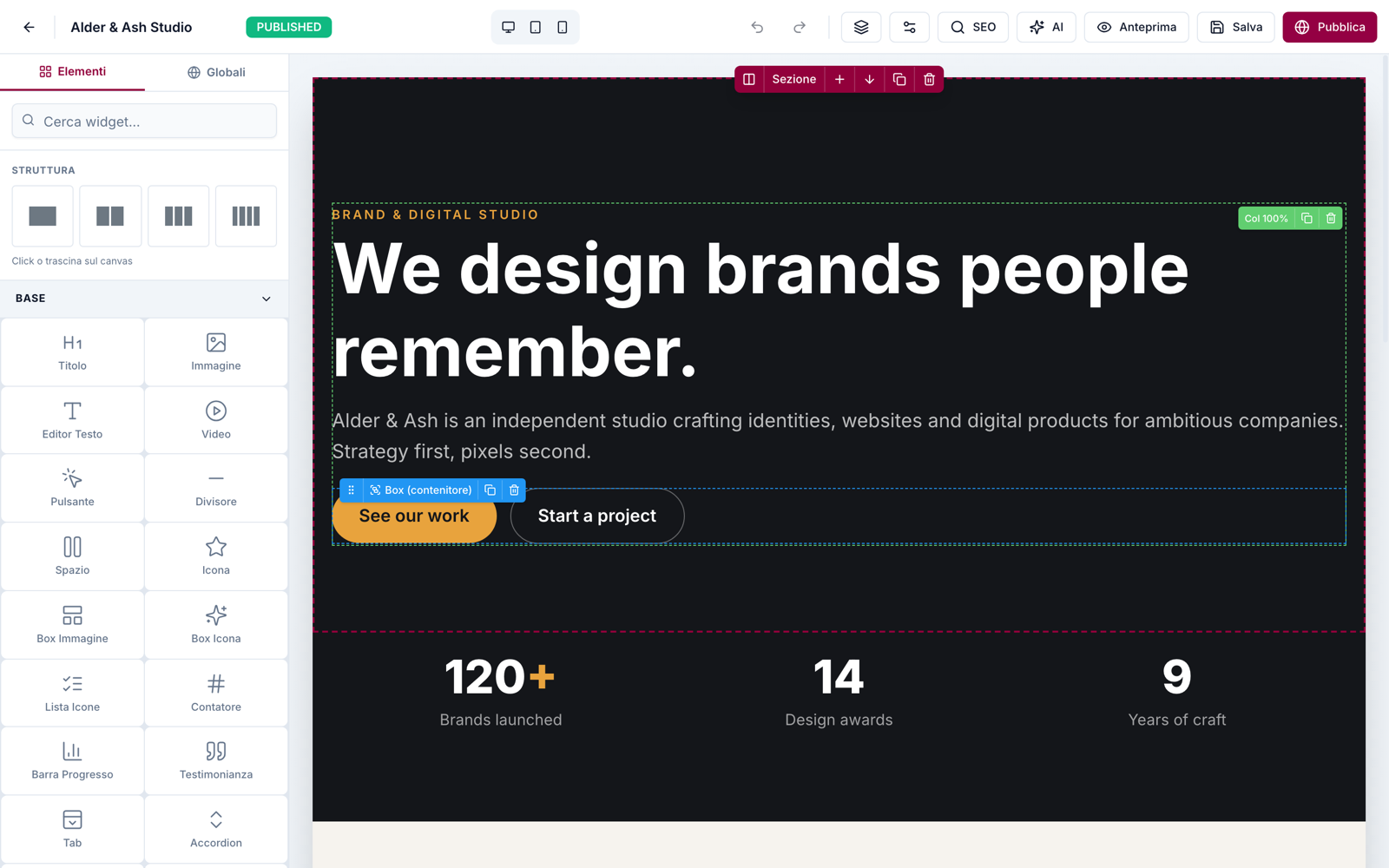
Element Nodeは、AIエージェントがウェブサイトを構築・管理するために設計された、セルフホスト型のビジュアルコンテンツ管理システムです。Next.js 15、Prisma、MySQLのスタックを使用しており、エージェントが指示書や既存サイトのクローンからサイト全体を構築できるプラットフォームを提供します。エージェントが初期構築を完了した後は、ドラッグ&ドロップ機能を備えた3パネルインターフェースを持つElementorスタイルのビジュアルエディタを使用して、非技術的なユーザーが操作を引き継ぐことができます。
開発者は、CursorやWindsurfなどのクライアントと互換性のあるMCP serverを介して、または公式のClaude Code skillを使用してシステムに接続できます。このserverは、ページ、テーマ、メディアの管理、およびSite Blueprint全体のインポートやエクスポートを行うためのツールを提供します。実行には、Node.js 20以上が動作するローカルまたはリモートサーバーと、MySQLまたはMariaDBデータベースが必要です。また、サイトのインポートやエクスポートなどの特定のスコープに対してBearer APIキーを使用することで、REST API経由でシステムとやり取りすることも可能です。
できること
- 1ウェブサイト構築の自動化AIエージェントが、簡単なテキストによる指示書や既存サイトのクローンから、完全なウェブサイトを構築できます。
- 2ビジュアルによるコンテンツの微調整エージェントによる作業完了後、非技術的なクライアントがドラッグ&ドロップインターフェースを使用して、ウェブサイトのセクションを手動で編集できます。
- 3サイトブループリントの移行開発者は、JSONのインポートおよびエクスポート機能を使用して、ウェブサイトの構造全体をインスタンス間で移動できます。
- 4ビジュアル再現性の検証エージェントがスクリーンショットと構築されたサイトの間で視覚的な比較を行い、正確性を確認できます。
プロジェクトの README から作成されています。すべてのユースケースは、その引用と照らし合わせて確認されています。
Element Node MCPのインストール方法
フォーマット検証日 2026年11月10日Cursor に追加Gooseに追加Claude CodeにElement Node MCPをインストール
$ claude mcp add element-node -- npx -y element-node-mcpCursorにElement Node MCPをインストール
~/.cursor/mcp.json
{
  "mcpServers": {
    "element-node": {
      "command": "npx",
      "args": [
        "-y",
        "element-node-mcp"
      ]
    }
  }
}VS CodeにElement Node MCPをインストール
.vscode/mcp.json
{
  "servers": {
    "element-node": {
      "type": "stdio",
      "command": "npx",
      "args": [
        "-y",
        "element-node-mcp"
      ]
    }
  }
}VS Code CLIにElement Node MCPをインストール
$ code --add-mcp '{"name":"element-node","type":"stdio","command":"npx","args":["-y","element-node-mcp"]}'Claude DesktopにElement Node MCPをインストール
claude_desktop_config.json
{
  "mcpServers": {
    "element-node": {
      "command": "npx",
      "args": [
        "-y",
        "element-node-mcp"
      ]
    }
  }
}CodexにElement Node MCPをインストール
$ codex mcp add element-node -- npx -y element-node-mcpCodex config.tomlにElement Node MCPをインストール
~/.codex/config.toml
[mcp_servers.element-node]
command = "npx"
args = ["-y", "element-node-mcp"]
Gemini CLIにElement Node MCPをインストール
$ gemini mcp add -s user element-node npx -- -y element-node-mcpGemini settings.jsonにElement Node MCPをインストール
~/.gemini/settings.json
{
  "mcpServers": {
    "element-node": {
      "command": "npx",
      "args": [
        "-y",
        "element-node-mcp"
      ]
    }
  }
}自動チェック
実行日 2026年11月15日完全なレポート →まだ検証されていません。サーバーには80点のスコア、重大な問題がないこと、および検証に必要な十分なデータが必要です。 チェックの仕組み · 点数を上げるための改善点

- ソースリポジトリがリンクされており、アクセス可能lorenzartik/element-node is public and reachablegithub.com/lorenzartik/element-node ↗合格
- パッケージがこのリポジトリをソースとして指定element-node-mcp names lorenzartik/element-node as sourcenpmjs.com/package/element-node-mcp ↗合格
- ビルドの来歴 (Sigstore 証明)No build attestation published for this release未チェック
- オープンソースライセンス (OSI)AGPL-3.0spdx.org/licenses/AGPL-3.0.html ↗合格
- 過去1年以内にコミットまたはリリースありLast commit or release 2026-10-14github.com/lorenzartik/element-node ↗合格
- OpenSSF Scorecard未チェック
- パッケージ名が有名なパッケージに酷似していないNo popular package one edit away from element-node-mcp合格
- パッケージおよびその依存関係に重大な勧告なし未チェック
- モデルへの隠れた指示がない0 tool descriptions and the README read; no override phrases, credential paths or hidden characters合格
- 破壊的なツールがラベル付けされている未チェック
- リモートエンドポイントが MCP ハンドシェイクに応答未チェック
README
GitHubで見るElement Node
The AI-agent CMS your clients can still edit visually.
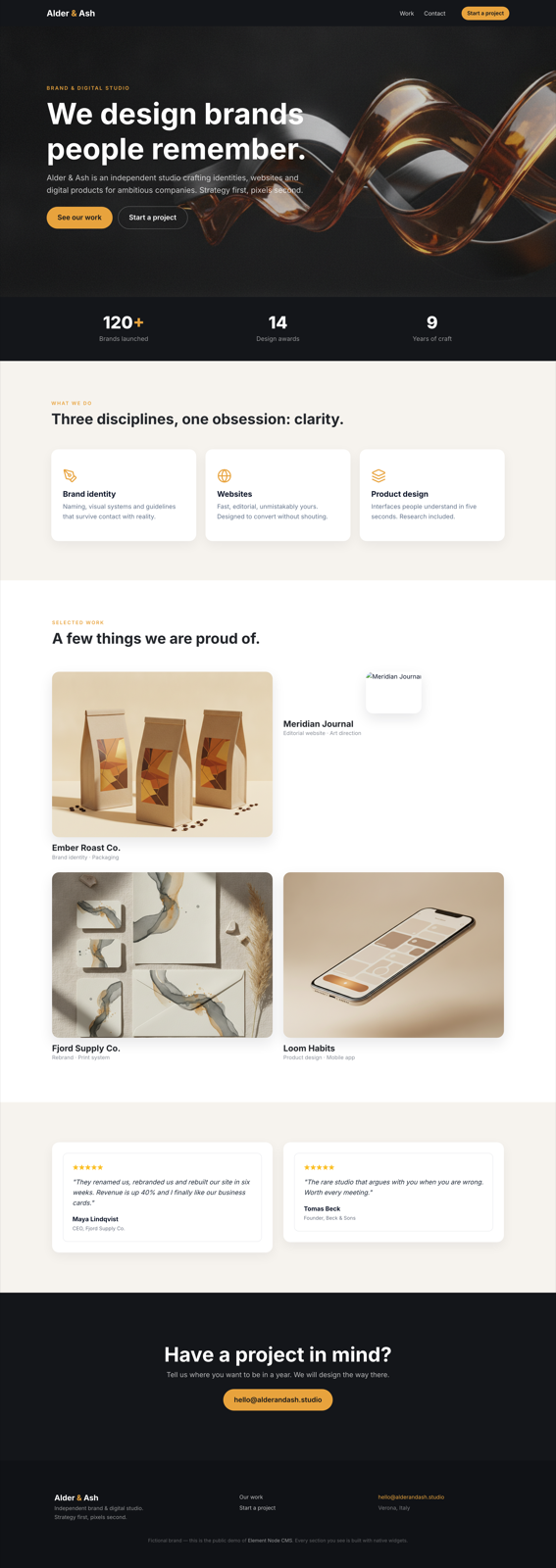
Element Node is an open-source visual CMS built on Next.js 15 + Prisma/MySQL. AI agents build entire sites on it — through the official Claude Code skill or the MCP server (Cursor, Windsurf, any MCP client) — and after the agent is done, the site stays in an Elementor-style visual editor that a non-technical client can safely use. Self-hosted: your server, your data.
🇮🇹 Documentazione in italiano: elementnode.cloud/it/docs
Quickstart
bash <(curl -fsSL https://elementnode.cloud/install.sh)
Requirements: Node.js ≥ 20, MySQL/MariaDB. The installer clones the repo, installs dependencies, creates .env and the DB schema, builds, and leaves you at the /install wizard (admin user, site, AI).
Non-interactive mode (for AI agents / provisioning): export DB_NAME, DB_USER, DB_PASS, SITE_URL (optional DB_HOST, DB_PORT) before running — no prompts. For Plesk see PLESK_DEPLOY.md.
One-prompt setup: the entire path — server, CMS, skill and first site — can be driven by a single prompt pasted into Claude Code. Template: elementnode.cloud/it/docs#prompt
Built for AI agents
| Integration | For | What it does |
|---|---|---|
| Official skill | Claude Code / Codex | Builds entire sites: from a brief, or pixel-perfect clones of existing sites verified by a visual-comparison agent (screenshot → diff → fix, until convergence) |
| MCP server | Cursor, Windsurf, any MCP client | Pages, theme, media, full Site Blueprint import/export, always-fresh widget docs |
| REST API | Anything else | Bearer API keys with scopes (site.import, site.export, …) |
Real production numbers (agent build time, human review on top): a 24-page WordPress migration in ~1 hour · a complete bilingual site in half a day · a React SPA cloned at 95/100 automated visual fidelity in ~2 hours. See showcase.
What's in the box
- Visual editor — 3-panel Elementor-style UI: widget library · canvas · properties. Drag & drop, inline text editing, undo/redo, revisions, responsive preview, style controls (spacing, borders, shadows, gradients)
- 51 native widgets — heading, text, button, image, video, icon-box, counters, tabs, accordion, gallery, contact form, posts grid, marquee, nav drawer, nested boxes…
- Theme blocks — global header/footer with display conditions + priority (per-URL-prefix → native multilingual sites)
- Content — pages (nested slugs), posts, custom post types + taxonomies, redirects, popups
- Forms — reusable form entities, submissions in DB, SMTP/Brevo delivery, GDPR consent fields
- Privacy — native cookie consent banner (variants per language, click-to-load embeds), site access modes (public / password / maintenance) with automatic noindex
- AI built in (bring your own Anthropic key) — editor chat that generates and edits sections, one-click SEO (title/description/keyword in the page's language)
- SEO — per-page meta, OG image, sitemap, robots, SEO score panel
- Media — local uploads, sharp-optimized thumbnails (WebP/AVIF), lazy loading
- Ops — 1-click self-update from the panel (with automatic pre-update DB backup), multi-user roles, API keys, health endpoint
- Performance — React Server Components, standalone output, HTTP cache + ISR. No plugin ecosystem needed: it's all native
Stack
Next.js 15 (App Router, standalone output) · Prisma + MySQL · NextAuth v5 · Tailwind · @dnd-kit · TipTap · sharp · Anthropic Claude (optional, BYO key)
Architecture notes
- Public pages render through
PageRenderer(RSC) with a responsive core (columns stack under 768px, opt-out per column) - Content is a JSON tree: sections → columns → widgets (see skill/element-node-builder/references/widget-reference.md)
- Site Blueprint import/export moves whole sites as JSON (merge or replace)
- License validation is fail-open: the CMS works without a license — a license activates managed updates, security patches and support (pricing)
License
- CMS core: AGPL-3.0 — free to use, self-host and modify. Building and running your own sites (or client sites) carries no obligations; the AGPL kicks in only if you modify the CMS and offer it to others as a service.
- Claude Code skill and MCP server: MIT — integrate freely.
Managed updates, security patches, priority support and the white-label agency tier are commercial: elementnode.cloud/en/pricing. For commercial licensing outside AGPL terms, get in touch.
Element Node MCPのよくある質問
Element Node MCPをClaude Codeに追加するには
ターミナルでclaude mcp add element-node -- npx -y element-node-mcpを実行します。すべてのプロジェクトで利用するには--scope userを追加します。
Element Node MCPをCursorに追加するには
~/.cursor/mcp.jsonを開き、上記のインストールセクションに示すCursor設定を使ってmcpServersの下にサーバーを追加します。
セルフホストは可能ですか?
はい、ご自身のサーバーとデータを制御できるセルフホスト型のソリューションです。
どのような技術で構築されていますか?
このCMSはNext.js 15、Prisma、MySQL、NextAuth v5、Tailwind、@dnd-kit、TipTap、およびsharpを使用して構築されています。
CMSの動作にライセンスは必要ですか?
CMSのコアはAGPL-3.0であり、ライセンスなしで動作します。ライセンスは、管理されたアップデート、セキュリティパッチ、およびサポートを有効にする場合にのみ必要です。