
webhooks-cc MCPサーバー
コミット 2026年11月14日AIエージェントが自然言語を通じて、webhookエンドポイントの管理、受信リクエストの検査、ペイロードの再生、およびローカルサイトの共有を行えるようにします。
別名 kroqdotdev/webhooks-cc, @webhooks-cc/mcp
- スター
- 3
- ツール
- —
- ダウンロード数(30日間)
- —
- 最新バージョン
- —
- 最終コミット
- 2026年11月14日
- ライセンス
- AGPL-3.0
webhooks-cc MCPとは
webhooks-ccはMCPサーバーです。 AIエージェントが自然言語を通じて、webhookエンドポイントの管理、受信リクエストの検査、ペイロードの再生、およびローカルサイトの共有を行えるようにします。.
プロジェクトのREADMEから生成された概要
webhooks-cc MCP server について
このMCP serverは、AIコーディングエージェントを利用する開発者が、自然言語でwebhookエンドポイントの管理や受信リクエストの検査を行えるようにします。Claude Code、Cursor、またはVS Codeなどのツールと連携することで、エージェントは新しいエンドポイントの作成、テストペイロードの送信、キャプチャしたリクエストのローカルサーバーへの再生が可能です。これにより、AIアシスタントとwebhooks.ccのインフラストラクチャが橋渡しされ、ダッシュボードを介した手動操作なしでリアルタイムのデバッグが可能になります。
ユーザーは、環境変数WHK_API_KEYを通じてAPIキーを提供することでサーバーをセットアップします。このサーバーは57個のツールを公開しており、エージェントはwebhookの初期作成から、パブリックリンクを介したローカルサイトの共有まで、ライフサイクル全体を管理できます。このセットアップは、StripeやGitHubなどのプロバイダーから送信される正確なヘッダー、ボディ、署名を確認する必要がある決済連携やCI/CDフックのテストにおいて特に有用です。
できること
- 1決済連携のテストAIエージェントが特定のエンドポイントを作成し、Stripeイベントのペイロード構造を検査できます。
- 2CI/CDワークフローのデバッグデプロイやプルリクエストの際にGitHubが送信する正確なデータを、エージェントに監視させることができます。
- 3エラーハンドリングのシミュレーションアプリケーションのリトライ処理をテストするために、特定のエラーコードを返すようエンドポイントをエージェントに設定させることができます。
- 4ローカル開発環境へのリクエスト再生キャプチャしたwebhookを、テストのためにローカルサーバーへ直接送信するようAIに指示できます。
プロジェクトの README から作成されています。すべてのユースケースは、その引用と照らし合わせて確認されています。
webhooks-cc MCPのインストール方法
フォーマット検証日 2026年11月10日Cursor に追加Gooseに追加Claude Codeにwebhooks-cc MCPをインストール
$ claude mcp add webhooks-cc -- npx -y @webhooks-cc/mcpCursorにwebhooks-cc MCPをインストール
~/.cursor/mcp.json
{
  "mcpServers": {
    "webhooks-cc": {
      "command": "npx",
      "args": [
        "-y",
        "@webhooks-cc/mcp"
      ]
    }
  }
}VS Codeにwebhooks-cc MCPをインストール
.vscode/mcp.json
{
  "servers": {
    "webhooks-cc": {
      "type": "stdio",
      "command": "npx",
      "args": [
        "-y",
        "@webhooks-cc/mcp"
      ]
    }
  }
}VS Code CLIにwebhooks-cc MCPをインストール
$ code --add-mcp '{"name":"webhooks-cc","type":"stdio","command":"npx","args":["-y","@webhooks-cc/mcp"]}'Claude Desktopにwebhooks-cc MCPをインストール
claude_desktop_config.json
{
  "mcpServers": {
    "webhooks-cc": {
      "command": "npx",
      "args": [
        "-y",
        "@webhooks-cc/mcp"
      ]
    }
  }
}Codexにwebhooks-cc MCPをインストール
$ codex mcp add webhooks-cc -- npx -y @webhooks-cc/mcpCodex config.tomlにwebhooks-cc MCPをインストール
~/.codex/config.toml
[mcp_servers.webhooks-cc]
command = "npx"
args = ["-y", "@webhooks-cc/mcp"]
Gemini CLIにwebhooks-cc MCPをインストール
$ gemini mcp add -s user webhooks-cc npx -- -y @webhooks-cc/mcpGemini settings.jsonにwebhooks-cc MCPをインストール
~/.gemini/settings.json
{
  "mcpServers": {
    "webhooks-cc": {
      "command": "npx",
      "args": [
        "-y",
        "@webhooks-cc/mcp"
      ]
    }
  }
}自動チェック
実行日 2026年11月14日完全なレポート →まだ検証されていません。サーバーには80点のスコア、重大な問題がないこと、および検証に必要な十分なデータが必要です。 チェックの仕組み · 点数を上げるための改善点

- ソースリポジトリがリンクされており、アクセス可能kroqdotdev/webhooks-cc is public and reachablegithub.com/kroqdotdev/webhooks-cc ↗合格
- パッケージがこのリポジトリをソースとして指定@webhooks-cc/mcp names kroqdotdev/webhooks-cc as sourcenpmjs.com/package/@webhooks-cc/mcp ↗合格
- ビルドの来歴 (Sigstore 証明)No build attestation published for this release未チェック
- オープンソースライセンス (OSI)AGPL-3.0spdx.org/licenses/AGPL-3.0.html ↗合格
- 過去1年以内にコミットまたはリリースありLast commit or release 2026-11-14github.com/kroqdotdev/webhooks-cc ↗合格
- OpenSSF Scorecard未チェック
- パッケージ名が有名なパッケージに酷似していないNo popular package one edit away from @webhooks-cc/mcp合格
- パッケージおよびその依存関係に重大な勧告なし未チェック
- モデルへの隠れた指示がない0 tool descriptions and the README read; no override phrases, credential paths or hidden characters合格
- 破壊的なツールがラベル付けされている未チェック
- リモートエンドポイントが MCP ハンドシェイクに応答未チェック
README
GitHubで見るwebhooks.cc
Inspect and debug webhooks and email without deploying to production.
Get a unique URL, point your webhook there, and see every request in real time. No signup required. Every endpoint also has an email address at mailhooks.cc that captures mail the same way.
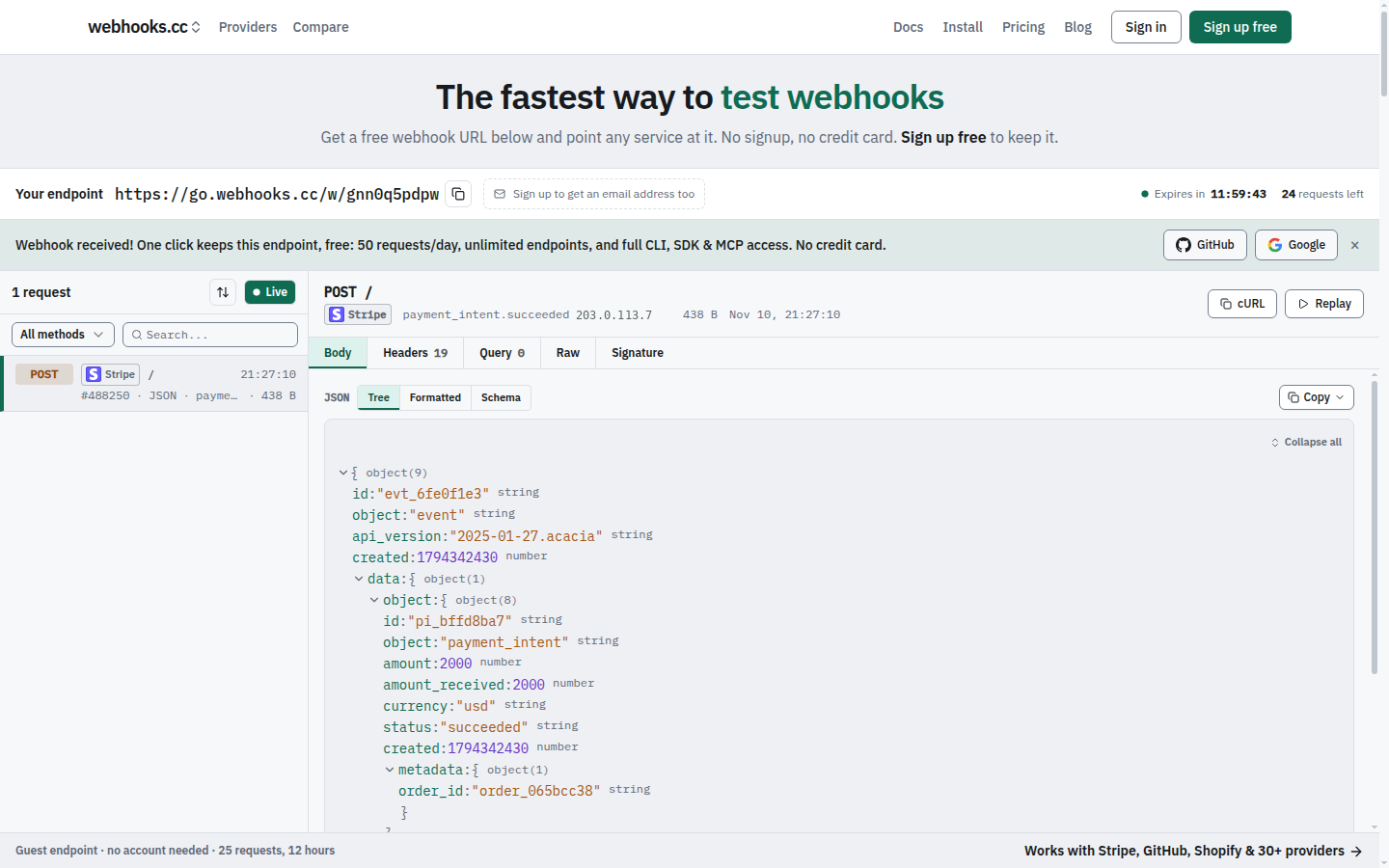
Getting Started
- Visit webhooks.cc
- Copy your unique webhook URL
- Send a test request:
curl -X POST https://go.webhooks.cc/w/<slug> -d '{"test": true}' - Watch it appear in the dashboard
Features
- Capture requests: store incoming webhooks with headers, body, query parameters and metadata
- Capture email: every endpoint receives mail at
{slug}@mailhooks.cc, with parsed fields, attachments and authentication results - Inspect in real time: see requests the moment they arrive
- Configure responses: return custom status codes, headers and bodies, chosen by rules, to test error paths
- Verify signatures: check provider signatures (Stripe, GitHub, Shopify and more) on captured requests
- Forward: tunnel webhooks to localhost during development (with
--live, the sender gets your local app's answer), or forward them to other URLs, chat and file drops - Share localhost: put the site on your machine at a public link on sharehooks.cc with
whk share - CLI with interactive TUI: manage endpoints, tunnel and stream requests from your terminal
- SDKs for TypeScript, Python and Go: wait for and assert on webhooks in tests and CI, and share a local port from code
- MCP server: connect AI coding agents (Claude Code, Cursor, VS Code, Codex) to your webhooks
Use Cases
Testing payment integrations: point Stripe's test webhooks at your endpoint. Inspect the payload structure before writing handlers.
Debugging CI/CD hooks: see exactly what GitHub sends when a push, PR, or deployment occurs.
Developing locally: forward production-like webhooks to localhost without exposing your machine to the internet.
Mocking failure scenarios: configure your endpoint to return 500 errors and test your retry logic.
Pricing
Free: 50 requests a day, 7-day retention. Enough for development and testing.
Pro ($8/month): 100,000 requests a month, 31-day retention.
Business ($29/month): 250,000 requests a month, 90-day retention, attachment parsing, custom inbound domains and file drops.
Teams share endpoints under a per-seat subscription. See plans and limits for details.
Install
CLI
curl -fsSL https://webhooks.cc/install.sh | sh
# or
brew install kroqdotdev/tap/whk
# without root: any directory you can write to (created when missing)
curl -fsSL https://webhooks.cc/install.sh | WHK_INSTALL_DIR="$HOME/.local/bin" sh
With WHK_INSTALL_DIR, put that directory on your PATH (the installer prints the line to add) before running whk.
Then launch interactive terminal:
whk
SDK
npm install @webhooks-cc/sdk
MCP server
# Claude Code
claude mcp add -s user webhooks-cc -e WHK_API_KEY=whcc_... -- npx -y @webhooks-cc/mcp

# Cursor, VS Code, Devin Desktop (formerly Windsurf), Claude Desktop
npx @webhooks-cc/mcp setup cursor --api-key whcc_...
See webhooks.cc/installation for all install methods, one-click buttons, and setup guides.
CLI
Run whk to launch the interactive TUI:
$ whk

  webhooks.cc

  ● Logged in as you@example.com

  ▸ Tunnel    Forward webhooks to localhost
    Listen    Stream incoming requests
    Create    Create a new endpoint
    Endpoints Manage your endpoints
    Auth      Login / logout
    Update    Check for updates
All commands also work directly from the command line:
whk tunnel 8080                       # Forward webhooks to localhost:8080
whk share 3000                        # Share localhost:3000 at https://<name>.sharehooks.cc
whk listen <slug>                     # Stream incoming requests
whk create my-endpoint                # Create a new endpoint
whk list                              # List your endpoints
whk replay <request-id> --to :3000    # Replay a captured request
Pass --nogui or set WHK_NOGUI=1 to skip the TUI and print help.
SDK
import { WebhooksCC, matchMethod, matchHeader, matchAll } from "@webhooks-cc/sdk";

const client = new WebhooksCC({ apiKey: "whcc_..." });

const endpoint = await client.endpoints.create({ name: "my-webhook" });
console.log(endpoint.url);

// Wait for a matching request with human-readable timeout
const req = await client.requests.waitFor(endpoint.slug, {
  timeout: "30s",
  match: matchAll(matchMethod("POST"), matchHeader("stripe-signature")),
});

// Replay captured requests to your local server
await client.requests.replay(req.id, "http://localhost:3000/webhooks");
MCP server
The @webhooks-cc/mcp package exposes 57 tools (54 on the remote server) that let AI agents manage endpoints, inspect webhooks, send test payloads, replay requests, and share a local site at a public link through natural language.
You: "Create a webhook endpoint for testing Stripe"
Agent: Created endpoint "stripe-test" at https://go.webhooks.cc/w/abc123

You: "Send a test checkout.session.completed event"
Agent: Sent POST to stripe-test

You: "Replay that to my local server"
Agent: Replayed to http://localhost:3000/webhooks: 200 OK
See packages/mcp/README.md for full setup and tool reference.
Why the code is public
webhooks.cc holds other people's webhooks and email, so the code that handles them should be open to inspection. You can read exactly how a request is captured, stored, forwarded and deleted, and check that the service does what it says. The repository is also where security scanning, dependency updates and bug reports happen in the open.
webhooks.cc is built and run by one developer. The hosted service at webhooks.cc is the product; the repository is not a community project.
Issues and contributions
- Bugs and feature requests are welcome as issues.
- Questions about your account, billing or data go to webhooks.cc/support, never to a public issue.
- Security vulnerabilities are reported privately, see SECURITY.md.
- Pull requests are accepted only from people who have signed the Contributor License Agreement. Open an issue first: most changes are made in-house, and a pull request may be closed or reimplemented. See CONTRIBUTING.md.
License
This project uses a split license:
- AGPL-3.0: the web app, receiver, email-capture SMTP host, tunnel edge, attachment parser and database schema (
apps/web/,apps/receiver-rs/,apps/mx-rs/,apps/edge-rs/,apps/parser-rs/,supabase/). See LICENSE. - MIT: the CLI and its tunnel protocol crate, the TypeScript, Python and Go SDKs, the MCP server, the Zapier and Make apps, and the Claude Code plugin (
apps/cli-rs/,crates/tunnel/,packages/sdk/,packages/sdk-python/,packages/sdk-go/,packages/mcp/,packages/zapier-app/,packages/make-app/,plugins/). See theLICENSEfile in each directory.
The CLI, SDKs and MCP server are MIT so you can use them freely in your own projects, open or closed.
webhooks-cc MCPのよくある質問
webhooks-cc MCPをClaude Codeに追加するには
ターミナルでclaude mcp add webhooks-cc -- npx -y @webhooks-cc/mcpを実行します。すべてのプロジェクトで利用するには--scope userを追加します。
webhooks-cc MCPをCursorに追加するには
~/.cursor/mcp.jsonを開き、上記のインストールセクションに示すCursor設定を使ってmcpServersの下にサーバーを追加します。
このMCP serverで何ができますか?
AIエージェントが自然言語を使用して、エンドポイントの管理、webhookの検査、テストペイロードの送信、リクエストの再生、およびローカルサイトの共有を行うことができます。
受信したメールのリクエストをテストできますか?
はい、すべてのエンドポイントにはmailhooks.ccの対応するメールアドレスが割り当てられており、解析済みのフィールドや添付ファイルを含むメールをキャプチャできます。