
Code Runner MCPサーバー
✓ 検証済み数十種類のプログラミング言語でコードスニペットを実行し、その結果をAIクライアントに返します。
別名 formulahendry/mcp-server-code-runner, mcp-server-code-runner
- スター
- 241
- ツール
- —
- ダウンロード数(30日間)
- —
- 最新バージョン
- 0.1.9
- 最終コミット
- 2026年2月5日
- ライセンス
- MIT
Code Runner MCPとは
Code RunnerはMCPサーバーです。 数十種類のプログラミング言語でコードスニペットを実行し、その結果をAIクライアントに返します。.
プロジェクトのREADMEから生成された概要
Code Runner MCP server について
このMCP serverの主な機能は、数十種類のプログラミング言語でコードスニペットを実行し、その結果をAIクライアントに返すことです。run-codeツールを提供することで、テキストベースの推論と実際のコード実行の間のギャップを埋めることができます。このツールは、JavaScript、Python、Ruby、Go、Swift、Rustなど多種多様な言語をサポートしており、BASHやPowerShellのようなシェルスクリプトから、ElixirやHaskellのような専門的な言語まで対応しています。
ユーザーは、VS CodeやClaude Desktop向けにnpxを使用してローカルにサーバーをセットアップするか、Dockerコンテナを実行することで利用できます。Windowsユーザーでnpxの接続に問題が発生する場合は、bunxを使用するか、cmdを使用するなどの代替手段があります。実行を成功させるには、選択した言語の特定のインタプリタまたはコンパイラがシステムのPATH環境変数に含まれている必要があります。また、npmでグローバルインストールを行った後は、streamable HTTPトランスポートを使用してサーバーを実行することも可能です。
できること
- 1実行結果によるロジックの検証AIに対して特定のJavaScriptスニペットを実行させ、数学的または論理的な結果を確認させます。
- 2システム情報の照会AIに対して、オペレーティングシステム上のテンポラリフォルダの場所を特定するよう依頼します。
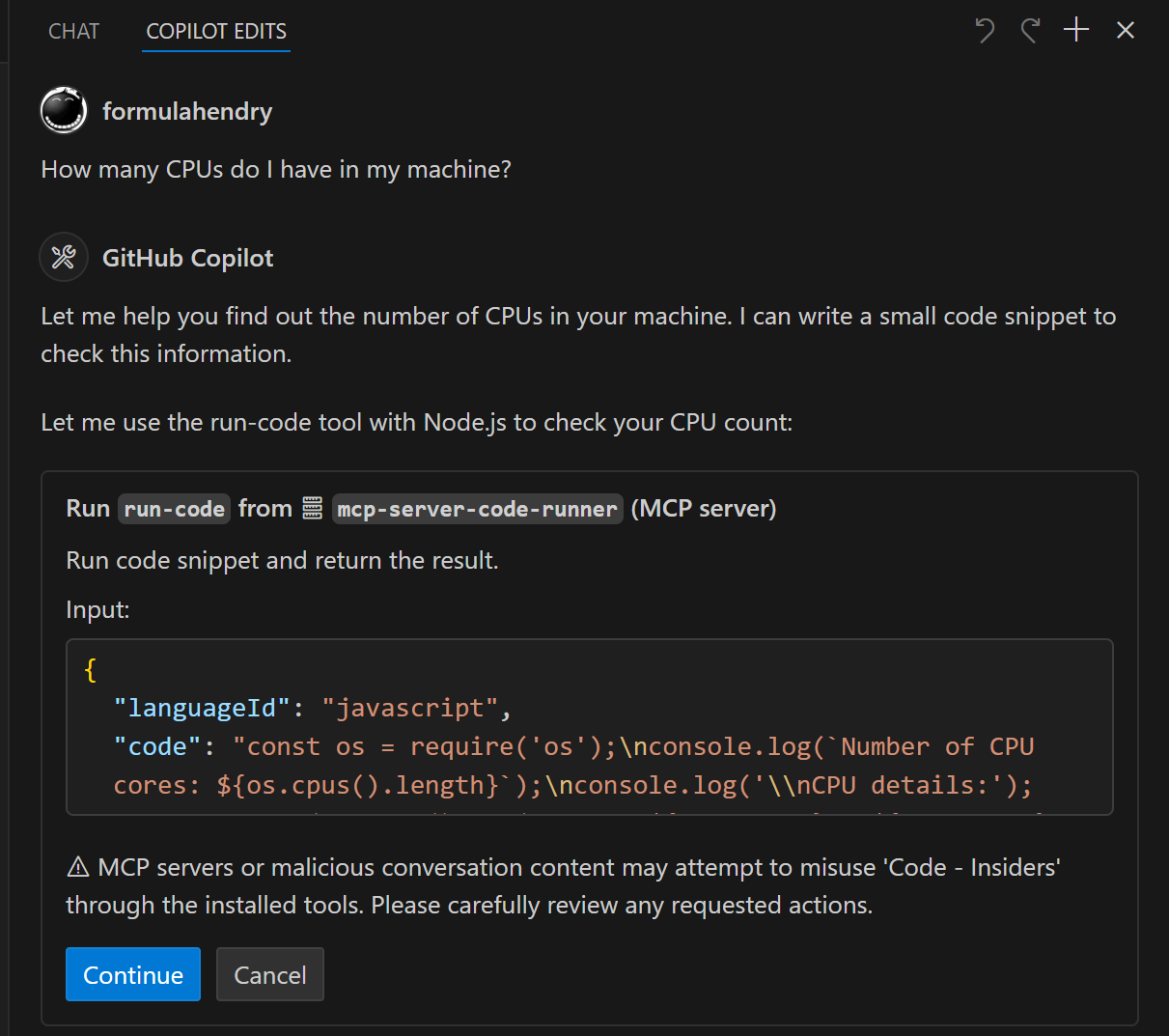
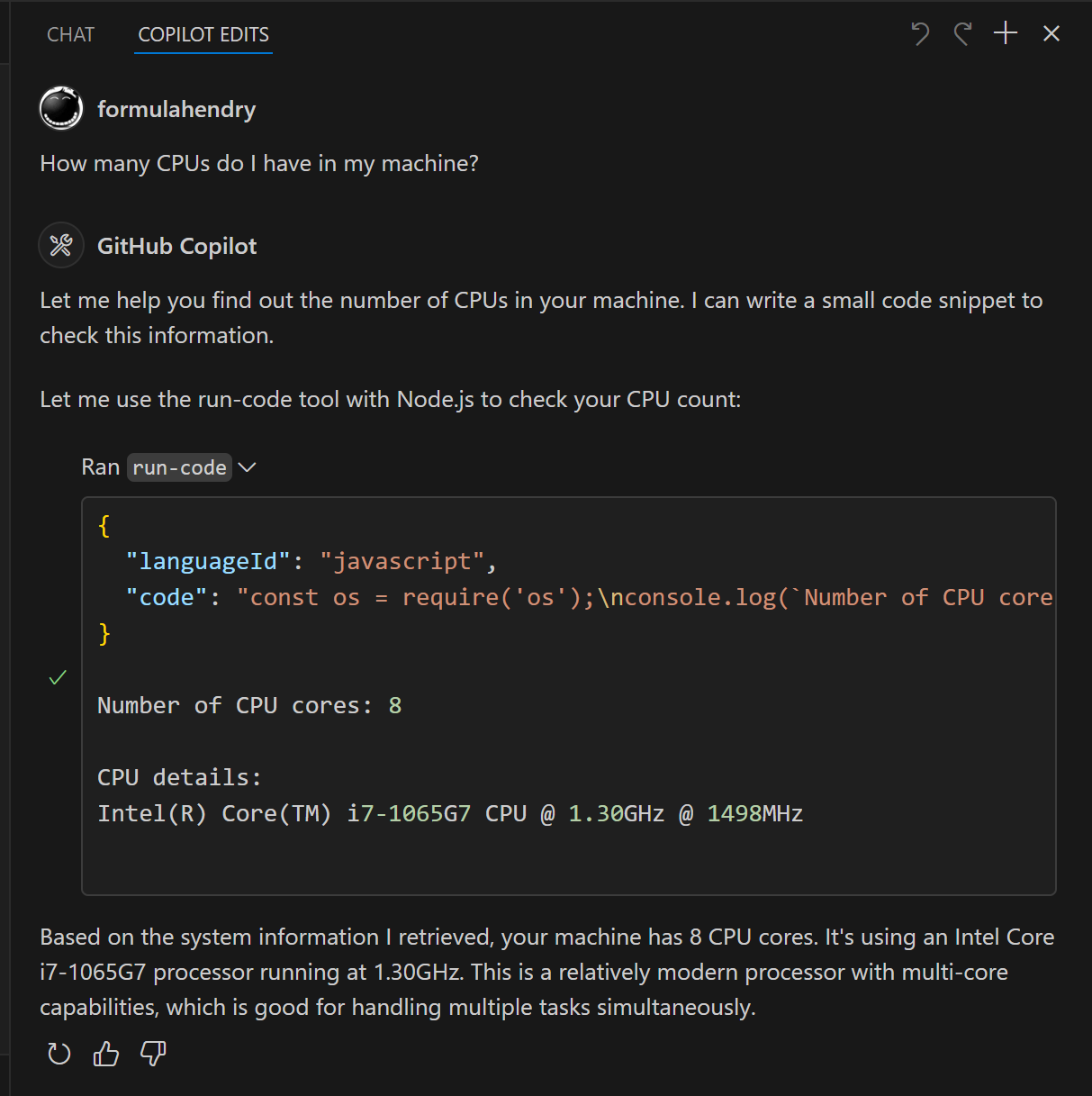
- 3ハードウェア仕様の確認ローカルマシンで利用可能なCPUの数をAIに特定させます。
プロジェクトの README から作成されています。すべてのユースケースは、その引用と照らし合わせて確認されています。
Code Runner MCPのインストール方法
フォーマット検証日 2026年11月10日Cursor に追加Gooseに追加Claude CodeにCode Runner MCPをインストール
$ claude mcp add mcp-server-code-runner -- npx -y mcp-server-code-runnerCursorにCode Runner MCPをインストール
~/.cursor/mcp.json
{
  "mcpServers": {
    "mcp-server-code-runner": {
      "command": "npx",
      "args": [
        "-y",
        "mcp-server-code-runner"
      ]
    }
  }
}VS CodeにCode Runner MCPをインストール
.vscode/mcp.json
{
  "servers": {
    "mcp-server-code-runner": {
      "type": "stdio",
      "command": "npx",
      "args": [
        "-y",
        "mcp-server-code-runner"
      ]
    }
  }
}VS Code CLIにCode Runner MCPをインストール
$ code --add-mcp '{"name":"mcp-server-code-runner","type":"stdio","command":"npx","args":["-y","mcp-server-code-runner"]}'Claude DesktopにCode Runner MCPをインストール
claude_desktop_config.json
{
  "mcpServers": {
    "mcp-server-code-runner": {
      "command": "npx",
      "args": [
        "-y",
        "mcp-server-code-runner"
      ]
    }
  }
}CodexにCode Runner MCPをインストール
$ codex mcp add mcp-server-code-runner -- npx -y mcp-server-code-runnerCodex config.tomlにCode Runner MCPをインストール
~/.codex/config.toml
[mcp_servers.mcp-server-code-runner]
command = "npx"
args = ["-y", "mcp-server-code-runner"]
Gemini CLIにCode Runner MCPをインストール
$ gemini mcp add -s user mcp-server-code-runner npx -- -y mcp-server-code-runnerGemini settings.jsonにCode Runner MCPをインストール
~/.gemini/settings.json
{
  "mcpServers": {
    "mcp-server-code-runner": {
      "command": "npx",
      "args": [
        "-y",
        "mcp-server-code-runner"
      ]
    }
  }
}自動チェック
実行日 2026年11月14日完全なレポート →自動チェックに合格しました。これはセキュリティ監査ではありません。コードを読み、サーバーに必要最小限のアクセス権を与えてください。 チェックの仕組み

- ソースリポジトリがリンクされており、アクセス可能formulahendry/mcp-server-code-runner is public and reachablegithub.com/formulahendry/mcp-server-code-runner ↗合格
- パッケージがこのリポジトリをソースとして指定mcp-server-code-runner names formulahendry/mcp-server-code-runner as sourcenpmjs.com/package/mcp-server-code-runner ↗合格
- ビルドの来歴 (Sigstore 証明)No build attestation published for this release未チェック
- オープンソースライセンス (OSI)MITspdx.org/licenses/MIT.html ↗合格
- 過去1年以内にコミットまたはリリースありLast commit or release 2026-02-05github.com/formulahendry/mcp-server-code-runner ↗合格
- OpenSSF Scorecard未チェック
- パッケージ名が有名なパッケージに酷似していないNo popular package one edit away from mcp-server-code-runner合格
- パッケージおよびその依存関係に重大な勧告なし100 resolved dependencies checked; no critical advisoryosv.dev ↗合格
- モデルへの隠れた指示がない0 tool descriptions and the README read; no override phrases, credential paths or hidden characters合格
- 破壊的なツールがラベル付けされている未チェック
- リモートエンドポイントが MCP ハンドシェイクに応答未チェック
README
GitHubで見るCode Runner MCP Server


MCP Server for running code snippet and show the result.
It supports running multiple programming languages: JavaScript, PHP, Python, Perl, Perl 6, Ruby, Go, Lua, Groovy, PowerShell, BAT/CMD, BASH/SH, F# Script, C# Script, VBScript, TypeScript, CoffeeScript, Scala, Swift, Julia, Crystal, OCaml Script, R, AppleScript, Elixir, Clojure, Racket, Scheme, AutoHotkey, AutoIt, Kotlin Script, Dart, Haskell, Ni, Lisp, Kit, V, SCSS, Sass. Full list could be seen here in constants.ts.
Setup
npx for VS Code
Install the Code Runner MCP server in VS Code using below buttons:


Alternatively, you can add configuration in settings.json:
{
  "mcp": {
    "inputs": [],
    "servers": {
      "mcp-server-code-runner": {
        "command": "npx",
        "args": [
          "-y",
          "mcp-server-code-runner@latest"
        ],
      }
    }
  }
}
npx for Claude Desktop
Configuration in claude_desktop_config.json:
{
  "mcpServers": {
    "mcp-server-code-runner": {
      "command": "npx",
      "args": [
        "-y",
        "mcp-server-code-runner@latest"
      ],
    }
  }
}
Docker
Use VS Code as example. Install the Code Runner MCP server in VS Code using below buttons:


Alternatively, you can add configuration in settings.json:
{
  "mcp": {
    "inputs": [],
    "servers": {
      "mcp-server-code-runner": {
        "command": "docker",
        "args": [
          "run",
          "--rm",
          "-i",
          "formulahendry/mcp-server-code-runner"
        ]
      }
    }
  }
}
npx issue on Widnows
On Windows, MCP servers may fail to connect with npx.
You could try below two workarounds:
use bunx
- Install Bun.
- In configuration, change
npxwithbunx.
use cmd
Below is VS Code configuration in settings.json:
{
  "mcp": {
    "inputs": [],
    "servers": {
      "mcp-server-code-runner": {
        "command": "cmd",
        "args": [
          "/c",
          "npx",
          "-y",
          "mcp-server-code-runner@latest"
        ],
      }
    }
  }
}
Run with Streamable HTTP Transport
npm install -g mcp-server-code-runner@latest
mcp-server-code-runner --transport http
Usage
Before using Code Runner MCP Server, please make sure interpreter or compiler of the programming language you want to run is set in PATH environment variable.
Try below prompts in the application which has configured Code Runner MCP Server:
Run the JavaScript Code: console.log(5+6)Where is temporary folder in my OS? Use run-code toolHow many CPUs do I have in my machine? Use run-code tool
Build your own MCP Server
Want to build your own MCP Server? Try Yeoman Generator for MCP Server to create your MCP Server project!
Code Runner MCPのよくある質問
Code Runner MCPをClaude Codeに追加するには
ターミナルでclaude mcp add mcp-server-code-runner -- npx -y mcp-server-code-runnerを実行します。すべてのプロジェクトで利用するには--scope userを追加します。
Code Runner MCPをCursorに追加するには
~/.cursor/mcp.jsonを開き、上記のインストールセクションに示すCursor設定を使ってmcpServersの下にサーバーを追加します。
どのプログラミング言語がサポートされていますか?
JavaScript、PHP、Python、Ruby、Go、TypeScript、Swiftなど、幅広い言語をサポートしています。
コードを実行する前に準備しておくことはありますか?
選択したプログラミング言語のインタプリタまたはコンパイラが、PATH環境変数に設定されている必要があります。