
GitHub CI/CD MCPサーバー
コミット 2026年10月22日GitHub RESTおよびGraphQL APIを通じて、AIエージェントによるリポジトリ、プルリクエスト、GitHub Actions、デプロイ、およびローカルのgit操作の管理を可能にします。
別名 devstephenke-sys/Github-Free-MCPs, github-free-mcps, @kinus/github-cicd-mcp
- スター
- 2
- ツール
- —
- ダウンロード数(30日間)
- —
- 最新バージョン
- 1.2.2
- 最終コミット
- 2026年10月22日
- ライセンス
- MIT
GitHub CI/CD MCPとは
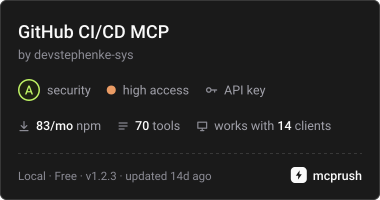
GitHub CI/CDはMCPサーバーです。 GitHub RESTおよびGraphQL APIを通じて、AIエージェントによるリポジトリ、プルリクエスト、GitHub Actions、デプロイ、およびローカルのgit操作の管理を可能にします。.
プロジェクトのREADMEから生成された概要
GitHub CI/CD MCP server について
このMCP serverは、AIアシスタントから直接DevOpsワークフローやリポジトリのライフサイクルを管理することを可能にします。CursorやClaude Desktopを使用する開発者に、RESTおよびGraphQL APIを介してGitHubとやり取りするためのツールセットを提供します。環境変数を通じてGitHubのパーソナルアクセストークンを接続することで、エージェントは基本的なリポジトリ管理から、複雑な継続的インテグレーション(CI)やデプロイメント(CD)タスクまで幅広く実行できます。
本サーバーは、GitHub Actions、ブランチ保護、デプロイ状況に関する専用ツールを提供することで、高度なAIの推論と技術的な実行の橋渡しをします。また、push、pull、commitなどのローカルなgit操作機能も備えています。これにより、ユーザーがターミナルとウェブブラウザを切り替えることなく、AIがワークフローの実行を監視したり、プルリクエストのレビューを管理したり、組織の請求使用量を確認したりできる、統合されたワークフローを実現します。
プロジェクトの README から作成されています。すべてのユースケースは、その引用と照らし合わせて確認されています。
GitHub CI/CD MCPのインストール方法
フォーマット検証日 2026年11月10日Cursor に追加Gooseに追加Claude CodeにGitHub CI/CD MCPをインストール
$ claude mcp add --env 'GITHUB_TOKEN=<YOUR_GITHUB_TOKEN>' github-free-mcps -- npx -y @kinus/github-cicd-mcpCursorにGitHub CI/CD MCPをインストール
~/.cursor/mcp.json
{
  "mcpServers": {
    "github-free-mcps": {
      "command": "npx",
      "args": [
        "-y",
        "@kinus/github-cicd-mcp"
      ],
      "env": {
        "GITHUB_TOKEN": "<YOUR_GITHUB_TOKEN>"
      }
    }
  }
}VS CodeにGitHub CI/CD MCPをインストール
.vscode/mcp.json
{
  "servers": {
    "github-free-mcps": {
      "type": "stdio",
      "command": "npx",
      "args": [
        "-y",
        "@kinus/github-cicd-mcp"
      ],
      "env": {
        "GITHUB_TOKEN": "<YOUR_GITHUB_TOKEN>"
      }
    }
  }
}VS Code CLIにGitHub CI/CD MCPをインストール
$ code --add-mcp '{"name":"github-free-mcps","type":"stdio","command":"npx","args":["-y","@kinus/github-cicd-mcp"],"env":{"GITHUB_TOKEN":"<YOUR_GITHUB_TOKEN>"}}'Claude DesktopにGitHub CI/CD MCPをインストール
claude_desktop_config.json
{
  "mcpServers": {
    "github-free-mcps": {
      "command": "npx",
      "args": [
        "-y",
        "@kinus/github-cicd-mcp"
      ],
      "env": {
        "GITHUB_TOKEN": "<YOUR_GITHUB_TOKEN>"
      }
    }
  }
}CodexにGitHub CI/CD MCPをインストール
$ codex mcp add github-free-mcps --env 'GITHUB_TOKEN=<YOUR_GITHUB_TOKEN>' -- npx -y @kinus/github-cicd-mcpCodex config.tomlにGitHub CI/CD MCPをインストール
~/.codex/config.toml
[mcp_servers.github-free-mcps]
command = "npx"
args = ["-y", "@kinus/github-cicd-mcp"]

[mcp_servers.github-free-mcps.env]
GITHUB_TOKEN = "<YOUR_GITHUB_TOKEN>"
Gemini CLIにGitHub CI/CD MCPをインストール
$ gemini mcp add -s user -e 'GITHUB_TOKEN=<YOUR_GITHUB_TOKEN>' github-free-mcps npx -- -y @kinus/github-cicd-mcpGemini settings.jsonにGitHub CI/CD MCPをインストール
~/.gemini/settings.json
{
  "mcpServers": {
    "github-free-mcps": {
      "command": "npx",
      "args": [
        "-y",
        "@kinus/github-cicd-mcp"
      ],
      "env": {
        "GITHUB_TOKEN": "<YOUR_GITHUB_TOKEN>"
      }
    }
  }
}設定
GITHUB_TOKEN必須シークレットGitHub personal access token for authentication
GITHUB_API_URLGitHub Enterprise REST API base URL (optional)
GITHUB_GRAPHQL_URLGitHub Enterprise GraphQL endpoint (optional)
GITHUB_HOSTGitHub Enterprise hostname (optional, defaults to github.com)
| 名前 | 説明 | 種類 |
|---|---|---|
| GITHUB_TOKEN | GitHub personal access token for authentication | 必須シークレット |
| GITHUB_API_URL | GitHub Enterprise REST API base URL (optional) | |
| GITHUB_GRAPHQL_URL | GitHub Enterprise GraphQL endpoint (optional) | |
| GITHUB_HOST | GitHub Enterprise hostname (optional, defaults to github.com) |
自動チェック
実行日 2026年11月13日完全なレポート →まだ検証されていません。サーバーには80点のスコア、重大な問題がないこと、および検証に必要な十分なデータが必要です。 チェックの仕組み · 点数を上げるための改善点

- ソースリポジトリがリンクされており、アクセス可能devstephenke-sys/github-free-mcps is public and reachablegithub.com/devstephenke-sys/github-free-mcps ↗合格
- パッケージがこのリポジトリをソースとして指定@kinus/github-cicd-mcp names devstephenke-sys/github-free-mcps as sourcenpmjs.com/package/@kinus/github-cicd-mcp ↗合格
- ビルドの来歴 (Sigstore 証明)No build attestation published for this release未チェック
- オープンソースライセンス (OSI)MITspdx.org/licenses/MIT.html ↗合格
- 過去1年以内にコミットまたはリリースありLast commit or release 2026-10-22github.com/devstephenke-sys/github-free-mcps ↗合格
- OpenSSF Scorecard未チェック
- パッケージ名が有名なパッケージに酷似していないNo popular package one edit away from @kinus/github-cicd-mcp合格
- パッケージおよびその依存関係に重大な勧告なしCritical advisory: GHSA-x6jw-m9v5-85vh, GHSA-v5rq-49vh-5v5cosv.dev/vulnerability/GHSA-x6jw-m9v5-85vh ↗検出事項
- モデルへの隠れた指示がない0 tool descriptions and the README read; no override phrases, credential paths or hidden characters合格
- 破壊的なツールがラベル付けされている未チェック
- リモートエンドポイントが MCP ハンドシェイクに応答未チェック
README
GitHubで見るgithub-cicd-mcp
GitHub CI/CD MCP server for Model Context Protocol.


Model Context Protocol (MCP) server for GitHub REST and GraphQL — built for CI/CD and DevOps workflows in Cursor, Claude Desktop, and other MCP clients.
Give your AI agent tools to manage repos, commits, pull requests, issues, GitHub Actions, deployments, billing, releases, branch protection, webhooks, and local git — without leaving the editor.
Install
npm / npx (recommended)
{
  "mcpServers": {
    "github-cicd": {
      "command": "npx",
      "args": ["-y", "@kinus/github-cicd-mcp"],
      "env": {
        "GITHUB_TOKEN": "${env:GITHUB_TOKEN}"
      }
    }
  }
}
Set GITHUB_TOKEN (or GH_TOKEN) in your system environment, or replace ${env:GITHUB_TOKEN} with a secret reference your client supports.
From source
git clone https://github.com/devstephenke-sys/Github-Free-MCPs.git
cd Github-Free-MCPs
npm install
npm run build
Point MCP at node /absolute/path/to/github-cicd-mcp/dist/index.js.
Authentication
Create a personal access token:
| Need | Scopes / permissions |
|---|---|
| Repos, PRs, commits, issues | repo or fine-grained Contents, Pull requests, Issues |
| Actions | workflow |
| Org billing | read:org + org billing role |
| Admin (branch protection, webhooks) | Admin access on the repo/org |
Never commit tokens. Use environment variables only.
⚠️ Security: See SECURITY.md for security policies and best practices.
Recent Security Update (v1.2.3): Updated simple-git to v4.0.2 to address critical security vulnerabilities (CVE-2026-102828, CVE-2026-102826, CVE-2026-102827, CVE-2026-6951).
Tool reference
Core & repos
github_get_authenticated_user, github_get_rate_limit, github_create_repository, github_get_repository, github_list_repositories, github_create_branch, github_fork_repository
Commits & CI status
github_list_commits, github_get_commit, github_compare_commits, github_create_commit, github_get_combined_status, github_list_check_runs_for_ref
Pull requests
github_create_pull_request, github_list_pull_requests, github_get_pull_request, github_merge_pull_request, github_update_pull_request, github_list_pull_request_files, github_create_pull_request_review
Issues
github_create_issue, github_list_issues, github_get_issue, github_update_issue, github_add_issue_comment, github_list_issue_comments
Releases & tags
github_list_releases, github_get_release_by_tag, github_create_release, github_list_tags, github_create_tag
Branches & protection
github_list_branches, github_get_branch, github_get_branch_protection, github_update_branch_protection, github_delete_branch_protection
GitHub Actions
github_list_workflows, github_list_workflow_runs, github_get_workflow_run, github_list_workflow_jobs, github_rerun_workflow, github_cancel_workflow_run, github_dispatch_workflow, github_list_actions_secrets, github_list_actions_variables, github_list_workflow_run_artifacts, github_download_workflow_artifact
Deployments (CD)
github_list_deployments, github_create_deployment, github_create_deployment_status, github_list_environments
Billing
github_get_user_billing_actions, github_get_org_billing_actions, github_get_org_billing_overview, github_get_org_billing_usage_report
Webhooks & access
github_list_webhooks, github_create_webhook, github_delete_webhook, github_list_collaborators, github_add_collaborator, github_list_teams
GraphQL
github_graphql_query, github_graphql_mutation, github_graphql_repository_overview
Local git
git_status, git_commit, git_push, git_pull, git_log, git_clone
GitHub Enterprise
GITHUB_HOST— hostname (when notgithub.com)GITHUB_API_URL— REST base, e.g.https://github.example.com/api/v3GITHUB_GRAPHQL_URL— GraphQL endpoint override
Development
npm install
npm run build
npm run verify
Publish your own fork
See RELEASING.md for:
- Public GitHub repo setup
- npm publish (
npm publish --access public) - GitHub Releases and optional MCP directory listings
License
GitHub CI/CD MCPのよくある質問
GitHub CI/CD MCPをClaude Codeに追加するには
ターミナルでclaude mcp add --env 'GITHUB_TOKEN=<YOUR_GITHUB_TOKEN>' github-free-mcps -- npx -y @kinus/github-cicd-mcpを実行します。すべてのプロジェクトで利用するには--scope userを追加します。
GitHub CI/CD MCPをCursorに追加するには
~/.cursor/mcp.jsonを開き、上記のインストールセクションに示すCursor設定を使ってmcpServersの下にサーバーを追加します。
GitHub Actionsを利用するにはどのような権限が必要ですか?
GitHub Actionsを管理するには、トークンに workflow スコープが必要です。