
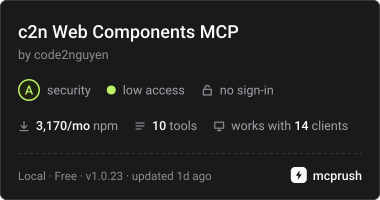
c2n Lit web componentのAPI、テーマトークン、使用例、およびマークアップのバリデーションをAIエージェントに提供します。
別名 code2nguyen/web-components, c2n, @c2n/mcp
- スター
- 5
- ツール
- 10
- ダウンロード数(30日間)
- 3,298
- 最新バージョン
- 1.0.26
- 最終コミット
- 2026年11月15日
- ライセンス
- MIT
c2n Web Components MCPとは
c2n Web ComponentsはMCPサーバーです。 c2n Lit web componentのAPI、テーマトークン、使用例、およびマークアップのバリデーションをAIエージェントに提供します。. 10個のツールを提供しており、list_components, search_components, get_componentなどがあります。
プロジェクトのREADMEから生成された概要
c2n Web Components MCP server について
このMCP serverは、Lit web componentに関する技術ドキュメントとバリデーションをAIエージェントに提供します。Claude Code、Codex、またはGoogle Antigravityを使用している開発者は、stdio経由でこのサーバーに接続することで、属性、スロット、イベント、CSS変数を含むコンポーネントAPIの完全なレジストリにアクセスできます。データはローカルのレジストリファイルに同梱されているため、プロジェクトにインストールすればオフラインでも機能します。
ユーザーは特定のツールを使用して、コンポーネントの一覧表示、glassやpillスタイルなどの使用例の検索、@c2n/themeパッケージからのテーマトークンの取得などが可能です。また、このサーバーにはバリデーションツールも含まれており、HTML、JSX、Vue、Svelte、Astro、Angular、およびLitのテンプレートが、インストール済みの@c2nパッケージと照らし合わせて正しいかをチェックします。これにより、マークアップが正しいタグを使用していることを保証し、コンポーネントホストに対するbox stylingのような無効なCSSプロパティの使用を防ぎます。本サーバーは自動エディタではなく、構造化された知識ソースとして機能しますが、@c2n/skillパッケージと組み合わせることで、エージェントが特定のアプリケーション規約やテーマ設定に従うよう支援できます。
プロジェクトの README から作成されています。すべてのユースケースは、その引用と照らし合わせて確認されています。
c2n Web Components MCPのインストール方法
フォーマット検証日 2026年11月10日Cursor に追加Gooseに追加Claude Codeにc2n Web Components MCPをインストール
$ claude mcp add c2n -- npx -y @c2n/mcpCursorにc2n Web Components MCPをインストール
~/.cursor/mcp.json
{
  "mcpServers": {
    "c2n": {
      "command": "npx",
      "args": [
        "-y",
        "@c2n/mcp"
      ]
    }
  }
}VS Codeにc2n Web Components MCPをインストール
.vscode/mcp.json
{
  "servers": {
    "c2n": {
      "type": "stdio",
      "command": "npx",
      "args": [
        "-y",
        "@c2n/mcp"
      ]
    }
  }
}VS Code CLIにc2n Web Components MCPをインストール
$ code --add-mcp '{"name":"c2n","type":"stdio","command":"npx","args":["-y","@c2n/mcp"]}'Claude Desktopにc2n Web Components MCPをインストール
claude_desktop_config.json
{
  "mcpServers": {
    "c2n": {
      "command": "npx",
      "args": [
        "-y",
        "@c2n/mcp"
      ]
    }
  }
}Codexにc2n Web Components MCPをインストール
$ codex mcp add c2n -- npx -y @c2n/mcpCodex config.tomlにc2n Web Components MCPをインストール
~/.codex/config.toml
[mcp_servers.c2n]
command = "npx"
args = ["-y", "@c2n/mcp"]
Gemini CLIにc2n Web Components MCPをインストール
$ gemini mcp add -s user c2n npx -- -y @c2n/mcpGemini settings.jsonにc2n Web Components MCPをインストール
~/.gemini/settings.json
{
  "mcpServers": {
    "c2n": {
      "command": "npx",
      "args": [
        "-y",
        "@c2n/mcp"
      ]
    }
  }
}c2n Web Components MCPツール 10
READMEから検出list_componentssearch_componentsget_componentget_examplessearch_examplesget_presetsget_themegenerate_variantvalidate_markupget_workflow_guide
| list_components | — | |
| search_components | — | |
| get_component | — | |
| get_examples | — | |
| search_examples | — | |
| get_presets | — | |
| get_theme | — | |
| generate_variant | — | |
| validate_markup | — | |
| get_workflow_guide | — |
設定
C2N_PROJECT_ROOTProject whose installed @c2n/* packages the server reports. Defaults to the working directory.
| 名前 | 説明 | 種類 |
|---|---|---|
| C2N_PROJECT_ROOT | Project whose installed @c2n/* packages the server reports. Defaults to the working directory. |
自動チェック
実行日 2026年11月12日完全なレポート →自動チェックに合格しました。これはセキュリティ監査ではありません。コードを読み、サーバーに必要最小限のアクセス権を与えてください。 チェックの仕組み

- ソースリポジトリがリンクされており、アクセス可能合格
- オープンソースライセンス (OSI)合格
- 過去1年以内にコミットまたはリリースあり合格
- パッケージ名が有名なパッケージに酷似していない合格
- リモートエンドポイントがHTTPSを使用未チェック
- 破壊的なツールがラベル付けされている合格
- モデルへの隠れた指示がない合格
- パッケージおよびその依存関係に重大な勧告なし合格
README
GitHubで見る@c2n/mcp
Model Context Protocol server that exposes the c2n web components to AI agents: component APIs (attributes, slots, events, native CSS parts, CSS variables with their theme tokens), usage and gallery examples, curated presets, the @c2n/theme tokens, variant code generation and the application workflow guides. Everything is bundled in data/registry.json, so it works offline in any project.
Use
The server uses stdio and can be launched by any MCP host:
npx -y @c2n/mcp
Claude Code project .mcp.json:
{ "mcpServers": { "c2n": { "type": "stdio", "command": "npx", "args": ["-y", "@c2n/mcp"] } } }
Codex project .codex/config.toml:
[mcp_servers.c2n]
command = "npx"
args = ["-y", "@c2n/mcp"]
Google Antigravity project .agents/mcp_config.json uses the same mcpServers command/args structure as the Claude example. The @c2n/skill package can install the skill and merge these configurations automatically.
Run the server from a project directory: it reports which @c2n/* packages are installed and serves the bundled API when the installed version differs. The registry is packaged locally, so tool calls do not require network access after installation.
Use c2n-mcp --version to inspect the installed server version and c2n-mcp --help for CLI usage.
The MCP server supplies structured component facts; it does not install component packages or edit an application by itself. Pair it with @c2n/skill when you also want the agent to follow c2n's application, theming and variant conventions. See the AI tools guide for the complete setup and example prompts.
Verify the connection
Restart the agent after adding its MCP configuration, then ask it to use the c2n MCP server to list components or inspect c2-button. A connected client should expose the tools below and report @c2n/* packages installed in the current project. If the server cannot start, run npx -y @c2n/mcp --version in that project to distinguish an npm/runtime problem from an MCP client configuration problem.
Tools
| Tool | Purpose |
|---|---|
list_components |
Every component with tag, package, category, description, installed version |
search_components |
Free-text search across names, descriptions, attributes, slots, events, examples, icons |
get_component |
Full API of one component, CSS variables grouped by part/state with their theme token |
get_examples |
Usage rows and gallery cards; view: "index" lists every look (summary, screenshot) |
search_examples |
Find a look across every component's gallery ("glass", "pill", "underline") |
get_presets |
Curated presets as CSS variable values |
get_theme |
The --c2-theme--* tokens, install/mapping snippets; per-component mapping with tag |
generate_variant |
CSS class / HTML + style / Lit subclass / JSON from overrides, a preset or a gallery card |
validate_markup |
Checks markup/CSS you wrote: native controls to replace, unknown tags/attributes/slots/events/variables |
get_workflow_guide |
workflow, theming, variant-components, frameworks |
Gallery cards are served with a generated summary of what they change and CSS whose colours follow the --c2-theme--* tokens wherever a literal equals a token's value (var(--c2-theme--color-outline, #d4d4d8)), so a copied card follows the application's theme and dark mode. Each card also links light and dark PNG captures hosted with the docs site (gallery-shots/<component>/<slug>.<theme>.png, written by apps/ui/scripts/gallery-shots.mjs in the Pages deploy).
Validate from the command line
validate_markup is also a CLI, for CI and editor hooks. It reads HTML, JSX/TSX, Vue, Svelte, Astro, Angular and Lit templates and CSS, and checks them against the API of the @c2n/* packages the project has installed:
npx -y @c2n/mcp validate src            # exit 1 on errors
npx -y @c2n/mcp validate src --strict   # warnings fail too (native controls, box styling on a c2 host)
npx -y @c2n/mcp validate --hook         # Claude Code PostToolUse hook: reads the payload on stdin
It reports native <button>/<input>/<select>/<textarea>/<dialog>/<details>/<progress> elements that a c2-* element replaces, unknown c2-* tags, attributes, slots and --c2-* variables (with "did you mean"), events a c2-* element does not fire (with its event list), a static camelCase attribute the element ignores (rowKey for row-key), and box styling on a c2-* host (border, padding, background, box-shadow, outline; a radius alone is fine). A line holding c2n-ignore, or the line after a comment holding it, is skipped. In hook mode the findings go to stderr with exit code 2, which Claude Code hands back to the agent; npx -y @c2n/skill install registers that hook in .claude/settings.json.
Resources: c2n://components, c2n://components/{tag}, c2n://theme, c2n://guide/{topic}.
Development
data/registry.jsonis an ignored build artifact.npm run build:tools(repo root) regenerates it from the component manifests, docs content, presets and theme, then compilesdist/and refreshes the committed skill fallback.dev,inspect,smokeandnpm packautomatically build the registry when needed.npm run smoke -w packages/tools/mcpspawns the server over stdio and checks every tool.npm run inspect -w packages/tools/mcpopens the MCP Inspector against the source entry (node src/cli.ts, Node 24 type stripping).
c2n Web Components MCPのよくある質問
c2n Web Components MCPをClaude Codeに追加するには
ターミナルでclaude mcp add c2n -- npx -y @c2n/mcpを実行します。すべてのプロジェクトで利用するには--scope userを追加します。
c2n Web Components MCPをCursorに追加するには
~/.cursor/mcp.jsonを開き、上記のインストールセクションに示すCursor設定を使ってmcpServersの下にサーバーを追加します。
c2n Web Components MCPが提供するツールは
10個のツールを提供しており、list_components, search_components, get_component, get_examples, search_examplesなどがあります。
動作にはインターネット接続が必要ですか?
いいえ、レジストリはdata/registry.jsonにローカルで同梱されているため、あらゆるプロジェクトでオフライン動作が可能です。
コードのバリデーションはできますか?
はい、validate_markupツールを使用して、HTML、JSX/TSX、Vue、Svelte、Astro、Angular、およびLitのテンプレートが、インストール済みのコンポーネントAPIに準拠しているかを確認できます。
このサーバーはWebコンポーネントを自動でインストールしてくれますか?
いいえ、このサーバーは構造化されたコンポーネント情報を提供しますが、インストールやアプリケーションへの直接的な編集は行いません。