
Serveur MCP CourseNest
Commit 10 nov. 2026Un studio éducatif conçu pour le mode hors ligne, permettant aux utilisateurs de créer des cours personnalisés, de visionner des conférences vidéo avec des contrôles audio avancés et d'étudier grâce à une IA locale.
Aussi connu sous PixelApprentice/CourseNest
- Étoiles
- 1
- Outils
- 13
- Téléchargements, 30 jours
- —
- Dernière version
- —
- Dernier commit
- 10 nov. 2026
- Licence
- Apache-2.0
Qu'est-ce que CourseNest MCP ?
CourseNest est un serveur MCP. Un studio éducatif conçu pour le mode hors ligne, permettant aux utilisateurs de créer des cours personnalisés, de visionner des conférences vidéo avec des contrôles audio avancés et d'étudier grâce à une IA locale. Il expose 13 outils, comme seek_video_player, navigate_to_slide, create_flashcard.
Résumé généré à partir du README du projet
À propos du MCP server CourseNest
CourseNest permet aux étudiants et aux éducateurs de créer des programmes personnalisés et d'étudier avec une intelligence privée. Ce studio éducatif privilégiant le mode hors ligne fonctionne comme un environnement d'apprentissage isolé, ce qui signifie que tous les manifestes de cours, les notes et la progression vidéo sont strictement sauvegardés sur le stockage local de l'appareil, comme SQLite ou IndexedDB. Il est conçu pour fonctionner sur ordinateur via Electron ou sur mobile via Android, ce qui le rend adapté au matériel peu performant ou aux environnements déconnectés.
Les utilisateurs peuvent gérer divers supports d'apprentissage, notamment des présentations PowerPoint, des intégrations YouTube et des conférences vidéo. La suite multimédia inclut des outils spécialisés tels qu'un amplificateur de gain audio de 200 %, un égaliseur de clarté vocale et un mode de lecture image par image. Pour un apprentissage avancé, la plateforme propose un magasin de vecteurs sémantiques intégré au navigateur pour le RAG, un jeu de flashcards pour la récupération active avec effets de retournement 3D, ainsi qu'un assistant d'étude IA local. L'interface est hautement personnalisable grâce à un studio de design à neuf thèmes, proposant des esthétiques allant du style Neo-Tokyo Mecha à Obsidian Moss.
Ce que vous pouvez faire avec
- 1Étudier avec une IA locale privéeUtilisez l'assistant d'étude IA intégré et la recherche vectorielle pour interroger vos transcriptions de cours et vos documents de lecture sans connexion Internet.
- 2Pratiquer la récupération activeTestez vos connaissances à l'aide d'un jeu spécialisé de flashcards avec retournement 3D.
Extrait du README du projet. Chaque cas d'utilisation est vérifié par rapport à une citation du document.
Outils MCP CourseNest 13
Détectés depuis le READMEseek_video_playernavigate_to_slidecreate_flashcardsave_study_notecoursenest_list_coursescoursenest_get_curriculumcoursenest_get_lessoncoursenest_searchcoursenest_save_notecoursenest_get_notescoursenest_create_flashcardcoursenest_get_flashcards
| seek_video_player | — | |
| navigate_to_slide | — | |
| create_flashcard | — | |
| save_study_note | — | |
| coursenest_list_courses | — | |
| coursenest_get_curriculum | — | |
| coursenest_get_lesson | — | |
| coursenest_search | — | |
| coursenest_save_note | — | |
| coursenest_get_notes | — | |
| coursenest_create_flashcard | — | |
| coursenest_get_flashcards | — |
Afficher les 13 outilsAfficher moins d'outils
coursenest_get_progress
| coursenest_get_progress | — |
Vérifications automatisées
Exécuté le 14 nov. 2026Rapport complet →Pas encore vérifié. Un serveur nécessite un score de 80, aucune faille sérieuse et suffisamment de données pour que nous puissions effectuer les vérifications. Fonctionnement des vérifications · Ce qu'il faut corriger pour gagner des points

- Dépôt source lié et accessiblepixelapprentice/coursenest is public and reachablegithub.com/pixelapprentice/coursenest ↗Réussi
- Le nom du package correspond au dépôt sourceNon vérifié
- Provenance du build (attestation Sigstore)Non vérifié
- Licence open source (OSI)Apache-2.0spdx.org/licenses/Apache-2.0.html ↗Réussi
- Commit ou version publiée au cours de l'année écouléeLast commit or release 2026-11-10github.com/pixelapprentice/coursenest ↗Réussi
- OpenSSF ScorecardNon vérifié
- Nom du package non proche d'un package populaireNon vérifié
- Aucun avis critique dans le package ou ses dépendancesNon vérifié
- Aucune instruction cachée destinée au modèle13 tool descriptions and the README read; no override phrases, credential paths or hidden charactersRéussi
- Les outils destructifs sont étiquetésNo tool named like delete, drop or execRéussi
- Le point de terminaison distant répond à la poignée de main MCPNon vérifié
README
Voir sur GitHubCourseNest 🎓
Open-Source, Local-First, Multi-Audience Educational Studio, Course Creator & Video Player








Keywords: local-first lms • offline course player • custom course creator • youtube course embed • pptx presentation reader • vlc web player • air-gapped learning • educational studio • desktop electron • android learning
CourseNest is a modern, privacy-first, air-gapped educational studio and curriculum player designed for students, educators, and institutions. It lets you create custom courses, ingest course folders, view PowerPoint presentations, watch video lectures with VLC-grade audio controls, embed YouTube tutorials, and study offline with private local AI.
🎨 Multi-Audience Theme & Aesthetic Studio
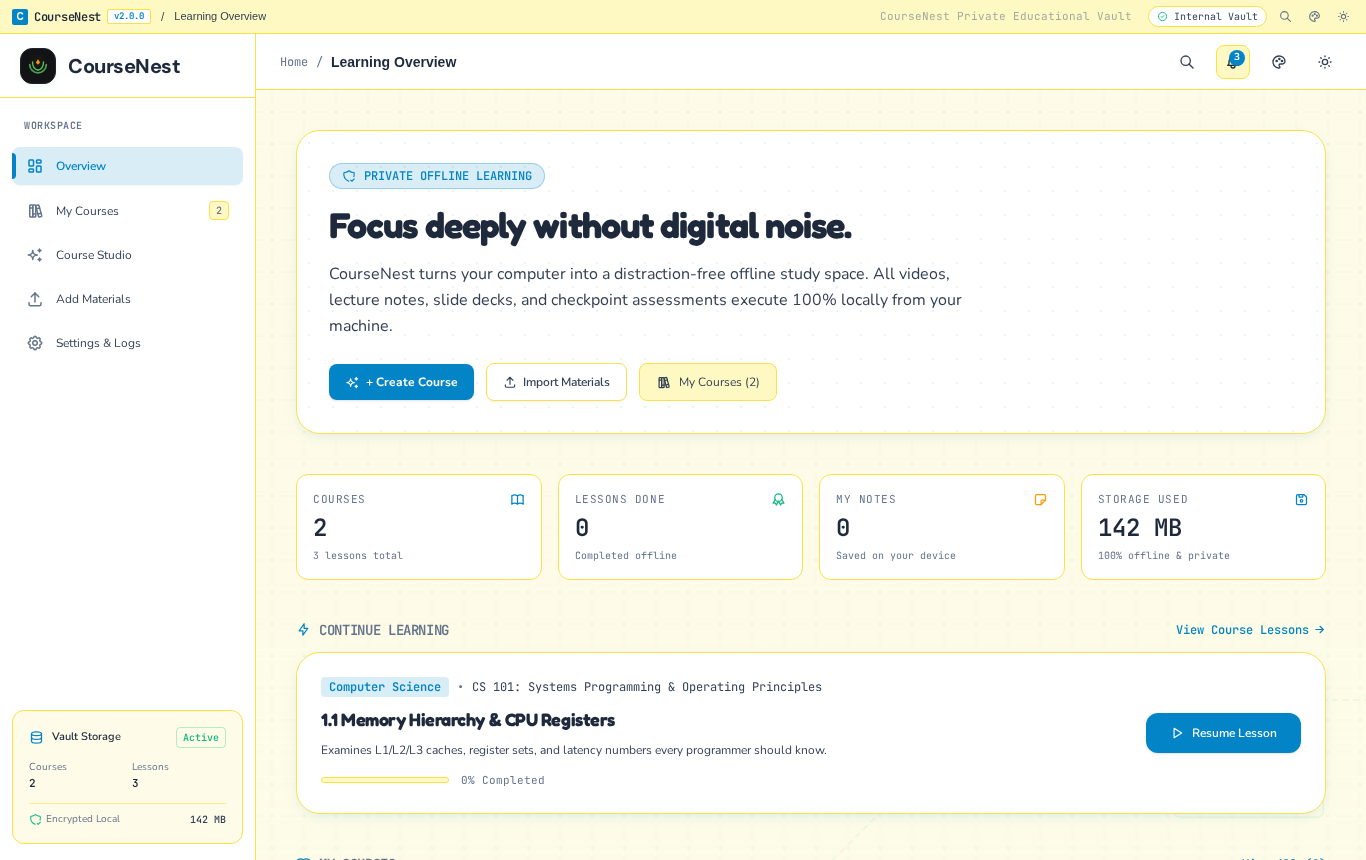
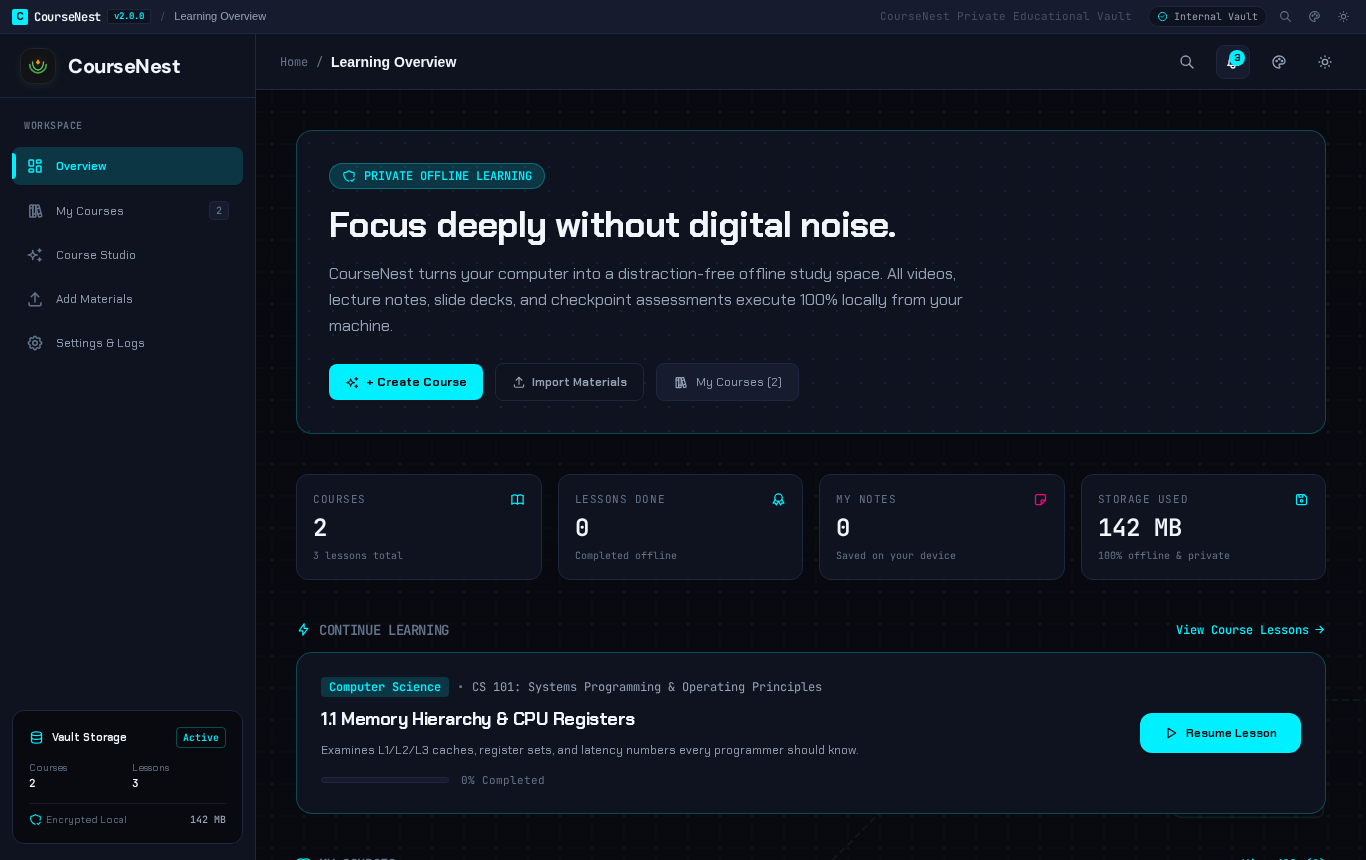
CourseNest features a built-in 9-theme design studio with bespoke typography (SIL OFL open-source fonts), atmospheric SVG scenic artwork with contrast scrims, theme-adaptive vector logos, and zero-CPU pure CSS GPU keyframe loaders:
| Theme | Aesthetic Character | Emblem & Backdrop | Display Typography |
|---|---|---|---|
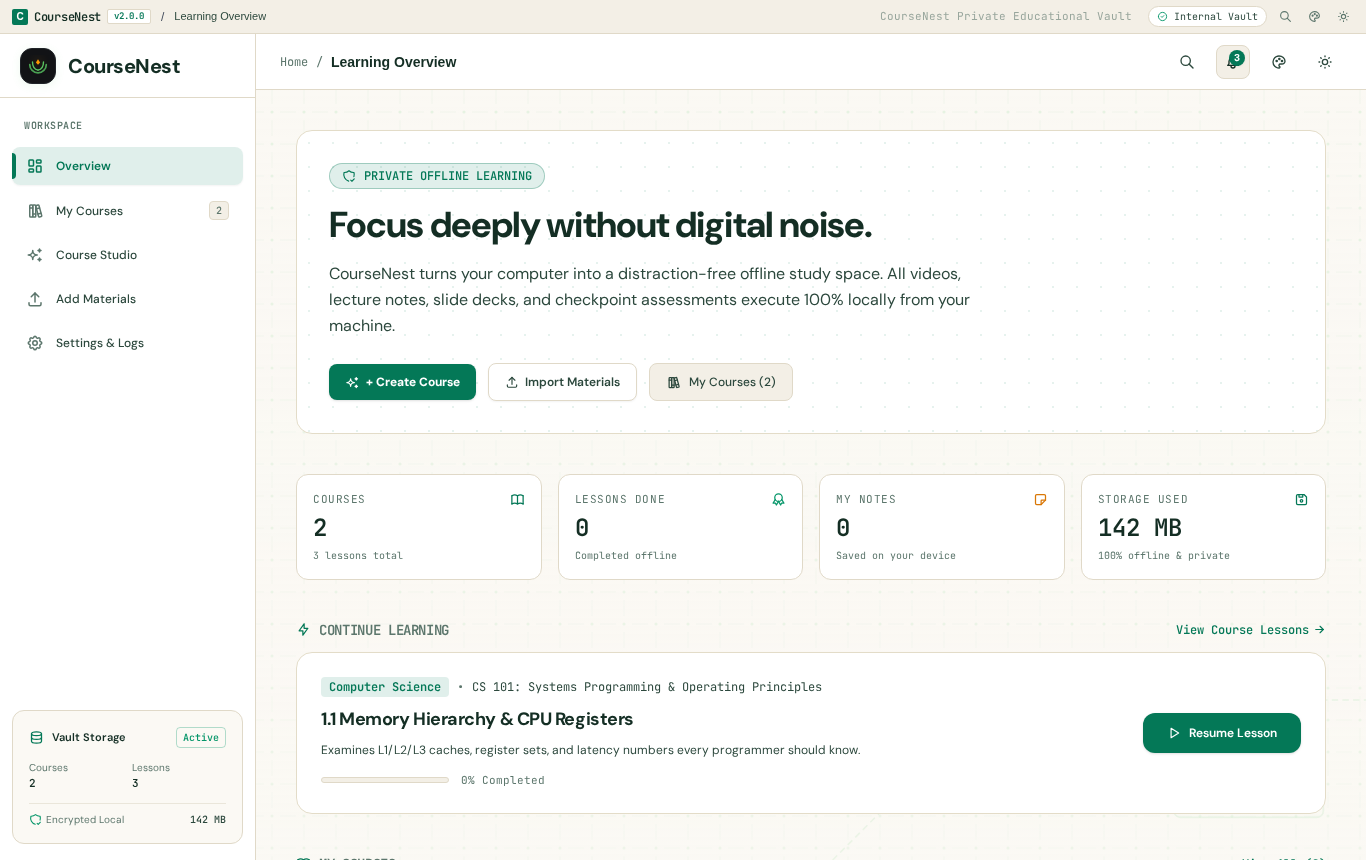
| 🕌 Halal Edition | Islamic modesty & serenity | Rub el Hizb 8-point geometric star & Mosque minaret skyline | Plus Jakarta Sans |
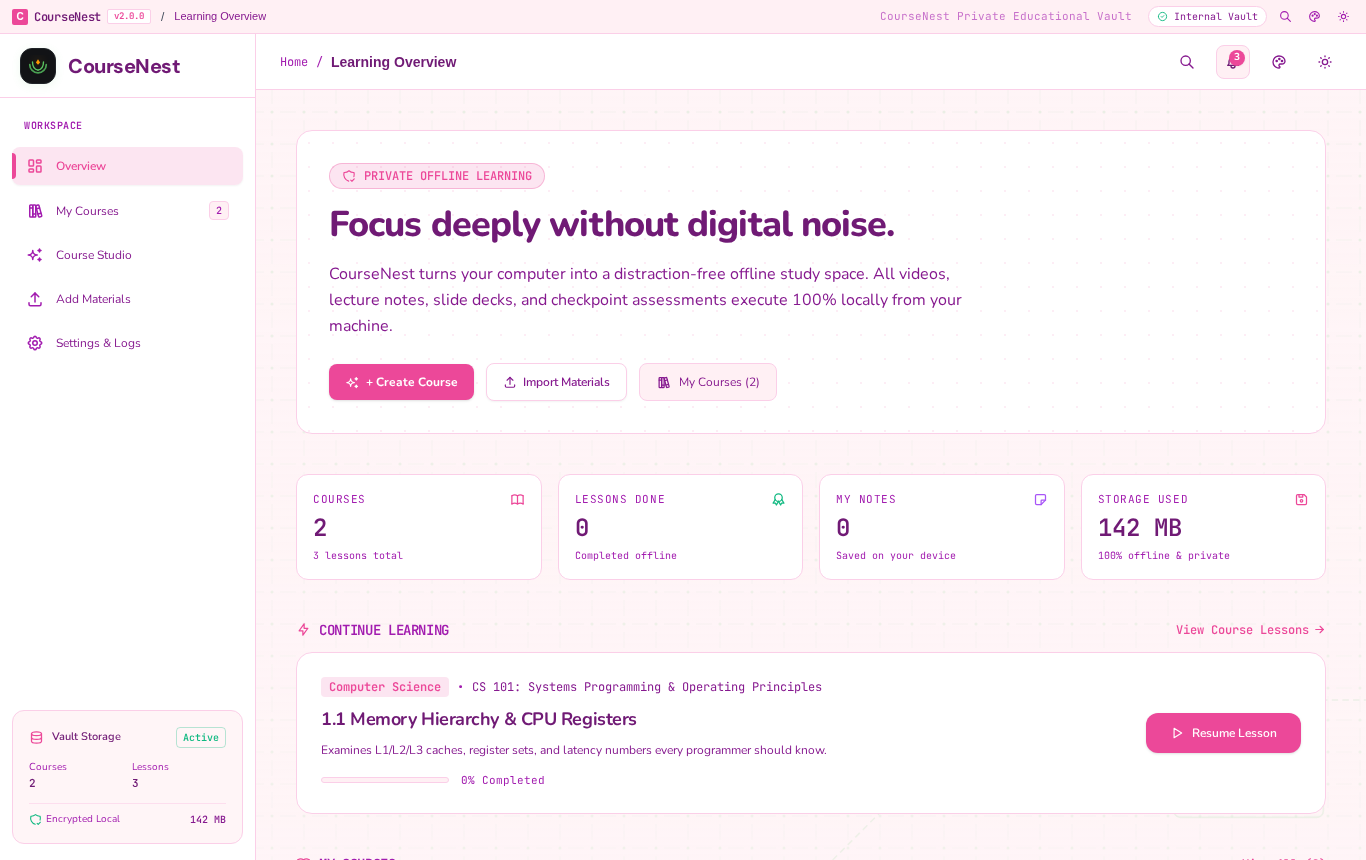
| 🌸 Sakura Bloom | Kawaii pastel & cozy floral | 5-petal cherry blossom seal & Mt. Fuji Japanese garden vista | Nunito Rounded |
| 🧱 Toybox Playful | Children & claymorphism | 3D interlocking brick & bubbly floating landscape | Fredoka Bubbly |
| ⚡ Neo-Tokyo Mecha | High-tech cyberpunk | HUD targeting reticle & neon metropolis skyline | Chakra Petch Tech |
| 💥 Manga Screentone | Japanese comic action | Comic burst stamp, halftone screentone & speedlines | Chakra Petch Bold |
| 🍃 Studio Ghibli Nature | Whimsical woodland meadow | Sprouting seedling & ancient camphor tree canopy | DM Sans Organic |
| 🪨 Obsidian Moss | Deep-focus engineering | Monolith geometric blueprint & emerald glow | DM Sans Slate |
| 🌑 OLED Midnight | 0% true black battery saver | Celestial orbital ring & emerald hairlines | JetBrains Mono |
| 📰 Clean Editorial | Daylight academic paper | Swiss drafting grid & minimalist layout | Inter / DM Sans |
Reusable Engine: The entire theme engine is built modularly with open-source typography, SVG scenic backdrops, and theme-adaptive vector emblems inside
packages/uiandpackages/config.
📸 Visual Showcase & UI Gallery
| Learning Overview (Obsidian Moss) | Multi-Archive Importer (4-Step Stepper) |
|---|---|
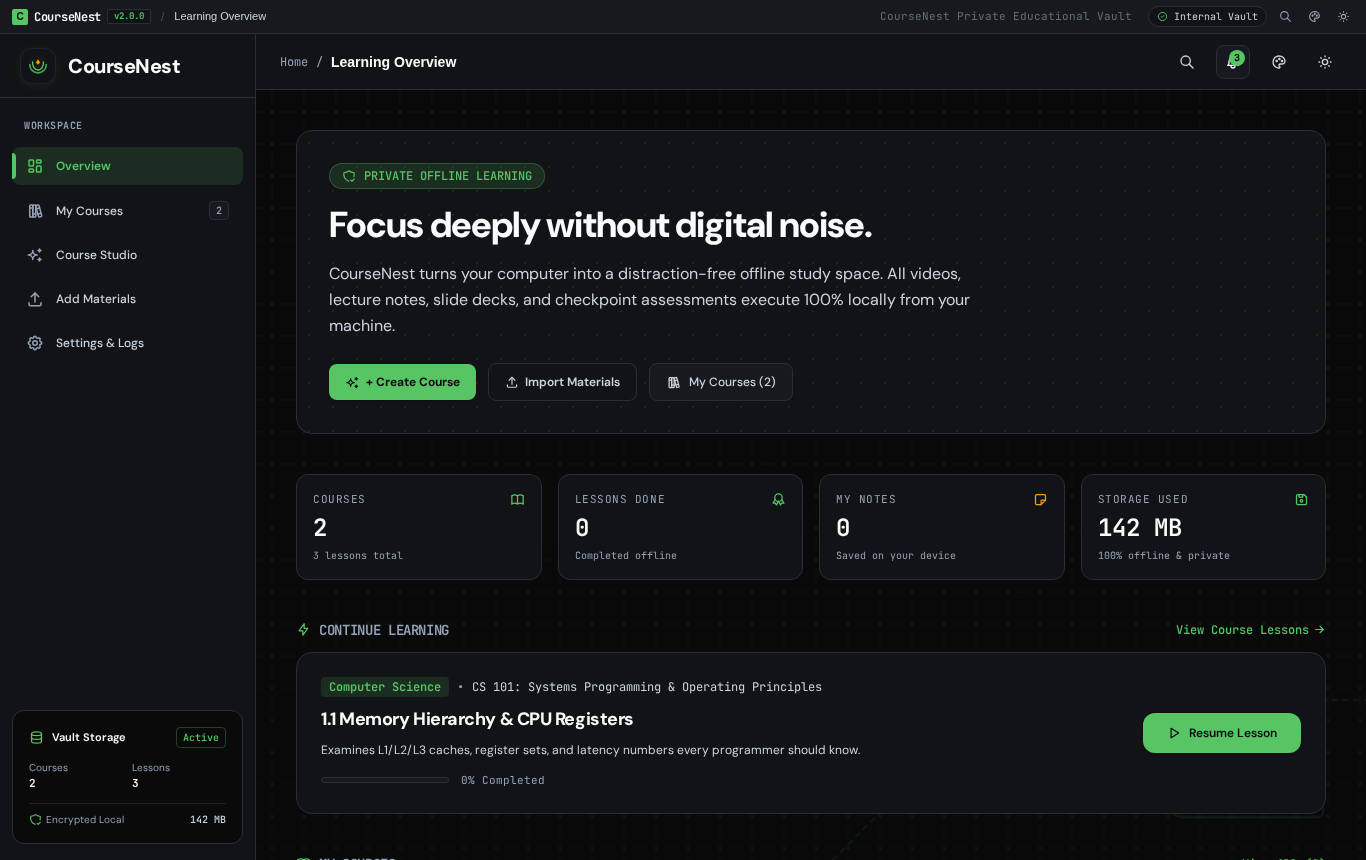 |
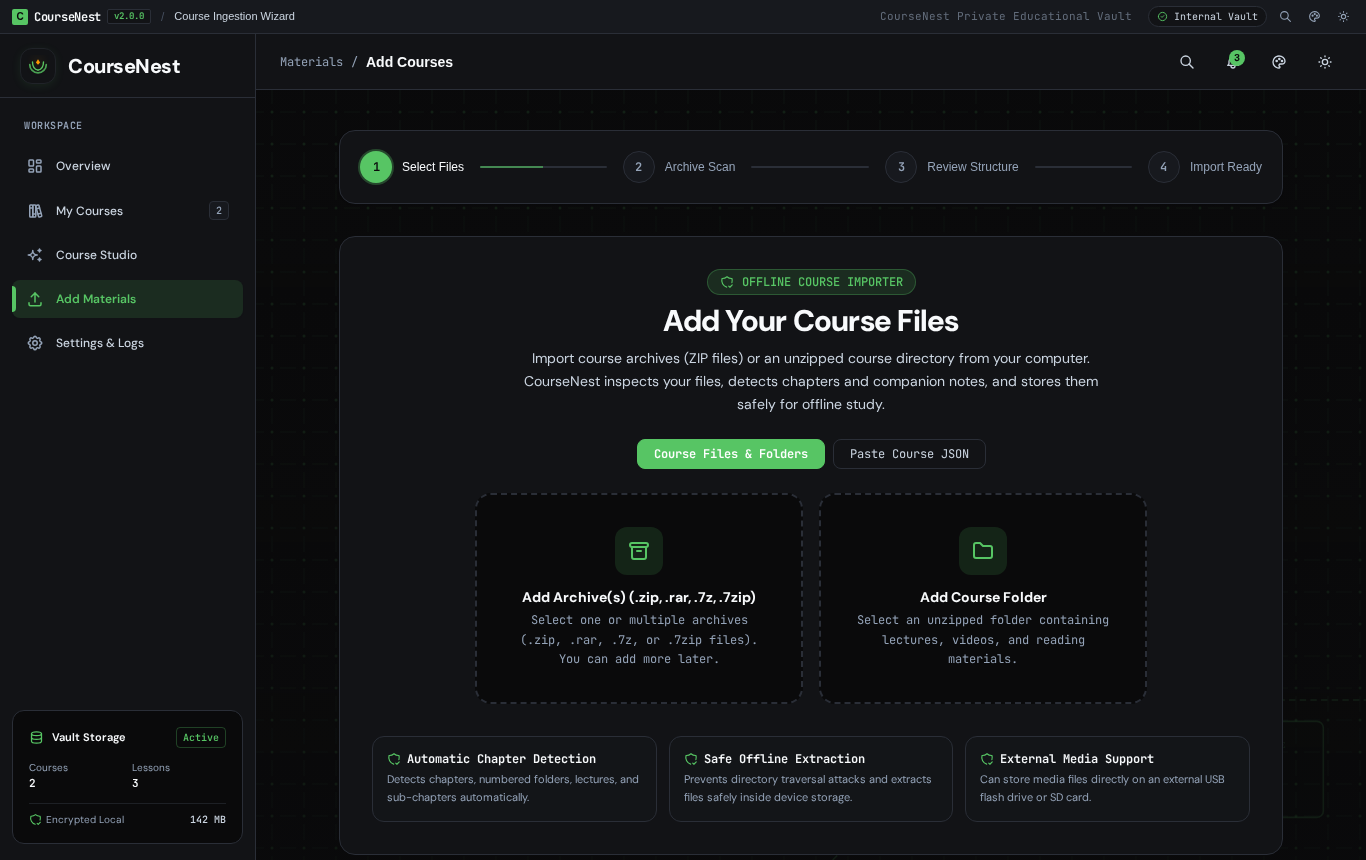 |
| Lesson Player & Multi-Format Subtitles | Syntax-Highlighted Code Block (1-Click Copy) |
|---|---|
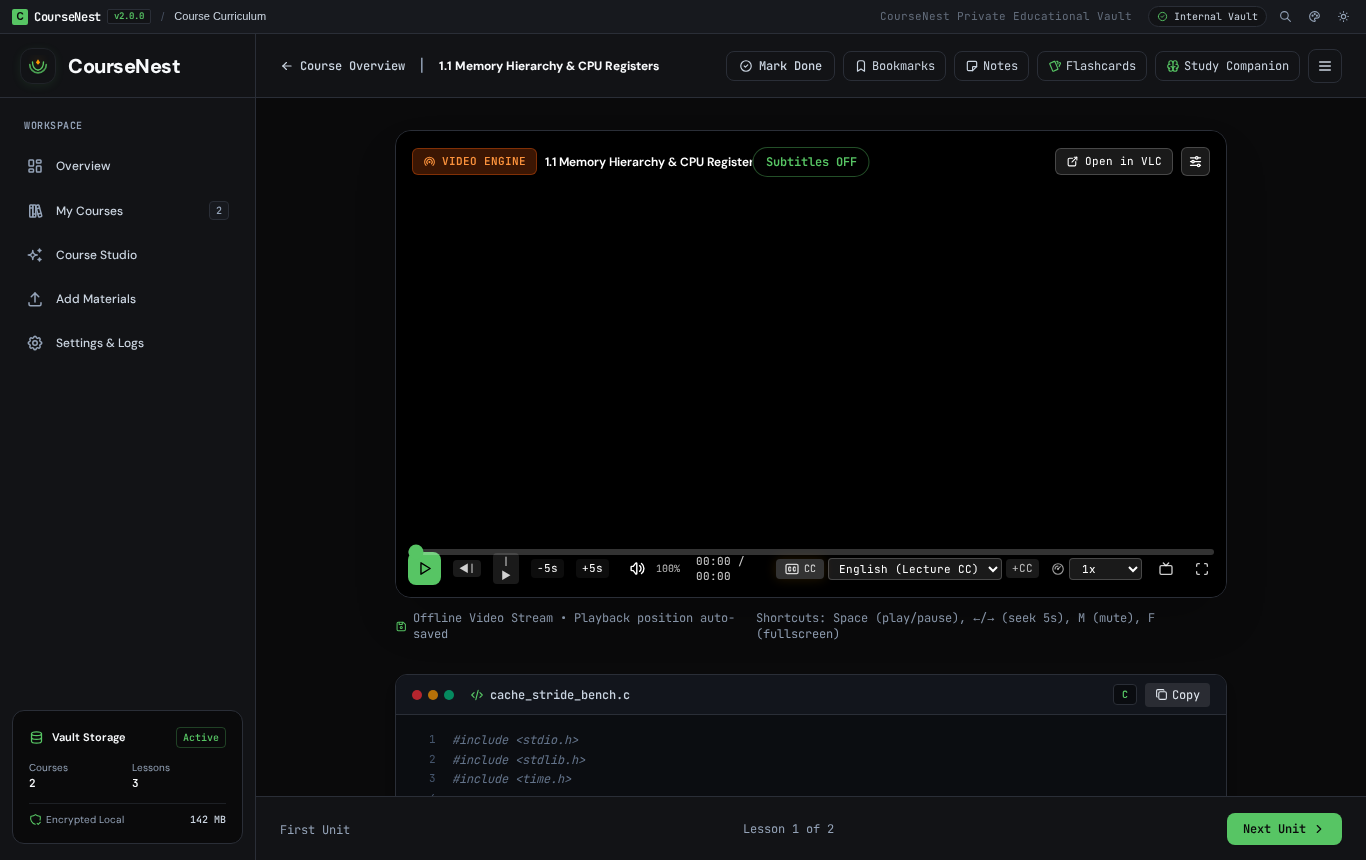 |
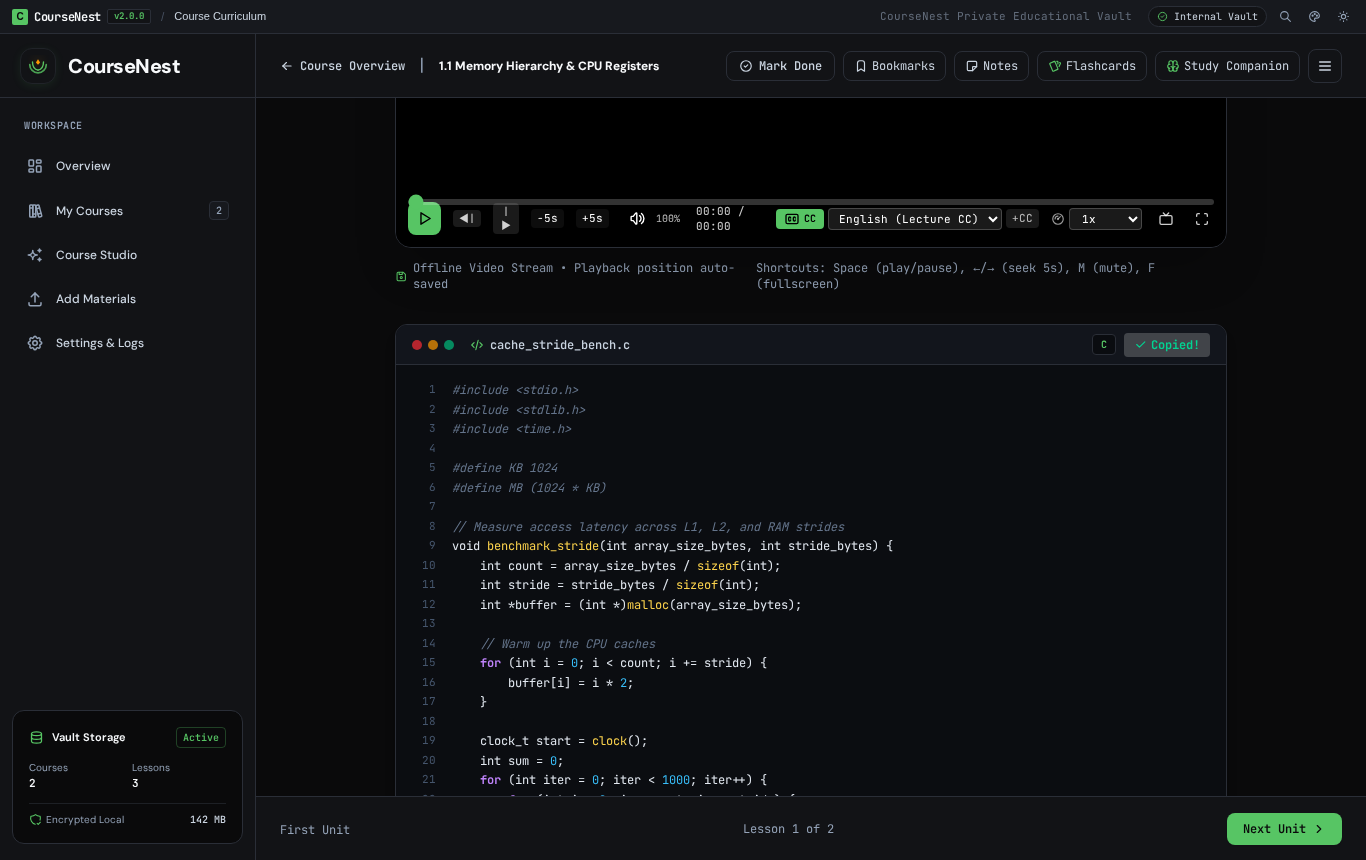 |
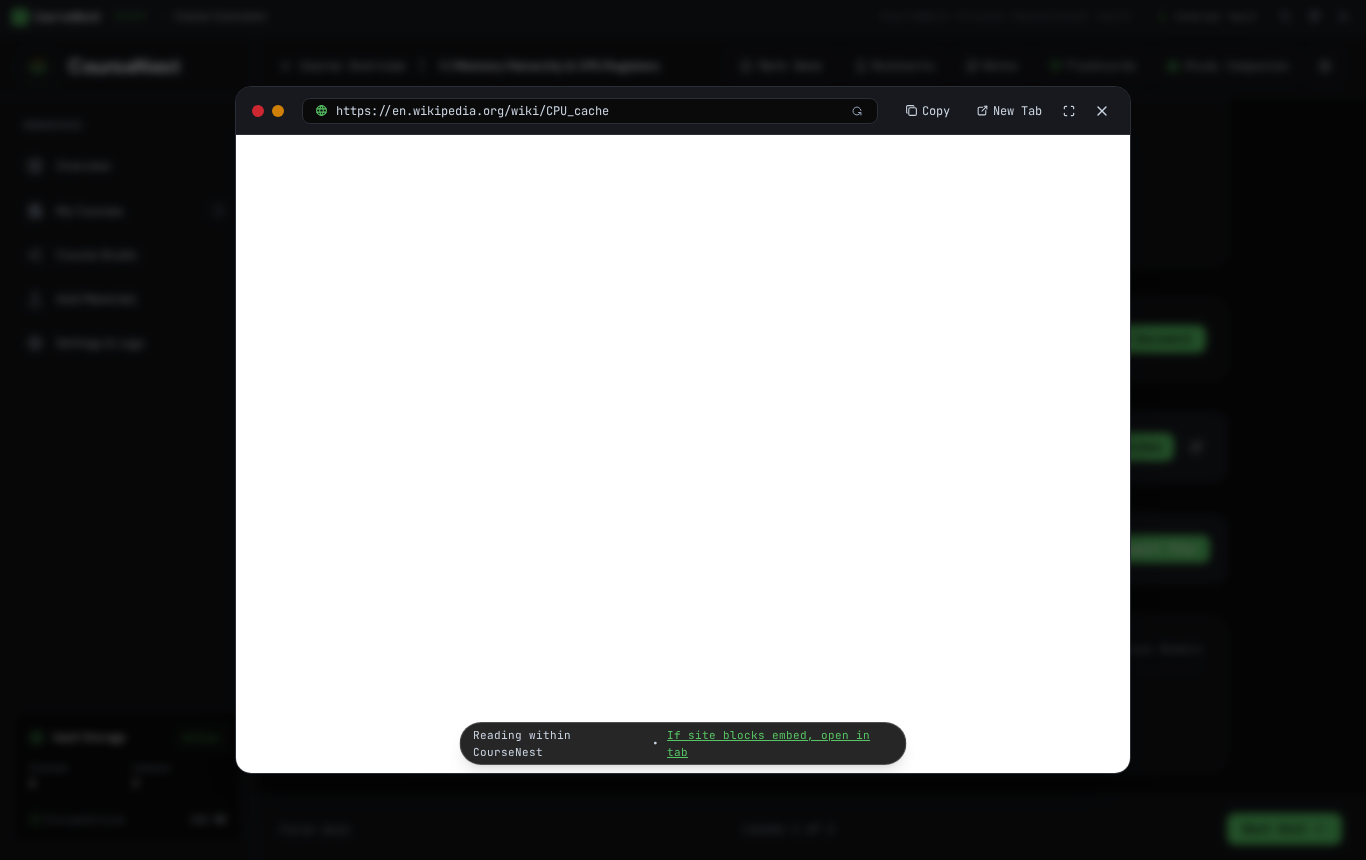
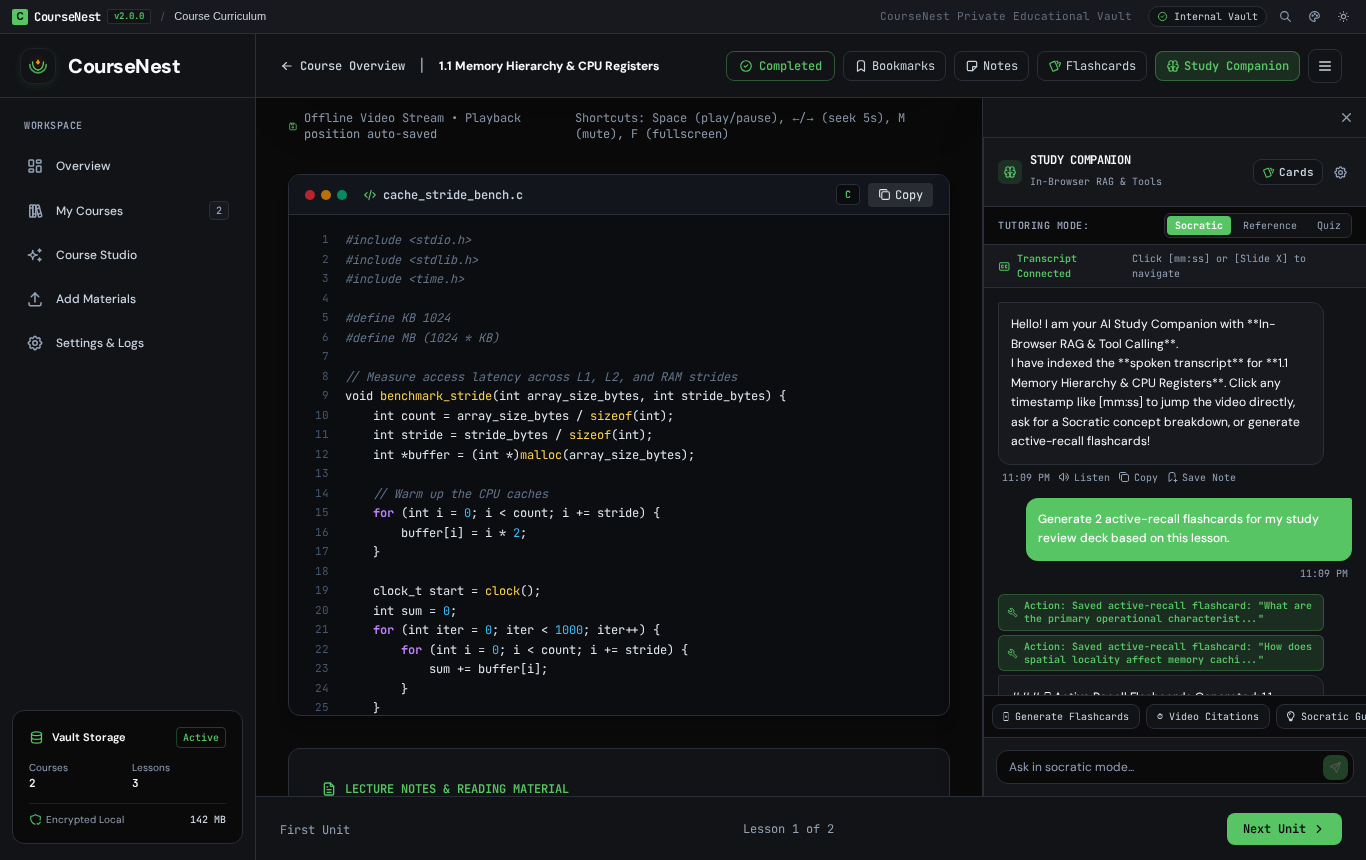
| In-App Mini Window Documentation Viewer | Local AI Study Buddy & Timestamps |
|---|---|
 |
 |
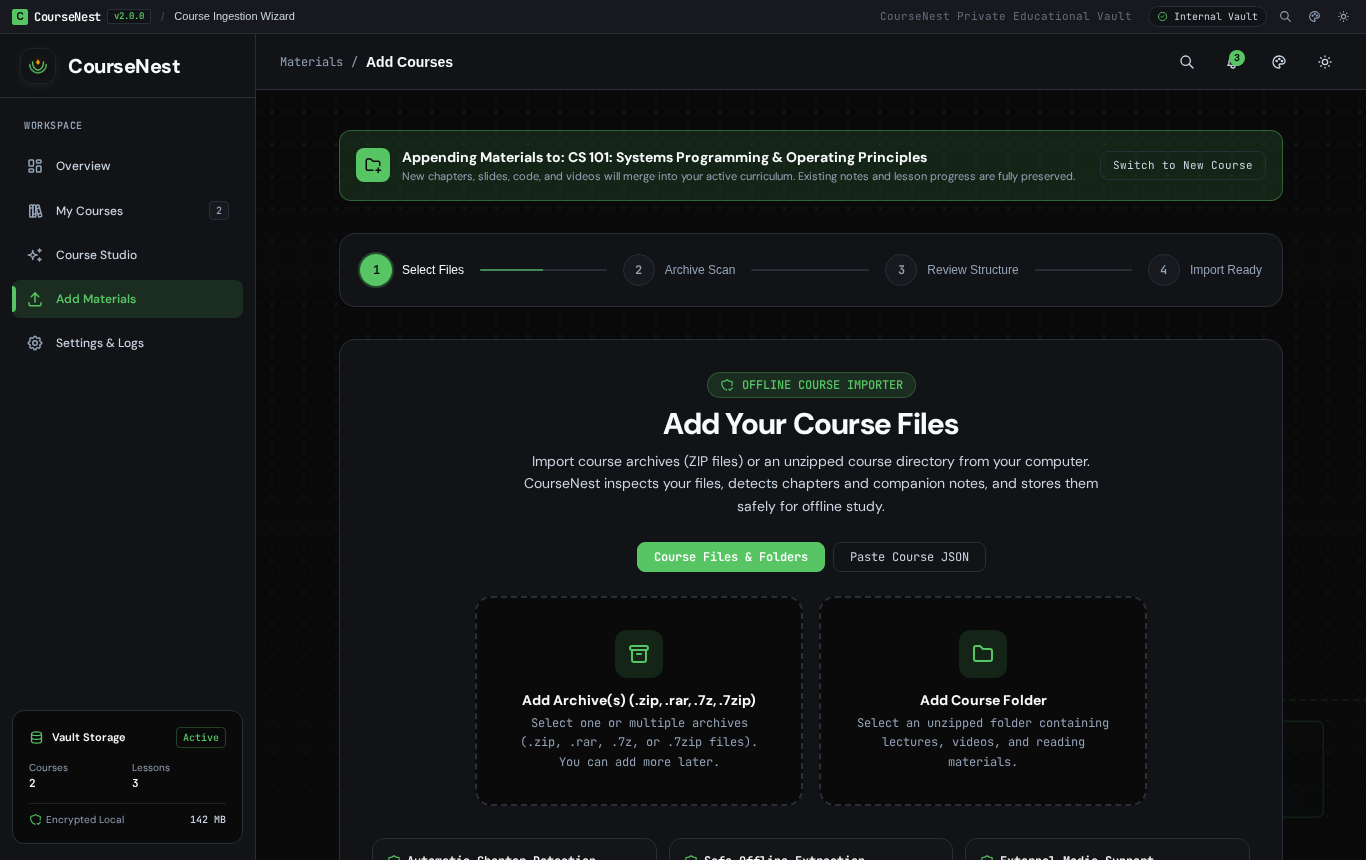
| Curriculum Roadmap Diagram | Append Supplementary Materials Mode |
|---|---|
 |
 |
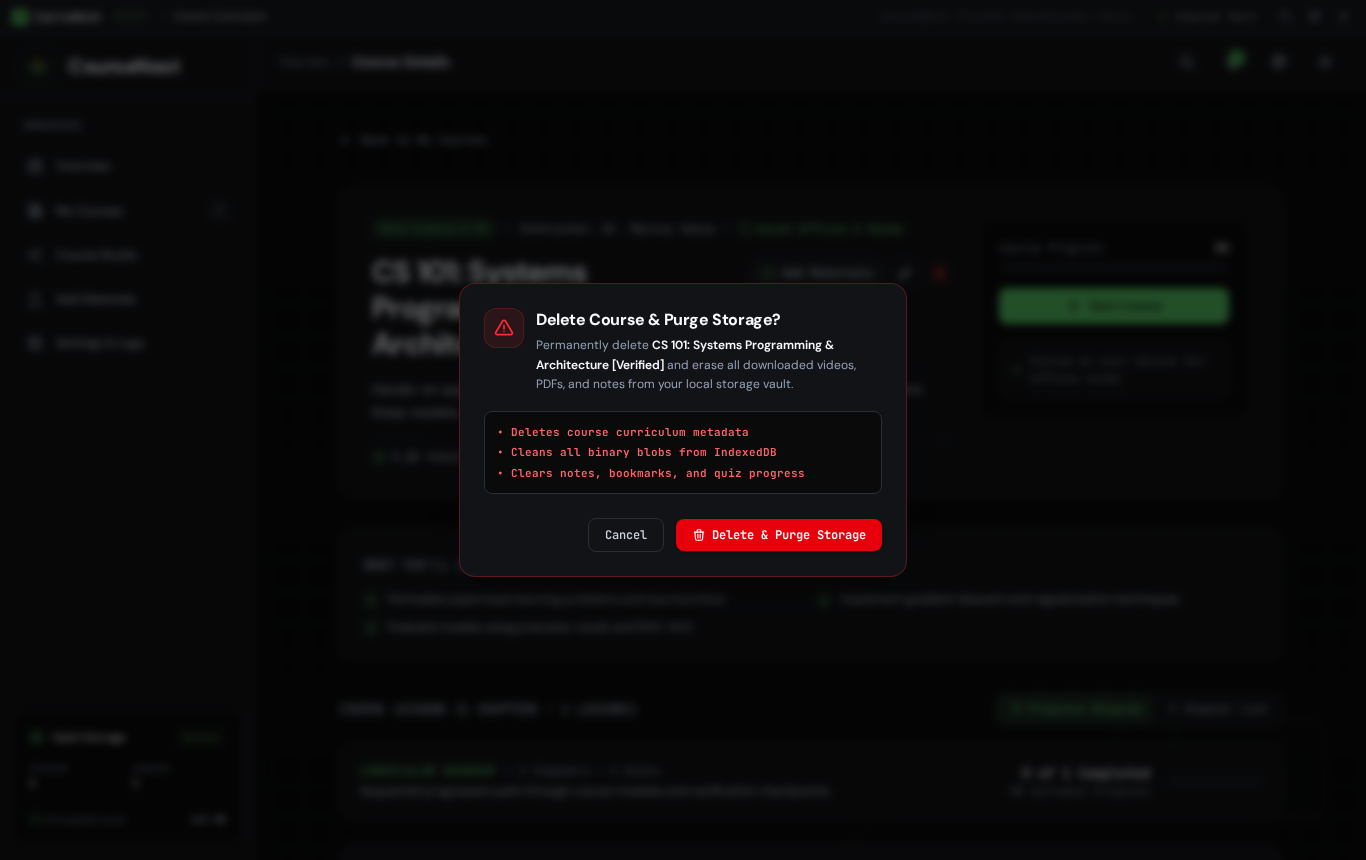
| Course Dossier & Inline Title Editor | Storage Purge Confirmation Modal |
|---|---|
 |
 |
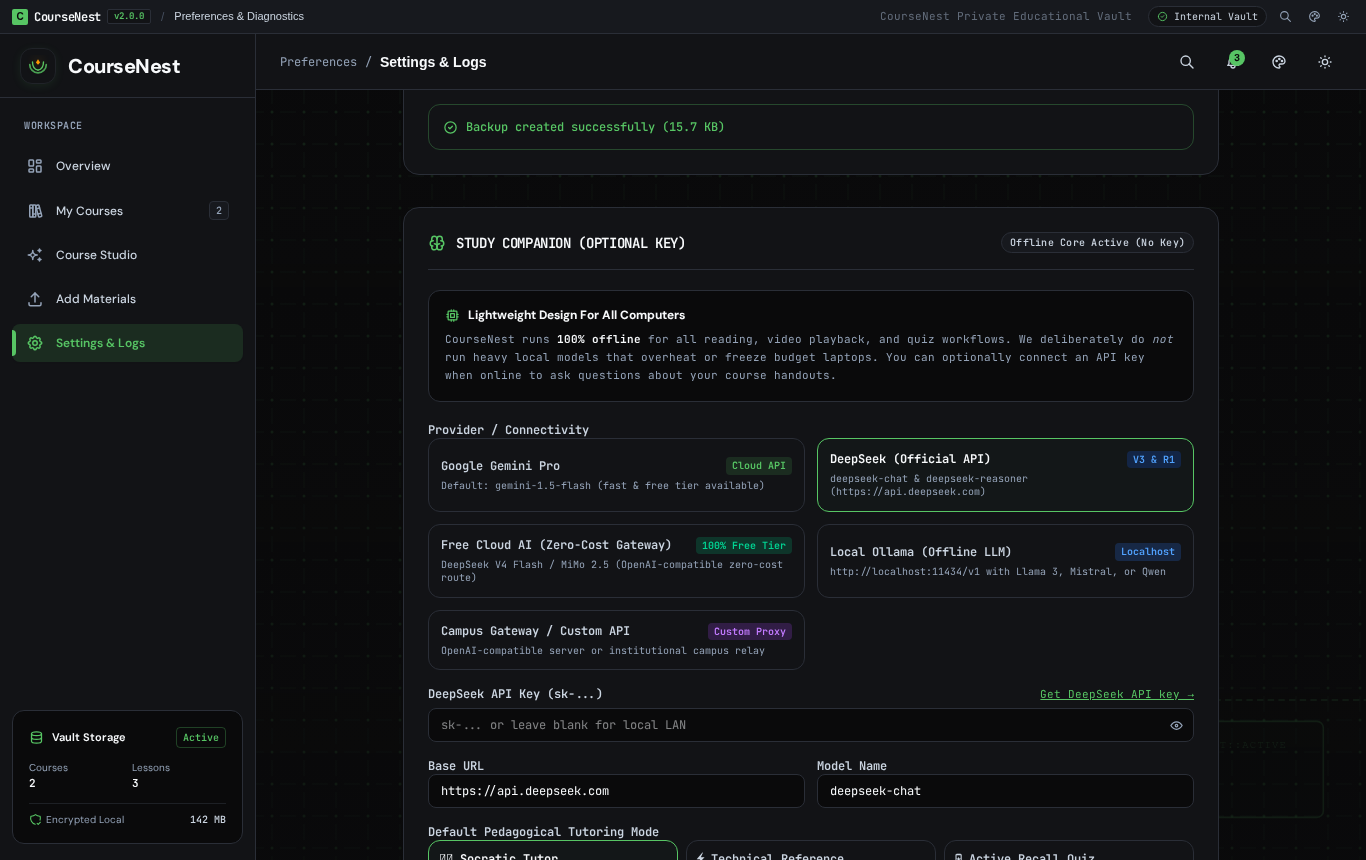
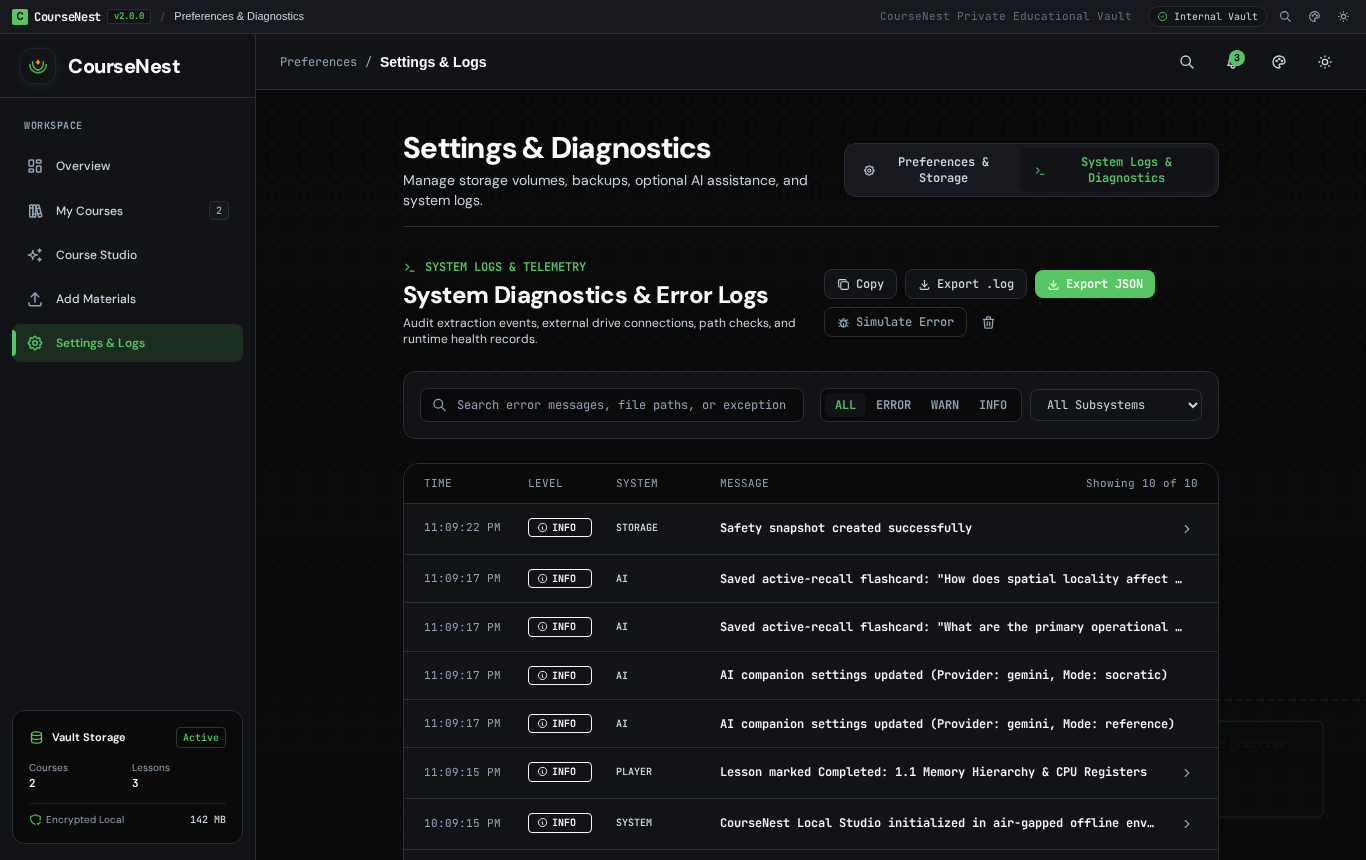
| Free Cloud AI TokenHarbor Verification | System Logs Ring-Buffer Explorer |
|---|---|
 |
 |
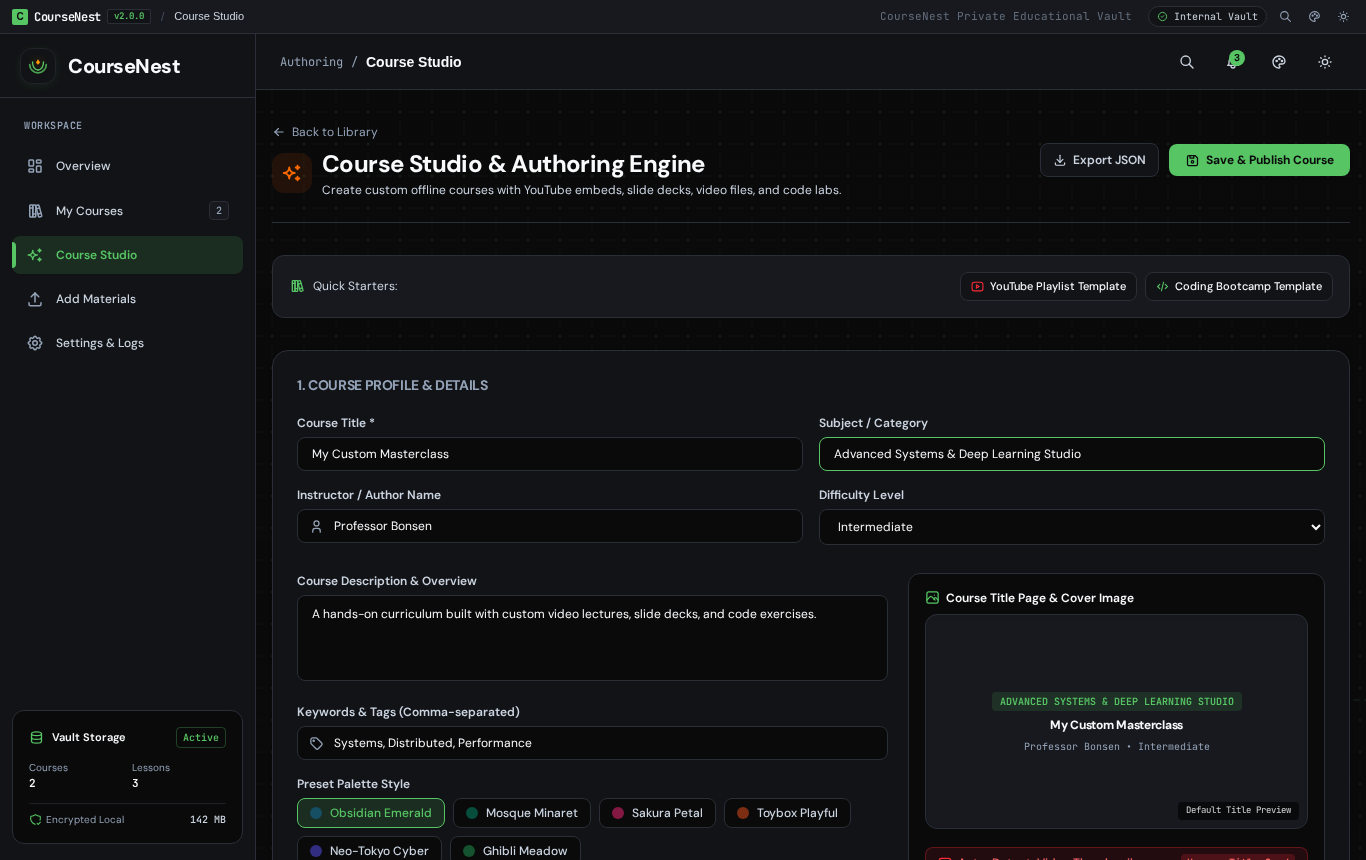
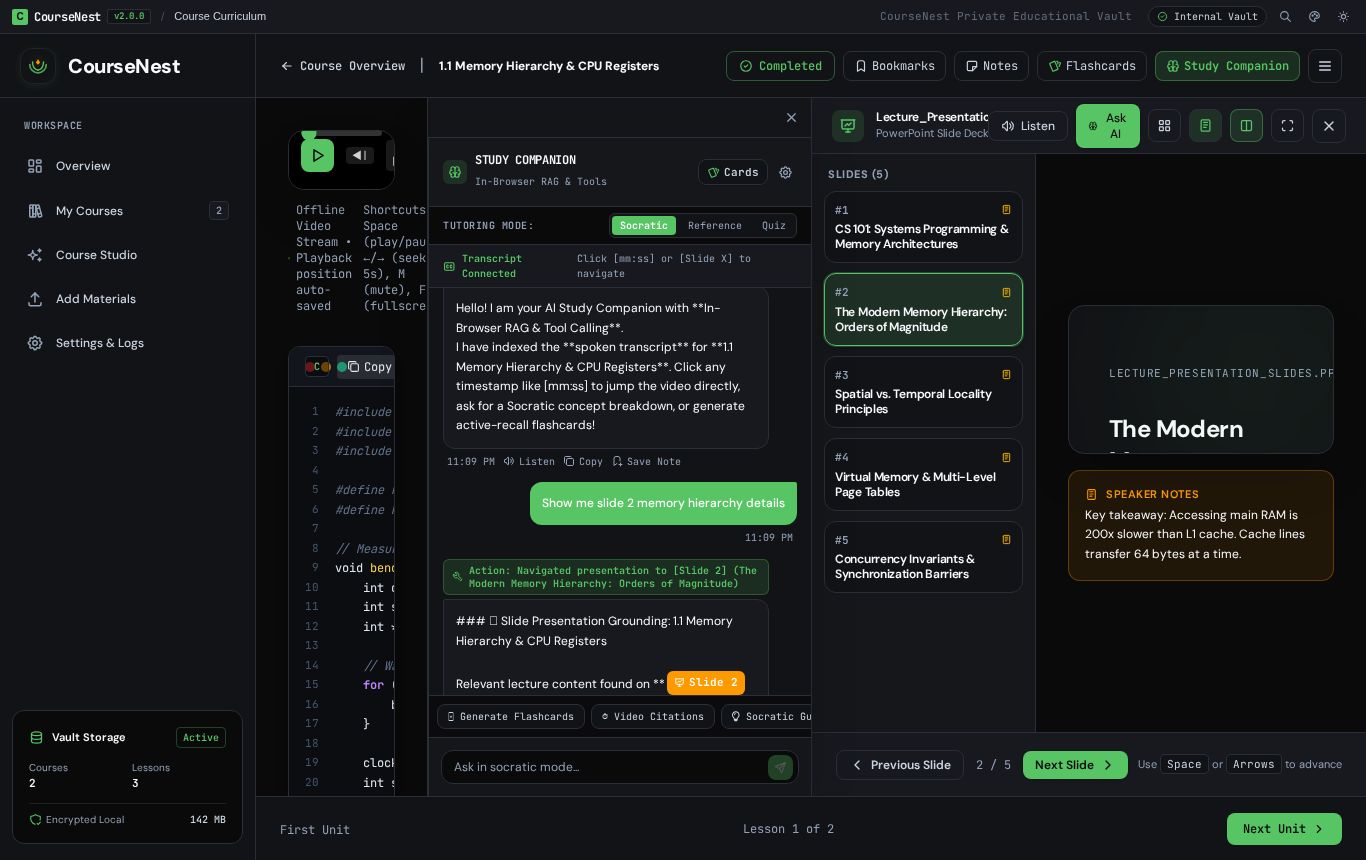
| Custom Course Studio & Authoring Engine | Native PowerPoint (.pptx) Slide Presentation Reader |
|---|---|
 |
 |
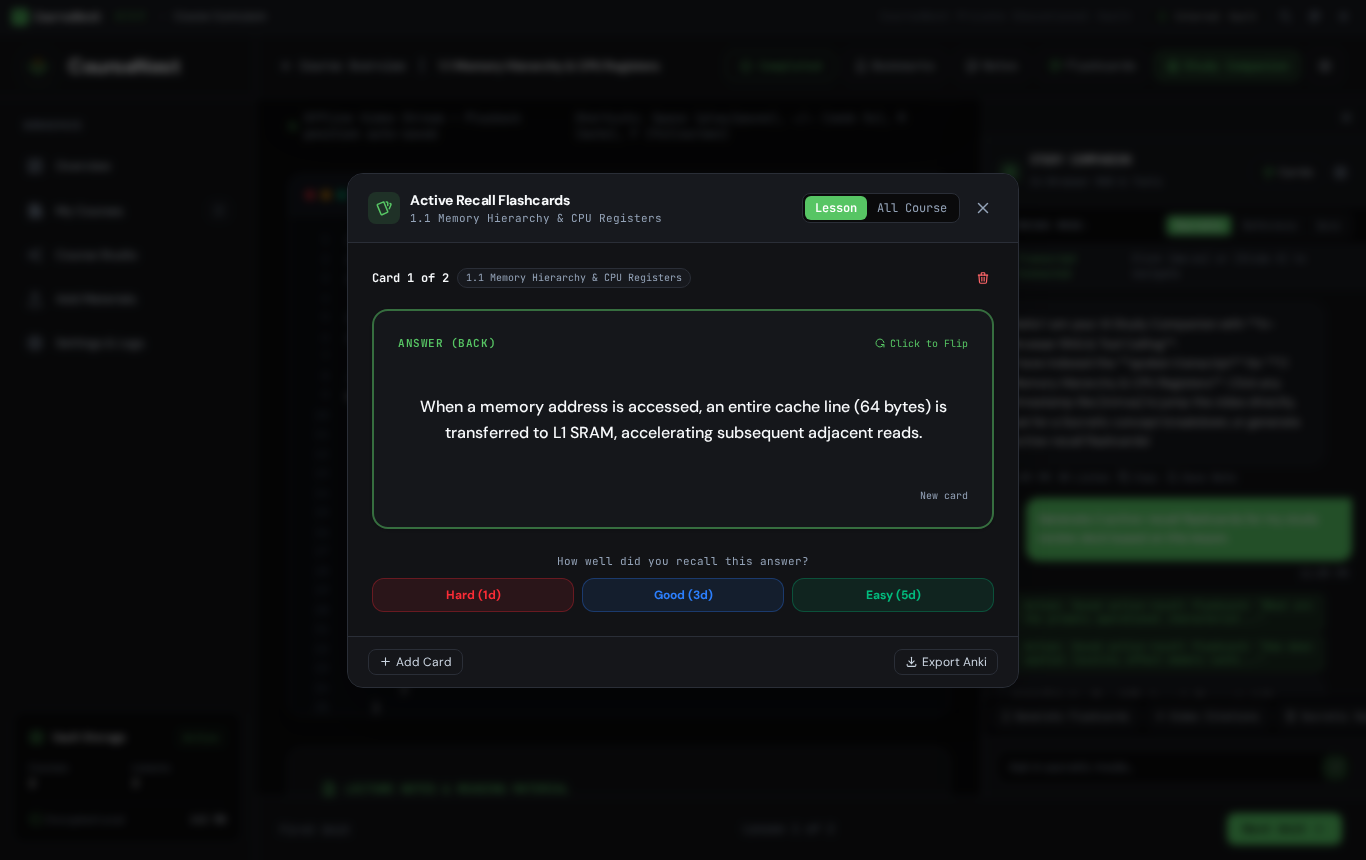
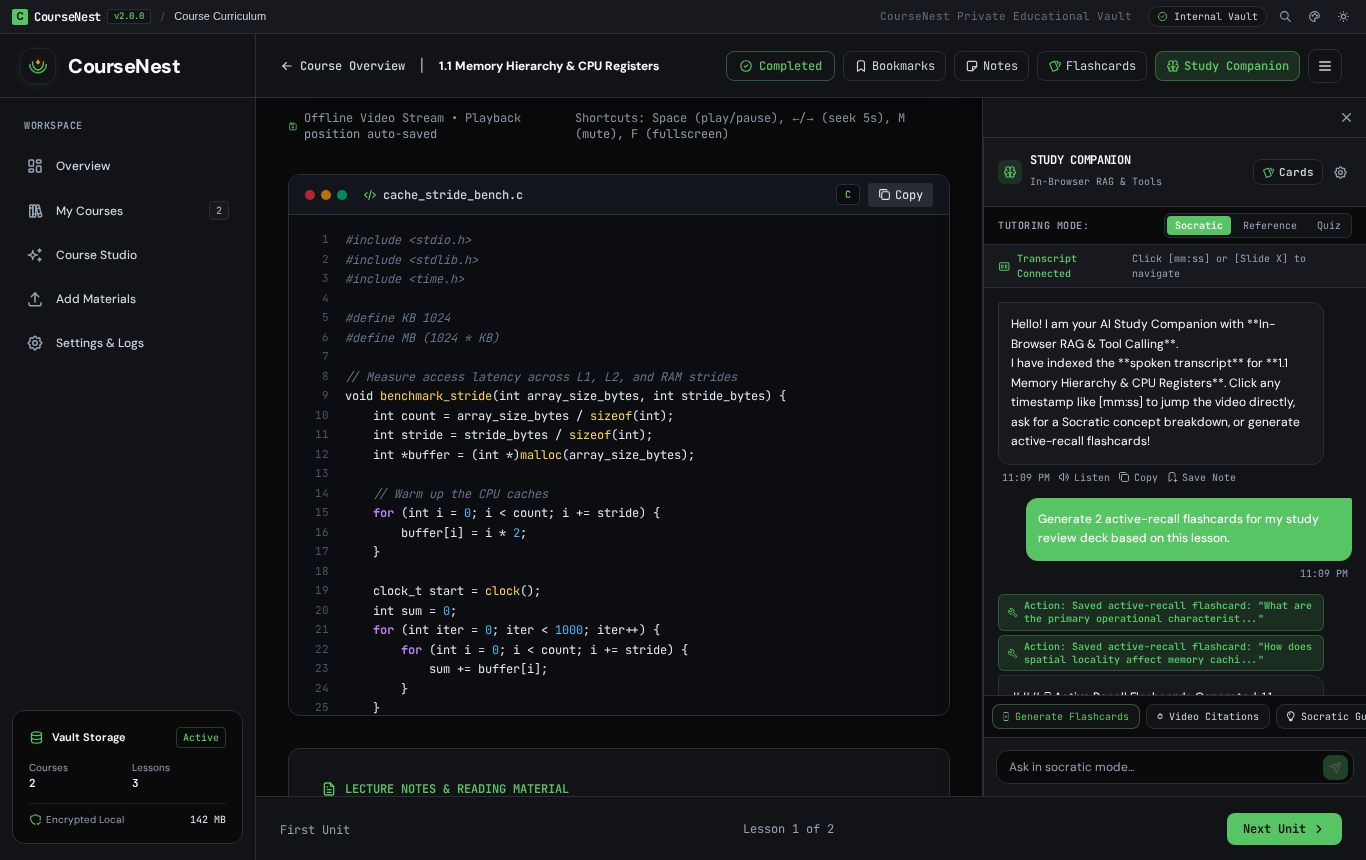
| Active Recall Flashcards Deck (3D Flip) | In-App AI Tool Actions & Temporal Grounding |
|---|---|
 |
 |
| 🕌 Halal Edition Wallpaper | 🌸 Sakura Bloom Garden |
|---|---|
 |
 |
| 🧱 Toybox Playful Valley | ⚡ Neo-Tokyo Mecha Skyline |
|---|---|
 |
 |
🎯 Design Engineering & Polish (Emil Kowalski Philosophy)
The user interface follows strict design engineering standards:
- Zero
transition: all: Every transition in the codebase explicitly targets composite-only GPU properties (transform,opacity,background-color,border-color,box-shadow) to maintain a steady 60fps frame budget. - Physical
:activeFeedback: Buttons and cards give immediate tactile feedback (scale(0.97)/active:scale-95). In the Manga theme, buttons physically compress into the page (translate(1px, 1px)with reduced shadow). - Origin-Aware Popovers: Dropdowns and popovers (such as the notification flyout) scale from their trigger origin (
origin-top-right zoom-in-95 ease-out), while dialog modals remain centered in the viewport. - Custom Cubic-Bezier Easing: Uses strong deceleration curves (
--ease-out: cubic-bezier(0.23, 1, 0.32, 1)) rather than sluggish browser defaults. - Accessibility & Touch Safeguards: Full
@media (prefers-reduced-motion: reduce)motion dampening and@media (hover: none)sticky-hover prevention for touch screens.
⚡ Core Architectural Pillars
1. 100% Offline-First Learning Core (Zero Cloud Overhead)
- Zero Telemetry or Remote Tracking: All course manifests, notes, bookmarks, quiz scores, and video progress are saved strictly to local device storage (SQLite WAL / IndexedDB).
- Low-End Hardware Optimization: Students with budget dual-core laptops run the application with 0% idle CPU. The app loads instantly and does not strain battery life or system memory.
- HashRouter Navigation: Complete independence from web server rewrites—works under
http://,file://, and Android WebView.
2. VLC-Grade Media Suite Player
- 200% Web Audio Super-Gain Booster: Amplifies quiet professor recordings up to double standard volume using the Web Audio API.
- Speech Presence Clarity Equalizer: A dedicated Biquad bandpass boost (+6dB @ 2.5kHz) brings vocal frequencies to the foreground over background room echo.
- Frame-by-Frame Stepper: Step backward or forward by exactly 1/30th of a second for technical diagrams or code walkthroughs.
- A-B Looping: Set custom loop markers to repeat difficult lecture segments continuously.
- Full-Width Mouse Wheel Scroll: Unified scroll pipeline across 100% of the viewport width—smooth scrolling remains completely fluid whether hovering over video margins, controls, or code blocks.
- Picture-in-Picture (PiP) & Mini-Window: Seamless floating video playback while continuing to read course texts and lecture materials.
- Auto-Completion & "Next Lesson" Flow: Automatically marks units as complete when a lecture video finishes, prompting the student with an intuitive celebratory card to advance to the next unit with a single click or keyboard shortcut.
- External
vlc://Protocol Bridge: One-click stream handoff to desktop VLC Media Player.
3. Decoupled Media Tier & Storage Disconnection Resilience
- Separation of State and Multimedia: Heavy video files can be stored on removable USB flash drives or external SD cards, while learning state (notes, progress, quiz submissions) resides on internal device storage.
- Unplugged Resilience: If an external media drive is unexpectedly unplugged during playback, the application preserves all notes and checkpoint data, transitions gracefully to an informative reconnect prompt, and automatically resumes video upon re-insertion.
🗄️ Where Are Decompressed Files Stored? (e.g. LangChain Course)
CourseNest operates with an air-gapped, zero-cloud architecture. Decompressed archive files and media are stored depending on your runtime surface:
- Web Browser (PWA / Chrome / Firefox):
- Binary Media Blobs (Video, PDF, Audio): Stored directly in the browser's high-performance IndexedDB database under
coursenest_media_vault_v1, in themedia_filesobject store. Each file is keyed by${courseId}::${filePath}(e.g.,langchain-101::01-intro/lecture.mp4). - Course Manifests & Tree Structure: Persisted in
localStorage(coursenest_custom_courses_v1), containing structured chapter outlines, lesson trees, and durations. - Progress & User State: Persisted in
localStorageundercoursenest_course_progress_v1andcoursenest_lesson_notes_v1. - Storage Purge on Deletion: When you click Delete Course,
deleteCourseFromVault(courseId)opens a transaction against IndexedDB and permanently purges every binary chunk associated with that course ID, immediately reclaiming browser disk space.
- Binary Media Blobs (Video, PDF, Audio): Stored directly in the browser's high-performance IndexedDB database under
- Electron Desktop (Windows / Linux / macOS):
- Stored in the local user data folder:
- Windows:
%APPDATA%\CourseNest\vault\courses\{course_id}\ - Linux:
~/.config/CourseNest/vault/courses/{course_id}/ - macOS:
~/Library/Application Support/CourseNest/vault/courses/{course_id}/
- Windows:
- Mirrored into desktop Chromium IndexedDB for instant streaming.
- Course deletion unlinks both the filesystem directory and the IndexedDB records.
- Stored in the local user data folder:
- FastAPI Institutional Central Server (Optional):
- Stored on server disk under
apps/server/storage/courses/{course_id}/. - Course deletion asynchronously purges the directory and metadata.
- Stored on server disk under
4. Hardened Multi-Archive Ingestion Pipeline
- Multi-ZIP Aggregation: Supports selecting and merging multiple ZIP archives representing a single course in one folder.
- Zip Slip Defense: Canonical path boundary validation strictly rejects archive entries containing
../, root paths, or null bytes (\0). - Atomic Staging & Rollback: Ingestion executes inside a temporary staging sandbox. If any validation fails, partial state is automatically rolled back to prevent corrupting the local vault.
- Untrusted Code Sandboxing: Ingested
.html,.js,.py, or.shfiles are parsed strictly as plain text within an inert preview pane—preventing arbitrary local code execution.
5. In-Browser Vector RAG, Tool-Calling Agent & Active Recall Suite
- In-Browser Semantic Vector Store: Sub-millisecond client-side vector search and BM25 term scoring engine that indexes video transcripts, PPTX slides, and reading materials completely offline with zero cloud dependencies and zero API costs.
- In-App Tool Calling & Temporal Provenance:
seek_video_player(timestampSeconds, reason): Directly navigates the video player to exact moments referenced in lecture discussions.navigate_to_slide(slideNumber, reason): Automatically jumps the presentation viewer to referenced slide diagrams and presenter notes.create_flashcard(question, answer, hint): Generates high-yield study cards saved directly to the student's review vault.save_study_note(title, content): Automatically appends key takeaways and lecture checkpoints to student notes.
- Pedagogical Tutoring Modes:
- 🧑🏫 Socratic Tutor: Guides the student with conceptual hints and thought-provoking questions rather than dumping raw answers.
- ⚡ Technical Reference: Dense bullet takeaways, mathematical formulas, and exact temporal citations.
- 🃏 Active Recall Quiz: Generates adaptive self-test questions.
- Interactive Active Recall Flashcards Deck:
- 3D perspective flip cards with spaced repetition ratings (
Hard,Good,Easy). - Lesson and whole-course filtering.
- 1-click Anki TSV and JSON export for cross-platform review.
- 3D perspective flip cards with spaced repetition ratings (
- Local Ollama & Bring-Your-Own-API: Seamlessly connects to local offline Ollama models (
llama3.2,qwen2.5-coder,mistral) or remote cloud gateways (Gemini Pro, DeepSeek, TokenHarbor) with automatic tool calling and offline heuristic fallback.
6. Interactive Developer & Reference Suite
- Syntax-Highlighted Code Block Viewer: Built-in dark terminal chrome with line numbers, regex-based keyword/string/comment syntax highlighting, and tactile 1-click "Copy Code" with checkmark verification. Automatically parses inline code blocks (
```lang ... ```) within course lecture notes. - In-App Mini Window Documentation Viewer: Sandboxed browser iframe modal with traffic light controls, address bar, reload button, URL copy, and expand/minimize options. Allows students to read official documentation, MDN references, and course links without switching browser tabs or desktop applications.
7. Custom Course Studio & Visual Authoring Engine
- Visual Course Creation & Editing (
#/studio&#/create): Educators and self-learners can create custom courses from scratch or edit existing curricula directly in the browser or desktop app. - Multi-Format Content Blocks:
- YouTube Video Embeds: Instant YouTube URL parsing (
youtube.com/watch,youtu.be/,youtube.com/embed/) with privacy-enhanced embed playback (youtube-nocookie.com), custom play controls, and automated lesson completion. - Direct Video Streams & Local Media: Support for MP4, WebM, and local filesystem/media vault video assets.
- PowerPoint Slide Decks: Embed
.pptxand.pptpresentations directly into course curriculum lessons. - PDF & Document Readers: Embed local textbooks, scientific papers, and supplementary study guides.
- Code Labs & Markdown Notes: Rich syntax-highlighted code blocks, lecture summaries, and markdown instructions.
- YouTube Video Embeds: Instant YouTube URL parsing (
- One-Click Vault Persistence & Export: Save directly to the local IndexedDB/localStorage vault (
coursenest_custom_courses_v1) or export a standardized course JSON manifest to share with peers.
8. Native PowerPoint (.pptx) Slide Presentation Reader
- Client-Side Slide Parser: Zero cloud conversion or external server required—extracts and renders PowerPoint slides, shapes, bullet lists, formatting, and speaker notes directly in the browser via Web APIs and
jszip. - 16:9 Responsive Stage & Fullscreen Mode: Presentation-grade widescreen viewport with slide thumbnail rail, previous/next controls, keyboard hotkeys (Arrow Left/Right, Space), and fullscreen toggle.
- Integrated Speaker Notes Drawer: Collapsible presenter notes panel for reading detailed lecture commentary alongside slides.
- Web Speech TTS Slide Narration: In-slide text-to-speech audio narration reads slide titles, body bullets, and speaker notes aloud.
- AI Study Buddy Integration: One-click prompt transfer sends current slide content and speaker notes directly to the AI Study Buddy for instant comprehension Q&A and concept breakdowns.
9. Decrypt-Once Media Vault & Hardware Crypto Acceleration
- Native OpenSSL AES Hardware Acceleration: Directly utilizes Node.js native crypto with OpenSSL AES-NI instructions (~844 MB/s throughput), bypassing single-threaded WebAssembly memory-bound penalties.
- Decrypt-Once Architecture: Encrypted multi-part archives are decrypted once during import directly into the local vault tiers, delivering wire-speed media streaming and sub-5ms seek latency without runtime playback CPU throttling.
- Single-Prompt Course Password Deduplication: Dedicated
CoursePasswordManagerkeys credentials per-course, eliminating repetitive password prompts across multi-part archives (75+ parts require only 1 initial prompt). - OS-Level SafeStorage: Optional session credential persistence backed by native operating system secure vaults (Windows DPAPI, macOS Keychain, and Linux Secret Service). Plaintext passwords are never written to disk or logs.
10. Unified Responsive Navigation & Design System
- Fluid Resizable Splitter: Draggable sidebar splitter (180px–420px) with live pointer tracking, double-click reset to default 256px, keyboard accessibility (
role="separator"), and automatic collapse to a 64px compact icon rail. - Mobile Slide-Over Drawer: Touch-friendly off-canvas drawer with backdrop blur and responsive hamburger button for mobile devices (<768px).
- Unified Button Design Tokens: Canonical
.cn-btntoken contract providing uniform padding, focus rings, hover/active physics, and loading states across every screen. - Resilient External Drive Poller: Singleton polling engine with 2.5s timeout guards, volume UUID tracking, and zero transient error flashes.
🛠️ Monorepo Architecture
flowchart TD
    subgraph Storage["Storage & Hardware Tiers"]
        INT["Internal Vault (SQLite WAL / IndexedDB)\nProgress • Notes • Bookmarks • Quizzes"]
        EXT["Removable Volume (USB-OTG / SD Card)\nHeavy Video Lectures • Raw PDFs"]
    end

    subgraph Core["Core Packages"]
        IMP["@coursenest/importer\nMulti-ZIP • Zip-Slip Guard • MIME Sniffer"]
        MAN["@coursenest/course-manifest\nPortable JSON Course Specification"]
        SQL["@coursenest/sqlite-adapter\nClean Architecture Database Repositories"]
        UI["@coursenest/ui\nTheme Studio Tokens • StatusBadges • Roadmap"]
        MCP["@coursenest/mcp-server\nModel Context Protocol Stdio Server"]
    end

    subgraph Platforms["Cross-Platform Surfaces"]
        DESK["Electron Desktop\nLinux AppImage/deb • Windows .exe"]
        ANDR["Capacitor Android Shell\nPhones & Tablets (.apk)"]
        WEB["React 19 + Vite Web Client\nZero-Cloud Air-Gapped Mode"]
    end

    subgraph Optional["Optional Extensions"]
        AI["AI Reading Companion\nGemini Pro • Ollama • Offline Heuristics"]
        SRV["FastAPI Sync Server\nSQLite / PostgreSQL • Institutional Fleet Management"]
    end

    IMP --> MAN --> SQL
    SQL <--> INT
    Platforms <--> Core
    Platforms <--> Storage
    Platforms -.->|When Connected| AI
    INT -.->|Optional Sync| SRV
    MCP <--> SQL
🔌 Model Context Protocol (MCP) Server
CourseNest includes an official Model Context Protocol (MCP) server (@coursenest/mcp-server), enabling AI coding assistants, agents, and desktop companions (such as Claude Desktop, Claude Web, Gemini CLI, Cursor, or Antigravity) to inspect courses, explore curriculums, search transcripts, and save study notes directly through standardized JSON-RPC stdio.
⚙️ Claude Desktop Configuration
Add the CourseNest MCP server to your claude_desktop_config.json:
- macOS:
~/Library/Application Support/Claude/claude_desktop_config.json - Windows:
%APPDATA%\Claude\claude_desktop_config.json - Linux:
~/.config/Claude/claude_desktop_config.json
{
  "mcpServers": {
    "coursenest": {
      "command": "node",
      "args": [
        "/absolute/path/to/Korse/packages/mcp-server/dist/index.js"
      ]
    }
  }
}
🛠️ Available MCP Tools & Resources
| Tool / Resource | Type | Description |
|---|---|---|
coursenest_list_courses |
Tool | Lists all enrolled courses in the local vault with statistics, lesson counts, and progress |
coursenest_get_curriculum |
Tool | Returns the structured chapter and lesson tree for a course with lesson IDs, types, and durations |
coursenest_get_lesson |
Tool | Retrieves the full lesson content, lecture notes, video URL, code blocks, and transcript for study |
coursenest_search |
Tool | Performs keyword and full-text search across all enrolled courses, lecture notes, and transcripts |
coursenest_save_note |
Tool | Creates or updates study notes and markdown summaries for a specific lesson |
coursenest_get_notes |
Tool | Retrieves saved study notes and annotations for a specific lesson |
coursenest_create_flashcard |
Tool | Generates a new active recall question-answer flashcard for a lesson or topic |
coursenest_get_flashcards |
Tool | Lists all generated flashcards for a specific lesson or the entire course |
coursenest_get_progress |
Tool | Returns completion status, study time, and percentages across lessons and courses |
coursenest://courses |
Resource | Read-only JSON resource containing all enrolled courses and metadata |
coursenest://progress |
Resource | Real-time JSON resource containing offline study progress and completion timestamps |
coursenest://flashcards |
Resource | Real-time JSON resource containing user active-recall flashcard decks |
🧪 Running MCP Standalone
You can run the MCP server directly via stdio:
# Build the MCP server
pnpm --filter @coursenest/mcp-server build

# Launch over stdio JSON-RPC
node packages/mcp-server/dist/index.js
🚀 Quickstart & Testing
1. Prerequisites
- Node.js:
>= 20.0.0(LTS recommended) - pnpm:
>= 9.0.0 - Python:
>= 3.11(for optional FastAPI backend)
2. Monorepo Installation & Build
# Clone the repository
git clone https://github.com/PixelApprentice/CourseNest.git
cd CourseNest

# Install all workspace dependencies
pnpm install

# Build all packages and the client
pnpm build
3. Launching the Applications
-
Web Client (Live Testing):
pnpm dev
# Open http://localhost:5173
Immediately explore pre-bundled university courses ("CS 101: Systems Programming & Operating Principles" & "Machine Learning: Algorithms & Inference") with video lectures, lecture notes, and quizzes, or navigate to
/importto drag-and-drop your own.ziparchives or video folders. -
Electron Desktop Application:
pnpm dev:desktop -
Python FastAPI Central Server (Optional):
cd apps/server
python -m venv .venv
source .venv/bin/activate
pip install -e .
uvicorn app.main:app --host 127.0.0.1 --port 8000
# API Docs: http://localhost:8000/docs
📦 Building Platform Packages
🪟 Windows Desktop (.exe Installer)
CourseNest uses electron-builder with an NSIS target to package standalone Windows installers:
# Build desktop assets
pnpm --filter @coursenest/client build
pnpm --filter @coursenest/desktop build

# Build Windows NSIS executable installer & portable .exe
cd apps/desktop
pnpm dist:win
# Output located in: apps/desktop/release/CourseNest-Setup-1.1.0.exe
Questions sur CourseNest MCP
Quels outils CourseNest MCP fournit-il ?
Il expose 13 outils, dont seek_video_player, navigate_to_slide, create_flashcard, save_study_note, coursenest_list_courses.
CourseNest nécessite-t-il une connexion Internet pour fonctionner ?
Non, il est conçu comme un studio éducatif hors ligne et isolé (air-gapped), où tous les manifestes de cours, les notes et la progression sont sauvegardés sur le stockage local de l'appareil.
Quel type de fichiers multimédias puis-je lire dans l'application ?
L'application prend en charge les conférences vidéo, les présentations PowerPoint (.pptx) et peut intégrer des tutoriels YouTube.