
Publiez du HTML généré par IA sous forme de liens de partage en direct et mettez à jour des pages existantes à la même URL.
Aussi connu sous phanosh/host-html, host-html-mcp
- Étoiles
- 1
- Outils
- —
- Téléchargements, 30 jours
- —
- Dernière version
- 0.2.1
- Dernier commit
- 3 nov. 2026
- Licence
- MIT
Qu'est-ce que host-html MCP ?
host-html est un serveur MCP. Publiez du HTML généré par IA sous forme de liens de partage en direct et mettez à jour des pages existantes à la même URL.
Résumé généré à partir du README du projet
À propos du MCP server host-html
Transformer du code généré par IA en sites web en direct est ce que host-html permet aux développeurs utilisant Claude Code, Cursor ou Codex. En fournissant du contenu HTML au serveur, vous pouvez générer instantanément des liens partageables qui hébergent votre travail en ligne sans avoir à gérer de pipelines de déploiement ou de serveurs. Cet outil est conçu pour les utilisateurs qui doivent passer d'une interface de chat à un aperçu web fonctionnel en quelques secondes.
Pour utiliser ce serveur, vous devez créer un compte gratuit et fournir une clé API personnelle via la variable d'environnement HOSTHTML_API_KEY. Le système propose deux outils principaux : publish_html pour créer un nouveau lien en direct et update_page pour actualiser le contenu d'une page existante à la même URL. Bien que la publication soit disponible sur les comptes gratuits, les fonctionnalités avancées comme les slugs personnalisés et la protection par mot de passe nécessitent un forfait Pro ou Team. Le serveur permet également d'exporter des présentations HTML en fichiers PDF de haute qualité via la commande host-pdf.
Ce que vous pouvez faire avec
- 1Publication d'aperçus web instantanésCréez une URL en direct pour un extrait HTML généré lors d'une session de codage.
- 2Conversion de slides en documentsTransformez des présentations sous forme de slides HTML en un fichier PDF de haute qualité.
Extrait du README du projet. Chaque cas d'utilisation est vérifié par rapport à une citation du document.
Comment installer host-html MCP
Formats vérifiés le 10 nov. 2026Ajouter à CursorAjouter à GooseInstaller host-html MCP dans Claude Code
$ claude mcp add --env 'HOSTHTML_API_KEY=<YOUR_HOSTHTML_API_KEY>' host-html -- npx -y host-html-mcpInstaller host-html MCP dans Cursor
~/.cursor/mcp.json
{
  "mcpServers": {
    "host-html": {
      "command": "npx",
      "args": [
        "-y",
        "host-html-mcp"
      ],
      "env": {
        "HOSTHTML_API_KEY": "<YOUR_HOSTHTML_API_KEY>"
      }
    }
  }
}Installer host-html MCP dans VS Code
.vscode/mcp.json
{
  "servers": {
    "host-html": {
      "type": "stdio",
      "command": "npx",
      "args": [
        "-y",
        "host-html-mcp"
      ],
      "env": {
        "HOSTHTML_API_KEY": "<YOUR_HOSTHTML_API_KEY>"
      }
    }
  }
}Installer host-html MCP dans VS Code CLI
$ code --add-mcp '{"name":"host-html","type":"stdio","command":"npx","args":["-y","host-html-mcp"],"env":{"HOSTHTML_API_KEY":"<YOUR_HOSTHTML_API_KEY>"}}'Installer host-html MCP dans Claude Desktop
claude_desktop_config.json
{
  "mcpServers": {
    "host-html": {
      "command": "npx",
      "args": [
        "-y",
        "host-html-mcp"
      ],
      "env": {
        "HOSTHTML_API_KEY": "<YOUR_HOSTHTML_API_KEY>"
      }
    }
  }
}Installer host-html MCP dans Codex
$ codex mcp add host-html --env 'HOSTHTML_API_KEY=<YOUR_HOSTHTML_API_KEY>' -- npx -y host-html-mcpInstaller host-html MCP dans Codex config.toml
~/.codex/config.toml
[mcp_servers.host-html]
command = "npx"
args = ["-y", "host-html-mcp"]

[mcp_servers.host-html.env]
HOSTHTML_API_KEY = "<YOUR_HOSTHTML_API_KEY>"
Installer host-html MCP dans Gemini CLI
$ gemini mcp add -s user -e 'HOSTHTML_API_KEY=<YOUR_HOSTHTML_API_KEY>' host-html npx -- -y host-html-mcpInstaller host-html MCP dans Gemini settings.json
~/.gemini/settings.json
{
  "mcpServers": {
    "host-html": {
      "command": "npx",
      "args": [
        "-y",
        "host-html-mcp"
      ],
      "env": {
        "HOSTHTML_API_KEY": "<YOUR_HOSTHTML_API_KEY>"
      }
    }
  }
}Configuration
HOSTHTML_API_KEYRequisSecretPersonal API key (hh_...) from host-html.com → Account → API keys
| Nom | Description | Type |
|---|---|---|
| HOSTHTML_API_KEY | Personal API key (hh_...) from host-html.com → Account → API keys | RequisSecret |
Vérifications automatisées
Exécuté le 13 nov. 2026Rapport complet →A passé nos vérifications automatisées. Il ne s'agit pas d'un audit de sécurité : lisez le code et donnez au serveur l'accès le plus restreint dont il a besoin. Fonctionnement des vérifications

- Dépôt source lié et accessibleRéussi
- Licence open source (OSI)Réussi
- Commit ou version publiée au cours de l'année écouléeRéussi
- Nom du package non proche d'un package populaireRéussi
- L'endpoint distant utilise HTTPSRéussi
- Les outils destructifs sont étiquetésNon vérifié
- Aucune instruction cachée destinée au modèleRéussi
- Aucun avis critique dans le package ou ses dépendancesRéussi
README
Voir sur GitHubhost-html
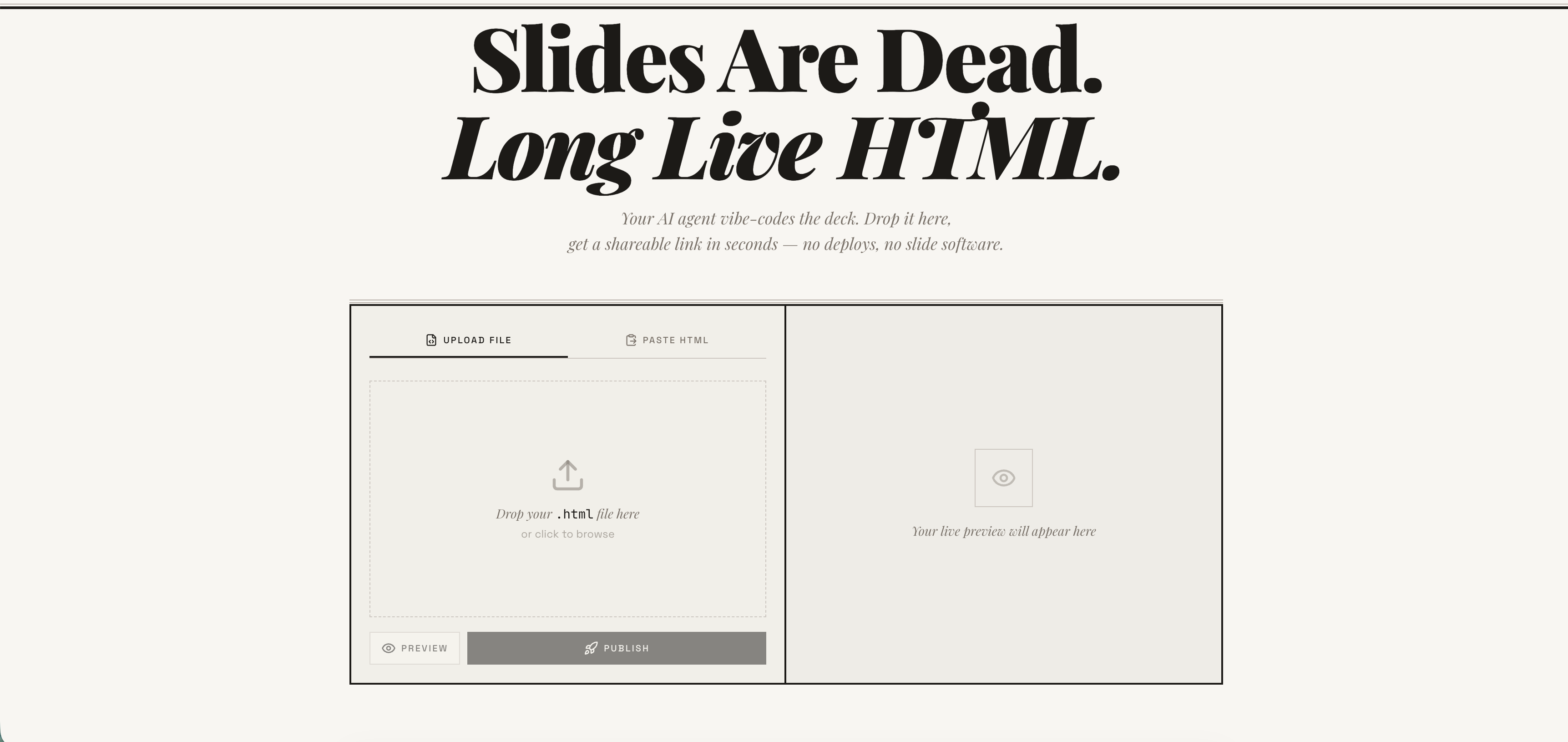
Publish any HTML file as a live link — instantly. Free account required. No deploy pipeline, no server to manage. → host-html.com
Heads up — breaking change in v2.0.0: Anonymous publishing has been retired. Publishing now requires a free, email-verified host-html account and a personal API key set as
HOSTHTML_API_KEY. See Setup: get an API key. Older releases that relied on the built-in shared key will stop publishing.
Install
Claude Code
/plugin marketplace add phanosh/host-html
/plugin install host-html@host-html
The official Claude Code marketplace listing is in the works — until it lands, install directly from this repo with the two commands above.
Claude Desktop, Cursor, Codex (MCP server)
// claude_desktop_config.json / .cursor/mcp.json / .mcp.json
{
  "mcpServers": {
    "host-html": {
      "command": "npx",
      "args": ["-y", "host-html-mcp"],
      "env": { "HOSTHTML_API_KEY": "hh_your_key_here" }
    }
  }
}
Two tools: publish_html (HTML in, link out) and update_page (new HTML, same link).
Source and docs: mcp-server/ · npm: host-html-mcp
Other AI Agents (Skills)
npx skills add phanosh/host-html -g -y
Then use the skills:
/host-html          # publish HTML as a live link
/host-pdf           # export HTML slides to PDF
/host-html finds the HTML, publishes it, and hands you a live URL in seconds.
/host-pdf captures each slide at retina quality and assembles a PDF.
Works with Claude Code, Cursor, Codex, Copilot, and 40+ more agents.
Setup: get an API key
Publishing now requires a free host-html account:
-
Sign in (free) at host-html.com
-
Confirm your email
-
Go to Account → API keys → Create key
-
Copy the generated key (starts with
hh_…— shown once) -
Set it as an environment variable:
export HOSTHTML_API_KEY=hh_your_key_here
The skill reads HOSTHTML_API_KEY automatically. Custom slugs (see the Direct
API table below) still require a Pro/Team plan; publishing itself does not.
Update
When a new version is released here, pull it into your local Claude Code with:
/plugin marketplace update phanosh/host-html
That single command refreshes the marketplace catalog and installs any version bumps in marketplace.json, plugin.json, or the skill frontmatter. To check what you're on:
/plugin
To stay current automatically, open /plugin, go to the Marketplaces tab, select phanosh/host-html, and toggle auto-update on — Claude Code will then pull updates on startup.
For the standalone skills install (npx skills add ...), re-run the same command to upgrade:
npx skills add phanosh/host-html -g -y
Direct API
The publish edge function requires a personal host-html API key (format
hh_…) as the bearer token — see Setup to generate
one. Pass it via the Authorization header (no apikey header is needed):
curl -X POST https://suifgsvtcbrawzdhyuhk.supabase.co/functions/v1/publish \
  -H "Authorization: Bearer $HOSTHTML_API_KEY" \
  -H "Content-Type: application/json" \
  -d '{"html": "<h1>Hello</h1>", "title": "my page"}'
Request
| Field | Type | Required | Description |
|---|---|---|---|
html |
string | ✓ | HTML content (max 1MB) |
title |
string | Page title | |
slug |
string | Custom URL path matching ^[a-z0-9-]{2,64}$ (paid plans) |
|
password |
string | Password-protect the page (4–72 chars, paid plans, JSON body only) |
Response 201
{
  "url": "https://host-html.com/p/abc123",
  "slug": "abc123",
  "edit_token": "...",
  "page_id": "...",
  "has_password": false,
  "expires_at": "2026-03-16T..."
}
has_password is true when the request set a password (the page is locked
and served from private storage); false otherwise.
expires_at is string | null. On a free plan it is the ISO timestamp when the page goes
dark; on a paid plan the page never expires and the field is null. It is the authoritative
expiry — read it from the response rather than assuming a fixed duration, and handle the null
rather than formatting it as a date.
License
MIT
Questions sur host-html MCP
Comment ajouter host-html MCP à Claude Code ?
Exécutez claude mcp add --env 'HOSTHTML_API_KEY=<YOUR_HOSTHTML_API_KEY>' host-html -- npx -y host-html-mcp dans votre terminal. Ajoutez --scope user pour le rendre disponible dans tous les projets.
Comment ajouter host-html MCP à Cursor ?
Ouvrez ~/.cursor/mcp.json et ajoutez le serveur sous mcpServers, avec la configuration Cursor indiquée dans la section d'installation ci-dessus.
Comment publier du HTML avec host-html ?
Vous pouvez utiliser l'outil publish_html pour transformer du contenu HTML en un lien en direct.
Puis-je mettre à jour une page sans changer l'URL ?
Oui, l'outil update_page vous permet de fournir un nouveau HTML tout en conservant le même lien.
Ai-je besoin d'un compte pour publier ?
Oui, la publication nécessite un compte host-html gratuit avec vérification par e-mail et une clé API personnelle.