
word-aligner MCP server
Commit 11. Nov. 2026Erstellt teilbare Wort-Alignment-Diagramme, die Wörter zwischen verschiedenen Sprachen oder Übersetzungsebenen visuell miteinander verbinden.
Auch bekannt als tinygodsdev/bitext-word-alignment, bitext-word-alignment
- Stars
- 5
- Tools
- —
- Downloads, 30 Tage
- —
- Neueste Version
- 1.0.0
- Letzter Commit
- 11. Nov. 2026
- Lizenz
- MIT
Was ist word-aligner MCP?
word-aligner ist ein MCP server. Erstellt teilbare Wort-Alignment-Diagramme, die Wörter zwischen verschiedenen Sprachen oder Übersetzungsebenen visuell miteinander verbinden.
Zusammenfassung generiert aus dem README des Projekts
Über word-aligner MCP server
Word Aligner ist ein webbasiertes Tool für Sprachlernende, Lehrkräfte, Linguisten und Conlanger, um visuelle Diagramme von Wort-zu-Wort-Übersetzungen zu erstellen. Es ermöglicht Nutzern, mehrere Textzeilen wie Quellsätze, Übersetzungen, IPA oder Glossen übereinander zu stapeln und Wörter manuell mit geschwungenen Verbindungslinien zu verknüpfen. Dieser manuelle Ansatz stellt sicher, dass du die volle Kontrolle über Eins-zu-Viele- oder Viele-zu-Eins-Verknüpfungen behältst, was besonders nützlich ist, um komplexe Wortumstellungen oder grammatikalische Verschiebungen darzustellen.
Entwickler können diese Funktionalität über eine kostenlose HTTP API oder einen MCP server integrieren, der ein create_word_alignment Tool bereitstellt. Wenn es als MCP server genutzt wird, läuft es über streamable HTTP ohne Authentifizierung. Der Server liefert eine teilbare URL und ein Preview-Bild zurück. Nutzer können Typografie, Tokenisierung und Ausrichtung anpassen, inklusive Unterstützung für Rechts-nach-Links-Schriften und vertikale Schreibsysteme wie japanisches Tategaki. Fertige Diagramme können als PNG, SVG, PDF oder HTML-Dateien exportiert werden.
Was du damit machen kannst
- 1Übersetzungs-Umstellungen visualisierenZeige, wie Wörter in einem Quellsatz auf einen Zielsatz abgebildet werden, selbst wenn sich die Wortreihenfolge ändert.
- 2Linguistische Glossen erstellenGeneriere interlineare Glossen, die Morphem-Alignments und IPA-Annotationen für akademische Studien enthalten.
- 3Konstruierte Sprachen dokumentierenMappe eine konstruierte Sprache auf Englisch unter Verwendung von Custom-Script-Fonts und zusätzlichen Annotationsebenen.
- 4Alignment-Links automatisierenGeneriere programmatisch teilbare Alignment-URLs mittels eines POST-Requests an die API.
Geschrieben aus dem README des Projekts. Jeder Use Case wurde gegen ein Zitat daraus geprüft.
So installierst du word-aligner MCP
Formate geprüft am 10. Nov. 2026word-aligner MCP in Claude Code installieren
$ claude mcp add --transport http bitext-word-alignment https://aligner.tinygods.dev/mcpword-aligner MCP in Cursor installieren
~/.cursor/mcp.json
{
  "mcpServers": {
    "bitext-word-alignment": {
      "url": "https://aligner.tinygods.dev/mcp"
    }
  }
}word-aligner MCP in VS Code installieren
.vscode/mcp.json
{
  "servers": {
    "bitext-word-alignment": {
      "type": "http",
      "url": "https://aligner.tinygods.dev/mcp"
    }
  }
}word-aligner MCP in Codex installieren
~/.codex/config.toml
[mcp_servers.bitext-word-alignment]
url = "https://aligner.tinygods.dev/mcp"
word-aligner MCP in Gemini CLI installieren
~/.gemini/settings.json
{
  "mcpServers": {
    "bitext-word-alignment": {
      "httpUrl": "https://aligner.tinygods.dev/mcp"
    }
  }
}Automatisierte Checks
Geluften am 14. Nov. 2026Vollständiger Bericht →Noch nicht verifiziert. Ein Server benötigt einen Score von 80, keine kritischen Befunde und genug Daten für unsere Prüfung. Wie die Checks funktionieren

- Source Repository verknüpft und erreichbartinygodsdev/bitext-word-alignment is public and reachablegithub.com/tinygodsdev/bitext-word-alignment ↗Bestanden
- Paket nennt dieses Repository als QuelleNicht geprüft
- Build-Herkunft (Sigstore-Attestierung)Nicht geprüft
- Open Source Lizenz (OSI)MITspdx.org/licenses/MIT.html ↗Bestanden
- Commit oder Release im letzten JahrLast commit or release 2026-11-11github.com/tinygodsdev/bitext-word-alignment ↗Bestanden
- OpenSSF ScorecardNicht geprüft
- Package-Name ähnelt keinem populären PackageNicht geprüft
- Kein kritischer Hinweis im Paket oder seinen AbhängigkeitenNicht geprüft
- Keine versteckten Anweisungen an das Modell0 tool descriptions and the README read; no override phrases, credential paths or hidden charactersBestanden
- Destruktive Tools sind markiertNicht geprüft
- Remote-Endpoint beantwortet den MCP-Handshakeinitialize answered with protocol 2025-06-18 in 438 msBestanden
README
Auf GitHub ansehenAligner — word-by-word translation visualizer
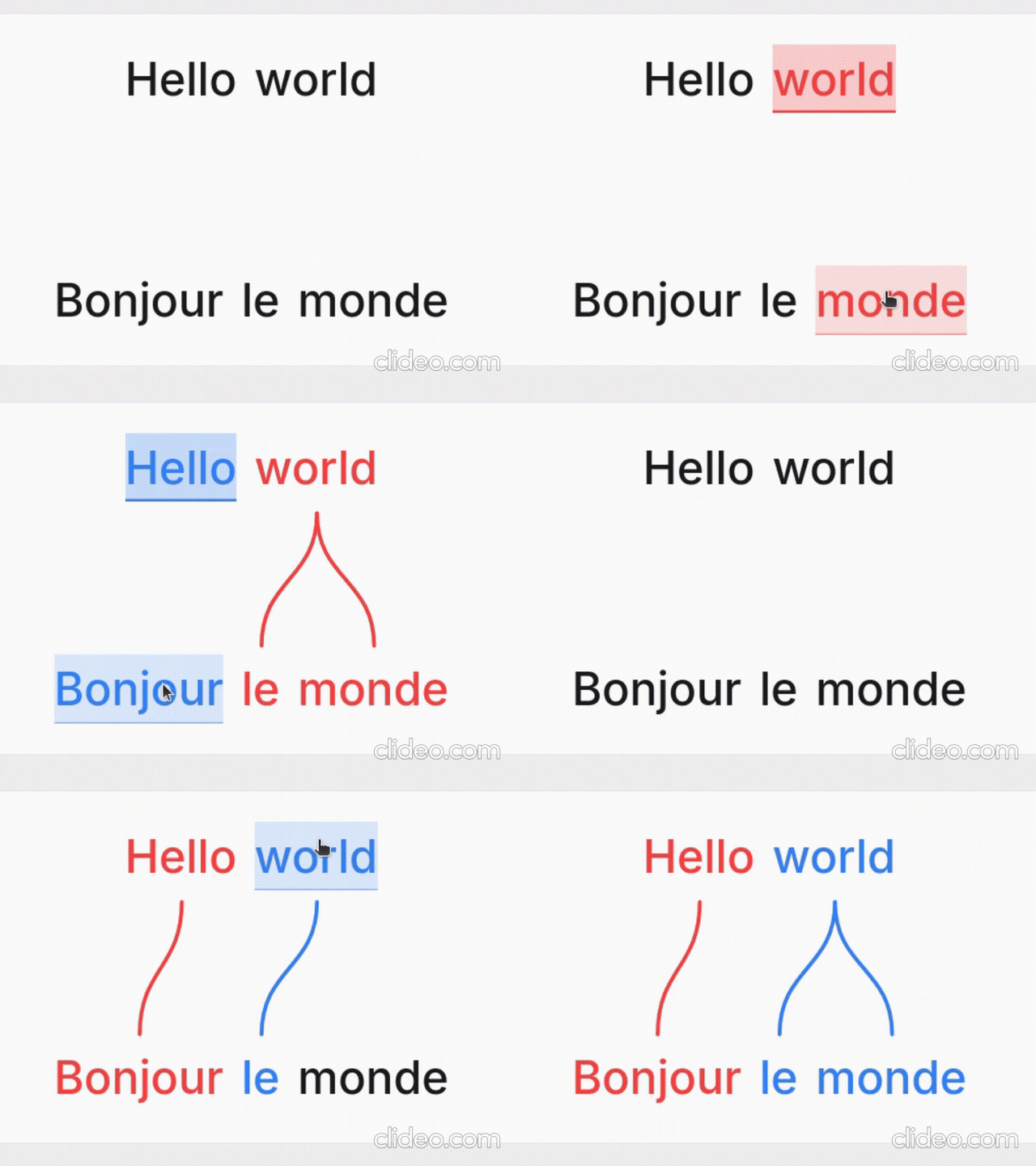
Word Aligner is a free web tool that shows which word matches which across stacked lines of text. Type or paste a sentence and its translation, click a word and then its match on the line above or below, and curved connectors draw the alignment between them. Add extra rows for glosses or IPA, then export the diagram or share it with a link.
No accounts, no machine translation — you stay in control of every link. Great for lessons, social posts, grammar notes, and conlang documentation.
What it's for
- Language learners — see exactly why a translation says what it does: which source word became which target word, what gets dropped, and where word order changes.
- Teachers — build handouts, slides, and flashcards; export a clean PNG or SVG and drop it into a lesson without retyping anything.
- Linguists — produce Leipzig-style interlinear glosses with morpheme alignment, case/agreement tags, and free translations.
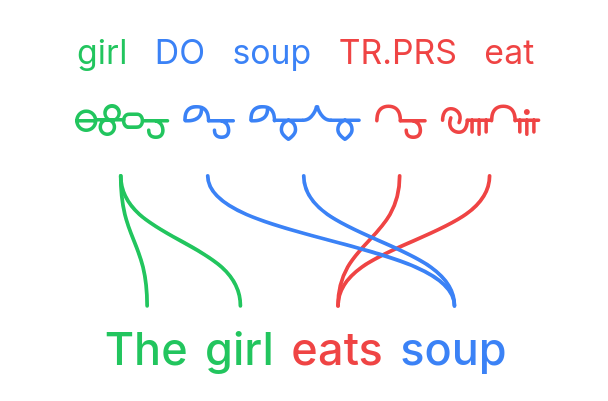
- Conlangers — show how a constructed language maps onto English, with custom script fonts, gloss rows, and IPA.
What it does
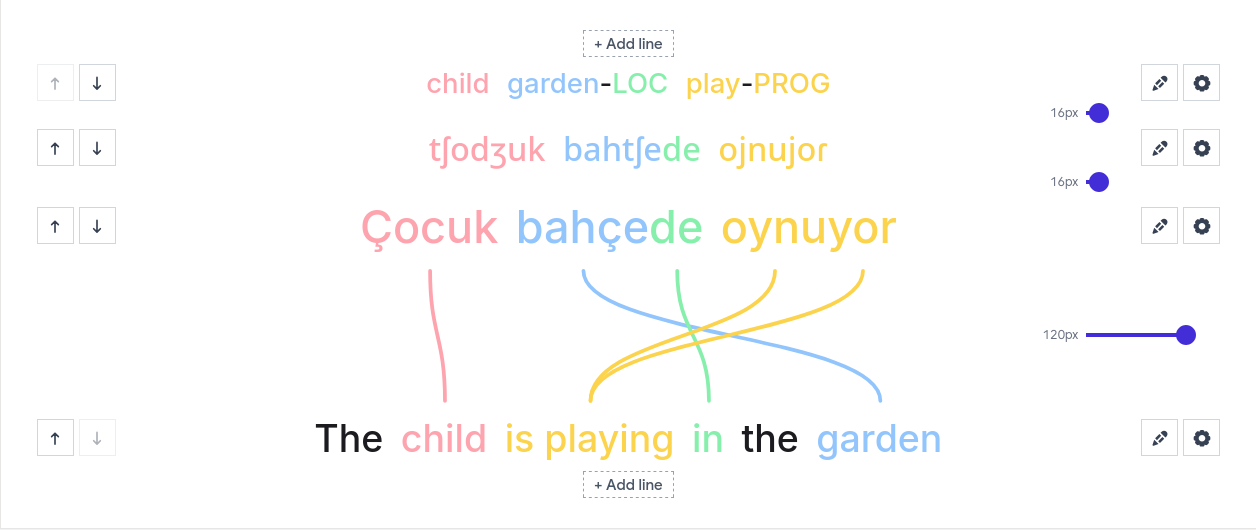
- Multi-line alignment — stack as many rows as you need (source, translation, gloss, IPA); links connect vertically adjacent lines.
- Manual word linking — click a word, then its match; supports one-to-many and many-to-one links and freely crossing connectors for reordered translations.
- Interlinear glosses & IPA — add annotation tiers above or below any line.
- Right-to-left scripts — Hebrew, Arabic, and mixed LTR/RTL layouts.
- Vertical writing systems — stand the whole diagram up as columns for Japanese tategaki, Chinese, or traditional Mongolian; characters stack or the line rotates, chosen per line, so a horizontal translation stays readable beside it.
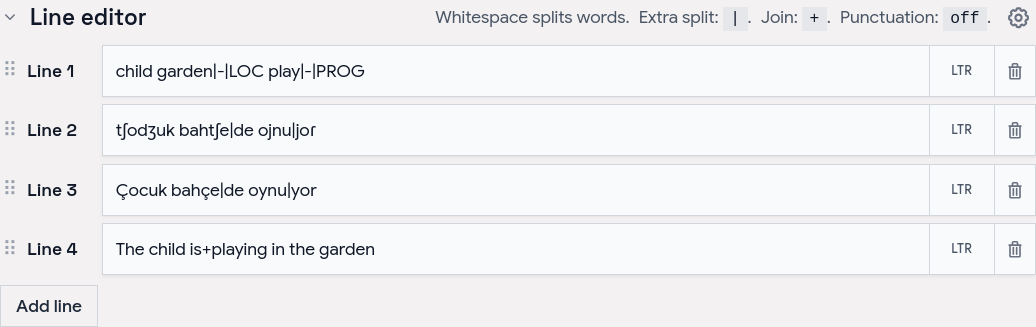
- Tokenization control — choose how text splits into word boxes (split characters, a join marker for fixed expressions, optional punctuation handling).
- Per-line typography — font, size, spacing, and direction per line; custom and Google Fonts.
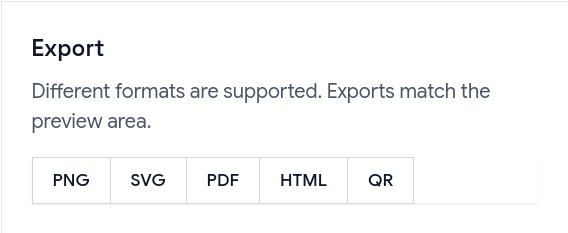
- Exports — PNG, SVG, PDF, and a self-contained HTML file; exports match the preview, including custom-font shaping.
- Shareable URLs — the whole alignment (text, links, and visual settings) is encoded in a
?data=link.
Examples
Browse ready-made examples — bilingual pairs, Turkish interlinear with IPA, RTL scripts, vertical Japanese and traditional Mongolian, Tagalog compounds, Japanese–Chinese–English word order, and more interlinear glosses — at aligner.tinygods.dev/examples. Open any one in the editor to adapt it.
How it works
Edit your lines in the line editor, then link words in the preview.
Tune colors, tokenization, and fonts in settings, then export or share.
Word alignment vs. interlinear vs. parallel text
- Interlinear translation places a gloss directly under each source word — compact, but it hides reordering. Aligner keeps both sentences on their own line and draws connectors, so reorderings, splits, and merges stay obvious.
- Parallel text is side-by-side bilingual reading for long-form study. Aligner focuses on one sentence pair at a time with explicit connectors showing which tokens correspond.
API
Word Aligner has a free HTTP API for generating alignment links programmatically.
POST https://aligner.tinygods.dev/api/align
Content-Type: application/json

{
  "lines": ["Hello world", "Bonjour le monde"],
  "alignments": [[0, 0, 1, 0], [0, 1, 1, 2]]
}
Returns { "url": "https://aligner.tinygods.dev/?data=..." }.
Supports per-line options (font, size, RTL), global visual settings (palette, line style, background), pair-level gap control, and multi-line stacks with selective connectors.
- API docs: aligner.tinygods.dev/api
- OpenAPI schema: aligner.tinygods.dev/api/align/openapi.json
Using Word Aligner as an AI agent tool
The word-aligner-skill/ directory is a ready-to-install skill that teaches AI assistants (Claude, ChatGPT, etc.) how to use the API. Once installed, it enables flows like:
"Translate 'я хочу спать' into English and show me the word alignment."
The agent translates, calls the API, and returns a shareable link.
- For Claude: point your Claude project at this repository or add the contents of
word-aligner-skill/SKILL.mdas a custom instruction. - For ChatGPT: zip
word-aligner-skill/and upload it as a custom Skill.
Install instructions and a downloadable archive are also on the site: aligner.tinygods.dev/skill.
MCP server
There is also an MCP server at https://aligner.tinygods.dev/mcp that exposes a single create_word_alignment tool. It returns a shareable link plus a preview image, and runs inside the same app over Streamable HTTP with no auth. Connect it in Claude:
claude mcp add --transport http word-aligner https://aligner.tinygods.dev/mcp
See docs/mcp-server.md for ChatGPT Developer Mode setup and the tool schema.
Learn more
- App: aligner.tinygods.dev
- About / documentation: aligner.tinygods.dev/about
- Privacy: aligner.tinygods.dev/privacy
Created by Dani Polani. See other tools for linguistics and conlanging.
word-aligner MCP Fragen
Wie füge ich word-aligner MCP zu Claude Code hinzu?
Führe claude mcp add --transport http bitext-word-alignment https://aligner.tinygods.dev/mcp in deinem Terminal aus. Füge --scope user hinzu, damit der Server in jedem Projekt verfügbar ist.
Wie füge ich word-aligner MCP zu Cursor hinzu?
Öffne ~/.cursor/mcp.json und füge den Server unter mcpServers hinzu, mit der Cursor-Config aus dem Installationsabschnitt oben.
Wofür kann ich Word Aligner nutzen?
Es wird von Sprachlernenden genutzt, um Wortentsprechungen zu sehen, von Lehrkräften zum Erstellen von Arbeitsblättern, von Linguisten für interlineare Glossen und von Conlangern zum Mapping künstlicher Sprachen.
Kann ich die Diagramme exportieren?
Ja, du kannst deine Alignments als PNG, SVG, PDF oder als eigenständige HTML-Datei exportieren.
Wie teile ich meine Arbeit?
Du kannst dein Alignment über einen Link teilen, der alle Texte, Links und visuellen Einstellungen kodiert.