
Agent Art MCP server
Commit 10. Nov. 2026Lass KI-Agenten Game Assets wie Pixel-Art-Sprites, animierte Rigging-Animationen, Tilesets, 3D-Modelle und Audio über ein Live-Web-UI generieren.
Auch bekannt als RusticStack/agent-art, @rusticstack/agent-art
- Stars
- 1
- Tools
- 29
- Downloads, 30 Tage
- —
- Neueste Version
- —
- Letzter Commit
- 10. Nov. 2026
- Lizenz
- MIT
Was ist Agent Art MCP?
Agent Art ist ein MCP server. Lass KI-Agenten Game Assets wie Pixel-Art-Sprites, animierte Rigging-Animationen, Tilesets, 3D-Modelle und Audio über ein Live-Web-UI generieren. Er stellt 29 Tools bereit, etwa art_create_canvas, art_draw, art_view.
Zusammenfassung generiert aus dem README des Projekts
So installierst du Agent Art MCP
Formate geprüft am 10. Nov. 2026Zu Cursor hinzufügenAgent Art MCP in Claude Code installieren
$ claude mcp add agent-art -- npx -y @rusticstack/agent-artAgent Art MCP in Cursor installieren
~/.cursor/mcp.json
{
  "mcpServers": {
    "agent-art": {
      "command": "npx",
      "args": [
        "-y",
        "@rusticstack/agent-art"
      ]
    }
  }
}Agent Art MCP in VS Code installieren
.vscode/mcp.json
{
  "servers": {
    "agent-art": {
      "type": "stdio",
      "command": "npx",
      "args": [
        "-y",
        "@rusticstack/agent-art"
      ]
    }
  }
}Agent Art MCP in VS Code CLI installieren
$ code --add-mcp '{"name":"agent-art","type":"stdio","command":"npx","args":["-y","@rusticstack/agent-art"]}'Agent Art MCP in Claude Desktop installieren
claude_desktop_config.json
{
  "mcpServers": {
    "agent-art": {
      "command": "npx",
      "args": [
        "-y",
        "@rusticstack/agent-art"
      ]
    }
  }
}Agent Art MCP in Codex installieren
~/.codex/config.toml
[mcp_servers.agent-art]
command = "npx"
args = ["-y", "@rusticstack/agent-art"]
Agent Art MCP in Gemini CLI installieren
~/.gemini/settings.json
{
  "mcpServers": {
    "agent-art": {
      "command": "npx",
      "args": [
        "-y",
        "@rusticstack/agent-art"
      ]
    }
  }
}Agent Art MCP tools 29
Erkannt aus dem READMEart_create_canvasart_drawart_viewart_critiqueart_readart_paletteart_layerart_canvasart_animationart_projectart_sheetart_rig
| art_create_canvas | — | |
| art_draw | — | |
| art_view | — | |
| art_critique | — | |
| art_read | — | |
| art_palette | — | |
| art_layer | — | |
| art_canvas | — | |
| art_animation | — | |
| art_project | — | |
| art_sheet | — | |
| art_rig | — |
Alle 29 Tools anzeigenWeniger Tools anzeigen
art_animart_modelart_fpart_fxart_planetart_audioart_graphart_reviewart_cleanupart_minecraftart_helpart_listart_infoart_undoart_importart_exportart_open_ui
| art_anim | — | |
| art_model | — | |
| art_fp | — | |
| art_fx | — | |
| art_planet | — | |
| art_audio | — | |
| art_graph | — | |
| art_review | — | |
| art_cleanup | — | |
| art_minecraft | — | |
| art_help | — | |
| art_list | — | |
| art_info | — | |
| art_undo | — | |
| art_import | — | |
| art_export | — | |
| art_open_ui | — |
Konfiguration
ELEVENLABS_API_KEY
| Name | Beschreibung | Typ |
|---|---|---|
| ELEVENLABS_API_KEY | — |
Automatisierte Checks
Geluften am 14. Nov. 2026Vollständiger Bericht →Noch nicht verifiziert. Ein Server benötigt einen Score von 80, keine kritischen Befunde und genug Daten für unsere Prüfung. Wie die Checks funktionieren

- Source Repository verknüpft und erreichbarrusticstack/agent-art is public and reachablegithub.com/rusticstack/agent-art ↗Bestanden
- Paket nennt dieses Repository als Quelle@rusticstack/agent-art names rusticstack/agent-art as sourcenpmjs.com/package/@rusticstack/agent-art ↗Bestanden
- Build-Herkunft (Sigstore-Attestierung)No build attestation published for this releaseNicht geprüft
- Open Source Lizenz (OSI)MITspdx.org/licenses/MIT.html ↗Bestanden
- Commit oder Release im letzten JahrLast commit or release 2026-11-10github.com/rusticstack/agent-art ↗Bestanden
- OpenSSF ScorecardNicht geprüft
- Package-Name ähnelt keinem populären Package@rusticstack/agent-art looks like agentcatBefund
- Kein kritischer Hinweis im Paket oder seinen AbhängigkeitenNicht geprüft
- Keine versteckten Anweisungen an das Modell29 tool descriptions and the README read; no override phrases, credential paths or hidden charactersBestanden
- Destruktive Tools sind markiertNo tool named like delete, drop or execBestanden
- Remote-Endpoint beantwortet den MCP-HandshakeNicht geprüft
README
Auf GitHub ansehenAgent Art



Game art and audio for AI agents. Agent Art is an MCP server with a live web UI that lets any agent (Claude, GPT, DeepSeek, local models) make real game art: sprites, rigged characters with animations in 8 directions, tilesets, seamless textures, icons, isometric and HD-2D scenes, low-poly 3D models (.glb), planets, combat effects, sound effects and music. The agent builds every asset from tools it can reason about (shapes, form shading, Voronoi cells, outlines, lighting, rigs), looks at its own work as an image, gets a critique, fixes what's wrong, and exports PNGs, GIFs, spritesheets, glTF and audio for any engine. You watch, steer and review in the browser while it works.
The banner and every asset in this showcase were made by an agent through Agent Art's own tools:
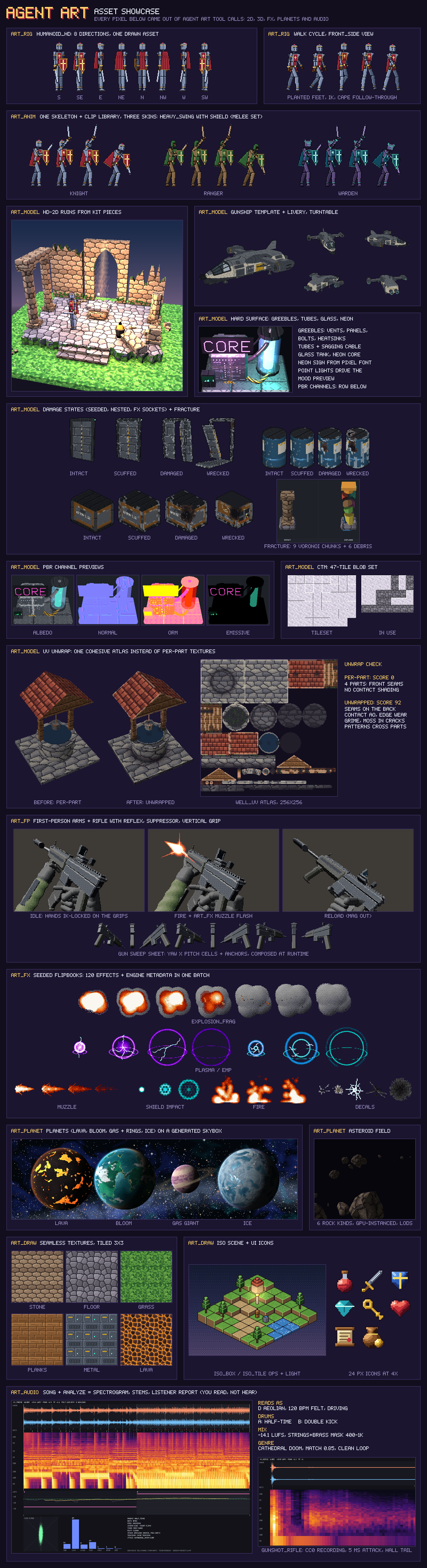
- Works with weak models too. Tool descriptions are compact, and details load on demand through
art_help. Images are sized to their token cost. Errors print the correct usage. Rig templates turn "draw a walking character" into "draw six parts, call one preset". - The same asset in every view and frame. Rigs draw each part once per view and generate frames by tweening poses, so a character never drifts between frames or directions.
- Zero dependencies. Plain Node.js 20+, no native modules. The web UI's 3D viewer uses a vendored copy of three.js r170 (MIT).
Example: Sanctum Burn, a co-op 2.5D survivor game. All of its art was made by an agent with Agent Art.
Contents: Quick start · First asset in 5 calls · Feature tour · Tools · Help topics and skills · CLI · Web UI · Debug and usage logging · Configuration · For AI agents
Quick start
Claude Code:
claude mcp add agent-art -s user -- npx -y @rusticstack/agent-art mcp
Any MCP client (stdio):
{ "mcpServers": { "agent-art": { "command": "npx", "args": ["-y", "@rusticstack/agent-art", "mcp"] } } }
Then ask the agent: "open the art UI and make a 32×32 knight with a walk cycle".
The MCP process hosts the web UI at http://localhost:7420. If an agent-art serve is already running on the same workspace, it uses that one, so the UI outlives agent sessions and several agents can share it. If that server goes away mid-session, the MCP process looks for another server on the same workspace (ports 7420-7440) and otherwise hosts one itself; it logs each switch to stderr.
Without MCP (CLI only): every MCP tool can be called from a shell, which works for agents that only have a terminal.
npx -y @rusticstack/agent-art tools                       # tool list + server instructions
npx -y @rusticstack/agent-art tool art_create_canvas '{"name":"slime","width":16}'
npx -y @rusticstack/agent-art serve --open                # the web UI on its own
From a source checkout: npm install, then npm run build:ui once, and again after pulling changes to web/ (the web UI is built with Vite into dist/ui/; without a build the page says so and the server prints it at startup, and a build older than the sources shows a banner), npm start (web UI), npm test. To work on the UI, npm run dev:ui serves it with hot reload and forwards /api to a running server on port 7420 (or AGENT_ART_URL). The included .mcp.json registers the server for Claude Code in this folder.
Your first asset in 5 calls
A shaded 16×16 slime, start to finish. Each line is one MCP tool call (tool name, then its JSON arguments):
// 1. a canvas
art_create_canvas { "name": "slime", "width": 16 }
// 2. a hue-shifted shading ramp: palette keys g0 (dark) .. g4 (light)
art_palette { "canvas": "slime", "action": "ramp", "base": "#4fa35a", "steps": 5, "prefix": "g" }
// 3. silhouette, automatic form shading, outline and eyes as ONE undo step; preview returns the image
art_draw { "canvas": "slime", "preview": true, "commands": [
  { "op": "ellipse", "x": 2, "y": 5, "w": 12, "h": 10, "color": "g2" },
  { "op": "shade", "colors": ["g0", "g1", "g2", "g3", "g4"], "of": "g2" },
  { "op": "outline", "color": "#1f3324" },
  { "op": "rect", "x": 5, "y": 8, "w": 2, "h": 2, "color": "#14141a" },
  { "op": "rect", "x": 9, "y": 8, "w": 2, "h": 2, "color": "#14141a" } ] }
// 4. a scored review with coordinates and fixes (stray pixels, contrast, jaggies, pillow shading, ...)
art_critique { "canvas": "slime" }
// 5. the PNG (a bare relative path goes to the workspace exports folder; the reply gives the full path)
art_export { "canvas": "slime", "path": "slime.png" }
The same pattern scales up: art_project shares a palette and style notes across an asset set, art_view {tile:3} checks texture seams, and art_rig turns one drawing per part into whole animation sets. The general workflow is palette ramps first, flat silhouettes, shade, outline, hand detail with grid, then art_critique and fix (art_help {topic:"workflow"}).
Feature tour
Each area has a deeper page under docs/; every tool and action is in the Tools table.
Drawing and pixel-art quality
art_draw runs a batch of drawing commands as one undo step: shapes (rect, ellipse, polygon, line, curve, grid pixel rows with a legend, fill, text), form and surface (shade for geometry-based volume shading with no pillow shading, cells for tileable stones, scales and bricks, noise and scatter with exact colour weights, outline, bevel, damage), colour (replace, remap, gradient, adjust, quantize), transforms (copy across canvases, flip, rotate with RotSprite at any angle, shift, mirror, clear), light and 2.5D (light, fog, rays, glow, blur, vignette, cast_shadow) and isometric iso_tile / iso_box. Every command takes layer, frame, mask, blend and symmetry.
art_view shows the canvas with a pixel grid, tile:3 seam check, onion skin and guides. art_critique scores orphan pixels, noise, contrast, colour count, seams, weak outlines, jaggies, pillow shading and animation drift. art_canvas scale {method:"scale2x"} upscales cleanly; layers have blend modes; art_animation exports GIFs and spritesheets with Aseprite-style JSON. Sizes run from 8×8 icons to 2048² scenes. Help: art_help {op:"<command>"} for any command, topics workflow, textures, scenes, hires.
art_canvas cropkeeps every frame, animation and tag of a frame strip, with the rect given in frame coordinates.rotate {angle, expand:true}grows the canvas so rotated content is not cut off.outlineis safe to re-run: it skips pixels next to existing outline-coloured pixels (skip_existing).clearwith no region clears the whole layer.stamp_visible {keep_visible:true}keeps the source layers.ellipse {thickness}draws a ring.text {font:"5x7"|"7x9"}gives larger fonts.noisetakes a"keep"colour and only erases under a mask witherase:true.adjust {alpha:-0.3}is a change in opacity (set_alphasets it directly).mask:"!#hex"means everything but that colour.glow {select:"value"}lets saturated neon bloom.gradient {dither:false}turns dithering off.art_draw {commands_file}runs a JSON batch from a file.art_critique {tileable:true}reportsseams:{ok, edge, interior, worst}. Spritesheet export takesjson:false.art_view {tile:3, max_size:300}zooms the tiled preview to fillmax_size.- Export paths: an absolute path is used as is,
./xor../xresolves against the server's working directory, and a bare relative path goes to the workspaceexportsfolder (the reply says so).art_animation export {layout:"files"}writes one strip per tag.
Characters and animation: art_rig
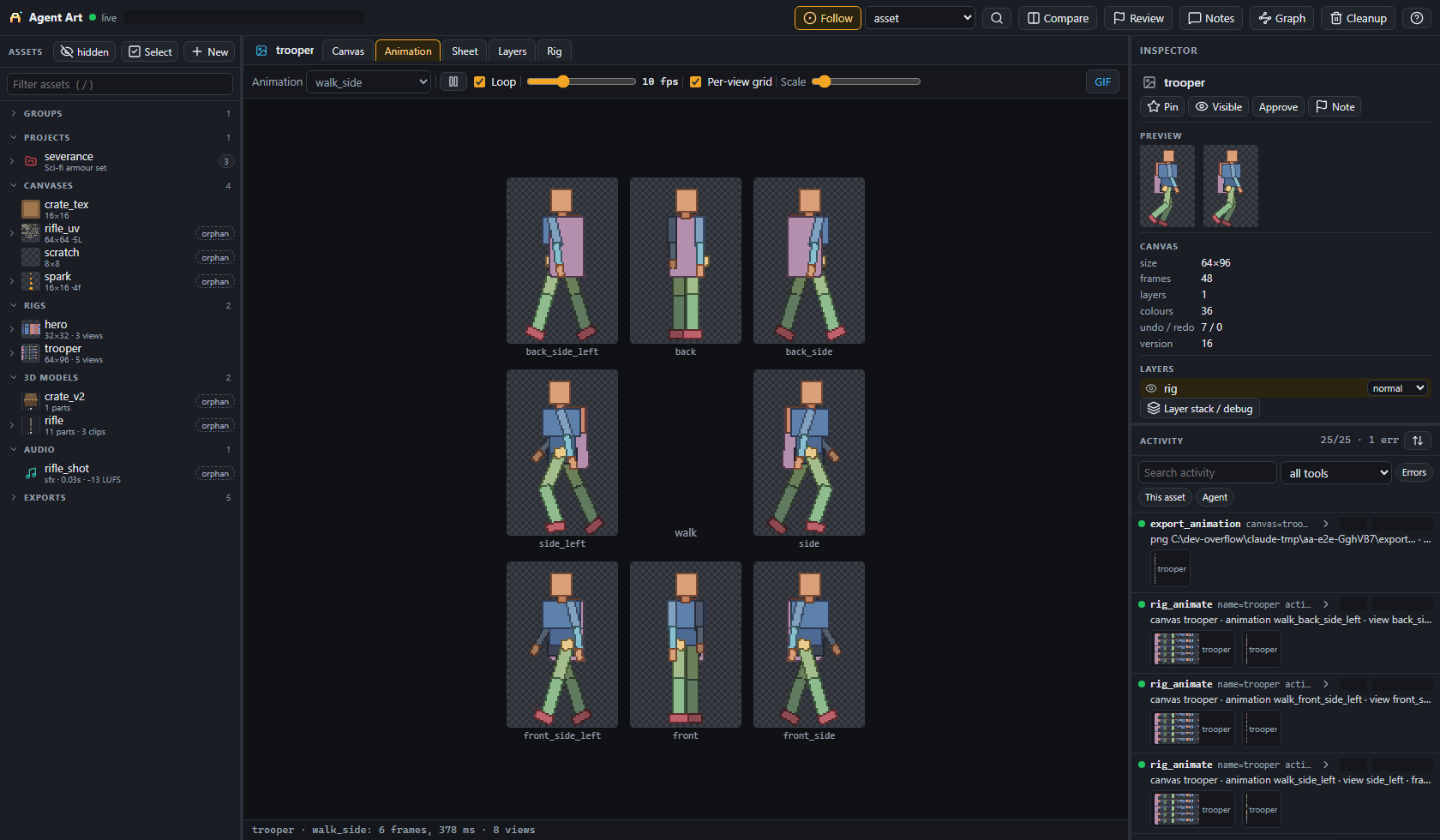
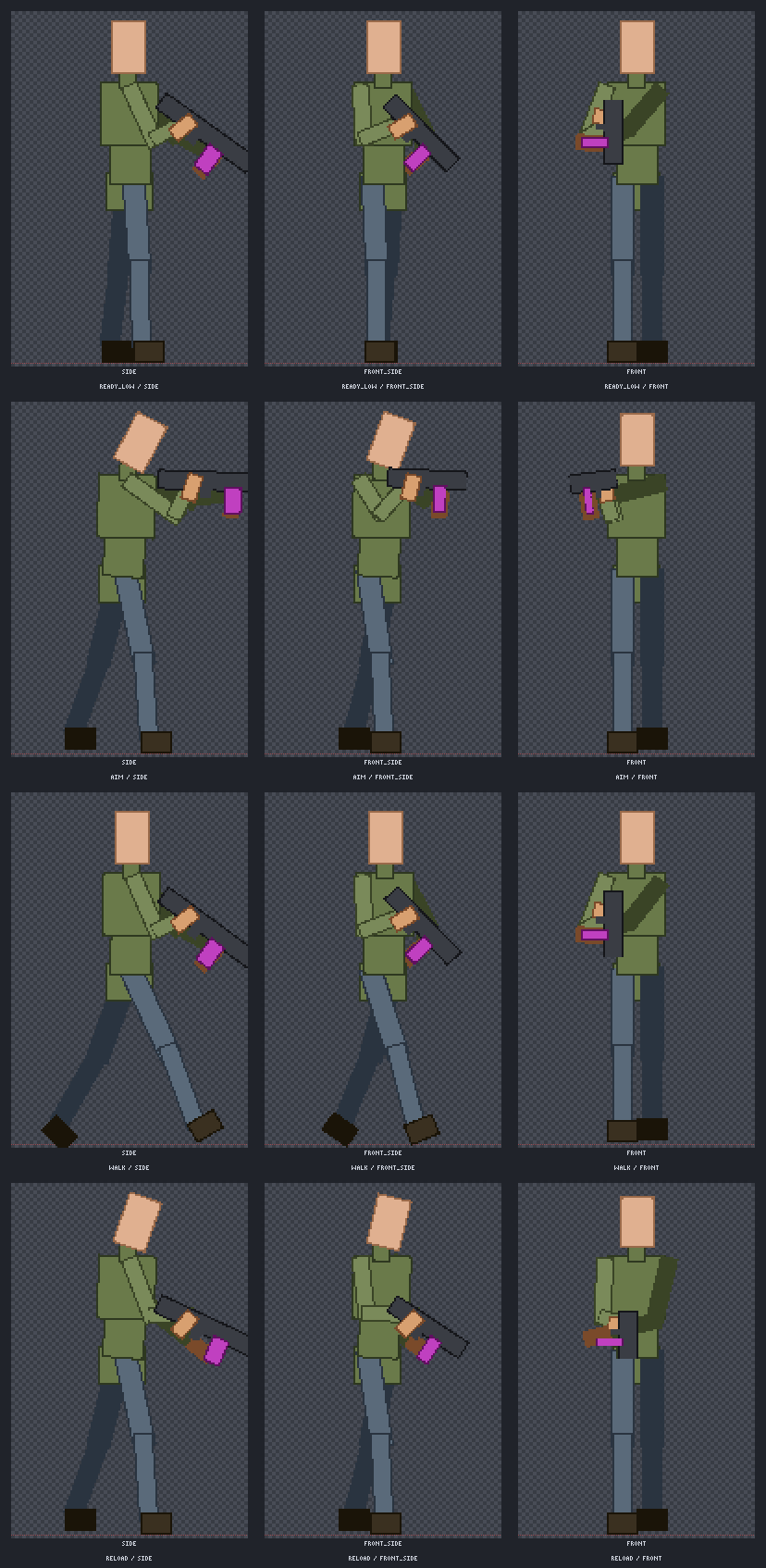
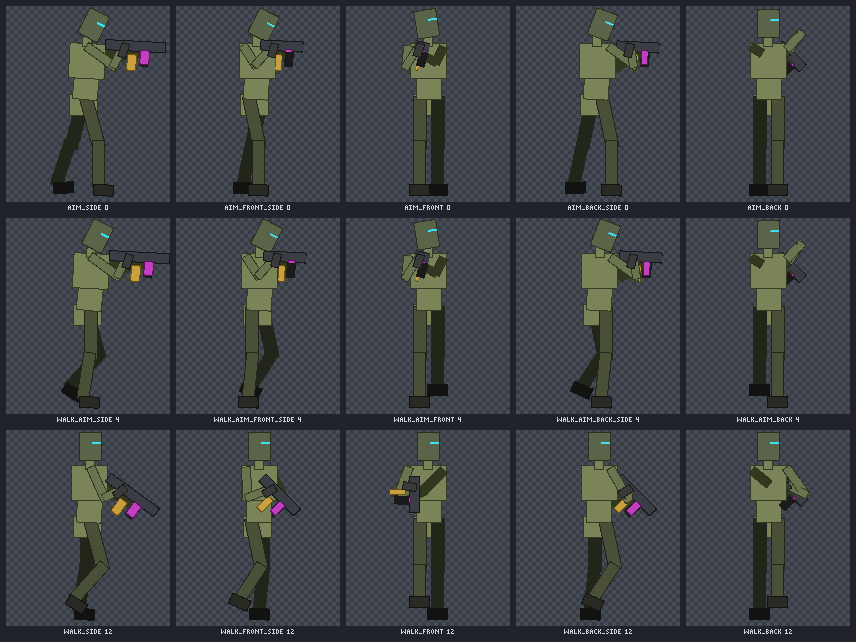
Start from a template (humanoid, humanoid_hd, blob, flyer; every part, view, pose and preset can be changed) or define your own rig. Draw each part once per view, then animate {preset, view} tweens poses into frames at any frame rate. humanoid_hd gives detailed 8-direction characters (64×96 to 160×240) with per-view poses, two-bone IK, foot planting, cape follow-through and RotSprite sampling. Declare a weapon and both hands stay on the grips in every frame, view and carry state (aim, ready, sprint, reload, slung, holster, ...), with reach limits, no clipping through the body and depth-driven draw order; check validates every clip in all 8 directions. skin bends your own drawn sprites on the bones (2D skinning).
| 8 directions in the UI | Weapon handling | Skinned 8-direction walk |
|---|---|---|
 |
 |
 |
More: docs/rig/README.md, the humanoid_hd guide, 2D skinning.
Animation library and melee: art_anim
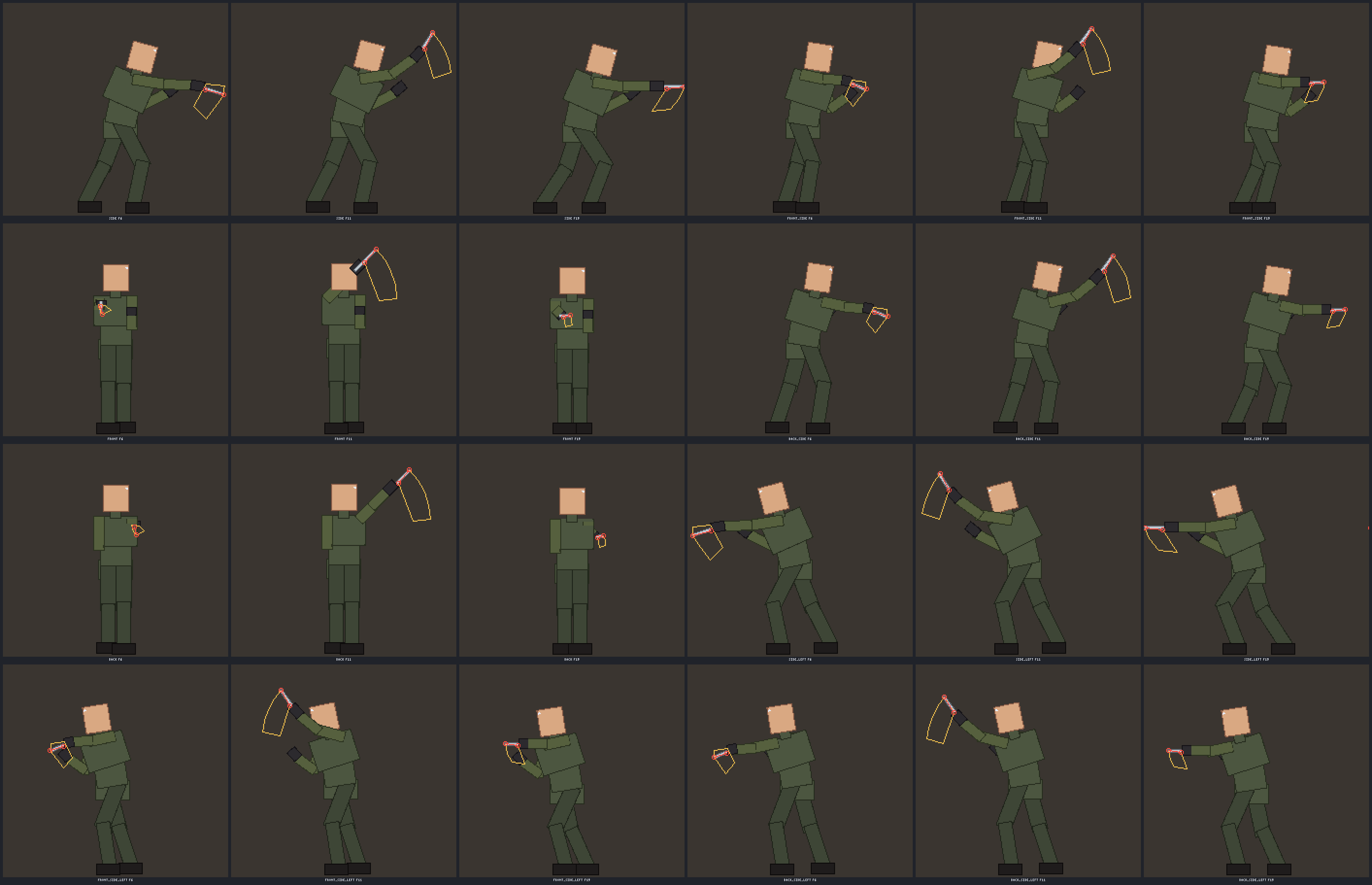
Author motion once per skeleton and render it on every character: skeletons with named proportions and masks, a clip library (keys, layered and additive clips, events), skins with equipment and loadouts, retargeting, and batch straight to game strips plus a characters manifest. With runtime weapon layers the game draws the gun, so one character export works with every gun of its handling class. melee adds strikes, blocks, hit reactions and paired takedowns (including gun disarms) with hit events and per-frame hit volumes for the game.
| Skins on one skeleton | Melee hit volumes |
|---|---|
 |
 |
More: docs/rig/README.md, docs/melee/README.md.
3D models: art_model
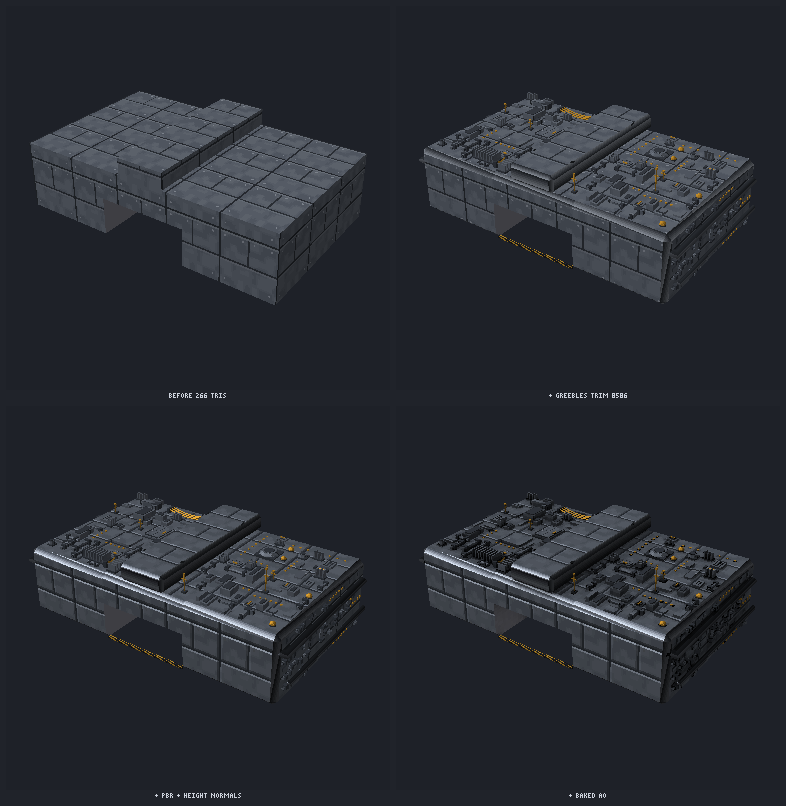
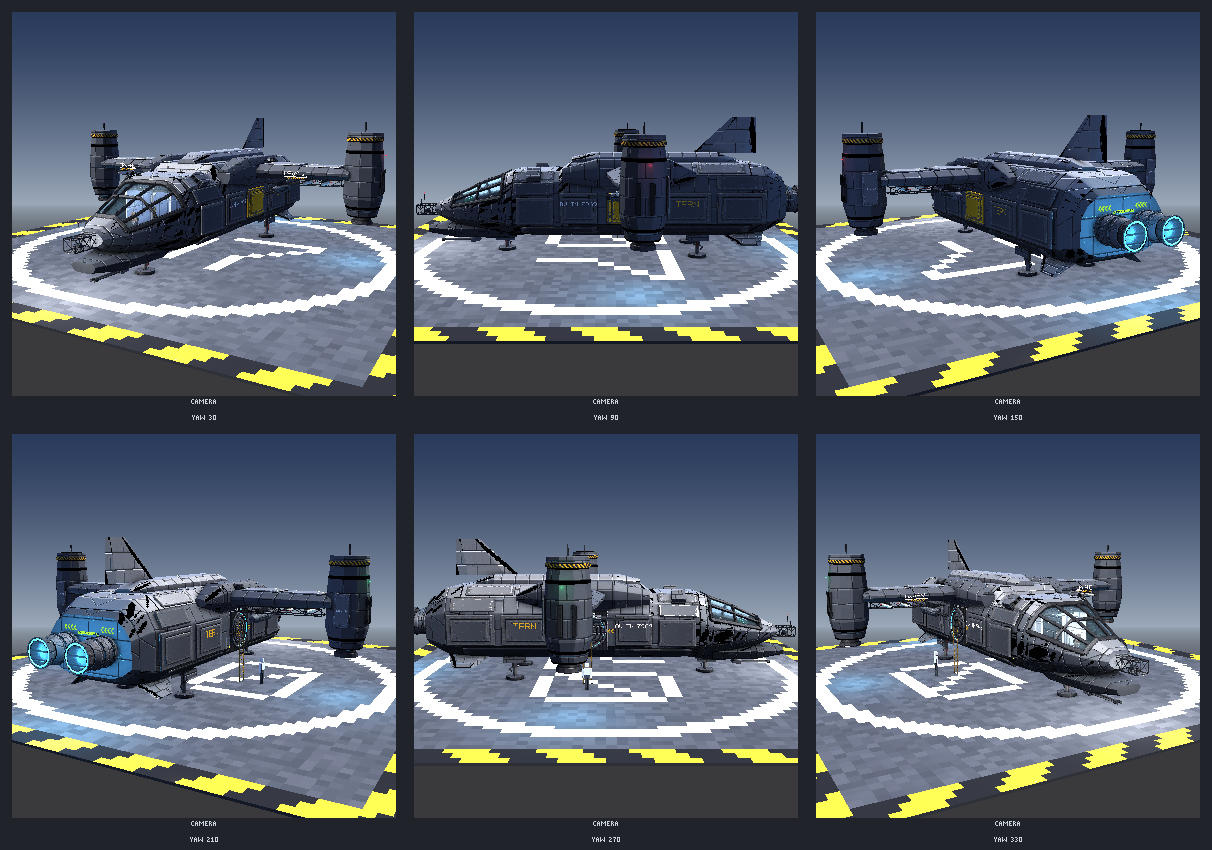
Low-poly glTF 2.0 .glb with pixel textures (HD-2D look, NEAREST filtering, 32 px = 1 unit): modular map kits (floors, walls, arches, stairs, ruins) with world-space UVs that continue across pieces, extruded and lathed props (lathe profiles are cleaned with simplify), connected textures (CTM), moss and grime overlays, ships and vehicles, walkable sci-fi ships with interiors, and rigid-part rigs with poses, clips and sockets that export as glTF animations or render to pixel sprite frames. Hard-surface detail (greebles, pipes and cables, trim sheets, PBR, pixel-correct height normals, booleans, morphs) and render-cost tools (baked AO, lightmaps, LODs, impostors, collision and occluder proxies, room/portal culling) keep big scenes fast in a browser. Also: skeletal skinning, mesh processing (booleans, remeshing, cluster LOD) and damage states.
| Hard-surface hull section | Walkable hero gunship | Baked lightmap |
|---|---|---|
 |
 |
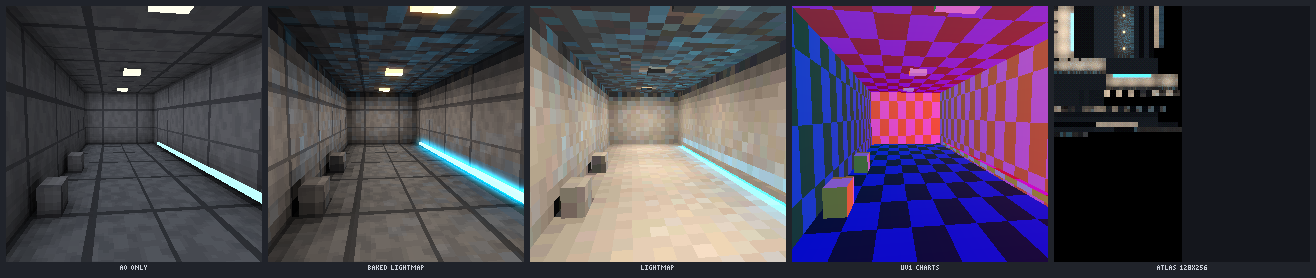 |
New models are unwrapped by default: art_model create bakes the model onto one UV atlas canvas <name>_uv (no seams on round parts, contact shading, worn edges, patterns and courses across parts) that you can paint directly or through a view, and update / preview / export keep it current. unwrap:false keeps per-part textures; models saved before keep theirs (art_model unwrap {name} converts one).
More: docs/3d/README.md, materials, skinning, mesh processing.
Damage and destruction
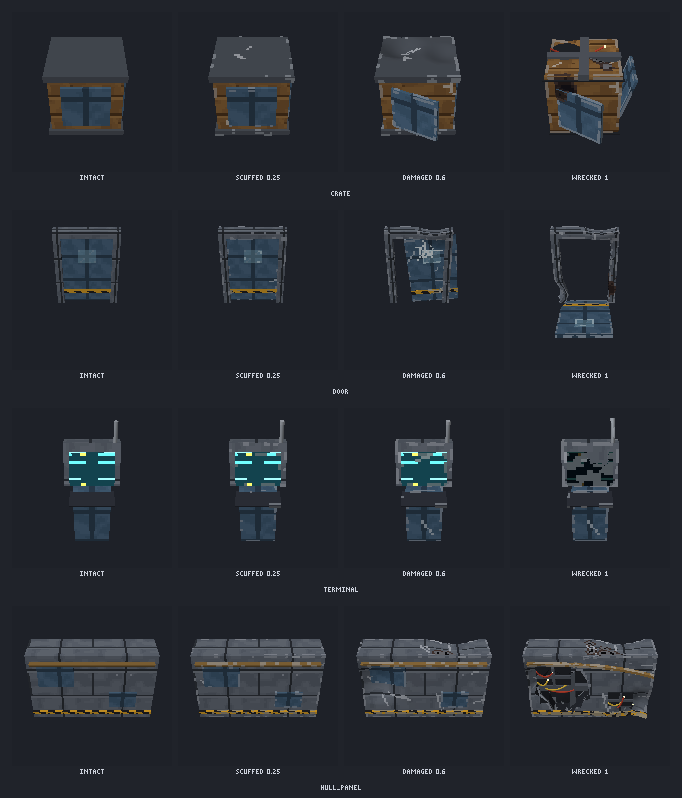
art_model damage gives a model seeded, nested damage states (scuffed, damaged, wrecked or custom amounts): dents, lost or hinged panels with exposed frames and sparking wires, shattered glass, scorch, bullet holes, hull breaches and fx sockets. fracture pre-cuts parts into watertight chunks with mass and collision hulls, and export {damage:true} writes the states, blend masks and a manifest (also for rigged and skinned models, and a Roblox profile). art_draw damage does the same on sprites.
More: docs/damage/README.md.
First-person viewmodels: art_fp
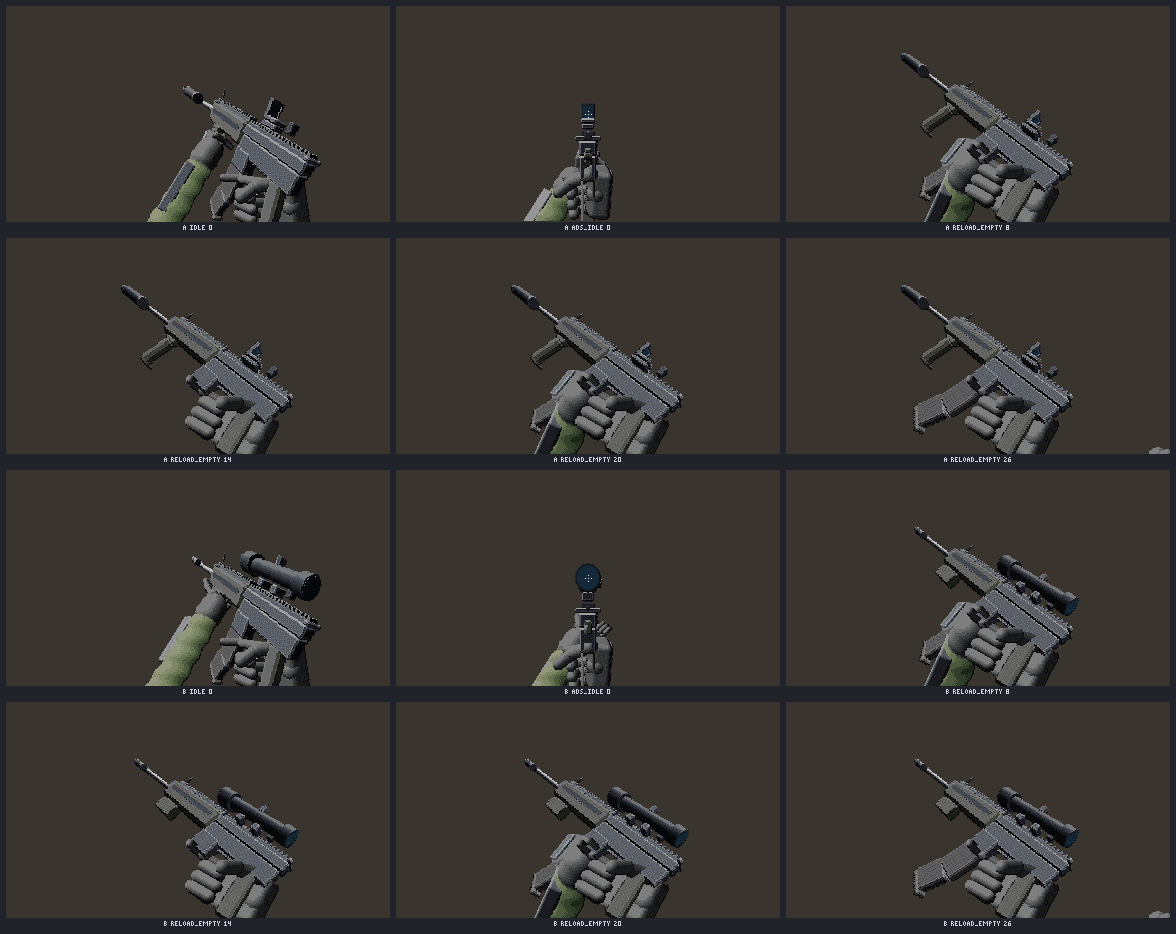
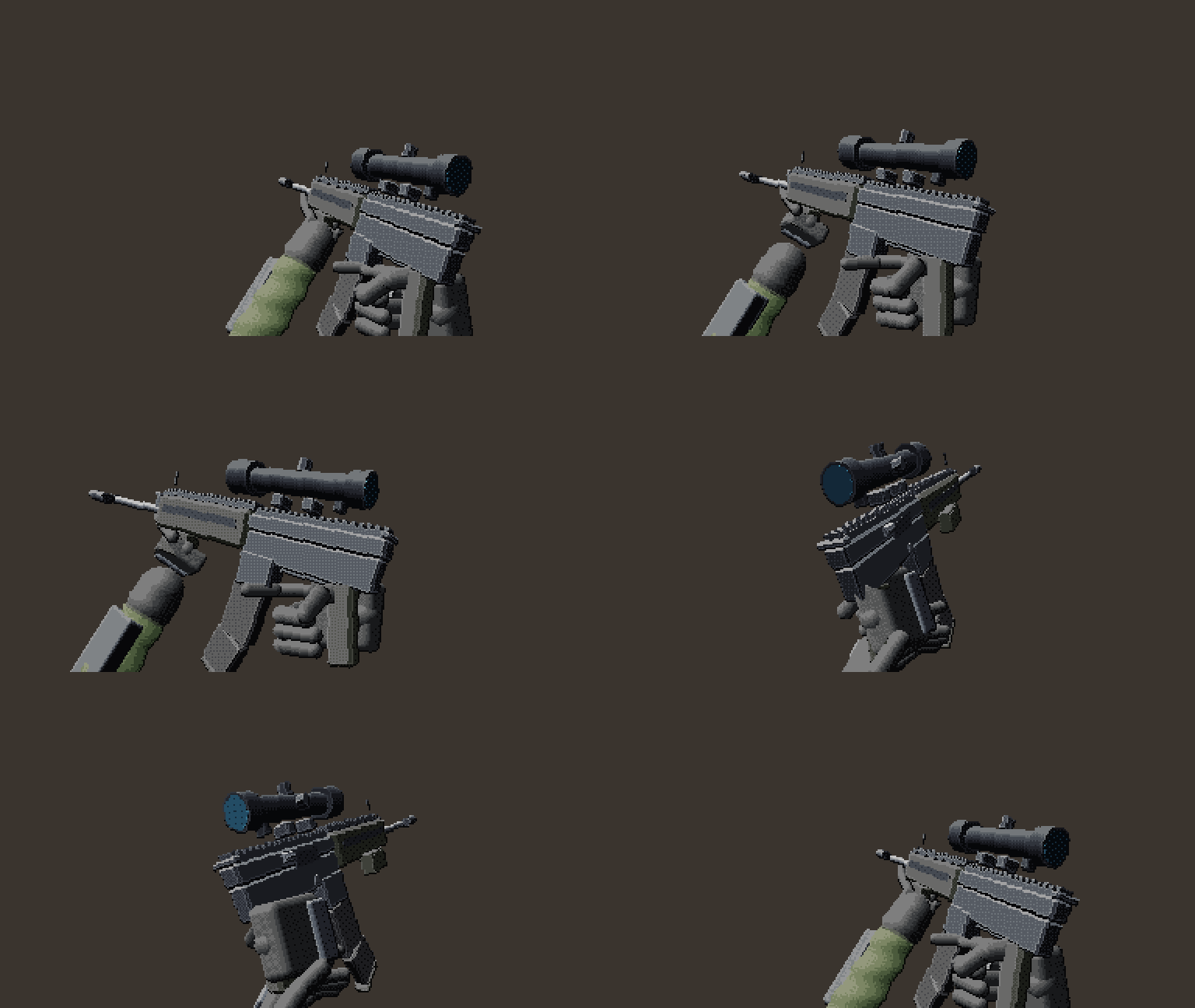
First person built from separate pixel sprites, so the gun reads as 3D with no 3D models in the game. Arms are animated once per handling class (pistol to launcher, knife, baton, grenade, med, tablet); guns, magazines, attachments and items are yaw × pitch sprite sweeps that the game composes onto per-frame sockets, so adding a gun or a scope never touches the arms. Sources can be 3D (art_model kit) or hand-drawn 2D keys.
| Two loadouts on the same arms clips | Inspect |
|---|---|
 |
 |
More: docs/fp/README.md.
Combat effects: art_fx
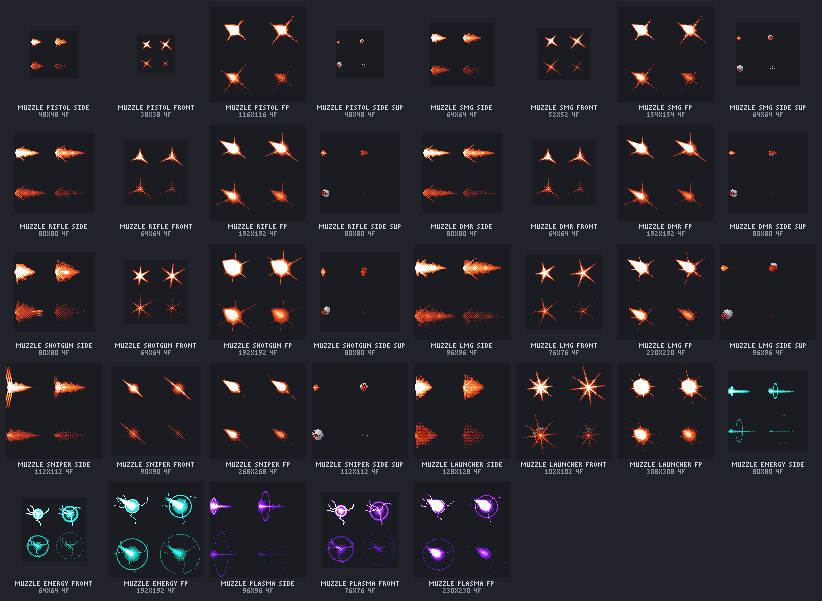
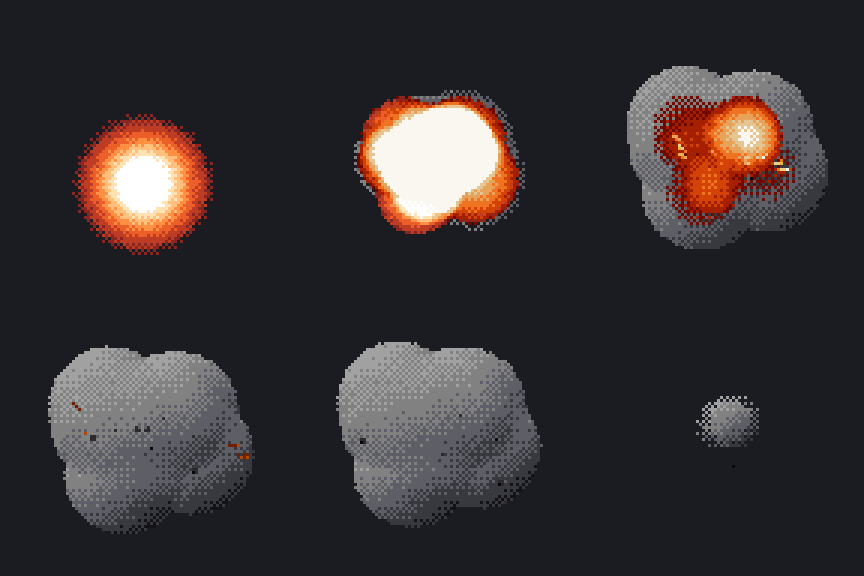
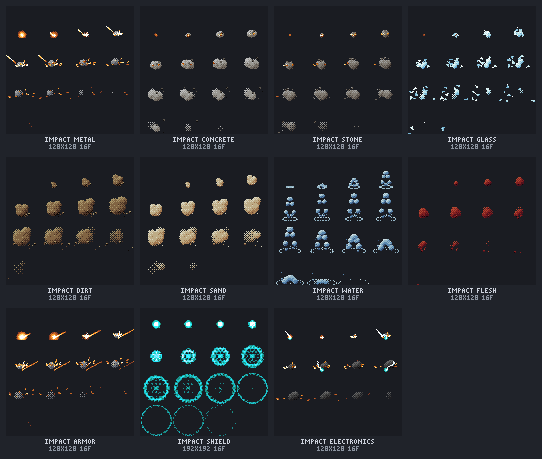
Seeded, deterministic pixel-art flipbooks (muzzle flashes per view with first-person aim variants, tracers, casings, impacts per surface, decals with normal maps, explosions, smoke, fire, sparks, steam, strobes, heat haze) with engine metadata: blend mode, pivot, emitters, a point-light curve, camera shake, sound names and Roblox flipbook settings.
| Muzzle flashes | Frag explosion | Impacts per surface |
|---|---|---|
 |
 |
 |
More: docs/fx/README.md.
Planets and space: art_planet
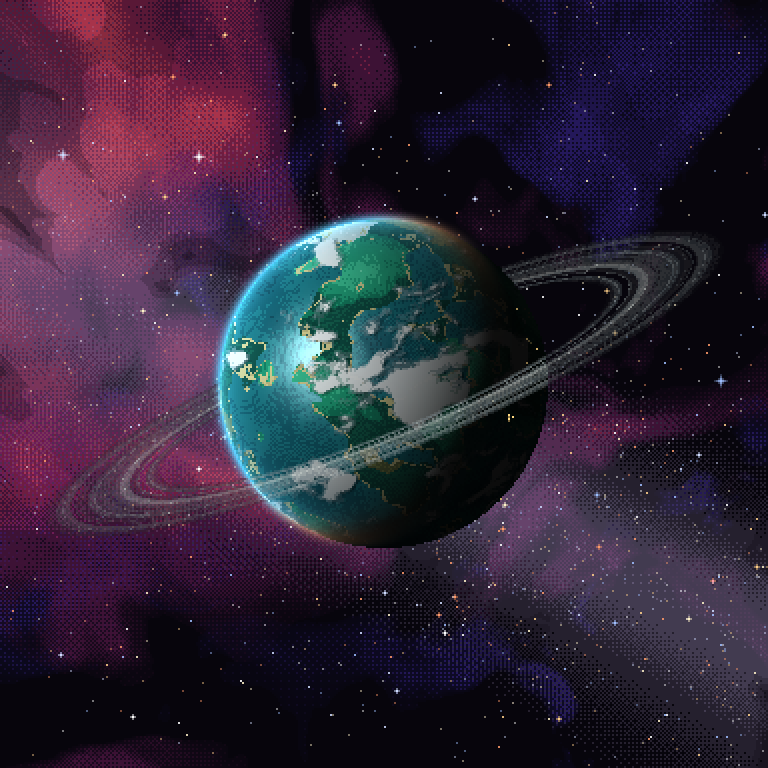
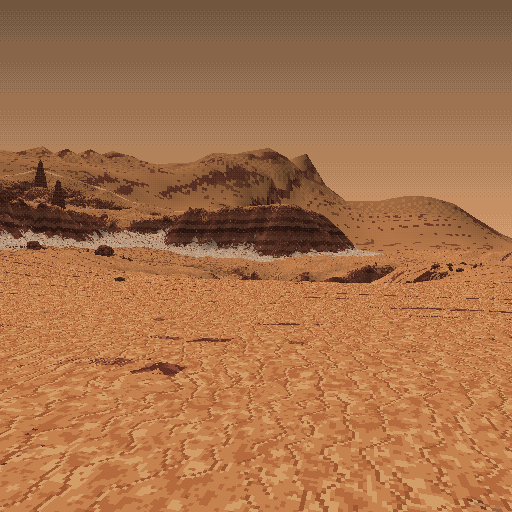
Planets you can see from orbit and land on, all sampled from one seeded field so every view agrees: orbit maps and cube faces, cube-sphere LODs, quadtree tiles, clouds, rings and an atmosphere shell; original star systems; matching landing-zone terrain with splat maps, instanced props and colony anchors; rock and asteroid kits; nebula skyboxes and space FX sprites. Every texture is at most 1024 px, for three.js and Roblox.
| Six-world system | Orbit | Landing zone |
|---|---|---|
 |
 |
 |
More: docs/planets/README.md.
Sound effects and music: art_audio
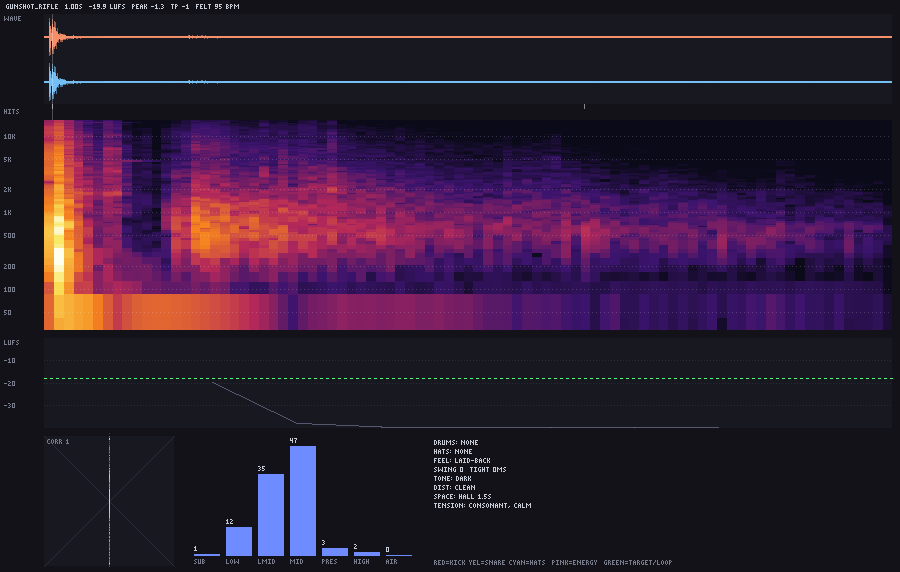
Agents cannot hear, so art_audio turns audio into things they can read: an analysis image (waveform, beat grid, spectrogram, loudness, band balance, stem masking) and a listener report in plain words (felt tempo, drum feel, key and chords, timbre, what is buried or repetitive, fit to a genre and the stated intent). It makes SFX from seeded recipes (gore, combat, firearms, sci-fi, UI, monsters, footsteps) with variants (gunshots are real CC0 field recordings: AR-15, AK-47, 9mm pistol, .38 revolver, .30-06, 7.62x54R, 12 gauge, SMGs; the sample layer plays them or your own WAVs), music from a compact text notation with generators and instrument presets, and mixes and masters to a LUFS target. With an ElevenLabs API key it also records voice lines (art_audio voice) as sample assets you can analyze, process and export. Export is WAV with loop points, mp3 / ogg / opus through ffmpeg, stems and adaptive layers; renders run at 44.1 kHz, and sample_rate:48000 delivers 48 kHz with sample-exact loop points.
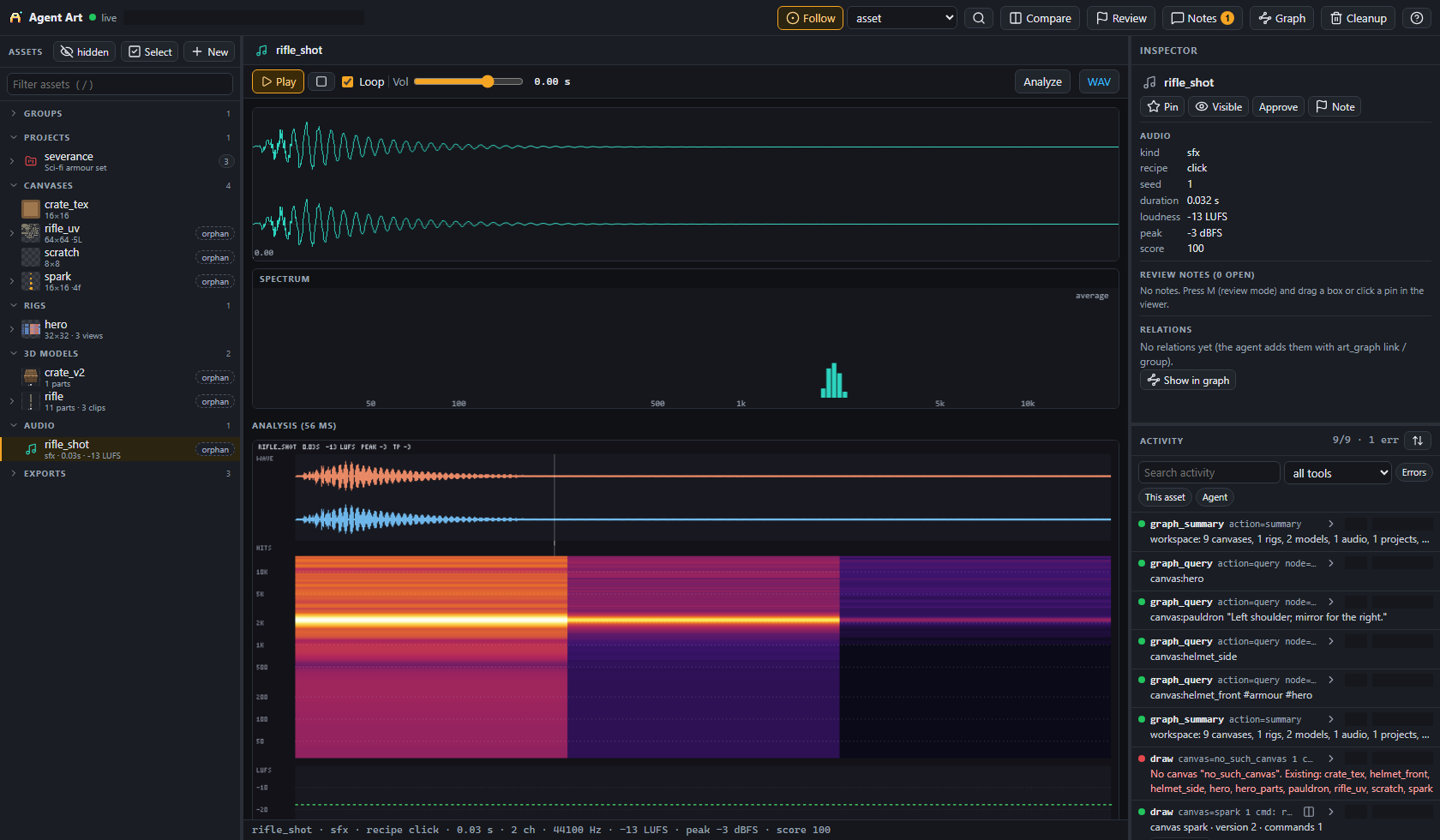
Listen to the bundled recorded gunshots, rendered by their recipes with seed 1: rifle, pistol, shotgun. This is what an agent "hears" instead, art_audio analyze on the rifle:
More: docs/audio/README.md.
Asset graph, review notes and cleanup
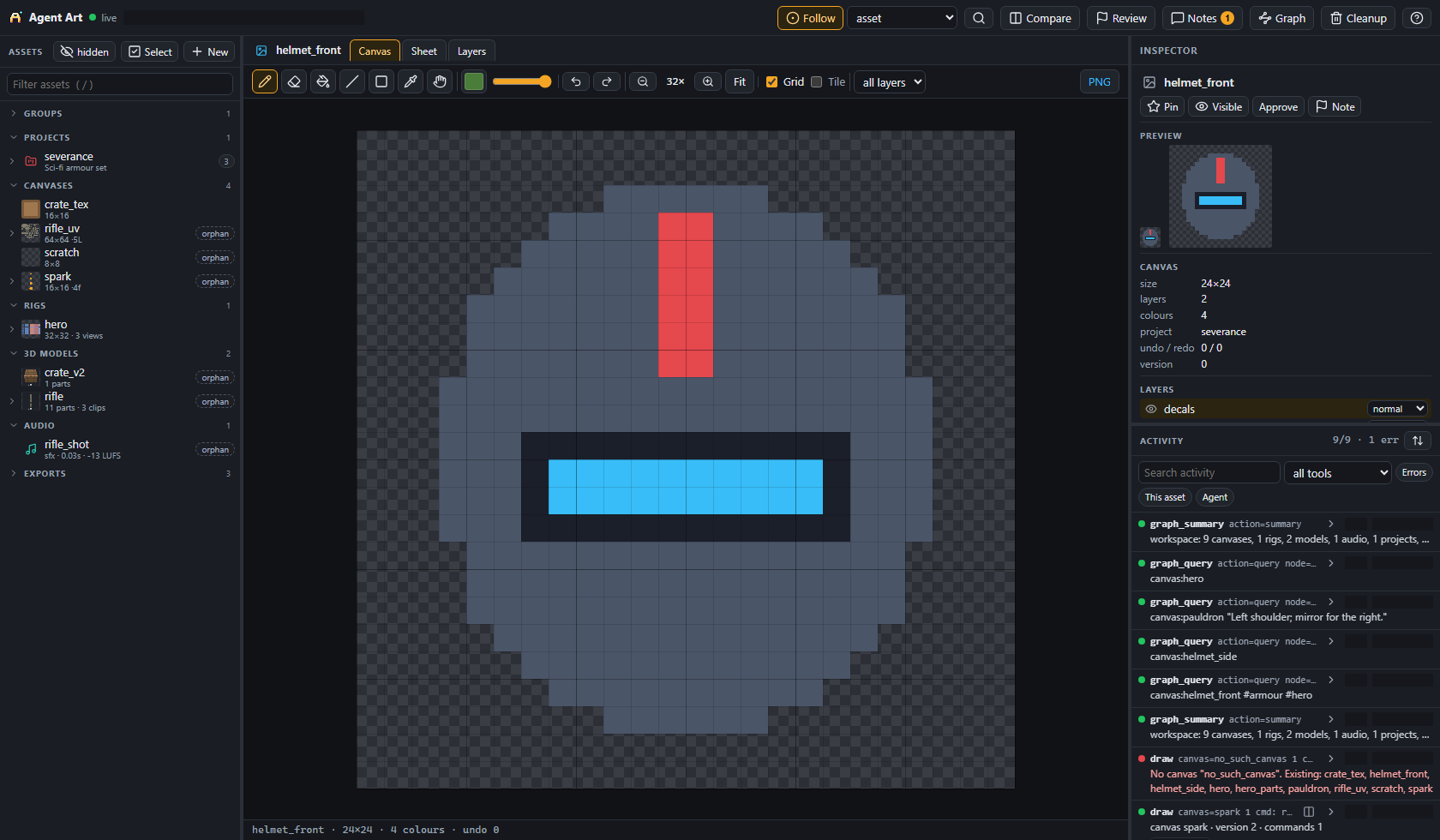
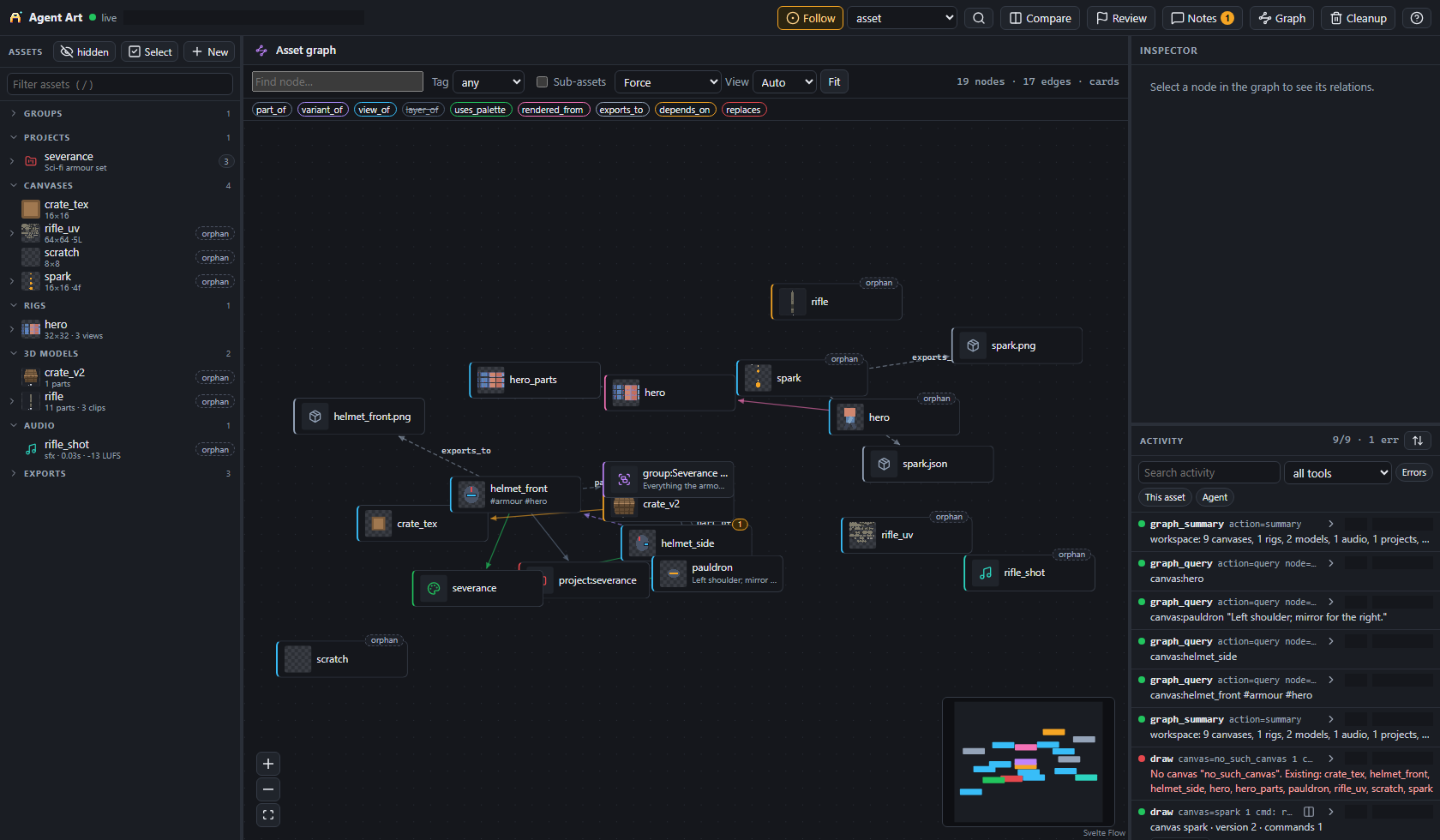
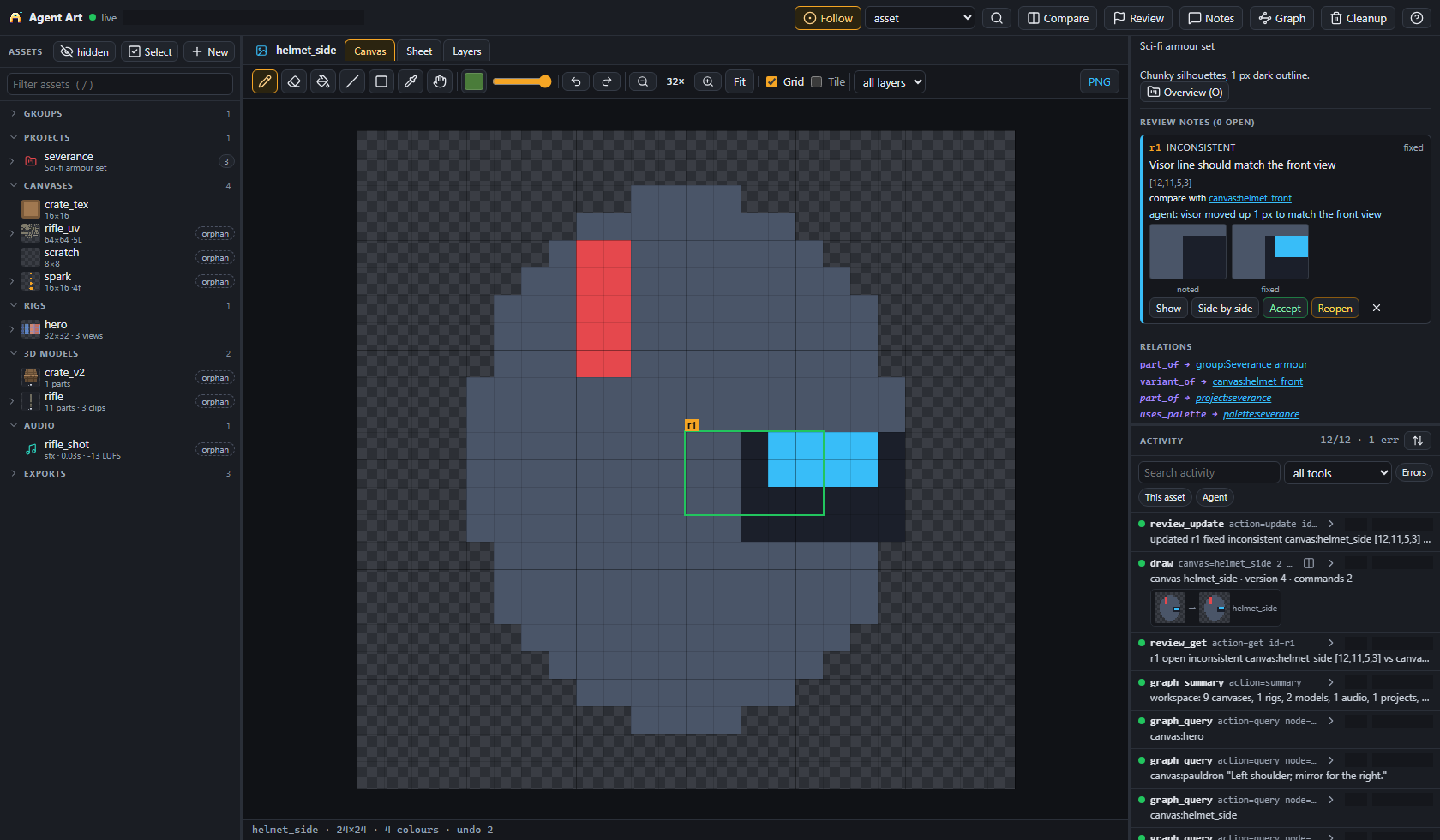
art_graph records what is part of what (part_of, variant_of, view_of, rendered_from, ...) and answers summary / query in a few hundred characters, so the agent orients itself without opening everything. In the web UI you pin review notes on a frame, view, part or audio range; the agent reads them with art_review, fixes them and marks them fixed, and any tool reply that touches the asset mentions its open notes. art_cleanup retires superseded assets safely: a dry-run plan with dependency blockers, a soft delete to a trash, and byte-for-byte restore.
| Asset graph | Review notes |
|---|---|
 |
 |
More: docs/ui/README.md, docs/cleanup/README.md.
Minecraft resource packs: art_minecraft
Optional: real vanilla texture names and sizes per Minecraft Java version (references only), canvases tagged with meta.texture, animated textures, and build to write the pack and zip it. Skill: minecraft-pack.
Tools
29 MCP tools. Tools with actions take {"action": "<name>", ...}. Each description holds the compact signature; art_help and the full reference hold every option.
| Tool | What it does | Actions |
|---|---|---|
art_create_canvas |
New canvas: size, frames (an animation strip), background, palette, project | |
art_draw |
Batch of drawing commands as one undo step; preview returns the image, critique the score |
|
art_view |
The canvas as an image: zoom / region, pixel grid, tile seam check, onion, guides, tint preview; big canvases come back as an overview |
|
art_critique |
Heuristic quality report and score for a frame, an animation or every frame | |
art_read |
Exact pixels of a region as text rows plus a legend, in the format grid accepts |
|
art_palette |
Named colours per canvas or project; ramp builds hue-shifted shading ramps |
get set remove clear ramp |
art_layer |
Layers with blend modes, opacity, order, merge, flatten | add remove select rename visibility opacity blend move duplicate merge_down flatten stamp_visible |
art_canvas |
Canvas changes: metadata, resize, crop, scale (nearest or scale2x), frames, normal map |
meta delete duplicate resize scale crop set_frames add_frame normal_map |
art_animation |
Frame strip animation: tags with per-frame durations, forward / reverse / pingpong, filmstrip, GIF / spritesheet export | list tag untag insert duplicate move delete set_frame_size filmstrip export |
art_project |
Group assets with a shared palette and style notes | create update list info delete |
art_sheet |
Many canvases in one labelled contact sheet, to check a set for consistency | |
art_rig |
Multi-view, multi-animation characters from parts and poses: templates, presets, IK, foot planting, secondary motion, held weapons, depth order, 2D skinning | create info update pose preview animate turnaround templates check layers explain debug_render consistency derive zcheck skin weights shapes chain export |
art_anim |
Animation library: skeletons, clips, skins, retargeting, batch to game strips + manifest, runtime gun layers, melee | skeleton clip skin retarget render batch gltf list info weapon conform weapon_sheet composite weapon_check melee melee_check melee_sheet paired |
art_model |
3D low-poly models with pixel textures to .glb: kits, props, ships, rigs and clips, sprite renders, hard surface, materials, skinning, mesh processing, ship kits, damage, UV atlas |
create update info list delete preview export ctm pose animate render check trim skeleton skin weights material boolean remesh decimate cluster_lod visibility kit livery generate budget walk_check damage fracture unwrap |
art_fp |
First-person viewmodels: arms per handling class, gun / magazine / attachment / item sweeps, composite and check; hand-drawn 2D sources | kit sweep batch composite check paint template anchors sweep2d trace |
art_fx |
Combat effect flipbooks with engine metadata | make batch preview list export |
art_planet |
Planets, star systems, landing-zone terrain, rocks, asteroids, skyboxes, space FX | planet system terrain rocks asteroids skybox fx info |
art_audio |
Sound effects, music, mixing and mastering; analysis images, listener reports and critiques; ElevenLabs voice acting; WAV / mp3 / ogg / opus export | sfx instrument generate song render analyze critique compare import voice voices export list info delete |
art_graph |
Asset graph: relations, tags, notes and nested groups; compact summary / query |
summary query find path link unlink tag note group |
art_review |
Review notes the user leaves in the web UI: list, see the marked region, resolve, ask | list get update add |
art_cleanup |
Retire superseded assets: dry-run plan, soft delete to a trash, restore, disk usage; config reads the cleanup settings (only the user can change them) |
plan apply replace trash restore empty usage config |
art_minecraft |
Minecraft Java resource packs: vanilla texture names and sizes, pack build and zip | vanilla build init add icon info zip |
art_help |
Usage for any draw command (op), guides (topic) and step-by-step recipes (skill) |
|
art_list |
Canvases (optionally of one project), projects and the UI URL | |
art_info |
Canvas details as a summary (full:true or fields for more) |
|
art_undo |
Undo or redo the last N steps of a canvas | |
art_import |
Import a PNG (path or base64) as a canvas or as a layer | |
art_export |
Export the composited canvas to PNG | |
art_open_ui |
Open the live web UI in the user's browser |
Agent Art MCP Fragen
Wie füge ich Agent Art MCP zu Claude Code hinzu?
Führe claude mcp add agent-art -- npx -y @rusticstack/agent-art in deinem Terminal aus. Füge --scope user hinzu, damit der Server in jedem Projekt verfügbar ist.
Wie füge ich Agent Art MCP zu Cursor hinzu?
Öffne ~/.cursor/mcp.json und füge den Server unter mcpServers hinzu, mit der Cursor-Config aus dem Installationsabschnitt oben.
Welche Tools bietet Agent Art MCP?
Er stellt 29 Tools bereit, darunter art_create_canvas, art_draw, art_view, art_critique, art_read.
Funktioniert es auch mit kleineren oder schwächeren KI-Modellen?
Ja, es ist darauf ausgelegt, mit schwächeren Modellen zu funktionieren, indem kompakte Tool-Beschreibungen verwendet und Details bei Bedarf über das art_help Tool bereitgestellt werden.
Welche Dateiformate werden beim Export unterstützt?
Der Server kann PNGs, GIFs, Spritesheets, glTF und Audio-Dateien exportieren.