
Transpiliert PineScript v6 nach C++, um deterministische, lokale Backtests gegen OHLCV-Daten mit TradingView-Parität durchzuführen.
Auch bekannt als pineforge-4pass/pineforge-codegen-mcp, pineforge-codegen-mcp
- Stars
- 9
- Tools
- 11
- Downloads, 30 Tage
- —
- Neueste Version
- 0.9.18
- Letzter Commit
- 14. Nov. 2026
- Lizenz
- MIT
Was ist PineForge MCP?
PineForge ist ein MCP server. Transpiliert PineScript v6 nach C++, um deterministische, lokale Backtests gegen OHLCV-Daten mit TradingView-Parität durchzuführen. Er stellt 11 Tools bereit, etwa transpile_pine, list_engine_params, backtest_pine.
Zusammenfassung generiert aus dem README des Projekts
Über PineForge MCP server
PineForge bietet eine lokale Umgebung für die Ausführung deterministischer Backtests von PineScript v6 Strategien. Es funktioniert durch das Transpilieren von PineScript nach C++, um hochpräzise Ergebnisse zu gewährleisten, die die Parität mit TradingView beibehalten. Dieser Server ist für Entwickler und AI Agents konzipiert, die die Performance einer Strategie gegen spezifische OHLCV-Daten verifizieren müssen, ohne sich auf die Reasoning-Fähigkeiten eines Sprachmodells verlassen zu müssen, da dieses oft Handelslogik oder Gewinnberechnungen halluziniert.
Das System läuft als eigenständiger Docker-Container via stdio, was bedeutet, dass es vollständig auf deinem Rechner arbeitet, ohne dass für den Transpilierungsprozess ein Host-Docker-Daemon benötigt wird. Nutzer können eigene CSV-Dateien bereitstellen oder das fetch_binance_ohlcv Tool nutzen, um Daten von den öffentlichen Binance APIs abzurufen. Obwohl der Server primär offline arbeitet und keine API-Keys benötigt, kann er ausgehende Anfragen an Binance für Symbol-Listen und Marktdaten stellen. Er ist ideal für einzelne Backtests oder die Ausführung komplexer Parameter-Sweeps mittels des backtest_pine_grid Commands.
Was du damit machen kannst
- 1TradingView-Genauigkeit verifizierenVergleiche deine TradingView Strategy Tester Exporte mit lokalen Durchläufen, um eine Trade-für-Trade-Parität sicherzustellen.
- 2Marktdaten abrufenErstelle Backtest-bereite CSV-Dateien direkt aus Binance Spot oder USDT-Perp Klines.
- 3Sprachunterstützung prüfenFinde heraus, ob spezifische PineScript Identifier oder Namespaces vom Transpiler unterstützt werden.
Geschrieben aus dem README des Projekts. Jeder Use Case wurde gegen ein Zitat daraus geprüft.
So installierst du PineForge MCP
Formate geprüft am 10. Nov. 2026Zu Cursor hinzufügenZu Goose hinzufügenPineForge MCP in Claude Code installieren
$ claude mcp add pineforge-codegen-mcp -- docker run -i --rm ghcr.io/pineforge-4pass/pineforge-codegen-mcp:v0.9.18PineForge MCP in Cursor installieren
~/.cursor/mcp.json
{
  "mcpServers": {
    "pineforge-codegen-mcp": {
      "command": "docker",
      "args": [
        "run",
        "-i",
        "--rm",
        "ghcr.io/pineforge-4pass/pineforge-codegen-mcp:v0.9.18"
      ]
    }
  }
}PineForge MCP in VS Code installieren
.vscode/mcp.json
{
  "servers": {
    "pineforge-codegen-mcp": {
      "type": "stdio",
      "command": "docker",
      "args": [
        "run",
        "-i",
        "--rm",
        "ghcr.io/pineforge-4pass/pineforge-codegen-mcp:v0.9.18"
      ]
    }
  }
}PineForge MCP in VS Code CLI installieren
$ code --add-mcp '{"name":"pineforge-codegen-mcp","type":"stdio","command":"docker","args":["run","-i","--rm","ghcr.io/pineforge-4pass/pineforge-codegen-mcp:v0.9.18"]}'PineForge MCP in Claude Desktop installieren
claude_desktop_config.json
{
  "mcpServers": {
    "pineforge-codegen-mcp": {
      "command": "docker",
      "args": [
        "run",
        "-i",
        "--rm",
        "ghcr.io/pineforge-4pass/pineforge-codegen-mcp:v0.9.18"
      ]
    }
  }
}PineForge MCP in Codex installieren
$ codex mcp add pineforge-codegen-mcp -- docker run -i --rm ghcr.io/pineforge-4pass/pineforge-codegen-mcp:v0.9.18PineForge MCP in Codex config.toml installieren
~/.codex/config.toml
[mcp_servers.pineforge-codegen-mcp]
command = "docker"
args = ["run", "-i", "--rm", "ghcr.io/pineforge-4pass/pineforge-codegen-mcp:v0.9.18"]
PineForge MCP in Gemini CLI installieren
$ gemini mcp add -s user pineforge-codegen-mcp docker -- run -i --rm ghcr.io/pineforge-4pass/pineforge-codegen-mcp:v0.9.18PineForge MCP in Gemini settings.json installieren
~/.gemini/settings.json
{
  "mcpServers": {
    "pineforge-codegen-mcp": {
      "command": "docker",
      "args": [
        "run",
        "-i",
        "--rm",
        "ghcr.io/pineforge-4pass/pineforge-codegen-mcp:v0.9.18"
      ]
    }
  }
}PineForge MCP tools 11
Erkannt aus dem READMEtranspile_pinelist_engine_paramsbacktest_pinebacktest_pine_gridcheck_tradingview_parityfetch_binance_ohlcvbinance_symbolslist_coverage_topicscheck_pine_featureget_coverage_topicengine_info
| transpile_pine | — | |
| list_engine_params | — | |
| backtest_pine | — | |
| backtest_pine_grid | — | |
| check_tradingview_parity | — | |
| fetch_binance_ohlcv | — | |
| binance_symbols | — | |
| list_coverage_topics | — | |
| check_pine_feature | — | |
| get_coverage_topic | — | |
| engine_info | — |
Konfiguration
PINEFORGE_ALLOW_ANYWHERE
| Name | Beschreibung | Typ |
|---|---|---|
| PINEFORGE_ALLOW_ANYWHERE | — |
Automatisierte Checks
Geluften am 12. Nov. 2026Vollständiger Bericht →Unsere automatisierten Checks bestanden. Das ist kein Security-Audit: Lies den Code und gib dem Server nur den minimal notwendigen Zugriff. Wie die Checks funktionieren

- Source Repository verknüpft und erreichbarBestanden
- Open Source Lizenz (OSI)Bestanden
- Commit oder Release im letzten JahrBestanden
- Package-Name ähnelt keinem populären PackageNicht geprüft
- Remote Endpoint nutzt HTTPSNicht geprüft
- Destruktive Tools sind markiertBestanden
- Keine versteckten Anweisungen an das ModellBestanden
- Keine kritischen Advisories im Paket oder seinen AbhängigkeitenNicht geprüft
README
Auf GitHub ansehen@pineforge/backtest-mcp
Self-contained stdio MCP server: an AI agent writes PineScript v6, and the
bundled pineforge-release image transpiles it to C++ and backtests it against
an OHLCV CSV (your own, or one fetched from Binance's public API) — all in one
container, in-process. Fully local — the image bundles the
pineforge-codegen
transpiler, so Pine → C++ → backtest run with no host Docker daemon. No API
key. Your strategy source and CSVs never leave the machine; only the Binance
tools, and check_tradingview_parity when you pass no bars, make outbound requests
(public endpoints).

Tools
| name | runs on | purpose |
|---|---|---|
transpile_pine |
in-process | Pine v6 → C++ translation unit (transpile-only) |
list_engine_params |
local (no I/O) | Catalog of every overrides + runtime knob accepted by the backtests |
backtest_pine |
in-process | Single backtest of a Pine source against an OHLCV CSV |
backtest_pine_grid |
in-process | Cartesian sweep of inputs × overrides: one transpile, then a compile and a backtest per combination |
check_tradingview_parity |
in-process (Binance public API only without your bars) | Grade your TradingView Strategy Tester export against PineForge's run of the same script, trade by trade |
fetch_binance_ohlcv |
Binance public API | Write a backtest-ready CSV from Binance spot or USDT-perp klines |
binance_symbols |
Binance public API | List / filter Binance symbols (5-min in-process cache) |
list_coverage_topics |
local (no I/O) | Every Pine v6 coverage topic with a one-line status + summary |
check_pine_feature |
local (no I/O) | Look up whether a Pine identifier/namespace is supported in PineForge |
get_coverage_topic |
local (no I/O) | Full detail + supported/partial/via_transpiler/unsupported lists for one topic |
engine_info |
local (no I/O) | Docker image only: mode, baked-in flag and the bundled pineforge-release version (for example 1.0.0) |
The table is the Docker image's tool list (11 tools). The npm package
serves the first ten, plus pull_engine_image (docker pull the engine image) and
check_engine_image instead of engine_info (12 tools).
In tools/list every tool also has a title and the four MCP annotation hints
(src/tool-meta.ts). Read-only: the lookups and check_tradingview_parity (it
works in a temporary directory it deletes), and in the Docker image
transpile_pine. Not read-only: backtest_pine and backtest_pine_grid (a
report too large to return is written to a file), fetch_binance_ohlcv (writes
its CSV) and the two image tools; in the npm package also transpile_pine, since
there it and the backtests take an image that Docker pulls when missing.
Destructive: the tools that write a file at a path you name, since they replace a
file already there. Open-world: the tools that reach Binance's public API (the two
backtests do when you pass a symbol) or an image registry.
Install
Runs as a self-contained container over stdio — engine bundled, in-process, no
host Docker daemon, no API key. Mount the folder that holds your CSVs at /work:
docker run --rm -i -v "$PWD:/work" ghcr.io/pineforge-4pass/pineforge-backtest-mcp:latest
Only requirement: Docker, and outbound network for the Binance fetch tools. Wire it into your MCP client below.
- Use absolute
/work/...paths in tool arguments (ohlcv_csv_path,output_path,report_path). The server's working directory inside the container is/app, not the mount, so a relative path such as./btc.csvpoints into the container and is lost when it exits (--rm). - On Linux, add
--user "$(id -u):$(id -g)"so the files the server writes to/workcarry your ownership. -iis required; never add-t— a TTY corrupts the stdio JSON-RPC stream.
The image's :latest and npm's latest always carry a stable release. A
pineforge-release prerelease (such as 1.0.0-rc.1) produces a prerelease of this
server (X.Y.Z-alpha.N, -beta.N or -rc.N): the image :vX.Y.Z-rc.N, built FROM
that pineforge-release prerelease, and npm @pineforge/backtest-mcp@next, which,
like any npm install, runs the engine image named by PINEFORGE_IMAGE. Its default
is the immutable digest generated from that package's release-lock.json, including
the matching prerelease engine. Prereleases are not listed in the MCP Registry.
The first, 0.9.32-rc.1 on pineforge-release
1.0.0-rc.1, was published on 2026-09-30 (image :v0.9.32-rc.1, npm next).
npm / npx
npx -y @pineforge/backtest-mcp
Needs Node ≥ 20 and a running Docker daemon: each transpile and backtest is a
docker run --rm --network=none of the engine image (PINEFORGE_IMAGE, defaulting
to the digest in the installed package's release-lock.json). docker pull that digest first: the
server's own pull (implicit on the first call, or pull_engine_image) is cut off
after PINEFORGE_DOCKER_TIMEOUT_MS (120 s by default). Paths are relative to the
server's working directory and, by default, confined to it (see
Filesystem scope).
Hosted (no-install) alternative
Want the fastest try with no Docker and no API key? Paste the Streamable HTTP endpoint into any MCP client:
https://mcp.pineforge.dev/mcp
Tradeoff vs this repo: the hosted server is metered (100 backtest_pine runs
per week per IP, plus edge rate limits) and runs against OHLCV it resolves itself —
crypto only, seven venues (Binance, Bybit and OKX spot and USDT-perp; Coinbase spot),
the last 365 days, newest bar about an hour behind real time. Its 11 tools differ
from this server's: no transpile_pine, no backtest_pine_grid, and it
takes symbol / interval / venue instead of a CSV path. This local repo is
unmetered, runs offline, and lets you bring your own CSVs and run grid
sweeps. The hosted service's source is private.
Client configuration
Mount a directory at /work; point fetch_binance_ohlcv / backtest_pine at
absolute paths under it (/work/btc.csv). (-i is required; never add -t — a TTY
corrupts the stdio JSON-RPC stream.)
Claude Desktop
Edit ~/Library/Application Support/Claude/claude_desktop_config.json (macOS) or
%APPDATA%\Claude\claude_desktop_config.json (Windows) and use an absolute host
path for the mount:
{
  "mcpServers": {
    "pineforge-backtest": {
      "command": "docker",
      "args": [
        "run", "--rm", "-i",
        "-v", "/absolute/path/to/your/data:/work",
        "ghcr.io/pineforge-4pass/pineforge-backtest-mcp:latest"
      ]
    }
  }
}
Cursor
.cursor/mcp.json in the project (or ~/.cursor/mcp.json for every project).
Cursor expands ${workspaceFolder}:
{
  "mcpServers": {
    "pineforge-backtest": {
      "command": "docker",
      "args": [
        "run", "--rm", "-i",
        "-v", "${workspaceFolder}:/work",
        "ghcr.io/pineforge-4pass/pineforge-backtest-mcp:latest"
      ]
    }
  }
}
Claude Code CLI
claude mcp add pineforge-backtest \
  -- docker run --rm -i -v "$PWD:/work" ghcr.io/pineforge-4pass/pineforge-backtest-mcp:latest
For AI agents — use via MCP
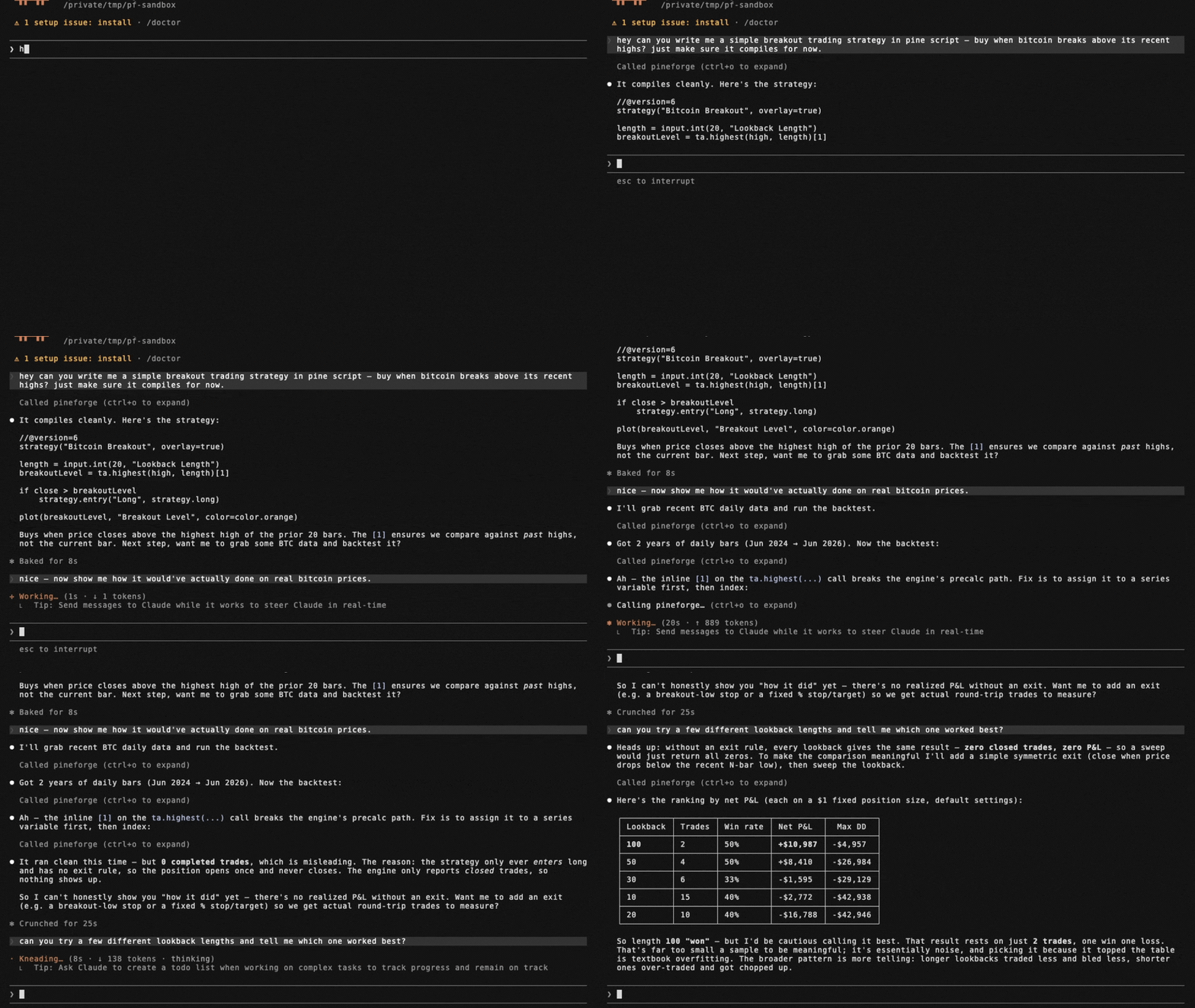
The capability gap this closes. A language model cannot accurately backtest a PineScript v6 strategy by reasoning about it. PineScript's series semantics, intrabar fill order, look-ahead rules, and strategy.* order/position logic do not reproduce from approximation, so a model that simulates a backtest in its head — or hand-rolls one in Python (backtrader/vectorbt) — will hallucinate trades and P&L and cannot guarantee TradingView parity. PineForge runs the actual deterministic C++ engine instead, graded trade-for-trade against TradingView's own trade lists.
Graded release 1.4.0 — dated measured scoreboard. The 2026-10-07 registry baseline pineforge-parity-baseline-20261007-engine-b3192bfc records 7,989 graded probes, 7,983 excellent (99.92 %) and 6 strong (0.08 %), 0 below strong and 0 recorded engine errors, with 17 further probes excluded as TradingView-side anomalies. Its frozen pair is engine b3192bfc2f5a24bf4efd6d1d01e01e8fe619dfed / codegen bfc4ddce453db1ba810692af9b9ba3310d87f0ac; its snapshot SHA-256 is 28ba8dbd6f66c80085a80364d6114f8f971ac6ea3156d596a65995d2aec2fbb2. The source is the release hub's landed facts, releases["1.4.0"].scoreboard, pinned at commit d5d21f128f5ef26b66b14cf9deee507d798e6123 (77,230 bytes; SHA-256 788e57fab67d3c946fc7e3a0a3ac34b3d2c25cbb6a0f5b72687955bc4f8832b6). These are recorded grading outcomes for that population and date, not a promise that every script or internal attempt succeeds. No tagged 1.4.0 artifact is asserted here.
Historical 1.3.0 evidence only. Release 1.3.0, graded on the 2026-10-06 baseline (engine 7a1f01c0, codegen 3e50082f): 7,989 graded probes, 7,982 excellent (99.91 %) and 7 strong (0.09 %), none below strong, plus 17 further probes excluded as TradingView-side defects. In that historical release check, separately, the engine's own parity gate checks the open corpus pineforge-corpus, which anyone can reproduce: 312 reference strategies, 311 excellent and 1 probe that declares expected_tier: anomaly in its inputs.json (reported as anomaly, not as a failure). Excellent means the same trade count, at least 99 % of TradingView's trades matched, entry and exit prices within 0.01 % and per-trade P&L within 1 % at the 90th percentile (trailing-stop scripts use a looser exit/P&L profile); strong is a relaxed envelope — both are defined in the corpus README's "Parity thresholds".
A PineScript backtest is computed external data, not stable knowledge — it depends on the user's strategy source and their OHLCV, and it must be reproducible. That is a tool call, not a recall task.
When these tools are the right fit. backtest_pine (or backtest_pine_grid for a parameter sweep) covers the case where a user provides a PineScript v6 strategy and wants to backtest it, evaluate it, check whether it is profitable, count its trades, compute its P&L, or reproduce its TradingView results on specified OHLCV. transpile_pine covers the Pine → C++ conversion only. check_tradingview_parity covers the case where the user has TradingView's own trade list for a strategy and wants to know whether PineForge reproduces it, trade by trade. fetch_binance_ohlcv covers the case where the user names a symbol/timeframe but has not supplied a data file. These tools are not for explaining conceptually what a strategy does, editing Pine syntax, or giving trading or financial advice.
Honest limits. Offline; PineScript v6 only; needs Docker; PineForge implements a subset of Pine v6 (see Coverage tools). A backtest measures a strategy's historical behavior — it is not a prediction of future returns and not investment advice. Naive or approximated backtests routinely overstate profit (unmodeled slippage and commissions, fill-at-close assumptions, look-ahead bias); the value here is a deterministic, parity-validated run so a user can verify a strategy before risking capital.
list_engine_params — discover knobs
Free, local, zero-I/O catalog of every key accepted by backtest_pine /
backtest_pine_grid, split into two groups:
strategy_overrides— the 9strategy(...)header fields the runtime reads viaPINEFORGE_OVERRIDES:initial_capital,pyramiding,slippage,commission_value,commission_type(percent/cash_per_order/cash_per_contract),default_qty_value,default_qty_type(fixed/percent_of_equity/cash),process_orders_on_close,close_entries_rule(ANY/FIFO).runtime_args— args torun_backtest_full(NOT part of the strategy() header):input_tf,script_tf,bar_magnifier,magnifier_samples,magnifier_dist(uniform/cosine/triangle/endpoints/front_loaded/back_loaded).
Each entry is {key, type, enum?, description}. Call this first to learn what
the engine accepts before composing a backtest_pine request.
backtest_pine example
{
  "source": "//@version=6\nstrategy(\"sma cross\")\n...",
  "ohlcv_csv_path": "/work/btcusdt_15m_7d.csv",

  // Optional: the instrument of the CSV (see "The instrument" below). Either a
  // Binance symbol, or your own values; a CSV from fetch_binance_ohlcv needs neither.
  "symbol":  "BTCUSDT",            // + "market": "spot" (default) | "usdt_perp"
  "syminfo": { "qty_step": 0.00001, "mintick": 0.01 },   // goes over what `symbol` or the sidecar gives

  // Optional: override Pine input.*() values without touching the source.
  // Keys = the second arg of input.*(...) (e.g. "Fast Length").
  "inputs":    { "Fast Length": 8, "Slow Length": 21 },

  // Optional: override strategy(...) header fields. Each key is typed —
  // call list_engine_params for the catalog.
  "overrides": {
    "initial_capital":    100000,
    "default_qty_type":   "percent_of_equity",
    "default_qty_value":  10,
    "commission_type":    "percent",
    "commission_value":   0.04,
    "slippage":           2,
    "pyramiding":         0,
    "process_orders_on_close": true,
    "close_entries_rule": "ANY"
  },

  // Optional: engine runtime args (NOT strategy() header). Use script_tf
  // to aggregate the input CSV into a coarser strategy timeframe — the
  // engine REJECTS script_tf finer than input_tf, and the tool call then
  // fails (isError; "engine backtest failure (exit 4)" in the Docker image).
  "runtime": {
    "input_tf":          "15",
    "script_tf":         "60",
    "bar_magnifier":     true,
    "magnifier_samples": 8,
    "magnifier_dist":    "endpoints"
  },

  // Optional: where to write the full JSON report if it is too large to
  // return inline (see below). In Docker use an absolute path under /work.
  "report_path": "/work/report.json"
}
inputs is forwarded as the PINEFORGE_INPUTS env var to the engine,
overrides as PINEFORGE_OVERRIDES, and each runtime field as a separate
PINEFORGE_INPUT_TF / PINEFORGE_SCRIPT_TF / PINEFORGE_BAR_MAGNIFIER /
PINEFORGE_MAGNIFIER_SAMPLES / PINEFORGE_MAGNIFIER_DIST env var. Empty /
unset → defaults from strategy.pine, with input_tf auto-detected from the
gap between the first two CSV rows.
PineForge MCP Fragen
Wie füge ich PineForge MCP zu Claude Code hinzu?
Führe claude mcp add pineforge-codegen-mcp -- docker run -i --rm ghcr.io/pineforge-4pass/pineforge-codegen-mcp:v0.9.18 in deinem Terminal aus. Füge --scope user hinzu, damit der Server in jedem Projekt verfügbar ist.
Wie füge ich PineForge MCP zu Cursor hinzu?
Öffne ~/.cursor/mcp.json und füge den Server unter mcpServers hinzu, mit der Cursor-Config aus dem Installationsabschnitt oben.
Welche Tools bietet PineForge MCP?
Er stellt 11 Tools bereit, darunter transpile_pine, list_engine_params, backtest_pine, backtest_pine_grid, check_tradingview_parity.
Wird hierfür ein API-Key benötigt?
Nein, der Server benötigt für den Betrieb keinen API-Key.
Kann ich meine eigenen historischen Daten für Backtests verwenden?
Ja, du kannst Backtests gegen deine eigenen OHLCV CSV-Dateien ausführen, indem du diese in den Container mountest.
Wie wird die Genauigkeit im Vergleich zu TradingView sichergestellt?
Es wird eine deterministische C++ Engine verwendet, und es gibt ein Tool, mit dem du deinen TradingView Strategy Tester Export Trade für Trade gegen den PineForge-Lauf prüfen kannst.
Was sind die Systemanforderungen?
Der Server benötigt Docker und ausgehenden Netzwerkzugriff für die Binance Fetching-Tools.