
Veröffentliche KI-generiertes HTML als teilbare Live-Links und aktualisiere bestehende Seiten unter derselben URL.
Auch bekannt als phanosh/host-html, host-html-mcp
- Stars
- 1
- Tools
- —
- Downloads, 30 Tage
- —
- Neueste Version
- 0.2.1
- Letzter Commit
- 3. Nov. 2026
- Lizenz
- MIT
Was ist host-html MCP?
host-html ist ein MCP server. Veröffentliche KI-generiertes HTML als teilbare Live-Links und aktualisiere bestehende Seiten unter derselben URL.
Zusammenfassung generiert aus dem README des Projekts
Über host-html MCP server
Das Umwandeln von KI-generiertem Code in Live-Websites ist das, was host-html für Entwickler ermöglicht, die Claude Code, Cursor oder Codex nutzen. Indem du dem Server HTML-Inhalte bereitstellst, kannst du sofort teilbare Links generieren, die deine Arbeit online hosten, ohne Deployment-Pipelines oder Server verwalten zu müssen. Dieses Tool ist für User gedacht, die in Sekundenschnelle von einem Chat-Interface zu einer funktionalen Web-Vorschau wechseln müssen.
Um diesen Server zu nutzen, musst du ein kostenloses Konto erstellen und einen persönlichen API Key über die Umgebungsvariable HOSTHTML_API_KEY bereitstellen. Das System bietet zwei primäre Tools: publish_html, um einen neuen Live-Link zu erstellen, und update_page, um den Inhalt einer bestehenden Seite unter derselben URL zu aktualisieren. Während das Veröffentlichen mit kostenlosen Konten möglich ist, erfordern fortgeschrittene Funktionen wie benutzerdefinierte Slugs und Passwortschutz einen Pro- oder Team-Plan. Der Server unterstützt außerdem das Exportieren von HTML-Slides in hochwertige PDF-Dateien über den host-pdf Befehl.
Was du damit machen kannst
- 1Sofortige Web-Vorschauen veröffentlichenErstelle eine Live-URL für ein HTML-Snippet, das während einer Coding-Session generiert wurde.
- 2Slides in Dokumente umwandelnTransformiere HTML-basierte Präsentations-Slides in eine hochwertige PDF-Datei.
Geschrieben aus dem README des Projekts. Jeder Use Case wurde gegen ein Zitat daraus geprüft.
So installierst du host-html MCP
Formate geprüft am 10. Nov. 2026host-html MCP in Claude Code installieren
$ claude mcp add --env HOSTHTML_API_KEY=<YOUR_HOSTHTML_API_KEY> host-html -- npx -y host-html-mcphost-html MCP in Cursor installieren
~/.cursor/mcp.json
{
  "mcpServers": {
    "host-html": {
      "command": "npx",
      "args": [
        "-y",
        "host-html-mcp"
      ],
      "env": {
        "HOSTHTML_API_KEY": "<YOUR_HOSTHTML_API_KEY>"
      }
    }
  }
}host-html MCP in VS Code installieren
.vscode/mcp.json
{
  "servers": {
    "host-html": {
      "type": "stdio",
      "command": "npx",
      "args": [
        "-y",
        "host-html-mcp"
      ],
      "env": {
        "HOSTHTML_API_KEY": "<YOUR_HOSTHTML_API_KEY>"
      }
    }
  }
}host-html MCP in Claude Desktop installieren
claude_desktop_config.json
{
  "mcpServers": {
    "host-html": {
      "command": "npx",
      "args": [
        "-y",
        "host-html-mcp"
      ],
      "env": {
        "HOSTHTML_API_KEY": "<YOUR_HOSTHTML_API_KEY>"
      }
    }
  }
}host-html MCP in Codex installieren
~/.codex/config.toml
[mcp_servers.host-html]
command = "npx"
args = ["-y", "host-html-mcp"]

[mcp_servers.host-html.env]
HOSTHTML_API_KEY = "<YOUR_HOSTHTML_API_KEY>"
host-html MCP in Gemini CLI installieren
~/.gemini/settings.json
{
  "mcpServers": {
    "host-html": {
      "command": "npx",
      "args": [
        "-y",
        "host-html-mcp"
      ],
      "env": {
        "HOSTHTML_API_KEY": "<YOUR_HOSTHTML_API_KEY>"
      }
    }
  }
}Konfiguration
HOSTHTML_API_KEYErforderlichSecretPersonal API key (hh_...) from host-html.com → Account → API keys
| Name | Beschreibung | Typ |
|---|---|---|
| HOSTHTML_API_KEY | Personal API key (hh_...) from host-html.com → Account → API keys | ErforderlichSecret |
Automatisierte Checks
Geluften am 13. Nov. 2026Vollständiger Bericht →Unsere automatisierten Checks bestanden. Das ist kein Security-Audit: Lies den Code und gib dem Server nur den minimal notwendigen Zugriff. Wie die Checks funktionieren

- Source Repository verknüpft und erreichbarBestanden
- Open Source Lizenz (OSI)Bestanden
- Commit oder Release im letzten JahrBestanden
- Package-Name ähnelt keinem populären PackageBestanden
- Remote Endpoint nutzt HTTPSBestanden
- Destruktive Tools sind markiertNicht geprüft
- Keine versteckten Anweisungen an das ModellBestanden
- Kein kritischer Hinweis im Paket oder seinen AbhängigkeitenBestanden
README
Auf GitHub ansehenhost-html
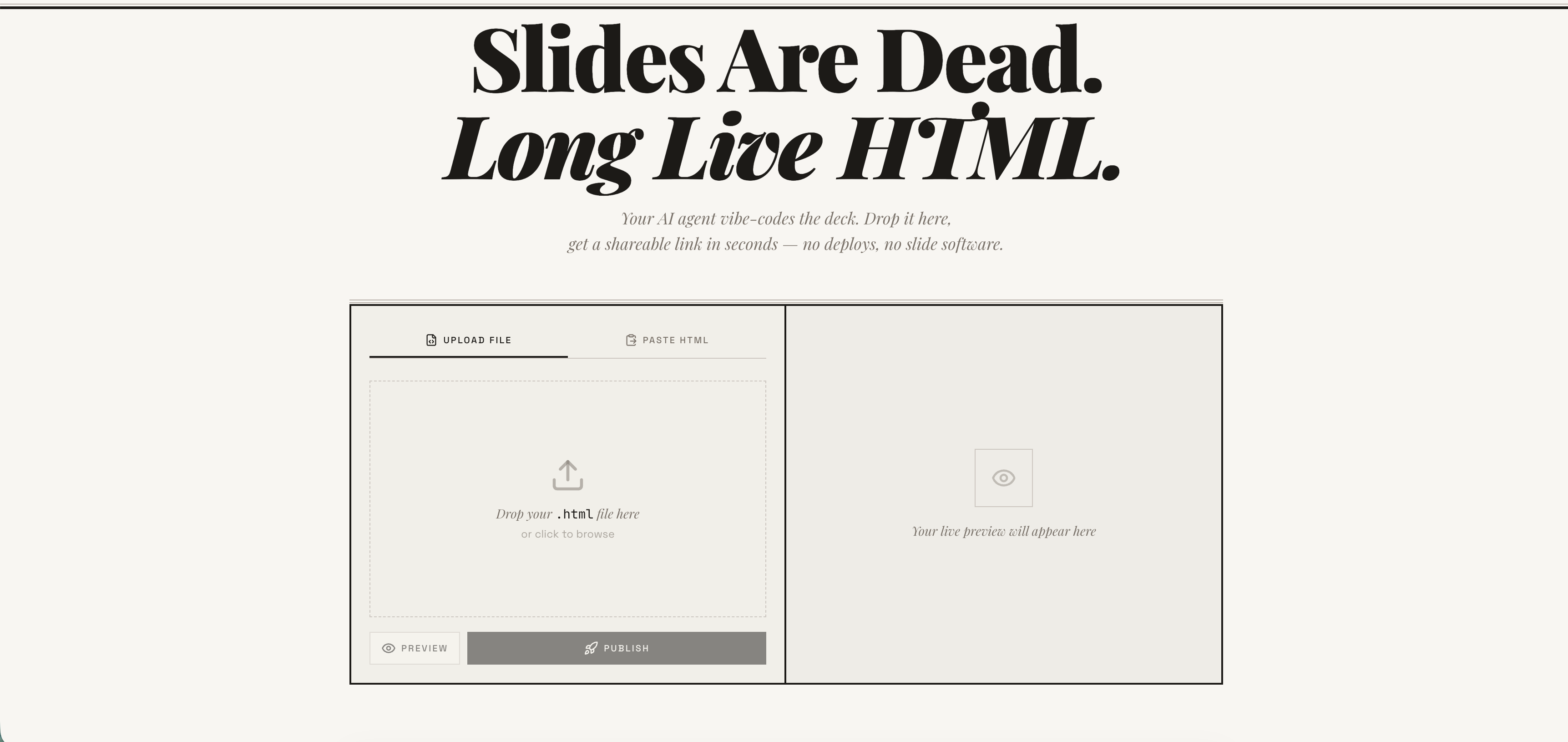
Publish any HTML file as a live link — instantly. Free account required. No deploy pipeline, no server to manage. → host-html.com
Heads up — breaking change in v2.0.0: Anonymous publishing has been retired. Publishing now requires a free, email-verified host-html account and a personal API key set as
HOSTHTML_API_KEY. See Setup: get an API key. Older releases that relied on the built-in shared key will stop publishing.
Install
Claude Code
/plugin marketplace add phanosh/host-html
/plugin install host-html@host-html
The official Claude Code marketplace listing is in the works — until it lands, install directly from this repo with the two commands above.
Claude Desktop, Cursor, Codex (MCP server)
// claude_desktop_config.json / .cursor/mcp.json / .mcp.json
{
  "mcpServers": {
    "host-html": {
      "command": "npx",
      "args": ["-y", "host-html-mcp"],
      "env": { "HOSTHTML_API_KEY": "hh_your_key_here" }
    }
  }
}
Two tools: publish_html (HTML in, link out) and update_page (new HTML, same link).
Source and docs: mcp-server/ · npm: host-html-mcp
Other AI Agents (Skills)
npx skills add phanosh/host-html -g -y
Then use the skills:
/host-html          # publish HTML as a live link
/host-pdf           # export HTML slides to PDF
/host-html finds the HTML, publishes it, and hands you a live URL in seconds.
/host-pdf captures each slide at retina quality and assembles a PDF.
Works with Claude Code, Cursor, Codex, Copilot, and 40+ more agents.
Setup: get an API key
Publishing now requires a free host-html account:
-
Sign in (free) at host-html.com
-
Confirm your email
-
Go to Account → API keys → Create key
-
Copy the generated key (starts with
hh_…— shown once) -
Set it as an environment variable:
export HOSTHTML_API_KEY=hh_your_key_here
The skill reads HOSTHTML_API_KEY automatically. Custom slugs (see the Direct
API table below) still require a Pro/Team plan; publishing itself does not.
Update
When a new version is released here, pull it into your local Claude Code with:
/plugin marketplace update phanosh/host-html
That single command refreshes the marketplace catalog and installs any version bumps in marketplace.json, plugin.json, or the skill frontmatter. To check what you're on:
/plugin
To stay current automatically, open /plugin, go to the Marketplaces tab, select phanosh/host-html, and toggle auto-update on — Claude Code will then pull updates on startup.
For the standalone skills install (npx skills add ...), re-run the same command to upgrade:
npx skills add phanosh/host-html -g -y
Direct API
The publish edge function requires a personal host-html API key (format
hh_…) as the bearer token — see Setup to generate
one. Pass it via the Authorization header (no apikey header is needed):
curl -X POST https://suifgsvtcbrawzdhyuhk.supabase.co/functions/v1/publish \
  -H "Authorization: Bearer $HOSTHTML_API_KEY" \
  -H "Content-Type: application/json" \
  -d '{"html": "<h1>Hello</h1>", "title": "my page"}'
Request
| Field | Type | Required | Description |
|---|---|---|---|
html |
string | ✓ | HTML content (max 1MB) |
title |
string | Page title | |
slug |
string | Custom URL path matching ^[a-z0-9-]{2,64}$ (paid plans) |
|
password |
string | Password-protect the page (4–72 chars, paid plans, JSON body only) |
Response 201
{
  "url": "https://host-html.com/p/abc123",
  "slug": "abc123",
  "edit_token": "...",
  "page_id": "...",
  "has_password": false,
  "expires_at": "2026-03-16T..."
}
has_password is true when the request set a password (the page is locked
and served from private storage); false otherwise.
expires_at is string | null. On a free plan it is the ISO timestamp when the page goes
dark; on a paid plan the page never expires and the field is null. It is the authoritative
expiry — read it from the response rather than assuming a fixed duration, and handle the null
rather than formatting it as a date.
License
MIT
host-html MCP Fragen
Wie füge ich host-html MCP zu Claude Code hinzu?
Führe claude mcp add --env HOSTHTML_API_KEY=<YOUR_HOSTHTML_API_KEY> host-html -- npx -y host-html-mcp in deinem Terminal aus. Füge --scope user hinzu, damit der Server in jedem Projekt verfügbar ist.
Wie füge ich host-html MCP zu Cursor hinzu?
Öffne ~/.cursor/mcp.json und füge den Server unter mcpServers hinzu, mit der Cursor-Config aus dem Installationsabschnitt oben.
Wie veröffentliche ich HTML mit host-html?
Du kannst das publish_html Tool nutzen, um HTML-Inhalte in einen Live-Link zu verwandeln.
Kann ich eine Seite aktualisieren, ohne die URL zu ändern?
Ja, mit dem update_page Tool kannst du neues HTML bereitstellen und den Link beibehalten.
Benötige ich ein Konto zum Veröffentlichen?
Ja, zum Veröffentlichen ist ein kostenloses, per E-Mail verifiziertes host-html Konto und ein persönlicher API Key erforderlich.