
GitHub CI/CD MCP server
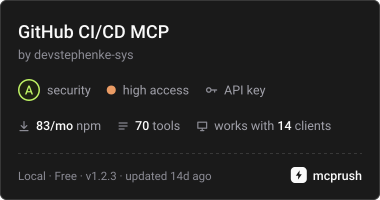
Commit 22. Okt. 2026Ermöglicht es AI Agents, Repositories, Pull Requests, GitHub Actions, Deployments und lokale Git-Operationen über die GitHub REST und GraphQL APIs zu verwalten.
Auch bekannt als devstephenke-sys/Github-Free-MCPs, github-free-mcps, @kinus/github-cicd-mcp
- Stars
- 2
- Tools
- —
- Downloads, 30 Tage
- —
- Neueste Version
- 1.2.2
- Letzter Commit
- 22. Okt. 2026
- Lizenz
- MIT
Was ist GitHub CI/CD MCP?
GitHub CI/CD ist ein MCP server. Ermöglicht es AI Agents, Repositories, Pull Requests, GitHub Actions, Deployments und lokale Git-Operationen über die GitHub REST und GraphQL APIs zu verwalten.
Zusammenfassung generiert aus dem README des Projekts
Über GitHub CI/CD MCP server
Dieser Server ermöglicht es dir, DevOps-Workflows und den Lifecycle von Repositories direkt über einen AI Assistant zu steuern. Entwickler, die Cursor oder Claude Desktop nutzen, erhalten damit ein Set an Tools, um über REST und GraphQL APIs mit GitHub zu interagieren. Durch das Verbinden eines GitHub Personal Access Tokens via Umgebungsvariablen kann ein Agent alles erledigen – von der einfachen Repository-Verwaltung bis hin zu komplexen Continuous Integration und Deployment Aufgaben.
Der Server schließt die Lücke zwischen High-Level AI Reasoning und technischer Ausführung, indem er spezifische Tools für GitHub Actions, Branch Protection und Deployment-Status bereitstellt. Er umfasst zudem Funktionen für lokale Git-Operationen wie Pushing, Pulling und Committing. Das ermöglicht einen einheitlichen Workflow, bei dem eine KI Workflow-Runs überwachen, Pull Request Reviews verwalten oder die Abrechnungsnutzung der Organisation prüfen kann, ohne dass der User zwischen Terminal und Webbrowser wechseln muss.
Geschrieben aus dem README des Projekts. Jeder Use Case wurde gegen ein Zitat daraus geprüft.
So installierst du GitHub CI/CD MCP
Formate geprüft am 10. Nov. 2026Zu Cursor hinzufügenZu Goose hinzufügenGitHub CI/CD MCP in Claude Code installieren
$ claude mcp add --env 'GITHUB_TOKEN=<YOUR_GITHUB_TOKEN>' github-free-mcps -- npx -y @kinus/github-cicd-mcpGitHub CI/CD MCP in Cursor installieren
~/.cursor/mcp.json
{
  "mcpServers": {
    "github-free-mcps": {
      "command": "npx",
      "args": [
        "-y",
        "@kinus/github-cicd-mcp"
      ],
      "env": {
        "GITHUB_TOKEN": "<YOUR_GITHUB_TOKEN>"
      }
    }
  }
}GitHub CI/CD MCP in VS Code installieren
.vscode/mcp.json
{
  "servers": {
    "github-free-mcps": {
      "type": "stdio",
      "command": "npx",
      "args": [
        "-y",
        "@kinus/github-cicd-mcp"
      ],
      "env": {
        "GITHUB_TOKEN": "<YOUR_GITHUB_TOKEN>"
      }
    }
  }
}GitHub CI/CD MCP in VS Code CLI installieren
$ code --add-mcp '{"name":"github-free-mcps","type":"stdio","command":"npx","args":["-y","@kinus/github-cicd-mcp"],"env":{"GITHUB_TOKEN":"<YOUR_GITHUB_TOKEN>"}}'GitHub CI/CD MCP in Claude Desktop installieren
claude_desktop_config.json
{
  "mcpServers": {
    "github-free-mcps": {
      "command": "npx",
      "args": [
        "-y",
        "@kinus/github-cicd-mcp"
      ],
      "env": {
        "GITHUB_TOKEN": "<YOUR_GITHUB_TOKEN>"
      }
    }
  }
}GitHub CI/CD MCP in Codex installieren
$ codex mcp add github-free-mcps --env 'GITHUB_TOKEN=<YOUR_GITHUB_TOKEN>' -- npx -y @kinus/github-cicd-mcpGitHub CI/CD MCP in Codex config.toml installieren
~/.codex/config.toml
[mcp_servers.github-free-mcps]
command = "npx"
args = ["-y", "@kinus/github-cicd-mcp"]

[mcp_servers.github-free-mcps.env]
GITHUB_TOKEN = "<YOUR_GITHUB_TOKEN>"
GitHub CI/CD MCP in Gemini CLI installieren
$ gemini mcp add -s user -e 'GITHUB_TOKEN=<YOUR_GITHUB_TOKEN>' github-free-mcps npx -- -y @kinus/github-cicd-mcpGitHub CI/CD MCP in Gemini settings.json installieren
~/.gemini/settings.json
{
  "mcpServers": {
    "github-free-mcps": {
      "command": "npx",
      "args": [
        "-y",
        "@kinus/github-cicd-mcp"
      ],
      "env": {
        "GITHUB_TOKEN": "<YOUR_GITHUB_TOKEN>"
      }
    }
  }
}Konfiguration
GITHUB_TOKENErforderlichSecretGitHub personal access token for authentication
GITHUB_API_URLGitHub Enterprise REST API base URL (optional)
GITHUB_GRAPHQL_URLGitHub Enterprise GraphQL endpoint (optional)
GITHUB_HOSTGitHub Enterprise hostname (optional, defaults to github.com)
| Name | Beschreibung | Typ |
|---|---|---|
| GITHUB_TOKEN | GitHub personal access token for authentication | ErforderlichSecret |
| GITHUB_API_URL | GitHub Enterprise REST API base URL (optional) | |
| GITHUB_GRAPHQL_URL | GitHub Enterprise GraphQL endpoint (optional) | |
| GITHUB_HOST | GitHub Enterprise hostname (optional, defaults to github.com) |
Automatisierte Checks
Geluften am 13. Nov. 2026Vollständiger Bericht →Noch nicht verifiziert. Ein Server benötigt einen Score von 80, keine kritischen Befunde und genug Daten für unsere Prüfung. Wie die Checks funktionieren · Was du für mehr Punkte verbessern kannst

- Source Repository verknüpft und erreichbardevstephenke-sys/github-free-mcps is public and reachablegithub.com/devstephenke-sys/github-free-mcps ↗Bestanden
- Paket nennt dieses Repository als Quelle@kinus/github-cicd-mcp names devstephenke-sys/github-free-mcps as sourcenpmjs.com/package/@kinus/github-cicd-mcp ↗Bestanden
- Build-Provenienz (Sigstore-Attestierung)No build attestation published for this releaseNicht geprüft
- Open Source Lizenz (OSI)MITspdx.org/licenses/MIT.html ↗Bestanden
- Commit oder Release im letzten JahrLast commit or release 2026-10-22github.com/devstephenke-sys/github-free-mcps ↗Bestanden
- OpenSSF ScorecardNicht geprüft
- Package-Name ähnelt keinem populären PackageNo popular package one edit away from @kinus/github-cicd-mcpBestanden
- Keine kritischen Advisories im Paket oder seinen AbhängigkeitenCritical advisory: GHSA-x6jw-m9v5-85vh, GHSA-v5rq-49vh-5v5cosv.dev/vulnerability/GHSA-x6jw-m9v5-85vh ↗Befund
- Keine versteckten Anweisungen an das Modell0 tool descriptions and the README read; no override phrases, credential paths or hidden charactersBestanden
- Destruktive Tools sind markiertNicht geprüft
- Remote-Endpoint beantwortet den MCP-HandshakeNicht geprüft
README
Auf GitHub ansehengithub-cicd-mcp
GitHub CI/CD MCP server for Model Context Protocol.


Model Context Protocol (MCP) server for GitHub REST and GraphQL — built for CI/CD and DevOps workflows in Cursor, Claude Desktop, and other MCP clients.
Give your AI agent tools to manage repos, commits, pull requests, issues, GitHub Actions, deployments, billing, releases, branch protection, webhooks, and local git — without leaving the editor.
Install
npm / npx (recommended)
{
  "mcpServers": {
    "github-cicd": {
      "command": "npx",
      "args": ["-y", "@kinus/github-cicd-mcp"],
      "env": {
        "GITHUB_TOKEN": "${env:GITHUB_TOKEN}"
      }
    }
  }
}
Set GITHUB_TOKEN (or GH_TOKEN) in your system environment, or replace ${env:GITHUB_TOKEN} with a secret reference your client supports.
From source
git clone https://github.com/devstephenke-sys/Github-Free-MCPs.git
cd Github-Free-MCPs
npm install
npm run build
Point MCP at node /absolute/path/to/github-cicd-mcp/dist/index.js.
Authentication
Create a personal access token:
| Need | Scopes / permissions |
|---|---|
| Repos, PRs, commits, issues | repo or fine-grained Contents, Pull requests, Issues |
| Actions | workflow |
| Org billing | read:org + org billing role |
| Admin (branch protection, webhooks) | Admin access on the repo/org |
Never commit tokens. Use environment variables only.
⚠️ Security: See SECURITY.md for security policies and best practices.
Recent Security Update (v1.2.3): Updated simple-git to v4.0.2 to address critical security vulnerabilities (CVE-2026-102828, CVE-2026-102826, CVE-2026-102827, CVE-2026-6951).
Tool reference
Core & repos
github_get_authenticated_user, github_get_rate_limit, github_create_repository, github_get_repository, github_list_repositories, github_create_branch, github_fork_repository
Commits & CI status
github_list_commits, github_get_commit, github_compare_commits, github_create_commit, github_get_combined_status, github_list_check_runs_for_ref
Pull requests
github_create_pull_request, github_list_pull_requests, github_get_pull_request, github_merge_pull_request, github_update_pull_request, github_list_pull_request_files, github_create_pull_request_review
Issues
github_create_issue, github_list_issues, github_get_issue, github_update_issue, github_add_issue_comment, github_list_issue_comments
Releases & tags
github_list_releases, github_get_release_by_tag, github_create_release, github_list_tags, github_create_tag
Branches & protection
github_list_branches, github_get_branch, github_get_branch_protection, github_update_branch_protection, github_delete_branch_protection
GitHub Actions
github_list_workflows, github_list_workflow_runs, github_get_workflow_run, github_list_workflow_jobs, github_rerun_workflow, github_cancel_workflow_run, github_dispatch_workflow, github_list_actions_secrets, github_list_actions_variables, github_list_workflow_run_artifacts, github_download_workflow_artifact
Deployments (CD)
github_list_deployments, github_create_deployment, github_create_deployment_status, github_list_environments
Billing
github_get_user_billing_actions, github_get_org_billing_actions, github_get_org_billing_overview, github_get_org_billing_usage_report
Webhooks & access
github_list_webhooks, github_create_webhook, github_delete_webhook, github_list_collaborators, github_add_collaborator, github_list_teams
GraphQL
github_graphql_query, github_graphql_mutation, github_graphql_repository_overview
Local git
git_status, git_commit, git_push, git_pull, git_log, git_clone
GitHub Enterprise
GITHUB_HOST— hostname (when notgithub.com)GITHUB_API_URL— REST base, e.g.https://github.example.com/api/v3GITHUB_GRAPHQL_URL— GraphQL endpoint override
Development
npm install
npm run build
npm run verify
Publish your own fork
See RELEASING.md for:
- Public GitHub repo setup
- npm publish (
npm publish --access public) - GitHub Releases and optional MCP directory listings
License
GitHub CI/CD MCP Fragen
Wie füge ich GitHub CI/CD MCP zu Claude Code hinzu?
Führe claude mcp add --env 'GITHUB_TOKEN=<YOUR_GITHUB_TOKEN>' github-free-mcps -- npx -y @kinus/github-cicd-mcp in deinem Terminal aus. Füge --scope user hinzu, damit der Server in jedem Projekt verfügbar ist.
Wie füge ich GitHub CI/CD MCP zu Cursor hinzu?
Öffne ~/.cursor/mcp.json und füge den Server unter mcpServers hinzu, mit der Cursor-Config aus dem Installationsabschnitt oben.
Welche Berechtigungen benötige ich für GitHub Actions?
Um GitHub Actions zu verwalten, benötigt dein Token den 'workflow' Scope.