
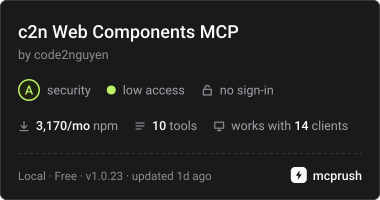
Stellt c2n Lit Web Component APIs, Theme Tokens, Anwendungsbeispiele und Markup-Validierung für AI Agents bereit.
Auch bekannt als code2nguyen/web-components, c2n, @c2n/mcp
- Stars
- 5
- Tools
- 10
- Downloads, 30 Tage
- 3.298
- Neueste Version
- 1.0.26
- Letzter Commit
- 15. Nov. 2026
- Lizenz
- MIT
Was ist c2n Web Components MCP?
c2n Web Components ist ein MCP server. Stellt c2n Lit Web Component APIs, Theme Tokens, Anwendungsbeispiele und Markup-Validierung für AI Agents bereit. Er stellt 10 Tools bereit, etwa list_components, search_components, get_component.
Zusammenfassung generiert aus dem README des Projekts
Über c2n Web Components MCP server
Dieser MCP server ermöglicht es AI Agents, technische Dokumentationen und Validierungen für Lit Web Components abzurufen. Entwickler, die Claude Code, Codex oder Google Antigravity nutzen, können sich über stdio mit diesem Server verbinden, um auf ein vollständiges Registry von Component APIs zuzugreifen, einschließlich Attributes, Slots, Events und CSS Variables. Da die Daten in einer lokalen Registry-Datei gebündelt sind, funktioniert der Server nach der Installation in einem Projekt offline.
Nutzer können mit spezifischen Tools interagieren, um Components aufzulisten, nach Anwendungsbeispielen wie glass oder pill Styles zu suchen und Theme Tokens aus dem @c2n/theme Package abzurufen. Der Server enthält außerdem ein Validation Tool, das HTML, JSX, Vue, Svelte, Astro, Angular und Lit Templates gegen die installierten @c2n Packages prüft. Dies stellt sicher, dass das Markup die korrekten Tags verwendet und ungültige CSS Properties (wie etwa Box-Styling auf einem Component Host) vermieden werden. Er fungiert als strukturierte Wissensquelle statt als automatisierter Editor, kann aber mit dem @c2n/skill Package kombiniert werden, um Agents dabei zu helfen, spezifische Applikations- und Theming-Konventionen einzuhalten.
Geschrieben aus dem README des Projekts. Jeder Use Case wurde gegen ein Zitat daraus geprüft.
So installierst du c2n Web Components MCP
Formate geprüft am 10. Nov. 2026Zu Cursor hinzufügenZu Goose hinzufügenc2n Web Components MCP in Claude Code installieren
$ claude mcp add c2n -- npx -y @c2n/mcpc2n Web Components MCP in Cursor installieren
~/.cursor/mcp.json
{
  "mcpServers": {
    "c2n": {
      "command": "npx",
      "args": [
        "-y",
        "@c2n/mcp"
      ]
    }
  }
}c2n Web Components MCP in VS Code installieren
.vscode/mcp.json
{
  "servers": {
    "c2n": {
      "type": "stdio",
      "command": "npx",
      "args": [
        "-y",
        "@c2n/mcp"
      ]
    }
  }
}c2n Web Components MCP in VS Code CLI installieren
$ code --add-mcp '{"name":"c2n","type":"stdio","command":"npx","args":["-y","@c2n/mcp"]}'c2n Web Components MCP in Claude Desktop installieren
claude_desktop_config.json
{
  "mcpServers": {
    "c2n": {
      "command": "npx",
      "args": [
        "-y",
        "@c2n/mcp"
      ]
    }
  }
}c2n Web Components MCP in Codex installieren
$ codex mcp add c2n -- npx -y @c2n/mcpc2n Web Components MCP in Codex config.toml installieren
~/.codex/config.toml
[mcp_servers.c2n]
command = "npx"
args = ["-y", "@c2n/mcp"]
c2n Web Components MCP in Gemini CLI installieren
$ gemini mcp add -s user c2n npx -- -y @c2n/mcpc2n Web Components MCP in Gemini settings.json installieren
~/.gemini/settings.json
{
  "mcpServers": {
    "c2n": {
      "command": "npx",
      "args": [
        "-y",
        "@c2n/mcp"
      ]
    }
  }
}c2n Web Components MCP tools 10
Erkannt aus dem READMElist_componentssearch_componentsget_componentget_examplessearch_examplesget_presetsget_themegenerate_variantvalidate_markupget_workflow_guide
| list_components | — | |
| search_components | — | |
| get_component | — | |
| get_examples | — | |
| search_examples | — | |
| get_presets | — | |
| get_theme | — | |
| generate_variant | — | |
| validate_markup | — | |
| get_workflow_guide | — |
Konfiguration
C2N_PROJECT_ROOTProject whose installed @c2n/* packages the server reports. Defaults to the working directory.
| Name | Beschreibung | Typ |
|---|---|---|
| C2N_PROJECT_ROOT | Project whose installed @c2n/* packages the server reports. Defaults to the working directory. |
Automatisierte Checks
Geluften am 12. Nov. 2026Vollständiger Bericht →Unsere automatisierten Checks bestanden. Das ist kein Security-Audit: Lies den Code und gib dem Server nur den minimal notwendigen Zugriff. Wie die Checks funktionieren

- Source Repository verknüpft und erreichbarBestanden
- Open Source Lizenz (OSI)Bestanden
- Commit oder Release im letzten JahrBestanden
- Package-Name ähnelt keinem populären PackageBestanden
- Remote Endpoint nutzt HTTPSNicht geprüft
- Destruktive Tools sind markiertBestanden
- Keine versteckten Anweisungen an das ModellBestanden
- Keine kritischen Advisories im Paket oder seinen AbhängigkeitenBestanden
README
Auf GitHub ansehen@c2n/mcp
Model Context Protocol server that exposes the c2n web components to AI agents: component APIs (attributes, slots, events, native CSS parts, CSS variables with their theme tokens), usage and gallery examples, curated presets, the @c2n/theme tokens, variant code generation and the application workflow guides. Everything is bundled in data/registry.json, so it works offline in any project.
Use
The server uses stdio and can be launched by any MCP host:
npx -y @c2n/mcp
Claude Code project .mcp.json:
{ "mcpServers": { "c2n": { "type": "stdio", "command": "npx", "args": ["-y", "@c2n/mcp"] } } }
Codex project .codex/config.toml:
[mcp_servers.c2n]
command = "npx"
args = ["-y", "@c2n/mcp"]
Google Antigravity project .agents/mcp_config.json uses the same mcpServers command/args structure as the Claude example. The @c2n/skill package can install the skill and merge these configurations automatically.
Run the server from a project directory: it reports which @c2n/* packages are installed and serves the bundled API when the installed version differs. The registry is packaged locally, so tool calls do not require network access after installation.
Use c2n-mcp --version to inspect the installed server version and c2n-mcp --help for CLI usage.
The MCP server supplies structured component facts; it does not install component packages or edit an application by itself. Pair it with @c2n/skill when you also want the agent to follow c2n's application, theming and variant conventions. See the AI tools guide for the complete setup and example prompts.
Verify the connection
Restart the agent after adding its MCP configuration, then ask it to use the c2n MCP server to list components or inspect c2-button. A connected client should expose the tools below and report @c2n/* packages installed in the current project. If the server cannot start, run npx -y @c2n/mcp --version in that project to distinguish an npm/runtime problem from an MCP client configuration problem.
Tools
| Tool | Purpose |
|---|---|
list_components |
Every component with tag, package, category, description, installed version |
search_components |
Free-text search across names, descriptions, attributes, slots, events, examples, icons |
get_component |
Full API of one component, CSS variables grouped by part/state with their theme token |
get_examples |
Usage rows and gallery cards; view: "index" lists every look (summary, screenshot) |
search_examples |
Find a look across every component's gallery ("glass", "pill", "underline") |
get_presets |
Curated presets as CSS variable values |
get_theme |
The --c2-theme--* tokens, install/mapping snippets; per-component mapping with tag |
generate_variant |
CSS class / HTML + style / Lit subclass / JSON from overrides, a preset or a gallery card |
validate_markup |
Checks markup/CSS you wrote: native controls to replace, unknown tags/attributes/slots/events/variables |
get_workflow_guide |
workflow, theming, variant-components, frameworks |
Gallery cards are served with a generated summary of what they change and CSS whose colours follow the --c2-theme--* tokens wherever a literal equals a token's value (var(--c2-theme--color-outline, #d4d4d8)), so a copied card follows the application's theme and dark mode. Each card also links light and dark PNG captures hosted with the docs site (gallery-shots/<component>/<slug>.<theme>.png, written by apps/ui/scripts/gallery-shots.mjs in the Pages deploy).
Validate from the command line
validate_markup is also a CLI, for CI and editor hooks. It reads HTML, JSX/TSX, Vue, Svelte, Astro, Angular and Lit templates and CSS, and checks them against the API of the @c2n/* packages the project has installed:
npx -y @c2n/mcp validate src            # exit 1 on errors
npx -y @c2n/mcp validate src --strict   # warnings fail too (native controls, box styling on a c2 host)
npx -y @c2n/mcp validate --hook         # Claude Code PostToolUse hook: reads the payload on stdin
It reports native <button>/<input>/<select>/<textarea>/<dialog>/<details>/<progress> elements that a c2-* element replaces, unknown c2-* tags, attributes, slots and --c2-* variables (with "did you mean"), events a c2-* element does not fire (with its event list), a static camelCase attribute the element ignores (rowKey for row-key), and box styling on a c2-* host (border, padding, background, box-shadow, outline; a radius alone is fine). A line holding c2n-ignore, or the line after a comment holding it, is skipped. In hook mode the findings go to stderr with exit code 2, which Claude Code hands back to the agent; npx -y @c2n/skill install registers that hook in .claude/settings.json.
Resources: c2n://components, c2n://components/{tag}, c2n://theme, c2n://guide/{topic}.
Development
data/registry.jsonis an ignored build artifact.npm run build:tools(repo root) regenerates it from the component manifests, docs content, presets and theme, then compilesdist/and refreshes the committed skill fallback.dev,inspect,smokeandnpm packautomatically build the registry when needed.npm run smoke -w packages/tools/mcpspawns the server over stdio and checks every tool.npm run inspect -w packages/tools/mcpopens the MCP Inspector against the source entry (node src/cli.ts, Node 24 type stripping).
c2n Web Components MCP Fragen
Wie füge ich c2n Web Components MCP zu Claude Code hinzu?
Führe claude mcp add c2n -- npx -y @c2n/mcp in deinem Terminal aus. Füge --scope user hinzu, damit der Server in jedem Projekt verfügbar ist.
Wie füge ich c2n Web Components MCP zu Cursor hinzu?
Öffne ~/.cursor/mcp.json und füge den Server unter mcpServers hinzu, mit der Cursor-Config aus dem Installationsabschnitt oben.
Welche Tools bietet c2n Web Components MCP?
Er stellt 10 Tools bereit, darunter list_components, search_components, get_component, get_examples, search_examples.
Benötigt der Server eine Internetverbindung?
Nein, das Registry ist lokal in data/registry.json gebündelt, sodass es in jedem Projekt offline funktioniert.
Kann der Server meinen Code validieren?
Ja, das validate_markup Tool prüft HTML, JSX/TSX, Vue, Svelte, Astro, Angular und Lit Templates gegen die installierten Component APIs.
Installiert dieser Server die Web Components für mich?
Nein, der Server liefert strukturierte Component-Informationen, führt aber keine Installationen oder direkten Änderungen an der Applikation durch.