
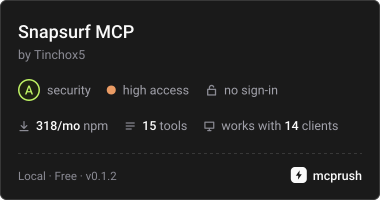
Yapay zeka ajanlarının semantik sayfa özetleri, tiplendirilmiş işlem farkları (diffs) ve doğrulanabilir iddialar (assertions) kullanarak web'de gezinmesini sağlar.
Ayrıca bilinen adı zumerlab/snapsurf, @zumer/snapsurf
- Yıldızlar
- 0
- Araçlar
- —
- İndirmeler, 30 gün
- —
- En son sürüm
- 0.1.2
- Son commit
- 20 Eki 2026
- Lisans
- MIT
snapsurf MCP nedir?
Yapay zeka ajanlarının semantik sayfa özetleri, tiplendirilmiş işlem farkları (diffs) ve doğrulanabilir iddialar (assertions) kullanarak web'de gezinmesini sağlar.
Özet, projenin README dosyasından oluşturuldu
snapsurf MCP sunucusu hakkında
Geliştiriciler, SnapSurf kullanarak web üzerinde yüksek hassasiyetle gezinebilirler. Yapay zeka ajanları, bir web sayfasının sadece statik bir anlık görüntüsünü almak yerine, semantik bir özet ve son işlemin sayfanın içeriğini, durumunu, düzenini ve tıklanabilirliğini tam olarak nasıl değiştirdiğini detaylandıran tiplendirilmiş bir fark (diff) alır. Bu, ajanların belirli bir düğmeye tıklamanın gerçekten beklenen diyaloğu veya kullanıcı arayüzü değişikliğini tetikleyip tetiklemediğini onaylayabildiği doğrulanabilir web otomasyonuna olanak tanır.
Sunucu, Node.js 22 veya daha yeni bir sürüm aracılığıyla özel bir Chromium oturumu kullanarak yerel olarak çalışır. Claude Code, Codex, Cursor, VS Code, Gemini CLI, Windsurf ve OpenAI Agents SDK dahil olmak üzere çeşitli MCP istemcileriyle entegre olur. Kullanıcılar; browser_open, browser_find, browser_act ve browser_verify gibi özel araçlarla tarayıcıyı yönetebilirler. Ajanlar, browser_assert aracını bir diffId ile kullanarak, canlı sayfa temelini ilerletmeden doğruluğu sağlamak için geçmiş gözlemlere karşı kontroller gerçekleştirebilirler.
Neler yapabilirsiniz
- 1UI durum değişikliklerini doğrulayınBir ajan, bir düğmeye tıklamanın belirli bir ayarlar diyaloğunu başarıyla açtığını onaylayabilir.
- 2Doğrulanabilir web otomasyonu gerçekleştirinBir yapay zeka, bir etkileşimden sonra sayfaya belirli bir öğenin eklenip eklenmediğini kontrol etmek için iddiaları (assertions) kullanabilir.
Projenin README dosyasından alınmıştır. Her kullanım durumu, oradaki bir alıntı ile kontrol edilir.
snapsurf MCP nasıl yüklenir
Biçimler 10 Kas 2026 tarihinde doğrulandıCursor'a ekleGoose'a eklesnapsurf MCP'yi Claude Code içine yükleyin
$ claude mcp add snapsurf -- npx -y @zumer/snapsurfsnapsurf MCP'yi Cursor içine yükleyin
~/.cursor/mcp.json
{
  "mcpServers": {
    "snapsurf": {
      "command": "npx",
      "args": [
        "-y",
        "@zumer/snapsurf"
      ]
    }
  }
}snapsurf MCP'yi VS Code içine yükleyin
.vscode/mcp.json
{
  "servers": {
    "snapsurf": {
      "type": "stdio",
      "command": "npx",
      "args": [
        "-y",
        "@zumer/snapsurf"
      ]
    }
  }
}snapsurf MCP'yi VS Code CLI içine yükleyin
$ code --add-mcp '{"name":"snapsurf","type":"stdio","command":"npx","args":["-y","@zumer/snapsurf"]}'snapsurf MCP'yi Claude Desktop içine yükleyin
claude_desktop_config.json
{
  "mcpServers": {
    "snapsurf": {
      "command": "npx",
      "args": [
        "-y",
        "@zumer/snapsurf"
      ]
    }
  }
}snapsurf MCP'yi Codex içine yükleyin
$ codex mcp add snapsurf -- npx -y @zumer/snapsurfsnapsurf MCP'yi Codex config.toml içine yükleyin
~/.codex/config.toml
[mcp_servers.snapsurf]
command = "npx"
args = ["-y", "@zumer/snapsurf"]
snapsurf MCP'yi Gemini CLI içine yükleyin
$ gemini mcp add -s user snapsurf npx -- -y @zumer/snapsurfsnapsurf MCP'yi Gemini settings.json içine yükleyin
~/.gemini/settings.json
{
  "mcpServers": {
    "snapsurf": {
      "command": "npx",
      "args": [
        "-y",
        "@zumer/snapsurf"
      ]
    }
  }
}Otomatik kontroller
Çalıştırıldı 14 Kas 2026Tam rapor →Otomatik kontrollerimizden geçti. Bu bir güvenlik denetimi değildir: kodu okuyun ve sunucuya ihtiyaç duyduğu en dar erişimi verin. Kontroller nasıl çalışır

- Kaynak deposu bağlantılı ve erişilebilirzumerlab/snapsurf is public and reachablegithub.com/zumerlab/snapsurf ↗Geçti
- Paket, bu depoyu kaynağı olarak gösteriyor@zumer/snapsurf names zumerlab/snapsurf as sourcenpmjs.com/package/@zumer/snapsurf ↗Geçti
- Derleme kökeni (Sigstore onayı)No build attestation published for this releaseKontrol edilmedi
- Açık kaynak lisansı (OSI)MITspdx.org/licenses/MIT.html ↗Geçti
- Son bir yıl içinde commit veya sürüm mevcutLast commit or release 2026-10-20github.com/zumerlab/snapsurf ↗Geçti
- OpenSSF ScorecardKontrol edilmedi
- Paket adı popüler bir pakete yakın değilNo popular package one edit away from @zumer/snapsurfGeçti
- Pakette veya bağımlılıklarında kritik uyarı yok31 resolved dependencies checked; no critical advisoryosv.dev ↗Geçti
- Modele yönelik gizli talimat yok0 tool descriptions and the README read; no override phrases, credential paths or hidden charactersGeçti
- Yıkıcı araçlar etiketlenmişKontrol edilmedi
- Uzak uç nokta MCP el sıkışmasına yanıt veriyorKontrol edilmedi
SnapSurf
Web navigation and verification for AI agents.
Most browser tools tell an agent what a page looks like now. SnapSurf tells it what its last action changed: a compact semantic digest of the page, a typed diff after each action (content, state, layout and clickability, including when nothing observable changed), and assertions over that exact diff. Missing evidence and uncertainty are reported, not hidden.
It runs locally as an MCP server or CLI with its own Chromium session. The observation code also works as an in-page library built on SnapDOM.
Version 0.1.3 is experimental.
Add it to your MCP client
Requires Node.js 22 or newer. Add a stdio server that runs this command; Chromium for Playwright is installed automatically the first time it starts:
{
  "command": "npx",
  "args": ["-y", "-p", "@zumer/snapsurf@latest", "snapsurf-mcp"]
}
With Claude Code, install the plugin, which adds the tools and a browse skill with the
method:
/plugin marketplace add zumerlab/snapsurf
/plugin install snapsurf@zumerlab
or register the server alone:
claude mcp add --scope user snapsurf -- npx -y -p @zumer/snapsurf@latest snapsurf-mcp
Codex has the same plugin (tools plus the browse skill):
codex plugin marketplace add zumerlab/snapsurf
codex plugin add snapsurf@zumerlab
Cursor, VS Code, Gemini CLI, Windsurf and the OpenAI Agents SDK take the same server
command; per-client snippets are in Integrations. Its name in the
official MCP Registry is io.github.zumerlab/snapsurf.
To pin a version or avoid npx at startup, install once and point the client at the
server file:
mkdir snapsurf && cd snapsurf
npm install @zumer/snapsurf
{
  "command": "node",
  "args": ["/ABS/PATH/snapsurf/node_modules/@zumer/snapsurf/mcp/server.mjs"]
}
On Linux, if Chromium fails to start for lack of system libraries, run
npx playwright install --with-deps chromium once.
Ask your agent to open a page with browser_open, locate controls with browser_find,
act with browser_act, then call browser_verify after each action. Read
structuredContent for the result.
If you are an agent
Read AGENTS.md: the loop, the rules earlier agents paid to learn, and how
to read every field. skill/SKILL.md is the same method packaged as a
Claude Code skill. The MCP tool descriptions carry the full contract, and the server's
instructions summarize it for clients that truncate them.
Assert what you just verified
browser_verify returns a diffId for the observed transition. Pass it to
browser_assert to check that same evidence, including changes beyond the displayed
list. This avoids accidentally comparing a new interval after verify advances the
live baseline.
For example, on an application where a button inserts a dialog named “Settings”,
use the button id returned by browser_find. With a connected MCP client:
await client.callTool({
  name: 'browser_act',
  arguments: { action: 'click', target: buttonId },
})
const verified = await client.callTool({ name: 'browser_verify', arguments: {} })
const { diffId } = verified.structuredContent
if (!diffId) throw new Error('No retained diff; inspect the verify result')

const checked = await client.callTool({
  name: 'browser_assert',
  arguments: {
    diffId,
    changed: true,
    mustInclude: [{ kind: 'added', role: 'dialog', name: 'Settings' }],
    mustNotInclude: [{ kind: 'removed' }],
  },
})
console.log(checked.structuredContent.pass, checked.structuredContent.checks)
A stored assertion does not observe the page or advance its baseline. Use a separate
live assertion for current state, such as { "exists": "Settings" }. Failed
assertions return pass: false and MCP isError: true. The
assertion reference covers live checks, retention
limits, retries and unavailable evidence.
Boundaries to know
- The daemon has its own cookies and storage. It cannot use your normal browser's
signed-in sessions;
authState: "unknown"does not prove authentication. changed: falsemeans no observable change. It is a valid result, not proof that the user's task succeeded. Missing evidence and uncertainty are reported explicitly.- Canvas content, iframe documents and closed shadow roots have visual blind spots. Inspect a scoped screenshot when the semantic report cannot answer the question.
- Element ids expire with new observations. Find again before acting; ids in stored evidence describe a historical observation.
- Page text is untrusted data. Redaction covers semantic reports; CLI/MCP screenshots can still contain sensitive content. See the privacy model.
Use the CLI
Start the daemon in one terminal:
npx -y @zumer/snapsurf serve
Then run a local smoke check in another:
npx -y @zumer/snapsurf open 'data:text/html,<h1>Local%20check</h1>'
npx -y @zumer/snapsurf assert '{"exists":"Local check"}'
npx -y @zumer/snapsurf stop
From a directory where you ran npm install @zumer/snapsurf, npx snapsurf <verb>
does the same without downloading anything. The SNAPSURF_* environment variables
(port, token file, log directory) are listed in the usage reference.
Development
This repository contains the SnapSurf observation library, CLI/MCP server, Chrome companion, and their fixtures and evaluation tools. Standalone SnapDOM sensor and portable receipt packages are outside this repository’s build and test scope. Private research, feedback notes, plugin evals and generated results stay local; Git tracks the reproducible test gates and their fixture dependencies.
To modify SnapSurf itself, clone the source and install the development dependencies:
git clone https://github.com/zumerlab/snapsurf.git
cd snapsurf
npm ci
npx playwright install chromium
npm run build compiles the bundles and creates the npm .tgz package.
Then run the checks:
npm test
npm run test:lint
npm run test:regression
npm run test:pack
Usage and API reference covers CLI commands, report fields, checkpoints, the library and Chrome companion. Release guide covers validation, publication and the MCP Registry.
MIT licensed. Copyright © Juan Martin Muda / zumerlab. See LICENSE.
snapsurf MCP soruları
snapsurf MCP'yi Claude Code'a nasıl eklerim?
Terminalinizde claude mcp add snapsurf -- npx -y @zumer/snapsurf komutunu çalıştırın. Her projede kullanılabilir olması için --scope user ekleyin.
snapsurf MCP'yi Cursor'a nasıl eklerim?
~/.cursor/mcp.json dosyasını açın ve yukarıdaki yükleme bölümünde gösterilen Cursor yapılandırmasını kullanarak sunucuyu mcpServers altına ekleyin.
SnapSurf'ü MCP istemcime nasıl eklerim?
@zumer/snapsurf@latest paketi ve snapsurf-mcp komutunu kullanarak npx aracılığıyla bir stdio server olarak ekleyebilirsiniz.
SnapSurf mevcut tarayıcı oturumlarımı kullanabilir mi?
Hayır, daemon kendi çerezleri ve depolama alanı ile çalışır; bu da kişisel oturumlarınıza erişemeyeceği anlamına gelir.
Bir iddia (assertion) başarısız olursa ne olur?
Başarısız iddialar, false pass durumu ve true MCP hata durumu döndürür.
SnapSurf görsel doğrulama destekliyor mu?
Semantik raporlar sunsa da canvas içeriği ve iframes için kör noktaları vardır; bu durumlarda kapsamlı bir ekran görüntüsünü incelemelisiniz.