
Hafif ve bağımlılığı olmayan bir C binary dosyası kullanarak bir AI istemcisinin görselleri dönüştürmesine, boyutlandırmasına, kırpmasına ve filtre uygulamasına olanak tanır.
Ayrıca bilinen adı swperb/imgcli, imgcli-mcp
- Yıldızlar
- 0
- Araçlar
- —
- İndirmeler, 30 gün
- —
- En son sürüm
- 0.2.0
- Son commit
- 13 Kas 2026
- Lisans
- MIT
imgcli MCP nedir?
imgcli bir MCP sunucusudur. Hafif ve bağımlılığı olmayan bir C binary dosyası kullanarak bir AI istemcisinin görselleri dönüştürmesine, boyutlandırmasına, kırpmasına ve filtre uygulamasına olanak tanır.
Özet, projenin README dosyasından oluşturuldu
imgcli MCP sunucusu hakkında
Görsellerin bir AI istemcisi aracılığıyla işlenmesi, hızlı dönüştürme, boyutlandırma ve filtreleme için tasarlanmış hafif bir araç olan imgcli ile verimli hale getirilir. Makinenizde yerel olarak çalışan, tek bir bağımlılıksız C binary dosyası olarak işlev görür; bu da hızın ve düşük kaynak kullanımının kritik olduğu otomatik iş akışları için ideal kılar. AI agent'lar, ağır sistem kütüphanelerine ihtiyaç duymadan görsel verileri manipüle etmek için convert_image, probe_image ve list_filters gibi özel araçları kullanarak imgcli ile etkileşime girebilir.
Bu server, ölçeklendirme, kırpma veya gri tonlama ve sepya gibi renk ayarları uygulama gibi karmaşık görevleri tek bir geçişte yürütmek için ffmpeg tarzı bir filtergraph söz dizimi kullanır. PNG, JPEG, BMP, TGA, GIF, PPM ve QOI dahil olmak üzere çeşitli formatları destekler. Sadece libc ile bağlanan, 232 KB boyutunda kendi kendine yeten bir binary olduğu için ImageMagick gibi daha büyük araç kitlerinin getirdiği yük ve karmaşıklıktan kaçınır; böylece küçük resim (thumbnail) oluşturma veya görsellere filigran ekleme gibi görevler için daha hızlı bir alternatif sunar.
Neler yapabilirsiniz
- 1Toplu küçük resim oluşturmaBir AI agent, tek bir komut kullanarak bir klasör dolusu görseli küçük resimlere dönüştürebilir.
- 2Karmaşık görsel filtreler uygulamaBir AI'ya doygunluk, kontrast ve bulanıklık gibi birden fazla efekti birleştirerek bir görseli stilize etmesi talimatını verebilirsiniz.
- 3Otomatik görsel filigranlamaGeliştiriciler, belirli opaklık ayarlarıyla bir logoyu ana görselin üzerine yerleştirmek için bu aracı kullanabilirler.
Projenin README dosyasından alınmıştır. Her kullanım durumu, oradaki bir alıntı ile kontrol edilir.
imgcli MCP nasıl yüklenir
Biçimler 10 Kas 2026 tarihinde doğrulandıCursor'a ekleGoose'a ekleimgcli MCP'yi Claude Code içine yükleyin
$ claude mcp add imgcli -- npx -y imgcli-mcpimgcli MCP'yi Cursor içine yükleyin
~/.cursor/mcp.json
{
  "mcpServers": {
    "imgcli": {
      "command": "npx",
      "args": [
        "-y",
        "imgcli-mcp"
      ]
    }
  }
}imgcli MCP'yi VS Code içine yükleyin
.vscode/mcp.json
{
  "servers": {
    "imgcli": {
      "type": "stdio",
      "command": "npx",
      "args": [
        "-y",
        "imgcli-mcp"
      ]
    }
  }
}imgcli MCP'yi VS Code CLI içine yükleyin
$ code --add-mcp '{"name":"imgcli","type":"stdio","command":"npx","args":["-y","imgcli-mcp"]}'imgcli MCP'yi Claude Desktop içine yükleyin
claude_desktop_config.json
{
  "mcpServers": {
    "imgcli": {
      "command": "npx",
      "args": [
        "-y",
        "imgcli-mcp"
      ]
    }
  }
}imgcli MCP'yi Codex içine yükleyin
$ codex mcp add imgcli -- npx -y imgcli-mcpimgcli MCP'yi Codex config.toml içine yükleyin
~/.codex/config.toml
[mcp_servers.imgcli]
command = "npx"
args = ["-y", "imgcli-mcp"]
imgcli MCP'yi Gemini CLI içine yükleyin
$ gemini mcp add -s user imgcli npx -- -y imgcli-mcpimgcli MCP'yi Gemini settings.json içine yükleyin
~/.gemini/settings.json
{
  "mcpServers": {
    "imgcli": {
      "command": "npx",
      "args": [
        "-y",
        "imgcli-mcp"
      ]
    }
  }
}Yapılandırma
IMGCLI_BINPath to the imgcli binary if not on PATH (e.g. after `brew install swperb/tap/imgcli`).
| Ad | Açıklama | Sunucu |
|---|---|---|
| IMGCLI_BIN | Path to the imgcli binary if not on PATH (e.g. after `brew install swperb/tap/imgcli`). |
Otomatik kontroller
Çalıştırıldı 14 Kas 2026Tam rapor →Otomatik kontrollerimizden geçti. Bu bir güvenlik denetimi değildir: kodu okuyun ve sunucuya ihtiyaç duyduğu en dar erişimi verin. Kontroller nasıl çalışır

- Kaynak deposu bağlantılı ve erişilebilirswperb/imgcli is public and reachablegithub.com/swperb/imgcli ↗Geçti
- Paket, bu depoyu kaynağı olarak gösteriyorimgcli-mcp names swperb/imgcli as sourcenpmjs.com/package/imgcli-mcp ↗Geçti
- Derleme kökeni (Sigstore onayı)No build attestation published for this releaseKontrol edilmedi
- Açık kaynak lisansı (OSI)MITspdx.org/licenses/MIT.html ↗Geçti
- Son bir yıl içinde commit veya sürüm mevcutLast commit or release 2026-11-02github.com/swperb/imgcli ↗Geçti
- OpenSSF ScorecardOpenSSF Scorecard 7.9 / 10; weakest: CII-Best-Practices 0, Signed-Releases 0, Code-Review 2scorecard.dev/viewer/?uri=github.com/swperb/imgcli ↗Geçti
- Paket adı popüler bir pakete yakın değilNo popular package one edit away from imgcli-mcpGeçti
- Pakette veya bağımlılıklarında kritik uyarı yok99 resolved dependencies checked; no critical advisoryosv.dev ↗Geçti
- Modele yönelik gizli talimat yok0 tool descriptions and the README read; no override phrases, credential paths or hidden charactersGeçti
- Yıkıcı araçlar etiketlenmişKontrol edilmedi
- Uzak uç nokta MCP el sıkışmasına yanıt veriyorKontrol edilmedi
imgcli — command-line image conversion & processing in C

ImageMagick's power, ffmpeg's syntax, zero dependencies. A tiny C binary that converts, resizes, crops, filters, and composites images — PNG, JPEG, BMP, TGA, GIF, PPM, QOI — driven by an ffmpeg-style filtergraph. No system libraries; compiles anywhere a C11 compiler exists.
⚡ ~8× faster than ImageMagick on common resize/filter ops, in a 232 KB single binary (~470× smaller) — see the benchmarks. A lightweight alternative to ImageMagick
convertorffmpegfor still images.
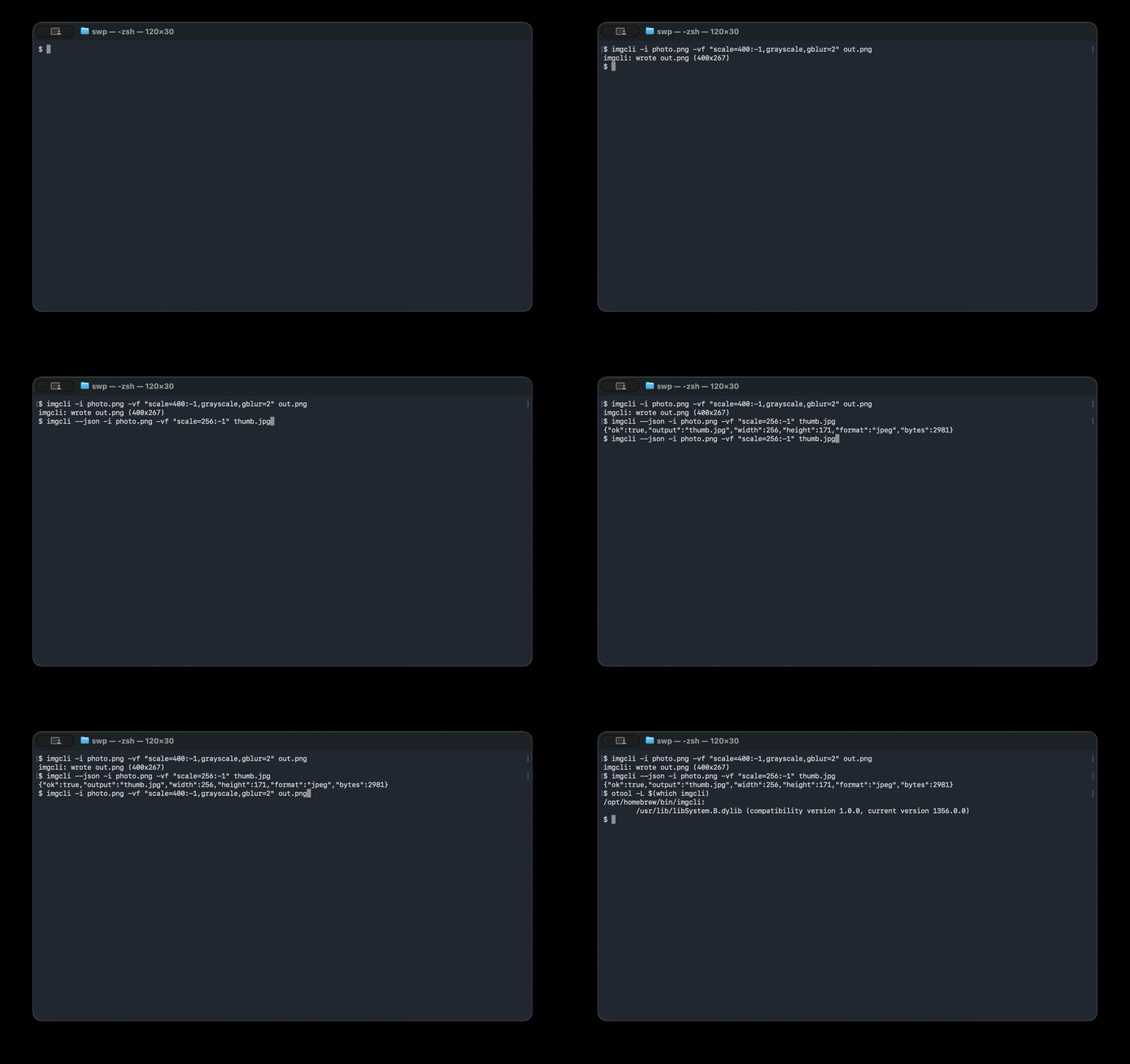
# Convert + resize + filter in one pass:
imgcli -i photo.jpg -vf "scale=1024:-1,grayscale,contrast=1.2,gblur=1.5" out.png
What it does: format conversion · resize / scale · crop · pad · rotate · flip · brightness / contrast / saturation / gamma / hue · grayscale · sepia · invert · threshold · box & Gaussian blur · sharpen · Sobel edge detect · emboss · custom convolution kernels · alpha-composite overlay · draw boxes · solid fills.
Design: the same paradigm as ffmpeg — decode → normalize to one common frame format (RGBA) → run a comma-separated filtergraph → encode by output extension.
Benchmarks
imgcli vs ImageMagick on an Apple Silicon Mac (single-threaded, warm cache).
Reproduce with make && bench/bench.sh — see bench/RESULTS.md
for the full method and caveats.
| Operation | imgcli | ImageMagick | speedup |
|---|---|---|---|
| PNG→JPEG + resize (one-shot) | 1.6 ms | 4.7 ms | 2.9× |
| Resize 1200×1200 → 300w | 6.0 ms | 51.6 ms | 8.6× |
| Grayscale 1200×1200 | 48.4 ms | 389 ms | 8.0× |
| Footprint | imgcli | ImageMagick |
|---|---|---|
| Install size | 232 KB | ~109 MB (≈470× larger) |
| Dependencies | 0 (libc only) | 17 packages |
ImageMagick is a far broader 16-bit/HDRI toolkit with 200+ formats; imgcli is a lean 8-bit pipeline that wins on speed, size, and startup — the shape that matters when an agent or script spawns one process per task.
Dependencies & formats
The default build is dependency-free — a single binary that links only the
system C library (libc). Decoding/encoding is handled by the bundled,
public-domain stb and
qoi single-header libraries, compiled
directly in. Nothing to apt install, no shared libraries, no version hell.
- Built-in formats — no dependencies: PNG, JPEG, BMP, TGA, GIF, PPM, QOI. Other formats that can be implemented in plain C (e.g. TIFF) will also be built in and keep the binary dependency-free.
- Formats that need external libraries — opt-in only: WebP, AVIF, HEIC, and JPEG XL
cannot be decoded without large external libraries (libwebp, libavif, libheif, libjxl);
there is no public-domain single-header decoder for them and they are not
practical to hand-roll. If imgcli adds these, it will be strictly via opt-in
build flags (e.g.
make WEBP=1) that link those libraries.
The "zero dependencies" claim applies to the default build, and always will — opt-in format libraries are never compiled into it. A build that enables such a flag is, by definition, no longer dependency-free, and that trade-off is stated at the point you opt in.
Why it's structured this way
| ffmpeg concept | imgcli equivalent |
|---|---|
AVFrame / pixfmt |
every image is normalized to packed 8-bit RGBA (Image) |
| demuxer/decoder | img_load via vendored stb_image (PNG/JPEG/BMP/TGA/GIF/…) |
-vf filtergraph |
name=a:b:c, name, … chain parsed in filters.c |
AVFilter |
each filter mutates or replaces the current frame |
| muxer (by extension) | img_save (png/jpg/bmp/tga + a hand-written PPM writer) |
lavfi test sources |
testsrc=, color=, gradient=, checker= generators |
Codecs come from the public-domain stb
single-header libraries (third_party/). They're bundled, not linked, so the
tool stays portable and self-contained while still reading/writing the formats
the world actually uses — the same trade-off ffmpeg makes by leaning on codec
libraries instead of reinventing them.
Install
# Homebrew (macOS / Linux)
brew install swperb/tap/imgcli

# Nix (no install — run straight from GitHub)
nix run github:swperb/imgcli -- -y -i in.png out.jpg
nix profile install github:swperb/imgcli

# Debian / Ubuntu / WSL (.deb from the latest release)
curl -fsSLO https://github.com/swperb/imgcli/releases/latest/download/imgcli_0.5.0_amd64.deb
sudo apt install ./imgcli_0.5.0_amd64.deb

# Arch (AUR)
yay -S imgcli            # or: paru -S imgcli

# Docker
docker run --rm -v "$PWD:/work" -w /work ghcr.io/swperb/imgcli -y -i in.png out.jpg

# Windows — winget
winget install swperb.imgcli
# Windows — Scoop (installs straight from the manifest)
scoop install https://raw.githubusercontent.com/swperb/imgcli/main/packaging/scoop/imgcli.json

# Prebuilt binaries: https://github.com/swperb/imgcli/releases

# From source (only a C compiler and -lm required)
make            # produces ./imgcli
make demo       # generates a few sample images
sudo make install   # installs the binary + man page to /usr/local
Use it as a native agent tool (MCP)
An MCP server wraps imgcli so AI agents can
call convert_image, probe_image, and list_filters directly — see
mcp/.
Usage
imgcli [-i INPUT]... [-vf GRAPH] [-q N] [-f FMT] [-y|-n] [--json] OUTPUT

  -i INPUT     a file, '-' for stdin, or a generator (testsrc=WxH,
               color=NAME:WxH, gradient=WxH, checker=WxH). Repeat -i for
               compositing inputs; the first is the primary frame, the rest
               feed `overlay`.
  -vf GRAPH    filtergraph, e.g. "scale=800:-1,grayscale,gblur=2"
  -q N         JPEG quality 1..100 (default 90)
  -f FMT       output format (png/jpg/bmp/tga/ppm/qoi); required when OUTPUT
               is '-' (stdout), an optional override for files
  -y / -n      overwrite / never overwrite the output
  --out-dir D  batch mode: write one output per input into D (basename kept,
               extension from -f or the input). Globs in -i are expanded.
  --fail-fast  in batch mode, stop at the first failing file
  --json       emit one machine-readable JSON result line (an array in batch)
  --quiet      suppress the human-readable success line
  --dry-run    validate the filtergraph + report output dims; write nothing
  -filters [NAME]  list every filter, or just NAME's syntax (add --json for a
               machine-readable list)
  -info        print input dimensions and exit
  -V           print version
  -h           help

OUTPUT is a file path or '-' for stdout. When piping, the result line is
written to stderr so stdout carries only the encoded image bytes.

Batch mode (`--out-dir`) processes each input independently and keeps going on
per-file errors (use `--fail-fast` to stop). The exit code is non-zero if any
file failed.
Colours accept #rgb, #rrggbb, #rrggbbaa, 0x…, r-g-b[-a], or names
(red, white, transparent, …). No commas, so they're safe inside a graph.
Filters
Geometry — scale=W:H[:nearest|bilinear|bicubic|lanczos] (-1 keeps aspect;
bicubic/lanczos are high-quality separable resamplers that anti-alias on
downscale and stay sharp on upscale — bilinear is the default),
crop=W:H[:X:Y], pad=W:H[:X:Y[:color]], hflip, vflip,
transpose=90|180|270, rotate=DEG[:color] (arbitrary angle, canvas expands).
Colour — grayscale, invert, sepia, solarize, brightness=V, temperature=V,
contrast=V, saturation=V, gamma=V, hue=DEG, threshold=V, opacity=V, tint=color.
Convolution — blur=R (box), gblur=SIGMA (separable Gaussian),
sharpen[=AMOUNT], edge (Sobel), emboss, convolution=K[:DIV:BIAS]
(custom N×N kernel, e.g. convolution=0 -1 0 -1 5 -1 0 -1 0).
Composite / draw — overlay=X:Y[:INDEX] (alpha "over" compositing of
another -i input), fill=color, drawbox=X:Y:W:H:color[:fill|thickness].
Examples
# Thumbnail, preserving aspect ratio (lanczos = best downscale quality)
imgcli -i photo.jpg -vf "scale=400:-1:lanczos" thumb.png

# Stylise: desaturate a touch, boost contrast, soften
imgcli -i photo.jpg -vf "saturation=0.6,contrast=1.15,gblur=1" look.jpg

# Watermark a logo in the top-left, 60% opacity, then convert to JPEG
imgcli -i page.png -i logo.png -vf "opacity=0.6,overlay=24:24" out.jpg

# Rotate 30° onto a transparent canvas
imgcli -i sticker.png -vf "rotate=30:transparent" rotated.png

# No input file? Generate a test card.
imgcli -i testsrc=640x480 card.png

# Pipe-friendly: read stdin, write stdout (use -f to name the output format)
curl -s https://example.com/in.png | imgcli -i - -vf "scale=800:-1" -f jpg - > out.jpg

# Batch a whole folder into thumbnails (one call; per-file results)
imgcli -i "photos/*.jpg" --out-dir thumbs -vf "scale=400:-1:lanczos" -f png
For AI agents & scripting
imgcli is built to be a reliable tool in an automated pipeline: one self-contained binary, no dependencies, deterministic, non-interactive, and machine-readable. See AGENTS.md for a token-economical recipe sheet.
# Always pass -y (don't prompt) and --json (parseable result) in automation:
imgcli --json -y -i in.jpg -vf "scale=512:-1" out.png
# -> {"ok":true,"output":"out.png","width":512,"height":341,"format":"png","bytes":34122}
- Deterministic & non-interactive — never prompts; refuses to overwrite
without
-y; one process per conversion. - Structured output —
--jsonfor results,--quietto silence chatter; stable exit codes (0ok,1runtime error,2usage error). - No network, no subprocesses — safe to run on untrusted inputs in a sandbox.
- Probe without converting —
imgcli --json -info -i file.jpg.
Security
imgcli decodes untrusted image files in C, so memory safety is taken seriously. The codebase has been audited against the OWASP Top 10, common C/CWE classes, and ffmpeg's historical vulnerability classes. Highlights:
- Decompression-bomb safe — dimensions are validated from the header before pixels are decoded; hard caps on size (16384 px/axis, 64 Mpx).
- Integer-overflow-safe allocation through a single capped choke point.
- No protocols/URLs/subprocesses — ffmpeg's worst class (SSRF / file-read via HLS playlists) is structurally impossible here.
- Hardened build (
_FORTIFY_SOURCE, stack protector, PIE/RELRO, format warnings), ASan/UBSan (make asan), and a fuzz harness (make fuzz).
Full threat model, OWASP/CWE mapping, ffmpeg-CVE-class analysis, and dependency policy: SECURITY.md.
Layout
src/image.{h,c}    Image (RGBA frame) + load/save (stb glue, PPM writer)
src/filters.{h,c}  filtergraph parser + every filter + registry
src/source.{h,c}   synthetic input generators
src/util.{h,c}     colour / size parsing
src/main.c         CLI argument handling (incl. --json output)
third_party/       vendored stb_image.h, stb_image_write.h (public domain)
fuzz/              libFuzzer harness for the decode -> filtergraph path
AGENTS.md          token-economical usage guide for agents/scripts
SECURITY.md        threat model, OWASP/CWE mapping, hardening, dependency policy
Contributing
Contributor setup, validation targets, filter-registry guidance, and PR expectations live in CONTRIBUTING.md.
Have a question or idea? Use Discussions. For bugs and feature/format requests, open an issue — the templates will guide you.
Support
If imgcli is useful to you, consider sponsoring its development — it funds new formats, security hardening, and maintenance. See SPONSORS.md.
License
The imgcli source is yours to use freely (MIT). The vendored stb
headers are public domain (or MIT, at your option) and the vendored qoi.h is
MIT-licensed; full third-party notices are in
THIRD_PARTY_NOTICES.md.
imgcli MCP soruları
imgcli MCP'yi Claude Code'a nasıl eklerim?
Terminalinizde claude mcp add imgcli -- npx -y imgcli-mcp komutunu çalıştırın. Her projede kullanılabilir olması için --scope user ekleyin.
imgcli MCP'yi Cursor'a nasıl eklerim?
~/.cursor/mcp.json dosyasını açın ve yukarıdaki yükleme bölümünde gösterilen Cursor yapılandırmasını kullanarak sunucuyu mcpServers altına ekleyin.
imgcli varsayılan olarak hangi görsel formatlarını destekler?
Varsayılan sürüm; herhangi bir harici bağımlılık gerektirmeden PNG, JPEG, BMP, TGA, GIF, PPM ve QOI formatlarını destekler.
imgcli'yi otomatik bir iş akışında veya bir AI agent ile kullanabilir miyim?
Evet; makine tarafından okunabilir sonuçlar için --json bayrağı, gereksiz çıktıları engellemek için --quiet bayrağı ile tasarlanmıştır ve etkileşimli olmayan (non-interactive) bir yapıdadır.
imgcli, güvenilmeyen görsel dosyaları üzerinde çalıştırmak için güvenli mi?
Evet; decompression-bomb koruması ve integer-overflow-safe tahsis gibi güvenlik özelliklerine sahiptir; ağ protokollerini veya alt süreçleri (subprocesses) desteklemez.