
Yapay zeka tarafından oluşturulan HTML içeriklerini paylaşılabilir canlı bağlantılar olarak yayınlayın ve mevcut sayfaları aynı URL üzerinden güncelleyin.
Ayrıca bilinen adı phanosh/host-html, host-html-mcp
- Yıldızlar
- 1
- Araçlar
- —
- İndirmeler, 30 gün
- —
- En son sürüm
- 0.2.1
- Son commit
- 3 Kas 2026
- Lisans
- MIT
host-html MCP nedir?
host-html bir MCP sunucusudur. Yapay zeka tarafından oluşturulan HTML içeriklerini paylaşılabilir canlı bağlantılar olarak yayınlayın ve mevcut sayfaları aynı URL üzerinden güncelleyin.
Özet, projenin README dosyasından oluşturuldu
host-html MCP sunucusu hakkında
host-html; Claude Code, Cursor veya Codex kullanan geliştiricilerin, yapay zeka tarafından üretilen kodları canlı web sitelerine dönüştürmesini sağlar. HTML içeriğini sunucuya ileterek, herhangi bir dağıtım hattı veya sunucu yönetimiyle uğraşmadan çalışmalarınızı çevrimiçi barındıran paylaşılabilir bağlantılar oluşturabilirsiniz. Bu araç, bir sohbet arayüzünden saniyeler içinde işlevsel bir web önizlemesine geçmek isteyen kullanıcılar için tasarlanmıştır.
Bu sunucuyu kullanmak için ücretsiz bir hesap oluşturmalı ve HOSTHTML_API_KEY ortam değişkeni aracılığıyla kişisel bir API anahtarı sağlamalısınız. Sistem iki temel araç sunar: yeni bir canlı bağlantı oluşturmak için publish_html ve aynı URL üzerindeki mevcut bir sayfanın içeriğini yenilemek için update_page. Yayınlama işlemi ücretsiz hesaplarda mevcut olsa da, özel slug kullanımı ve şifre koruması gibi gelişmiş özellikler Pro veya Team planı gerektirir. Sunucu ayrıca host-pdf komutu aracılığıyla HTML slaytlarını yüksek kaliteli PDF dosyalarına aktarmayı da destekler.
Neler yapabilirsiniz
- 1Anlık web önizlemeleri yayınlamaBir kodlama oturumu sırasında oluşturulan bir HTML kod parçacığı için canlı bir URL oluşturun.
- 2Slaytları belgelere dönüştürmeHTML tabanlı sunum slaytlarını yüksek kaliteli bir PDF dosyasına dönüştürün.
Projenin README dosyasından alınmıştır. Her kullanım durumu, oradaki bir alıntı ile kontrol edilir.
host-html MCP nasıl yüklenir
Biçimler 10 Kas 2026 tarihinde doğrulandıhost-html MCP'yi Claude Code içine yükleyin
$ claude mcp add --env HOSTHTML_API_KEY=<YOUR_HOSTHTML_API_KEY> host-html -- npx -y host-html-mcphost-html MCP'yi Cursor içine yükleyin
~/.cursor/mcp.json
{
  "mcpServers": {
    "host-html": {
      "command": "npx",
      "args": [
        "-y",
        "host-html-mcp"
      ],
      "env": {
        "HOSTHTML_API_KEY": "<YOUR_HOSTHTML_API_KEY>"
      }
    }
  }
}host-html MCP'yi VS Code içine yükleyin
.vscode/mcp.json
{
  "servers": {
    "host-html": {
      "type": "stdio",
      "command": "npx",
      "args": [
        "-y",
        "host-html-mcp"
      ],
      "env": {
        "HOSTHTML_API_KEY": "<YOUR_HOSTHTML_API_KEY>"
      }
    }
  }
}host-html MCP'yi Claude Desktop içine yükleyin
claude_desktop_config.json
{
  "mcpServers": {
    "host-html": {
      "command": "npx",
      "args": [
        "-y",
        "host-html-mcp"
      ],
      "env": {
        "HOSTHTML_API_KEY": "<YOUR_HOSTHTML_API_KEY>"
      }
    }
  }
}host-html MCP'yi Codex içine yükleyin
~/.codex/config.toml
[mcp_servers.host-html]
command = "npx"
args = ["-y", "host-html-mcp"]

[mcp_servers.host-html.env]
HOSTHTML_API_KEY = "<YOUR_HOSTHTML_API_KEY>"
host-html MCP'yi Gemini CLI içine yükleyin
~/.gemini/settings.json
{
  "mcpServers": {
    "host-html": {
      "command": "npx",
      "args": [
        "-y",
        "host-html-mcp"
      ],
      "env": {
        "HOSTHTML_API_KEY": "<YOUR_HOSTHTML_API_KEY>"
      }
    }
  }
}Yapılandırma
HOSTHTML_API_KEYGerekliGizliPersonal API key (hh_...) from host-html.com → Account → API keys
| Ad | Açıklama | Sunucu |
|---|---|---|
| HOSTHTML_API_KEY | Personal API key (hh_...) from host-html.com → Account → API keys | GerekliGizli |
Otomatik kontroller
Çalıştırıldı 13 Kas 2026Tam rapor →Otomatik kontrollerimizden geçti. Bu bir güvenlik denetimi değildir: kodu okuyun ve sunucuya ihtiyaç duyduğu en dar erişimi verin. Kontroller nasıl çalışır

- Kaynak deposu bağlantılı ve erişilebilirGeçti
- Açık kaynak lisansı (OSI)Geçti
- Son bir yıl içinde commit veya sürüm mevcutGeçti
- Paket adı popüler bir pakete yakın değilGeçti
- Uzak uç nokta HTTPS kullanıyorGeçti
- Yıkıcı araçlar etiketlenmişKontrol edilmedi
- Modele yönelik gizli talimat yokGeçti
- Pakette ve bağımlılıklarında kritik uyarı yokGeçti
host-html
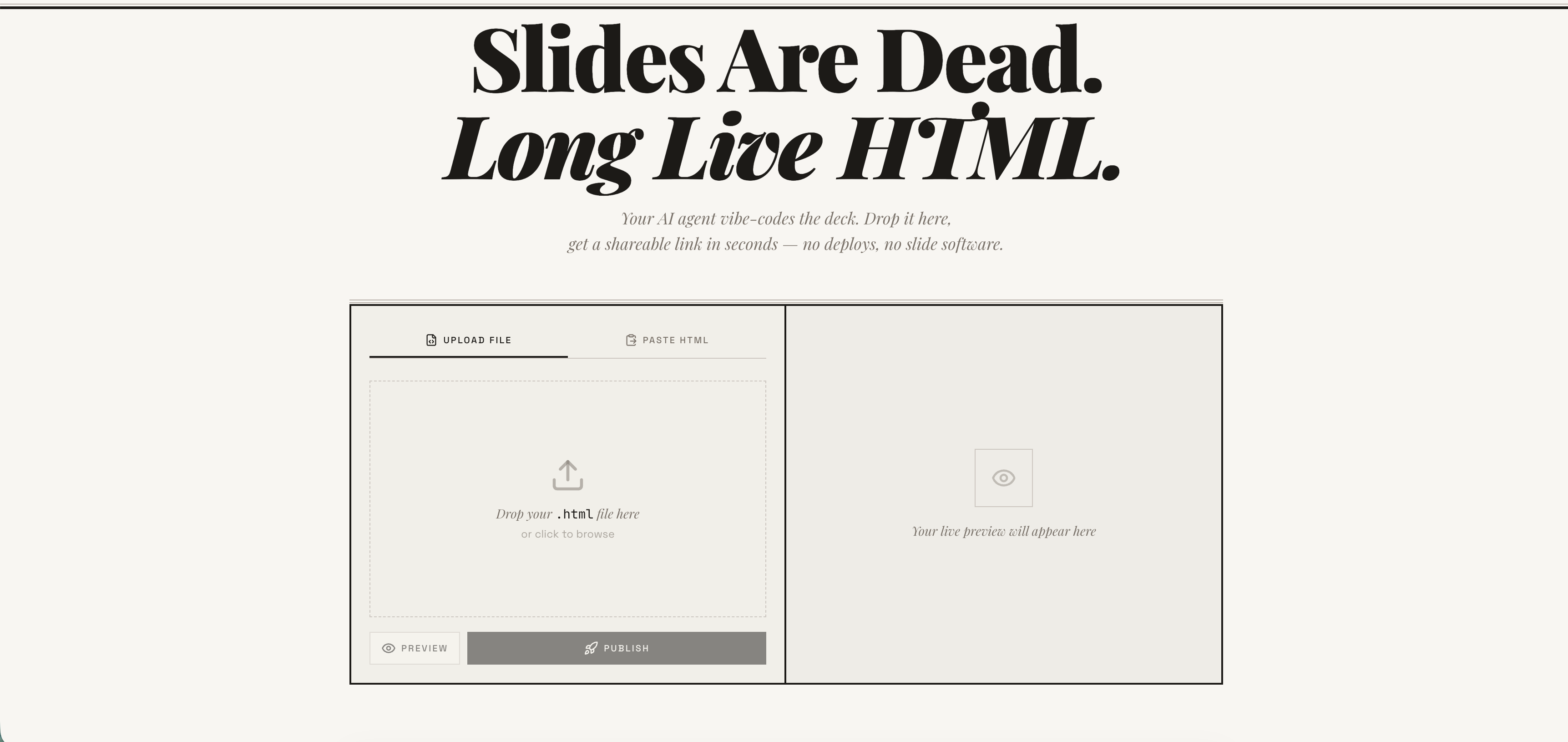
Publish any HTML file as a live link — instantly. Free account required. No deploy pipeline, no server to manage. → host-html.com
Heads up — breaking change in v2.0.0: Anonymous publishing has been retired. Publishing now requires a free, email-verified host-html account and a personal API key set as
HOSTHTML_API_KEY. See Setup: get an API key. Older releases that relied on the built-in shared key will stop publishing.
Install
Claude Code
/plugin marketplace add phanosh/host-html
/plugin install host-html@host-html
The official Claude Code marketplace listing is in the works — until it lands, install directly from this repo with the two commands above.
Claude Desktop, Cursor, Codex (MCP server)
// claude_desktop_config.json / .cursor/mcp.json / .mcp.json
{
  "mcpServers": {
    "host-html": {
      "command": "npx",
      "args": ["-y", "host-html-mcp"],
      "env": { "HOSTHTML_API_KEY": "hh_your_key_here" }
    }
  }
}
Two tools: publish_html (HTML in, link out) and update_page (new HTML, same link).
Source and docs: mcp-server/ · npm: host-html-mcp
Other AI Agents (Skills)
npx skills add phanosh/host-html -g -y
Then use the skills:
/host-html          # publish HTML as a live link
/host-pdf           # export HTML slides to PDF
/host-html finds the HTML, publishes it, and hands you a live URL in seconds.
/host-pdf captures each slide at retina quality and assembles a PDF.
Works with Claude Code, Cursor, Codex, Copilot, and 40+ more agents.
Setup: get an API key
Publishing now requires a free host-html account:
-
Sign in (free) at host-html.com
-
Confirm your email
-
Go to Account → API keys → Create key
-
Copy the generated key (starts with
hh_…— shown once) -
Set it as an environment variable:
export HOSTHTML_API_KEY=hh_your_key_here
The skill reads HOSTHTML_API_KEY automatically. Custom slugs (see the Direct
API table below) still require a Pro/Team plan; publishing itself does not.
Update
When a new version is released here, pull it into your local Claude Code with:
/plugin marketplace update phanosh/host-html
That single command refreshes the marketplace catalog and installs any version bumps in marketplace.json, plugin.json, or the skill frontmatter. To check what you're on:
/plugin
To stay current automatically, open /plugin, go to the Marketplaces tab, select phanosh/host-html, and toggle auto-update on — Claude Code will then pull updates on startup.
For the standalone skills install (npx skills add ...), re-run the same command to upgrade:
npx skills add phanosh/host-html -g -y
Direct API
The publish edge function requires a personal host-html API key (format
hh_…) as the bearer token — see Setup to generate
one. Pass it via the Authorization header (no apikey header is needed):
curl -X POST https://suifgsvtcbrawzdhyuhk.supabase.co/functions/v1/publish \
  -H "Authorization: Bearer $HOSTHTML_API_KEY" \
  -H "Content-Type: application/json" \
  -d '{"html": "<h1>Hello</h1>", "title": "my page"}'
Request
| Field | Type | Required | Description |
|---|---|---|---|
html |
string | ✓ | HTML content (max 1MB) |
title |
string | Page title | |
slug |
string | Custom URL path matching ^[a-z0-9-]{2,64}$ (paid plans) |
|
password |
string | Password-protect the page (4–72 chars, paid plans, JSON body only) |
Response 201
{
  "url": "https://host-html.com/p/abc123",
  "slug": "abc123",
  "edit_token": "...",
  "page_id": "...",
  "has_password": false,
  "expires_at": "2026-03-16T..."
}
has_password is true when the request set a password (the page is locked
and served from private storage); false otherwise.
expires_at is string | null. On a free plan it is the ISO timestamp when the page goes
dark; on a paid plan the page never expires and the field is null. It is the authoritative
expiry — read it from the response rather than assuming a fixed duration, and handle the null
rather than formatting it as a date.
License
MIT
host-html MCP soruları
host-html MCP'yi Claude Code'a nasıl eklerim?
Terminalinizde claude mcp add --env HOSTHTML_API_KEY=<YOUR_HOSTHTML_API_KEY> host-html -- npx -y host-html-mcp komutunu çalıştırın. Her projede kullanılabilir olması için --scope user ekleyin.
host-html MCP'yi Cursor'a nasıl eklerim?
~/.cursor/mcp.json dosyasını açın ve yukarıdaki yükleme bölümünde gösterilen Cursor yapılandırmasını kullanarak sunucuyu mcpServers altına ekleyin.
host-html kullanarak HTML nasıl yayınlanır?
HTML içeriğini canlı bir bağlantıya dönüştürmek için publish_html aracını kullanabilirsiniz.
URL'yi değiştirmeden bir sayfayı güncelleyebilir miyim?
Evet, update_page aracı yeni HTML içeriği sağlamanıza ve aynı bağlantıyı korumanıza olanak tanır.
Yayın yapmak için bir hesaba ihtiyacım var mı?
Evet, yayınlama işlemi için e-posta doğrulaması yapılmış ücretsiz bir host-html hesabı ve kişisel bir API anahtarı gereklidir.