
İçerik üreticilerinin performans analizi yapmasına, rakiplerini takip etmesine, Reels videoları oluşturmasına ve bir yayın kuyruğunu sohbet üzerinden yönetmesine olanak tanıyan Instagram için yapay zeka içerik stüdyosu.
Ayrıca bilinen adı pandich93/creatorloop
- Yıldızlar
- 0
- Araçlar
- —
- İndirmeler, 30 gün
- —
- En son sürüm
- 0.3.0
- Son commit
- 18 Eki 2026
- Lisans
- MIT
creatorloop MCP nedir?
creatorloop bir MCP sunucusudur. İçerik üreticilerinin performans analizi yapmasına, rakiplerini takip etmesine, Reels videoları oluşturmasına ve bir yayın kuyruğunu sohbet üzerinden yönetmesine olanak tanıyan Instagram için yapay zeka içerik stüdyosu.
Özet, projenin README dosyasından oluşturuldu
creatorloop MCP sunucusu hakkında
Instagram içerik üreticileri, tüm içerik yaşam döngülerini Claude ile bir sohbet arayüzü üzerinden yönetebilirler. Bu stüdyo; Reels izlenme süresi, takipçi artışı ve etkileşim oranları gibi performans metriklerini analiz etmek için resmi Instagram API'sini kullanır. Kullanıcıların hangi kancaların (hook), açıklamaların ve paylaşım zamanlarının gerçekten sonuç verdiğine dair veri odaklı içgörüler sunarak tahmin yürütmenin ötesine geçmelerini sağlar.
Kullanıcılar, rakip hesapları yasal olarak izleyebilir, takipçi geçmişlerini takip edebilir ve belirli gönderiler medyanın üzerinde performans gösterdiğinde uyarılar alabilirler. Sistem ayrıca içerik oluşturma ve planlama işlemlerini de yönetir. Güvenli alan (safe zone) kontrolleri ve orijinal müzik denetimi yapan bir Remotion Reel şablonu içerir. Güvenliği sağlamak amacıyla, medya yayınlamak veya yorumlara yanıt vermek gibi her türlü genel işlem, iki adımlı bir süreçle kullanıcının açık onayını gerektirir.
Kurulum için bir Meta uygulaması, bir Facebook Sayfasına bağlı Instagram İşletme veya İçerik Üreticisi hesabı ve yerel kurulum için uv aracı gereklidir. Sunucu, App Secret ve erişim tokenları gibi hassas kimlik bilgilerini sohbet geçmişinde tutmak yerine yerel sisteminizde güvenli bir şekilde saklayarak Python veya Docker aracılığıyla makinenizde yerel olarak çalışır.
Neler yapabilirsiniz
- 1İçerik performansını analiz edinReels videolarının mı yoksa kaydırmalı gönderilerin mi daha iyi performans gösterdiğini görmek için son 60 günlük içeriğiniz hakkında bir rapor isteyin.
- 2Rakip büyümesini izleyinHangi gönderilerinin viral olduğunu belirlemek için profesyonel hesapları takip edin.
- 3Sohbet üzerinden gönderi planlayınYerel bir klasördeki hazırlanmış bir gönderiyi gelecekteki bir zaman dilimi için yayınlama kuyruğunuza ekleyin.
- 4Topluluk etkileşimini yönetinOkunmamış yorumları belirleyin ve onayınız için yanıt taslakları oluşturun.
Projenin README dosyasından alınmıştır. Her kullanım durumu, oradaki bir alıntı ile kontrol edilir.
creatorloop MCP nasıl yüklenir
Biçimler 10 Kas 2026 tarihinde doğrulandıCursor'a ekleGoose'a eklecreatorloop MCP'yi Claude Code içine yükleyin
$ claude mcp add --env 'IG_ACCESS_TOKEN=<YOUR_IG_ACCESS_TOKEN>' creatorloop -- uvx creatorloopcreatorloop MCP'yi Cursor içine yükleyin
~/.cursor/mcp.json
{
  "mcpServers": {
    "creatorloop": {
      "command": "uvx",
      "args": [
        "creatorloop"
      ],
      "env": {
        "IG_ACCESS_TOKEN": "<YOUR_IG_ACCESS_TOKEN>"
      }
    }
  }
}creatorloop MCP'yi VS Code içine yükleyin
.vscode/mcp.json
{
  "servers": {
    "creatorloop": {
      "type": "stdio",
      "command": "uvx",
      "args": [
        "creatorloop"
      ],
      "env": {
        "IG_ACCESS_TOKEN": "<YOUR_IG_ACCESS_TOKEN>"
      }
    }
  }
}creatorloop MCP'yi VS Code CLI içine yükleyin
$ code --add-mcp '{"name":"creatorloop","type":"stdio","command":"uvx","args":["creatorloop"],"env":{"IG_ACCESS_TOKEN":"<YOUR_IG_ACCESS_TOKEN>"}}'creatorloop MCP'yi Claude Desktop içine yükleyin
claude_desktop_config.json
{
  "mcpServers": {
    "creatorloop": {
      "command": "uvx",
      "args": [
        "creatorloop"
      ],
      "env": {
        "IG_ACCESS_TOKEN": "<YOUR_IG_ACCESS_TOKEN>"
      }
    }
  }
}creatorloop MCP'yi Codex içine yükleyin
$ codex mcp add creatorloop --env 'IG_ACCESS_TOKEN=<YOUR_IG_ACCESS_TOKEN>' -- uvx creatorloopcreatorloop MCP'yi Codex config.toml içine yükleyin
~/.codex/config.toml
[mcp_servers.creatorloop]
command = "uvx"
args = ["creatorloop"]

[mcp_servers.creatorloop.env]
IG_ACCESS_TOKEN = "<YOUR_IG_ACCESS_TOKEN>"
creatorloop MCP'yi Gemini CLI içine yükleyin
$ gemini mcp add -s user -e 'IG_ACCESS_TOKEN=<YOUR_IG_ACCESS_TOKEN>' creatorloop uvx -- creatorloopcreatorloop MCP'yi Gemini settings.json içine yükleyin
~/.gemini/settings.json
{
  "mcpServers": {
    "creatorloop": {
      "command": "uvx",
      "args": [
        "creatorloop"
      ],
      "env": {
        "IG_ACCESS_TOKEN": "<YOUR_IG_ACCESS_TOKEN>"
      }
    }
  }
}Yapılandırma
IG_ACCESS_TOKENGizliInstagram Graph API token (long-lived or System User). Can also live in the creatorloop .env file.
IG_USER_IDInstagram professional account ID (not the username).
| Ad | Açıklama | Sunucu |
|---|---|---|
| IG_ACCESS_TOKEN | Instagram Graph API token (long-lived or System User). Can also live in the creatorloop .env file. | Gizli |
| IG_USER_ID | Instagram professional account ID (not the username). |
Otomatik kontroller
Çalıştırıldı 14 Kas 2026Tam rapor →Otomatik kontrollerimizden geçti. Bu bir güvenlik denetimi değildir: kodu okuyun ve sunucuya ihtiyaç duyduğu en dar erişimi verin. Kontroller nasıl çalışır

- Kaynak deposu bağlantılı ve erişilebilirpandich93/creatorloop is public and reachablegithub.com/pandich93/creatorloop ↗Geçti
- Paket, bu depoyu kaynağı olarak gösteriyorcreatorloop names pandich93/creatorloop as sourcepypi.org/project/creatorloop/ ↗Geçti
- Derleme kökeni (Sigstore onayı)Sigstore attestation for creatorlooppypi.org/project/creatorloop/ ↗Geçti
- Açık kaynak lisansı (OSI)MITspdx.org/licenses/MIT.html ↗Geçti
- Son bir yıl içinde commit veya sürüm mevcutLast commit or release 2026-10-18github.com/pandich93/creatorloop ↗Geçti
- OpenSSF ScorecardKontrol edilmedi
- Paket adı popüler bir pakete yakın değilNo popular package one edit away from creatorloopGeçti
- Pakette veya bağımlılıklarında kritik uyarı yok35 resolved dependencies checked; no critical advisoryosv.dev ↗Geçti
- Modele yönelik gizli talimat yok0 tool descriptions and the README read; no override phrases, credential paths or hidden charactersGeçti
- Yıkıcı araçlar etiketlenmişKontrol edilmedi
- Uzak uç nokta MCP el sıkışmasına yanıt veriyorKontrol edilmedi
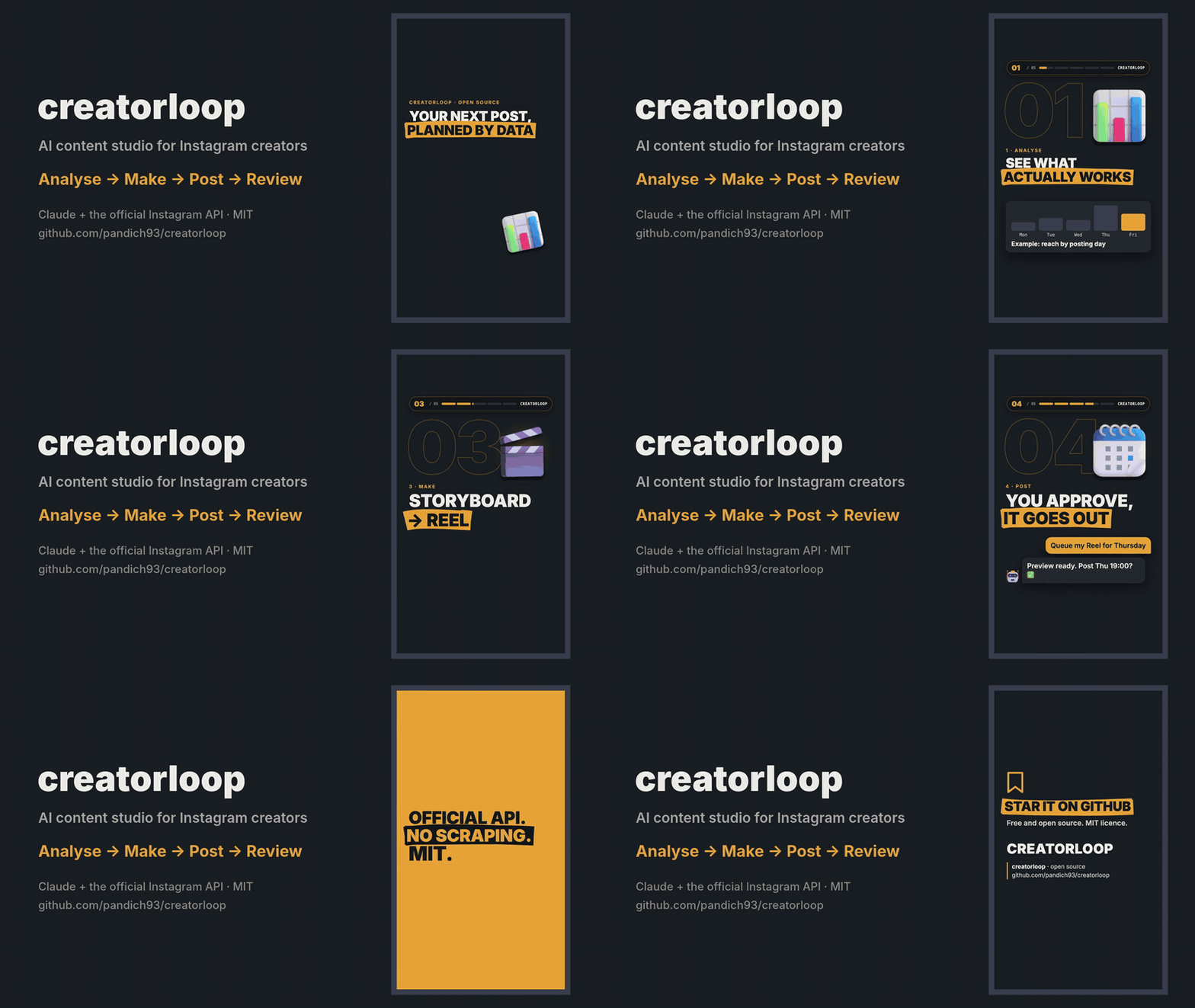
creatorloop
Open-source AI content studio for Instagram creators, built on Claude and the official Instagram API.
Analyse what works → make Reels and carousels → publish or queue them → review how they did. All from a chat with Claude.




Why
There are plenty of "Instagram API for Claude" servers. creatorloop is built for the creator's loop instead:
- Learn from data, not vibes. Best and worst posts with their hooks, format comparison, follows per 1,000 reach, Reels watch time, best day and hour — and which captions (language, question hook, CTA, length) actually work.
- Spy on competitors legally. Track professional accounts, keep their follower history, and get alerted to the posts that did N× better than their median. Analyse any public post by URL, slides included.
- Make the content. A Remotion Reel template with automatic checks (first-second rule, safe zones, "not a copy of the carousel"), original music and licensed 3D objects.
- Publish safely. Two-step publishing with a preview, a queue with fingerprints (a changed file blocks the post), 24 h / 72 h post reviews and comment replies — every public action needs your explicit OK.
- Official API only. No scraping, no browser automation, no risk to your account.
Quick start
You need uv, Claude Desktop, an Instagram Business or Creator account linked to a Facebook Page, and your own Meta app (5-minute guide).
uvx --from creatorloop creatorloop-setup
It connects Claude Desktop and opens a setup page in your browser: enter your app's App ID and App Secret, press Continue with Facebook, done. Then ask Claude: "How did my last 10 posts do, and what should I post next?"
Already in Claude? Ask "connect my Instagram": Claude opens the same page (open_setup). Your App Secret and
token are typed only into that local page, never into the chat.
| System | Command |
|---|---|
| Windows | powershell -ExecutionPolicy ByPass -c "irm https://astral.sh/uv/install.ps1 | iex" |
| macOS | brew install uv or curl -LsSf https://astral.sh/uv/install.sh | sh |
| Linux | curl -LsSf https://astral.sh/uv/install.sh | sh |
creatorloop runs on Python 3.12 or newer; uv downloads one by itself if you don't have it.
creatorloop-setup finds the Claude Desktop config on Windows (including the Microsoft Store build), macOS and Linux,
keeps your other servers, makes a backup and creates your settings file. Claude Desktop rewrites its config while it
runs, so on macOS the command quits and reopens it for you; on Windows and Linux it asks you to quit it first.
One-click install (Claude Desktop)
Prefer not to open a terminal? Download the .mcpb file from the
latest release and double-click it (or drag it into
Claude Desktop → Settings → Extensions). Claude Desktop sets up Python and the dependencies itself, so the first start
takes a minute. Leave the two optional fields empty and ask Claude "connect my Instagram": the same setup page opens.
Fill them in only if you already have a token and account ID — values entered there win over the setup page. If
Claude Desktop says it can't find uv, install it (see Installing uv above) and restart Claude Desktop.
Build the image straight from GitHub and keep your settings in a folder on your computer:
docker build -t creatorloop https://github.com/pandich93/creatorloop.git
mkdir "$HOME/creatorloop"
If you use the post queue, first create .env in that folder with IG_TIMEZONE=Europe/Berlin (your zone): the container
runs in UTC.
Connect your account (the setup page runs in the container; open the printed link in your browser). Keep all three
8765 the same; to use another port change all three:
docker run --rm -it -p 127.0.0.1:8765:8765 -v "$HOME/creatorloop:/data" --entrypoint creatorloop-auth creatorloop \
  login --no-browser --port 8765 --bind 0.0.0.0
creatorloop-setup doesn't run inside Docker, so add the server to claude_desktop_config.json yourself, with the
full path to the folder:
{
  "mcpServers": {
    "creatorloop": {
      "command": "docker",
      "args": ["run", "-i", "--rm", "-v", "/Users/you/creatorloop:/data", "creatorloop"]
    }
  }
}
Post folders for prepare_post and queue_post go into creatorloop/content/. The image includes cloudflared for
publishing carousels.
The open_setup tool does not work inside Docker; use the command above to reconnect.
What you can ask
- "Make a report on my content for the last 60 days. Reels or carousels — what works better, and when should I post?"
- "Compare me with @competitor1 and @competitor2. Who has the higher engagement and why?"
- "Analyse this post https://www.instagram.com/p/… and write my own version of it."
- "Track @competitor and tell me every week which of their posts took off."
- "Check the hashtags #ai, #productivity and #startup. Check the quota first."
- "Queue the post from folder
my-first-reelfor the next free slot." → preview → "yes" → it goes out on time. - "Which new comments haven't I answered? Draft replies." → you approve each reply.
Ready-made prompts in Claude Desktop's + menu: Weekly Instagram report, Competitor brief, Data-driven content ideas.
Tools
| Area | Tools |
|---|---|
| Your account | get_my_profile, get_my_media, get_media_insights, get_account_insights, get_audience_demographics |
| Content analysis | get_my_content_report, get_caption_insights, get_post_history, post_reviews |
| Competitors | get_competitor, compare_accounts, get_follower_history, track_competitor, untrack_competitor, list_tracked_competitors, update_tracked_competitors, find_viral_posts, get_competitor_post |
| Hashtags | search_hashtag, compare_hashtags, plan_hashtag_research |
| Publishing | prepare_post, get_post_job, publish_media, list_publications |
| Queue | queue_post, list_queue, cancel_queued |
| Comments | get_new_comments, reply_comment |
| Service | get_api_status, open_setup, clear_cache, restart_server |
34 tools in total. Tools that change something on Instagram are annotated as such for Claude, and their descriptions
tell it to act only after you approve: publish_media and reply_comment after you OK the preview or the exact
text, queue_post only with confirm=true after you saw the preview.
Publishing
Put the files into a folder inside your content folder (<creatorloop home>/content/<name>/):
my-carousel/                   my-reel/
  slide_01.png … slide_10.png    reel.mp4        # H.264/HEVC, 23–60 fps, ≤1920 px wide, 3 s–15 min, ≤300 MB
  caption.txt                    caption.txt
                                 reel.json       # optional: {"cover_ms": 1667, "share_to_feed": true, "trial": "SS_PERFORMANCE"}
- Slides: 1–10 PNG/JPG (API limit), aspect ratio 4:5 to 1.91:1, ordered by file name. Everything below a
---line incaption.txtis notes and is not published. - Then: "prepare the post from folder
my-carousel" → preview → "publish". Or queue it for a slot. - Carousels: Instagram downloads images from a public URL, so creatorloop opens a temporary
Cloudflare Quick Tunnel
for that minute. Install
cloudflaredonce:winget install --id Cloudflare.cloudflared -e(Windows),brew install cloudflared(macOS) or a package from pkg.cloudflare.com (Linux). - Reels upload directly to Meta (no tunnel). The MP4 header is checked before upload (duration, size, width,
moovfirst) with the exactffmpegfix if something is off. - Queue slots default to Tue/Thu/Sun 19:00 in your timezone — an example, change
QUEUE_SLOTSin the settings file. A queued post is blocked if its files or caption change after you approved it, and is marked missed if your computer was asleep for more than 3 hours past the slot. - Meta's limit is 100 posts per rolling 24 hours;
list_publicationsshows what is left. Publishing is never retried automatically, so there are no duplicates.
Making the content itself: see examples/ and the content pipeline —
a sample carousel, a sample Reel storyboard and the Remotion Reel template.
What the Instagram API allows (and doesn't)
| Possible | Not possible | |
|---|---|---|
| Your account | Reach, views, likes, comments, saves, shares, profile visits, follows per post, Reels average watch time, audience demographics, account totals | Data older than 2 years; insights per carousel slide; Stories after 24 h |
| Competitors (Business Discovery) | Public data of Business/Creator accounts: followers, posts, bio, likes, comments, Reels views per post | Personal or private accounts; their reach, saves, shares, demographics; Stories |
| Hashtags | Top posts and posts from the last 24 h | More than 30 unique hashtags per rolling 7 days; post authors; keyword, audio or trend search |
| Follower growth | creatorloop saves a daily snapshot for you and every competitor you look at | History before the first snapshot |
Engagement rate for your posts = Σ(likes + comments + saves + shares) / Σreach × 100 (weighted, so tiny posts don't skew it). Posts younger than 72 h are reported separately as "still growing". Competitors' ER is per follower — the API does not expose their reach.
Settings
creatorloop-setup creates .env in your creatorloop home folder:
| System | Home folder |
|---|---|
| Windows | %APPDATA%\creatorloop |
| macOS | ~/Library/Application Support/creatorloop |
| Linux | ~/.local/share/creatorloop (or $XDG_DATA_HOME/creatorloop) |
Set CREATORLOOP_HOME to use another folder. The home folder holds .env, the creatorloop.db database and the
content/ folder.
| Variable | Required | Meaning |
|---|---|---|
IG_ACCESS_TOKEN |
yes | Long-lived (60 days) or System User (never expires) token — see Meta setup |
IG_USER_ID |
yes | Your Instagram professional account ID (1784…), not the username |
GRAPH_API_VERSION |
no | Default v26.0 |
META_APP_ID, META_APP_SECRET |
no | Filled by the setup page; also used to check the token expiry |
IG_TIMEZONE |
no | IANA name, e.g. Europe/Berlin. Default: your computer's timezone |
QUEUE_SLOTS |
no | e.g. Mon,Wed,Fri 20:00 |
IG_DB_PATH, CACHE_TTL_*_MIN |
no | Database location, cache lifetime in minutes |
The token expiry shows up in get_api_status, and every tool answer carries a token_warning 14 days before expiry.
FAQ
Data & privacy
- Your token, settings, database and content stay on your computer in the creatorloop home folder.
- creatorloop talks to Meta only: the Instagram Graph API (
graph.facebook.com,rupload.facebook.comfor video uploads) and Instagram's media servers when it downloads the slides of a post you asked it to analyse. - To publish carousels (and Reels, if the direct upload is refused) it opens a temporary Cloudflare Quick Tunnel to your local files for the minute Meta needs to fetch them, then closes it and deletes the temporary copies.
- No analytics, telemetry or third-party services.
Development
git clone https://github.com/pandich93/creatorloop && cd creatorloop
uv sync
uv run pytest            # offline: mocked Graph API and captured response shapes
uv run creatorloop-setup # points Claude Desktop at this checkout instead of the PyPI package
See CONTRIBUTING.md. Security issues: SECURITY.md.
Disclaimer
creatorloop is an independent open-source project. Not affiliated with, endorsed or sponsored by Meta or Instagram. "Instagram" is a trademark of Meta Platforms, Inc. You are responsible for complying with the Meta Platform Terms and Instagram's policies when you use it.
License
MIT. The Reel template in examples/reel-template uses Remotion, which has
its own licence; bundled assets and fonts are listed in
examples/reel-template/public/assets/LICENSES.md.
creatorloop MCP soruları
creatorloop MCP'yi Claude Code'a nasıl eklerim?
Terminalinizde claude mcp add --env 'IG_ACCESS_TOKEN=<YOUR_IG_ACCESS_TOKEN>' creatorloop -- uvx creatorloop komutunu çalıştırın. Her projede kullanılabilir olması için --scope user ekleyin.
creatorloop MCP'yi Cursor'a nasıl eklerim?
~/.cursor/mcp.json dosyasını açın ve yukarıdaki yükleme bölümünde gösterilen Cursor yapılandırmasını kullanarak sunucuyu mcpServers altına ekleyin.
Bu sunucu scraping veya tarayıcı otomasyonu kullanıyor mu?
Hayır, sadece hesap banlanma riskini ortadan kaldıran resmi Instagram API'sini kullanır.
Rakiplerimin performansını takip edebilir miyim?
Evet, profesyonel hesapları takip edebilir, takipçi geçmişlerini izleyebilir ve yüksek performanslı gönderiler için uyarılar alabilirsiniz.
Yayınlama süreci nasıl işliyor?
Sunucu, her işlemi onayladığınızdan emin olmak için önizlemeler ve bir kuyruk sistemi içeren iki adımlı bir yayınlama süreci kullanır.
Ne tür Instagram verilerine erişebilirim?
Erişim, görüntülenme, beğeni, yorum, kaydetme, paylaşım, profil ziyaretleri ve hedef kitle demografik bilgilerine erişebilirsiniz.