
PlainText Wallet Approval Checker MCP sunucusu
Commit 29 Eki 2026Karmaşık kripto cüzdan onaylarını ve imza taleplerini SAFE, CAUTION veya RISK gibi anlaşılır dilde sonuçlara dönüştürür.
Ayrıca bilinen adı Fizzl13/SmartContractExplainer, smartcontractexplainer
- Yıldızlar
- 1
- Araçlar
- —
- İndirmeler, 30 gün
- —
- En son sürüm
- 1.1.2
- Son commit
- 29 Eki 2026
- Lisans
- —
PlainText Wallet Approval Checker MCP nedir?
PlainText Wallet Approval Checker bir MCP sunucusudur. Karmaşık kripto cüzdan onaylarını ve imza taleplerini SAFE, CAUTION veya RISK gibi anlaşılır dilde sonuçlara dönüştürür.
Özet, projenin README dosyasından oluşturuldu
PlainText Wallet Approval Checker MCP sunucusu hakkında
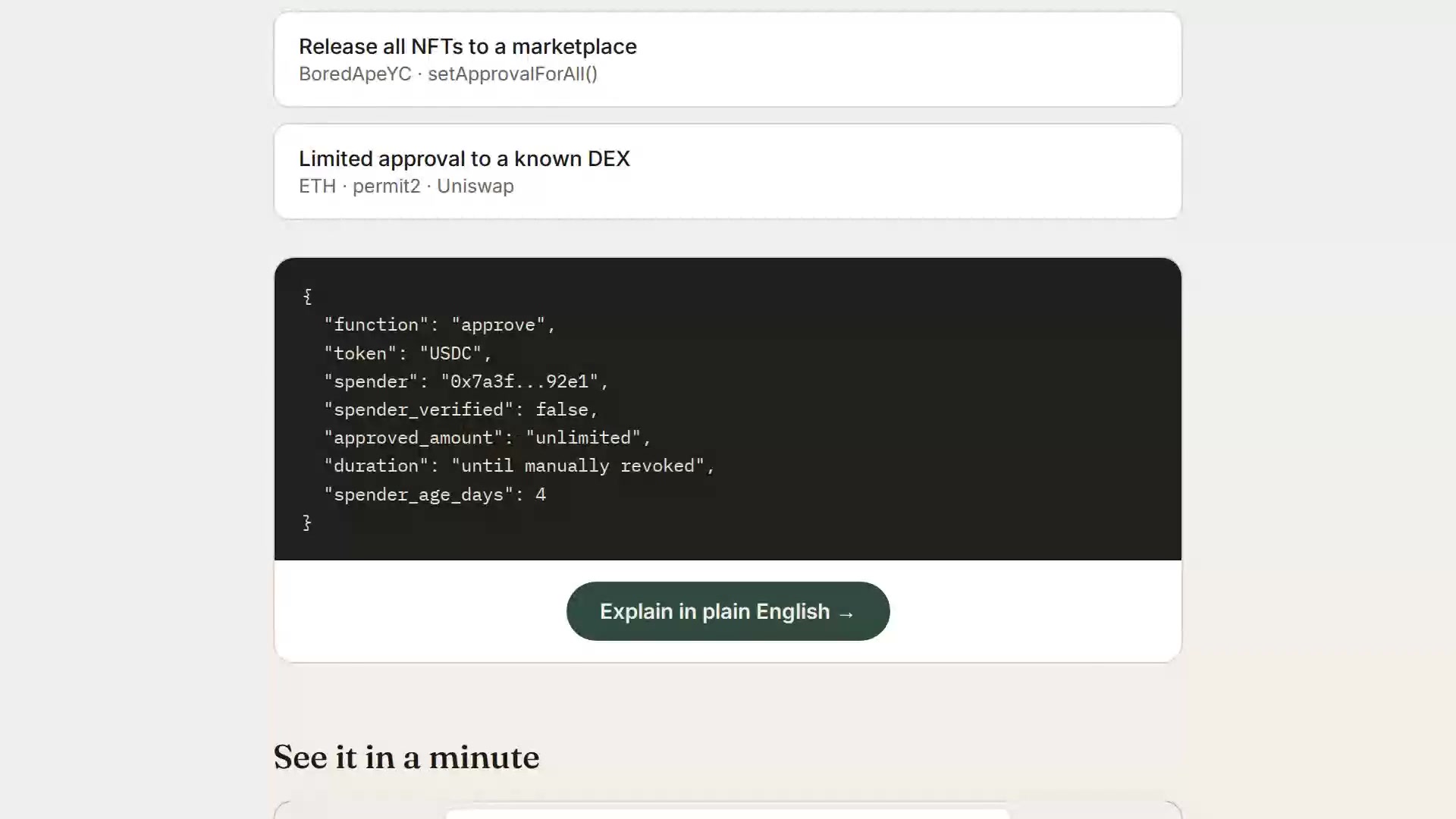
PlainText Wallet Approval Checker, kullanıcıların kripto para cüzdan onaylarının ve imza taleplerinin güvenlik etkilerini anlamalarına yardımcı olur. Teknik verileri SAFE, CAUTION veya RISK gibi basit sonuçlara dönüştürür. Servis, GoPlus Security API aracılığıyla token ve NFT onaylarını sorgulayarak çalışır ve bulgular için Claude kullanarak insan tarafından okunabilir açıklamalar oluşturur.
Geliştiriciler bu Node.js uygulamasını yerel olarak çalıştırabilir veya Render üzerinde yayına alabilirler. Sunucunun kurulumu için bir ANTHROPIC_API_KEY gereklidir; ayrıca dakikada 30 çağrı olan ücretsiz katman sınırını aşmak için isteğe bağlı bir GOPLUS_ACCESS_TOKEN kullanılabilir. İleri düzey kullanıcılar için sistem, bir FIZZL_INTERNAL_KEY kullanarak işlemler, typed-data imzaları veya gerçek onaylar üzerinde denetim gerçekleştirmek amacıyla presign-guard özelliğinden yararlanabilir. Uygulama stateless yapısındadır ve kontrol işlemi sırasında herhangi bir kullanıcı verisi saklamaz.
Neler yapabilirsiniz
- 1İşlem güvenliğini denetleyinİşlemlerin ve typed-data imzalarının güvenliğini kontrol etmek için presign-guard entegrasyonunu kullanın.
- 2API aracılığıyla güvenliği izleyinBelirli neden kodları ve sonuçlar gerektiren agent'lara otomatik güvenlik kontrollerini entegre edin.
Projenin README dosyasından alınmıştır. Her kullanım durumu, oradaki bir alıntı ile kontrol edilir.
PlainText Wallet Approval Checker MCP nasıl yüklenir
Biçimler 10 Kas 2026 tarihinde doğrulandıCursor'a ekleGoose'a eklePlainText Wallet Approval Checker MCP'yi Claude Code içine yükleyin
$ claude mcp add --transport http smartcontractexplainer https://plaintext.fizzl.eu/mcpPlainText Wallet Approval Checker MCP'yi Cursor içine yükleyin
~/.cursor/mcp.json
{
  "mcpServers": {
    "smartcontractexplainer": {
      "url": "https://plaintext.fizzl.eu/mcp"
    }
  }
}PlainText Wallet Approval Checker MCP'yi VS Code içine yükleyin
.vscode/mcp.json
{
  "servers": {
    "smartcontractexplainer": {
      "type": "http",
      "url": "https://plaintext.fizzl.eu/mcp"
    }
  }
}PlainText Wallet Approval Checker MCP'yi VS Code CLI içine yükleyin
$ code --add-mcp '{"name":"smartcontractexplainer","type":"http","url":"https://plaintext.fizzl.eu/mcp"}'PlainText Wallet Approval Checker MCP'yi Codex içine yükleyin
$ codex mcp add smartcontractexplainer --url https://plaintext.fizzl.eu/mcpPlainText Wallet Approval Checker MCP'yi Codex config.toml içine yükleyin
~/.codex/config.toml
[mcp_servers.smartcontractexplainer]
url = "https://plaintext.fizzl.eu/mcp"
PlainText Wallet Approval Checker MCP'yi Gemini CLI içine yükleyin
$ gemini mcp add -s user --transport http smartcontractexplainer https://plaintext.fizzl.eu/mcpPlainText Wallet Approval Checker MCP'yi Gemini settings.json içine yükleyin
~/.gemini/settings.json
{
  "mcpServers": {
    "smartcontractexplainer": {
      "url": "https://plaintext.fizzl.eu/mcp",
      "type": "http"
    }
  }
}Otomatik kontroller
Çalıştırıldı 15 Kas 2026Tam rapor →Henüz doğrulanmadı. Bir sunucunun 80 puana, ciddi bir bulgu olmamasına ve kontrol edebilmemiz için yeterli veriye ihtiyacı vardır. Kontroller nasıl çalışır · Daha fazla puan için nelerin düzeltileceği

- Kaynak deposu bağlantılı ve erişilebilirfizzl13/smartcontractexplainer is public and reachablegithub.com/fizzl13/smartcontractexplainer ↗Geçti
- Paket, bu depoyu kaynağı olarak gösteriyorKontrol edilmedi
- Derleme kökeni (Sigstore onayı)Kontrol edilmedi
- Açık kaynak lisansı (OSI)No licenseBulgu
- Son bir yıl içinde commit veya sürüm mevcutLast commit or release 2026-10-29github.com/fizzl13/smartcontractexplainer ↗Geçti
- OpenSSF ScorecardKontrol edilmedi
- Paket adı popüler bir pakete yakın değilKontrol edilmedi
- Pakette veya bağımlılıklarında kritik uyarı yokKontrol edilmedi
- Modele yönelik gizli talimat yok0 tool descriptions and the README read; no override phrases, credential paths or hidden charactersGeçti
- Yıkıcı araçlar etiketlenmişKontrol edilmedi
- Uzak uç nokta MCP el sıkışmasına yanıt veriyorEndpoint did not answer initialize: HTTP 200Bulgu
PlainText — wallet approval translator

Built on presign-guard: PlainText's verdicts now come from presign-guard (the same checks, sanctions list, wallet age and signed receipt); PlainText adds the explanation in plain language for people.
POST /api/check-wallet($0.04) uses presign-guard's approval audit,POST /api/explain($0.03) its pre-sign check when the payload is a real approval, transaction or typed-data signature (anything else is explained by the model alone,source: "model"). Agents that only need the verdict and reason codes can call presign-guard directly ($0.01–$0.02). NeedsFIZZL_INTERNAL_KEY(the same value on both services, Render only); without it the old path (GoPlus + Claude) runs.
A small Node.js app that looks up a wallet's token/NFT approvals via the GoPlus Security API and asks Claude to explain them in plain language.
▶ Watch the 1-minute explainer · Live: https://plaintext.fizzl.eu
Project structure
plaintext-wallet/
├── server.js          Express backend (GoPlus + Anthropic calls)
├── media.js           Serves the explainer video from the explainer-video branch
├── feedback.js        POST /feedback and the MCP tool feedback (same file in every Fizzl service)
├── media/explainer/   Script and pipeline for the explainer video
├── package.json
├── render.yaml         Render deploy config (optional, see below)
├── .env.example         Copy to .env for local dev
└── public/
    └── index.html      Frontend (wallet check + demo scenarios)
Feedback
Found a bug, or missing something? Send it with POST /feedback (free, no payment) or the MCP tool feedback:
curl -X POST https://plaintext.fizzl.eu/feedback \
  -H 'content-type: application/json' \
  -d '{"type": "feature", "message": "Support Solana wallets", "endpoint": "/api/check-wallet"}'
type is bug, feature or other; message is required (up to 2000 characters); endpoint and contact are optional. The answer is 202 with an id. At most 10 reports per hour per caller. Reports go to the usage log, and a person reads every one; nothing in a report is run or changed automatically. GET /feedback shows the schema.
1. Run it locally first
cd plaintext-wallet
npm install
cp .env.example .env
# edit .env and paste your ANTHROPIC_API_KEY
npm start
Open http://localhost:3000 — try the "Try a sample" tab first (no API keys needed besides Anthropic), then "Check a wallet" with a real address once you're happy it works.
2. Deploy to Render
Option A — one-click via render.yaml (Blueprint)
- Push this folder to a new GitHub repo.
- In the Render dashboard: New + → Blueprint → select your repo.
Render reads
render.yamlautomatically and creates the web service. - When prompted, fill in the environment variables:
ANTHROPIC_API_KEY— required, from console.anthropic.comGOPLUS_ACCESS_TOKEN— optional, only needed if you outgrow GoPlus's free 30 calls/minute limit (see console.gopluslabs.io)
- Click Apply — Render builds and deploys automatically.
Option B — manual web service (no render.yaml needed)
- Push this folder to a GitHub repo.
- Render dashboard → New + → Web Service → connect your repo.
- Settings:
- Environment: Node
- Build Command:
npm install - Start Command:
npm start - Instance Type: Free (fine for a prototype)
- Under Environment Variables, add
ANTHROPIC_API_KEY(and optionallyGOPLUS_ACCESS_TOKEN). - Click Create Web Service. Render gives you a
https://<name>.onrender.comURL once the build finishes.
Render's free tier spins the service down after inactivity — the first request after idling will take ~30-50 seconds to wake up. That's normal and fine for a prototype you're sharing for feedback.
Notes on the GoPlus integration
- The wallet check calls
token_approval_securityornft721_approval_securityunderhttps://api.gopluslabs.io/api/v2/.... This is documented but the GoPlus docs site is JS-rendered, so before you rely on this in front of real users, do one manual test call (e.g. withcurl) against a wallet you control, and compare the actual JSON shape to whatserver.jsexpects — field names occasionally shift between GoPlus API versions. - The free GoPlus tier is capped at 30 calls/minute — plenty for early testing, but rate-limit errors will surface as a plain error message in the UI if you exceed it.
- No user data is stored anywhere in this app — every check is a stateless round trip. If you later add accounts, saved wallets, or history, update this note (and your own privacy policy) accordingly.
Costs to expect
- Render free tier: $0/month, with the cold-start behavior above. A paid tier ($7/month "Starter") removes the spin-down if this gets real usage.
- Anthropic API: pay-per-use, billed to whatever key you provide. A single explanation call is small (well under 1K tokens), so cost per check will be a fraction of a cent — but keep an eye on your usage dashboard if this gets shared widely, since there's no rate limiting built into this prototype yet.
PlainText Wallet Approval Checker MCP soruları
PlainText Wallet Approval Checker MCP'yi Claude Code'a nasıl eklerim?
Terminalinizde claude mcp add --transport http smartcontractexplainer https://plaintext.fizzl.eu/mcp komutunu çalıştırın. Her projede kullanılabilir olması için --scope user ekleyin.
PlainText Wallet Approval Checker MCP'yi Cursor'a nasıl eklerim?
~/.cursor/mcp.json dosyasını açın ve yukarıdaki yükleme bölümünde gösterilen Cursor yapılandırmasını kullanarak sunucuyu mcpServers altına ekleyin.
Servis, bir cüzdanın güvenliğini nasıl belirliyor?
Token ve NFT onaylarını kontrol etmek için GoPlus Security API kullanır ve bulguları anlaşılır bir dille açıklamak için Claude'dan yararlanır.
Uygulama herhangi bir kullanıcı verisi saklıyor mu?
Hayır, uygulama stateless yapısındadır ve kontrol işlemi sırasında herhangi bir kullanıcı verisi saklamaz.