
c2n Lit web component API'lerini, tema token'larını, kullanım örneklerini ve markup doğrulamasını AI agent'larına sunar.
Ayrıca bilinen adı code2nguyen/web-components, c2n, @c2n/mcp
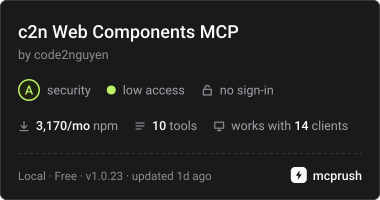
- Yıldızlar
- 5
- Araçlar
- 10
- İndirmeler, 30 gün
- 3.298
- En son sürüm
- 1.0.26
- Son commit
- 15 Kas 2026
- Lisans
- MIT
c2n Web Components MCP nedir?
c2n Web Components bir MCP sunucusudur. c2n Lit web component API'lerini, tema token'larını, kullanım örneklerini ve markup doğrulamasını AI agent'larına sunar. 10 araç sunar; örneğin list_components, search_components, get_component.
Özet, projenin README dosyasından oluşturuldu
c2n Web Components MCP sunucusu hakkında
Bu MCP server, Lit web component'leri için teknik dokümantasyon ve doğrulama süreçlerini AI agent'ları için mümkün kılar. Claude Code, Codex veya Google Antigravity kullanan geliştiriciler; öznitelikler (attributes), slot'lar, event'ler ve CSS değişkenleri dahil olmak üzere eksiksiz bir bileşen API registry'sine erişmek için bu sunucuya stdio üzerinden bağlanabilirler. Veriler yerel bir registry dosyasında paketlendiği için, sunucu bir projeye kurulduktan sonra çevrimdışı çalışabilir.
Kullanıcılar; bileşenleri listelemek, glass veya pill gibi stil kullanım örneklerini aramak ve @c2n/theme paketinden tema token'larını çekmek için belirli araçlarla etkileşime girebilirler. Sunucu ayrıca HTML, JSX, Vue, Svelte, Astro, Angular ve Lit şablonlarını yüklü @c2n paketlerine göre denetleyen bir doğrulama aracı içerir. Bu sayede markup'ın doğru etiketleri kullanması sağlanır ve bir bileşen host'u üzerinde box styling gibi geçersiz CSS özellikleri kullanımı engellenir. Sunucu, otomatik bir editörden ziyade yapılandırılmış bir bilgi kaynağı olarak görev yapar; ancak agent'ların belirli uygulama ve temalandırma kurallarına uymasına yardımcı olmak için @c2n/skill paketi ile birlikte kullanılabilir.
Projenin README dosyasından alınmıştır. Her kullanım durumu, oradaki bir alıntı ile kontrol edilir.
c2n Web Components MCP nasıl yüklenir
Biçimler 10 Kas 2026 tarihinde doğrulandıCursor'a ekleGoose'a eklec2n Web Components MCP'yi Claude Code içine yükleyin
$ claude mcp add c2n -- npx -y @c2n/mcpc2n Web Components MCP'yi Cursor içine yükleyin
~/.cursor/mcp.json
{
  "mcpServers": {
    "c2n": {
      "command": "npx",
      "args": [
        "-y",
        "@c2n/mcp"
      ]
    }
  }
}c2n Web Components MCP'yi VS Code içine yükleyin
.vscode/mcp.json
{
  "servers": {
    "c2n": {
      "type": "stdio",
      "command": "npx",
      "args": [
        "-y",
        "@c2n/mcp"
      ]
    }
  }
}c2n Web Components MCP'yi VS Code CLI içine yükleyin
$ code --add-mcp '{"name":"c2n","type":"stdio","command":"npx","args":["-y","@c2n/mcp"]}'c2n Web Components MCP'yi Claude Desktop içine yükleyin
claude_desktop_config.json
{
  "mcpServers": {
    "c2n": {
      "command": "npx",
      "args": [
        "-y",
        "@c2n/mcp"
      ]
    }
  }
}c2n Web Components MCP'yi Codex içine yükleyin
$ codex mcp add c2n -- npx -y @c2n/mcpc2n Web Components MCP'yi Codex config.toml içine yükleyin
~/.codex/config.toml
[mcp_servers.c2n]
command = "npx"
args = ["-y", "@c2n/mcp"]
c2n Web Components MCP'yi Gemini CLI içine yükleyin
$ gemini mcp add -s user c2n npx -- -y @c2n/mcpc2n Web Components MCP'yi Gemini settings.json içine yükleyin
~/.gemini/settings.json
{
  "mcpServers": {
    "c2n": {
      "command": "npx",
      "args": [
        "-y",
        "@c2n/mcp"
      ]
    }
  }
}c2n Web Components MCP araçları 10
README dosyasından algılandılist_componentssearch_componentsget_componentget_examplessearch_examplesget_presetsget_themegenerate_variantvalidate_markupget_workflow_guide
| list_components | — | |
| search_components | — | |
| get_component | — | |
| get_examples | — | |
| search_examples | — | |
| get_presets | — | |
| get_theme | — | |
| generate_variant | — | |
| validate_markup | — | |
| get_workflow_guide | — |
Yapılandırma
C2N_PROJECT_ROOTProject whose installed @c2n/* packages the server reports. Defaults to the working directory.
| Ad | Açıklama | Sunucu |
|---|---|---|
| C2N_PROJECT_ROOT | Project whose installed @c2n/* packages the server reports. Defaults to the working directory. |
Otomatik kontroller
Çalıştırıldı 12 Kas 2026Tam rapor →Otomatik kontrollerimizden geçti. Bu bir güvenlik denetimi değildir: kodu okuyun ve sunucuya ihtiyaç duyduğu en dar erişimi verin. Kontroller nasıl çalışır

- Kaynak deposu bağlantılı ve erişilebilirGeçti
- Açık kaynak lisansı (OSI)Geçti
- Son bir yıl içinde commit veya sürüm mevcutGeçti
- Paket adı popüler bir pakete yakın değilGeçti
- Uzak uç nokta HTTPS kullanıyorKontrol edilmedi
- Yıkıcı araçlar etiketlenmişGeçti
- Modele yönelik gizli talimat yokGeçti
- Pakette veya bağımlılıklarında kritik uyarı yokGeçti
@c2n/mcp
Model Context Protocol server that exposes the c2n web components to AI agents: component APIs (attributes, slots, events, native CSS parts, CSS variables with their theme tokens), usage and gallery examples, curated presets, the @c2n/theme tokens, variant code generation and the application workflow guides. Everything is bundled in data/registry.json, so it works offline in any project.
Use
The server uses stdio and can be launched by any MCP host:
npx -y @c2n/mcp
Claude Code project .mcp.json:
{ "mcpServers": { "c2n": { "type": "stdio", "command": "npx", "args": ["-y", "@c2n/mcp"] } } }
Codex project .codex/config.toml:
[mcp_servers.c2n]
command = "npx"
args = ["-y", "@c2n/mcp"]
Google Antigravity project .agents/mcp_config.json uses the same mcpServers command/args structure as the Claude example. The @c2n/skill package can install the skill and merge these configurations automatically.
Run the server from a project directory: it reports which @c2n/* packages are installed and serves the bundled API when the installed version differs. The registry is packaged locally, so tool calls do not require network access after installation.
Use c2n-mcp --version to inspect the installed server version and c2n-mcp --help for CLI usage.
The MCP server supplies structured component facts; it does not install component packages or edit an application by itself. Pair it with @c2n/skill when you also want the agent to follow c2n's application, theming and variant conventions. See the AI tools guide for the complete setup and example prompts.
Verify the connection
Restart the agent after adding its MCP configuration, then ask it to use the c2n MCP server to list components or inspect c2-button. A connected client should expose the tools below and report @c2n/* packages installed in the current project. If the server cannot start, run npx -y @c2n/mcp --version in that project to distinguish an npm/runtime problem from an MCP client configuration problem.
Tools
| Tool | Purpose |
|---|---|
list_components |
Every component with tag, package, category, description, installed version |
search_components |
Free-text search across names, descriptions, attributes, slots, events, examples, icons |
get_component |
Full API of one component, CSS variables grouped by part/state with their theme token |
get_examples |
Usage rows and gallery cards; view: "index" lists every look (summary, screenshot) |
search_examples |
Find a look across every component's gallery ("glass", "pill", "underline") |
get_presets |
Curated presets as CSS variable values |
get_theme |
The --c2-theme--* tokens, install/mapping snippets; per-component mapping with tag |
generate_variant |
CSS class / HTML + style / Lit subclass / JSON from overrides, a preset or a gallery card |
validate_markup |
Checks markup/CSS you wrote: native controls to replace, unknown tags/attributes/slots/events/variables |
get_workflow_guide |
workflow, theming, variant-components, frameworks |
Gallery cards are served with a generated summary of what they change and CSS whose colours follow the --c2-theme--* tokens wherever a literal equals a token's value (var(--c2-theme--color-outline, #d4d4d8)), so a copied card follows the application's theme and dark mode. Each card also links light and dark PNG captures hosted with the docs site (gallery-shots/<component>/<slug>.<theme>.png, written by apps/ui/scripts/gallery-shots.mjs in the Pages deploy).
Validate from the command line
validate_markup is also a CLI, for CI and editor hooks. It reads HTML, JSX/TSX, Vue, Svelte, Astro, Angular and Lit templates and CSS, and checks them against the API of the @c2n/* packages the project has installed:
npx -y @c2n/mcp validate src            # exit 1 on errors
npx -y @c2n/mcp validate src --strict   # warnings fail too (native controls, box styling on a c2 host)
npx -y @c2n/mcp validate --hook         # Claude Code PostToolUse hook: reads the payload on stdin
It reports native <button>/<input>/<select>/<textarea>/<dialog>/<details>/<progress> elements that a c2-* element replaces, unknown c2-* tags, attributes, slots and --c2-* variables (with "did you mean"), events a c2-* element does not fire (with its event list), a static camelCase attribute the element ignores (rowKey for row-key), and box styling on a c2-* host (border, padding, background, box-shadow, outline; a radius alone is fine). A line holding c2n-ignore, or the line after a comment holding it, is skipped. In hook mode the findings go to stderr with exit code 2, which Claude Code hands back to the agent; npx -y @c2n/skill install registers that hook in .claude/settings.json.
Resources: c2n://components, c2n://components/{tag}, c2n://theme, c2n://guide/{topic}.
Development
data/registry.jsonis an ignored build artifact.npm run build:tools(repo root) regenerates it from the component manifests, docs content, presets and theme, then compilesdist/and refreshes the committed skill fallback.dev,inspect,smokeandnpm packautomatically build the registry when needed.npm run smoke -w packages/tools/mcpspawns the server over stdio and checks every tool.npm run inspect -w packages/tools/mcpopens the MCP Inspector against the source entry (node src/cli.ts, Node 24 type stripping).
c2n Web Components MCP soruları
c2n Web Components MCP'yi Claude Code'a nasıl eklerim?
Terminalinizde claude mcp add c2n -- npx -y @c2n/mcp komutunu çalıştırın. Her projede kullanılabilir olması için --scope user ekleyin.
c2n Web Components MCP'yi Cursor'a nasıl eklerim?
~/.cursor/mcp.json dosyasını açın ve yukarıdaki yükleme bölümünde gösterilen Cursor yapılandırmasını kullanarak sunucuyu mcpServers altına ekleyin.
c2n Web Components MCP hangi araçları sunar?
10 araç sunar; bunlar arasında list_components, search_components, get_component, get_examples, search_examples yer alır.
Sunucunun çalışması için internet bağlantısı gerekiyor mu?
Hayır, registry dosyası data/registry.json içinde yerel olarak paketlenmiştir, bu sayede herhangi bir projede çevrimdışı çalışabilir.
Sunucu kodumu doğrulayabilir mi?
Evet, validate_markup aracı; HTML, JSX/TSX, Vue, Svelte, Astro, Angular ve Lit şablonlarını yüklü bileşen API'lerine göre kontrol eder.
Bu sunucu web component'lerini benim yerime kurar mı?
Hayır, sunucu yapılandırılmış bileşen bilgileri sağlar ancak kurulum yapmaz veya doğrudan uygulama üzerinde düzenleme gerçekleştirmez.