
2extract MCP sunucusu
Commit 23 Eki 2026Bir yapay zeka ajanının coğrafi hedefleme, kullanım limitleri ve harcama raporlaması özelliklerine sahip konut ve mobil proxy'ler oluşturmasına ve yönetmesine olanak tanır.
Ayrıca bilinen adı 2extract/mcp, mcp
- Yıldızlar
- 1
- Araçlar
- —
- İndirmeler, 30 gün
- —
- En son sürüm
- 1.0.2
- Son commit
- 23 Eki 2026
- Lisans
- MIT
2extract MCP nedir?
Bir yapay zeka ajanının coğrafi hedefleme, kullanım limitleri ve harcama raporlaması özelliklerine sahip konut ve mobil proxy'ler oluşturmasına ve yönetmesine olanak tanır.
Özet, projenin README dosyasından oluşturuldu
2extract MCP sunucusu hakkında
2extract, geliştiricilerin ve veri araştırmacılarının konut ve mobil proxy'leri bir yapay zeka ajanı aracılığıyla yönetmesini sağlar. Bu uzak MCP server, bir ajanın proxy kaynaklarının ilk oluşturulmasından ayrıntılı yapılandırma ve maliyet izlemeye kadar tüm yaşam döngüsünü yönetmesine olanak tanır. Kullanıcılar; Claude Desktop, Cursor veya VS Code gibi MCP istemcilerini, bir 2extract API anahtarı kullanarak streamable HTTP üzerinden barındırılan bir uç noktaya bağlarlar.
Ajanlar; belirli bir şehre, posta koduna veya mobil operatöre kadar inen coğrafi hedefleme gibi son derece spesifik görevleri yerine getirebilir. Sunucu; trafik ve harcama limitleri belirlemek, IP beyaz listelerini yönetmek ve erişimi belirli hedef ana bilgisayarlarla kısıtlamak için araçlar sağlar. Basit yönetimin ötesinde, hesap bakiyesi geçmişini ve kullanım istatistiklerini takip etmek için raporlama yetenekleri sunar. Bu sayede bir yapay zeka; kullanılmayan proxy'leri tespit edip devre dışı bırakmak veya aylık maliyet raporları oluşturmak gibi kaynakları proaktif olarak yönetebilir.
Neler yapabilirsiniz
- 1Otomatik proxy tahsisiBir yapay zeka ajanı, doğal dildeki bir isteğe dayanarak belirli coğrafi ve kullanım kısıtlamalarına sahip yeni bir proxy oluşturabilir.
- 2Ayrıntılı coğrafi hedefleme araştırmasıGeliştiriciler, bir ajandan proxy hedeflemesi için kullanılabilir belirli mobil operatörleri veya posta kodlarını bulmasını isteyebilir.
- 3Maliyet ve kullanım denetimiBir yapay zekaya harcama modellerinizi analiz etmesi ve proxy trafik maliyetlerindeki olağandışı durumları işaretlemesi talimatını verebilirsiniz.
- 4Kaynak temizliği ve optimizasyonuBir ajan, bir aydır aktif olmayan proxy'leri tespit edebilir ve tasarruf sağlamak için bunları devre dışı bırakabilir.
Projenin README dosyasından alınmıştır. Her kullanım durumu, oradaki bir alıntı ile kontrol edilir.
2extract MCP nasıl yüklenir
Biçimler 10 Kas 2026 tarihinde doğrulandıCursor'a ekleGoose'a ekle2extract MCP'yi Claude Code içine yükleyin
$ claude mcp add --transport http mcp https://mcp.2extract.com/mcp2extract MCP'yi Cursor içine yükleyin
~/.cursor/mcp.json
{
  "mcpServers": {
    "mcp": {
      "url": "https://mcp.2extract.com/mcp"
    }
  }
}2extract MCP'yi VS Code içine yükleyin
.vscode/mcp.json
{
  "servers": {
    "mcp": {
      "type": "http",
      "url": "https://mcp.2extract.com/mcp"
    }
  }
}2extract MCP'yi VS Code CLI içine yükleyin
$ code --add-mcp '{"name":"mcp","type":"http","url":"https://mcp.2extract.com/mcp"}'2extract MCP'yi Codex içine yükleyin
$ codex mcp add mcp --url https://mcp.2extract.com/mcp2extract MCP'yi Codex config.toml içine yükleyin
~/.codex/config.toml
[mcp_servers.mcp]
url = "https://mcp.2extract.com/mcp"
2extract MCP'yi Gemini CLI içine yükleyin
$ gemini mcp add -s user --transport http mcp https://mcp.2extract.com/mcp2extract MCP'yi Gemini settings.json içine yükleyin
~/.gemini/settings.json
{
  "mcpServers": {
    "mcp": {
      "url": "https://mcp.2extract.com/mcp",
      "type": "http"
    }
  }
}Yapılandırma
EXTRACT_API_KEY
| Ad | Açıklama | Sunucu |
|---|---|---|
| EXTRACT_API_KEY | — |
Otomatik kontroller
Çalıştırıldı 14 Kas 2026Tam rapor →Henüz doğrulanmadı. Bir sunucunun 80 puana, ciddi bir bulgu olmamasına ve kontrol edebilmemiz için yeterli veriye ihtiyacı vardır. Kontroller nasıl çalışır · Daha fazla puan için nelerin düzeltileceği

- Kaynak deposu bağlantılı ve erişilebilir2extract/mcp is public and reachablegithub.com/2extract/mcp ↗Geçti
- Paket, bu depoyu kaynağı olarak gösteriyorKontrol edilmedi
- Derleme kökeni (Sigstore onayı)Kontrol edilmedi
- Açık kaynak lisansı (OSI)MITspdx.org/licenses/MIT.html ↗Geçti
- Son bir yıl içinde commit veya sürüm mevcutLast commit or release 2026-10-23github.com/2extract/mcp ↗Geçti
- OpenSSF ScorecardKontrol edilmedi
- Paket adı popüler bir pakete yakın değilKontrol edilmedi
- Pakette veya bağımlılıklarında kritik uyarı yokKontrol edilmedi
- Modele yönelik gizli talimat yok0 tool descriptions and the README read; no override phrases, credential paths or hidden charactersGeçti
- Yıkıcı araçlar etiketlenmişKontrol edilmedi
- Uzak uç nokta MCP el sıkışmasına yanıt veriyorinitialize answered with protocol 2025-06-18 in 1051 msGeçti
2extract MCP Server
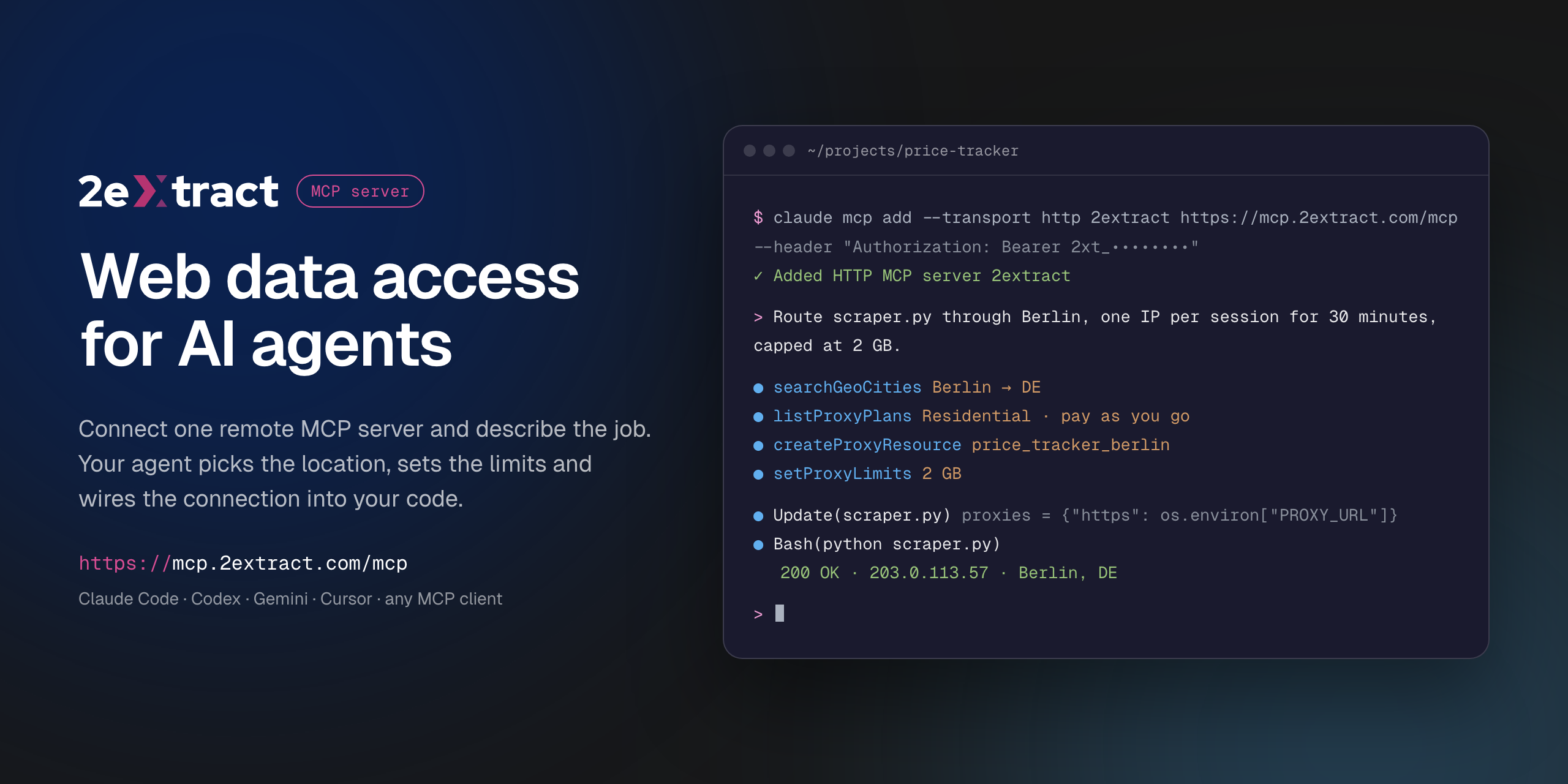


VS Code asks for the API key on install and does not store it in the config. Cursor installs with a placeholder: replace 2xt_your_api_key in mcp.json with your key.
Remote Model Context Protocol server for 2extract. It lets an AI agent create and manage residential and mobile proxies, pick geo targeting down to city, ZIP or carrier, set traffic and spend limits, and report on usage and cost.
This is a hosted server. There is nothing to install or run locally: your MCP client connects to the URL below with your 2extract API key.
| Endpoint | https://mcp.2extract.com/mcp |
| Transport | Streamable HTTP |
| Auth | Authorization: Bearer 2xt_... (2extract API key) |
Get an API key
- Sign up or log in to 2extract.
- Open API keys and create a key.
- Grant the scopes the agent needs:
proxies:read,proxies:write,balance:read,stats:read,geo:read. Write scopes do not include read access, so most workflows need bothproxies:readandproxies:write.
A read-only key (no proxies:write) is enough for reporting and lookups.
Connect
Claude Code
claude mcp add --transport http 2extract https://mcp.2extract.com/mcp \
  --header "Authorization: Bearer 2xt_your_api_key"
Codex CLI
The key is read from the EXTRACT_API_KEY environment variable; Codex adds Bearer itself:
export EXTRACT_API_KEY=2xt_your_api_key
codex mcp add 2extract --url https://mcp.2extract.com/mcp --bearer-token-env-var EXTRACT_API_KEY
Or edit ~/.codex/config.toml (or .codex/config.toml in a trusted project):
[mcp_servers.2extract]
url = "https://mcp.2extract.com/mcp"
bearer_token_env_var = "EXTRACT_API_KEY"
Gemini CLI
gemini mcp add -s user --transport http \
  --header "Authorization: Bearer 2xt_your_api_key" \
  2extract https://mcp.2extract.com/mcp
Or edit ~/.gemini/settings.json (or .gemini/settings.json in a project):
{
  "mcpServers": {
    "2extract": {
      "httpUrl": "https://mcp.2extract.com/mcp",
      "headers": { "Authorization": "Bearer 2xt_your_api_key" }
    }
  }
}
OpenCode
opencode.json in your project (or ~/.config/opencode/opencode.json). The key is read from the EXTRACT_API_KEY environment variable:
{
  "$schema": "https://opencode.ai/config.json",
  "mcp": {
    "2extract": {
      "type": "remote",
      "url": "https://mcp.2extract.com/mcp",
      "enabled": true,
      "headers": { "Authorization": "Bearer {env:EXTRACT_API_KEY}" }
    }
  }
}
Claude Desktop
claude_desktop_config.json:
{
  "mcpServers": {
    "2extract": {
      "type": "http",
      "url": "https://mcp.2extract.com/mcp",
      "headers": { "Authorization": "Bearer 2xt_your_api_key" }
    }
  }
}
Cursor
~/.cursor/mcp.json or .cursor/mcp.json:
{
  "mcpServers": {
    "2extract": {
      "url": "https://mcp.2extract.com/mcp",
      "headers": { "Authorization": "Bearer 2xt_your_api_key" }
    }
  }
}
VS Code
.vscode/mcp.json (the key is requested on first use and not stored in the file):
{
  "inputs": [
    {
      "type": "promptString",
      "id": "2extract-api-key",
      "description": "2extract API key",
      "password": true
    }
  ],
  "servers": {
    "2extract": {
      "type": "http",
      "url": "https://mcp.2extract.com/mcp",
      "headers": { "Authorization": "Bearer ${input:2extract-api-key}" }
    }
  }
}
Cline
Open the Cline panel, click MCP Servers, then Configure MCP Servers, and add to cline_mcp_settings.json:
{
  "mcpServers": {
    "2extract": {
      "type": "streamableHttp",
      "url": "https://mcp.2extract.com/mcp",
      "headers": { "Authorization": "Bearer 2xt_your_api_key" },
      "disabled": false
    }
  }
}
Keep "type": "streamableHttp": without it Cline falls back to the older SSE transport.
Other clients
Any client that supports remote MCP servers works. Give it the endpoint URL, the Streamable HTTP transport and the Authorization header.
Tools
Account
| Tool | What it does | Scope |
|---|---|---|
getAccountBalance |
Available funds, whether a new proxy can be created, and the proxy username prefix | balance:read |
getAccountTrafficUsage |
Traffic and spend over a period, for the account or one proxy | stats:read |
listAccountBalanceHistory |
Deposits and charges over a period | stats:read |
Geo targeting
| Tool | What it does | Scope |
|---|---|---|
listGeoCountries |
Countries available for targeting | geo:read |
searchGeoRegions |
Regions and states within a country | geo:read |
searchGeoCities |
Cities within a country or region | geo:read |
searchGeoZips |
ZIP and postal codes within a country | geo:read |
searchGeoISP |
Mobile carriers for ISP targeting | geo:read |
Plans
| Tool | What it does | Scope |
|---|---|---|
listProxyPlans |
Available plans and their prices | proxies:read |
Proxies
| Tool | What it does | Scope |
|---|---|---|
listProxyResources |
Every proxy on the account, with traffic and spend | proxies:read |
getProxyResource |
Full detail for one proxy | proxies:read |
createProxyResource |
Create a proxy (billable) | proxies:write |
updateProxyResource |
Change description, status, geo, whitelist or limits | proxies:write |
deactivateProxyResource |
Stop traffic without deleting the proxy | proxies:write |
deleteProxyResource |
Permanently remove a proxy (asks for confirmation) | proxies:write |
regenerateProxyPassword |
Issue a new password (asks for confirmation) | proxies:write |
setProxyLimits |
Cap traffic or spend per day or month | proxies:write |
setProxyIpWhitelist |
Restrict which IP addresses can use the proxy | proxies:write |
setProxyTargetHosts |
Restrict which domains the proxy can reach (wildcards like *.example.com) |
proxies:write |
buildConnectionString |
Ready-to-use username and connection string with geo, carrier and sticky-session parameters | proxies:read, balance:read |
Confirmation for destructive tools happens in your client. If the client does not ask, any key with proxies:write can run them, so scope keys accordingly.
Prompts
| Prompt | Arguments | What it does |
|---|---|---|
create-proxy-resource |
purpose, proxy_type?, country? |
Creates a proxy for a stated job and returns a connection string |
build-connection-string |
proxy_id?, purpose? |
Builds a connection string for an existing proxy |
monthly-cost-report |
period |
Traffic and spend per proxy for a period, with outliers flagged. Read-only |
cleanup-unused-proxies |
none | Finds proxies with no traffic in 30 days and deactivates them after you confirm. Never deletes |
Example requests
- "Create a residential proxy in Germany, Berlin, for price monitoring, capped at 5 GB a month."
- "Give me a sticky-session connection string for my
serp_usproxy." - "How much did I spend on traffic last month, per proxy?"
- "Which proxies had no traffic in the last 30 days? Deactivate them."
- "Find mobile carriers in the US I can target."
Documentation
Support
- Email: support@2extract.com
- Issues with this listing: open an issue in this repository
Legal
The server source code is not published. This repository holds the public listing, client configuration examples and the registry manifest (server.json).
2extract MCP soruları
2extract MCP'yi Claude Code'a nasıl eklerim?
Terminalinizde claude mcp add --transport http mcp https://mcp.2extract.com/mcp komutunu çalıştırın. Her projede kullanılabilir olması için --scope user ekleyin.
2extract MCP'yi Cursor'a nasıl eklerim?
~/.cursor/mcp.json dosyasını açın ve yukarıdaki yükleme bölümünde gösterilen Cursor yapılandırmasını kullanarak sunucuyu mcpServers altına ekleyin.
API anahtarım için hangi kapsamları (scopes) tanımlamam gerekiyor?
Ajanınızın ihtiyaç duyduğu proxies:read, proxies:write, balance:read, stats:read ve geo:read gibi kapsamları tanımlamanız gerekir. Çoğu iş akışı hem okuma hem de yazma erişimi gerektirir.
Yerel olarak kurmam gereken bir şey var mı?
Hayır, bu barındırılan bir sunucudur. MCP istemcinizi, API anahtarınızı kullanarak sağlanan URL'ye bağlamanız yeterlidir.
Salt okunur bir anahtar kullanabilir miyim?
Evet, rapor oluşturmak ve sorgulama yapmak için proxies:write izni olmayan salt okunur bir anahtar yeterlidir.