
의미론적 페이지 요약, 타입화된 액션 diff, 검증 가능한 어설션을 통해 AI 에이전트가 웹을 탐색할 수 있도록 지원합니다.
다른 이름 zumerlab/snapsurf, @zumer/snapsurf
- 스타
- 0
- Tools
- —
- 다운로드, 30일
- —
- 최신 버전
- 0.1.2
- 마지막 커밋
- 2026년 10월 20일
- 라이선스
- MIT
snapsurf MCP란?
의미론적 페이지 요약, 타입화된 액션 diff, 검증 가능한 어설션을 통해 AI 에이전트가 웹을 탐색할 수 있도록 지원합니다.
프로젝트 README에서 생성된 요약
snapsurf MCP server 정보
SnapSurf를 사용하면 개발자는 매우 정밀하게 웹을 탐색할 수 있습니다. AI 에이전트는 단순히 웹페이지의 정적인 스냅샷을 보는 대신, 의미론적 요약(semantic digest)과 마지막 액션이 페이지의 콘텐츠, 상태, 레이아웃 및 클릭 가능성을 어떻게 변경했는지 상세히 설명하는 타입화된 diff를 전달받습니다. 이를 통해 에이전트가 특정 버튼 클릭이 실제로 예상된 대화 상자나 UI 변경을 트리거했는지 확인할 수 있는 검증 가능한 웹 자동화가 가능해집니다.
이 서버는 Node.js 22 이상 환경에서 전용 Chromium 세션을 통해 로컬에서 실행됩니다. Claude Code, Codex, Cursor, VS Code, Gemini CLI, Windsurf, OpenAI Agents SDK를 포함한 다양한 MCP 클라이언트와 통합됩니다. 사용자는 browser_open, browser_find, browser_act, browser_verify와 같은 특정 도구를 통해 브라우저를 관리할 수 있습니다. diffId와 함께 browser_assert를 사용하면 에이전트가 라이브 페이지 기준점을 변경하지 않고도 과거 관찰 기록과 대조하여 정확성을 확인할 수 있습니다.
활용 사례
- 1UI 상태 변경 검증에이전트가 버튼 클릭을 통해 특정 설정 대화 상자가 성공적으로 열렸는지 확인할 수 있습니다.
- 2검증 가능한 웹 자동화 수행AI가 어설션을 사용하여 상호작용 후 페이지에 특정 요소가 추가되었는지 확인할 수 있습니다.
프로젝트의 README를 바탕으로 작성되었습니다. 모든 활용 사례는 해당 내용의 인용문과 대조하여 확인합니다.
snapsurf MCP 설치 방법
형식 확인: 2026년 11월 10일Cursor에 추가Goose에 추가Claude Code에 snapsurf MCP 설치
$ claude mcp add snapsurf -- npx -y @zumer/snapsurfCursor에 snapsurf MCP 설치
~/.cursor/mcp.json
{
  "mcpServers": {
    "snapsurf": {
      "command": "npx",
      "args": [
        "-y",
        "@zumer/snapsurf"
      ]
    }
  }
}VS Code에 snapsurf MCP 설치
.vscode/mcp.json
{
  "servers": {
    "snapsurf": {
      "type": "stdio",
      "command": "npx",
      "args": [
        "-y",
        "@zumer/snapsurf"
      ]
    }
  }
}VS Code CLI에 snapsurf MCP 설치
$ code --add-mcp '{"name":"snapsurf","type":"stdio","command":"npx","args":["-y","@zumer/snapsurf"]}'Claude Desktop에 snapsurf MCP 설치
claude_desktop_config.json
{
  "mcpServers": {
    "snapsurf": {
      "command": "npx",
      "args": [
        "-y",
        "@zumer/snapsurf"
      ]
    }
  }
}Codex에 snapsurf MCP 설치
$ codex mcp add snapsurf -- npx -y @zumer/snapsurfCodex config.toml에 snapsurf MCP 설치
~/.codex/config.toml
[mcp_servers.snapsurf]
command = "npx"
args = ["-y", "@zumer/snapsurf"]
Gemini CLI에 snapsurf MCP 설치
$ gemini mcp add -s user snapsurf npx -- -y @zumer/snapsurfGemini settings.json에 snapsurf MCP 설치
~/.gemini/settings.json
{
  "mcpServers": {
    "snapsurf": {
      "command": "npx",
      "args": [
        "-y",
        "@zumer/snapsurf"
      ]
    }
  }
}자동 검사
2026년 11월 14일에 실행됨전체 보고서 →자동 검사를 통과했습니다. 이는 보안 감사가 아닙니다. 코드를 직접 읽고 서버에 필요한 최소한의 권한만 부여하십시오. 검사 방식

- 소스 저장소 연결 및 접근 가능zumerlab/snapsurf is public and reachablegithub.com/zumerlab/snapsurf ↗통과
- 패키지가 이 저장소를 소스로 명시@zumer/snapsurf names zumerlab/snapsurf as sourcenpmjs.com/package/@zumer/snapsurf ↗통과
- 빌드 출처(Sigstore 증명)No build attestation published for this release검사되지 않음
- 오픈 소스 라이선스 (OSI)MITspdx.org/licenses/MIT.html ↗통과
- 최근 1년 내 커밋 또는 릴리스Last commit or release 2026-10-20github.com/zumerlab/snapsurf ↗통과
- OpenSSF Scorecard검사되지 않음
- 패키지 이름이 인기 패키지와 유사하지 않음No popular package one edit away from @zumer/snapsurf통과
- 패키지 및 해당 종속성에 중요한 보안 권고 없음31 resolved dependencies checked; no critical advisoryosv.dev ↗통과
- 모델에 대한 숨겨진 지침 없음0 tool descriptions and the README read; no override phrases, credential paths or hidden characters통과
- 파괴적인 도구에 라벨 표시됨검사되지 않음
- 원격 엔드포인트가 MCP 핸드셰이크에 응답검사되지 않음
README
GitHub에서 보기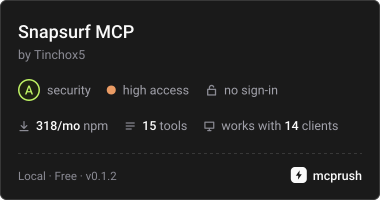
SnapSurf
Web navigation and verification for AI agents.
Most browser tools tell an agent what a page looks like now. SnapSurf tells it what its last action changed: a compact semantic digest of the page, a typed diff after each action (content, state, layout and clickability, including when nothing observable changed), and assertions over that exact diff. Missing evidence and uncertainty are reported, not hidden.
It runs locally as an MCP server or CLI with its own Chromium session. The observation code also works as an in-page library built on SnapDOM.
Version 0.1.3 is experimental.
Add it to your MCP client
Requires Node.js 22 or newer. Add a stdio server that runs this command; Chromium for Playwright is installed automatically the first time it starts:
{
  "command": "npx",
  "args": ["-y", "-p", "@zumer/snapsurf@latest", "snapsurf-mcp"]
}
With Claude Code, install the plugin, which adds the tools and a browse skill with the
method:
/plugin marketplace add zumerlab/snapsurf
/plugin install snapsurf@zumerlab
or register the server alone:
claude mcp add --scope user snapsurf -- npx -y -p @zumer/snapsurf@latest snapsurf-mcp
Codex has the same plugin (tools plus the browse skill):
codex plugin marketplace add zumerlab/snapsurf
codex plugin add snapsurf@zumerlab
Cursor, VS Code, Gemini CLI, Windsurf and the OpenAI Agents SDK take the same server
command; per-client snippets are in Integrations. Its name in the
official MCP Registry is io.github.zumerlab/snapsurf.
To pin a version or avoid npx at startup, install once and point the client at the
server file:
mkdir snapsurf && cd snapsurf
npm install @zumer/snapsurf
{
  "command": "node",
  "args": ["/ABS/PATH/snapsurf/node_modules/@zumer/snapsurf/mcp/server.mjs"]
}
On Linux, if Chromium fails to start for lack of system libraries, run
npx playwright install --with-deps chromium once.
Ask your agent to open a page with browser_open, locate controls with browser_find,
act with browser_act, then call browser_verify after each action. Read
structuredContent for the result.
If you are an agent
Read AGENTS.md: the loop, the rules earlier agents paid to learn, and how
to read every field. skill/SKILL.md is the same method packaged as a
Claude Code skill. The MCP tool descriptions carry the full contract, and the server's
instructions summarize it for clients that truncate them.
Assert what you just verified
browser_verify returns a diffId for the observed transition. Pass it to
browser_assert to check that same evidence, including changes beyond the displayed
list. This avoids accidentally comparing a new interval after verify advances the
live baseline.
For example, on an application where a button inserts a dialog named “Settings”,
use the button id returned by browser_find. With a connected MCP client:
await client.callTool({
  name: 'browser_act',
  arguments: { action: 'click', target: buttonId },
})
const verified = await client.callTool({ name: 'browser_verify', arguments: {} })
const { diffId } = verified.structuredContent
if (!diffId) throw new Error('No retained diff; inspect the verify result')

const checked = await client.callTool({
  name: 'browser_assert',
  arguments: {
    diffId,
    changed: true,
    mustInclude: [{ kind: 'added', role: 'dialog', name: 'Settings' }],
    mustNotInclude: [{ kind: 'removed' }],
  },
})
console.log(checked.structuredContent.pass, checked.structuredContent.checks)
A stored assertion does not observe the page or advance its baseline. Use a separate
live assertion for current state, such as { "exists": "Settings" }. Failed
assertions return pass: false and MCP isError: true. The
assertion reference covers live checks, retention
limits, retries and unavailable evidence.
Boundaries to know
- The daemon has its own cookies and storage. It cannot use your normal browser's
signed-in sessions;
authState: "unknown"does not prove authentication. changed: falsemeans no observable change. It is a valid result, not proof that the user's task succeeded. Missing evidence and uncertainty are reported explicitly.- Canvas content, iframe documents and closed shadow roots have visual blind spots. Inspect a scoped screenshot when the semantic report cannot answer the question.
- Element ids expire with new observations. Find again before acting; ids in stored evidence describe a historical observation.
- Page text is untrusted data. Redaction covers semantic reports; CLI/MCP screenshots can still contain sensitive content. See the privacy model.
Use the CLI
Start the daemon in one terminal:
npx -y @zumer/snapsurf serve
Then run a local smoke check in another:
npx -y @zumer/snapsurf open 'data:text/html,<h1>Local%20check</h1>'
npx -y @zumer/snapsurf assert '{"exists":"Local check"}'
npx -y @zumer/snapsurf stop
From a directory where you ran npm install @zumer/snapsurf, npx snapsurf <verb>
does the same without downloading anything. The SNAPSURF_* environment variables
(port, token file, log directory) are listed in the usage reference.
Development
This repository contains the SnapSurf observation library, CLI/MCP server, Chrome companion, and their fixtures and evaluation tools. Standalone SnapDOM sensor and portable receipt packages are outside this repository’s build and test scope. Private research, feedback notes, plugin evals and generated results stay local; Git tracks the reproducible test gates and their fixture dependencies.
To modify SnapSurf itself, clone the source and install the development dependencies:
git clone https://github.com/zumerlab/snapsurf.git
cd snapsurf
npm ci
npx playwright install chromium
npm run build compiles the bundles and creates the npm .tgz package.
Then run the checks:
npm test
npm run test:lint
npm run test:regression
npm run test:pack
Usage and API reference covers CLI commands, report fields, checkpoints, the library and Chrome companion. Release guide covers validation, publication and the MCP Registry.
MIT licensed. Copyright © Juan Martin Muda / zumerlab. See LICENSE.
snapsurf MCP 질문
snapsurf MCP를 Claude Code에 추가하려면 어떻게 하나요?
터미널에서 claude mcp add snapsurf -- npx -y @zumer/snapsurf를 실행합니다. 모든 프로젝트에서 사용할 수 있게 하려면 --scope user를 추가합니다.
snapsurf MCP를 Cursor에 추가하려면 어떻게 하나요?
~/.cursor/mcp.json를 열고 mcpServers 아래에 서버를 추가합니다. 위 설치 섹션에 표시된 Cursor 구성을 사용합니다.
SnapSurf를 MCP 클라이언트에 어떻게 추가하나요?
npx를 사용하여 @zumer/snapsurf@latest 패키지와 snapsurf-mcp 명령어로 stdio server로 추가할 수 있습니다.
SnapSurf가 기존 브라우저 세션을 사용할 수 있나요?
아니요, 데몬은 자체 쿠키와 스토리지로 작동하므로 사용자의 개인 로그인 세션에 접근할 수 없습니다.
어설션(assertion)이 실패하면 어떻게 되나요?
실패한 어설션은 pass status를 false로, MCP error status를 true로 반환합니다.
SnapSurf가 시각적 검증을 지원하나요?
의미론적 보고서를 제공하지만, canvas 콘텐츠나 iframe에는 사각지대가 있습니다. 이 경우 범위 지정된 스크린샷을 확인해야 합니다.