
agentsync MCP server
2026년 11월 13일 커밋단일 소스(Single source of truth)를 통해 여러 AI 코딩 에이전트와 IDE 간의 규칙, SKILL, MCP 설정을 동기화합니다.
다른 이름 x0c/agentsync
- 스타
- 9
- Tools
- —
- 다운로드, 30일
- —
- 최신 버전
- —
- 마지막 커밋
- 2026년 11월 13일
- 라이선스
- MIT
agentsync MCP란?
agentsync은(는) MCP server입니다. 단일 소스(Single source of truth)를 통해 여러 AI 코딩 에이전트와 IDE 간의 규칙, SKILL, MCP 설정을 동기화합니다.
프로젝트 README에서 생성된 요약
agentsync MCP server 정보
agentsync는 다양한 AI 코딩 에이전트와 IDE를 위한 규칙, SKILL, MCP 설정을 중앙 집중식으로 관리할 수 있는 방법을 제공합니다. 모든 도구의 설정을 수동으로 업데이트하는 대신, 로컬 구성 디렉토리에 단일 소스를 유지합니다. 여기에는 AGENTS.md의 글로벌 지침, 커스텀 skill 폴더, 서버 정의를 위한 mcp.json 파일이 포함됩니다.
이 도구는 Windows, macOS, Linux에서 작동하는 가벼운 독립형 바이너리로 동작합니다. 사용자는 PowerShell, shell 스크립트, Homebrew 또는 Go를 통해 설치할 수 있습니다. 설치 후에는 --check 명령어로 변경 사항을 미리 보거나, --watch 명령어를 사용하여 도구에 업데이트를 자동으로 푸시할 수 있습니다. Claude Code, Cursor, Windsurf, Zed, Aider Desk 등 방대한 클라이언트 목록을 지원합니다.
이 시스템을 통해 서로 다른 환경에서도 코딩 선호도와 도구 기능을 일관되게 유지할 수 있습니다. 각 도구의 네이티브 형식에 맞춰 설정을 작성하는 복잡한 작업을 대신 처리하며, 교체된 파일의 백업을 자동으로 생성합니다. 글로벌 머신 설정을 관리할 뿐만 아니라, CLAUDE.md와 같은 프로젝트별 파일을 중앙 지침에 연결하는 레포지토리 모드도 포함하고 있습니다.
활용 사례
- 1글로벌 AI 지침 동기화코딩 규칙을 한 번만 업데이트하여 설치된 모든 AI 에이전트와 IDE에 적용합니다.
- 2MCP server 관리 중앙화모든 MCP server 설정을 단일 mcp.json 파일에서 관리합니다.
- 3구성 업데이트 자동화watcher를 사용하여 중앙 소스의 변경 사항을 도구에 자동으로 푸시합니다.
- 4기존 구성 보호동기화로 인해 문제가 발생할 경우 이전 설정으로 되돌립니다.
프로젝트의 README를 바탕으로 작성되었습니다. 모든 활용 사례는 해당 내용의 인용문과 대조하여 확인합니다.
자동 검사
2026년 11월 14일에 실행됨전체 보고서 →아직 인증되지 않았습니다. 서버는 80점 이상의 점수, 심각한 결함 없음, 그리고 검사에 충분한 데이터를 갖추어야 합니다. 검사 방식 · 점수를 높이기 위해 수정할 항목

- 소스 저장소 연결 및 접근 가능x0c/agentsync is public and reachablegithub.com/x0c/agentsync ↗통과
- 패키지가 이 저장소를 소스로 명시검사되지 않음
- 빌드 출처(Sigstore 증명)검사되지 않음
- 오픈 소스 라이선스 (OSI)MITspdx.org/licenses/MIT.html ↗통과
- 최근 1년 내 커밋 또는 릴리스Last commit or release 2026-11-13github.com/x0c/agentsync ↗통과
- OpenSSF Scorecard검사되지 않음
- 패키지 이름이 인기 패키지와 유사하지 않음검사되지 않음
- 패키지 및 해당 종속성에 중요한 보안 권고 없음검사되지 않음
- 모델에 대한 숨겨진 지침 없음0 tool descriptions and the README read; no override phrases, credential paths or hidden characters통과
- 파괴적인 도구에 라벨 표시됨검사되지 않음
- 원격 엔드포인트가 MCP 핸드셰이크에 응답검사되지 않음
README
GitHub에서 보기Languages: English | 简体中文
agentsync
One command to share rules, skills, and MCP configs across your AI tools.
Keep one copy across Claude Code, Codex, OpenCode, Gemini CLI, Qwen Code, Copilot CLI, Kimi Code, Grok CLI, Amp, Crush, Goose, Factory Droid, iFlow, Kilo, Pi, dsh, Cursor, Windsurf, Zed, CodeBuddy, Qoder, Junie, Kiro, JoyCode, and Aider Desk, plus the shared ~/.agents entry. A lightweight standalone binary.



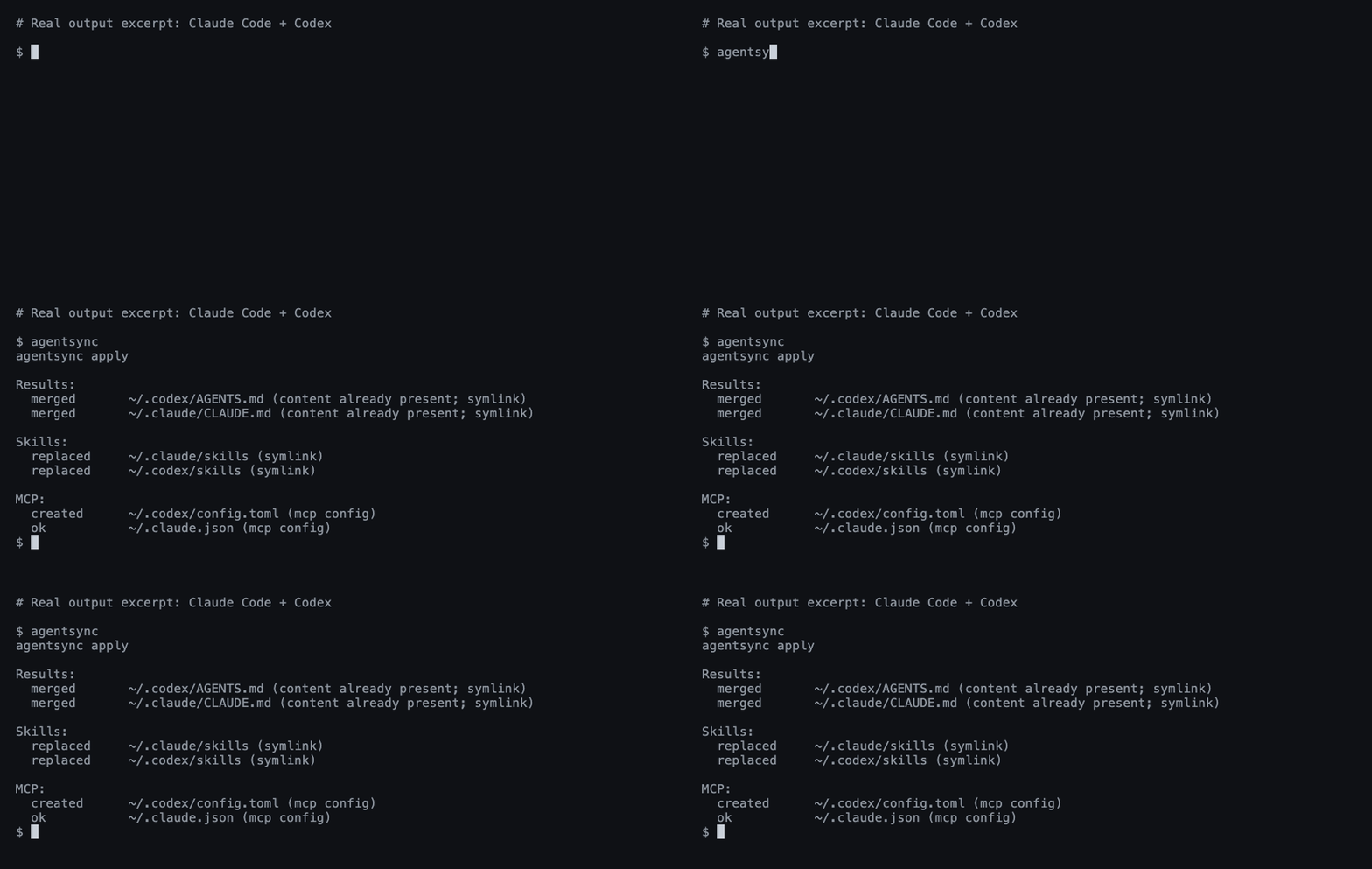
A real Claude Code + Codex run; output excerpted for readability.
Install
Windows — PowerShell:
irm https://raw.githubusercontent.com/x0c/agentsync/main/install.ps1 | iex
macOS / Linux — shell:
curl -fsSL https://raw.githubusercontent.com/x0c/agentsync/main/install.sh | sh
The installers download the matching release archive (agentsync_windows_<arch>.zip on Windows, agentsync_<os>_<arch>.tar.gz on macOS/Linux) and verify its SHA-256 checksum before installing. AGENTSYNC_INSTALL_DIR overrides the default (%LOCALAPPDATA%\Programs\agentsync\bin on Windows, ~/.local/bin on macOS/Linux); the Windows installer adds it to the user PATH.
macOS / Linux — Homebrew:
brew install --cask x0c/tap/agentsync
Any OS — Go 1.25.8+:
go install github.com/x0c/agentsync@latest
Add Go's bin directory to PATH if needed (usually ~/go/bin; %USERPROFILE%\go\bin on Windows).
Without an installer or Go: download and extract a release binary, then put it on PATH. Available for macOS and Linux (arm64 / amd64), and Windows (arm64 / amd64). Checksums are included.
Run
First preview, then apply:
agentsync --check
agentsync
That's it. agentsync merges your existing instructions, collects your skill folders, and imports your MCP servers into one shared source — then links or writes them back to each installed tool in its native format. Files replaced during sync are backed up automatically; tools you haven't installed are skipped.
From then on, maintain these files in ~/.config/agentsync/ (%USERPROFILE%\.config\agentsync\ on Windows):
| File | What you manage once |
|---|---|
AGENTS.md |
Global instructions |
skills/ |
Complete skill folders, including scripts and references |
mcp.json |
MCP servers |
Run agentsync again after changes, or use the optional watcher below.
Optional commands
| Need | Command |
|---|---|
| Preview without writing | agentsync --check |
| Automatically apply source changes | agentsync --watch |
| Restore the latest backup | agentsync --rollback latest |
Link a project's CLAUDE.md to its AGENTS.md |
agentsync --repo |
| Print the version | agentsync --version |
See the workflow guide for background services, batch repository sync, filters, and backup details.
Good to know
- Default sync manages global configuration on this machine. Project files are handled by the separate repository mode.
- Support varies by tool. See instruction and skill support and MCP support.
- Instructions and skills use links where possible. Cursor gets a managed
.mdcrule; on Windows, skill directories link as a symbolic link first, then an NTFS directory junction, otherwise agentsync reports an error naming Windows Developer Mode. See Cursor loading limits. - Exclude servers, skills, or instructions per tool with a
sync-policy.jsonbeside the canonical sources; see filtering. Filtering never removes content from the canonical source. - Edit the shared source. The watcher pushes changes out to your tools; it does not import edits made in another tool's settings. Keep
mcp.jsonlocal: it may contain tokens and machine-specific paths..gitignore/.stignoreentries protectingmcp.jsonare written only when the configuration directory is already a Git repository (.git) or a Syncthing folder (.stfolder). - Safety checks reject unsupported arguments, invalid MCP entries, and unsafe skill-directory overlaps. Your own rules are merged in before copies are generated; Codex servers that share a name keep their local restrictions and authentication options. Rollbacks use collision-resistant backup snapshots, and
latestskips backups with no file changes. See the preservation boundaries.
Questions or a missing tool? Open an issue with the tool name, OS, and redacted output. Contributor instructions: AGENTS.md.
🧩 Related Tools in the AI Coding Suite
If you run multiple AI coding agents daily, check out the rest of the local-first toolkit:
| Repository | Description |
|---|---|
| corral | Run Claude Code, Codex, OpenCode, Cursor & Pi side-by-side in a terminal session manager, then continue from iPhone or Mac. |
| subswap | Check remaining quota and switch Claude Code, Codex, Cursor, Kimi Code & OpenCode accounts without logging out. |
| agent-doc-skills | Navigable project knowledge base skills (doc-init, doc-update, doc-compact) so coding agents don't rediscover your repo every session. |
| sesskit | Parse and export local Claude Code, Codex CLI, and Cursor session transcript files from disk. |
License
agentsync MCP 질문
소스 파일이 업데이트될 때 변경 사항을 자동으로 적용할 수 있나요?
네, 선택 사항인 --watch 명령어를 사용하여 소스 변경 사항을 자동으로 적용할 수 있습니다.
동기화 중 오류가 발생하면 어떻게 되나요?
최신 백업으로 복구할 수 있는 롤백 기능을 제공합니다.