
word-aligner MCP server
2026년 11월 11일 커밋Creates shareable word-alignment diagrams that visually connect words between different languages or translation tiers.
다른 이름 tinygodsdev/bitext-word-alignment, bitext-word-alignment
- 스타
- 5
- Tools
- —
- 다운로드, 30일
- —
- 최신 버전
- 1.0.0
- 마지막 커밋
- 2026년 11월 11일
- 라이선스
- MIT
word-aligner MCP란?
word-aligner은(는) MCP server입니다. Creates shareable word-alignment diagrams that visually connect words between different languages or translation tiers.
프로젝트 README에서 생성된 요약
word-aligner MCP server 정보
Word Aligner is a web-based tool designed for language learners, teachers, linguists, and conlangers to create visual diagrams of word-to-word translations. It allows users to stack multiple rows of text, such as source sentences, translations, IPA, or glosses, and manually connect words using curved connectors. This manual approach ensures users maintain full control over one-to-many or many-to-one links, making it useful for showing complex word reordering or grammatical shifts.
Developers can integrate this functionality via a free HTTP API or an MCP server that provides a create_word_alignment tool. When used as an MCP server, it runs over Streamable HTTP without requiring authentication. The server returns a shareable URL and a preview image. Users can customize typography, tokenization, and directionality, including support for right-to-left scripts and vertical writing systems like Japanese tategaki. Final diagrams can be exported as PNG, SVG, PDF, or HTML files.
활용 사례
- 1Visualize translation reorderingShow how words in a source sentence map to a target sentence even when the word order changes.
- 2Create linguistic glossesGenerate interlinear glosses that include morpheme alignment and IPA annotations for academic study.
- 3Document constructed languagesMap a constructed language onto English using custom script fonts and additional annotation tiers.
- 4Automate alignment linksProgrammatically generate shareable alignment URLs using a POST request to the API.
프로젝트의 README를 바탕으로 작성되었습니다. 모든 활용 사례는 해당 내용의 인용문과 대조하여 확인합니다.
word-aligner MCP 설치 방법
형식 확인: 2026년 11월 10일Cursor에 추가Goose에 추가Claude Code에 word-aligner MCP 설치
$ claude mcp add --transport http bitext-word-alignment https://aligner.tinygods.dev/mcpCursor에 word-aligner MCP 설치
~/.cursor/mcp.json
{
  "mcpServers": {
    "bitext-word-alignment": {
      "url": "https://aligner.tinygods.dev/mcp"
    }
  }
}VS Code에 word-aligner MCP 설치
.vscode/mcp.json
{
  "servers": {
    "bitext-word-alignment": {
      "type": "http",
      "url": "https://aligner.tinygods.dev/mcp"
    }
  }
}VS Code CLI에 word-aligner MCP 설치
$ code --add-mcp '{"name":"bitext-word-alignment","type":"http","url":"https://aligner.tinygods.dev/mcp"}'Codex에 word-aligner MCP 설치
$ codex mcp add bitext-word-alignment --url https://aligner.tinygods.dev/mcpCodex config.toml에 word-aligner MCP 설치
~/.codex/config.toml
[mcp_servers.bitext-word-alignment]
url = "https://aligner.tinygods.dev/mcp"
Gemini CLI에 word-aligner MCP 설치
$ gemini mcp add -s user --transport http bitext-word-alignment https://aligner.tinygods.dev/mcpGemini settings.json에 word-aligner MCP 설치
~/.gemini/settings.json
{
  "mcpServers": {
    "bitext-word-alignment": {
      "url": "https://aligner.tinygods.dev/mcp",
      "type": "http"
    }
  }
}자동 검사
2026년 11월 14일에 실행됨전체 보고서 →아직 인증되지 않았습니다. 서버는 80점 이상의 점수, 심각한 결함 없음, 그리고 검사에 충분한 데이터를 갖추어야 합니다. 검사 방식 · 점수를 높이기 위해 수정할 항목

- 소스 저장소 연결 및 접근 가능tinygodsdev/bitext-word-alignment is public and reachablegithub.com/tinygodsdev/bitext-word-alignment ↗통과
- 패키지가 이 저장소를 소스로 명시검사되지 않음
- 빌드 출처(Sigstore 증명)검사되지 않음
- 오픈 소스 라이선스 (OSI)MITspdx.org/licenses/MIT.html ↗통과
- 최근 1년 내 커밋 또는 릴리스Last commit or release 2026-11-11github.com/tinygodsdev/bitext-word-alignment ↗통과
- OpenSSF Scorecard검사되지 않음
- 패키지 이름이 인기 패키지와 유사하지 않음검사되지 않음
- 패키지 및 해당 종속성에 중요한 보안 권고 없음검사되지 않음
- 모델에 대한 숨겨진 지침 없음0 tool descriptions and the README read; no override phrases, credential paths or hidden characters통과
- 파괴적인 도구에 라벨 표시됨검사되지 않음
- 원격 엔드포인트가 MCP 핸드셰이크에 응답initialize answered with protocol 2025-06-18 in 438 ms통과
README
GitHub에서 보기Aligner — word-by-word translation visualizer
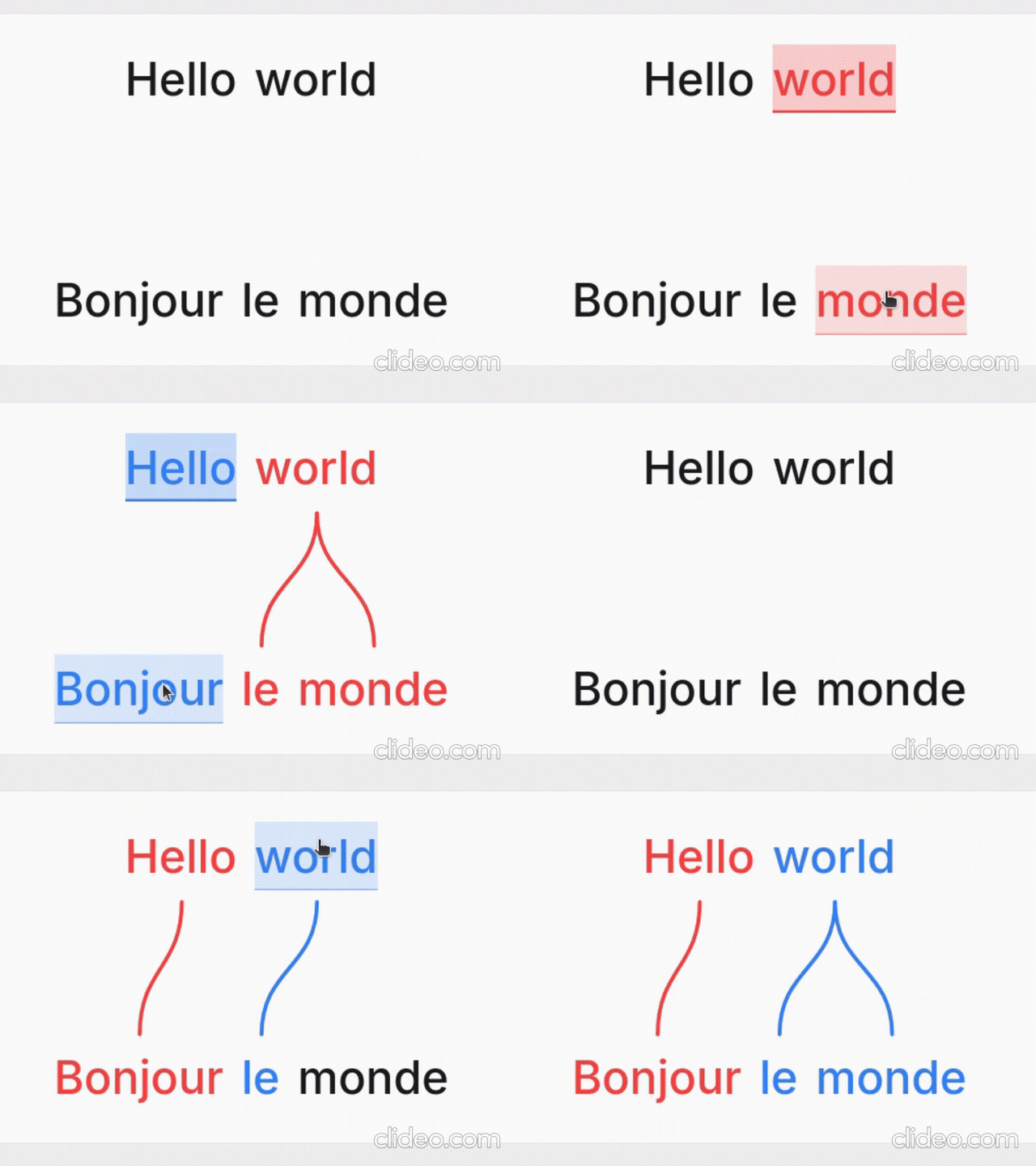
Word Aligner is a free web tool that shows which word matches which across stacked lines of text. Type or paste a sentence and its translation, click a word and then its match on the line above or below, and curved connectors draw the alignment between them. Add extra rows for glosses or IPA, then export the diagram or share it with a link.
No accounts, no machine translation — you stay in control of every link. Great for lessons, social posts, grammar notes, and conlang documentation.
What it's for
- Language learners — see exactly why a translation says what it does: which source word became which target word, what gets dropped, and where word order changes.
- Teachers — build handouts, slides, and flashcards; export a clean PNG or SVG and drop it into a lesson without retyping anything.
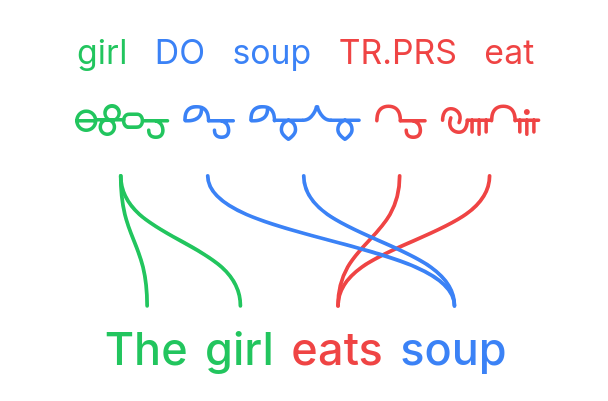
- Linguists — produce Leipzig-style interlinear glosses with morpheme alignment, case/agreement tags, and free translations.
- Conlangers — show how a constructed language maps onto English, with custom script fonts, gloss rows, and IPA.
What it does
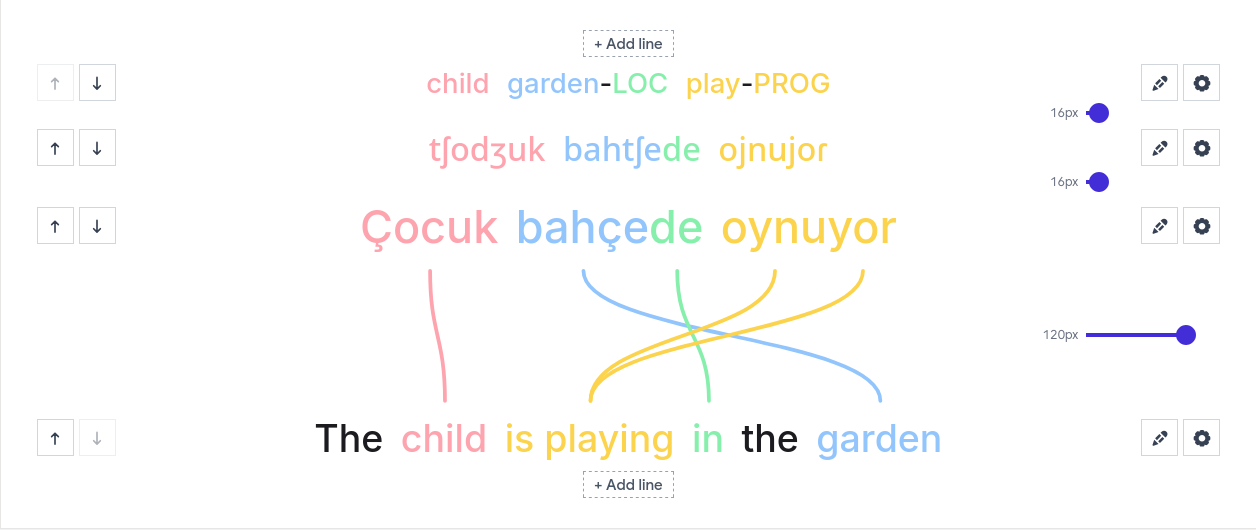
- Multi-line alignment — stack as many rows as you need (source, translation, gloss, IPA); links connect vertically adjacent lines.
- Manual word linking — click a word, then its match; supports one-to-many and many-to-one links and freely crossing connectors for reordered translations.
- Interlinear glosses & IPA — add annotation tiers above or below any line.
- Right-to-left scripts — Hebrew, Arabic, and mixed LTR/RTL layouts.
- Vertical writing systems — stand the whole diagram up as columns for Japanese tategaki, Chinese, or traditional Mongolian; characters stack or the line rotates, chosen per line, so a horizontal translation stays readable beside it.
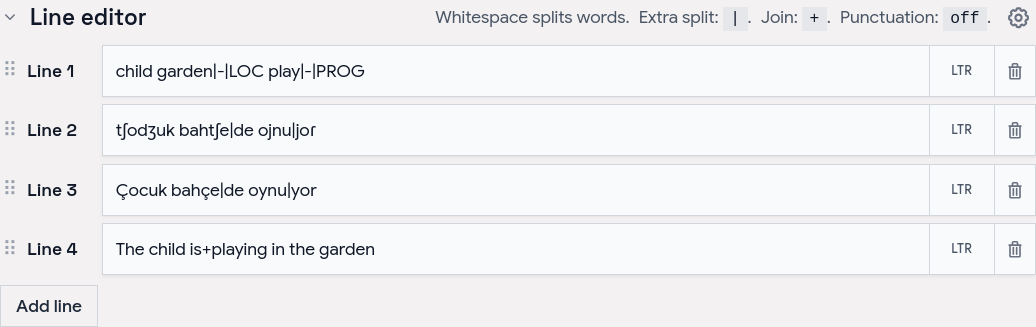
- Tokenization control — choose how text splits into word boxes (split characters, a join marker for fixed expressions, optional punctuation handling).
- Per-line typography — font, size, spacing, and direction per line; custom and Google Fonts.
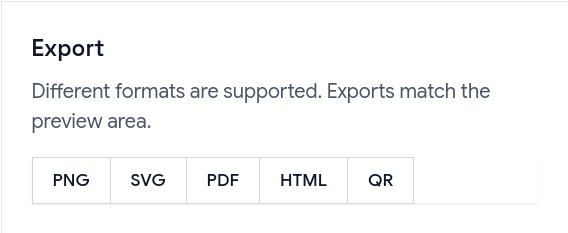
- Exports — PNG, SVG, PDF, and a self-contained HTML file; exports match the preview, including custom-font shaping.
- Shareable URLs — the whole alignment (text, links, and visual settings) is encoded in a
?data=link.
Examples
Browse ready-made examples — bilingual pairs, Turkish interlinear with IPA, RTL scripts, vertical Japanese and traditional Mongolian, Tagalog compounds, Japanese–Chinese–English word order, and more interlinear glosses — at aligner.tinygods.dev/examples. Open any one in the editor to adapt it.
How it works
Edit your lines in the line editor, then link words in the preview.
Tune colors, tokenization, and fonts in settings, then export or share.
Word alignment vs. interlinear vs. parallel text
- Interlinear translation places a gloss directly under each source word — compact, but it hides reordering. Aligner keeps both sentences on their own line and draws connectors, so reorderings, splits, and merges stay obvious.
- Parallel text is side-by-side bilingual reading for long-form study. Aligner focuses on one sentence pair at a time with explicit connectors showing which tokens correspond.
API
Word Aligner has a free HTTP API for generating alignment links programmatically.
POST https://aligner.tinygods.dev/api/align
Content-Type: application/json

{
  "lines": ["Hello world", "Bonjour le monde"],
  "alignments": [[0, 0, 1, 0], [0, 1, 1, 2]]
}
Returns { "url": "https://aligner.tinygods.dev/?data=..." }.
Supports per-line options (font, size, RTL), global visual settings (palette, line style, background), pair-level gap control, and multi-line stacks with selective connectors.
- API docs: aligner.tinygods.dev/api
- OpenAPI schema: aligner.tinygods.dev/api/align/openapi.json
Using Word Aligner as an AI agent tool
The word-aligner-skill/ directory is a ready-to-install skill that teaches AI assistants (Claude, ChatGPT, etc.) how to use the API. Once installed, it enables flows like:
"Translate 'я хочу спать' into English and show me the word alignment."
The agent translates, calls the API, and returns a shareable link.
- For Claude: point your Claude project at this repository or add the contents of
word-aligner-skill/SKILL.mdas a custom instruction. - For ChatGPT: zip
word-aligner-skill/and upload it as a custom Skill.
Install instructions and a downloadable archive are also on the site: aligner.tinygods.dev/skill.
MCP server
There is also an MCP server at https://aligner.tinygods.dev/mcp that exposes a single create_word_alignment tool. It returns a shareable link plus a preview image, and runs inside the same app over Streamable HTTP with no auth. Connect it in Claude:
claude mcp add --transport http word-aligner https://aligner.tinygods.dev/mcp
See docs/mcp-server.md for ChatGPT Developer Mode setup and the tool schema.
Learn more
- App: aligner.tinygods.dev
- About / documentation: aligner.tinygods.dev/about
- Privacy: aligner.tinygods.dev/privacy
Created by Dani Polani. See other tools for linguistics and conlanging.
word-aligner MCP 질문
word-aligner MCP를 Claude Code에 추가하려면 어떻게 하나요?
터미널에서 claude mcp add --transport http bitext-word-alignment https://aligner.tinygods.dev/mcp를 실행합니다. 모든 프로젝트에서 사용할 수 있게 하려면 --scope user를 추가합니다.
word-aligner MCP를 Cursor에 추가하려면 어떻게 하나요?
~/.cursor/mcp.json를 열고 mcpServers 아래에 서버를 추가합니다. 위 설치 섹션에 표시된 Cursor 구성을 사용합니다.
What can I use Word Aligner for?
It is used by language learners to see word matches, teachers to build handouts, linguists for interlinear glosses, and conlangers for mapping constructed languages.
Can I export the diagrams?
Yes, you can export your alignments as PNG, SVG, PDF, or a self-contained HTML file.
How do I share my work?
You can share your alignment via a link that encodes all text, links, and visual settings.