
navette MCP server
2026년 10월 19일 커밋운영 체제의 네이티브 WebView를 사용하여 AI agent가 웹사이트를 탐색하고, 읽고, 스크린샷을 찍으며, 상호작용할 수 있도록 지원합니다.
다른 이름 slabbdev/navette, navette
- 스타
- 7
- Tools
- —
- 다운로드, 30일
- —
- 최신 버전
- 1.7.0
- 마지막 커밋
- 2026년 10월 19일
- 라이선스
- MIT
navette MCP란?
navette은(는) MCP server입니다. 운영 체제의 네이티브 WebView를 사용하여 AI agent가 웹사이트를 탐색하고, 읽고, 스크린샷을 찍으며, 상호작용할 수 있도록 지원합니다.
프로젝트 README에서 생성된 요약
navette MCP server 정보
Navette는 운영 체제에 이미 내장된 네이티브 WebView를 활용하여 AI agent가 웹과 상호작용할 수 있는 가벼운 방법을 제공합니다. Chromium과 같은 무거운 브라우저 엔진을 다운로드하는 대신, 이 단일 Rust 바이너리는 macOS WKWebView, Windows WebView2 또는 Linux WebKitGTK를 사용하여 작업을 수행합니다. 이 방식은 기존 자동화 프레임워크에 비해 RAM 사용량을 크게 줄이고 시작 속도를 향상시킵니다.
개발자는 MCP stdio 또는 로컬 HTTP API를 통해 서버에 연결할 수 있습니다. 서버에는 URL 탐색, 페이지 콘텐츠를 markdown 또는 HTML로 읽기, 스크린샷 찍기, 클릭·타이핑·파일 업로드와 같은 복잡한 상호작용을 수행하기 위한 특화된 도구가 포함되어 있습니다. JavaScript 비중이 높은 사이트를 처리하거나, 사용자 세션을 관리하거나, 로그인 양식을 통과해야 하는 agent를 위해 설계되었습니다.
보안은 핵심 요소로, OS 키체인에 오리진 기반 자격 증명을 저장하는 기능을 제공합니다. 이를 통해 민감한 비밀번호는 데몬에 의해 페이지로 직접 주입되며, agent나 네트워크에 노출되지 않도록 보장합니다. 또한 서버는 세션 격리를 지원하며, 후속 요청에 대한 지연 시간을 최소화하기 위해 상주 데몬으로 실행될 수 있습니다.
활용 사례
- 1자동 웹 탐색 및 읽기agent가 특정 URL로 이동하여 페이지 콘텐츠를 구조화된 형식으로 추출할 수 있습니다.
- 2스크린샷을 통한 시각적 검증개발자가 agent에게 웹페이지의 시각적 이미지를 캡처하도록 지시하여 레이아웃을 검증할 수 있습니다.
- 3안전한 사용자 로그인 처리agent가 실제 비밀번호를 직접 확인하지 않고도 저장된 자격 증명을 사용하여 로그인 프로세스를 실행할 수 있습니다.
프로젝트의 README를 바탕으로 작성되었습니다. 모든 활용 사례는 해당 내용의 인용문과 대조하여 확인합니다.
자동 검사
2026년 11월 14일에 실행됨전체 보고서 →아직 인증되지 않았습니다. 서버는 80점 이상의 점수, 심각한 결함 없음, 그리고 검사에 충분한 데이터를 갖추어야 합니다. 검사 방식 · 점수를 높이기 위해 수정할 항목

- 소스 저장소 연결 및 접근 가능slabbdev/navette is public and reachablegithub.com/slabbdev/navette ↗통과
- 패키지가 이 저장소를 소스로 명시검사되지 않음
- 빌드 출처(Sigstore 증명)검사되지 않음
- 오픈 소스 라이선스 (OSI)MITspdx.org/licenses/MIT.html ↗통과
- 최근 1년 내 커밋 또는 릴리스Last commit or release 2026-10-19github.com/slabbdev/navette ↗통과
- OpenSSF Scorecard검사되지 않음
- 패키지 이름이 인기 패키지와 유사하지 않음검사되지 않음
- 패키지 및 해당 종속성에 중요한 보안 권고 없음검사되지 않음
- 모델에 대한 숨겨진 지침 없음0 tool descriptions and the README read; no override phrases, credential paths or hidden characters통과
- 파괴적인 도구에 라벨 표시됨검사되지 않음
- 원격 엔드포인트가 MCP 핸드셰이크에 응답검사되지 않음
README
GitHub에서 보기navette — v1.9.0
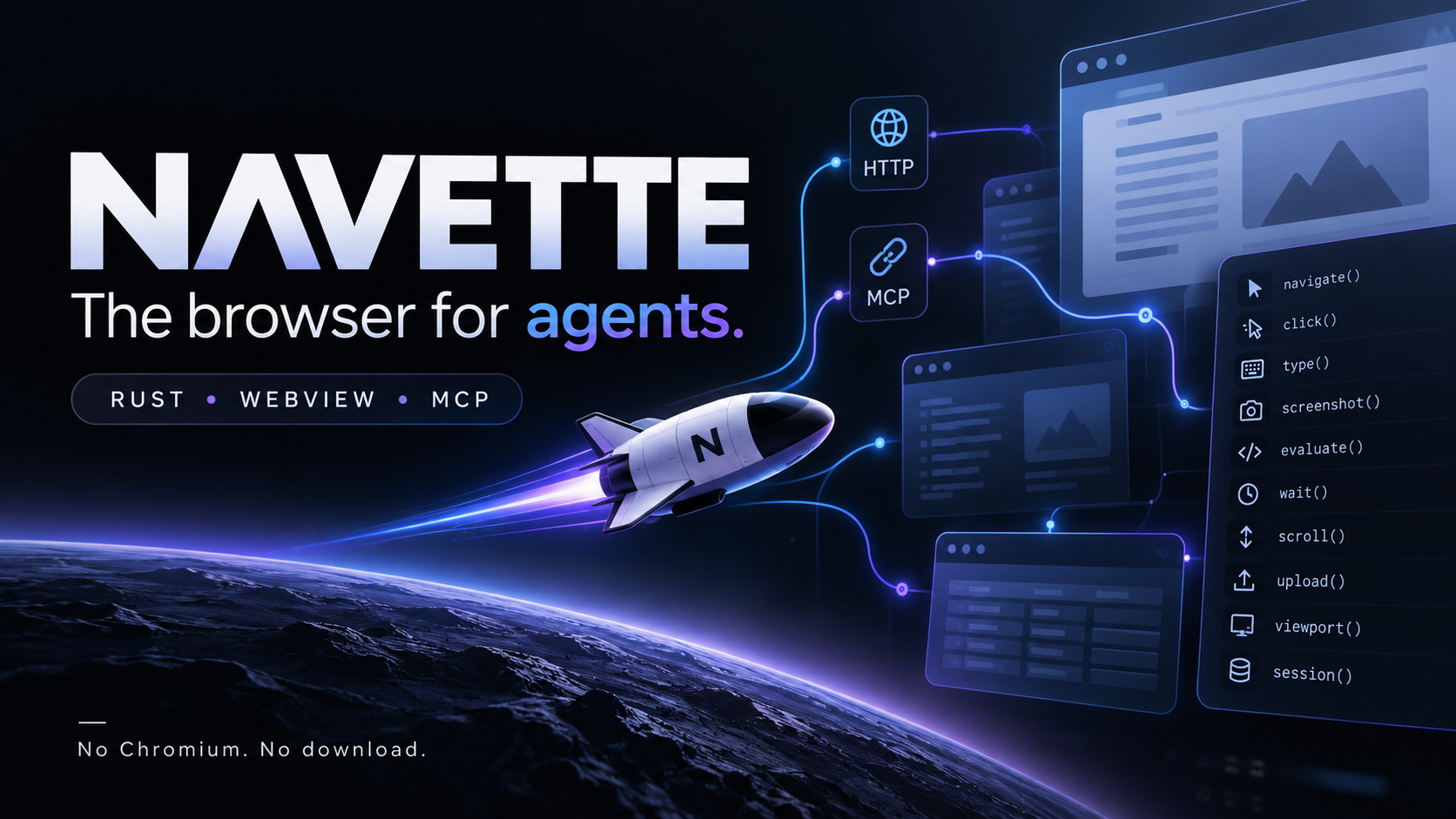
The browser for agents. One tiny Rust binary driving the WebView your OS already ships — no Chromium, no download, no RAM bonfire.
Navette is French for shuttle — the small vessel that carries your agent from page to page. Always fueled (the engine ships with your OS), light enough to ignore, and it skips the human web's garbage so your agent doesn't have to.
Single Rust binary, three modes:
$ ls -lh target/release/navette
-rwxr-xr-x  1 user  staff   725K  navette
725 KB installed on macOS (release binaries track it; the OS-keychain store for logged-in states costs ~100 KB). Windows-x64 / linux-x64 ride the wry backends. Playwright ships 218 MB. Lightpanda ships 96 MB (and cannot screenshot). Measured claims, reproducible with one command (BENCHMARKS.md):
- Faster than Playwright + Chromium on every metric we measured — install, cold start, navigate→read (8 ms), act (1 ms), peak RAM, 100-page crawl (0.9–2.8 s, parity with Lightpanda within variance and ~2–3x faster than Playwright), real-web success rate (95–100% vs 85%).
- Crawls at Lightpanda's speed while rendering (parity within variance through the zero-bias raw-CDP probe, where Lightpanda is the fastest page-reader at 3.3–3.4 ms — it parses a partial DOM and cannot render — and navette is the fastest full-rendering reader: 17.9–19.4 ms vs Chromium's 28–34 ms through the identical client).
- The two rows Lightpanda wins — fresh-process boot and peak RAM — are the price of rendering. If your agent only reads static pages, use fetch + readability; if it needs JS, sessions, actions and vision, that price is the product.
FAQ
Why not Apple's Safari MCP server (2026)? Same thesis, different scope: navette is agent-first (8 primitives, ghost windows, resident daemon), open source, and cross-platform by design (WebView2 on Windows is Chromium — preinstalled). Apple's is macOS-and-Safari-shaped.
Why not just fetch + readability? For static pages, do that — it beats everyone. navette exists for what fetch can't do: JS-built pages, logins, sessions, forms, screenshots, acting like a human.
Why not an ML extraction model? Two trades, not a ranking — pulpie-mcp lives on the ML side of this lane. Trained extraction models survive hostile HTML — agency templates, mangled CMS output — where a DOM walk picks the wrong node, at roughly ~600 ms of compute per page. navette's native DOM walk costs ~10 ms per page and wins wherever the markup is sane, which is most documentation, news and dev-tool pages — most of what agents actually read. The layers compose: when one target's markup is hostile enough that native extraction picks garbage, hand that page's raw HTML to an ML pass.
Is navette a crawler? No — deliberately. navette does navigate/read/screenshot/act on a URL you hand it; robots → sitemap → link discovery is a layer above, not a core primitive. Point a crawler at navette when its targets need a real engine.
Screenshot fidelity? Capture is native per engine (v1.3+) — what the compositor drew, not a re-render — and viewport-sized; set the viewport before navigating for repeatable captures. Full-page capture is not implemented yet; tracked honestly rather than approximated.
Security? The server binds 127.0.0.1 only, non-local Host headers are refused (DNS-rebinding guard; /health exempt), token comparison is constant-time, and proxy URLs are credential-redacted in logs. Session isolation is CI-enforced on every engine — a cookie imported into one session must not appear in another's jar, or the build fails: macOS (non-persistent WKWebsiteDataStore per session) · Windows (one WebView2 profile per session + InPrivate — InPrivate alone shares one profile across controllers, #6) · Linux (fresh WebContext per session; cookies never touch disk — HTTP cache/HSTS still do, #6). Cross-run state moves explicitly: state_export / state_import. The agent's JS executes in the OS WebKit sandbox, not in your terminal. For anything beyond a private laptop, --token SECRET requires Authorization: Bearer on every route (except /health) — an MCP host attaches with the NAVETTE_TOKEN env var. Logged-in states belong in the OS keychain, not in plaintext sidecar files (#8): navette state save NAME writes the jar inside the daemon and only metadata ever returns — the request carries a name, the keychain holds the secret, and macOS re-prompts on a new binary (ACL), an implicit per-release consent. Credentials go one step further (stage 2, shipped): a human saves a login with navette creds set SITE (hidden stdin, bound to the exact origin of the session's current page), then any agent fills the login form with POST /login {"site": SITE} — the password is resolved inside the daemon and injected into the page; it never appears in the request, the response, or a log, and there is no read-back API at all. The fill is refused on any other origin — a hostile page or a prompt-injected agent can neither harvest the secret nor aim it elsewhere. 2FA stays human (session_show). The one honest limit: at fill time the password does reach the page — the same as human typing; the origin-binding is the defense.
Operator flags (serve): --proxy URL (HTTP CONNECT / SOCKS5, wry backends — macOS follows the system proxy), --user-agent UA (per-serve override), --idle-release MIN (drop idle WebKit sessions, the daemon stays resident).
Build & run
brew install slabbdev/tap/navette   # macOS arm64
cargo install navette-browser   # any platform, from source
docker run -i --rm ghcr.io/slabbdev/navette navette mcp   # container, stdio MCP (amd64+arm64)
navette serve --port 8765       # HTTP API on loopback
navette mcp                     # MCP stdio for agent hosts
navette state save NAME         # the session's login state → OS keychain
navette creds set NAME          # a login the agent can use but never see
navette install-daemon          # resident: warm from login
Or build from source:
cargo build --release          # rustup; macOS fully shipped — Windows (WebView2) / Linux (WebKitGTK) backends aboard
./target/release/navette serve --port 8765   # HTTP API on loopback
./target/release/navette mcp                 # MCP stdio for agent hosts
./target/release/navette install-daemon      # resident: warm from login, 24 ms first page
./target/release/navette uninstall-daemon
The mcp mode auto-starts serve if nothing is listening (it idles politely if the port is already served by another navette). The resident daemon is a LaunchAgent with KeepAlive — the cold start an agent feels drops to 24–37 ms while sessions are warm. With --idle-release MIN that window gains an honest edge: idle sessions drop, and the first request after that re-warms through the pre-warm path in ~100 ms — the daemon itself never exits.
HTTP API (127.0.0.1 only, JSON)
| Route | Body | Returns |
|---|---|---|
GET /health |
— | {ok, name, engine} |
GET /sessions |
— | sessions with url + title |
POST /navigate |
{url, session?, with_content?, format?} |
{ok, url, title[, content]} — with_content folds the read into one round-trip |
POST /read |
{session?, format?} markdown/text/html |
{ok, content} |
POST /screenshot |
{session?} |
PNG bytes |
POST /click |
{selector, session?, wait_navigation?} |
{ok} (real pointer+mouse events — opens Radix/HeadlessUI menus too; opt-in auto-wait for form-POST navigations) |
POST /type |
{selector, value, session?} |
{ok} (React-safe native setter) |
POST /evaluate |
{js, session?} |
{ok, result} |
POST /wait |
{selector, ms?, session?} |
{ok} |
POST /sessions/state |
{session, store?} |
cookies JSON — the logged-in state; with store, the jar goes to the OS keychain under that name and only {stored, origin, cookies} returns — the jar never rides the wire |
POST /sessions/load |
{session, cookies} or {session, store} |
{ok, imported[, origin, saved_at]} restore a logged-in state from JSON or from the keychain |
GET /states |
— | stored states — names, origins, timestamps; never the jars |
POST /states/delete |
{name} |
{ok} remove one |
POST /creds/set |
{site, username, password, session} |
{site, origin} — HUMAN step (the CLI prompts on hidden stdin); the credential binds to the session page's exact origin |
GET /creds |
— | sites + origins + usernames — never passwords |
POST /creds/delete |
{site} |
{ok} remove one |
POST /login |
{site, session?, submit?} |
fill + submit the login form from the keychain — the password never appears in the request, the response, or a log; 403 unless the session is on the credential's origin |
POST /sessions/viewport |
{width, height, session?} |
{ok, width, height} set the viewport (default 1280x800) |
POST /sessions/show |
{session?} |
{ok, visible} put the session's window ON SCREEN — titled, keyable, centered; for one-time human logins inside a session |
POST /sessions/hide |
{session?} |
{ok, visible} order the window back out (session and state untouched) |
POST /hover |
{selector, session?} |
{ok} (mouseover/mousemove at the element's center) |
POST /key |
{key, selector?, session?} |
{ok} (keydown+keyup on the focused element) |
POST /scroll |
{y?, selector?, session?} |
{ok, y} absolute scroll or scrollIntoView |
POST /upload |
{selector, filename, content_base64, mime?, session?} |
{ok, files} — fills a file input with in-memory content (DataTransfer; no OS dialog) |
POST /sessions/close |
{session} |
{ok} |
Sessions are created lazily; ghost windows are attached only when a screenshot needs them.
JS dialogs (alert/confirm/prompt) are auto-handled in-page: alert logs and no-ops, confirm accepts, prompt returns its default — agents never deadlock on a hidden modal.
MCP for agent hosts
Register once (ZCode example, workspace .zcode/config.json):
{ "mcp": { "servers": { "navette": {
    "command": "/abs/path/to/navette/target/release/navette",
    "args": ["mcp"]
} } } }
The host gets 19 tools: navigate, read, screenshot (returned as MCP image content — the agent sees the page), click, hover, type, key, evaluate, wait, scroll, upload, viewport, sessions, session_close, session_show / session_hide (put the window on screen so a human can log in, then take it away — the state stays), login (fill + submit from the keychain — the agent never sees the password), state_export / state_import (cookies — the Playwright storageState equivalent — with an optional store name that parks the jar in the OS keychain so it never crosses the wire).
Architecture
src/main.rs          HTTP server (std::net), routes, agent-first JS snippets
src/mcp.rs           MCP stdio adapter + serve auto-start
src/webviewkit.rs    the kit contract — a trait every backend must implement,
                     so surface parity is compile-enforced (a backend that
                     misses a primitive or drifts on a signature won't build)
src/backend_macos.rs WKWebView via raw objc2 — ghost windows, lazy attach,
                     measured cold-start ordering (AppKit -> listener -> pre-warm)
src/backend_wry.rs   Windows (WebView2) / Linux (WebKitGTK) via wry + tao —
                     same surface, IPC-shim results, URL-matched navigation
src/backend_stub.rs  fallback for other targets (placeholder, same contract)
The 8 primitives are engine-agnostic; each platform backend is a thin layer over the system WebView behind this exact surface — now pinned by the WebviewKit trait, the seam a future hand-rolled backend (direct WebKitGTK/WebView2 FFI, no wry) would plug into. Engine strategy: system-first, embedded fallback (WebView2 Fixed Version / WebKitGTK via apt / WPE) — see ONEPAGER.md.
Status
v1.9.0 (2026-10-08) — current. Native key input on macOS, verified: show_window is the focus gate (the ghost's window becomes a titled, key window — the Window Server must confirm isKeyWindow before any CGEvent is posted, so a keystroke can never land in someone else's app); single characters ride with an attached unicode string, so the delivered e.key is what the agent asked for on any keyboard layout (verified on AZERTY: a, Enter, Z, Tab, ArrowLeft all landed isTrusted: true in native mode); delivery is verified in-page before mode: native is ever reported — anything less falls back to synthetic, honestly. Also: NAVETTE_EVAL_TIMEOUT_SECS (default 20, clamped 5–300) for slow/contended environments (#7 mitigation). All three engines now ship attempt-first native input: SendInput (Windows, verified end-to-end), XTEST (Linux/X11), CGEvents (macOS, verified).
v1.8.1 (2026-10-08) — session isolation, CI-enforced on every engine. Session isolation, CI-enforced on every engine: each session gets its own WebView2 profile + InPrivate on Windows (InPrivate alone shares one profile across controllers — measured; named profiles isolate cookies/storage/cache per session), non-persistent WKWebsiteDataStore on macOS, isolated WebContexts on Linux; a cross-session cookie leak now fails the build on all three OSes. Security hardening: constant-time token comparison, DNS-rebinding Host guard (non-local Host → 403, /health exempt), proxy-credential redaction in logs. Also: demo/signed-webhook — sealed counterparty events, fraud analysis as a diff (HMAC-chained mock, closes #5); the tollbooth dataset went CC BY 4.0 with x402/paywall signals (v1.8.0).
v1.8.0 (2026-10-08) — visible session windows + real pointer events: session_show/session_hide bring a ghost session on-screen with its page state intact for one-time human logins (OAuth, 2FA, captchas), then park it off-screen again; /click dispatches pointerover/pointerdown/pointerup before the mouse events, so Radix/headless-UI components open like they do for a human; the macOS /wait boolean-stringification bug is fixed (the bridge reports 1, the probe expected true — every present selector "timed out"). Internals: the backend contract is now the webviewkit kit, compile-enforced per backend. Tollbooth round 2: the walled-web bench measures x402/paywall signals alongside robots.txt AI clauses and llms.txt (200 URLs × 5 categories; dataset in bench/, CC BY 4.0). A full working recipe — publish on a site with no API — ships as demo/dailydev.
v1.7.0 (2026-10-07) — native keyboard input: POST /key attempts real OS-level events first (CGEvent on macOS, SendInput on Windows, XTEST on Linux — isTrusted: true) and falls back automatically to the synthetic dispatch, reporting which mode ran. Windows is the platform where native input is verified end-to-end; macOS and headless Linux fall back cleanly (see issue #3 for exactly where each stands). Operator release: --token (Bearer auth on the HTTP API), --proxy (HTTP CONNECT / SOCKS5 per serve), --user-agent (per-serve override). Idle-release watchdog: navette serve --idle-release 15 drops WebKit sessions after 15 minutes without requests — daemon stays resident, memory comes back, the next request re-warms on demand (validated on macOS and Linux). 18 MCP tools including file upload (page-side DataTransfer — no OS dialog), scroll; published on crates.io as navette-browser (cargo install navette-browser → navette); a bench workflow measures navigate/read/screenshot on all three engines. CI green on all three OSes: macOS (WKWebView), Windows (WebView2), Linux (WebKitGTK).
Recent releases: v1.8.1 — cross-engine session isolation (CI-asserted), constant-time token, DNS-rebinding guard, docs/SECURITY.md · v1.8.0 — visible session windows, pointer-event clicks, macOS /wait fix, webviewkit kit, tollbooth round 2 · v1.7.0 — native keyboard input (attempt-first /key, honest mode reporting) · v1.6.0 — the operator release (--token, --proxy, --user-agent), linux-arm64 asset · v1.5.0 — idle-release watchdog, the tollbooth bench harness, the native-vs-ML extraction trade documented · v1.4.1 — container image (ghcr, amd64+arm64), --help/--version, brew tap, official MCP registry listing · v1.3.0 — full platform parity (native screenshots per engine, cookie state export/import, viewport control, resident daemon everywhere, hover + key, auto-handled dialogs).
Known gaps, stated plainly: real (OS-level) mouse input, request/response network interception, OS file-dialog automation. MIT.
navette MCP 질문
navette가 크롤러인가요?
아니요, navette는 제공된 특정 URL을 탐색하고 읽고, 스크린샷을 찍고, 동작을 수행하도록 설계되었습니다. 링크 발견이나 사이트맵 크롤링은 이보다 상위 계층의 기능으로 간주됩니다.