
ArchScript MCP server
2026년 11월 11일 커밋ArchScript for Mac 애플리케이션에서 architecture-as-code 방식을 사용하여 AI 클라이언트가 소프트웨어 아키텍처 다이어그램을 계획, 편집 및 검토할 수 있게 합니다.
다른 이름 schlummer13/archscript-mcp, archscript-mcp
- 스타
- 0
- Tools
- —
- 다운로드, 30일
- —
- 최신 버전
- 1.0.0
- 마지막 커밋
- 2026년 11월 11일
- 라이선스
- MIT
ArchScript MCP란?
ArchScript은(는) MCP server입니다. ArchScript for Mac 애플리케이션에서 architecture-as-code 방식을 사용하여 AI 클라이언트가 소프트웨어 아키텍처 다이어그램을 계획, 편집 및 검토할 수 있게 합니다.
프로젝트 README에서 생성된 요약
ArchScript MCP server 정보
ArchScript MCP는 Claude Desktop 및 Claude Code와 같은 AI 클라이언트를 ArchScript for Mac 애플리케션에 연결합니다. 이를 통해 AI 어시스턴트가 architecture-as-code 접근 방식으로 소프트웨어 아키텍처를 관리할 수 있습니다. 어시스턴트는 파일 전체를 다시 쓰는 대신 구조화된 작업을 사용하여 클러스터, 서버, 컨테이너와 같은 요소를 추가, 이름 변경 또는 이동합니다. 이 방식은 기존의 주석과 포맷을 유지하면서 렌더링된 다이어그램에 실시간 업데이트를 제공합니다.
이 로컬 전용 서버를 사용하려면 macOS 14 이상에 ArchScript for Mac이 설치되어 있어야 합니다. 설정을 위해서는 앱 내에서 AI 어시스턴트 설정을 활성화하여 인증을 위한 개인 액세스 토큰을 생성해야 합니다. 서버는 localhost에서 작동하며 텔레메트리를 수집하지 않으므로 아키텍처 데이터의 프라이버시가 보장됩니다. 도구 세트에는 규칙에 따른 모델 검증, 아키텍처 점수 검토, 디자인을 Terraform, Mermaid 또는 PlantUML과 같은 형식으로 내보내는 특정 기능이 포함되어 있습니다.
활용 사례
- 1자동화된 아키텍처 검토AI에게 현재 시스템 설계를 분석하여 설정된 아키텍처 규칙 위반 사항을 식별하도록 요청합니다.
- 2반복적인 시스템 확장어시스턴트에게 기존 인프라에 백그라운드 워커나 특정 컨테이너와 같은 새로운 구성 요소를 추가하도록 지시합니다.
- 3인프라 코드 생성시각적 아키텍처 모델을 클라우드 배포를 위한 기능적인 Terraform 코드로 변환하도록 요청합니다.
- 4신속한 프로토타이핑간단한 텍스트 설명으로부터 AI가 완전한 이벤트 기반 또는 마이크로서비스 아키텍처를 생성하도록 합니다.
프로젝트의 README를 바탕으로 작성되었습니다. 모든 활용 사례는 해당 내용의 인용문과 대조하여 확인합니다.
구성
ARCHSCRIPT_TOKEN필수비밀Access token from ArchScript → Settings → AI
| 이름 | 설명 | 유형 |
|---|---|---|
| ARCHSCRIPT_TOKEN | Access token from ArchScript → Settings → AI | 필수비밀 |
자동 검사
2026년 11월 14일에 실행됨전체 보고서 →아직 인증되지 않았습니다. 서버는 80점 이상의 점수, 심각한 결함 없음, 그리고 검사에 충분한 데이터를 갖추어야 합니다. 검사 방식

- 소스 저장소 연결 및 접근 가능schlummer13/archscript-mcp is public and reachablegithub.com/schlummer13/archscript-mcp ↗통과
- 패키지가 이 저장소를 소스로 지정검사되지 않음
- 빌드 출처(Sigstore 증명)검사되지 않음
- 오픈 소스 라이선스 (OSI)MITspdx.org/licenses/MIT.html ↗통과
- 최근 1년 내 커밋 또는 릴리스Last commit or release 2026-11-11github.com/schlummer13/archscript-mcp ↗통과
- OpenSSF Scorecard검사되지 않음
- 패키지 이름이 인기 패키지와 유사하지 않음검사되지 않음
- 패키지와 의존성에 심각한 보안 권고 없음검사되지 않음
- 모델에 대한 숨겨진 지침 없음0 tool descriptions and the README read; no override phrases, credential paths or hidden characters통과
- 파괴적인 도구에 라벨 표시됨검사되지 않음
- 원격 endpoint가 MCP 핸드셰이크에 응답검사되지 않음
README
GitHub에서 보기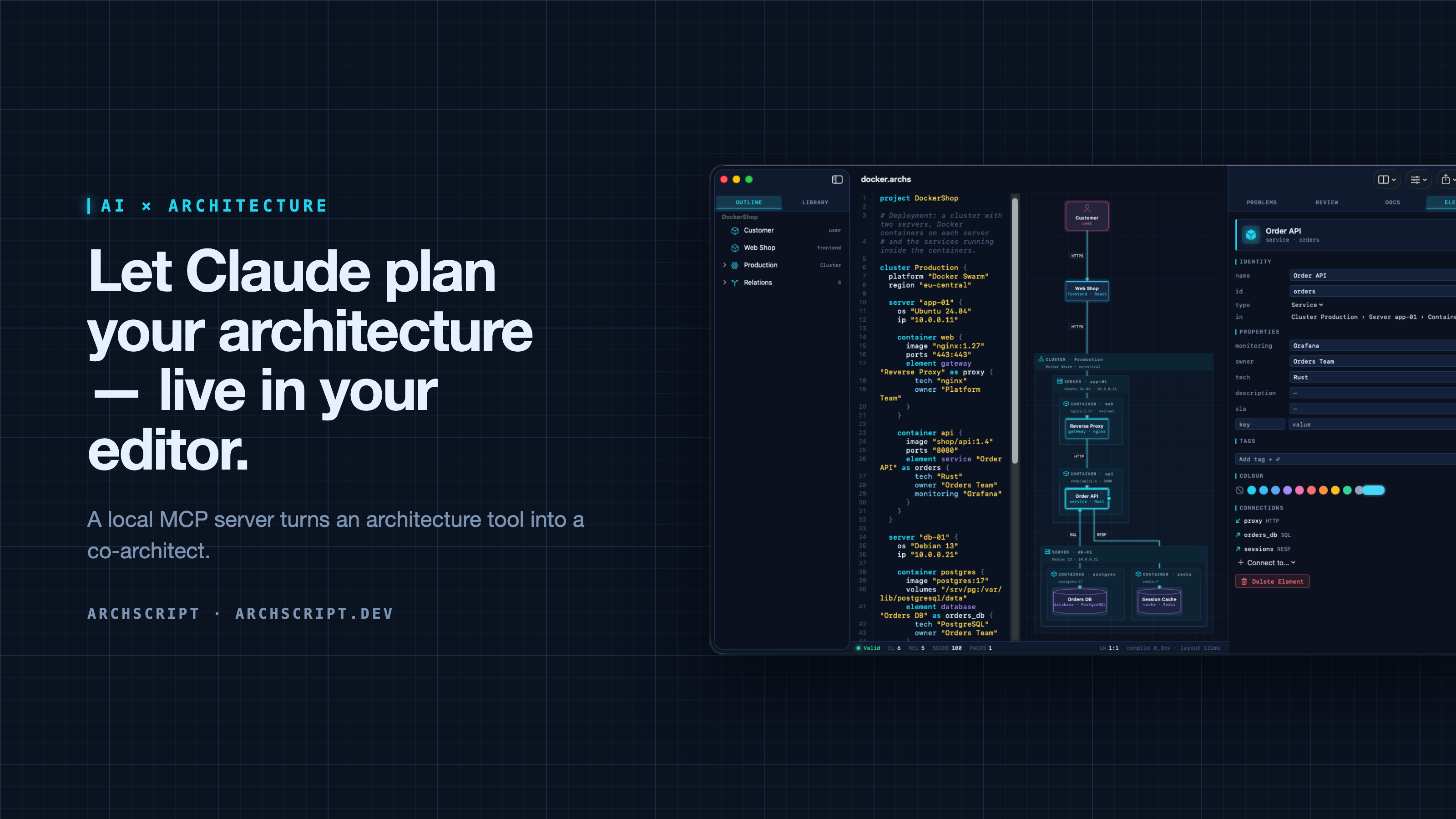
ArchScript is an architecture-as-code tool. You describe a system — domains, services, databases, queues, and deployments as cluster → server → Docker container — in a small language. ArchScript draws the diagram, checks the model against architecture rules and exports documentation, a PDF report, Mermaid, PlantUML and Terraform.
ArchScript for Mac includes an MCP server. Claude Desktop, Claude Code and other MCP clients can read the architectures you have open, change them with precise, structured edits, validate them and look at the rendered diagram. Every change appears live in the window and can be undone.
This repository contains the documentation, configuration examples, example models and a small open-source stdio bridge (
server/) for the ArchScript MCP server. ArchScript itself is a closed-source app, available on the Mac App Store. The browser Playground is free.
What Claude can do
| Tool | What it does |
|---|---|
archscript_guide |
Learns the language, element types and rules |
list_documents |
Lists the open documents (id, name, validity) |
get_document |
Reads a document with line numbers and a structure outline |
create_document |
Creates a new architecture from ArchScript source |
set_document_source |
Replaces a document's source |
edit_document |
Structured edits: add, rename, move and delete elements, relations and containers, and set properties, tags and colours |
validate |
Returns diagnostics |
review |
Returns the review score, grade and rule findings |
render_diagram |
Returns the diagram as an image, so the assistant can see the result |
export |
Exports Mermaid, PlantUML, Markdown, JSON or Terraform |
The assistant doesn't rewrite your file. It sends small operations (for example
add_element into cluster:Production/server:app-01/container:api). The
ArchScript core turns those into minimal text edits, so comments and formatting
stay intact. After each change the assistant gets the validation result and
review score back, the same feedback loop a human architect uses.
Example prompts
- "Read my architecture and tell me which rules it violates."
- "Add a background worker that sends order emails. Put it in its own container on app-01 and connect the Order API to it."
- "Create an event-driven architecture for a ticket shop with a payment provider and a read model."
- "Export the current model as Terraform for AWS and list what wasn't mapped."
Setup
Requirements: ArchScript for Mac (macOS 14+) with ArchScript Pro (14-day free trial).
- Open ArchScript → Settings → AI and turn on Allow AI assistants (MCP).
- Copy the snippet for your client from that screen. It already contains your personal access token.
Claude Desktop: one-click install (recommended)
- Download archscript.mcpb from the latest release.
- Double-click it, or drag it into Claude Desktop → Settings → Extensions.
- Paste the access token from ArchScript → Settings → AI.
The extension contains no ArchScript code. It holds a manifest and a small
launcher script (mcpb/server/archscript-mcp)
that finds ArchScript for Mac and starts its bundled helper.
Claude Code
claude mcp add --transport http archscript http://127.0.0.1:47621/mcp \
  --header "Authorization: Bearer <token from Settings → AI>"
Claude Desktop (manual)
Add the snippet to claude_desktop_config.json, then restart Claude:
{
  "mcpServers": {
    "archscript": {
      "command": "/Applications/ArchScript.app/Contents/MacOS/archscript-mcp",
      "args": ["--token", "<token from Settings → AI>", "--port", "47621"]
    }
  }
}
The bundled archscript-mcp helper bridges stdio to the app and starts
ArchScript when Claude needs it.
Other MCP clients
Any client that supports Streamable HTTP can connect to
http://127.0.0.1:47621/mcp with the header Authorization: Bearer <token>.
Clients that only support stdio can use the helper as shown above, or the
open-source Node bridge in server/ (Node 18+, no dependencies):
{
  "mcpServers": {
    "archscript": {
      "command": "node",
      "args": ["/path/to/archscript-mcp/server/index.js"],
      "env": { "ARCHSCRIPT_TOKEN": "<token from Settings → AI>" }
    }
  }
}
Privacy and security
- Local only. The server listens on
127.0.0.1and is never reachable from the network. - Token required. Every request needs your access token. You can regenerate it at any time in Settings → AI.
- Off by default. Nothing runs until you turn it on.
- No telemetry. ArchScript collects no data and sends nothing anywhere. Your AI client only sees what it reads through the tools.
- The helper is sandboxed and only forwards stdio to the local server.
Screenshots
| Visual editing | Review and rules |
|---|---|
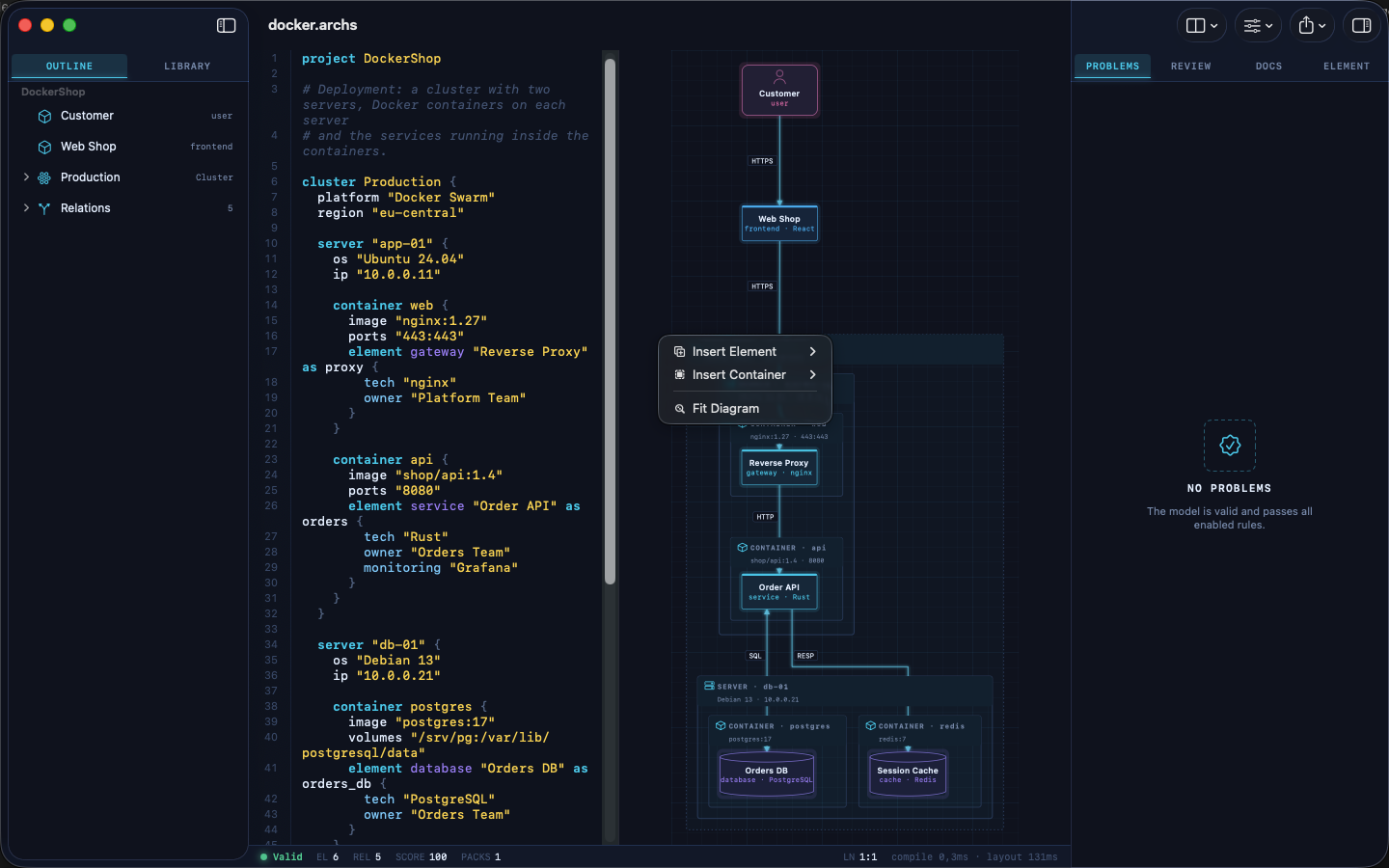 |
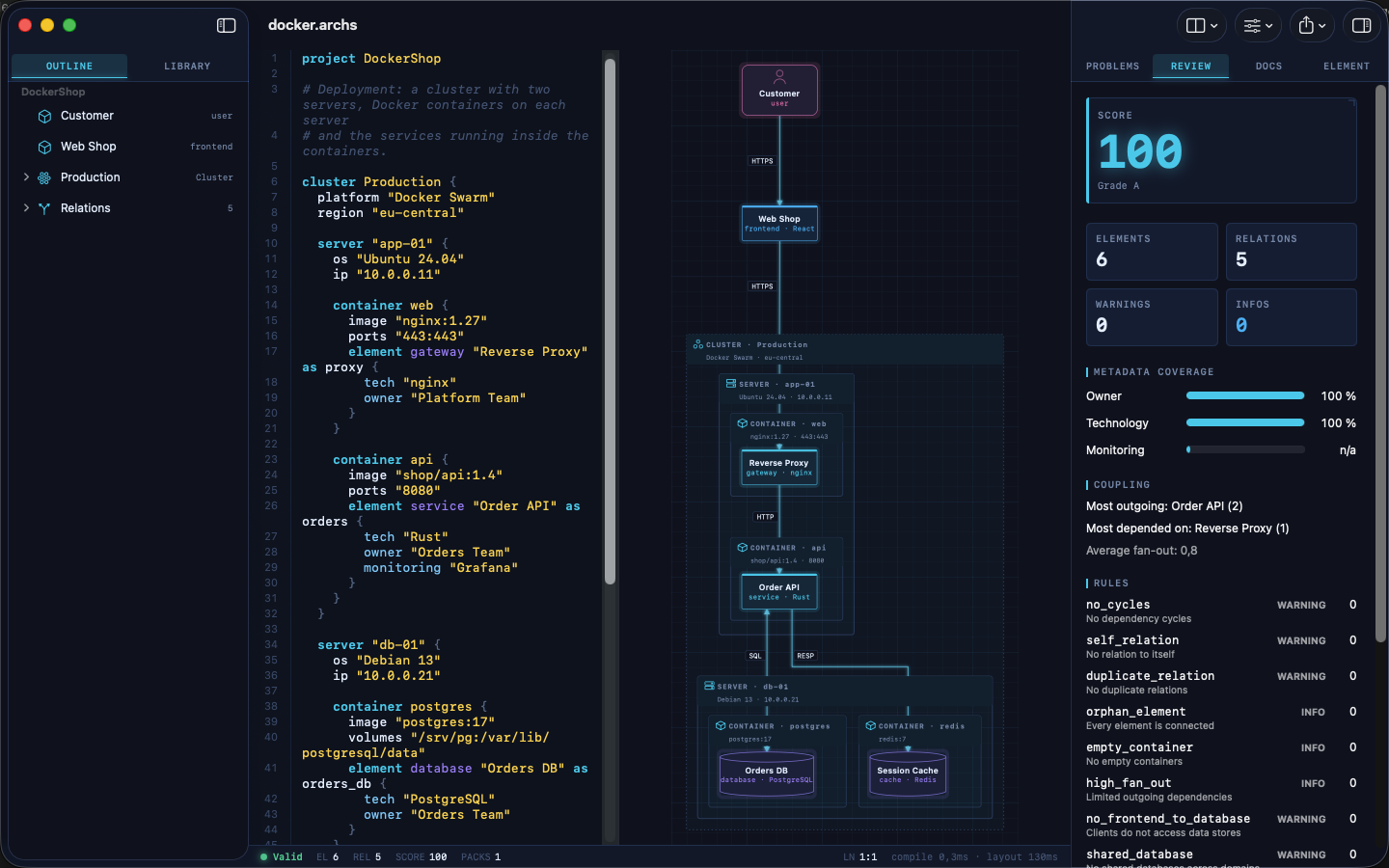 |
| Inspector | Element library |
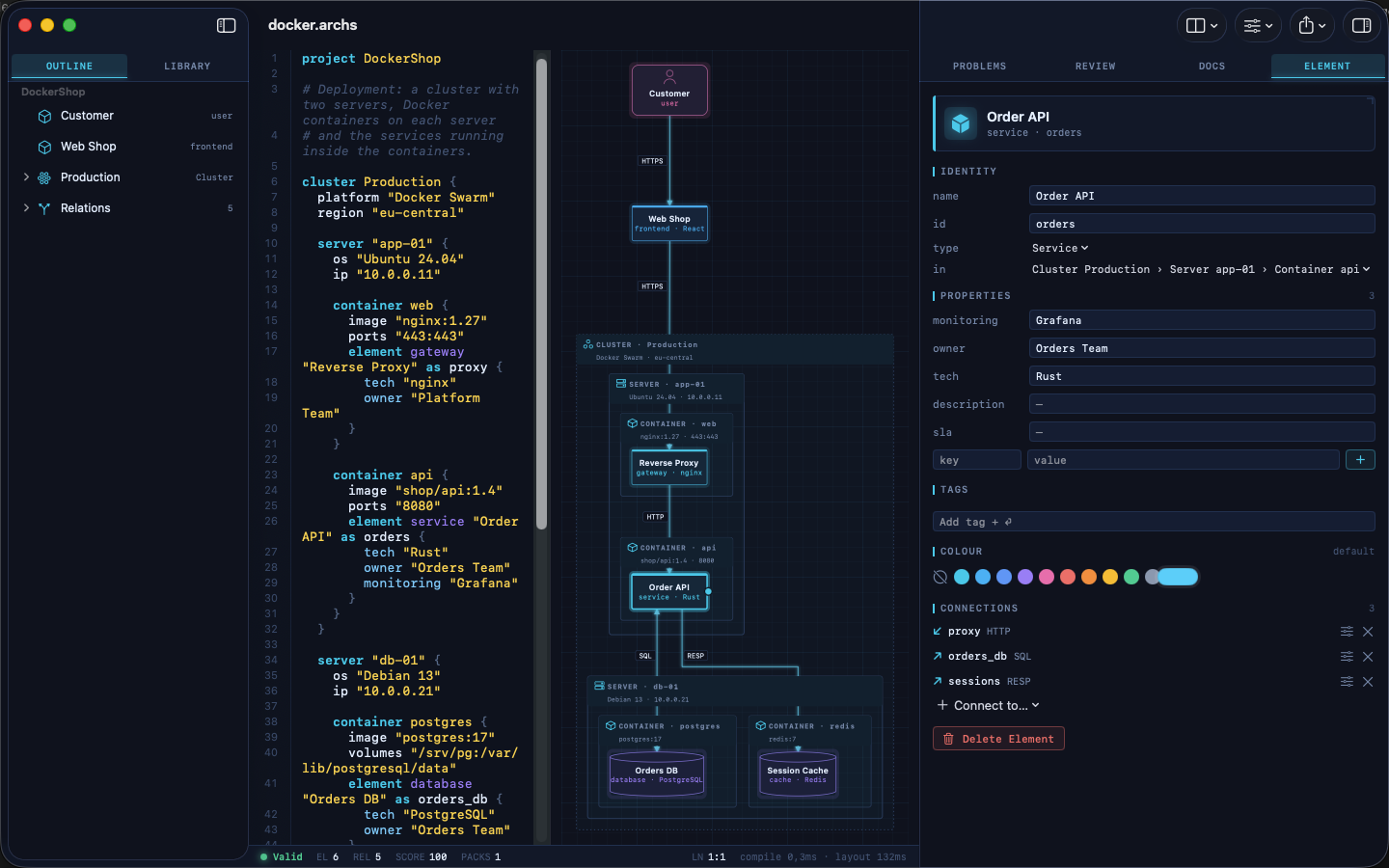 |
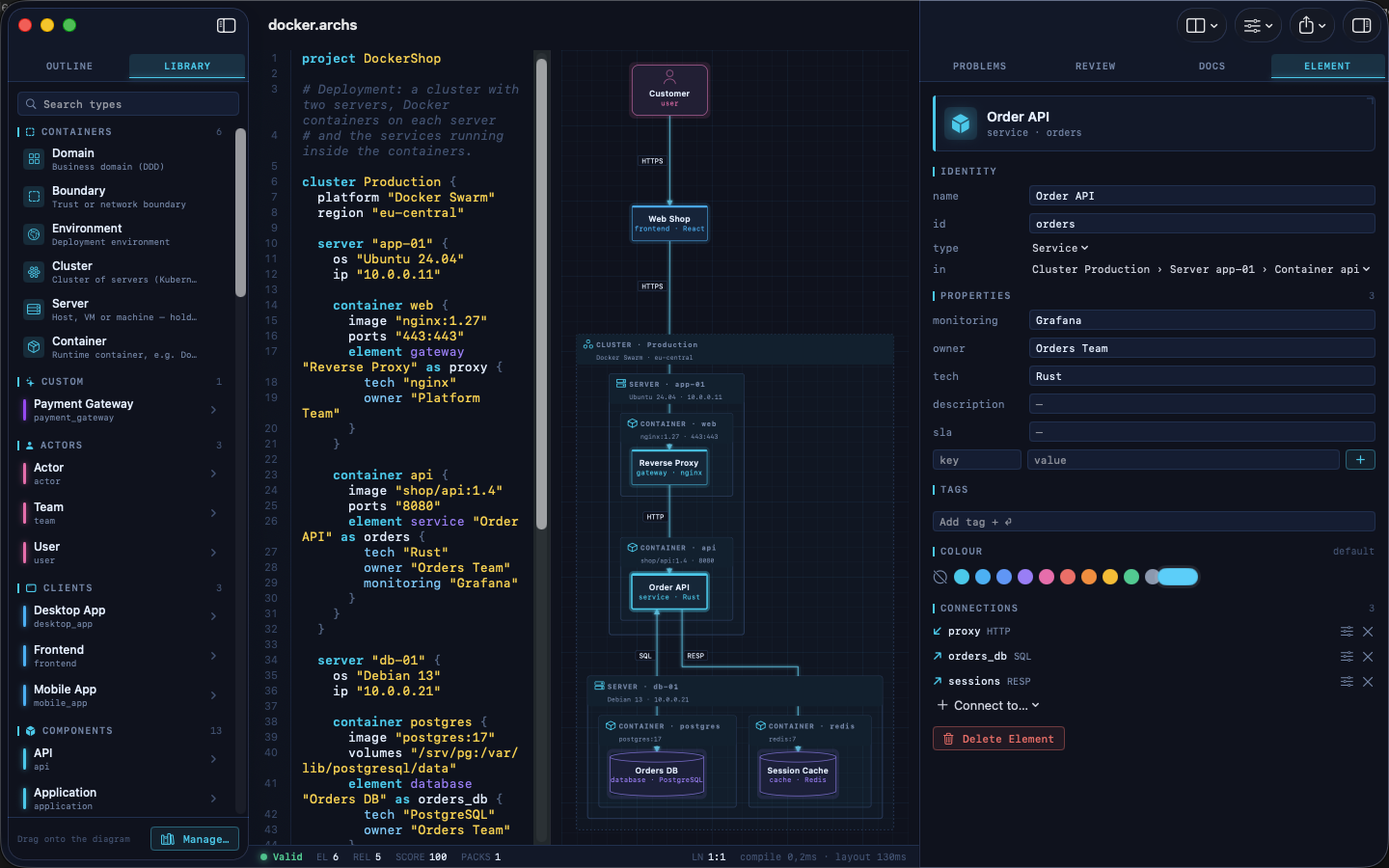 |
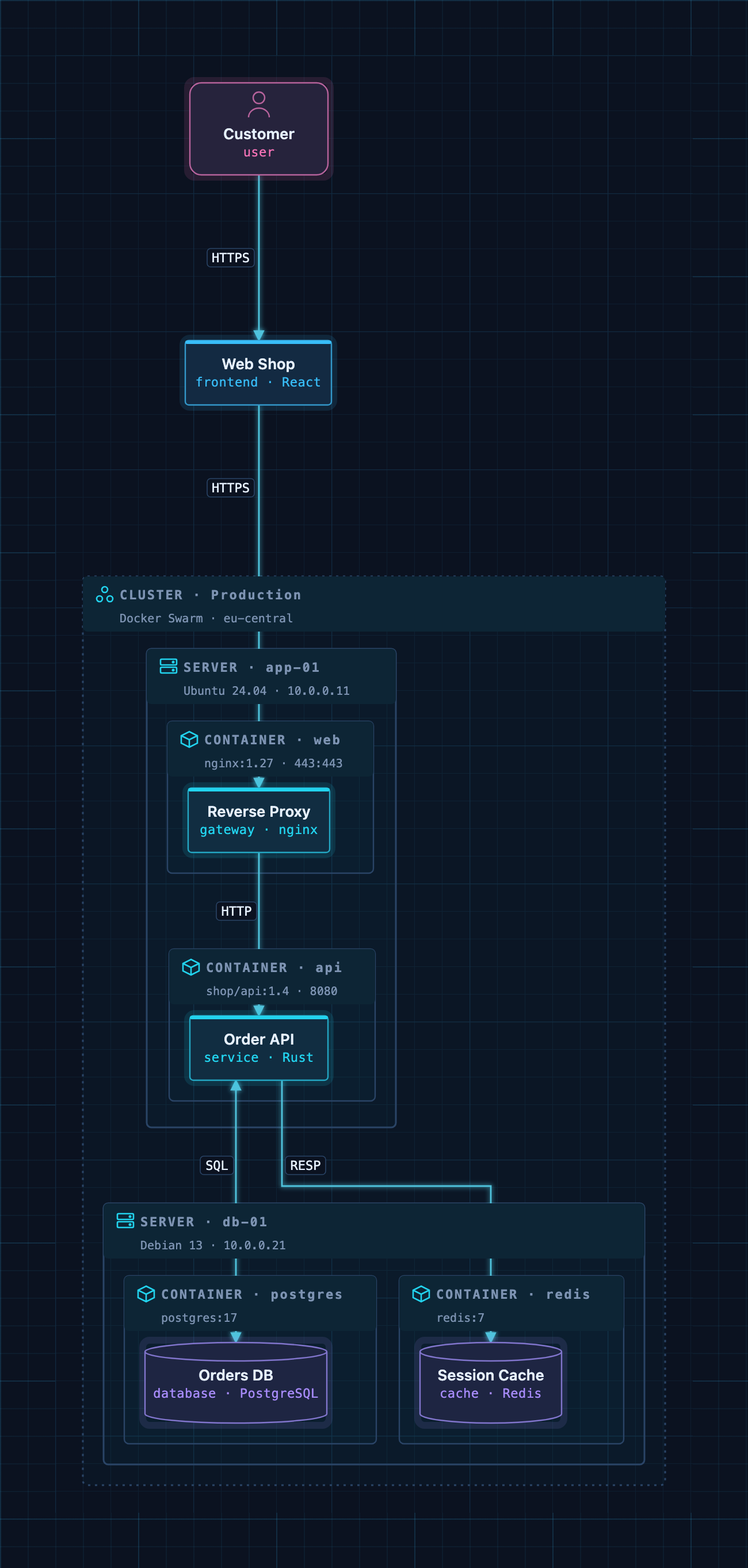
A Docker deployment as code: cluster → servers → containers → services.
Example models
The examples/ folder contains ready-to-use architectures. Open one
in ArchScript for Mac, or paste it into the
Playground:
| File | Architecture |
|---|---|
basic.archs |
The smallest useful model |
customer-management.archs |
One domain with web app, API and database |
webapp.archs |
Classic web application with boundaries |
microservices.archs |
Services with their own databases and an event bus |
ddd.archs |
Bounded contexts (domain-driven design) |
event.archs |
Event-driven, CQRS-style flow |
saas.archs |
Production SaaS with gateway and identity provider |
docker.archs |
Docker Swarm cluster, servers and containers |
A taste of the language:
project DockerShop

cluster Production {
  platform "Docker Swarm"

  server "app-01" {
    container api {
      image "shop/api:1.4"
      element service "Order API" as orders { tech "Rust"; owner "Orders Team" }
    }
  }
}

element frontend "Web Shop" as shop
relation shop -> orders : HTTPS
The full language reference is at archscript.dev/docs.
Feedback
Found a bug in the MCP integration or have an idea for a tool? Please open an issue. Feature requests for ArchScript itself are welcome too.
License
The documentation, configuration snippets, example models and the bridge in
server/ are available under the MIT License. ArchScript for Mac and the
ArchScript core are proprietary software.
ArchScript MCP 질문
Claude가 ArchScript로 무엇을 할 수 있나요?
Claude는 열려 있는 아키텍처를 읽고, 요소 추가 또는 이름 변경과 같은 구조적 편집을 수행하며, 규칙에 따라 모델을 검증하고, 아키텍처 점수를 검토하며, 다이어그램을 Terraform 또는 Mermaid와 같은 형식으로 내보낼 수 있습니다.
ArchScript MCP server를 사용할 때 데이터가 비공개로 유지되나요?
네, 서버는 로컬 전용으로 127.0.0.1에서 동작하며, 텔레메트리를 수집하거나 데이터를 외부로 전송하지 않습니다.
설치를 위한 시스템 요구 사항은 무엇인가요?
ArchScript Pro가 포함된 macOS 14 이상의 ArchScript for Mac이 필요합니다.