
작업, 노트, 문서를 디스크의 Markdown 파일로 관리하여 AI agent에게 로컬 메모리와 컨텍스트를 제공합니다.
다른 이름 rgdevment/mcp-plugins, tisty-mcp
- 스타
- 1
- Tools
- —
- 다운로드, 30일
- —
- 최신 버전
- —
- 마지막 커밋
- 2026년 11월 14일
- 라이선스
- Apache-2.0
Tisty MCP란?
작업, 노트, 문서를 디스크의 Markdown 파일로 관리하여 AI agent에게 로컬 메모리와 컨텍스트를 제공합니다.
프로젝트 README에서 생성된 요약
Tisty MCP server 정보
mcp-plugins는 로컬 Markdown 파일을 통해 AI agent에게 지속적인 메모리를 부여합니다. Tisty plugin을 사용하면 개발자는 assistant가 세션 사이에서 컨텍스트를 잊어버리는 것을 방지할 수 있습니다. 이 시스템은 특정 단계가 포함된 작업, 날짜별 저널, 주제별 문서를 Windows 또는 macOS 디스크에 직접 관리합니다. 이러한 설정은 초기 계획부터 최종 결정에 이르기까지 agent 작업의 모든 단계를 채팅 기록에서 유실하지 않고 감사 가능한 형식으로 기록합니다.
이를 사용하려면 컴퓨터에 Tisty app과 Node.js가 설치되어 있어야 합니다. Claude Code, Gemini CLI 또는 Cursor를 통해 연결할 수 있습니다. Tisty plugin은 작은 launcher를 사용하여 assistant를 로컬 app에 연결하며, 이를 통해 server가 항상 데이터와 일치하도록 보장합니다. 계정, 구독 또는 텔레메트리 없이 작동하므로 모든 정보는 사용자의 하드웨어에 비공개로 유지됩니다. agent는 섹션별로 긴 문서를 읽고, 폴더별로 작업을 분류하며, Brainstorm에서 sticky note를 관리하여 아이디어를 정리할 수 있습니다.
활용 사례
- 1장기 프로젝트 컨텍스트 유지저장된 Markdown 문서에 접근하여 AI agent가 이전 세션의 정보를 검색하도록 요청합니다.
- 2구조화된 작업 워크플로우 관리assistant가 복잡한 업무를 특정 단계로 세분화하고 날짜별 작업을 통해 진행 상황을 추적하도록 합니다.
- 3대용량 파일의 효율적인 읽기agent에게 파일 전체를 한 번에 처리하는 대신 문서의 특정 부분을 분석하도록 지시합니다.
- 4즉흥적인 아이디어 정리Brainstorm 기능을 사용하여 나중에 공식적인 작업이나 문서로 변환할 수 있는 빠른 생각을 기록합니다.
프로젝트의 README를 바탕으로 작성되었습니다. 모든 활용 사례는 해당 내용의 인용문과 대조하여 확인합니다.
Tisty MCP 설치 방법
형식 확인: 2026년 11월 10일Cursor에 추가Goose에 추가Claude Code에 Tisty MCP 설치
$ claude mcp add mcp-plugins -- npx -y tisty-mcpCursor에 Tisty MCP 설치
~/.cursor/mcp.json
{
  "mcpServers": {
    "mcp-plugins": {
      "command": "npx",
      "args": [
        "-y",
        "tisty-mcp"
      ]
    }
  }
}VS Code에 Tisty MCP 설치
.vscode/mcp.json
{
  "servers": {
    "mcp-plugins": {
      "type": "stdio",
      "command": "npx",
      "args": [
        "-y",
        "tisty-mcp"
      ]
    }
  }
}VS Code CLI에 Tisty MCP 설치
$ code --add-mcp '{"name":"mcp-plugins","type":"stdio","command":"npx","args":["-y","tisty-mcp"]}'Claude Desktop에 Tisty MCP 설치
claude_desktop_config.json
{
  "mcpServers": {
    "mcp-plugins": {
      "command": "npx",
      "args": [
        "-y",
        "tisty-mcp"
      ]
    }
  }
}Codex에 Tisty MCP 설치
$ codex mcp add mcp-plugins -- npx -y tisty-mcpCodex config.toml에 Tisty MCP 설치
~/.codex/config.toml
[mcp_servers.mcp-plugins]
command = "npx"
args = ["-y", "tisty-mcp"]
Gemini CLI에 Tisty MCP 설치
$ gemini mcp add -s user mcp-plugins npx -- -y tisty-mcpGemini settings.json에 Tisty MCP 설치
~/.gemini/settings.json
{
  "mcpServers": {
    "mcp-plugins": {
      "command": "npx",
      "args": [
        "-y",
        "tisty-mcp"
      ]
    }
  }
}자동 검사
2026년 11월 14일에 실행됨전체 보고서 →자동 검사를 통과했습니다. 이는 보안 감사가 아닙니다. 코드를 직접 읽고 서버에 필요한 최소한의 권한만 부여하십시오. 검사 방식

- 소스 저장소 연결 및 접근 가능rgdevment/mcp-plugins is public and reachablegithub.com/rgdevment/mcp-plugins ↗통과
- 패키지가 이 저장소를 소스로 명시tisty-mcp names rgdevment/mcp-plugins as sourcenpmjs.com/package/tisty-mcp ↗통과
- 빌드 출처(Sigstore 증명)Sigstore attestation for tisty-mcpnpmjs.com/package/tisty-mcp/v/1.3.1#provenance ↗통과
- 오픈 소스 라이선스 (OSI)Apache-2.0spdx.org/licenses/Apache-2.0.html ↗통과
- 최근 1년 내 커밋 또는 릴리스Last commit or release 2026-11-12github.com/rgdevment/mcp-plugins ↗통과
- OpenSSF Scorecard검사되지 않음
- 패키지 이름이 인기 패키지와 유사하지 않음No popular package one edit away from tisty-mcp통과
- 패키지 및 해당 종속성에 중요한 보안 권고 없음검사되지 않음
- 모델에 대한 숨겨진 지침 없음0 tool descriptions and the README read; no override phrases, credential paths or hidden characters통과
- 파괴적인 도구에 라벨 표시됨검사되지 않음
- 원격 엔드포인트가 MCP 핸드셰이크에 응답검사되지 않음
README
GitHub에서 보기mcp-plugins
Plugins that connect assistants to apps by rgdevment. Each plugin brings an app's MCP server and a skill that teaches the assistant how to work with it. The apps run on your own computer; the plugins only tell your assistant how to reach them.
Install
Claude Code, in one step:
/plugin install tisty --marketplace rgdevment/mcp-plugins
Or add the marketplace first and install from it:
/plugin marketplace add rgdevment/mcp-plugins
/plugin install tisty@rgdevment
Gemini CLI:
gemini extensions install https://github.com/rgdevment/mcp-plugins
Cursor: install from the Cursor Directory, or add this repository as a plugin source in Cursor's settings.
Plugins
Tisty
Local memory and context for you and your AI agent. Your agent forgets everything when the session ends; Tisty keeps it. Tasks with steps and a dated journal, and documents one per subject, as plain Markdown on your own disk, for Windows and macOS. Ideas caught on the fly wait as sticky notes in Brainstorm, to become a task or go into a document later. No account, no subscription, no telemetry, no server. With the plugin, your assistant picks up where it left off by asking what moved since last time, reads a long document by its outline and one section instead of the whole file, files tasks with steps and dates, sets reminders, writes and edits documents passage by passage, files them into folders, jots and sorts ideas with you and searches open and archived work. It never closes or deletes anything: it says a task is done and you confirm it.
Your agents' work, in the open. Through Tisty, an agent plans in documents and works in tasks: it writes the plan, what it found and what it decided as Markdown, breaks the work into tasks with steps and ticks them off as it goes. Nothing stays buried in a chat: every stage lands in Tisty, on your computer, where you can follow it as it happens and audit it later. When it says a task is done, you are the one who closes it.
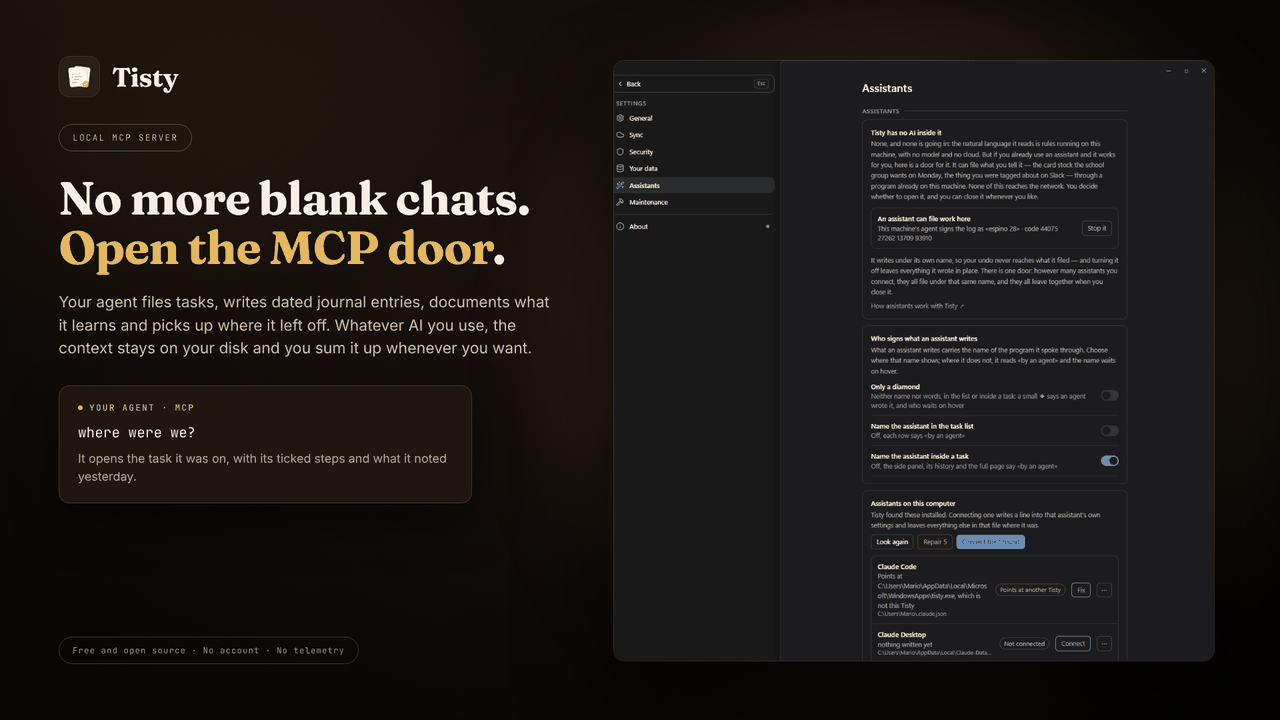
Requires the Tisty app and Node.js. A small launcher finds the Tisty
installed on your computer and starts its own MCP server, so the server always
matches the app and your data. Without Tisty, it tells your assistant how to
install it. Other assistants, such as GitHub Copilot in VS Code, take the same
launcher from npm: npx -y tisty-mcp. More in the plugin's readme.
| Install Tisty | |
|---|---|
| Windows | Microsoft Store or winget install rgdevment.Tisty |
| macOS | brew tap rgdevment/tap && brew trust rgdevment/tap && brew install --cask tisty |
| Every way | Installation guide |
If your assistant does not see Tisty's tools, restart it after installing Tisty. Connect Tisty either with this plugin or from Tisty's Settings › Assistants, not both, so the assistant does not run Tisty's server twice.
| Learn more | |
|---|---|
| Website | https://www.tisty.app/ |
| Documentation | https://www.tisty.app/docs/ |
| Assistants and MCP | https://www.tisty.app/docs/assistants-and-mcp/ |
| What an assistant may do | https://www.tisty.app/docs/mcp-permissions/ |
| MCP tools | https://www.tisty.app/docs/mcp-tools/ |
| Writing in Tisty | https://markdown.tisty.app |
| Privacy | https://www.tisty.app/privacy/ |
| Official MCP Registry | io.github.rgdevment/tisty |
| Source | https://github.com/rgdevment/Tisty |
| Issues | https://github.com/rgdevment/Tisty/issues |
Layout
.claude-plugin/marketplace.json   Claude Code marketplace
.cursor-plugin/marketplace.json   Cursor marketplace
gemini-extension.json             Gemini CLI extension (the Tisty plugin)
plugins/<app>/                    one folder per plugin, with each host's manifest,
                                  its MCP config, its skills and its launcher
test/                             tests for the launchers
listings/                         manifests some directories publish from
Licence
Apache-2.0. Each app keeps its own licence: Tisty is AGPL-3.0. Report a problem with an app in that app's own issues.
Tisty MCP 질문
Tisty MCP를 Claude Code에 추가하려면 어떻게 하나요?
터미널에서 claude mcp add mcp-plugins -- npx -y tisty-mcp를 실행합니다. 모든 프로젝트에서 사용할 수 있게 하려면 --scope user를 추가합니다.
Tisty MCP를 Cursor에 추가하려면 어떻게 하나요?
~/.cursor/mcp.json를 열고 mcpServers 아래에 서버를 추가합니다. 위 설치 섹션에 표시된 Cursor 구성을 사용합니다.
Tisty는 개인정보와 데이터를 어떻게 처리하나요?
Tisty는 계정, 구독, 텔레메트리, 서버 없이 사용자의 컴퓨터에서 로컬로 작동합니다.
Tisty의 시스템 요구사항은 무엇인가요?
Tisty plugin을 사용하려면 컴퓨터에 Tisty app과 Node.js가 설치되어 있어야 합니다.
VS Code에서 Tisty를 사용할 수 있나요?
네, VS Code의 GitHub Copilot과 같은 다른 assistant들이 npm을 통해 Tisty launcher를 사용할 수 있습니다.