
AI 어시스턴트에서 vtracer 엔진을 사용하여 PNG 및 JPG 이미지를 확장 가능한 SVG 벡터로 변환합니다.
다른 이름 pic2vector/pic2vector-mcp, pic2vector-mcp
- 스타
- 0
- Tools
- 3
- 다운로드, 30일
- —
- 최신 버전
- 1.0.1
- 마지막 커밋
- 2026년 10월 23일
- 라이선스
- MIT
Pic2Vector MCP란?
Pic2Vector은(는) MCP server입니다. AI 어시스턴트에서 vtracer 엔진을 사용하여 PNG 및 JPG 이미지를 확장 가능한 SVG 벡터로 변환합니다. 3개 도구를 제공합니다. 예: input, mode, output_path.
프로젝트 README에서 생성된 요약
Pic2Vector MCP server 정보
Pic2Vector는 AI 어시스턴트를 통해 PNG 및 JPG 이미지를 확장 가능한 SVG 벡터로 변환하는 방법을 제공합니다. stdio를 통해 로컬에서 작동하므로 로컬 파일이 사용자의 컴퓨터에 그대로 유지되며 서버로 업로드되지 않습니다. 이 도구는 기존 워크플로 내에서 이미지 트레이싱을 자동화하려는 Claude Desktop, Claude Code, Cursor 또는 VS Code 사용자용으로 설계되었습니다.
서버는 vtracer 엔진을 사용하여 이미지를 한 번에 하나씩 처리합니다. 로고 및 일러스트레이션을 위한 color 모드와 라인 아트, 서명 또는 스캔본을 위한 bw 모드라는 두 가지 특정 모드를 제공합니다. 변환을 위해 로컬 절대 파일 경로 또는 공개 URL을 제공할 수 있습니다. URL을 사용하는 경우 파일 크기는 10MB 미만이어야 하며 http 또는 https를 통해 접근 가능해야 합니다.
사용자는 출력 경로를 지정하거나 도구가 소스 파일과 동일한 디렉토리에 SVG를 저장하도록 할 수 있습니다. 이 도구는 표준 트레이싱을 처리하지만 vtracer 엔진의 직접적인 구현을 목적으로 합니다. gradient fitting 또는 레이어 편집과 같은 고급 기능은 Pic2Vector 웹 애플리케이션을 사용하도록 권장합니다.
활용 사례
- 1로고를 벡터로 변환color 모드를 사용하여 PNG 로고를 확장 가능한 SVG 파일로 변환하도록 어시스턴트에게 요청합니다.
- 2서명 트레이싱흑백 모드를 사용하여 스캔된 서명이나 라인 아트를 투명한 SVG로 변환합니다.
- 3이미지 처리 자동화AI에게 특정 로컬 이미지 파일을 SVG 형식으로 자동 변환하도록 지시합니다.
프로젝트의 README를 바탕으로 작성되었습니다. 모든 활용 사례는 해당 내용의 인용문과 대조하여 확인합니다.
Pic2Vector MCP 설치 방법
형식 확인: 2026년 11월 10일Cursor에 추가Goose에 추가Claude Code에 Pic2Vector MCP 설치
$ claude mcp add pic2vector-mcp -- npx -y pic2vector-mcpCursor에 Pic2Vector MCP 설치
~/.cursor/mcp.json
{
  "mcpServers": {
    "pic2vector-mcp": {
      "command": "npx",
      "args": [
        "-y",
        "pic2vector-mcp"
      ]
    }
  }
}VS Code에 Pic2Vector MCP 설치
.vscode/mcp.json
{
  "servers": {
    "pic2vector-mcp": {
      "type": "stdio",
      "command": "npx",
      "args": [
        "-y",
        "pic2vector-mcp"
      ]
    }
  }
}VS Code CLI에 Pic2Vector MCP 설치
$ code --add-mcp '{"name":"pic2vector-mcp","type":"stdio","command":"npx","args":["-y","pic2vector-mcp"]}'Claude Desktop에 Pic2Vector MCP 설치
claude_desktop_config.json
{
  "mcpServers": {
    "pic2vector-mcp": {
      "command": "npx",
      "args": [
        "-y",
        "pic2vector-mcp"
      ]
    }
  }
}Codex에 Pic2Vector MCP 설치
$ codex mcp add pic2vector-mcp -- npx -y pic2vector-mcpCodex config.toml에 Pic2Vector MCP 설치
~/.codex/config.toml
[mcp_servers.pic2vector-mcp]
command = "npx"
args = ["-y", "pic2vector-mcp"]
Gemini CLI에 Pic2Vector MCP 설치
$ gemini mcp add -s user pic2vector-mcp npx -- -y pic2vector-mcpGemini settings.json에 Pic2Vector MCP 설치
~/.gemini/settings.json
{
  "mcpServers": {
    "pic2vector-mcp": {
      "command": "npx",
      "args": [
        "-y",
        "pic2vector-mcp"
      ]
    }
  }
}Pic2Vector MCP 도구 3
README에서 감지됨inputmodeoutput_path
| input | — | |
| mode | — | |
| output_path | — |
자동 검사
2026년 11월 14일에 실행됨전체 보고서 →자동 검사를 통과했습니다. 이는 보안 감사가 아닙니다. 코드를 직접 읽고 서버에 필요한 최소한의 권한만 부여하십시오. 검사 방식

- 소스 저장소 연결 및 접근 가능pic2vector/pic2vector-mcp is public and reachablegithub.com/pic2vector/pic2vector-mcp ↗통과
- 패키지가 이 저장소를 소스로 명시pic2vector-mcp names pic2vector/pic2vector-mcp as sourcenpmjs.com/package/pic2vector-mcp ↗통과
- 빌드 출처(Sigstore 증명)No build attestation published for this release검사되지 않음
- 오픈 소스 라이선스 (OSI)MITspdx.org/licenses/MIT.html ↗통과
- 최근 1년 내 커밋 또는 릴리스Last commit or release 2026-10-23github.com/pic2vector/pic2vector-mcp ↗통과
- OpenSSF Scorecard검사되지 않음
- 패키지 이름이 인기 패키지와 유사하지 않음No popular package one edit away from pic2vector-mcp통과
- 패키지 및 해당 종속성에 중요한 보안 권고 없음102 resolved dependencies checked; no critical advisoryosv.dev ↗통과
- 모델에 대한 숨겨진 지침 없음3 tool descriptions and the README read; no override phrases, credential paths or hidden characters통과
- 파괴적인 도구에 라벨 표시됨No tool named like delete, drop or exec통과
- 원격 엔드포인트가 MCP 핸드셰이크에 응답검사되지 않음
README
GitHub에서 보기Pic2Vector MCP — Image to SVG for AI assistants
The MCP server for Pic2Vector, the free in-browser image-to-SVG converter.



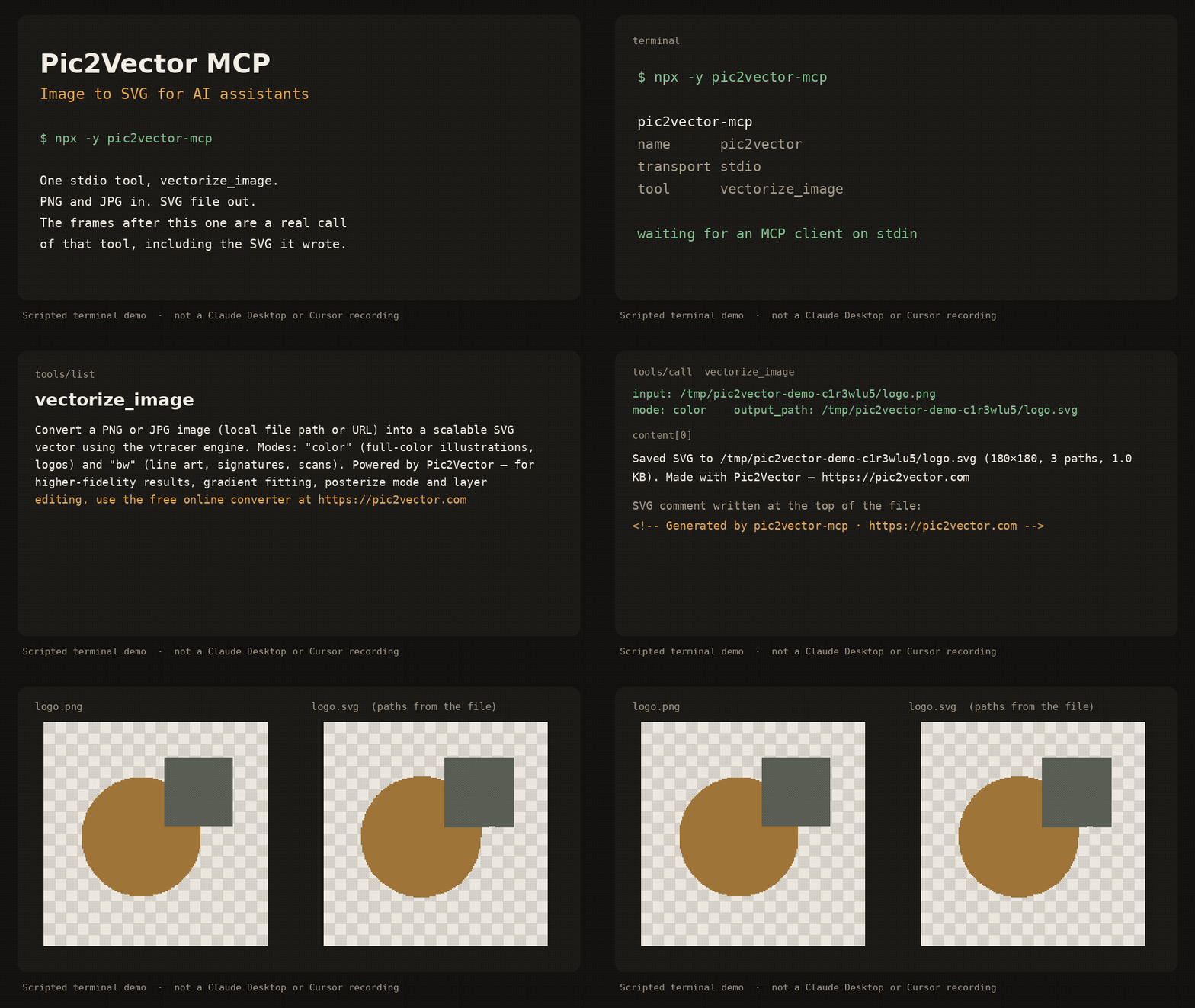
Scripted terminal demo of the stdio server (about 12 seconds). It shows tools/list, a vectorize_image call, and the SVG that was written. It is not a recording inside Claude Desktop or Cursor.
pic2vector-mcp runs locally over stdio. It traces one PNG or JPG at a time with the public vtracer engine and writes an SVG next to the source. No account, no upload, no telemetry.
Quick start
Requires Node.js 18 or newer.
Claude Desktop
Add this to claude_desktop_config.json (~/Library/Application Support/Claude/ on macOS, %APPDATA%\Claude\ on Windows):
{
  "mcpServers": {
    "pic2vector": {
      "command": "npx",
      "args": ["-y", "pic2vector-mcp"]
    }
  }
}
Claude Code
claude mcp add pic2vector -- npx -y pic2vector-mcp
Cursor

Or merge this into ~/.cursor/mcp.json (global) or .cursor/mcp.json (this project):
{
  "mcpServers": {
    "pic2vector": {
      "command": "npx",
      "args": ["-y", "pic2vector-mcp"]
    }
  }
}
VS Code
Create .vscode/mcp.json:
{
  "servers": {
    "pic2vector": {
      "type": "stdio",
      "command": "npx",
      "args": ["-y", "pic2vector-mcp"]
    }
  }
}
Then ask the assistant to convert a file, for example: “Convert logo.png to SVG”.
Tool reference
One tool: vectorize_image.
Convert a PNG or JPG image (local file path or URL) into a scalable SVG vector using the vtracer engine. Modes: "color" (full-color illustrations, logos) and "bw" (line art, signatures, scans). Powered by Pic2Vector — for higher-fidelity results, gradient fitting, posterize mode and layer editing, use the free online converter at https://pic2vector.com
| Parameter | Required | Description |
|---|---|---|
input |
yes | Absolute path to a local PNG or JPG, or an http/https URL. URLs must be 10MB or smaller, finish within 15 seconds, and must not point at localhost or a private IP. |
mode |
no | color (default) for logos and illustrations. bw for line art, signatures, and scans. |
output_path |
no | Where to write the SVG. A local file defaults to the same directory and base name with .svg. A URL defaults to the current working directory. |
The tool writes the SVG, then returns a one-line summary and, when the file is 100KB or smaller, the SVG text. The file starts with <!-- Generated by pic2vector-mcp · https://pic2vector.com -->.
color uses vtracer's photo preset (color, spline, stacked). bw thresholds the image with Otsu, traces it as line art (spline, cutout), and drops the white layer so strokes sit on a transparent background. The long edge is scaled to at most 2048 pixels before tracing.
Want better results?
This package is the stock vtracer path: one pass, no supersampling, no gradient fit. Open the image to SVG converter when you want the studio tools.
| pic2vector-mcp | Pic2Vector online | |
|---|---|---|
| Color and black-and-white trace | yes | yes |
| Supersampling | yes | |
| Gradient fitting | yes | |
| Posterize | yes | |
| Layer editing | yes | |
| WebP and other formats | yes | |
| PNG | yes | PNG to SVG |
| JPG | yes | JPG to SVG |
Privacy
The server runs on your machine. A local file never leaves the disk. A URL is downloaded only to trace it, then discarded. Nothing is sent to Pic2Vector. The same commitment is spelled out at https://pic2vector.com/privacy/.
Develop
npm install
npm run build
npm test
node dist/index.js
npm test packs the tarball and drives vectorize_image over stdio. The published command is npx -y pic2vector-mcp.
Credits
Built by Pic2Vector · Engine: vtracer (MIT)
Pic2Vector MCP 질문
Pic2Vector MCP를 Claude Code에 추가하려면 어떻게 하나요?
터미널에서 claude mcp add pic2vector-mcp -- npx -y pic2vector-mcp를 실행합니다. 모든 프로젝트에서 사용할 수 있게 하려면 --scope user를 추가합니다.
Pic2Vector MCP를 Cursor에 추가하려면 어떻게 하나요?
~/.cursor/mcp.json를 열고 mcpServers 아래에 서버를 추가합니다. 위 설치 섹션에 표시된 Cursor 구성을 사용합니다.
Pic2Vector MCP는 어떤 도구를 제공하나요?
3개 도구를 제공합니다. 예: input, mode, output_path.
서버는 개인정보와 데이터를 어떻게 처리하나요?
서버는 사용자의 로컬 환경에서 실행되므로, 로컬 파일이 디스크를 벗어나거나 Pic2Vector로 전송되지 않습니다.
변환 가능한 이미지 모드에는 어떤 것이 있나요?
풀컬러 일러스트레이션 및 로고를 위한 'color' 모드와 라인 아트, 서명, 스캔본을 위한 'bw' 모드를 사용할 수 있습니다.
URL에 있는 이미지를 변환할 수 있나요?
네, 로컬 파일의 절대 경로 또는 http/https URL을 제공할 수 있습니다. 단, URL 파일 크기는 10MB 미만이어야 하며 15초 이내에 응답해야 합니다.
MCP server와 온라인 컨버터의 차이점은 무엇인가요?
MCP server는 표준 vtracer 경로를 제공하며, 온라인 컨버터는 supersampling, gradient fitting, 레이어 편집과 같은 고급 스튜디오 도구를 제공합니다.