
AI로 생성한 HTML을 공유 가능한 라이브 링크로 게시하고, 동일한 URL에서 기존 페이지를 업데이트합니다.
다른 이름 phanosh/host-html, host-html-mcp
- 스타
- 1
- Tools
- —
- 다운로드, 30일
- —
- 최신 버전
- 0.2.1
- 마지막 커밋
- 2026년 11월 3일
- 라이선스
- MIT
host-html MCP란?
host-html은(는) MCP server입니다. AI로 생성한 HTML을 공유 가능한 라이브 링크로 게시하고, 동일한 URL에서 기존 페이지를 업데이트합니다.
프로젝트 README에서 생성된 요약
host-html MCP server 정보
host-html은 Claude Code, Cursor 또는 Codex를 사용하는 개발자가 AI로 생성한 코드를 실제 웹사이트로 전환할 수 있게 해줍니다. 서버에 HTML 콘텐츠를 제공하면 배포 파이프라인이나 서버를 관리할 필요 없이 작업물을 온라인에 호스팅할 수 있는 공유 링크를 즉시 생성할 수 있습니다. 이 도구는 채팅 인터페이스에서 기능적인 웹 미리보기로 몇 초 만에 전환해야 하는 사용자들을 위해 설계되었습니다.
이 MCP server를 사용하려면 무료 계정을 생성하고 HOSTHTML_API_KEY 환경 변수를 통해 개인 API key를 제공해야 합니다. 시스템은 두 가지 주요 도구를 제공합니다. 새로운 라이브 링크를 생성하는 publish_html과 동일한 URL에서 기존 페이지의 콘텐츠를 새로고침하는 update_page입니다. 무료 계정에서도 게시 기능을 사용할 수 있지만, 커스텀 슬러그나 비밀번호 보호와 같은 고급 기능은 Pro 또는 Team 플랜이 필요합니다. 또한 이 서버는 host-pdf 명령을 통해 HTML 슬라이드를 고품질 PDF 파일로 내보내는 기능도 지원합니다.
활용 사례
- 1즉각적인 웹 미리보기 게시코딩 세션 중에 생성된 HTML 스니펫을 위한 라이브 URL을 생성합니다.
- 2슬라이드를 문서로 변환HTML 기반의 프레젠테이션 슬라이드를 고품질 PDF 파일로 변환합니다.
프로젝트의 README를 바탕으로 작성되었습니다. 모든 활용 사례는 해당 내용의 인용문과 대조하여 확인합니다.
host-html MCP 설치 방법
형식 확인: 2026년 11월 10일Claude Code에 host-html MCP 설치
$ claude mcp add --env HOSTHTML_API_KEY=<YOUR_HOSTHTML_API_KEY> host-html -- npx -y host-html-mcpCursor에 host-html MCP 설치
~/.cursor/mcp.json
{
  "mcpServers": {
    "host-html": {
      "command": "npx",
      "args": [
        "-y",
        "host-html-mcp"
      ],
      "env": {
        "HOSTHTML_API_KEY": "<YOUR_HOSTHTML_API_KEY>"
      }
    }
  }
}VS Code에 host-html MCP 설치
.vscode/mcp.json
{
  "servers": {
    "host-html": {
      "type": "stdio",
      "command": "npx",
      "args": [
        "-y",
        "host-html-mcp"
      ],
      "env": {
        "HOSTHTML_API_KEY": "<YOUR_HOSTHTML_API_KEY>"
      }
    }
  }
}Claude Desktop에 host-html MCP 설치
claude_desktop_config.json
{
  "mcpServers": {
    "host-html": {
      "command": "npx",
      "args": [
        "-y",
        "host-html-mcp"
      ],
      "env": {
        "HOSTHTML_API_KEY": "<YOUR_HOSTHTML_API_KEY>"
      }
    }
  }
}Codex에 host-html MCP 설치
~/.codex/config.toml
[mcp_servers.host-html]
command = "npx"
args = ["-y", "host-html-mcp"]

[mcp_servers.host-html.env]
HOSTHTML_API_KEY = "<YOUR_HOSTHTML_API_KEY>"
Gemini CLI에 host-html MCP 설치
~/.gemini/settings.json
{
  "mcpServers": {
    "host-html": {
      "command": "npx",
      "args": [
        "-y",
        "host-html-mcp"
      ],
      "env": {
        "HOSTHTML_API_KEY": "<YOUR_HOSTHTML_API_KEY>"
      }
    }
  }
}구성
HOSTHTML_API_KEY필수비밀Personal API key (hh_...) from host-html.com → Account → API keys
| 이름 | 설명 | 유형 |
|---|---|---|
| HOSTHTML_API_KEY | Personal API key (hh_...) from host-html.com → Account → API keys | 필수비밀 |
자동 검사
2026년 11월 13일에 실행됨전체 보고서 →자동 검사를 통과했습니다. 이는 보안 감사가 아닙니다. 코드를 직접 읽고 서버에 필요한 최소한의 권한만 부여하십시오. 검사 방식

- 소스 저장소 연결 및 접근 가능통과
- 오픈 소스 라이선스 (OSI)통과
- 최근 1년 내 커밋 또는 릴리스통과
- 패키지 이름이 인기 패키지와 유사하지 않음통과
- 원격 엔드포인트가 HTTPS 사용통과
- 파괴적인 도구에 라벨 표시됨검사되지 않음
- 모델에 대한 숨겨진 지침 없음통과
- 패키지와 의존성에 심각한 보안 권고 없음통과
README
GitHub에서 보기host-html
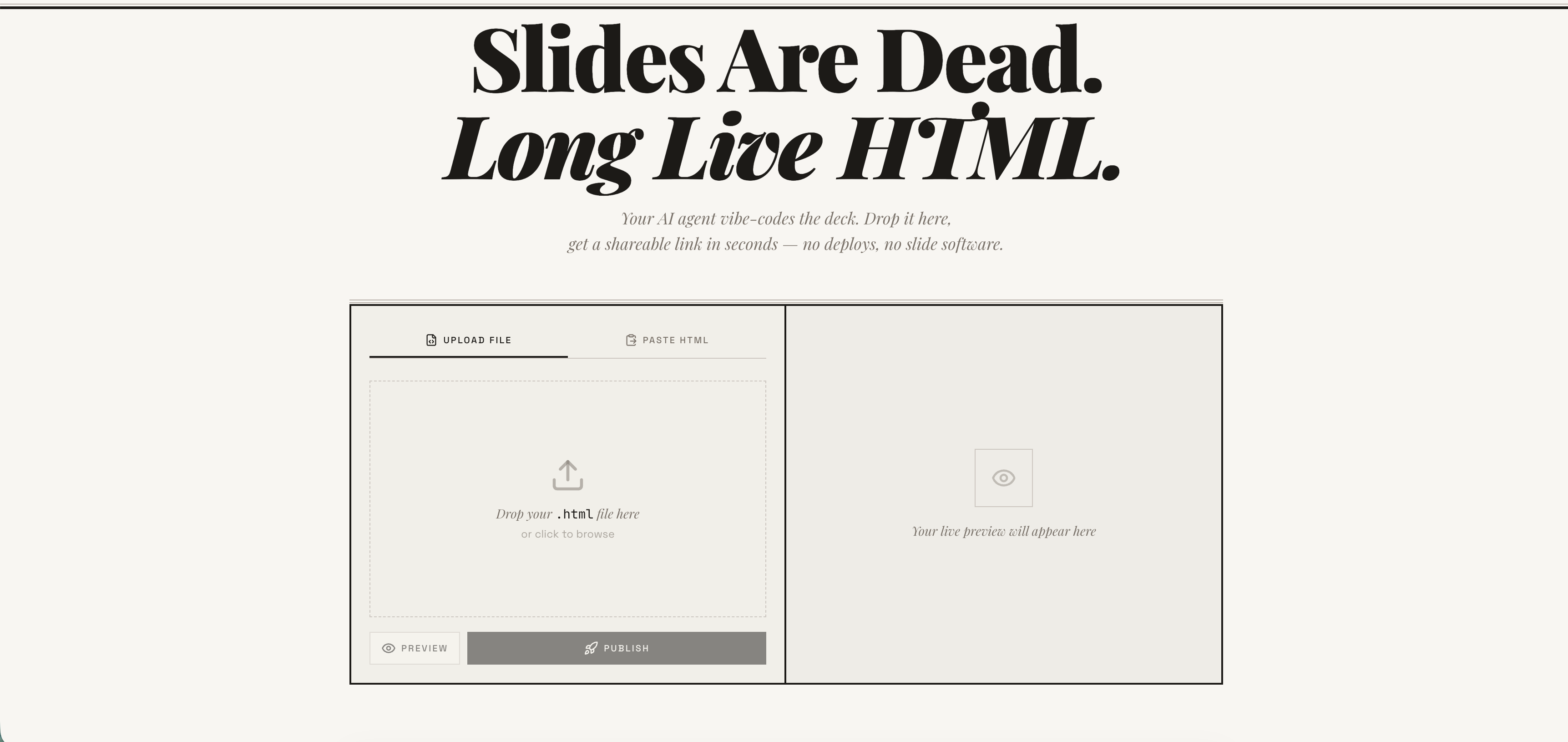
Publish any HTML file as a live link — instantly. Free account required. No deploy pipeline, no server to manage. → host-html.com
Heads up — breaking change in v2.0.0: Anonymous publishing has been retired. Publishing now requires a free, email-verified host-html account and a personal API key set as
HOSTHTML_API_KEY. See Setup: get an API key. Older releases that relied on the built-in shared key will stop publishing.
Install
Claude Code
/plugin marketplace add phanosh/host-html
/plugin install host-html@host-html
The official Claude Code marketplace listing is in the works — until it lands, install directly from this repo with the two commands above.
Claude Desktop, Cursor, Codex (MCP server)
// claude_desktop_config.json / .cursor/mcp.json / .mcp.json
{
  "mcpServers": {
    "host-html": {
      "command": "npx",
      "args": ["-y", "host-html-mcp"],
      "env": { "HOSTHTML_API_KEY": "hh_your_key_here" }
    }
  }
}
Two tools: publish_html (HTML in, link out) and update_page (new HTML, same link).
Source and docs: mcp-server/ · npm: host-html-mcp
Other AI Agents (Skills)
npx skills add phanosh/host-html -g -y
Then use the skills:
/host-html          # publish HTML as a live link
/host-pdf           # export HTML slides to PDF
/host-html finds the HTML, publishes it, and hands you a live URL in seconds.
/host-pdf captures each slide at retina quality and assembles a PDF.
Works with Claude Code, Cursor, Codex, Copilot, and 40+ more agents.
Setup: get an API key
Publishing now requires a free host-html account:
-
Sign in (free) at host-html.com
-
Confirm your email
-
Go to Account → API keys → Create key
-
Copy the generated key (starts with
hh_…— shown once) -
Set it as an environment variable:
export HOSTHTML_API_KEY=hh_your_key_here
The skill reads HOSTHTML_API_KEY automatically. Custom slugs (see the Direct
API table below) still require a Pro/Team plan; publishing itself does not.
Update
When a new version is released here, pull it into your local Claude Code with:
/plugin marketplace update phanosh/host-html
That single command refreshes the marketplace catalog and installs any version bumps in marketplace.json, plugin.json, or the skill frontmatter. To check what you're on:
/plugin
To stay current automatically, open /plugin, go to the Marketplaces tab, select phanosh/host-html, and toggle auto-update on — Claude Code will then pull updates on startup.
For the standalone skills install (npx skills add ...), re-run the same command to upgrade:
npx skills add phanosh/host-html -g -y
Direct API
The publish edge function requires a personal host-html API key (format
hh_…) as the bearer token — see Setup to generate
one. Pass it via the Authorization header (no apikey header is needed):
curl -X POST https://suifgsvtcbrawzdhyuhk.supabase.co/functions/v1/publish \
  -H "Authorization: Bearer $HOSTHTML_API_KEY" \
  -H "Content-Type: application/json" \
  -d '{"html": "<h1>Hello</h1>", "title": "my page"}'
Request
| Field | Type | Required | Description |
|---|---|---|---|
html |
string | ✓ | HTML content (max 1MB) |
title |
string | Page title | |
slug |
string | Custom URL path matching ^[a-z0-9-]{2,64}$ (paid plans) |
|
password |
string | Password-protect the page (4–72 chars, paid plans, JSON body only) |
Response 201
{
  "url": "https://host-html.com/p/abc123",
  "slug": "abc123",
  "edit_token": "...",
  "page_id": "...",
  "has_password": false,
  "expires_at": "2026-03-16T..."
}
has_password is true when the request set a password (the page is locked
and served from private storage); false otherwise.
expires_at is string | null. On a free plan it is the ISO timestamp when the page goes
dark; on a paid plan the page never expires and the field is null. It is the authoritative
expiry — read it from the response rather than assuming a fixed duration, and handle the null
rather than formatting it as a date.
License
MIT
host-html MCP 질문
host-html MCP를 Claude Code에 추가하려면 어떻게 하나요?
터미널에서 claude mcp add --env HOSTHTML_API_KEY=<YOUR_HOSTHTML_API_KEY> host-html -- npx -y host-html-mcp를 실행합니다. 모든 프로젝트에서 사용할 수 있게 하려면 --scope user를 추가합니다.
host-html MCP를 Cursor에 추가하려면 어떻게 하나요?
~/.cursor/mcp.json를 열고 mcpServers 아래에 서버를 추가합니다. 위 설치 섹션에 표시된 Cursor 구성을 사용합니다.
host-html을 사용하여 HTML을 게시하려면 어떻게 하나요?
publish_html 도구를 사용하여 HTML 콘텐츠를 라이브 링크로 변환할 수 있습니다.
URL을 변경하지 않고 페이지를 업데이트할 수 있나요?
네, update_page 도구를 사용하면 새로운 HTML을 제공하면서 동일한 링크를 유지할 수 있습니다.
게시를 위해 계정이 필요한가요?
네, 게시를 위해서는 이메일 인증을 완료한 무료 host-html 계정과 개인 API key가 필요합니다.