
PlainText Wallet Approval Checker MCP server
2026년 10월 29일 커밋복잡한 암호화폐 지갑 승인 및 서명 요청을 SAFE, CAUTION, RISK와 같은 쉬운 언어의 판정 결과로 번역합니다.
다른 이름 Fizzl13/SmartContractExplainer, smartcontractexplainer
- 스타
- 1
- Tools
- —
- 다운로드, 30일
- —
- 최신 버전
- 1.1.2
- 마지막 커밋
- 2026년 10월 29일
- 라이선스
- —
PlainText Wallet Approval Checker MCP란?
PlainText Wallet Approval Checker은(는) MCP server입니다. 복잡한 암호화폐 지갑 승인 및 서명 요청을 SAFE, CAUTION, RISK와 같은 쉬운 언어의 판정 결과로 번역합니다.
프로젝트 README에서 생성된 요약
PlainText Wallet Approval Checker MCP server 정보
PlainText Wallet Approval Checker는 암호화폐 지갑 승인 및 서명 요청이 보안에 미치는 영향을 사용자가 이해할 수 있도록 도와줍니다. 기술적인 데이터를 SAFE, CAUTION, RISK와 같은 간단한 판정 결과로 변환합니다. 이 서비스는 GoPlus Security API를 통해 토큰 및 NFT 승인 내역을 조회하고, Claude를 사용하여 분석 결과에 대한 사람이 읽기 쉬운 설명을 생성합니다.
개발자는 이 Node.js 애플리케이션을 로컬에서 실행하거나 Render에 배포할 수 있습니다. 서버 설정에는 ANTHROPIC_API_KEY가 필요하며, 분당 30회인 무료 티어 제한을 넘기려면 선택 사항인 GOPLUS_ACCESS_TOKEN을 사용할 수 있습니다. 고급 사용자의 경우, FIZZL_INTERNAL_KEY를 사용하여 트랜잭션, typed-data 서명 또는 실제 승인 내역에 대한 감사를 수행하는 presign-guard를 활용할 수 있습니다. 애플리케이션은 stateless 방식이며 검사 과정에서 어떠한 사용자 데이터도 저장하지 않습니다.
활용 사례
- 1트랜잭션 보안 감사presign-guard 통합을 사용하여 트랜잭션 및 typed-data 서명의 안전성을 확인합니다.
- 2API를 통한 보안 모니터링특정 사유 코드와 판정 결과가 필요한 에이전트에 자동화된 보안 검사를 통합합니다.
프로젝트의 README를 바탕으로 작성되었습니다. 모든 활용 사례는 해당 내용의 인용문과 대조하여 확인합니다.
PlainText Wallet Approval Checker MCP 설치 방법
형식 확인: 2026년 11월 10일Cursor에 추가Goose에 추가Claude Code에 PlainText Wallet Approval Checker MCP 설치
$ claude mcp add --transport http smartcontractexplainer https://plaintext.fizzl.eu/mcpCursor에 PlainText Wallet Approval Checker MCP 설치
~/.cursor/mcp.json
{
  "mcpServers": {
    "smartcontractexplainer": {
      "url": "https://plaintext.fizzl.eu/mcp"
    }
  }
}VS Code에 PlainText Wallet Approval Checker MCP 설치
.vscode/mcp.json
{
  "servers": {
    "smartcontractexplainer": {
      "type": "http",
      "url": "https://plaintext.fizzl.eu/mcp"
    }
  }
}VS Code CLI에 PlainText Wallet Approval Checker MCP 설치
$ code --add-mcp '{"name":"smartcontractexplainer","type":"http","url":"https://plaintext.fizzl.eu/mcp"}'Codex에 PlainText Wallet Approval Checker MCP 설치
$ codex mcp add smartcontractexplainer --url https://plaintext.fizzl.eu/mcpCodex config.toml에 PlainText Wallet Approval Checker MCP 설치
~/.codex/config.toml
[mcp_servers.smartcontractexplainer]
url = "https://plaintext.fizzl.eu/mcp"
Gemini CLI에 PlainText Wallet Approval Checker MCP 설치
$ gemini mcp add -s user --transport http smartcontractexplainer https://plaintext.fizzl.eu/mcpGemini settings.json에 PlainText Wallet Approval Checker MCP 설치
~/.gemini/settings.json
{
  "mcpServers": {
    "smartcontractexplainer": {
      "url": "https://plaintext.fizzl.eu/mcp",
      "type": "http"
    }
  }
}자동 검사
2026년 11월 15일에 실행됨전체 보고서 →아직 인증되지 않았습니다. 서버는 80점 이상의 점수, 심각한 결함 없음, 그리고 검사에 충분한 데이터를 갖추어야 합니다. 검사 방식 · 점수를 높이기 위해 수정할 항목

- 소스 저장소 연결 및 접근 가능fizzl13/smartcontractexplainer is public and reachablegithub.com/fizzl13/smartcontractexplainer ↗통과
- 패키지가 이 저장소를 소스로 명시검사되지 않음
- 빌드 출처(Sigstore 증명)검사되지 않음
- 오픈 소스 라이선스 (OSI)No license결함 발견
- 최근 1년 내 커밋 또는 릴리스Last commit or release 2026-10-29github.com/fizzl13/smartcontractexplainer ↗통과
- OpenSSF Scorecard검사되지 않음
- 패키지 이름이 인기 패키지와 유사하지 않음검사되지 않음
- 패키지 및 해당 종속성에 중요한 보안 권고 없음검사되지 않음
- 모델에 대한 숨겨진 지침 없음0 tool descriptions and the README read; no override phrases, credential paths or hidden characters통과
- 파괴적인 도구에 라벨 표시됨검사되지 않음
- 원격 엔드포인트가 MCP 핸드셰이크에 응답Endpoint did not answer initialize: HTTP 200결함 발견
README
GitHub에서 보기PlainText — wallet approval translator

Built on presign-guard: PlainText's verdicts now come from presign-guard (the same checks, sanctions list, wallet age and signed receipt); PlainText adds the explanation in plain language for people.
POST /api/check-wallet($0.04) uses presign-guard's approval audit,POST /api/explain($0.03) its pre-sign check when the payload is a real approval, transaction or typed-data signature (anything else is explained by the model alone,source: "model"). Agents that only need the verdict and reason codes can call presign-guard directly ($0.01–$0.02). NeedsFIZZL_INTERNAL_KEY(the same value on both services, Render only); without it the old path (GoPlus + Claude) runs.
A small Node.js app that looks up a wallet's token/NFT approvals via the GoPlus Security API and asks Claude to explain them in plain language.
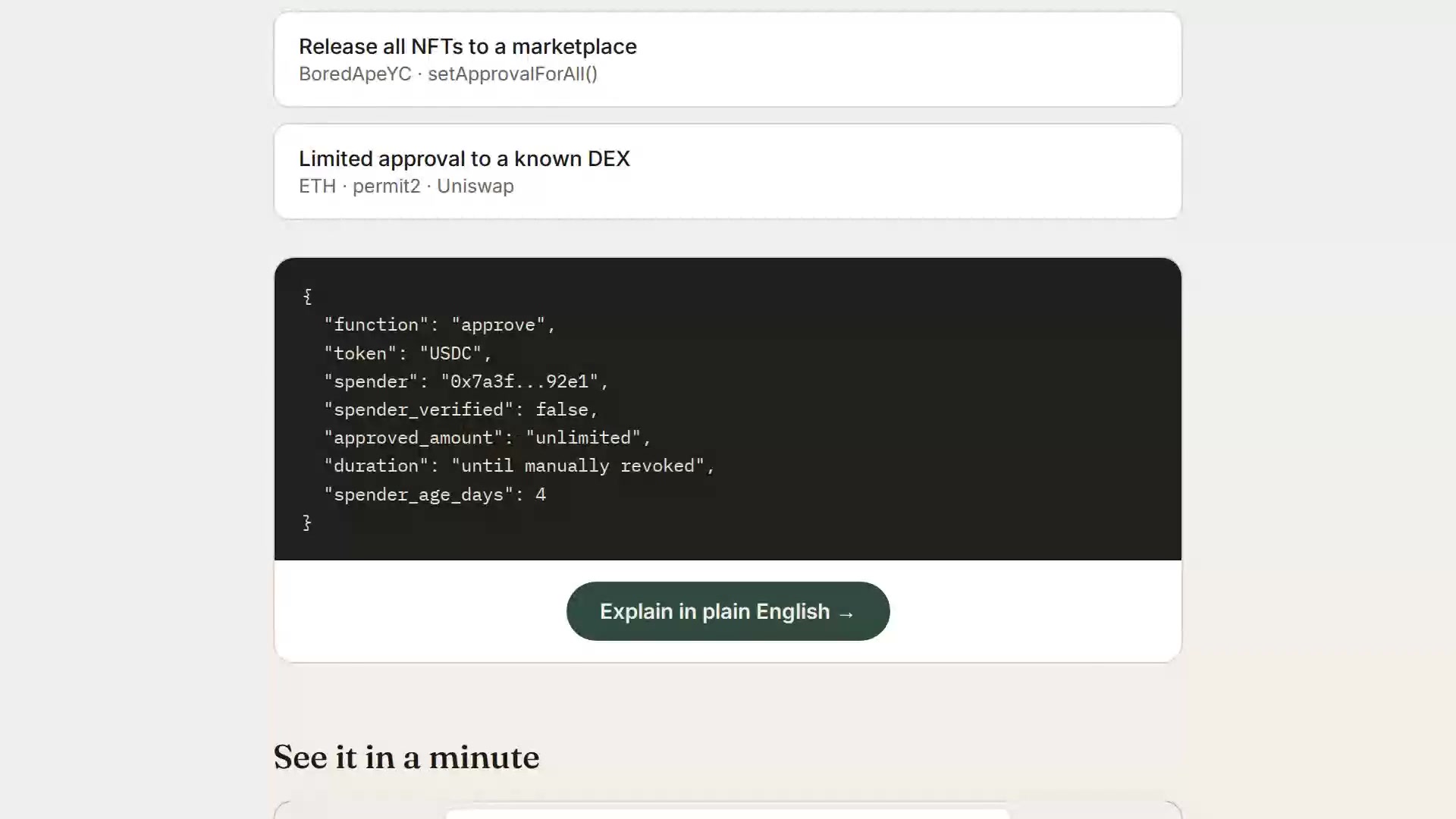
▶ Watch the 1-minute explainer · Live: https://plaintext.fizzl.eu
Project structure
plaintext-wallet/
├── server.js          Express backend (GoPlus + Anthropic calls)
├── media.js           Serves the explainer video from the explainer-video branch
├── feedback.js        POST /feedback and the MCP tool feedback (same file in every Fizzl service)
├── media/explainer/   Script and pipeline for the explainer video
├── package.json
├── render.yaml         Render deploy config (optional, see below)
├── .env.example         Copy to .env for local dev
└── public/
    └── index.html      Frontend (wallet check + demo scenarios)
Feedback
Found a bug, or missing something? Send it with POST /feedback (free, no payment) or the MCP tool feedback:
curl -X POST https://plaintext.fizzl.eu/feedback \
  -H 'content-type: application/json' \
  -d '{"type": "feature", "message": "Support Solana wallets", "endpoint": "/api/check-wallet"}'
type is bug, feature or other; message is required (up to 2000 characters); endpoint and contact are optional. The answer is 202 with an id. At most 10 reports per hour per caller. Reports go to the usage log, and a person reads every one; nothing in a report is run or changed automatically. GET /feedback shows the schema.
1. Run it locally first
cd plaintext-wallet
npm install
cp .env.example .env
# edit .env and paste your ANTHROPIC_API_KEY
npm start
Open http://localhost:3000 — try the "Try a sample" tab first (no API keys needed besides Anthropic), then "Check a wallet" with a real address once you're happy it works.
2. Deploy to Render
Option A — one-click via render.yaml (Blueprint)
- Push this folder to a new GitHub repo.
- In the Render dashboard: New + → Blueprint → select your repo.
Render reads
render.yamlautomatically and creates the web service. - When prompted, fill in the environment variables:
ANTHROPIC_API_KEY— required, from console.anthropic.comGOPLUS_ACCESS_TOKEN— optional, only needed if you outgrow GoPlus's free 30 calls/minute limit (see console.gopluslabs.io)
- Click Apply — Render builds and deploys automatically.
Option B — manual web service (no render.yaml needed)
- Push this folder to a GitHub repo.
- Render dashboard → New + → Web Service → connect your repo.
- Settings:
- Environment: Node
- Build Command:
npm install - Start Command:
npm start - Instance Type: Free (fine for a prototype)
- Under Environment Variables, add
ANTHROPIC_API_KEY(and optionallyGOPLUS_ACCESS_TOKEN). - Click Create Web Service. Render gives you a
https://<name>.onrender.comURL once the build finishes.
Render's free tier spins the service down after inactivity — the first request after idling will take ~30-50 seconds to wake up. That's normal and fine for a prototype you're sharing for feedback.
Notes on the GoPlus integration
- The wallet check calls
token_approval_securityornft721_approval_securityunderhttps://api.gopluslabs.io/api/v2/.... This is documented but the GoPlus docs site is JS-rendered, so before you rely on this in front of real users, do one manual test call (e.g. withcurl) against a wallet you control, and compare the actual JSON shape to whatserver.jsexpects — field names occasionally shift between GoPlus API versions. - The free GoPlus tier is capped at 30 calls/minute — plenty for early testing, but rate-limit errors will surface as a plain error message in the UI if you exceed it.
- No user data is stored anywhere in this app — every check is a stateless round trip. If you later add accounts, saved wallets, or history, update this note (and your own privacy policy) accordingly.
Costs to expect
- Render free tier: $0/month, with the cold-start behavior above. A paid tier ($7/month "Starter") removes the spin-down if this gets real usage.
- Anthropic API: pay-per-use, billed to whatever key you provide. A single explanation call is small (well under 1K tokens), so cost per check will be a fraction of a cent — but keep an eye on your usage dashboard if this gets shared widely, since there's no rate limiting built into this prototype yet.
PlainText Wallet Approval Checker MCP 질문
PlainText Wallet Approval Checker MCP를 Claude Code에 추가하려면 어떻게 하나요?
터미널에서 claude mcp add --transport http smartcontractexplainer https://plaintext.fizzl.eu/mcp를 실행합니다. 모든 프로젝트에서 사용할 수 있게 하려면 --scope user를 추가합니다.
PlainText Wallet Approval Checker MCP를 Cursor에 추가하려면 어떻게 하나요?
~/.cursor/mcp.json를 열고 mcpServers 아래에 서버를 추가합니다. 위 설치 섹션에 표시된 Cursor 구성을 사용합니다.
지갑의 안전성을 어떻게 판단하나요?
GoPlus Security API를 사용하여 토큰 및 NFT 승인 내역을 조회하고, Claude를 활용해 분석 결과를 쉬운 언어로 설명합니다.
애플리케이션이 사용자 데이터를 저장하나요?
아니요, 애플리케이션은 상태를 저장하지 않는 stateless 방식이며 검사 과정에서 어떠한 사용자 데이터도 저장하지 않습니다.