
GitHub CI/CD MCP server
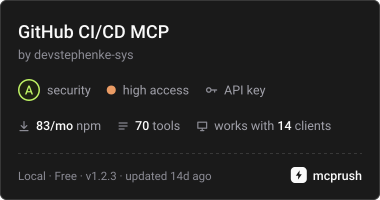
2026년 10월 22일 커밋GitHub REST 및 GraphQL API를 통해 AI agent가 repository, pull request, GitHub Actions, deployment 및 로컬 git 작업을 관리할 수 있도록 지원합니다.
다른 이름 devstephenke-sys/Github-Free-MCPs, github-free-mcps, @kinus/github-cicd-mcp
- 스타
- 2
- Tools
- —
- 다운로드, 30일
- —
- 최신 버전
- 1.2.2
- 마지막 커밋
- 2026년 10월 22일
- 라이선스
- MIT
GitHub CI/CD MCP란?
GitHub CI/CD은(는) MCP server입니다. GitHub REST 및 GraphQL API를 통해 AI agent가 repository, pull request, GitHub Actions, deployment 및 로컬 git 작업을 관리할 수 있도록 지원합니다.
프로젝트 README에서 생성된 요약
GitHub CI/CD MCP server 정보
이 MCP server는 AI 어시스턴트에서 직접 DevOps 워크플로우와 repository 라이프사이클을 관리할 수 있게 해줍니다. Cursor 또는 Claude Desktop을 사용하는 개발자에게 REST 및 GraphQL API를 통해 GitHub와 상호작용할 수 있는 다양한 도구를 제공합니다. 환경 변수를 통해 GitHub personal access token을 연결하면, agent가 기본적인 repository 관리부터 복잡한 CI/CD 작업까지 모두 처리할 수 있습니다.
이 server는 GitHub Actions, branch protection, deployment status를 위한 전용 도구를 제공하여 고수준의 AI 추론과 기술적 실행 사이의 간극을 메워줍니다. 또한 push, pull, commit과 같은 로컬 git 작업 기능도 포함하고 있습니다. 이를 통해 사용자가 터미널과 웹 브라우저를 번갈아 사용할 필요 없이, AI가 workflow 실행을 모니터링하거나 pull request 리뷰를 관리하고 조직의 billing 사용량을 확인하는 통합된 워크플로우를 구현할 수 있습니다.
프로젝트의 README를 바탕으로 작성되었습니다. 모든 활용 사례는 해당 내용의 인용문과 대조하여 확인합니다.
GitHub CI/CD MCP 설치 방법
형식 확인: 2026년 11월 10일Cursor에 추가Goose에 추가Claude Code에 GitHub CI/CD MCP 설치
$ claude mcp add --env 'GITHUB_TOKEN=<YOUR_GITHUB_TOKEN>' github-free-mcps -- npx -y @kinus/github-cicd-mcpCursor에 GitHub CI/CD MCP 설치
~/.cursor/mcp.json
{
  "mcpServers": {
    "github-free-mcps": {
      "command": "npx",
      "args": [
        "-y",
        "@kinus/github-cicd-mcp"
      ],
      "env": {
        "GITHUB_TOKEN": "<YOUR_GITHUB_TOKEN>"
      }
    }
  }
}VS Code에 GitHub CI/CD MCP 설치
.vscode/mcp.json
{
  "servers": {
    "github-free-mcps": {
      "type": "stdio",
      "command": "npx",
      "args": [
        "-y",
        "@kinus/github-cicd-mcp"
      ],
      "env": {
        "GITHUB_TOKEN": "<YOUR_GITHUB_TOKEN>"
      }
    }
  }
}VS Code CLI에 GitHub CI/CD MCP 설치
$ code --add-mcp '{"name":"github-free-mcps","type":"stdio","command":"npx","args":["-y","@kinus/github-cicd-mcp"],"env":{"GITHUB_TOKEN":"<YOUR_GITHUB_TOKEN>"}}'Claude Desktop에 GitHub CI/CD MCP 설치
claude_desktop_config.json
{
  "mcpServers": {
    "github-free-mcps": {
      "command": "npx",
      "args": [
        "-y",
        "@kinus/github-cicd-mcp"
      ],
      "env": {
        "GITHUB_TOKEN": "<YOUR_GITHUB_TOKEN>"
      }
    }
  }
}Codex에 GitHub CI/CD MCP 설치
$ codex mcp add github-free-mcps --env 'GITHUB_TOKEN=<YOUR_GITHUB_TOKEN>' -- npx -y @kinus/github-cicd-mcpCodex config.toml에 GitHub CI/CD MCP 설치
~/.codex/config.toml
[mcp_servers.github-free-mcps]
command = "npx"
args = ["-y", "@kinus/github-cicd-mcp"]

[mcp_servers.github-free-mcps.env]
GITHUB_TOKEN = "<YOUR_GITHUB_TOKEN>"
Gemini CLI에 GitHub CI/CD MCP 설치
$ gemini mcp add -s user -e 'GITHUB_TOKEN=<YOUR_GITHUB_TOKEN>' github-free-mcps npx -- -y @kinus/github-cicd-mcpGemini settings.json에 GitHub CI/CD MCP 설치
~/.gemini/settings.json
{
  "mcpServers": {
    "github-free-mcps": {
      "command": "npx",
      "args": [
        "-y",
        "@kinus/github-cicd-mcp"
      ],
      "env": {
        "GITHUB_TOKEN": "<YOUR_GITHUB_TOKEN>"
      }
    }
  }
}구성
GITHUB_TOKEN필수비밀GitHub personal access token for authentication
GITHUB_API_URLGitHub Enterprise REST API base URL (optional)
GITHUB_GRAPHQL_URLGitHub Enterprise GraphQL endpoint (optional)
GITHUB_HOSTGitHub Enterprise hostname (optional, defaults to github.com)
| 이름 | 설명 | 유형 |
|---|---|---|
| GITHUB_TOKEN | GitHub personal access token for authentication | 필수비밀 |
| GITHUB_API_URL | GitHub Enterprise REST API base URL (optional) | |
| GITHUB_GRAPHQL_URL | GitHub Enterprise GraphQL endpoint (optional) | |
| GITHUB_HOST | GitHub Enterprise hostname (optional, defaults to github.com) |
자동 검사
2026년 11월 13일에 실행됨전체 보고서 →아직 인증되지 않았습니다. 서버는 80점 이상의 점수, 심각한 결함 없음, 그리고 검사에 충분한 데이터를 갖추어야 합니다. 검사 방식 · 점수를 높이기 위해 수정할 항목

- 소스 저장소 연결 및 접근 가능devstephenke-sys/github-free-mcps is public and reachablegithub.com/devstephenke-sys/github-free-mcps ↗통과
- 패키지가 이 저장소를 소스로 명시@kinus/github-cicd-mcp names devstephenke-sys/github-free-mcps as sourcenpmjs.com/package/@kinus/github-cicd-mcp ↗통과
- 빌드 출처(Sigstore 증명)No build attestation published for this release검사되지 않음
- 오픈 소스 라이선스 (OSI)MITspdx.org/licenses/MIT.html ↗통과
- 최근 1년 내 커밋 또는 릴리스Last commit or release 2026-10-22github.com/devstephenke-sys/github-free-mcps ↗통과
- OpenSSF Scorecard검사되지 않음
- 패키지 이름이 인기 패키지와 유사하지 않음No popular package one edit away from @kinus/github-cicd-mcp통과
- 패키지 및 해당 종속성에 중요한 보안 권고 없음Critical advisory: GHSA-x6jw-m9v5-85vh, GHSA-v5rq-49vh-5v5cosv.dev/vulnerability/GHSA-x6jw-m9v5-85vh ↗결함 발견
- 모델에 대한 숨겨진 지침 없음0 tool descriptions and the README read; no override phrases, credential paths or hidden characters통과
- 파괴적인 도구에 라벨 표시됨검사되지 않음
- 원격 엔드포인트가 MCP 핸드셰이크에 응답검사되지 않음
README
GitHub에서 보기github-cicd-mcp
GitHub CI/CD MCP server for Model Context Protocol.


Model Context Protocol (MCP) server for GitHub REST and GraphQL — built for CI/CD and DevOps workflows in Cursor, Claude Desktop, and other MCP clients.
Give your AI agent tools to manage repos, commits, pull requests, issues, GitHub Actions, deployments, billing, releases, branch protection, webhooks, and local git — without leaving the editor.
Install
npm / npx (recommended)
{
  "mcpServers": {
    "github-cicd": {
      "command": "npx",
      "args": ["-y", "@kinus/github-cicd-mcp"],
      "env": {
        "GITHUB_TOKEN": "${env:GITHUB_TOKEN}"
      }
    }
  }
}
Set GITHUB_TOKEN (or GH_TOKEN) in your system environment, or replace ${env:GITHUB_TOKEN} with a secret reference your client supports.
From source
git clone https://github.com/devstephenke-sys/Github-Free-MCPs.git
cd Github-Free-MCPs
npm install
npm run build
Point MCP at node /absolute/path/to/github-cicd-mcp/dist/index.js.
Authentication
Create a personal access token:
| Need | Scopes / permissions |
|---|---|
| Repos, PRs, commits, issues | repo or fine-grained Contents, Pull requests, Issues |
| Actions | workflow |
| Org billing | read:org + org billing role |
| Admin (branch protection, webhooks) | Admin access on the repo/org |
Never commit tokens. Use environment variables only.
⚠️ Security: See SECURITY.md for security policies and best practices.
Recent Security Update (v1.2.3): Updated simple-git to v4.0.2 to address critical security vulnerabilities (CVE-2026-102828, CVE-2026-102826, CVE-2026-102827, CVE-2026-6951).
Tool reference
Core & repos
github_get_authenticated_user, github_get_rate_limit, github_create_repository, github_get_repository, github_list_repositories, github_create_branch, github_fork_repository
Commits & CI status
github_list_commits, github_get_commit, github_compare_commits, github_create_commit, github_get_combined_status, github_list_check_runs_for_ref
Pull requests
github_create_pull_request, github_list_pull_requests, github_get_pull_request, github_merge_pull_request, github_update_pull_request, github_list_pull_request_files, github_create_pull_request_review
Issues
github_create_issue, github_list_issues, github_get_issue, github_update_issue, github_add_issue_comment, github_list_issue_comments
Releases & tags
github_list_releases, github_get_release_by_tag, github_create_release, github_list_tags, github_create_tag
Branches & protection
github_list_branches, github_get_branch, github_get_branch_protection, github_update_branch_protection, github_delete_branch_protection
GitHub Actions
github_list_workflows, github_list_workflow_runs, github_get_workflow_run, github_list_workflow_jobs, github_rerun_workflow, github_cancel_workflow_run, github_dispatch_workflow, github_list_actions_secrets, github_list_actions_variables, github_list_workflow_run_artifacts, github_download_workflow_artifact
Deployments (CD)
github_list_deployments, github_create_deployment, github_create_deployment_status, github_list_environments
Billing
github_get_user_billing_actions, github_get_org_billing_actions, github_get_org_billing_overview, github_get_org_billing_usage_report
Webhooks & access
github_list_webhooks, github_create_webhook, github_delete_webhook, github_list_collaborators, github_add_collaborator, github_list_teams
GraphQL
github_graphql_query, github_graphql_mutation, github_graphql_repository_overview
Local git
git_status, git_commit, git_push, git_pull, git_log, git_clone
GitHub Enterprise
GITHUB_HOST— hostname (when notgithub.com)GITHUB_API_URL— REST base, e.g.https://github.example.com/api/v3GITHUB_GRAPHQL_URL— GraphQL endpoint override
Development
npm install
npm run build
npm run verify
Publish your own fork
See RELEASING.md for:
- Public GitHub repo setup
- npm publish (
npm publish --access public) - GitHub Releases and optional MCP directory listings
License
GitHub CI/CD MCP 질문
GitHub CI/CD MCP를 Claude Code에 추가하려면 어떻게 하나요?
터미널에서 claude mcp add --env 'GITHUB_TOKEN=<YOUR_GITHUB_TOKEN>' github-free-mcps -- npx -y @kinus/github-cicd-mcp를 실행합니다. 모든 프로젝트에서 사용할 수 있게 하려면 --scope user를 추가합니다.
GitHub CI/CD MCP를 Cursor에 추가하려면 어떻게 하나요?
~/.cursor/mcp.json를 열고 mcpServers 아래에 서버를 추가합니다. 위 설치 섹션에 표시된 Cursor 구성을 사용합니다.
GitHub Actions를 사용하려면 어떤 권한이 필요한가요?
GitHub Actions를 관리하려면 토큰에 'workflow' scope가 필요합니다.