
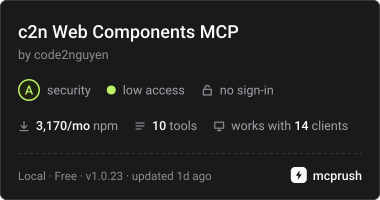
c2n Lit web component API, 테마 토큰, 사용 예시 및 마크업 검증 기능을 AI agent에게 제공합니다.
다른 이름 code2nguyen/web-components, c2n, @c2n/mcp
- 스타
- 5
- Tools
- 10
- 다운로드, 30일
- 3,298
- 최신 버전
- 1.0.26
- 마지막 커밋
- 2026년 11월 15일
- 라이선스
- MIT
c2n Web Components MCP란?
c2n Web Components은(는) MCP server입니다. c2n Lit web component API, 테마 토큰, 사용 예시 및 마크업 검증 기능을 AI agent에게 제공합니다. 10개 도구를 제공합니다. 예: list_components, search_components, get_component.
프로젝트 README에서 생성된 요약
c2n Web Components MCP server 정보
이 MCP server는 AI agent가 Lit web component에 대한 기술 문서와 검증 기능을 사용할 수 있도록 지원합니다. Claude Code, Codex 또는 Google Antigravity를 사용하는 개발자는 stdio를 통해 이 서버에 연결하여 속성(attributes), 슬롯(slots), 이벤트(events), CSS 변수를 포함한 전체 component API registry에 접근할 수 있습니다. 데이터가 로컬 registry 파일에 포함되어 있으므로, 프로젝트에 설치되면 오프라인 상태에서도 서버가 작동합니다.
사용자는 특정 도구를 사용하여 component 목록을 확인하거나 glass 또는 pill 스타일과 같은 사용 예시를 검색하고, @c2n/theme 패키지에서 테마 토큰을 가져올 수 있습니다. 또한 이 서버에는 HTML, JSX, Vue, Svelte, Astro, Angular 및 Lit 템플릿을 설치된 @c2n 패키지와 대조하여 확인하는 검증 도구가 포함되어 있습니다. 이를 통해 마크업이 올바른 태그를 사용하고 있는지 확인하며, component host에 box styling을 적용하는 것과 같은 잘못된 CSS 속성 사용을 방지합니다. 이 서버는 자동 편집기가 아닌 구조화된 지식 소스 역할을 하지만, @c2n/skill 패키지와 함께 사용하면 agent가 특정 애플리케이션 및 테마 규칙을 따르도록 도울 수 있습니다.
프로젝트의 README를 바탕으로 작성되었습니다. 모든 활용 사례는 해당 내용의 인용문과 대조하여 확인합니다.
c2n Web Components MCP 설치 방법
형식 확인: 2026년 11월 10일Cursor에 추가Goose에 추가Claude Code에 c2n Web Components MCP 설치
$ claude mcp add c2n -- npx -y @c2n/mcpCursor에 c2n Web Components MCP 설치
~/.cursor/mcp.json
{
  "mcpServers": {
    "c2n": {
      "command": "npx",
      "args": [
        "-y",
        "@c2n/mcp"
      ]
    }
  }
}VS Code에 c2n Web Components MCP 설치
.vscode/mcp.json
{
  "servers": {
    "c2n": {
      "type": "stdio",
      "command": "npx",
      "args": [
        "-y",
        "@c2n/mcp"
      ]
    }
  }
}VS Code CLI에 c2n Web Components MCP 설치
$ code --add-mcp '{"name":"c2n","type":"stdio","command":"npx","args":["-y","@c2n/mcp"]}'Claude Desktop에 c2n Web Components MCP 설치
claude_desktop_config.json
{
  "mcpServers": {
    "c2n": {
      "command": "npx",
      "args": [
        "-y",
        "@c2n/mcp"
      ]
    }
  }
}Codex에 c2n Web Components MCP 설치
$ codex mcp add c2n -- npx -y @c2n/mcpCodex config.toml에 c2n Web Components MCP 설치
~/.codex/config.toml
[mcp_servers.c2n]
command = "npx"
args = ["-y", "@c2n/mcp"]
Gemini CLI에 c2n Web Components MCP 설치
$ gemini mcp add -s user c2n npx -- -y @c2n/mcpGemini settings.json에 c2n Web Components MCP 설치
~/.gemini/settings.json
{
  "mcpServers": {
    "c2n": {
      "command": "npx",
      "args": [
        "-y",
        "@c2n/mcp"
      ]
    }
  }
}c2n Web Components MCP 도구 10
README에서 감지됨list_componentssearch_componentsget_componentget_examplessearch_examplesget_presetsget_themegenerate_variantvalidate_markupget_workflow_guide
| list_components | — | |
| search_components | — | |
| get_component | — | |
| get_examples | — | |
| search_examples | — | |
| get_presets | — | |
| get_theme | — | |
| generate_variant | — | |
| validate_markup | — | |
| get_workflow_guide | — |
구성
C2N_PROJECT_ROOTProject whose installed @c2n/* packages the server reports. Defaults to the working directory.
| 이름 | 설명 | 유형 |
|---|---|---|
| C2N_PROJECT_ROOT | Project whose installed @c2n/* packages the server reports. Defaults to the working directory. |
자동 검사
2026년 11월 12일에 실행됨전체 보고서 →자동 검사를 통과했습니다. 이는 보안 감사가 아닙니다. 코드를 직접 읽고 서버에 필요한 최소한의 권한만 부여하십시오. 검사 방식

- 소스 저장소 연결 및 접근 가능통과
- 오픈 소스 라이선스 (OSI)통과
- 최근 1년 내 커밋 또는 릴리스통과
- 패키지 이름이 인기 패키지와 유사하지 않음통과
- 원격 엔드포인트가 HTTPS 사용검사되지 않음
- 파괴적인 도구에 라벨 표시됨통과
- 모델에 대한 숨겨진 지침 없음통과
- 패키지 및 해당 종속성에 중요한 보안 권고 없음통과
README
GitHub에서 보기@c2n/mcp
Model Context Protocol server that exposes the c2n web components to AI agents: component APIs (attributes, slots, events, native CSS parts, CSS variables with their theme tokens), usage and gallery examples, curated presets, the @c2n/theme tokens, variant code generation and the application workflow guides. Everything is bundled in data/registry.json, so it works offline in any project.
Use
The server uses stdio and can be launched by any MCP host:
npx -y @c2n/mcp
Claude Code project .mcp.json:
{ "mcpServers": { "c2n": { "type": "stdio", "command": "npx", "args": ["-y", "@c2n/mcp"] } } }
Codex project .codex/config.toml:
[mcp_servers.c2n]
command = "npx"
args = ["-y", "@c2n/mcp"]
Google Antigravity project .agents/mcp_config.json uses the same mcpServers command/args structure as the Claude example. The @c2n/skill package can install the skill and merge these configurations automatically.
Run the server from a project directory: it reports which @c2n/* packages are installed and serves the bundled API when the installed version differs. The registry is packaged locally, so tool calls do not require network access after installation.
Use c2n-mcp --version to inspect the installed server version and c2n-mcp --help for CLI usage.
The MCP server supplies structured component facts; it does not install component packages or edit an application by itself. Pair it with @c2n/skill when you also want the agent to follow c2n's application, theming and variant conventions. See the AI tools guide for the complete setup and example prompts.
Verify the connection
Restart the agent after adding its MCP configuration, then ask it to use the c2n MCP server to list components or inspect c2-button. A connected client should expose the tools below and report @c2n/* packages installed in the current project. If the server cannot start, run npx -y @c2n/mcp --version in that project to distinguish an npm/runtime problem from an MCP client configuration problem.
Tools
| Tool | Purpose |
|---|---|
list_components |
Every component with tag, package, category, description, installed version |
search_components |
Free-text search across names, descriptions, attributes, slots, events, examples, icons |
get_component |
Full API of one component, CSS variables grouped by part/state with their theme token |
get_examples |
Usage rows and gallery cards; view: "index" lists every look (summary, screenshot) |
search_examples |
Find a look across every component's gallery ("glass", "pill", "underline") |
get_presets |
Curated presets as CSS variable values |
get_theme |
The --c2-theme--* tokens, install/mapping snippets; per-component mapping with tag |
generate_variant |
CSS class / HTML + style / Lit subclass / JSON from overrides, a preset or a gallery card |
validate_markup |
Checks markup/CSS you wrote: native controls to replace, unknown tags/attributes/slots/events/variables |
get_workflow_guide |
workflow, theming, variant-components, frameworks |
Gallery cards are served with a generated summary of what they change and CSS whose colours follow the --c2-theme--* tokens wherever a literal equals a token's value (var(--c2-theme--color-outline, #d4d4d8)), so a copied card follows the application's theme and dark mode. Each card also links light and dark PNG captures hosted with the docs site (gallery-shots/<component>/<slug>.<theme>.png, written by apps/ui/scripts/gallery-shots.mjs in the Pages deploy).
Validate from the command line
validate_markup is also a CLI, for CI and editor hooks. It reads HTML, JSX/TSX, Vue, Svelte, Astro, Angular and Lit templates and CSS, and checks them against the API of the @c2n/* packages the project has installed:
npx -y @c2n/mcp validate src            # exit 1 on errors
npx -y @c2n/mcp validate src --strict   # warnings fail too (native controls, box styling on a c2 host)
npx -y @c2n/mcp validate --hook         # Claude Code PostToolUse hook: reads the payload on stdin
It reports native <button>/<input>/<select>/<textarea>/<dialog>/<details>/<progress> elements that a c2-* element replaces, unknown c2-* tags, attributes, slots and --c2-* variables (with "did you mean"), events a c2-* element does not fire (with its event list), a static camelCase attribute the element ignores (rowKey for row-key), and box styling on a c2-* host (border, padding, background, box-shadow, outline; a radius alone is fine). A line holding c2n-ignore, or the line after a comment holding it, is skipped. In hook mode the findings go to stderr with exit code 2, which Claude Code hands back to the agent; npx -y @c2n/skill install registers that hook in .claude/settings.json.
Resources: c2n://components, c2n://components/{tag}, c2n://theme, c2n://guide/{topic}.
Development
data/registry.jsonis an ignored build artifact.npm run build:tools(repo root) regenerates it from the component manifests, docs content, presets and theme, then compilesdist/and refreshes the committed skill fallback.dev,inspect,smokeandnpm packautomatically build the registry when needed.npm run smoke -w packages/tools/mcpspawns the server over stdio and checks every tool.npm run inspect -w packages/tools/mcpopens the MCP Inspector against the source entry (node src/cli.ts, Node 24 type stripping).
c2n Web Components MCP 질문
c2n Web Components MCP를 Claude Code에 추가하려면 어떻게 하나요?
터미널에서 claude mcp add c2n -- npx -y @c2n/mcp를 실행합니다. 모든 프로젝트에서 사용할 수 있게 하려면 --scope user를 추가합니다.
c2n Web Components MCP를 Cursor에 추가하려면 어떻게 하나요?
~/.cursor/mcp.json를 열고 mcpServers 아래에 서버를 추가합니다. 위 설치 섹션에 표시된 Cursor 구성을 사용합니다.
c2n Web Components MCP는 어떤 도구를 제공하나요?
10개 도구를 제공합니다. 예: list_components, search_components, get_component, get_examples, search_examples.
서버를 작동하려면 인터넷 연결이 필요한가요?
아니요, registry가 data/registry.json에 로컬로 포함되어 있어 모든 프로젝트에서 오프라인으로 작동할 수 있습니다.
서버가 제 코드를 검증할 수 있나요?
네, validate_markup 도구를 통해 HTML, JSX/TSX, Vue, Svelte, Astro, Angular 및 Lit 템플릿이 설치된 component API와 일치하는지 확인할 수 있습니다.
이 서버가 web component를 대신 설치해 주나요?
아니요, 서버는 구조화된 component 정보를 제공할 뿐 설치를 수행하거나 애플리케이션을 직접 수정하지는 않습니다.