
2extract MCP server
2026년 10월 23일 커밋AI 에이전트가 지리적 타겟팅, 사용량 제한 및 비용 보고 기능을 갖춘 주거용 및 모바일 프록시를 생성하고 관리할 수 있습니다.
다른 이름 2extract/mcp, mcp
- 스타
- 1
- Tools
- —
- 다운로드, 30일
- —
- 최신 버전
- 1.0.2
- 마지막 커밋
- 2026년 10월 23일
- 라이선스
- MIT
2extract MCP란?
2extract은(는) MCP server입니다. AI 에이전트가 지리적 타겟팅, 사용량 제한 및 비용 보고 기능을 갖춘 주거용 및 모바일 프록시를 생성하고 관리할 수 있습니다.
프로젝트 README에서 생성된 요약
2extract MCP server 정보
2extract는 개발자와 데이터 연구자가 AI 에이전트를 통해 주거용 및 모바일 프록시를 관리할 수 있도록 지원합니다. 이 원격 MCP server를 사용하면 에이전트가 초기 생성부터 세부 설정 및 비용 모니터링에 이르기까지 프록시 리소스의 전체 라이프사이클을 처리할 수 있습니다. 사용자는 2extract API 키를 사용하여 Claude Desktop, Cursor 또는 VS Code와 같은 MCP 클라이언트를 streamable HTTP를 통해 호스팅된 엔드포인트에 연결합니다.
에이전트는 특정 도시, 우편번호 또는 모바일 통신사 단위의 정밀한 지리적 타겟팅과 같은 매우 구체적인 작업을 수행할 수 있습니다. 이 서버는 트래픽 및 비용 제한 설정, IP 화이트리스트 관리, 특정 대상 호스트에 대한 액세스 제한 도구를 제공합니다. 단순한 관리를 넘어 계정 잔액 이력 및 사용 통계를 추적하는 보고 기능도 제공합니다. 이를 통해 AI가 사용하지 않는 프록시를 식별하여 비활성화하거나 월간 비용 보고서를 생성하는 등 리소스를 선제적으로 관리할 수 있습니다.
활용 사례
- 1자동 프록시 프로비저닝AI 에이전트가 자연어 요청을 기반으로 특정 지리적 위치 및 사용량 제약 조건이 적용된 새 프록시를 생성할 수 있습니다.
- 2정밀한 지리적 타겟팅 조사개발자는 에이전트에게 프록시 타겟팅이 가능한 특정 모바일 통신사나 우편번호를 찾아달라고 요청할 수 있습니다.
- 3비용 및 사용량 감사AI에게 지출 패턴을 분석하고 프록시 트래픽 비용에서 이상 징후를 찾아내도록 지시할 수 있습니다.
- 4리소스 정리 및 최적화에이전트가 한 달 동안 활동이 없는 프록시를 식별하고 비용 절감을 위해 이를 비활성화할 수 있습니다.
프로젝트의 README를 바탕으로 작성되었습니다. 모든 활용 사례는 해당 내용의 인용문과 대조하여 확인합니다.
2extract MCP 설치 방법
형식 확인: 2026년 11월 10일Cursor에 추가Goose에 추가Claude Code에 2extract MCP 설치
$ claude mcp add --transport http mcp https://mcp.2extract.com/mcpCursor에 2extract MCP 설치
~/.cursor/mcp.json
{
  "mcpServers": {
    "mcp": {
      "url": "https://mcp.2extract.com/mcp"
    }
  }
}VS Code에 2extract MCP 설치
.vscode/mcp.json
{
  "servers": {
    "mcp": {
      "type": "http",
      "url": "https://mcp.2extract.com/mcp"
    }
  }
}VS Code CLI에 2extract MCP 설치
$ code --add-mcp '{"name":"mcp","type":"http","url":"https://mcp.2extract.com/mcp"}'Codex에 2extract MCP 설치
$ codex mcp add mcp --url https://mcp.2extract.com/mcpCodex config.toml에 2extract MCP 설치
~/.codex/config.toml
[mcp_servers.mcp]
url = "https://mcp.2extract.com/mcp"
Gemini CLI에 2extract MCP 설치
$ gemini mcp add -s user --transport http mcp https://mcp.2extract.com/mcpGemini settings.json에 2extract MCP 설치
~/.gemini/settings.json
{
  "mcpServers": {
    "mcp": {
      "url": "https://mcp.2extract.com/mcp",
      "type": "http"
    }
  }
}구성
EXTRACT_API_KEY
| 이름 | 설명 | 유형 |
|---|---|---|
| EXTRACT_API_KEY | — |
자동 검사
2026년 11월 14일에 실행됨전체 보고서 →아직 인증되지 않았습니다. 서버는 80점 이상의 점수, 심각한 결함 없음, 그리고 검사에 충분한 데이터를 갖추어야 합니다. 검사 방식 · 점수를 높이기 위해 수정할 항목

- 소스 저장소 연결 및 접근 가능2extract/mcp is public and reachablegithub.com/2extract/mcp ↗통과
- 패키지가 이 저장소를 소스로 명시검사되지 않음
- 빌드 출처(Sigstore 증명)검사되지 않음
- 오픈 소스 라이선스 (OSI)MITspdx.org/licenses/MIT.html ↗통과
- 최근 1년 내 커밋 또는 릴리스Last commit or release 2026-10-23github.com/2extract/mcp ↗통과
- OpenSSF Scorecard검사되지 않음
- 패키지 이름이 인기 패키지와 유사하지 않음검사되지 않음
- 패키지 및 해당 종속성에 중요한 보안 권고 없음검사되지 않음
- 모델에 대한 숨겨진 지침 없음0 tool descriptions and the README read; no override phrases, credential paths or hidden characters통과
- 파괴적인 도구에 라벨 표시됨검사되지 않음
- 원격 엔드포인트가 MCP 핸드셰이크에 응답initialize answered with protocol 2025-06-18 in 1051 ms통과
README
GitHub에서 보기2extract MCP Server


VS Code asks for the API key on install and does not store it in the config. Cursor installs with a placeholder: replace 2xt_your_api_key in mcp.json with your key.
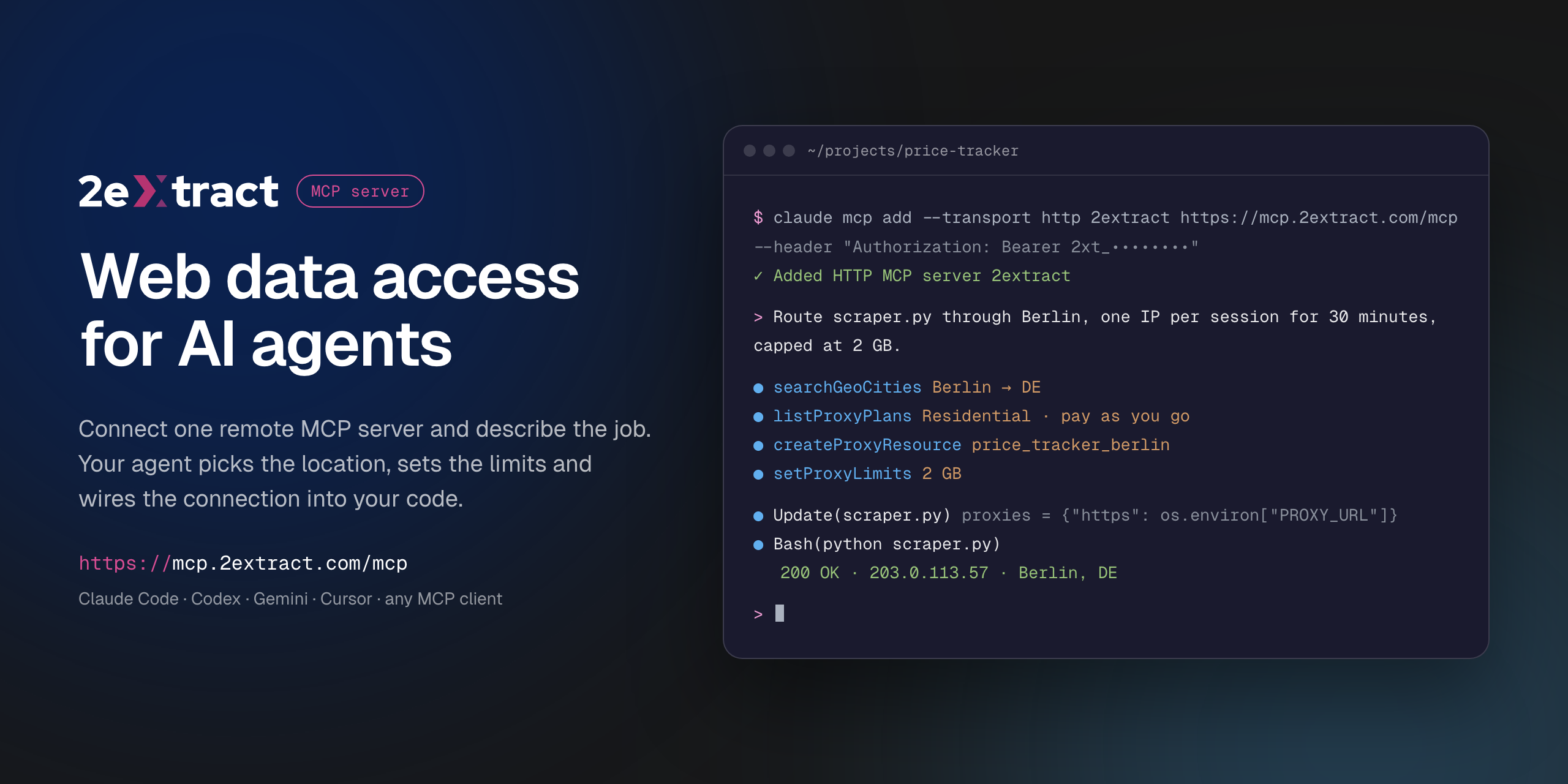
Remote Model Context Protocol server for 2extract. It lets an AI agent create and manage residential and mobile proxies, pick geo targeting down to city, ZIP or carrier, set traffic and spend limits, and report on usage and cost.
This is a hosted server. There is nothing to install or run locally: your MCP client connects to the URL below with your 2extract API key.
| Endpoint | https://mcp.2extract.com/mcp |
| Transport | Streamable HTTP |
| Auth | Authorization: Bearer 2xt_... (2extract API key) |
Get an API key
- Sign up or log in to 2extract.
- Open API keys and create a key.
- Grant the scopes the agent needs:
proxies:read,proxies:write,balance:read,stats:read,geo:read. Write scopes do not include read access, so most workflows need bothproxies:readandproxies:write.
A read-only key (no proxies:write) is enough for reporting and lookups.
Connect
Claude Code
claude mcp add --transport http 2extract https://mcp.2extract.com/mcp \
  --header "Authorization: Bearer 2xt_your_api_key"
Codex CLI
The key is read from the EXTRACT_API_KEY environment variable; Codex adds Bearer itself:
export EXTRACT_API_KEY=2xt_your_api_key
codex mcp add 2extract --url https://mcp.2extract.com/mcp --bearer-token-env-var EXTRACT_API_KEY
Or edit ~/.codex/config.toml (or .codex/config.toml in a trusted project):
[mcp_servers.2extract]
url = "https://mcp.2extract.com/mcp"
bearer_token_env_var = "EXTRACT_API_KEY"
Gemini CLI
gemini mcp add -s user --transport http \
  --header "Authorization: Bearer 2xt_your_api_key" \
  2extract https://mcp.2extract.com/mcp
Or edit ~/.gemini/settings.json (or .gemini/settings.json in a project):
{
  "mcpServers": {
    "2extract": {
      "httpUrl": "https://mcp.2extract.com/mcp",
      "headers": { "Authorization": "Bearer 2xt_your_api_key" }
    }
  }
}
OpenCode
opencode.json in your project (or ~/.config/opencode/opencode.json). The key is read from the EXTRACT_API_KEY environment variable:
{
  "$schema": "https://opencode.ai/config.json",
  "mcp": {
    "2extract": {
      "type": "remote",
      "url": "https://mcp.2extract.com/mcp",
      "enabled": true,
      "headers": { "Authorization": "Bearer {env:EXTRACT_API_KEY}" }
    }
  }
}
Claude Desktop
claude_desktop_config.json:
{
  "mcpServers": {
    "2extract": {
      "type": "http",
      "url": "https://mcp.2extract.com/mcp",
      "headers": { "Authorization": "Bearer 2xt_your_api_key" }
    }
  }
}
Cursor
~/.cursor/mcp.json or .cursor/mcp.json:
{
  "mcpServers": {
    "2extract": {
      "url": "https://mcp.2extract.com/mcp",
      "headers": { "Authorization": "Bearer 2xt_your_api_key" }
    }
  }
}
VS Code
.vscode/mcp.json (the key is requested on first use and not stored in the file):
{
  "inputs": [
    {
      "type": "promptString",
      "id": "2extract-api-key",
      "description": "2extract API key",
      "password": true
    }
  ],
  "servers": {
    "2extract": {
      "type": "http",
      "url": "https://mcp.2extract.com/mcp",
      "headers": { "Authorization": "Bearer ${input:2extract-api-key}" }
    }
  }
}
Cline
Open the Cline panel, click MCP Servers, then Configure MCP Servers, and add to cline_mcp_settings.json:
{
  "mcpServers": {
    "2extract": {
      "type": "streamableHttp",
      "url": "https://mcp.2extract.com/mcp",
      "headers": { "Authorization": "Bearer 2xt_your_api_key" },
      "disabled": false
    }
  }
}
Keep "type": "streamableHttp": without it Cline falls back to the older SSE transport.
Other clients
Any client that supports remote MCP servers works. Give it the endpoint URL, the Streamable HTTP transport and the Authorization header.
Tools
Account
| Tool | What it does | Scope |
|---|---|---|
getAccountBalance |
Available funds, whether a new proxy can be created, and the proxy username prefix | balance:read |
getAccountTrafficUsage |
Traffic and spend over a period, for the account or one proxy | stats:read |
listAccountBalanceHistory |
Deposits and charges over a period | stats:read |
Geo targeting
| Tool | What it does | Scope |
|---|---|---|
listGeoCountries |
Countries available for targeting | geo:read |
searchGeoRegions |
Regions and states within a country | geo:read |
searchGeoCities |
Cities within a country or region | geo:read |
searchGeoZips |
ZIP and postal codes within a country | geo:read |
searchGeoISP |
Mobile carriers for ISP targeting | geo:read |
Plans
| Tool | What it does | Scope |
|---|---|---|
listProxyPlans |
Available plans and their prices | proxies:read |
Proxies
| Tool | What it does | Scope |
|---|---|---|
listProxyResources |
Every proxy on the account, with traffic and spend | proxies:read |
getProxyResource |
Full detail for one proxy | proxies:read |
createProxyResource |
Create a proxy (billable) | proxies:write |
updateProxyResource |
Change description, status, geo, whitelist or limits | proxies:write |
deactivateProxyResource |
Stop traffic without deleting the proxy | proxies:write |
deleteProxyResource |
Permanently remove a proxy (asks for confirmation) | proxies:write |
regenerateProxyPassword |
Issue a new password (asks for confirmation) | proxies:write |
setProxyLimits |
Cap traffic or spend per day or month | proxies:write |
setProxyIpWhitelist |
Restrict which IP addresses can use the proxy | proxies:write |
setProxyTargetHosts |
Restrict which domains the proxy can reach (wildcards like *.example.com) |
proxies:write |
buildConnectionString |
Ready-to-use username and connection string with geo, carrier and sticky-session parameters | proxies:read, balance:read |
Confirmation for destructive tools happens in your client. If the client does not ask, any key with proxies:write can run them, so scope keys accordingly.
Prompts
| Prompt | Arguments | What it does |
|---|---|---|
create-proxy-resource |
purpose, proxy_type?, country? |
Creates a proxy for a stated job and returns a connection string |
build-connection-string |
proxy_id?, purpose? |
Builds a connection string for an existing proxy |
monthly-cost-report |
period |
Traffic and spend per proxy for a period, with outliers flagged. Read-only |
cleanup-unused-proxies |
none | Finds proxies with no traffic in 30 days and deactivates them after you confirm. Never deletes |
Example requests
- "Create a residential proxy in Germany, Berlin, for price monitoring, capped at 5 GB a month."
- "Give me a sticky-session connection string for my
serp_usproxy." - "How much did I spend on traffic last month, per proxy?"
- "Which proxies had no traffic in the last 30 days? Deactivate them."
- "Find mobile carriers in the US I can target."
Documentation
Support
- Email: support@2extract.com
- Issues with this listing: open an issue in this repository
Legal
The server source code is not published. This repository holds the public listing, client configuration examples and the registry manifest (server.json).
2extract MCP 질문
2extract MCP를 Claude Code에 추가하려면 어떻게 하나요?
터미널에서 claude mcp add --transport http mcp https://mcp.2extract.com/mcp를 실행합니다. 모든 프로젝트에서 사용할 수 있게 하려면 --scope user를 추가합니다.
2extract MCP를 Cursor에 추가하려면 어떻게 하나요?
~/.cursor/mcp.json를 열고 mcpServers 아래에 서버를 추가합니다. 위 설치 섹션에 표시된 Cursor 구성을 사용합니다.
API 키에 어떤 권한(scope)을 부여해야 하나요?
proxies:read, proxies:write, balance:read, stats:read, geo:read와 같이 에이전트에 필요한 권한을 부여해야 합니다. 대부분의 워크플로우에는 읽기 및 쓰기 권한이 모두 필요합니다.
로컬에 설치해야 하는 것이 있나요?
아니요, 이 서버는 호스팅된 서버입니다. API 키를 사용하여 제공된 URL에 MCP 클라이언트를 연결하기만 하면 됩니다.
읽기 전용 키를 사용할 수 있나요?
네, 보고서를 생성하거나 조회를 수행하는 용도로는 proxies:write 권한이 없는 읽기 전용 키로도 충분합니다.