
Serveur MCP GitHub CI/CD
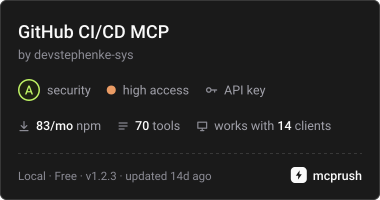
Commit 22 oct. 2026Permet aux agents IA de gérer les dépôts, les pull requests, GitHub Actions, les déploiements et les opérations git locales via les API REST et GraphQL de GitHub.
Aussi connu sous devstephenke-sys/Github-Free-MCPs, github-free-mcps, @kinus/github-cicd-mcp
- Étoiles
- 2
- Outils
- —
- Téléchargements, 30 jours
- —
- Dernière version
- 1.2.2
- Dernier commit
- 22 oct. 2026
- Licence
- MIT
Qu'est-ce que GitHub CI/CD MCP ?
GitHub CI/CD est un serveur MCP. Permet aux agents IA de gérer les dépôts, les pull requests, GitHub Actions, les déploiements et les opérations git locales via les API REST et GraphQL de GitHub.
Résumé généré à partir du README du projet
À propos du MCP server GitHub CI/CD
Ce serveur permet de gérer les workflows DevOps et le cycle de vie des dépôts directement depuis un assistant IA. Il offre aux développeurs utilisant Cursor ou Claude Desktop une suite d'outils pour interagir avec GitHub via les API REST et GraphQL. En connectant un token d'accès personnel GitHub via des variables d'environnement, un agent peut tout gérer, de la gestion de base des dépôts aux tâches complexes d'intégration et de déploiement continus.
Le serveur comble le fossé entre le raisonnement de haut niveau de l'IA et l'exécution technique en proposant des outils spécifiques pour GitHub Actions, la protection des branches et le statut des déploiements. Il inclut également des capacités pour les opérations git locales telles que le push, le pull et le commit. Cela permet un workflow unifié où une IA peut surveiller l'exécution des workflows, gérer les revues de pull requests ou vérifier l'utilisation de la facturation de l'organisation sans que l'utilisateur n'ait à basculer entre un terminal et un navigateur web.
Extrait du README du projet. Chaque cas d'utilisation est vérifié par rapport à une citation du document.
Comment installer GitHub CI/CD MCP
Formats vérifiés le 10 nov. 2026Ajouter à CursorAjouter à GooseInstaller GitHub CI/CD MCP dans Claude Code
$ claude mcp add --env 'GITHUB_TOKEN=<YOUR_GITHUB_TOKEN>' github-free-mcps -- npx -y @kinus/github-cicd-mcpInstaller GitHub CI/CD MCP dans Cursor
~/.cursor/mcp.json
{
  "mcpServers": {
    "github-free-mcps": {
      "command": "npx",
      "args": [
        "-y",
        "@kinus/github-cicd-mcp"
      ],
      "env": {
        "GITHUB_TOKEN": "<YOUR_GITHUB_TOKEN>"
      }
    }
  }
}Installer GitHub CI/CD MCP dans VS Code
.vscode/mcp.json
{
  "servers": {
    "github-free-mcps": {
      "type": "stdio",
      "command": "npx",
      "args": [
        "-y",
        "@kinus/github-cicd-mcp"
      ],
      "env": {
        "GITHUB_TOKEN": "<YOUR_GITHUB_TOKEN>"
      }
    }
  }
}Installer GitHub CI/CD MCP dans VS Code CLI
$ code --add-mcp '{"name":"github-free-mcps","type":"stdio","command":"npx","args":["-y","@kinus/github-cicd-mcp"],"env":{"GITHUB_TOKEN":"<YOUR_GITHUB_TOKEN>"}}'Installer GitHub CI/CD MCP dans Claude Desktop
claude_desktop_config.json
{
  "mcpServers": {
    "github-free-mcps": {
      "command": "npx",
      "args": [
        "-y",
        "@kinus/github-cicd-mcp"
      ],
      "env": {
        "GITHUB_TOKEN": "<YOUR_GITHUB_TOKEN>"
      }
    }
  }
}Installer GitHub CI/CD MCP dans Codex
$ codex mcp add github-free-mcps --env 'GITHUB_TOKEN=<YOUR_GITHUB_TOKEN>' -- npx -y @kinus/github-cicd-mcpInstaller GitHub CI/CD MCP dans Codex config.toml
~/.codex/config.toml
[mcp_servers.github-free-mcps]
command = "npx"
args = ["-y", "@kinus/github-cicd-mcp"]

[mcp_servers.github-free-mcps.env]
GITHUB_TOKEN = "<YOUR_GITHUB_TOKEN>"
Installer GitHub CI/CD MCP dans Gemini CLI
$ gemini mcp add -s user -e 'GITHUB_TOKEN=<YOUR_GITHUB_TOKEN>' github-free-mcps npx -- -y @kinus/github-cicd-mcpInstaller GitHub CI/CD MCP dans Gemini settings.json
~/.gemini/settings.json
{
  "mcpServers": {
    "github-free-mcps": {
      "command": "npx",
      "args": [
        "-y",
        "@kinus/github-cicd-mcp"
      ],
      "env": {
        "GITHUB_TOKEN": "<YOUR_GITHUB_TOKEN>"
      }
    }
  }
}Configuration
GITHUB_TOKENRequisSecretGitHub personal access token for authentication
GITHUB_API_URLGitHub Enterprise REST API base URL (optional)
GITHUB_GRAPHQL_URLGitHub Enterprise GraphQL endpoint (optional)
GITHUB_HOSTGitHub Enterprise hostname (optional, defaults to github.com)
| Nom | Description | Type |
|---|---|---|
| GITHUB_TOKEN | GitHub personal access token for authentication | RequisSecret |
| GITHUB_API_URL | GitHub Enterprise REST API base URL (optional) | |
| GITHUB_GRAPHQL_URL | GitHub Enterprise GraphQL endpoint (optional) | |
| GITHUB_HOST | GitHub Enterprise hostname (optional, defaults to github.com) |
Vérifications automatisées
Exécuté le 13 nov. 2026Rapport complet →Pas encore vérifié. Un serveur nécessite un score de 80, aucune faille sérieuse et suffisamment de données pour que nous puissions effectuer les vérifications. Fonctionnement des vérifications · Ce qu'il faut corriger pour gagner des points

- Dépôt source lié et accessibledevstephenke-sys/github-free-mcps is public and reachablegithub.com/devstephenke-sys/github-free-mcps ↗Réussi
- Le nom du package correspond au dépôt source@kinus/github-cicd-mcp names devstephenke-sys/github-free-mcps as sourcenpmjs.com/package/@kinus/github-cicd-mcp ↗Réussi
- Provenance du build (attestation Sigstore)No build attestation published for this releaseNon vérifié
- Licence open source (OSI)MITspdx.org/licenses/MIT.html ↗Réussi
- Commit ou version publiée au cours de l'année écouléeLast commit or release 2026-10-22github.com/devstephenke-sys/github-free-mcps ↗Réussi
- OpenSSF ScorecardNon vérifié
- Nom du package non proche d'un package populaireNo popular package one edit away from @kinus/github-cicd-mcpRéussi
- Aucun avis critique dans le package ou ses dépendancesCritical advisory: GHSA-x6jw-m9v5-85vh, GHSA-v5rq-49vh-5v5cosv.dev/vulnerability/GHSA-x6jw-m9v5-85vh ↗Faille
- Aucune instruction cachée destinée au modèle0 tool descriptions and the README read; no override phrases, credential paths or hidden charactersRéussi
- Les outils destructifs sont étiquetésNon vérifié
- Le point de terminaison distant répond à la poignée de main MCPNon vérifié
README
Voir sur GitHubgithub-cicd-mcp
GitHub CI/CD MCP server for Model Context Protocol.


Model Context Protocol (MCP) server for GitHub REST and GraphQL — built for CI/CD and DevOps workflows in Cursor, Claude Desktop, and other MCP clients.
Give your AI agent tools to manage repos, commits, pull requests, issues, GitHub Actions, deployments, billing, releases, branch protection, webhooks, and local git — without leaving the editor.
Install
npm / npx (recommended)
{
  "mcpServers": {
    "github-cicd": {
      "command": "npx",
      "args": ["-y", "@kinus/github-cicd-mcp"],
      "env": {
        "GITHUB_TOKEN": "${env:GITHUB_TOKEN}"
      }
    }
  }
}
Set GITHUB_TOKEN (or GH_TOKEN) in your system environment, or replace ${env:GITHUB_TOKEN} with a secret reference your client supports.
From source
git clone https://github.com/devstephenke-sys/Github-Free-MCPs.git
cd Github-Free-MCPs
npm install
npm run build
Point MCP at node /absolute/path/to/github-cicd-mcp/dist/index.js.
Authentication
Create a personal access token:
| Need | Scopes / permissions |
|---|---|
| Repos, PRs, commits, issues | repo or fine-grained Contents, Pull requests, Issues |
| Actions | workflow |
| Org billing | read:org + org billing role |
| Admin (branch protection, webhooks) | Admin access on the repo/org |
Never commit tokens. Use environment variables only.
⚠️ Security: See SECURITY.md for security policies and best practices.
Recent Security Update (v1.2.3): Updated simple-git to v4.0.2 to address critical security vulnerabilities (CVE-2026-102828, CVE-2026-102826, CVE-2026-102827, CVE-2026-6951).
Tool reference
Core & repos
github_get_authenticated_user, github_get_rate_limit, github_create_repository, github_get_repository, github_list_repositories, github_create_branch, github_fork_repository
Commits & CI status
github_list_commits, github_get_commit, github_compare_commits, github_create_commit, github_get_combined_status, github_list_check_runs_for_ref
Pull requests
github_create_pull_request, github_list_pull_requests, github_get_pull_request, github_merge_pull_request, github_update_pull_request, github_list_pull_request_files, github_create_pull_request_review
Issues
github_create_issue, github_list_issues, github_get_issue, github_update_issue, github_add_issue_comment, github_list_issue_comments
Releases & tags
github_list_releases, github_get_release_by_tag, github_create_release, github_list_tags, github_create_tag
Branches & protection
github_list_branches, github_get_branch, github_get_branch_protection, github_update_branch_protection, github_delete_branch_protection
GitHub Actions
github_list_workflows, github_list_workflow_runs, github_get_workflow_run, github_list_workflow_jobs, github_rerun_workflow, github_cancel_workflow_run, github_dispatch_workflow, github_list_actions_secrets, github_list_actions_variables, github_list_workflow_run_artifacts, github_download_workflow_artifact
Deployments (CD)
github_list_deployments, github_create_deployment, github_create_deployment_status, github_list_environments
Billing
github_get_user_billing_actions, github_get_org_billing_actions, github_get_org_billing_overview, github_get_org_billing_usage_report
Webhooks & access
github_list_webhooks, github_create_webhook, github_delete_webhook, github_list_collaborators, github_add_collaborator, github_list_teams
GraphQL
github_graphql_query, github_graphql_mutation, github_graphql_repository_overview
Local git
git_status, git_commit, git_push, git_pull, git_log, git_clone
GitHub Enterprise
GITHUB_HOST— hostname (when notgithub.com)GITHUB_API_URL— REST base, e.g.https://github.example.com/api/v3GITHUB_GRAPHQL_URL— GraphQL endpoint override
Development
npm install
npm run build
npm run verify
Publish your own fork
See RELEASING.md for:
- Public GitHub repo setup
- npm publish (
npm publish --access public) - GitHub Releases and optional MCP directory listings
License
Questions sur GitHub CI/CD MCP
Comment ajouter GitHub CI/CD MCP à Claude Code ?
Exécutez claude mcp add --env 'GITHUB_TOKEN=<YOUR_GITHUB_TOKEN>' github-free-mcps -- npx -y @kinus/github-cicd-mcp dans votre terminal. Ajoutez --scope user pour le rendre disponible dans tous les projets.
Comment ajouter GitHub CI/CD MCP à Cursor ?
Ouvrez ~/.cursor/mcp.json et ajoutez le serveur sous mcpServers, avec la configuration Cursor indiquée dans la section d'installation ci-dessus.
De quelles permissions ai-je besoin pour GitHub Actions ?
Pour gérer GitHub Actions, votre token doit posséder le scope 'workflow'.