
Expose les API des web components Lit de c2n, les tokens de thème, des exemples d'utilisation et la validation du markup aux agents IA.
Aussi connu sous code2nguyen/web-components, c2n, @c2n/mcp
- Étoiles
- 5
- Outils
- 10
- Téléchargements, 30 jours
- 3 298
- Dernière version
- 1.0.26
- Dernier commit
- 15 nov. 2026
- Licence
- MIT
Qu'est-ce que c2n Web Components MCP ?
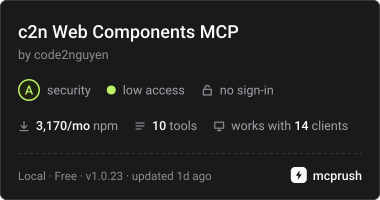
c2n Web Components est un serveur MCP. Expose les API des web components Lit de c2n, les tokens de thème, des exemples d'utilisation et la validation du markup aux agents IA. Il expose 10 outils, comme list_components, search_components, get_component.
Résumé généré à partir du README du projet
À propos du MCP server c2n Web Components
Ce MCP server permet aux agents IA de disposer de la documentation technique et de la validation pour les web components Lit. Les développeurs utilisant Claude Code, Codex ou Google Antigravity peuvent se connecter à ce serveur via stdio pour accéder à un registre complet des API de composants, incluant les attributs, les slots, les événements et les variables CSS. Comme les données sont regroupées dans un fichier de registre local, le serveur fonctionne hors ligne une fois installé dans un projet.
Les utilisateurs peuvent interagir avec des outils spécifiques pour lister les composants, rechercher des exemples d'utilisation comme les styles glass ou pill, et récupérer les tokens de thème du package @c2n/theme. Le serveur inclut également un outil de validation qui vérifie les templates HTML, JSX, Vue, Svelte, Astro, Angular et Lit par rapport aux packages @c2n installés. Cela garantit que le markup utilise les bonnes balises et évite les propriétés CSS invalides, comme l'application de styles box sur un composant hôte. Il agit comme une source de connaissances structurée plutôt que comme un éditeur automatisé, bien qu'il puisse être couplé au package @c2n/skill pour aider les agents à respecter des conventions spécifiques d'application et de thémage.
Extrait du README du projet. Chaque cas d'utilisation est vérifié par rapport à une citation du document.
Comment installer c2n Web Components MCP
Formats vérifiés le 10 nov. 2026Ajouter à CursorAjouter à GooseInstaller c2n Web Components MCP dans Claude Code
$ claude mcp add c2n -- npx -y @c2n/mcpInstaller c2n Web Components MCP dans Cursor
~/.cursor/mcp.json
{
  "mcpServers": {
    "c2n": {
      "command": "npx",
      "args": [
        "-y",
        "@c2n/mcp"
      ]
    }
  }
}Installer c2n Web Components MCP dans VS Code
.vscode/mcp.json
{
  "servers": {
    "c2n": {
      "type": "stdio",
      "command": "npx",
      "args": [
        "-y",
        "@c2n/mcp"
      ]
    }
  }
}Installer c2n Web Components MCP dans VS Code CLI
$ code --add-mcp '{"name":"c2n","type":"stdio","command":"npx","args":["-y","@c2n/mcp"]}'Installer c2n Web Components MCP dans Claude Desktop
claude_desktop_config.json
{
  "mcpServers": {
    "c2n": {
      "command": "npx",
      "args": [
        "-y",
        "@c2n/mcp"
      ]
    }
  }
}Installer c2n Web Components MCP dans Codex
$ codex mcp add c2n -- npx -y @c2n/mcpInstaller c2n Web Components MCP dans Codex config.toml
~/.codex/config.toml
[mcp_servers.c2n]
command = "npx"
args = ["-y", "@c2n/mcp"]
Installer c2n Web Components MCP dans Gemini CLI
$ gemini mcp add -s user c2n npx -- -y @c2n/mcpInstaller c2n Web Components MCP dans Gemini settings.json
~/.gemini/settings.json
{
  "mcpServers": {
    "c2n": {
      "command": "npx",
      "args": [
        "-y",
        "@c2n/mcp"
      ]
    }
  }
}Outils MCP c2n Web Components 10
Détectés depuis le READMElist_componentssearch_componentsget_componentget_examplessearch_examplesget_presetsget_themegenerate_variantvalidate_markupget_workflow_guide
| list_components | — | |
| search_components | — | |
| get_component | — | |
| get_examples | — | |
| search_examples | — | |
| get_presets | — | |
| get_theme | — | |
| generate_variant | — | |
| validate_markup | — | |
| get_workflow_guide | — |
Configuration
C2N_PROJECT_ROOTProject whose installed @c2n/* packages the server reports. Defaults to the working directory.
| Nom | Description | Type |
|---|---|---|
| C2N_PROJECT_ROOT | Project whose installed @c2n/* packages the server reports. Defaults to the working directory. |
Vérifications automatisées
Exécuté le 12 nov. 2026Rapport complet →A passé nos vérifications automatisées. Il ne s'agit pas d'un audit de sécurité : lisez le code et donnez au serveur l'accès le plus restreint dont il a besoin. Fonctionnement des vérifications

- Dépôt source lié et accessibleRéussi
- Licence open source (OSI)Réussi
- Commit ou version publiée au cours de l'année écouléeRéussi
- Nom du package non proche d'un package populaireRéussi
- L'endpoint distant utilise HTTPSNon vérifié
- Les outils destructifs sont étiquetésRéussi
- Aucune instruction cachée destinée au modèleRéussi
- Aucun avis critique dans le package ou ses dépendancesRéussi
README
Voir sur GitHub@c2n/mcp
Model Context Protocol server that exposes the c2n web components to AI agents: component APIs (attributes, slots, events, native CSS parts, CSS variables with their theme tokens), usage and gallery examples, curated presets, the @c2n/theme tokens, variant code generation and the application workflow guides. Everything is bundled in data/registry.json, so it works offline in any project.
Use
The server uses stdio and can be launched by any MCP host:
npx -y @c2n/mcp
Claude Code project .mcp.json:
{ "mcpServers": { "c2n": { "type": "stdio", "command": "npx", "args": ["-y", "@c2n/mcp"] } } }
Codex project .codex/config.toml:
[mcp_servers.c2n]
command = "npx"
args = ["-y", "@c2n/mcp"]
Google Antigravity project .agents/mcp_config.json uses the same mcpServers command/args structure as the Claude example. The @c2n/skill package can install the skill and merge these configurations automatically.
Run the server from a project directory: it reports which @c2n/* packages are installed and serves the bundled API when the installed version differs. The registry is packaged locally, so tool calls do not require network access after installation.
Use c2n-mcp --version to inspect the installed server version and c2n-mcp --help for CLI usage.
The MCP server supplies structured component facts; it does not install component packages or edit an application by itself. Pair it with @c2n/skill when you also want the agent to follow c2n's application, theming and variant conventions. See the AI tools guide for the complete setup and example prompts.
Verify the connection
Restart the agent after adding its MCP configuration, then ask it to use the c2n MCP server to list components or inspect c2-button. A connected client should expose the tools below and report @c2n/* packages installed in the current project. If the server cannot start, run npx -y @c2n/mcp --version in that project to distinguish an npm/runtime problem from an MCP client configuration problem.
Tools
| Tool | Purpose |
|---|---|
list_components |
Every component with tag, package, category, description, installed version |
search_components |
Free-text search across names, descriptions, attributes, slots, events, examples, icons |
get_component |
Full API of one component, CSS variables grouped by part/state with their theme token |
get_examples |
Usage rows and gallery cards; view: "index" lists every look (summary, screenshot) |
search_examples |
Find a look across every component's gallery ("glass", "pill", "underline") |
get_presets |
Curated presets as CSS variable values |
get_theme |
The --c2-theme--* tokens, install/mapping snippets; per-component mapping with tag |
generate_variant |
CSS class / HTML + style / Lit subclass / JSON from overrides, a preset or a gallery card |
validate_markup |
Checks markup/CSS you wrote: native controls to replace, unknown tags/attributes/slots/events/variables |
get_workflow_guide |
workflow, theming, variant-components, frameworks |
Gallery cards are served with a generated summary of what they change and CSS whose colours follow the --c2-theme--* tokens wherever a literal equals a token's value (var(--c2-theme--color-outline, #d4d4d8)), so a copied card follows the application's theme and dark mode. Each card also links light and dark PNG captures hosted with the docs site (gallery-shots/<component>/<slug>.<theme>.png, written by apps/ui/scripts/gallery-shots.mjs in the Pages deploy).
Validate from the command line
validate_markup is also a CLI, for CI and editor hooks. It reads HTML, JSX/TSX, Vue, Svelte, Astro, Angular and Lit templates and CSS, and checks them against the API of the @c2n/* packages the project has installed:
npx -y @c2n/mcp validate src            # exit 1 on errors
npx -y @c2n/mcp validate src --strict   # warnings fail too (native controls, box styling on a c2 host)
npx -y @c2n/mcp validate --hook         # Claude Code PostToolUse hook: reads the payload on stdin
It reports native <button>/<input>/<select>/<textarea>/<dialog>/<details>/<progress> elements that a c2-* element replaces, unknown c2-* tags, attributes, slots and --c2-* variables (with "did you mean"), events a c2-* element does not fire (with its event list), a static camelCase attribute the element ignores (rowKey for row-key), and box styling on a c2-* host (border, padding, background, box-shadow, outline; a radius alone is fine). A line holding c2n-ignore, or the line after a comment holding it, is skipped. In hook mode the findings go to stderr with exit code 2, which Claude Code hands back to the agent; npx -y @c2n/skill install registers that hook in .claude/settings.json.
Resources: c2n://components, c2n://components/{tag}, c2n://theme, c2n://guide/{topic}.
Development
data/registry.jsonis an ignored build artifact.npm run build:tools(repo root) regenerates it from the component manifests, docs content, presets and theme, then compilesdist/and refreshes the committed skill fallback.dev,inspect,smokeandnpm packautomatically build the registry when needed.npm run smoke -w packages/tools/mcpspawns the server over stdio and checks every tool.npm run inspect -w packages/tools/mcpopens the MCP Inspector against the source entry (node src/cli.ts, Node 24 type stripping).
Questions sur c2n Web Components MCP
Comment ajouter c2n Web Components MCP à Claude Code ?
Exécutez claude mcp add c2n -- npx -y @c2n/mcp dans votre terminal. Ajoutez --scope user pour le rendre disponible dans tous les projets.
Comment ajouter c2n Web Components MCP à Cursor ?
Ouvrez ~/.cursor/mcp.json et ajoutez le serveur sous mcpServers, avec la configuration Cursor indiquée dans la section d'installation ci-dessus.
Quels outils c2n Web Components MCP fournit-il ?
Il expose 10 outils, dont list_components, search_components, get_component, get_examples, search_examples.
Le serveur nécessite-t-il une connexion internet pour fonctionner ?
Non, le registre est inclus localement dans data/registry.json, ce qui permet un fonctionnement hors ligne dans n'importe quel projet.
Le serveur peut-il valider mon code ?
Oui, l'outil validate_markup vérifie les templates HTML, JSX/TSX, Vue, Svelte, Astro, Angular et Lit par rapport aux API des composants installés.
Ce serveur installe-t-il les web components pour moi ?
Non, le serveur fournit des informations structurées sur les composants mais n'effectue pas d'installations ni de modifications directes de l'application.