Yerel bir embedding modeli kullanarak kodlama ajanlarının yerel, GitHub ve Bitbucket depoları üzerinde anlamsal aramalar yapmasını sağlar.
Ayrıca bilinen adı markdorof/delphi-code, delphi-code
- Yıldızlar
- 0
- Araçlar
- —
- İndirmeler, 30 gün
- 1.332
- En son sürüm
- 0.3.4
- Son commit
- 18 Eki 2026
- Lisans
- Apache-2.0
Delphi Code MCP nedir?
Delphi Code bir MCP sunucusudur. Yerel bir embedding modeli kullanarak kodlama ajanlarının yerel, GitHub ve Bitbucket depoları üzerinde anlamsal aramalar yapmasını sağlar.
Özet, projenin README dosyasından oluşturuldu
Delphi Code MCP sunucusu hakkında
Delphi Code, yerel dizinleri GitHub ve Bitbucket depolarıyla birlikte indeksleyerek kodlama ajanları için anlamsal arama yetenekleri sunar. Tam eşleşen anahtar kelimeler yerine anlam bazlı arama yapmak için yerel bir embedding modeli kullanır. Bu sayede geliştiriciler, kaynak dosyalarda belirli terimler geçmese bile birden fazla proje arasındaki mantığı bulabilirler. Sunucu tamamen kendi makinenizde çalışır, böylece kodlarınızın gizli kalması ve yerel ortamınızdan asla çıkmaması sağlanır.
Apple silicon kullanan macOS kullanıcıları için tasarlanan araç; Claude Code, Cursor, VS Code ve Gemini CLI dahil olmak üzere çeşitli AI istemcileriyle entegre olur. Kullanıcılar kod tabanlarını bir komut satırı arayüzü veya yerel bir web arayüzü üzerinden yönetebilirler. Kurulum, bir modelin bir kez indirilmesini içerir; sonrasında aramalar bir GPU veya bulut sağlayıcısına ihtiyaç duymadan neredeyse anında gerçekleşir. Uzak depolara erişmek için bir GITHUB_TOKEN veya Bitbucket kimlik bilgileri sağlayabilirsiniz, ancak asıl indeksleme ve arama süreçleri çevrimdışı kalmaya devam eder.
Neler yapabilirsiniz
- 1Depolar arası mantık keşfiBelirli bir backend mantığının farklı depolar arasında istekleri nerede işlediğini bulması için bir AI ajanına komut verin.
- 2Anlamsal kod aramaBelirli metin dizileri kullanmak yerine, kod parçacıklarını işlevlerini tarif ederek bulun.
- 3Otomatik proje indekslemeKodlama asistanınız için yerel yolları veya uzak Git depolarını aranabilir bir indekse ekleyin.
Projenin README dosyasından alınmıştır. Her kullanım durumu, oradaki bir alıntı ile kontrol edilir.
Delphi Code MCP nasıl yüklenir
Biçimler 10 Kas 2026 tarihinde doğrulandıDelphi Code MCP'yi Claude Code içine yükleyin
$ claude mcp add delphi-code -- uvx delphi-codeDelphi Code MCP'yi Cursor içine yükleyin
~/.cursor/mcp.json
{
  "mcpServers": {
    "delphi-code": {
      "command": "uvx",
      "args": [
        "delphi-code"
      ]
    }
  }
}Delphi Code MCP'yi VS Code içine yükleyin
.vscode/mcp.json
{
  "servers": {
    "delphi-code": {
      "type": "stdio",
      "command": "uvx",
      "args": [
        "delphi-code"
      ]
    }
  }
}Delphi Code MCP'yi Claude Desktop içine yükleyin
claude_desktop_config.json
{
  "mcpServers": {
    "delphi-code": {
      "command": "uvx",
      "args": [
        "delphi-code"
      ]
    }
  }
}Delphi Code MCP'yi Codex içine yükleyin
~/.codex/config.toml
[mcp_servers.delphi-code]
command = "uvx"
args = ["delphi-code"]
Delphi Code MCP'yi Gemini CLI içine yükleyin
~/.gemini/settings.json
{
  "mcpServers": {
    "delphi-code": {
      "command": "uvx",
      "args": [
        "delphi-code"
      ]
    }
  }
}Otomatik kontroller
Çalıştırıldı 13 Kas 2026Tam rapor →Otomatik kontrollerimizden geçti. Bu bir güvenlik denetimi değildir: kodu okuyun ve sunucuya ihtiyaç duyduğu en dar erişimi verin. Kontroller nasıl çalışır

- Kaynak deposu bağlantılı ve erişilebilirGeçti
- Açık kaynak lisansı (OSI)Geçti
- Son bir yıl içinde commit veya sürüm mevcutGeçti
- Paket adı popüler bir pakete yakın değilGeçti
- Uzak uç nokta HTTPS kullanıyorKontrol edilmedi
- Yıkıcı araçlar etiketlenmişKontrol edilmedi
- Modele yönelik gizli talimat yokGeçti
- Pakette ve bağımlılıklarında kritik uyarı yokGeçti
Delphi Code
Let your coding agent browse code across all your repositories. Index local projects and GitHub or Bitbucket repositories, then ask "where does the backend handle the refund the web app requests?" and get the right files from every repository at once, even when no file contains those words.
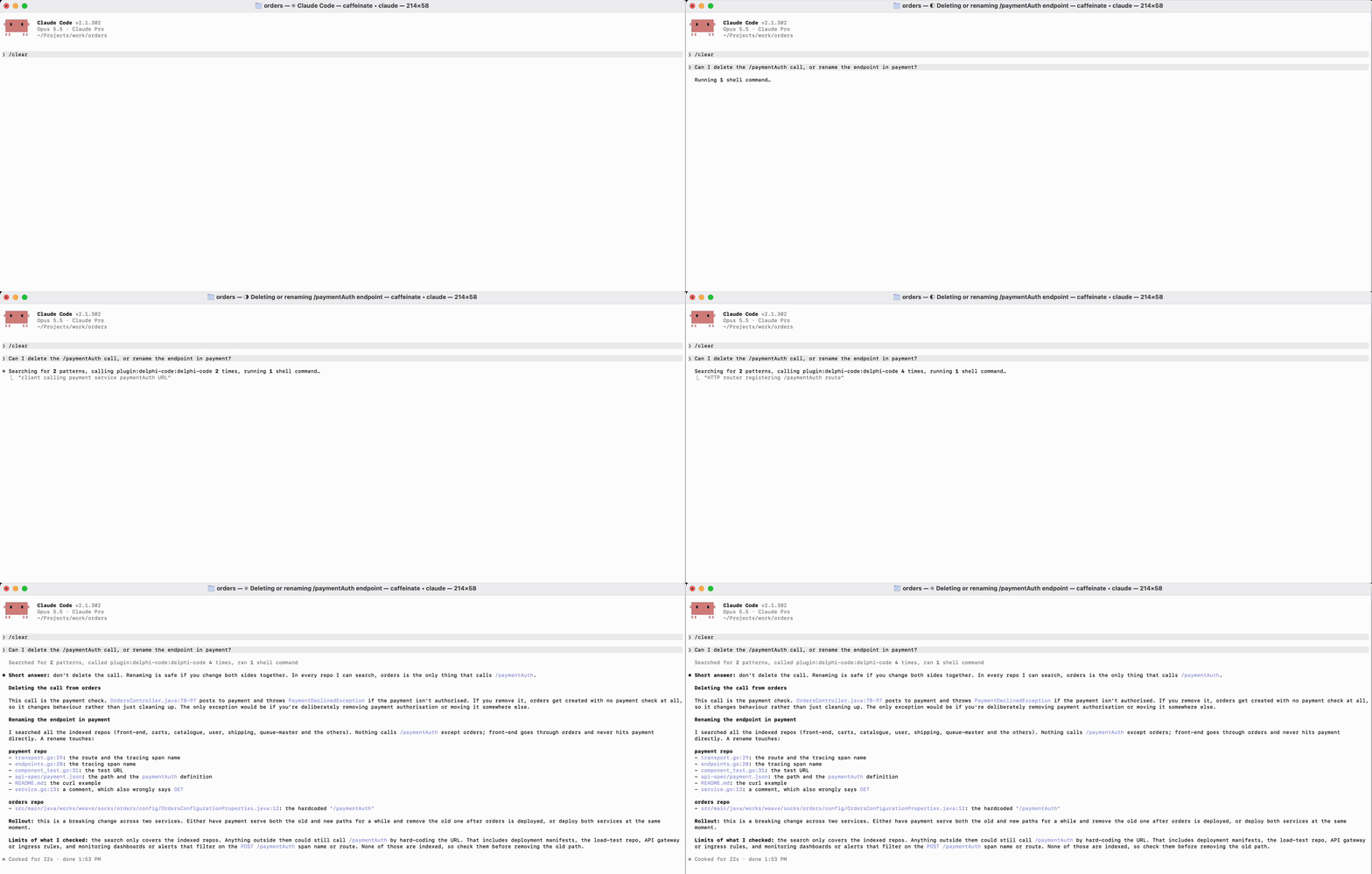
- Private: your code never leaves your machine. Indexing and search run offline with a local model; no account, cloud provider, or background daemon.
- Fast: the MCP server keeps the model loaded, so repeated searches are near-instant. No GPU needed.
- Works with your agents: Claude Code, Claude Desktop, Codex, Cursor, VS Code, Gemini CLI, and OpenCode.
Install
curl -LsSf https://github.com/markdorof/delphi-code/releases/latest/download/install.sh | sh
The script installs uv if needed, then runs setup, which downloads the embedding model once and connects every agent it finds. Options go after sh -s --: --no-setup, --no-connect, --version VERSION. With uv already installed:
uv tool install --managed-python --python 3.14 delphi-code
delphi-code setup
Requires macOS 14+ on Apple silicon (Linux is untested, Windows unsupported). delphi-code doctor checks the installation.
Use
delphi-code add ~/src/api github.com/octo/tools   # track and index projects
delphi-code search 'where are user passwords checked?'
delphi-code ui                                     # or do it all in the browser
Your agent calls the same search through MCP. After installing a new agent, run delphi-code connect. To connect one by hand:
| Agent | Setup |
|---|---|
| Claude Code | claude plugin marketplace add markdorof/delphi-code, then claude plugin install delphi-code@delphi-code |
| Codex | codex plugin marketplace add markdorof/delphi-code, then codex plugin add delphi-code@delphi-code |
| Cursor | Add {"mcpServers": {"delphi-code": {"type": "stdio", "command": "delphi-code", "args": ["mcp"]}}} to ~/.cursor/mcp.json |
| VS Code (Copilot) | code --add-mcp '{"name": "delphi-code", "command": "delphi-code", "args": ["mcp"]}' |
| Gemini CLI | gemini mcp add delphi-code delphi-code mcp |
| OpenCode | Add {"mcp": {"delphi-code": {"type": "local", "command": ["delphi-code", "mcp"]}}} to ~/.config/opencode/opencode.json |
For agents other than Claude Code and Codex, also copy the skill into the agent's skills folder so it knows when to search by meaning instead of grep.
Commands
| Command | What it does |
|---|---|
setup |
Downloads the model (or imports it with --from DIR on an offline machine) and connects agents. |
add [SOURCE ...] |
Tracks and indexes local paths or remote repositories (--ref picks a branch or tag). Without sources, picks repositories from your GitHub or Bitbucket account. |
sync [PROJECT ...] |
Updates tracked projects, re-embedding only what changed. |
index -p PATH |
Indexes a project once without tracking it. |
search QUERY |
Searches every index, or one with -p. Filter with --language, --path, --limit. |
list, status, remove NAME |
Show tracked projects, show a project's index, stop tracking a project. |
connect, disconnect |
Add or remove Delphi Code in your agents' configs. |
ui |
Opens a local web UI for search, projects, and setup checks. |
doctor |
Checks the model and storage. |
mcp |
Serves the commands as MCP tools over stdio. |
-p takes a path or an indexed project's name. index and add skip .gitignored files and accept --ignore, --path, and --language. Every command takes --help, and most take --json for scripts. Only setup, add, and sync use the network.
Settings
| Variable | Purpose |
|---|---|
GITHUB_TOKEN / GH_TOKEN |
GitHub access for remote repositories (falls back to gh auth token, then git's credentials) |
BITBUCKET_APP_PASSWORD with BITBUCKET_EMAIL or BITBUCKET_USERNAME |
Bitbucket access (an API token works) |
DELPHI_CODE_MODEL |
Use another local SentenceTransformers model instead of the default all-MiniLM-L6-v2 |
DELPHI_CODE_INDEX_ROOT, DELPHI_CODE_REGISTRY, DELPHI_CODE_LOG_FILE |
Move indexes, the tracked-project list, or the log |
DELPHI_CODE_LOG_LEVEL |
DEBUG, INFO, WARNING, ERROR, or OFF |
Data lives in ~/Library/Application Support/delphi-code on macOS and ~/.local/share/delphi-code on Linux.
Upgrade and uninstall
uv tool upgrade delphi-code
Your model and indexes are kept. If a command fails with index_incompatible, delete the index directory it names and run sync again. See releases for changes.
delphi-code disconnect
uv tool uninstall delphi-code
rm -rf ~/Library/Application\ Support/delphi-code
uv cache clean   # frees about 900 MB of downloaded packages
If the install script installed uv and you don't need it, uninstall uv and its Python too.
License
Apache-2.0. See THIRD_PARTY_NOTICES.md. To contribute, see CONTRIBUTING.md.
Delphi Code MCP soruları
Delphi Code MCP'yi Claude Code'a nasıl eklerim?
Terminalinizde claude mcp add delphi-code -- uvx delphi-code komutunu çalıştırın. Her projede kullanılabilir olması için --scope user ekleyin.
Delphi Code MCP'yi Cursor'a nasıl eklerim?
~/.cursor/mcp.json dosyasını açın ve yukarıdaki yükleme bölümünde gösterilen Cursor yapılandırmasını kullanarak sunucuyu mcpServers altına ekleyin.
Kodlarım gizli kalıyor mu?
Evet, indeksleme ve arama işlemleri yerel bir modelle çevrimdışı çalıştığı için kodlarınız makinenizden asla ayrılmaz.
Delphi Code ile hangi AI ajanları uyumludur?
Claude Code, Claude Desktop, Codex, Cursor, VS Code, Gemini CLI ve OpenCode ile çalışır.
Hangi işletim sistemleri destekleniyor?
Apple silicon üzerinde macOS 14+ gereklidir; Linux şu an için test edilmemiştir ve Windows desteklenmemektedir.
İndekse nasıl yeni bir depo eklerim?
Yerel yolları veya uzak depoları takip etmek için 'add' komutunu kullanabilirsiniz.