
MCP server agentsync
Коммит 13 нояб. 2026 г.Синхронизирует правила, навыки и конфигурации MCP между несколькими AI-агентами и IDE, используя единый источник истины.
Также известен как x0c/agentsync
- Звёзды
- 9
- Инструменты
- —
- Загрузки, 30 дней
- —
- Последняя версия
- —
- Последний коммит
- 13 нояб. 2026 г.
- Лицензия
- MIT
Что такое agentsync MCP?
agentsync — это MCP server. Синхронизирует правила, навыки и конфигурации MCP между несколькими AI-агентами и IDE, используя единый источник истины.
Сводка сгенерирована из README проекта
О agentsync MCP server
agentsync предоставляет централизованный способ управления правилами, навыками и конфигурациями MCP для широкого спектра AI-агентов и IDE. Вместо того чтобы вручную обновлять настройки в каждом инструменте, вы поддерживаете единый источник истины в локальной директории конфигурации. Сюда входят глобальные инструкции в AGENTS.md, папки с кастомными навыками и файл mcp.json для определений серверов.
Инструмент работает как легковесный автономный бинарный файл, совместимый с Windows, macOS и Linux. Пользователи могут установить его через PowerShell, shell-скрипты, Homebrew или Go. После установки вы можете предварительно просмотреть изменения с помощью команды --check или использовать команду --watch для автоматической отправки обновлений в ваши инструменты. Он поддерживает огромный список клиентов, включая Claude Code, Cursor, Windsurf, Zed, Aider Desk и многие другие.
Эта система гарантирует, что ваши предпочтения в кодинге и возможности инструментов остаются согласованными в различных средах. Она берет на себя сложную работу по записи конфигураций в нативных форматах для каждого конкретного инструмента и автоматически создает резервные копии заменяемых файлов. Хотя инструмент управляет глобальными настройками машины, он также включает режим репозитория для привязки специфичных для проекта файлов, таких как CLAUDE.md, к вашим центральным инструкциям.
Что вы можете с ним делать
- 1Синхронизация глобальных инструкций AIОбновите свои правила кодинга один раз, чтобы применить их ко всем установленным AI-агентам и IDE.
- 2Централизованное управление MCP серверамиУправляйте всеми конфигурациями ваших MCP серверов из одного файла mcp.json.
- 3Автоматизация обновлений конфигурацииИспользуйте watcher для автоматической передачи изменений из вашего центрального источника в инструменты.
- 4Защита существующих конфигурацийВернитесь к предыдущим настройкам, если синхронизация вызвала проблемы.
Взято из README проекта. Каждый вариант использования проверен на соответствие цитате из него.
Автоматические проверки
Запущено 14 нояб. 2026 г.Полный отчёт →Еще не проверено. Для сервера требуется оценка 80, отсутствие серьезных проблем и достаточно данных для нашей проверки. Как работают проверки · Что исправить, чтобы получить больше баллов

- Связанный и доступный исходный репозиторийx0c/agentsync is public and reachablegithub.com/x0c/agentsync ↗Пройдено
- Пакет указывает этот репозиторий как источникНе проверялось
- Происхождение сборки (аттестация Sigstore)Не проверялось
- Open source лицензия (OSI)MITspdx.org/licenses/MIT.html ↗Пройдено
- Коммит или релиз за последний годLast commit or release 2026-11-13github.com/x0c/agentsync ↗Пройдено
- OpenSSF ScorecardНе проверялось
- Имя пакета не похоже на популярный пакетНе проверялось
- Нет критических предупреждений в пакете или его зависимостяхНе проверялось
- Нет скрытых инструкций для модели0 tool descriptions and the README read; no override phrases, credential paths or hidden charactersПройдено
- Деструктивные инструменты помеченыНе проверялось
- Удалённая конечная точка отвечает на рукопожатие MCPНе проверялось
README
Открыть на GitHubLanguages: English | 简体中文
agentsync
One command to share rules, skills, and MCP configs across your AI tools.
Keep one copy across Claude Code, Codex, OpenCode, Gemini CLI, Qwen Code, Copilot CLI, Kimi Code, Grok CLI, Amp, Crush, Goose, Factory Droid, iFlow, Kilo, Pi, dsh, Cursor, Windsurf, Zed, CodeBuddy, Qoder, Junie, Kiro, JoyCode, and Aider Desk, plus the shared ~/.agents entry. A lightweight standalone binary.



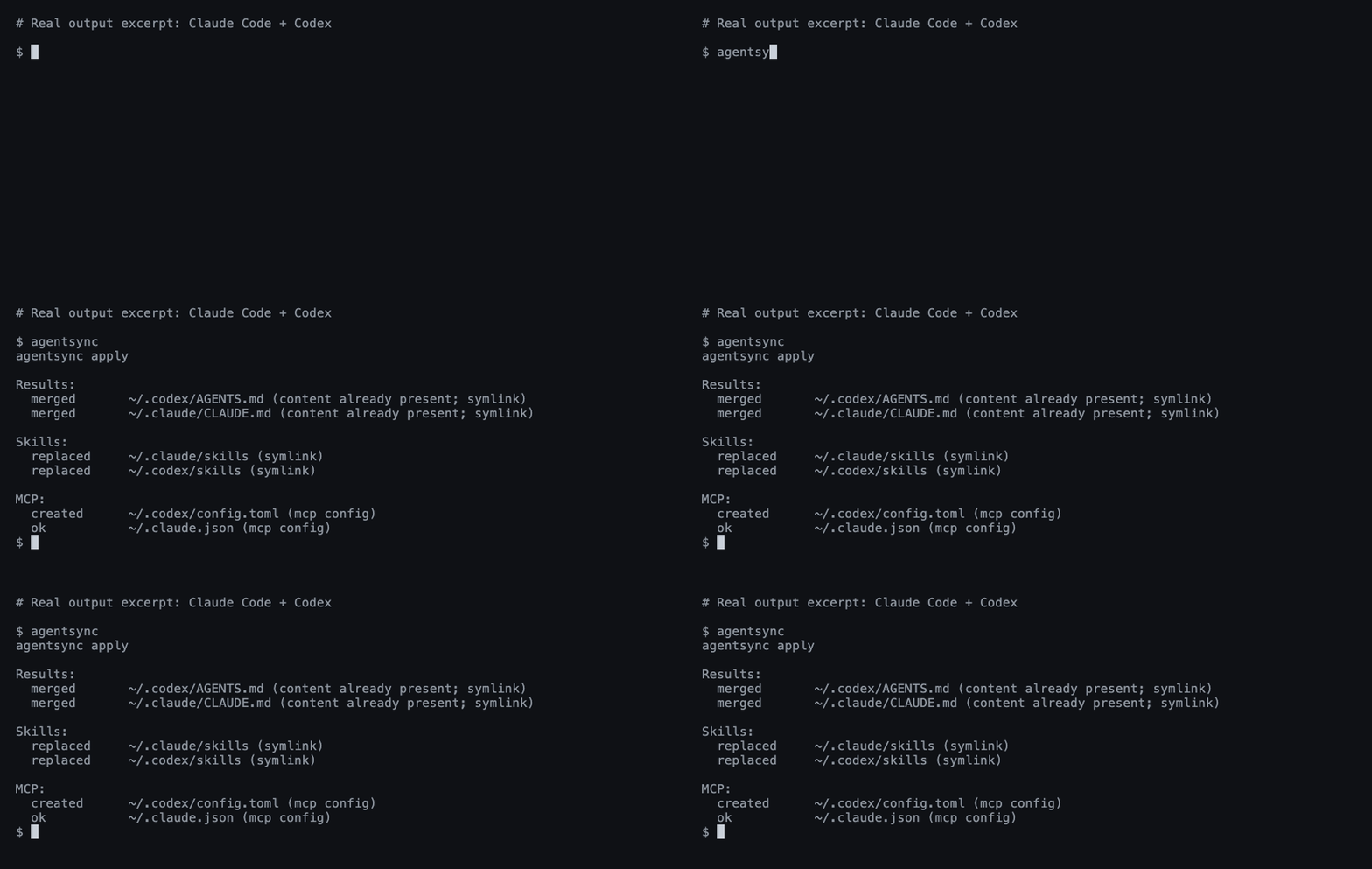
A real Claude Code + Codex run; output excerpted for readability.
Install
Windows — PowerShell:
irm https://raw.githubusercontent.com/x0c/agentsync/main/install.ps1 | iex
macOS / Linux — shell:
curl -fsSL https://raw.githubusercontent.com/x0c/agentsync/main/install.sh | sh
The installers download the matching release archive (agentsync_windows_<arch>.zip on Windows, agentsync_<os>_<arch>.tar.gz on macOS/Linux) and verify its SHA-256 checksum before installing. AGENTSYNC_INSTALL_DIR overrides the default (%LOCALAPPDATA%\Programs\agentsync\bin on Windows, ~/.local/bin on macOS/Linux); the Windows installer adds it to the user PATH.
macOS / Linux — Homebrew:
brew install --cask x0c/tap/agentsync
Any OS — Go 1.25.8+:
go install github.com/x0c/agentsync@latest
Add Go's bin directory to PATH if needed (usually ~/go/bin; %USERPROFILE%\go\bin on Windows).
Without an installer or Go: download and extract a release binary, then put it on PATH. Available for macOS and Linux (arm64 / amd64), and Windows (arm64 / amd64). Checksums are included.
Run
First preview, then apply:
agentsync --check
agentsync
That's it. agentsync merges your existing instructions, collects your skill folders, and imports your MCP servers into one shared source — then links or writes them back to each installed tool in its native format. Files replaced during sync are backed up automatically; tools you haven't installed are skipped.
From then on, maintain these files in ~/.config/agentsync/ (%USERPROFILE%\.config\agentsync\ on Windows):
| File | What you manage once |
|---|---|
AGENTS.md |
Global instructions |
skills/ |
Complete skill folders, including scripts and references |
mcp.json |
MCP servers |
Run agentsync again after changes, or use the optional watcher below.
Optional commands
| Need | Command |
|---|---|
| Preview without writing | agentsync --check |
| Automatically apply source changes | agentsync --watch |
| Restore the latest backup | agentsync --rollback latest |
Link a project's CLAUDE.md to its AGENTS.md |
agentsync --repo |
| Print the version | agentsync --version |
See the workflow guide for background services, batch repository sync, filters, and backup details.
Good to know
- Default sync manages global configuration on this machine. Project files are handled by the separate repository mode.
- Support varies by tool. See instruction and skill support and MCP support.
- Instructions and skills use links where possible. Cursor gets a managed
.mdcrule; on Windows, skill directories link as a symbolic link first, then an NTFS directory junction, otherwise agentsync reports an error naming Windows Developer Mode. See Cursor loading limits. - Exclude servers, skills, or instructions per tool with a
sync-policy.jsonbeside the canonical sources; see filtering. Filtering never removes content from the canonical source. - Edit the shared source. The watcher pushes changes out to your tools; it does not import edits made in another tool's settings. Keep
mcp.jsonlocal: it may contain tokens and machine-specific paths..gitignore/.stignoreentries protectingmcp.jsonare written only when the configuration directory is already a Git repository (.git) or a Syncthing folder (.stfolder). - Safety checks reject unsupported arguments, invalid MCP entries, and unsafe skill-directory overlaps. Your own rules are merged in before copies are generated; Codex servers that share a name keep their local restrictions and authentication options. Rollbacks use collision-resistant backup snapshots, and
latestskips backups with no file changes. See the preservation boundaries.
Questions or a missing tool? Open an issue with the tool name, OS, and redacted output. Contributor instructions: AGENTS.md.
🧩 Related Tools in the AI Coding Suite
If you run multiple AI coding agents daily, check out the rest of the local-first toolkit:
| Repository | Description |
|---|---|
| corral | Run Claude Code, Codex, OpenCode, Cursor & Pi side-by-side in a terminal session manager, then continue from iPhone or Mac. |
| subswap | Check remaining quota and switch Claude Code, Codex, Cursor, Kimi Code & OpenCode accounts without logging out. |
| agent-doc-skills | Navigable project knowledge base skills (doc-init, doc-update, doc-compact) so coding agents don't rediscover your repo every session. |
| sesskit | Parse and export local Claude Code, Codex CLI, and Cursor session transcript files from disk. |
License
Вопросы о agentsync MCP
Можно ли автоматически применять изменения при обновлении исходных файлов?
Да, вы можете использовать необязательную команду --watch для автоматического применения изменений в исходниках.
Что произойдет, если синхронизация пройдет с ошибкой?
Инструмент предоставляет функцию отката (rollback) для восстановления последней резервной копии.