
MCP server SyncSo
Коммит 16 окт. 2026 г.Предоставляет AI-агентам доступ в реальном времени к событиям Нью-Йорка, включая живую музыку, театры, мастер-классы, рынки и ночную жизнь.
Также известен как SyncSo-Inc/syncso
- Звёзды
- 2
- Инструменты
- —
- Загрузки, 30 дней
- —
- Последняя версия
- 2.0.0
- Последний коммит
- 16 окт. 2026 г.
- Лицензия
- MIT
Что такое SyncSo MCP?
SyncSo — это MCP server. Предоставляет AI-агентам доступ в реальном времени к событиям Нью-Йорка, включая живую музыку, театры, мастер-классы, рынки и ночную жизнь.
Сводка сгенерирована из README проекта
О SyncSo MCP server
SyncSo предоставляет AI-агентам актуальные данные о местных событиях в Нью-Йорке. В то время как стандартные языковые модели полагаются на статические обучающие данные, которые работают скорее как справочник, этот MCP server подключает агентов к живой базе данных музыки, театров, комедий, рынков, мастер-классов и ночной жизни. Он предоставляет конкретные детали, такие как даты, время, цены и ссылки для бронирования мероприятий, которые могут отсутствовать в традиционных наборах данных.
Разработчики могут интегрировать этот сервис в различные среды, включая Claude Desktop, Claude Code, Cursor, Windsurf и VS Code. Подключение осуществляется через удаленный MCP URL или путем добавления файла навыка. Для аутентификации пользователям необходимо войти в систему на syncso.com; каждый аккаунт включает бесплатный ежемесячный лимит поисковых запросов. Система использует два основных инструмента, find_things_to_do и get_details, для получения информации. В настоящее время охват ограничен Нью-Йорком, но сервис спроектирован с расчетом на расширение в другие города в будущем.
Что вы можете с ним делать
- 1Планирование досуга для гостейПопросите агента найти конкретные мероприятия для родителей, приехавших в гости, на вторник.
- 2Поиск развлечений «здесь и сейчас»Запросите список бесплатных мероприятий на открытом воздухе, которые пройдут в ближайшие четыре часа.
- 3Планирование социальных встреч на будущееПопросите агента подобрать мероприятия, которые пара может забронировать за три недели.
- 4Поиск нишевых локальных событийИщите небольшие мероприятия, такие как мастер-классы по гончарному делу или ночные рынки.
Взято из README проекта. Каждый вариант использования проверен на соответствие цитате из него.
Как установить SyncSo MCP
Форматы проверены 10 ноя 2026Добавить в CursorДобавить в GooseУстановка SyncSo MCP в Claude Code
$ claude mcp add --transport http syncso https://rtdb.syncso.com/partner/mcpУстановка SyncSo MCP в Cursor
~/.cursor/mcp.json
{
  "mcpServers": {
    "syncso": {
      "url": "https://rtdb.syncso.com/partner/mcp"
    }
  }
}Установка SyncSo MCP в VS Code
.vscode/mcp.json
{
  "servers": {
    "syncso": {
      "type": "http",
      "url": "https://rtdb.syncso.com/partner/mcp"
    }
  }
}Установка SyncSo MCP в VS Code CLI
$ code --add-mcp '{"name":"syncso","type":"http","url":"https://rtdb.syncso.com/partner/mcp"}'Установка SyncSo MCP в Codex
$ codex mcp add syncso --url https://rtdb.syncso.com/partner/mcpУстановка SyncSo MCP в Codex config.toml
~/.codex/config.toml
[mcp_servers.syncso]
url = "https://rtdb.syncso.com/partner/mcp"
Установка SyncSo MCP в Gemini CLI
$ gemini mcp add -s user --transport http syncso https://rtdb.syncso.com/partner/mcpУстановка SyncSo MCP в Gemini settings.json
~/.gemini/settings.json
{
  "mcpServers": {
    "syncso": {
      "url": "https://rtdb.syncso.com/partner/mcp",
      "type": "http"
    }
  }
}Автоматические проверки
Запущено 14 нояб. 2026 г.Полный отчёт →Еще не проверено. Для сервера требуется оценка 80, отсутствие серьезных проблем и достаточно данных для нашей проверки. Как работают проверки · Что исправить, чтобы получить больше баллов

- Связанный и доступный исходный репозиторийsyncso-inc/syncso is public and reachablegithub.com/syncso-inc/syncso ↗Пройдено
- Пакет указывает этот репозиторий как источникНе проверялось
- Происхождение сборки (аттестация Sigstore)Не проверялось
- Open source лицензия (OSI)MITspdx.org/licenses/MIT.html ↗Пройдено
- Коммит или релиз за последний годLast commit or release 2026-10-16github.com/syncso-inc/syncso ↗Пройдено
- OpenSSF ScorecardНе проверялось
- Имя пакета не похоже на популярный пакетНе проверялось
- Нет критических предупреждений в пакете или его зависимостяхНе проверялось
- Нет скрытых инструкций для модели0 tool descriptions and the README read; no override phrases, credential paths or hidden charactersПройдено
- Деструктивные инструменты помеченыНе проверялось
- Удалённая конечная точка отвечает на рукопожатие MCPHTTPS endpoint answered 401 (sign-in required)Пройдено
README
Открыть на GitHubSyncSo
Let your agents understand what's happening locally, in real time.
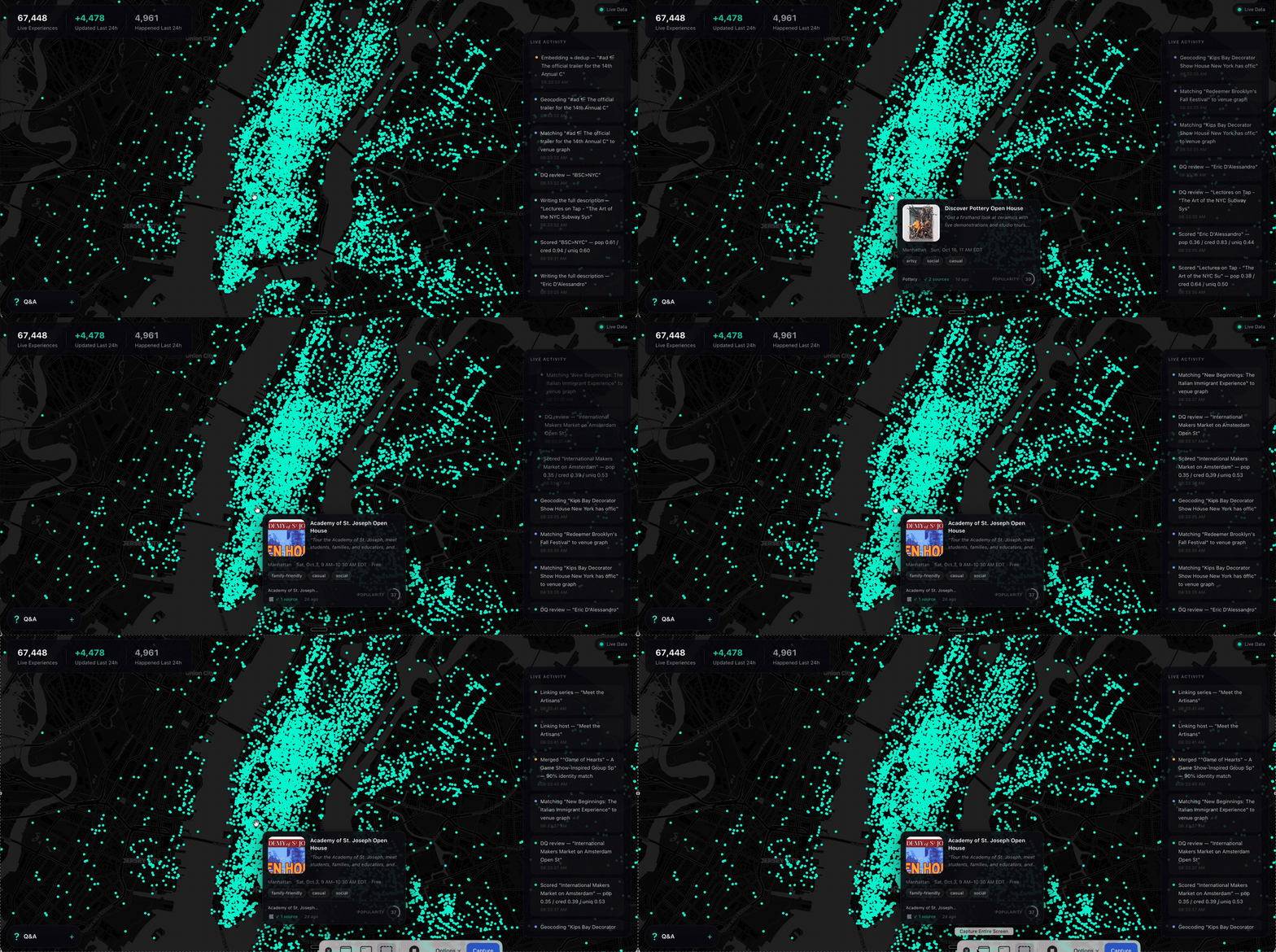
Ask a model what to do in New York and it names the Whitney. It is not wrong. It is just answering from a guidebook, because that is what it has — a city as a list of places, frozen whenever the training run ended.
What it does not have is everything going on inside those places, and the thousand rooms that never make a guidebook. The Tuesday gig. The pottery class with two seats left. The night market under the bridge. Your model has never heard of any of it.
SyncSo is that missing half: live music, theater, comedy, film, art, sports, festivals, markets, food and drink, classes, tours, nightlife — the whole surface of a city, each thing carrying its dates, times, prices, booking links and images. Not one category. Not the famous parts.
Which means your agent can finally take the questions it used to hand back. Where to take a visiting parent on a Tuesday. What a couple could book three weeks out. What is free, outdoors, and happening in the next four hours. Real answers, with a link to book them.
Install
One catalogue, two doors. Assistants that speak MCP connect to
https://rtdb.syncso.com/partner/mcp. Anything else reads the skill file at
https://syncso.com/SKILL.md. Both open the same account: the first search
asks the person to sign in once at syncso.com, and every account starts with
a free monthly allowance of searches.
Claude
In Claude.ai or the Claude desktop app: Settings → Connectors → Add custom connector, paste the MCP URL, and ask. Claude also lists SyncSo in its directory, where it is one click.
In Claude Code, connect the MCP server:
claude mcp add --transport http syncso https://rtdb.syncso.com/partner/mcp
or install the skill as a plugin, which keeps itself current:
claude plugin marketplace add SyncSo-Inc/syncso
claude plugin install syncso@syncso
ChatGPT
Coming to the ChatGPT app directory. Until it is listed: Settings → Apps & Connectors → Advanced → Developer mode, add a connector, paste the MCP URL. Developer mode is not available on every plan.
Cursor, Windsurf, VS Code and other MCP clients
Add SyncSo to the client's MCP configuration:
{
  "mcpServers": {
    "syncso": { "url": "https://rtdb.syncso.com/partner/mcp" }
  }
}
OpenClaw
openclaw skills install @liangstl/syncso
Also on ClawHub, where
clawhub install syncso does the same.
Coding agents that read skill folders
Claude Code, Codex, Cursor, Copilot and the rest, one command:
npx skills add SyncSo-Inc/syncso
Anything else
Tell your assistant:
Set up SyncSo from https://syncso.com/SKILL.md
The file carries the guidance and the tool definitions, works with anything that can call a tool and make an HTTPS request, and the copy at that URL is always the current one. A person using it gets their sign-in code at syncso.com/connect.
Two tools do the work, find_things_to_do and get_details. That is the
whole surface.
Coverage
New York only, for now. More cities over the coming months.
Within it, everything: every category above, from the institutions down to the one-night thing in a room above a bar. Ask about anywhere else and the skill tells your model to say so rather than invent an answer — the same refusal to guess that makes the New York answers worth trusting.
Links
- syncso.com — what SyncSo is
- syncso.com/connect — where your user gets their code
- syncso.com/SKILL.md — the skill itself, always the current copy (also in this repo)
Questions
Something missing, wrong, or not working the way this page says? Open an issue, or email hello@syncso.com. And if there is a city you want open, tell us.
License
MIT. See LICENSE.
Вопросы о SyncSo MCP
Как добавить SyncSo MCP в Claude Code?
Выполните claude mcp add --transport http syncso https://rtdb.syncso.com/partner/mcp в терминале. Добавьте --scope user, чтобы сервер был доступен во всех проектах.
Как добавить SyncSo MCP в Cursor?
Откройте ~/.cursor/mcp.json и добавьте сервер в mcpServers, используя конфигурацию Cursor из раздела установки выше.
Какие районы охватывает SyncSo?
На данный момент сервис работает только в Нью-Йорке, но в ближайшие месяцы планируется расширение на другие города.
Сколько стоит использование?
Каждый аккаунт включает бесплатный ежемесячный лимит поисковых запросов.
Какую информацию можно найти?
Вы можете найти подробности о живой музыке, театре, комедии, кино, искусстве, спорте, фестивалях, рынках, еде, напитках, мастер-классах, турах и ночной жизни.