
MCP server ArchScript
Коммит 11 нояб. 2026 г.Позволяет AI-клиентам планировать, редактировать и проверять диаграммы программной архитектуры, используя подход architecture-as-code в приложении ArchScript для Mac.
Также известен как schlummer13/archscript-mcp, archscript-mcp
- Звёзды
- 0
- Инструменты
- —
- Загрузки, 30 дней
- —
- Последняя версия
- 1.0.0
- Последний коммит
- 11 нояб. 2026 г.
- Лицензия
- MIT
Что такое ArchScript MCP?
ArchScript — это MCP server. Позволяет AI-клиентам планировать, редактировать и проверять диаграммы программной архитектуры, используя подход architecture-as-code в приложении ArchScript для Mac.
Сводка сгенерирована из README проекта
О ArchScript MCP server
ArchScript MCP подключает AI-клиенты, такие как Claude Desktop и Claude Code, к приложению ArchScript для Mac. Это позволяет AI-ассистенту управлять программной архитектурой, используя подход architecture-as-code. Вместо перезаписи файлов целиком ассистент использует структурированные операции для добавления, переименования или перемещения таких элементов, как кластеры, серверы и контейнеры. Этот метод сохраняет ваши существующие комментарии и форматирование, обеспечивая при этом обновление отрисованной диаграммы в реальном времени.
Для использования этого локального сервера пользователям необходимо иметь установленный ArchScript для Mac на macOS 14+. Настройка требует включения параметра AI assistant в приложении для генерации персонального токена доступа (access token) для аутентификации. Сервер работает на localhost и не собирает телеметрию, что гарантирует приватность ваших архитектурных данных. Инструментарий включает специальные функции для валидации моделей на соответствие правилам, анализа оценок архитектуры и экспорта проектов в такие форматы, как Terraform, Mermaid или PlantUML.
Что вы можете с ним делать
- 1Автоматизированный аудит архитектурыПопросите AI проанализировать текущий дизайн системы, чтобы выявить любые нарушения установленных архитектурных правил.
- 2Итеративное расширение системыДайте ассистенту команду добавить новые компоненты, такие как фоновые воркеры или конкретные контейнеры, в вашу существующую инфраструктуру.
- 3Генерация инфраструктурного кодаЗапросите преобразование вашей визуальной архитектурной модели в рабочий код Terraform для развертывания в облаке.
- 4Быстрое прототипированиеПопросите AI создать полноценную событийно-ориентированную или микросервисную архитектуру на основе простого текстового описания.
Взято из README проекта. Каждый вариант использования проверен на соответствие цитате из него.
Конфигурация
ARCHSCRIPT_TOKENОбязательноСекретAccess token from ArchScript → Settings → AI
| Название | Описание | Тип |
|---|---|---|
| ARCHSCRIPT_TOKEN | Access token from ArchScript → Settings → AI | ОбязательноСекрет |
Автоматические проверки
Запущено 14 нояб. 2026 г.Полный отчёт →Еще не проверено. Для сервера требуется оценка 80, отсутствие серьезных проблем и достаточно данных для нашей проверки. Как работают проверки

- Связанный и доступный исходный репозиторийschlummer13/archscript-mcp is public and reachablegithub.com/schlummer13/archscript-mcp ↗Пройдено
- Пакет указывает этот репозиторий как источникНе проверялось
- Происхождение сборки (аттестация Sigstore)Не проверялось
- Open source лицензия (OSI)MITspdx.org/licenses/MIT.html ↗Пройдено
- Коммит или релиз за последний годLast commit or release 2026-11-11github.com/schlummer13/archscript-mcp ↗Пройдено
- OpenSSF ScorecardНе проверялось
- Имя пакета не похоже на популярный пакетНе проверялось
- Нет критических уязвимостей в пакете и зависимостяхНе проверялось
- Нет скрытых инструкций для модели0 tool descriptions and the README read; no override phrases, credential paths or hidden charactersПройдено
- Деструктивные инструменты помеченыНе проверялось
- Удалённый endpoint отвечает на MCP handshakeНе проверялось
README
Открыть на GitHub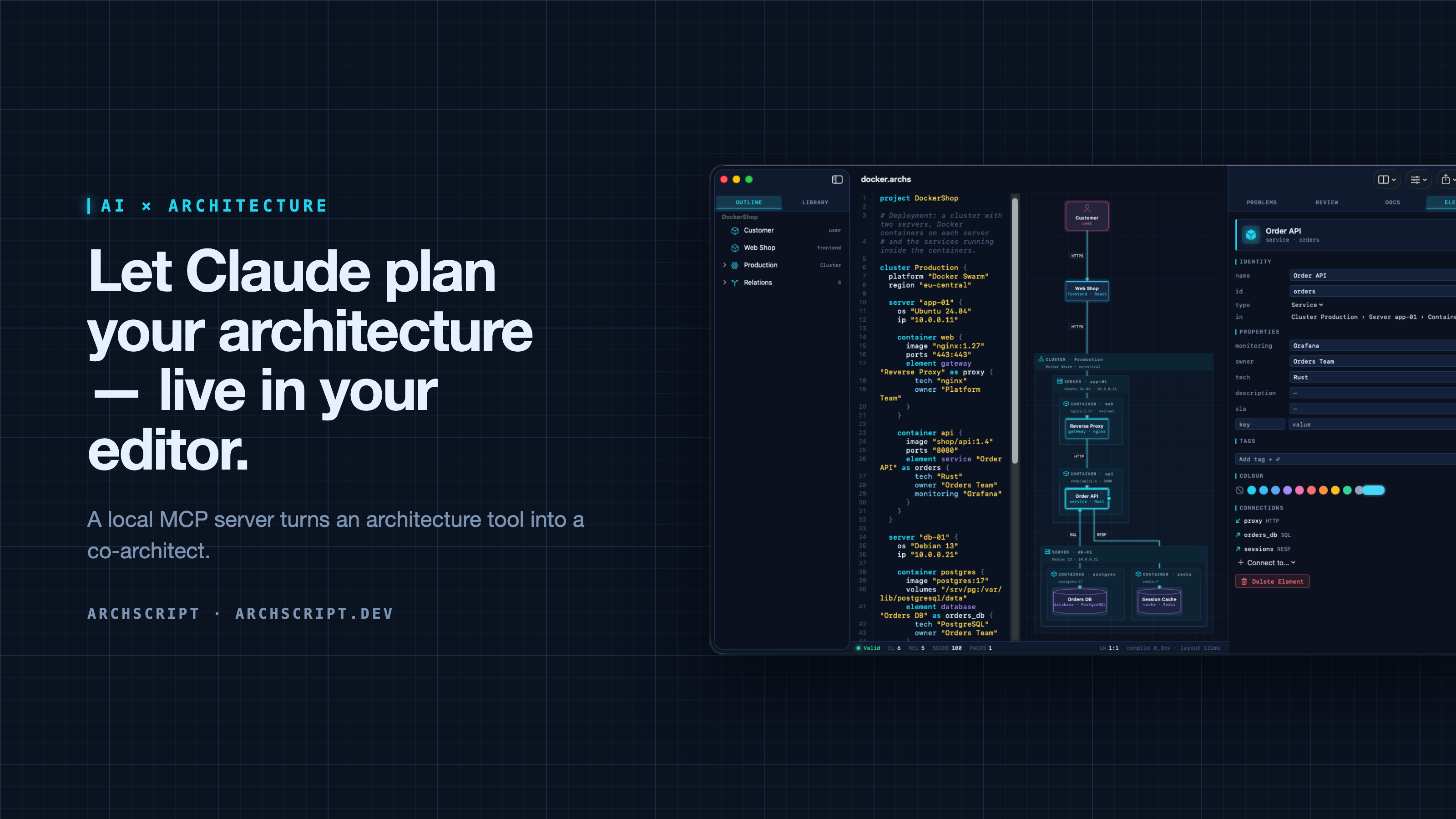
ArchScript is an architecture-as-code tool. You describe a system — domains, services, databases, queues, and deployments as cluster → server → Docker container — in a small language. ArchScript draws the diagram, checks the model against architecture rules and exports documentation, a PDF report, Mermaid, PlantUML and Terraform.
ArchScript for Mac includes an MCP server. Claude Desktop, Claude Code and other MCP clients can read the architectures you have open, change them with precise, structured edits, validate them and look at the rendered diagram. Every change appears live in the window and can be undone.
This repository contains the documentation, configuration examples, example models and a small open-source stdio bridge (
server/) for the ArchScript MCP server. ArchScript itself is a closed-source app, available on the Mac App Store. The browser Playground is free.
What Claude can do
| Tool | What it does |
|---|---|
archscript_guide |
Learns the language, element types and rules |
list_documents |
Lists the open documents (id, name, validity) |
get_document |
Reads a document with line numbers and a structure outline |
create_document |
Creates a new architecture from ArchScript source |
set_document_source |
Replaces a document's source |
edit_document |
Structured edits: add, rename, move and delete elements, relations and containers, and set properties, tags and colours |
validate |
Returns diagnostics |
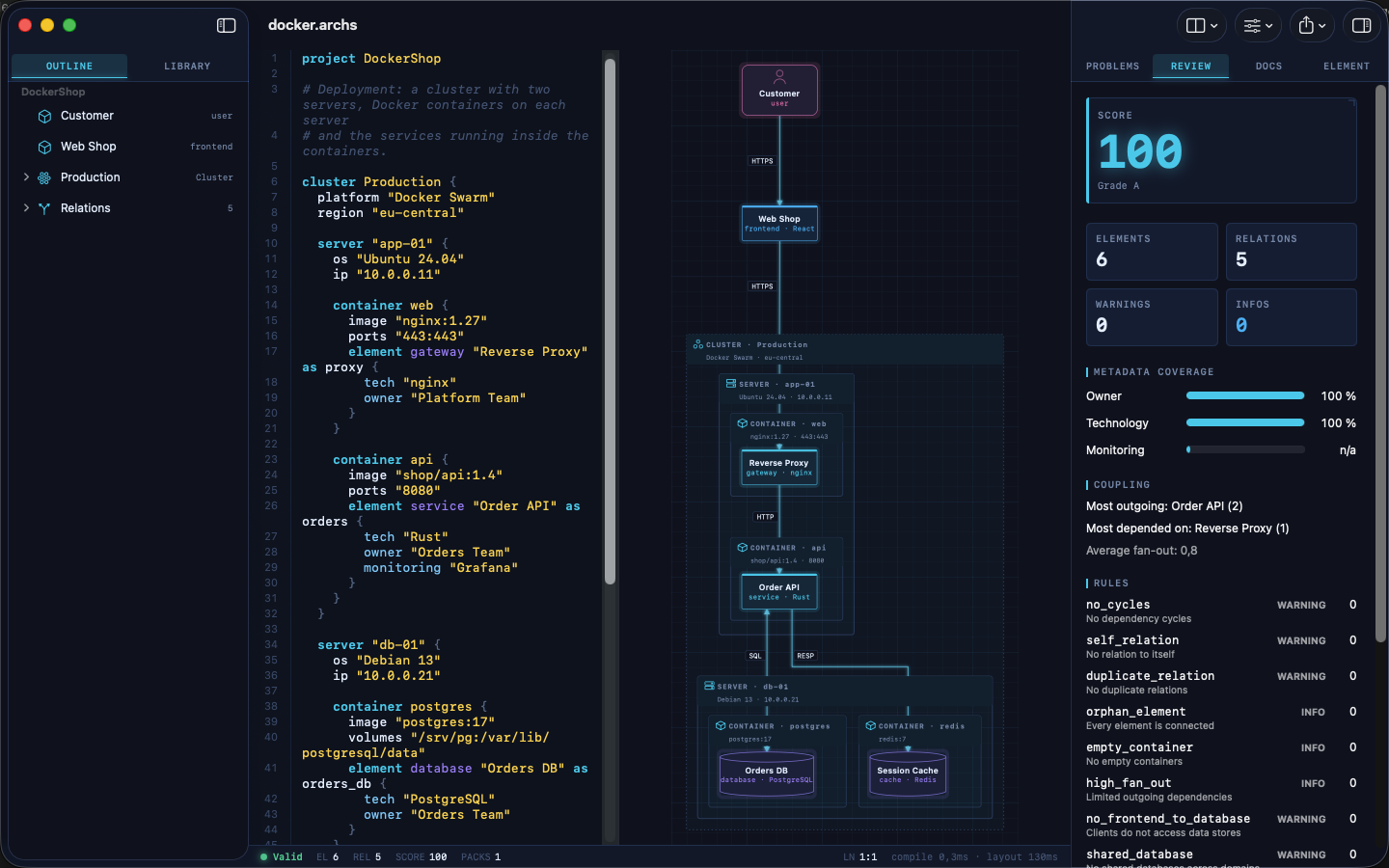
review |
Returns the review score, grade and rule findings |
render_diagram |
Returns the diagram as an image, so the assistant can see the result |
export |
Exports Mermaid, PlantUML, Markdown, JSON or Terraform |
The assistant doesn't rewrite your file. It sends small operations (for example
add_element into cluster:Production/server:app-01/container:api). The
ArchScript core turns those into minimal text edits, so comments and formatting
stay intact. After each change the assistant gets the validation result and
review score back, the same feedback loop a human architect uses.
Example prompts
- "Read my architecture and tell me which rules it violates."
- "Add a background worker that sends order emails. Put it in its own container on app-01 and connect the Order API to it."
- "Create an event-driven architecture for a ticket shop with a payment provider and a read model."
- "Export the current model as Terraform for AWS and list what wasn't mapped."
Setup
Requirements: ArchScript for Mac (macOS 14+) with ArchScript Pro (14-day free trial).
- Open ArchScript → Settings → AI and turn on Allow AI assistants (MCP).
- Copy the snippet for your client from that screen. It already contains your personal access token.
Claude Desktop: one-click install (recommended)
- Download archscript.mcpb from the latest release.
- Double-click it, or drag it into Claude Desktop → Settings → Extensions.
- Paste the access token from ArchScript → Settings → AI.
The extension contains no ArchScript code. It holds a manifest and a small
launcher script (mcpb/server/archscript-mcp)
that finds ArchScript for Mac and starts its bundled helper.
Claude Code
claude mcp add --transport http archscript http://127.0.0.1:47621/mcp \
  --header "Authorization: Bearer <token from Settings → AI>"
Claude Desktop (manual)
Add the snippet to claude_desktop_config.json, then restart Claude:
{
  "mcpServers": {
    "archscript": {
      "command": "/Applications/ArchScript.app/Contents/MacOS/archscript-mcp",
      "args": ["--token", "<token from Settings → AI>", "--port", "47621"]
    }
  }
}
The bundled archscript-mcp helper bridges stdio to the app and starts
ArchScript when Claude needs it.
Other MCP clients
Any client that supports Streamable HTTP can connect to
http://127.0.0.1:47621/mcp with the header Authorization: Bearer <token>.
Clients that only support stdio can use the helper as shown above, or the
open-source Node bridge in server/ (Node 18+, no dependencies):
{
  "mcpServers": {
    "archscript": {
      "command": "node",
      "args": ["/path/to/archscript-mcp/server/index.js"],
      "env": { "ARCHSCRIPT_TOKEN": "<token from Settings → AI>" }
    }
  }
}
Privacy and security
- Local only. The server listens on
127.0.0.1and is never reachable from the network. - Token required. Every request needs your access token. You can regenerate it at any time in Settings → AI.
- Off by default. Nothing runs until you turn it on.
- No telemetry. ArchScript collects no data and sends nothing anywhere. Your AI client only sees what it reads through the tools.
- The helper is sandboxed and only forwards stdio to the local server.
Screenshots
| Visual editing | Review and rules |
|---|---|
 |
 |
| Inspector | Element library |
 |
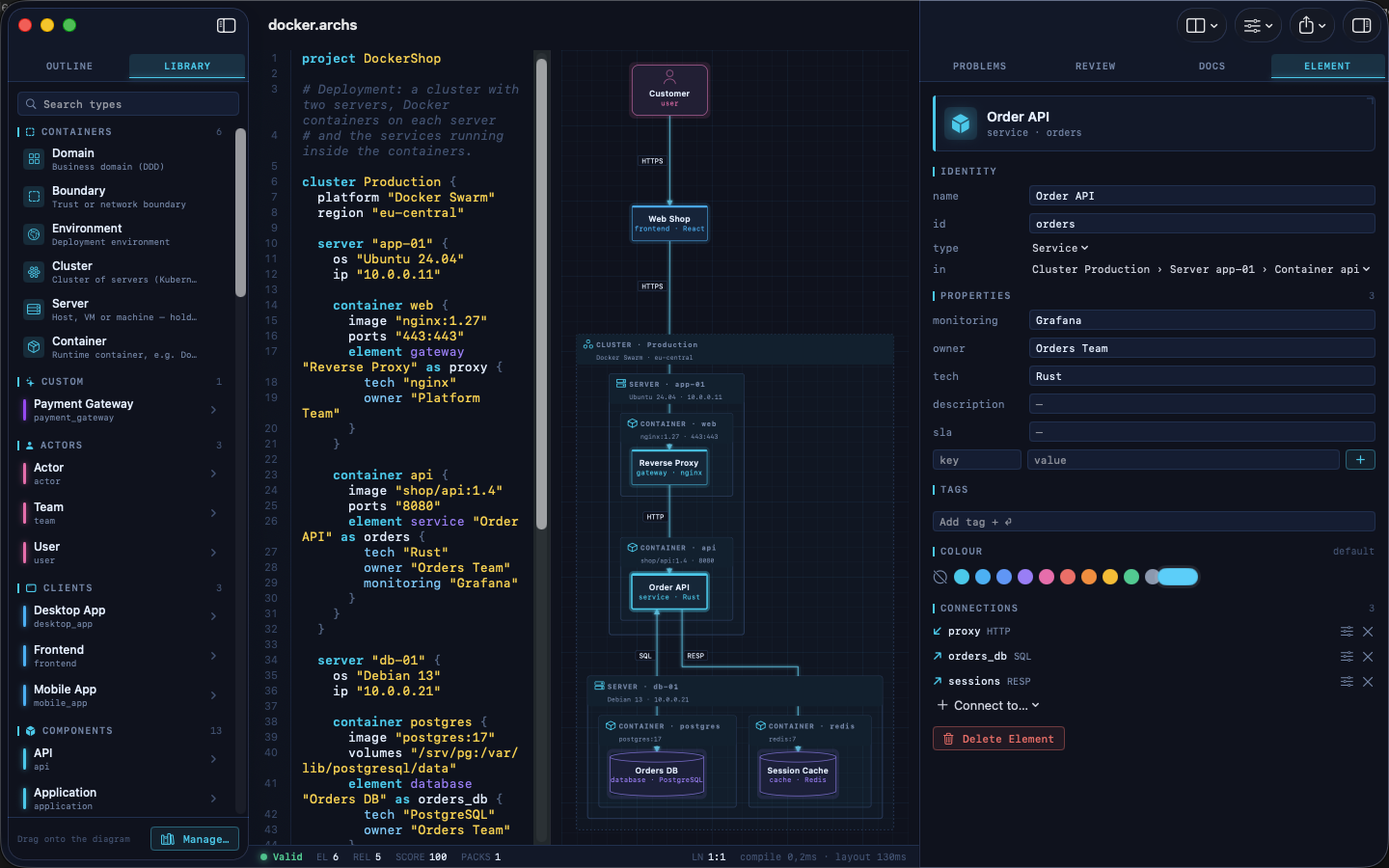 |
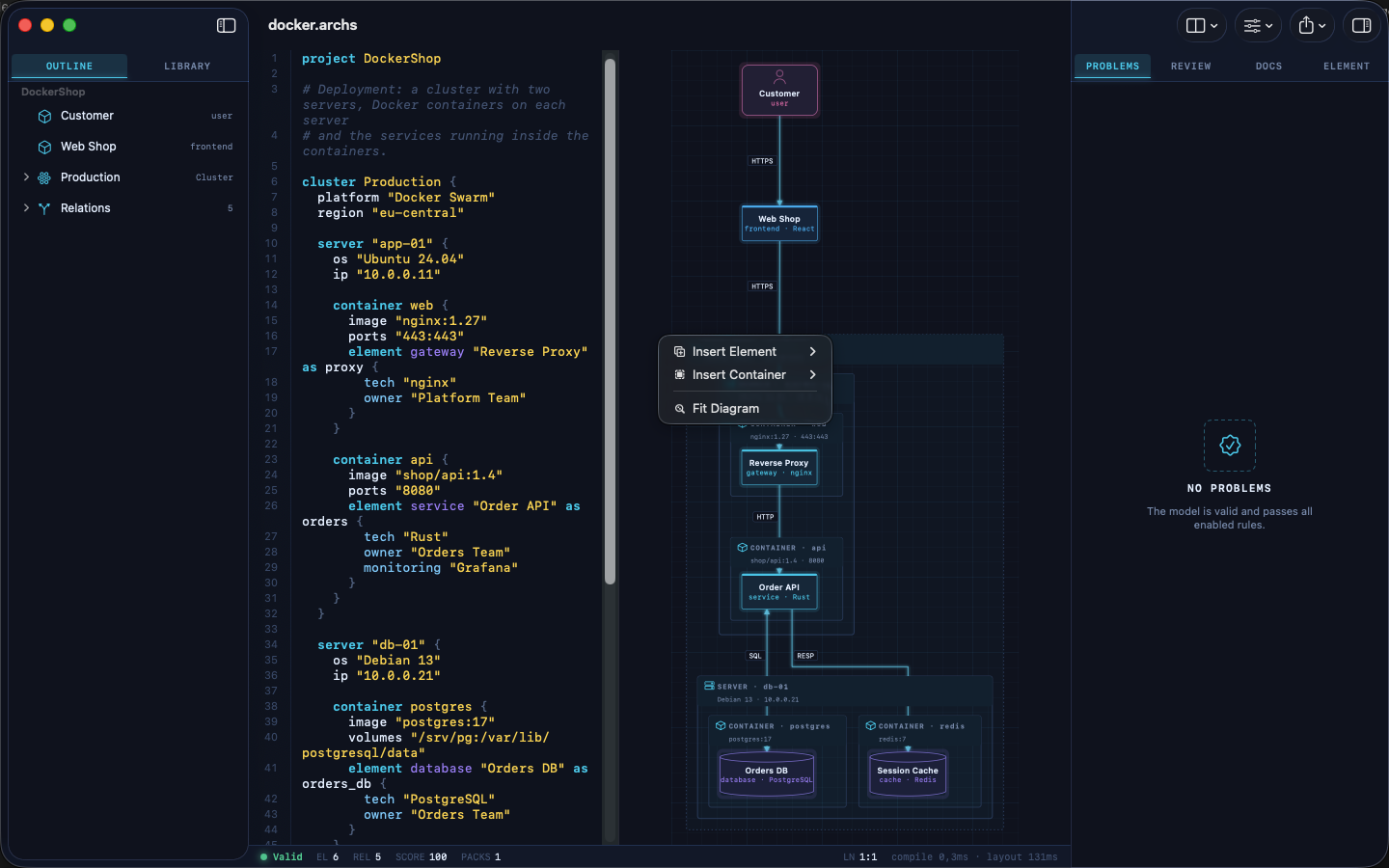
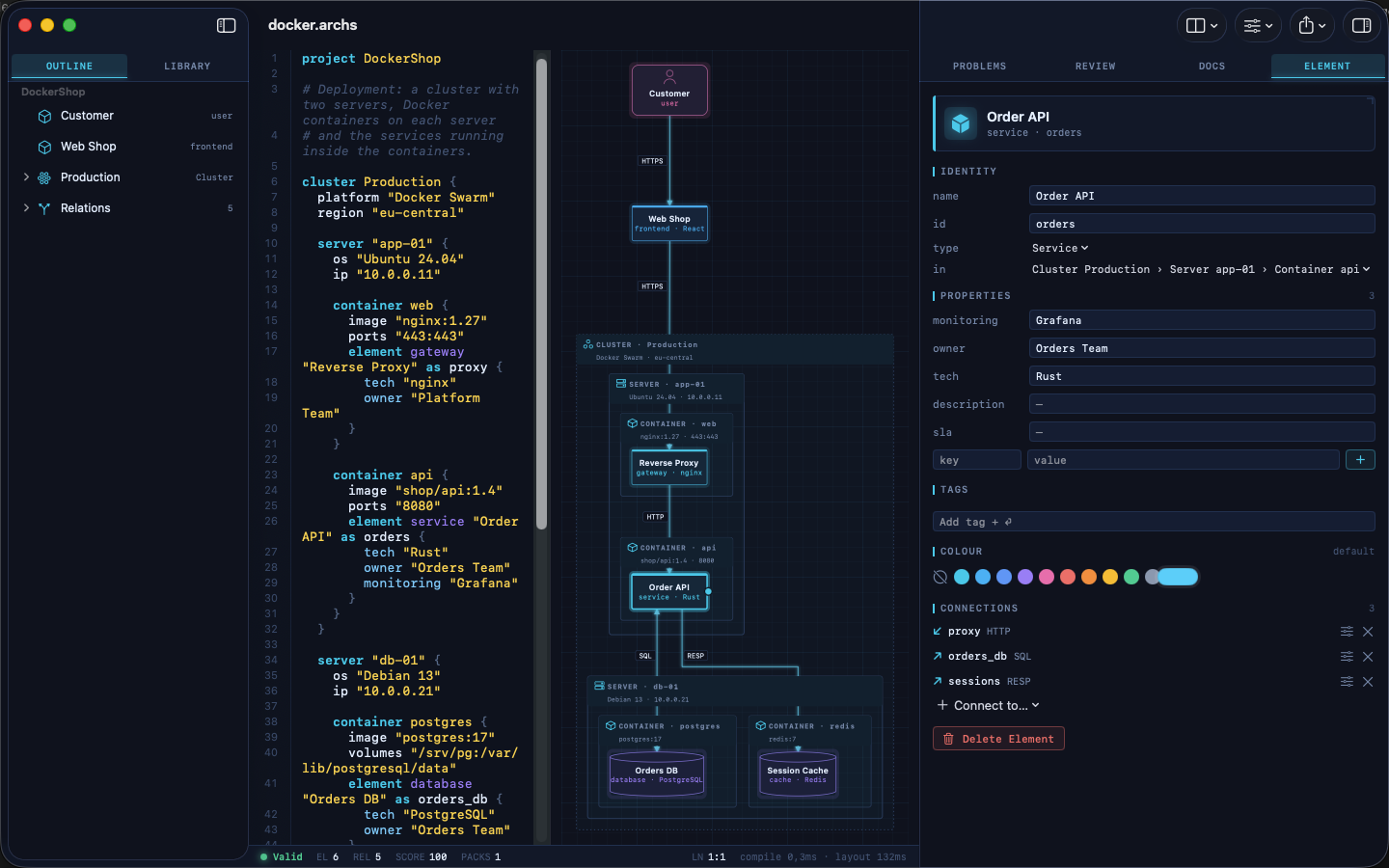
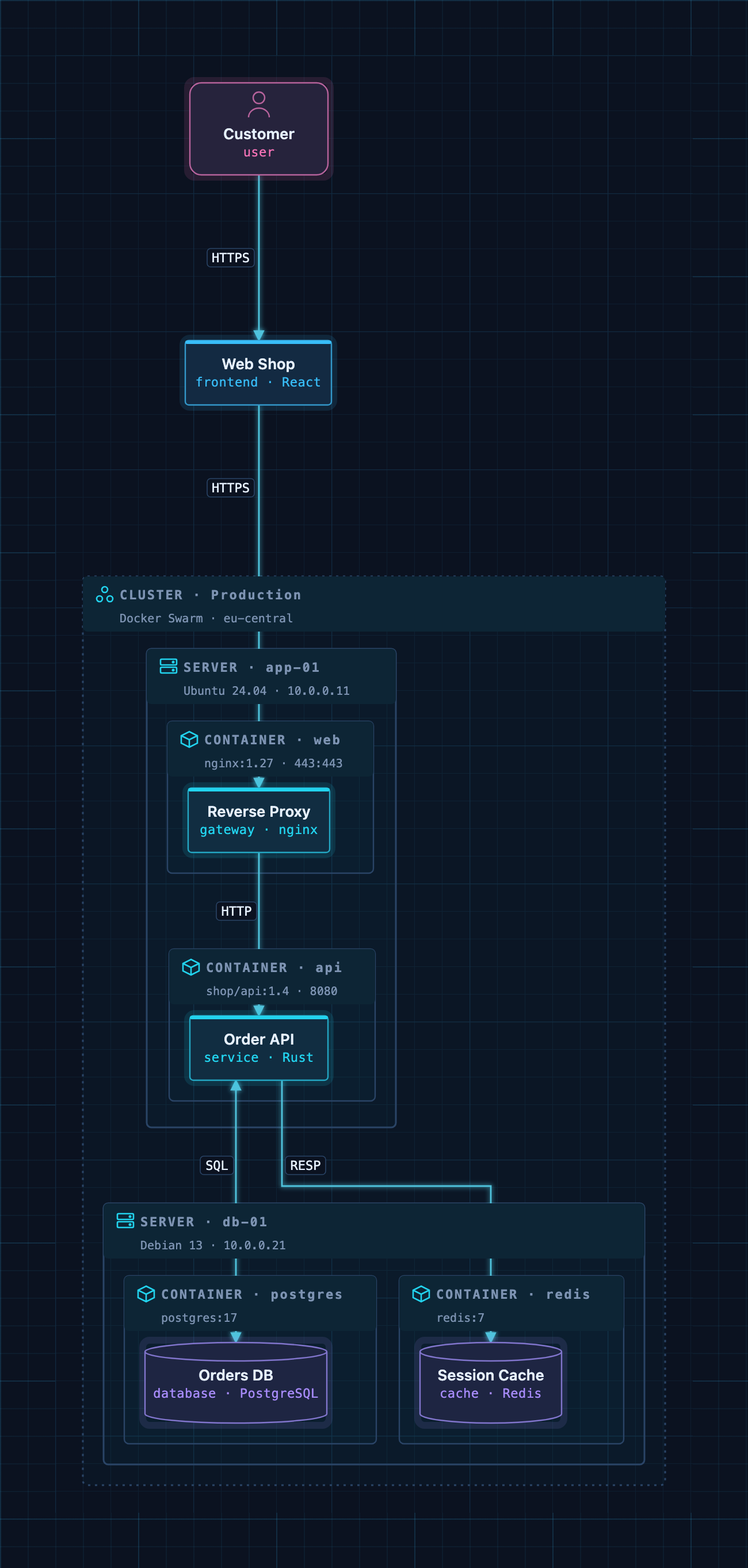
A Docker deployment as code: cluster → servers → containers → services.
Example models
The examples/ folder contains ready-to-use architectures. Open one
in ArchScript for Mac, or paste it into the
Playground:
| File | Architecture |
|---|---|
basic.archs |
The smallest useful model |
customer-management.archs |
One domain with web app, API and database |
webapp.archs |
Classic web application with boundaries |
microservices.archs |
Services with their own databases and an event bus |
ddd.archs |
Bounded contexts (domain-driven design) |
event.archs |
Event-driven, CQRS-style flow |
saas.archs |
Production SaaS with gateway and identity provider |
docker.archs |
Docker Swarm cluster, servers and containers |
A taste of the language:
project DockerShop

cluster Production {
  platform "Docker Swarm"

  server "app-01" {
    container api {
      image "shop/api:1.4"
      element service "Order API" as orders { tech "Rust"; owner "Orders Team" }
    }
  }
}

element frontend "Web Shop" as shop
relation shop -> orders : HTTPS
The full language reference is at archscript.dev/docs.
Feedback
Found a bug in the MCP integration or have an idea for a tool? Please open an issue. Feature requests for ArchScript itself are welcome too.
License
The documentation, configuration snippets, example models and the bridge in
server/ are available under the MIT License. ArchScript for Mac and the
ArchScript core are proprietary software.
Вопросы о ArchScript MCP
Что Claude может делать с ArchScript?
Claude может читать открытые архитектуры, выполнять структурированные правки (например, добавление или переименование элементов), проверять модели на соответствие правилам, анализировать оценки архитектуры и экспортировать диаграммы в такие форматы, как Terraform или Mermaid.
Являются ли мои данные приватными при использовании ArchScript MCP server?
Да, сервер работает только локально, прослушивает 127.0.0.1 и не собирает телеметрию и не отправляет данные куда-либо еще.
Какие системные требования необходимы для настройки?
Вам потребуется установленное приложение ArchScript для Mac на macOS 14+ с версией ArchScript Pro.