
Публикуйте HTML, созданный ИИ, в виде доступных по ссылке веб-страниц и обновляйте существующие страницы по тому же URL.
Также известен как phanosh/host-html, host-html-mcp
- Звёзды
- 1
- Инструменты
- —
- Загрузки, 30 дней
- —
- Последняя версия
- 0.2.1
- Последний коммит
- 3 нояб. 2026 г.
- Лицензия
- MIT
Что такое host-html MCP?
host-html — это MCP server. Публикуйте HTML, созданный ИИ, в виде доступных по ссылке веб-страниц и обновляйте существующие страницы по тому же URL.
Сводка сгенерирована из README проекта
О host-html MCP server
host-html позволяет разработчикам, использующим Claude Code, Cursor или Codex, превращать сгенерированный ИИ код в работающие веб-сайты. Передавая HTML-контент серверу, вы можете мгновенно создавать ссылки для обмена результатами работы в сети, не занимаясь настройкой пайплайнов развертывания или серверов. Этот инструмент предназначен для пользователей, которым нужно за считанные секунды перейти от интерфейса чата к функциональному веб-превью.
Чтобы использовать этот MCP server, необходимо создать бесплатный аккаунт и предоставить персональный API key через переменную окружения HOSTHTML_API_KEY. Система предоставляет два основных инструмента: publish_html для создания новой рабочей ссылки и update_page для обновления контента существующей страницы по тому же URL. Хотя публикация доступна на бесплатных аккаунтах, расширенные функции, такие как пользовательские слаги и защита паролем, требуют планов Pro или Team. Сервер также поддерживает экспорт HTML-слайдов в высококачественные PDF-файлы через команду host-pdf.
Что вы можете с ним делать
- 1Мгновенная публикация веб-превьюСоздание рабочей ссылки для HTML-фрагмента, сгенерированного во время сессии кодинга.
- 2Преобразование слайдов в документыПревращение презентаций на базе HTML в высококачественные PDF-файлы.
Взято из README проекта. Каждый вариант использования проверен на соответствие цитате из него.
Как установить host-html MCP
Форматы проверены 10 ноя 2026Добавить в CursorДобавить в GooseУстановка host-html MCP в Claude Code
$ claude mcp add --env 'HOSTHTML_API_KEY=<YOUR_HOSTHTML_API_KEY>' host-html -- npx -y host-html-mcpУстановка host-html MCP в Cursor
~/.cursor/mcp.json
{
  "mcpServers": {
    "host-html": {
      "command": "npx",
      "args": [
        "-y",
        "host-html-mcp"
      ],
      "env": {
        "HOSTHTML_API_KEY": "<YOUR_HOSTHTML_API_KEY>"
      }
    }
  }
}Установка host-html MCP в VS Code
.vscode/mcp.json
{
  "servers": {
    "host-html": {
      "type": "stdio",
      "command": "npx",
      "args": [
        "-y",
        "host-html-mcp"
      ],
      "env": {
        "HOSTHTML_API_KEY": "<YOUR_HOSTHTML_API_KEY>"
      }
    }
  }
}Установка host-html MCP в VS Code CLI
$ code --add-mcp '{"name":"host-html","type":"stdio","command":"npx","args":["-y","host-html-mcp"],"env":{"HOSTHTML_API_KEY":"<YOUR_HOSTHTML_API_KEY>"}}'Установка host-html MCP в Claude Desktop
claude_desktop_config.json
{
  "mcpServers": {
    "host-html": {
      "command": "npx",
      "args": [
        "-y",
        "host-html-mcp"
      ],
      "env": {
        "HOSTHTML_API_KEY": "<YOUR_HOSTHTML_API_KEY>"
      }
    }
  }
}Установка host-html MCP в Codex
$ codex mcp add host-html --env 'HOSTHTML_API_KEY=<YOUR_HOSTHTML_API_KEY>' -- npx -y host-html-mcpУстановка host-html MCP в Codex config.toml
~/.codex/config.toml
[mcp_servers.host-html]
command = "npx"
args = ["-y", "host-html-mcp"]

[mcp_servers.host-html.env]
HOSTHTML_API_KEY = "<YOUR_HOSTHTML_API_KEY>"
Установка host-html MCP в Gemini CLI
$ gemini mcp add -s user -e 'HOSTHTML_API_KEY=<YOUR_HOSTHTML_API_KEY>' host-html npx -- -y host-html-mcpУстановка host-html MCP в Gemini settings.json
~/.gemini/settings.json
{
  "mcpServers": {
    "host-html": {
      "command": "npx",
      "args": [
        "-y",
        "host-html-mcp"
      ],
      "env": {
        "HOSTHTML_API_KEY": "<YOUR_HOSTHTML_API_KEY>"
      }
    }
  }
}Конфигурация
HOSTHTML_API_KEYОбязательноСекретPersonal API key (hh_...) from host-html.com → Account → API keys
| Название | Описание | Тип |
|---|---|---|
| HOSTHTML_API_KEY | Personal API key (hh_...) from host-html.com → Account → API keys | ОбязательноСекрет |
Автоматические проверки
Запущено 13 нояб. 2026 г.Полный отчёт →Прошло наши автоматизированные проверки. Это не аудит безопасности: изучите код и предоставьте серверу минимально необходимый доступ. Как работают проверки

- Связанный и доступный исходный репозиторийПройдено
- Open source лицензия (OSI)Пройдено
- Коммит или релиз за последний годПройдено
- Имя пакета не похоже на популярный пакетПройдено
- Удаленная конечная точка использует HTTPSПройдено
- Деструктивные инструменты помеченыНе проверялось
- Нет скрытых инструкций для моделиПройдено
- Нет критических предупреждений в пакете или его зависимостяхПройдено
README
Открыть на GitHubhost-html
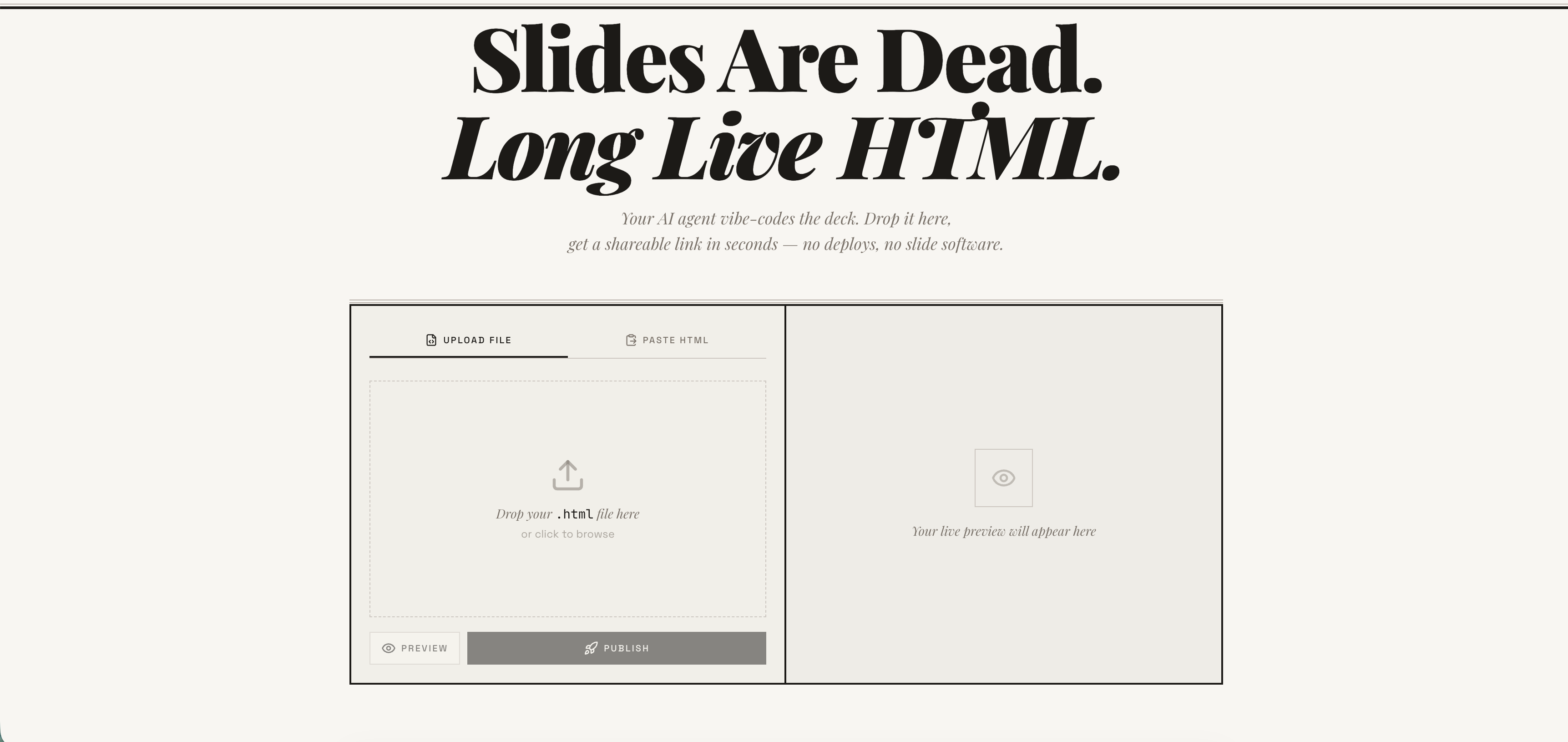
Publish any HTML file as a live link — instantly. Free account required. No deploy pipeline, no server to manage. → host-html.com
Heads up — breaking change in v2.0.0: Anonymous publishing has been retired. Publishing now requires a free, email-verified host-html account and a personal API key set as
HOSTHTML_API_KEY. See Setup: get an API key. Older releases that relied on the built-in shared key will stop publishing.
Install
Claude Code
/plugin marketplace add phanosh/host-html
/plugin install host-html@host-html
The official Claude Code marketplace listing is in the works — until it lands, install directly from this repo with the two commands above.
Claude Desktop, Cursor, Codex (MCP server)
// claude_desktop_config.json / .cursor/mcp.json / .mcp.json
{
  "mcpServers": {
    "host-html": {
      "command": "npx",
      "args": ["-y", "host-html-mcp"],
      "env": { "HOSTHTML_API_KEY": "hh_your_key_here" }
    }
  }
}
Two tools: publish_html (HTML in, link out) and update_page (new HTML, same link).
Source and docs: mcp-server/ · npm: host-html-mcp
Other AI Agents (Skills)
npx skills add phanosh/host-html -g -y
Then use the skills:
/host-html          # publish HTML as a live link
/host-pdf           # export HTML slides to PDF
/host-html finds the HTML, publishes it, and hands you a live URL in seconds.
/host-pdf captures each slide at retina quality and assembles a PDF.
Works with Claude Code, Cursor, Codex, Copilot, and 40+ more agents.
Setup: get an API key
Publishing now requires a free host-html account:
-
Sign in (free) at host-html.com
-
Confirm your email
-
Go to Account → API keys → Create key
-
Copy the generated key (starts with
hh_…— shown once) -
Set it as an environment variable:
export HOSTHTML_API_KEY=hh_your_key_here
The skill reads HOSTHTML_API_KEY automatically. Custom slugs (see the Direct
API table below) still require a Pro/Team plan; publishing itself does not.
Update
When a new version is released here, pull it into your local Claude Code with:
/plugin marketplace update phanosh/host-html
That single command refreshes the marketplace catalog and installs any version bumps in marketplace.json, plugin.json, or the skill frontmatter. To check what you're on:
/plugin
To stay current automatically, open /plugin, go to the Marketplaces tab, select phanosh/host-html, and toggle auto-update on — Claude Code will then pull updates on startup.
For the standalone skills install (npx skills add ...), re-run the same command to upgrade:
npx skills add phanosh/host-html -g -y
Direct API
The publish edge function requires a personal host-html API key (format
hh_…) as the bearer token — see Setup to generate
one. Pass it via the Authorization header (no apikey header is needed):
curl -X POST https://suifgsvtcbrawzdhyuhk.supabase.co/functions/v1/publish \
  -H "Authorization: Bearer $HOSTHTML_API_KEY" \
  -H "Content-Type: application/json" \
  -d '{"html": "<h1>Hello</h1>", "title": "my page"}'
Request
| Field | Type | Required | Description |
|---|---|---|---|
html |
string | ✓ | HTML content (max 1MB) |
title |
string | Page title | |
slug |
string | Custom URL path matching ^[a-z0-9-]{2,64}$ (paid plans) |
|
password |
string | Password-protect the page (4–72 chars, paid plans, JSON body only) |
Response 201
{
  "url": "https://host-html.com/p/abc123",
  "slug": "abc123",
  "edit_token": "...",
  "page_id": "...",
  "has_password": false,
  "expires_at": "2026-03-16T..."
}
has_password is true when the request set a password (the page is locked
and served from private storage); false otherwise.
expires_at is string | null. On a free plan it is the ISO timestamp when the page goes
dark; on a paid plan the page never expires and the field is null. It is the authoritative
expiry — read it from the response rather than assuming a fixed duration, and handle the null
rather than formatting it as a date.
License
MIT
Вопросы о host-html MCP
Как добавить host-html MCP в Claude Code?
Выполните claude mcp add --env 'HOSTHTML_API_KEY=<YOUR_HOSTHTML_API_KEY>' host-html -- npx -y host-html-mcp в терминале. Добавьте --scope user, чтобы сервер был доступен во всех проектах.
Как добавить host-html MCP в Cursor?
Откройте ~/.cursor/mcp.json и добавьте сервер в mcpServers, используя конфигурацию Cursor из раздела установки выше.
Как опубликовать HTML с помощью host-html?
Вы можете использовать инструмент publish_html, чтобы превратить HTML-контент в рабочую ссылку.
Можно ли обновить страницу, не меняя URL?
Да, инструмент update_page позволяет предоставить новый HTML-код и сохранить ту же ссылку.
Нужен ли аккаунт для публикации?
Да, для публикации требуется бесплатный аккаунт host-html с подтверждением через email и персональный API key.