
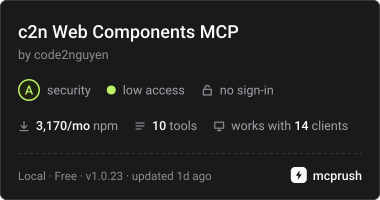
Предоставляет AI-агентам доступ к API веб-компонентов c2n Lit, токенам темы, примерам использования и валидации разметки.
Также известен как code2nguyen/web-components, c2n, @c2n/mcp
- Звёзды
- 5
- Инструменты
- 10
- Загрузки, 30 дней
- 3 298
- Последняя версия
- 1.0.26
- Последний коммит
- 15 нояб. 2026 г.
- Лицензия
- MIT
Что такое c2n Web Components MCP?
c2n Web Components — это MCP server. Предоставляет AI-агентам доступ к API веб-компонентов c2n Lit, токенам темы, примерам использования и валидации разметки. Он предоставляет 10 инструментов, например list_components, search_components, get_component.
Сводка сгенерирована из README проекта
О c2n Web Components MCP server
Этот MCP server позволяет AI-агентам получать техническую документацию и проводить валидацию веб-компонентов Lit. Разработчики, использующие Claude Code, Codex или Google Antigravity, могут подключиться к этому серверу через stdio, чтобы получить доступ к полному реестру API компонентов, включая атрибуты, слоты, события и CSS-переменные. Поскольку данные упакованы в локальный файл реестра, сервер работает офлайн после установки в проект.
Пользователи могут взаимодействовать со специальными инструментами для вывода списков компонентов, поиска примеров использования (например, стилей glass или pill) и получения токенов темы из пакета @c2n/theme. Сервер также включает инструмент валидации, который проверяет HTML, JSX, Vue, Svelte, Astro, Angular и шаблоны Lit на соответствие установленным пакетам @c2n. Это гарантирует, что в разметке используются правильные теги и отсутствуют невалидные CSS-свойства, такие как box styling на хосте компонента. Сервер выступает в роли структурированного источника знаний, а не автоматизированного редактора, хотя его можно комбинировать с пакетом @c2n/skill, чтобы помочь агентам соблюдать специфические правила приложения и темизации.
Взято из README проекта. Каждый вариант использования проверен на соответствие цитате из него.
Как установить c2n Web Components MCP
Форматы проверены 10 ноя 2026Добавить в CursorДобавить в GooseУстановка c2n Web Components MCP в Claude Code
$ claude mcp add c2n -- npx -y @c2n/mcpУстановка c2n Web Components MCP в Cursor
~/.cursor/mcp.json
{
  "mcpServers": {
    "c2n": {
      "command": "npx",
      "args": [
        "-y",
        "@c2n/mcp"
      ]
    }
  }
}Установка c2n Web Components MCP в VS Code
.vscode/mcp.json
{
  "servers": {
    "c2n": {
      "type": "stdio",
      "command": "npx",
      "args": [
        "-y",
        "@c2n/mcp"
      ]
    }
  }
}Установка c2n Web Components MCP в VS Code CLI
$ code --add-mcp '{"name":"c2n","type":"stdio","command":"npx","args":["-y","@c2n/mcp"]}'Установка c2n Web Components MCP в Claude Desktop
claude_desktop_config.json
{
  "mcpServers": {
    "c2n": {
      "command": "npx",
      "args": [
        "-y",
        "@c2n/mcp"
      ]
    }
  }
}Установка c2n Web Components MCP в Codex
$ codex mcp add c2n -- npx -y @c2n/mcpУстановка c2n Web Components MCP в Codex config.toml
~/.codex/config.toml
[mcp_servers.c2n]
command = "npx"
args = ["-y", "@c2n/mcp"]
Установка c2n Web Components MCP в Gemini CLI
$ gemini mcp add -s user c2n npx -- -y @c2n/mcpУстановка c2n Web Components MCP в Gemini settings.json
~/.gemini/settings.json
{
  "mcpServers": {
    "c2n": {
      "command": "npx",
      "args": [
        "-y",
        "@c2n/mcp"
      ]
    }
  }
}Инструменты c2n Web Components MCP 10
Определено из READMElist_componentssearch_componentsget_componentget_examplessearch_examplesget_presetsget_themegenerate_variantvalidate_markupget_workflow_guide
| list_components | — | |
| search_components | — | |
| get_component | — | |
| get_examples | — | |
| search_examples | — | |
| get_presets | — | |
| get_theme | — | |
| generate_variant | — | |
| validate_markup | — | |
| get_workflow_guide | — |
Конфигурация
C2N_PROJECT_ROOTProject whose installed @c2n/* packages the server reports. Defaults to the working directory.
| Название | Описание | Тип |
|---|---|---|
| C2N_PROJECT_ROOT | Project whose installed @c2n/* packages the server reports. Defaults to the working directory. |
Автоматические проверки
Запущено 12 нояб. 2026 г.Полный отчёт →Прошло наши автоматизированные проверки. Это не аудит безопасности: изучите код и предоставьте серверу минимально необходимый доступ. Как работают проверки

- Связанный и доступный исходный репозиторийПройдено
- Open source лицензия (OSI)Пройдено
- Коммит или релиз за последний годПройдено
- Имя пакета не похоже на популярный пакетПройдено
- Удаленная конечная точка использует HTTPSНе проверялось
- Деструктивные инструменты помеченыПройдено
- Нет скрытых инструкций для моделиПройдено
- Нет критических предупреждений в пакете или его зависимостяхПройдено
README
Открыть на GitHub@c2n/mcp
Model Context Protocol server that exposes the c2n web components to AI agents: component APIs (attributes, slots, events, native CSS parts, CSS variables with their theme tokens), usage and gallery examples, curated presets, the @c2n/theme tokens, variant code generation and the application workflow guides. Everything is bundled in data/registry.json, so it works offline in any project.
Use
The server uses stdio and can be launched by any MCP host:
npx -y @c2n/mcp
Claude Code project .mcp.json:
{ "mcpServers": { "c2n": { "type": "stdio", "command": "npx", "args": ["-y", "@c2n/mcp"] } } }
Codex project .codex/config.toml:
[mcp_servers.c2n]
command = "npx"
args = ["-y", "@c2n/mcp"]
Google Antigravity project .agents/mcp_config.json uses the same mcpServers command/args structure as the Claude example. The @c2n/skill package can install the skill and merge these configurations automatically.
Run the server from a project directory: it reports which @c2n/* packages are installed and serves the bundled API when the installed version differs. The registry is packaged locally, so tool calls do not require network access after installation.
Use c2n-mcp --version to inspect the installed server version and c2n-mcp --help for CLI usage.
The MCP server supplies structured component facts; it does not install component packages or edit an application by itself. Pair it with @c2n/skill when you also want the agent to follow c2n's application, theming and variant conventions. See the AI tools guide for the complete setup and example prompts.
Verify the connection
Restart the agent after adding its MCP configuration, then ask it to use the c2n MCP server to list components or inspect c2-button. A connected client should expose the tools below and report @c2n/* packages installed in the current project. If the server cannot start, run npx -y @c2n/mcp --version in that project to distinguish an npm/runtime problem from an MCP client configuration problem.
Tools
| Tool | Purpose |
|---|---|
list_components |
Every component with tag, package, category, description, installed version |
search_components |
Free-text search across names, descriptions, attributes, slots, events, examples, icons |
get_component |
Full API of one component, CSS variables grouped by part/state with their theme token |
get_examples |
Usage rows and gallery cards; view: "index" lists every look (summary, screenshot) |
search_examples |
Find a look across every component's gallery ("glass", "pill", "underline") |
get_presets |
Curated presets as CSS variable values |
get_theme |
The --c2-theme--* tokens, install/mapping snippets; per-component mapping with tag |
generate_variant |
CSS class / HTML + style / Lit subclass / JSON from overrides, a preset or a gallery card |
validate_markup |
Checks markup/CSS you wrote: native controls to replace, unknown tags/attributes/slots/events/variables |
get_workflow_guide |
workflow, theming, variant-components, frameworks |
Gallery cards are served with a generated summary of what they change and CSS whose colours follow the --c2-theme--* tokens wherever a literal equals a token's value (var(--c2-theme--color-outline, #d4d4d8)), so a copied card follows the application's theme and dark mode. Each card also links light and dark PNG captures hosted with the docs site (gallery-shots/<component>/<slug>.<theme>.png, written by apps/ui/scripts/gallery-shots.mjs in the Pages deploy).
Validate from the command line
validate_markup is also a CLI, for CI and editor hooks. It reads HTML, JSX/TSX, Vue, Svelte, Astro, Angular and Lit templates and CSS, and checks them against the API of the @c2n/* packages the project has installed:
npx -y @c2n/mcp validate src            # exit 1 on errors
npx -y @c2n/mcp validate src --strict   # warnings fail too (native controls, box styling on a c2 host)
npx -y @c2n/mcp validate --hook         # Claude Code PostToolUse hook: reads the payload on stdin
It reports native <button>/<input>/<select>/<textarea>/<dialog>/<details>/<progress> elements that a c2-* element replaces, unknown c2-* tags, attributes, slots and --c2-* variables (with "did you mean"), events a c2-* element does not fire (with its event list), a static camelCase attribute the element ignores (rowKey for row-key), and box styling on a c2-* host (border, padding, background, box-shadow, outline; a radius alone is fine). A line holding c2n-ignore, or the line after a comment holding it, is skipped. In hook mode the findings go to stderr with exit code 2, which Claude Code hands back to the agent; npx -y @c2n/skill install registers that hook in .claude/settings.json.
Resources: c2n://components, c2n://components/{tag}, c2n://theme, c2n://guide/{topic}.
Development
data/registry.jsonis an ignored build artifact.npm run build:tools(repo root) regenerates it from the component manifests, docs content, presets and theme, then compilesdist/and refreshes the committed skill fallback.dev,inspect,smokeandnpm packautomatically build the registry when needed.npm run smoke -w packages/tools/mcpspawns the server over stdio and checks every tool.npm run inspect -w packages/tools/mcpopens the MCP Inspector against the source entry (node src/cli.ts, Node 24 type stripping).
Вопросы о c2n Web Components MCP
Как добавить c2n Web Components MCP в Claude Code?
Выполните claude mcp add c2n -- npx -y @c2n/mcp в терминале. Добавьте --scope user, чтобы сервер был доступен во всех проектах.
Как добавить c2n Web Components MCP в Cursor?
Откройте ~/.cursor/mcp.json и добавьте сервер в mcpServers, используя конфигурацию Cursor из раздела установки выше.
Какие инструменты предоставляет c2n Web Components MCP?
Он предоставляет 10 инструментов, включая list_components, search_components, get_component, get_examples, search_examples.
Требуется ли серверу интернет-соединение для работы?
Нет, реестр локально упакован в data/registry.json, что позволяет серверу работать офлайн в любом проекте.
Может ли сервер проверить мой код?
Да, инструмент validate_markup проверяет HTML, JSX/TSX, Vue, Svelte, Astro, Angular и шаблоны Lit на соответствие установленным API компонентов.
Устанавливает ли этот сервер веб-компоненты за меня?
Нет, сервер предоставляет структурированные данные о компонентах, но не выполняет установку или прямое редактирование приложения.