
MCP server AgentGate
Коммит 25 окт. 2026 г.Предоставляет шлюз с участием человека (human-in-the-loop) для подтверждения действий, позволяя пользователям определять политики одобрения, отклонения или маршрутизации действий ИИ-агентов через различные каналы связи.
Также известен как agentkitai/agentgate, @agentkitai/agentgate-mcp
- Звёзды
- 33
- Инструменты
- 10
- Загрузки, 30 дней
- 191
- Последняя версия
- 0.0.3
- Последний коммит
- 25 окт. 2026 г.
- Лицензия
- MIT
Что такое AgentGate MCP?
Предоставляет шлюз с участием человека (human-in-the-loop) для подтверждения действий, позволяя пользователям определять политики одобрения, отклонения или маршрутизации действий ИИ-агентов через различные каналы связи. Он предоставляет 10 инструментов, например agentgate_request, agentgate_get, agentgate_list.
Сводка сгенерирована из README проекта
О AgentGate MCP server
AgentGate предоставляет систему с участием человека (human-in-the-loop), разработанную для обеспечения контроля пользователей над действиями ИИ-агентов. Она функционирует как шлюз, где разработчики могут определять конкретные политики для автоматического одобрения безопасных задач, отклонения опасных или перенаправления неопределенных запросов человеку на проверку. Эта система идеально подходит разработчикам, создающим агентов, которые выполняют критические операции, такие как отправка электронных писем, удаление файлов или развертывание кода в продакшн.
Пользователи могут развернуть полный стек с помощью Docker или запустить его из исходного кода с использованием сервера Hono и SQLite или PostgreSQL. Сервер интегрируется с совместимыми с MCP клиентами, такими как Claude Desktop, Cursor или VS Code, через пакет @agentkitai/agentgate-mcp. После подключения агенты могут отправлять запросы через шлюз, который затем уведомляет людей через веб-панель управления, Slack, Discord или электронную почту. Каждое решение записывается в полный журнал аудита, который помечает решения политик соответствующим риском из OWASP LLM Top-10 для обеспечения соответствия стандартам безопасности.
Что вы можете с ним делать
- 1Автоматизация критических действий агентаРазработчик может настроить правила для автоматического одобрения задач с низким уровнем риска, требуя вмешательства человека только для операций с высоким уровнем риска.
- 2Мониторинг активности агента через чатПользователи могут просматривать и принимать решения по ожидающим запросам агента непосредственно в своих привычных инструментах общения.
- 3Поддержание комплаенса и аудит безопасностиКоманды могут отслеживать каждое решение агента и связывать его с конкретными рисками безопасности для выполнения требований комплаенса.
- 4Интеграция с десктопными ИИ-клиентамиРазработчики могут подключить шлюз к Claude Desktop для управления разрешениями агентов через Model Context Protocol.
Взято из README проекта. Каждый вариант использования проверен на соответствие цитате из него.
Как установить AgentGate MCP
Форматы проверены 10 ноя 2026Добавить в CursorДобавить в GooseУстановка AgentGate MCP в Claude Code
$ claude mcp add agentgate -- npx -y @agentkitai/agentgate-mcpУстановка AgentGate MCP в Cursor
~/.cursor/mcp.json
{
  "mcpServers": {
    "agentgate": {
      "command": "npx",
      "args": [
        "-y",
        "@agentkitai/agentgate-mcp"
      ]
    }
  }
}Установка AgentGate MCP в VS Code
.vscode/mcp.json
{
  "servers": {
    "agentgate": {
      "type": "stdio",
      "command": "npx",
      "args": [
        "-y",
        "@agentkitai/agentgate-mcp"
      ]
    }
  }
}Установка AgentGate MCP в VS Code CLI
$ code --add-mcp '{"name":"agentgate","type":"stdio","command":"npx","args":["-y","@agentkitai/agentgate-mcp"]}'Установка AgentGate MCP в Claude Desktop
claude_desktop_config.json
{
  "mcpServers": {
    "agentgate": {
      "command": "npx",
      "args": [
        "-y",
        "@agentkitai/agentgate-mcp"
      ]
    }
  }
}Установка AgentGate MCP в Codex
$ codex mcp add agentgate -- npx -y @agentkitai/agentgate-mcpУстановка AgentGate MCP в Codex config.toml
~/.codex/config.toml
[mcp_servers.agentgate]
command = "npx"
args = ["-y", "@agentkitai/agentgate-mcp"]
Установка AgentGate MCP в Gemini CLI
$ gemini mcp add -s user agentgate npx -- -y @agentkitai/agentgate-mcpУстановка AgentGate MCP в Gemini settings.json
~/.gemini/settings.json
{
  "mcpServers": {
    "agentgate": {
      "command": "npx",
      "args": [
        "-y",
        "@agentkitai/agentgate-mcp"
      ]
    }
  }
}Запущено HostedMCP 16 нояб. 2026 г.
Мы выполнили эту команду для @agentkitai/agentgate-mcp 0.0.3 в изолированном контейнере без сети и без ключей. Сервер ответил и показал 10 инструментов.
Инструменты AgentGate MCP 10
Получено от сервера через tools/listagentgate_requestSubmit an approval request. Returns request ID and initial status.
agentgate_getGet the current status of an approval request by ID.
agentgate_listList approval requests with optional filters.
agentgate_decideApprove or deny a pending request. Use when you are the designated approver.
agentgate_list_policiesList all policies ordered by priority.
agentgate_create_policyCreate a new policy with rules.
agentgate_update_policyReplace an existing policy (all fields required).
agentgate_delete_policyDelete a policy by ID.
agentgate_list_audit_logsList audit log entries with optional filters and pagination.
agentgate_get_audit_actorsGet unique actor values from audit logs.
| agentgate_request | Submit an approval request. Returns request ID and initial status. | |
| agentgate_get | Get the current status of an approval request by ID. | |
| agentgate_list | List approval requests with optional filters. | |
| agentgate_decide | Approve or deny a pending request. Use when you are the designated approver. | |
| agentgate_list_policies | List all policies ordered by priority. | |
| agentgate_create_policy | Create a new policy with rules. | |
| agentgate_update_policy | Replace an existing policy (all fields required). | |
| agentgate_delete_policy | Delete a policy by ID. | |
| agentgate_list_audit_logs | List audit log entries with optional filters and pagination. | |
| agentgate_get_audit_actors | Get unique actor values from audit logs. |
Конфигурация
AGENTGATE_API_KEYAGENTGATE_URL
| Название | Описание | Тип |
|---|---|---|
| AGENTGATE_API_KEY | — | |
| AGENTGATE_URL | — |
Автоматические проверки
Запущено 16 нояб. 2026 г.Полный отчёт →Еще не проверено. Для сервера требуется оценка 80, отсутствие серьезных проблем и достаточно данных для нашей проверки. Как работают проверки · Что исправить, чтобы получить больше баллов

- Связанный и доступный исходный репозиторийagentkitai/agentgate is public and reachablegithub.com/agentkitai/agentgate ↗Пройдено
- Пакет указывает этот репозиторий как источник@agentkitai/agentgate-mcp names agentkitai/agentgate as sourcenpmjs.com/package/@agentkitai/agentgate-mcp ↗Пройдено
- Происхождение сборки (аттестация Sigstore)Sigstore attestation for @agentkitai/agentgate-mcpnpmjs.com/package/@agentkitai/agentgate-mcp/v/0.0.3#provenan ↗Пройдено
- Open source лицензия (OSI)MITspdx.org/licenses/MIT.html ↗Пройдено
- Коммит или релиз за последний годLast commit or release 2026-10-25github.com/agentkitai/agentgate ↗Пройдено
- OpenSSF ScorecardНе проверялось
- Имя пакета не похоже на популярный пакет@agentkitai/agentgate-mcp looks like agentcatПроблема
- Нет критических предупреждений в пакете или его зависимостях102 resolved dependencies checked; no critical advisoryosv.dev ↗Пройдено
- Нет скрытых инструкций для модели10 tool descriptions and the README read; no override phrases, credential paths or hidden charactersПройдено
- Деструктивные инструменты помеченыNo tool named like delete, drop or execПройдено
- Удалённая конечная точка отвечает на рукопожатие MCPНе проверялось
README
Открыть на GitHubYour AI agent wants to send an email, delete a file, or deploy to production. Should it? AgentGate lets you define policies that auto-approve safe actions, auto-deny dangerous ones, and route everything else to a human — via dashboard, Slack, Discord, or email.
✨ Highlights
- 🛡️ Policy engine — auto-approve, auto-deny, or route to humans based on rules
- 👥 Multi-channel approvals — Slack, Discord, email, or web dashboard
- 🔌 TypeScript SDK + MCP — works with any agent framework or Claude Desktop
- 🪝 Webhooks with retry — real-time notifications with exponential backoff
- 📝 Full audit trail — every request, decision, and action logged, each policy decision tagged with the OWASP LLM Top-10 risk it mitigates (compliance evidence)
- 🐳 Docker-ready — one
docker-compose upfor the full stack - 🔐 Production-hardened — SSRF protection, ReDoS defense, structured logging, graceful shutdown
- 🔗 One-click decision links — approve or deny directly from notification emails and webhooks
- ♿ Accessible UI — keyboard-navigable approval modals, focus trapping, ARIA labels
- 💀 Skeleton loading — smooth loading states across every dashboard page
- ⚡ Fast & lightweight — Hono server, SQLite or PostgreSQL
Quickstart
# Self-host the full stack (server + dashboard + Postgres):
docker compose up

# …or from source:
pnpm install && pnpm --filter @agentkitai/agentgate-server db:migrate && pnpm --filter @agentkitai/agentgate-server bootstrap && pnpm dev
Drop AgentGate into an MCP client (Claude Desktop / Cursor / VS Code) — point it at the gateway:
{ "mcpServers": { "agentgate": { "command": "npx", "args": ["@agentkitai/agentgate-mcp"] } } }
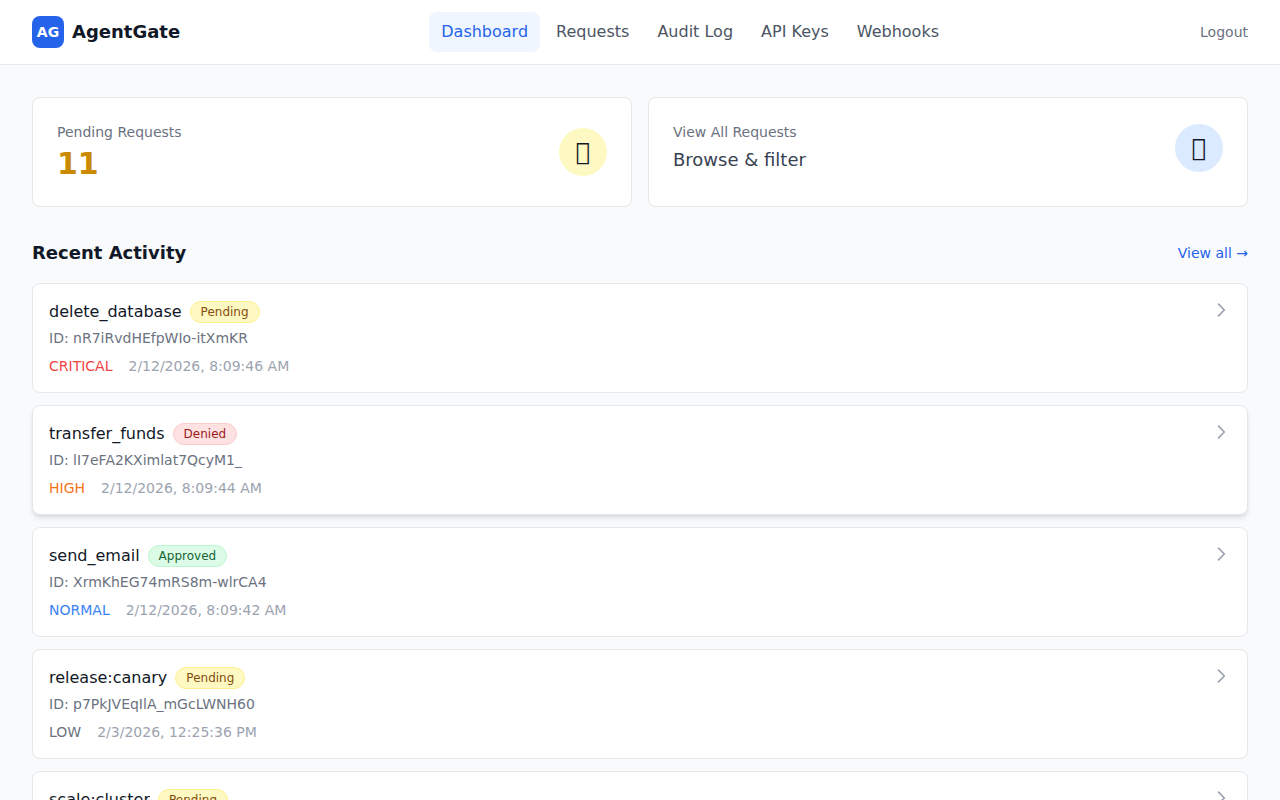
Dashboard
See all pending requests at a glance, color-coded by urgency so you know what needs attention first.
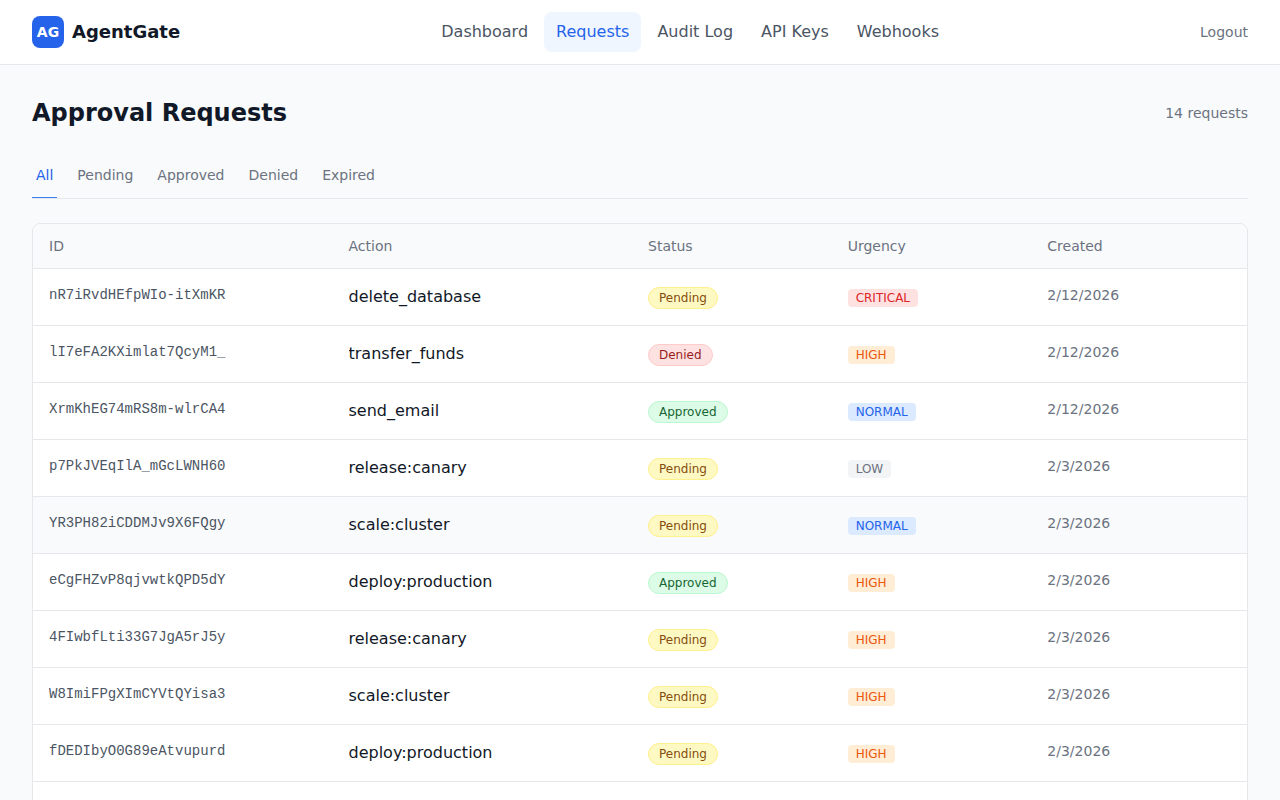
Approval Requests
Review, approve, or deny requests — filter by status to focus on what matters.
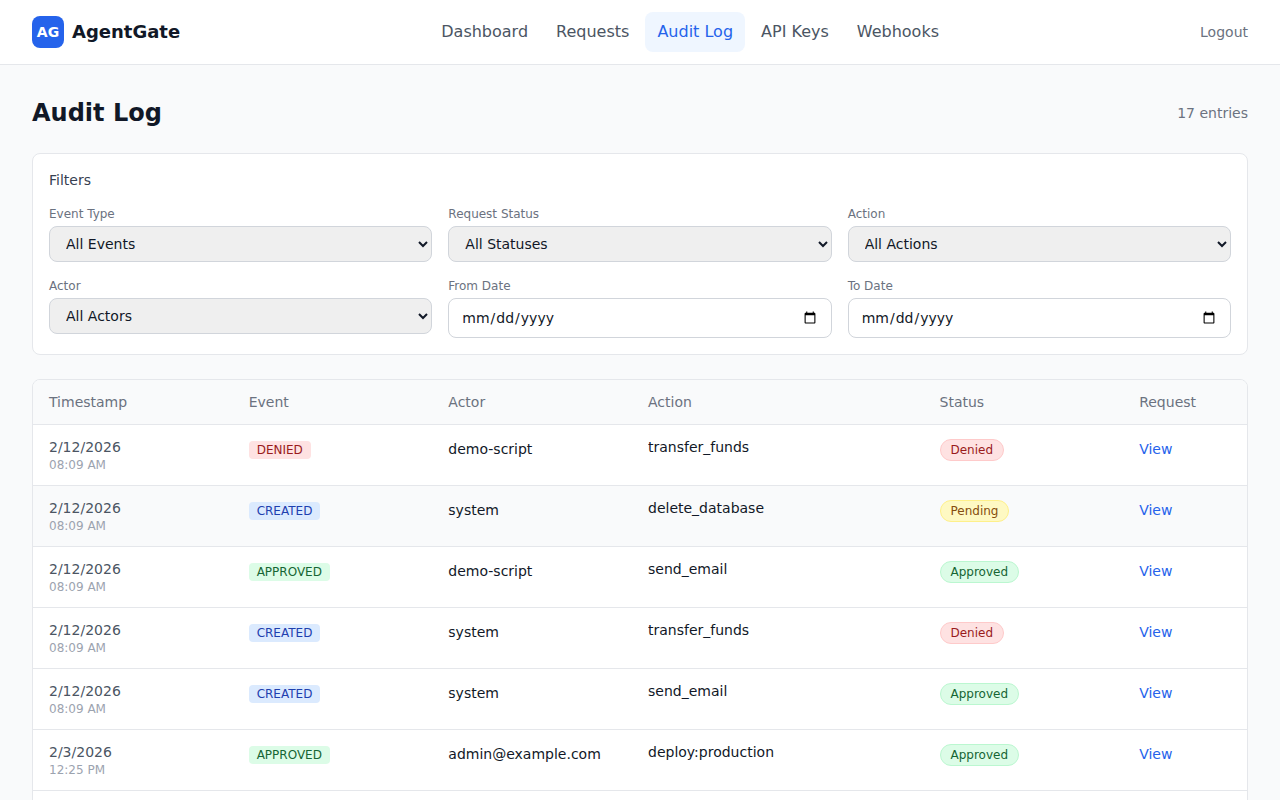
Audit Log
Search through every decision with filters for event type, action, actor, and date range.
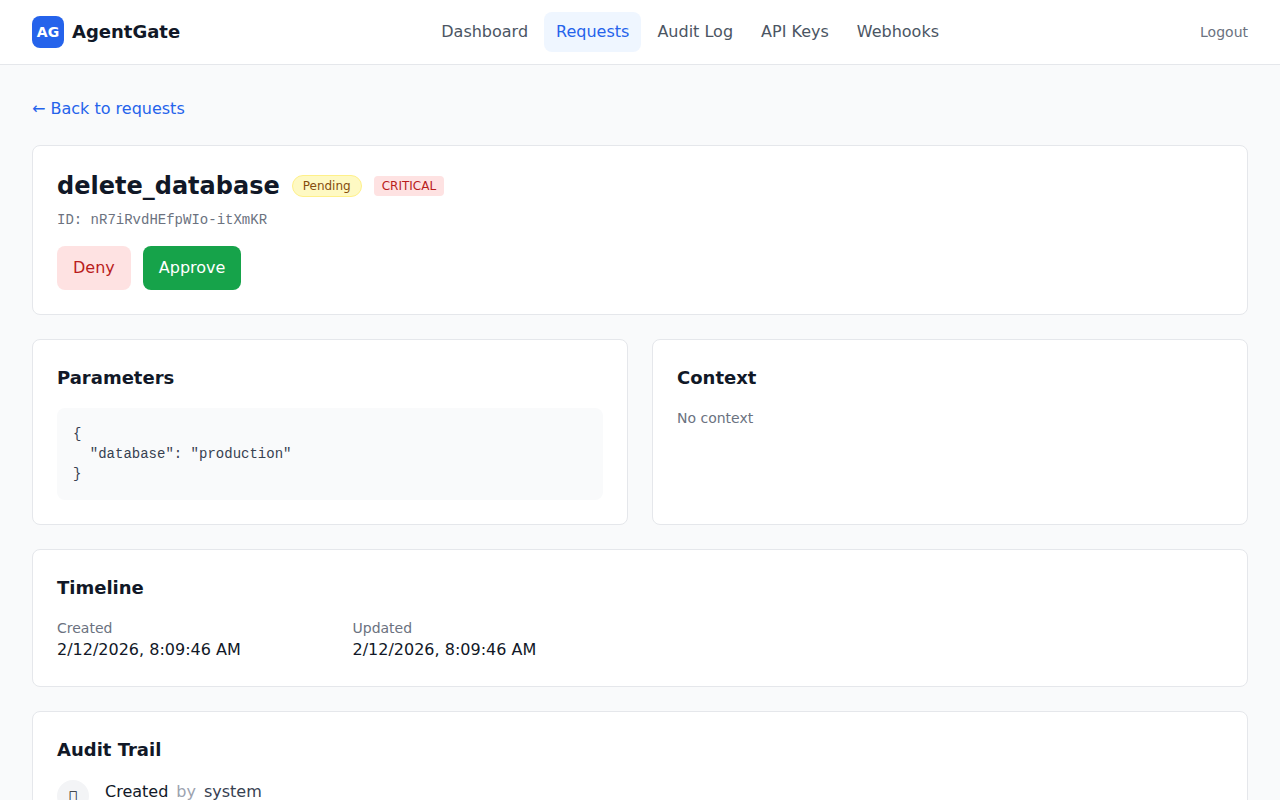
Request Detail
Drill into any request to see parameters, context, timeline, and audit trail — with one-click Approve/Deny buttons.
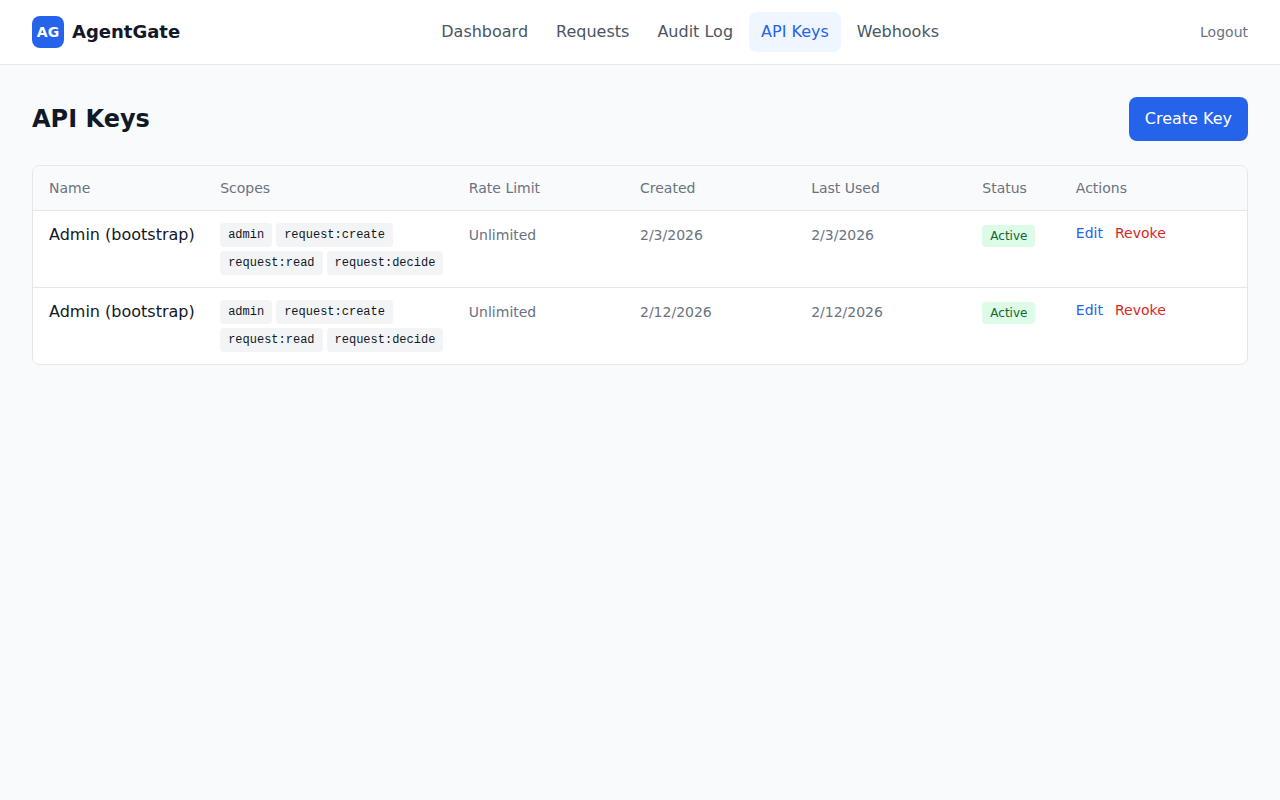
API Keys
Manage API keys with fine-grained scopes, rate limits, and usage tracking. Create, edit, or revoke keys from the dashboard.
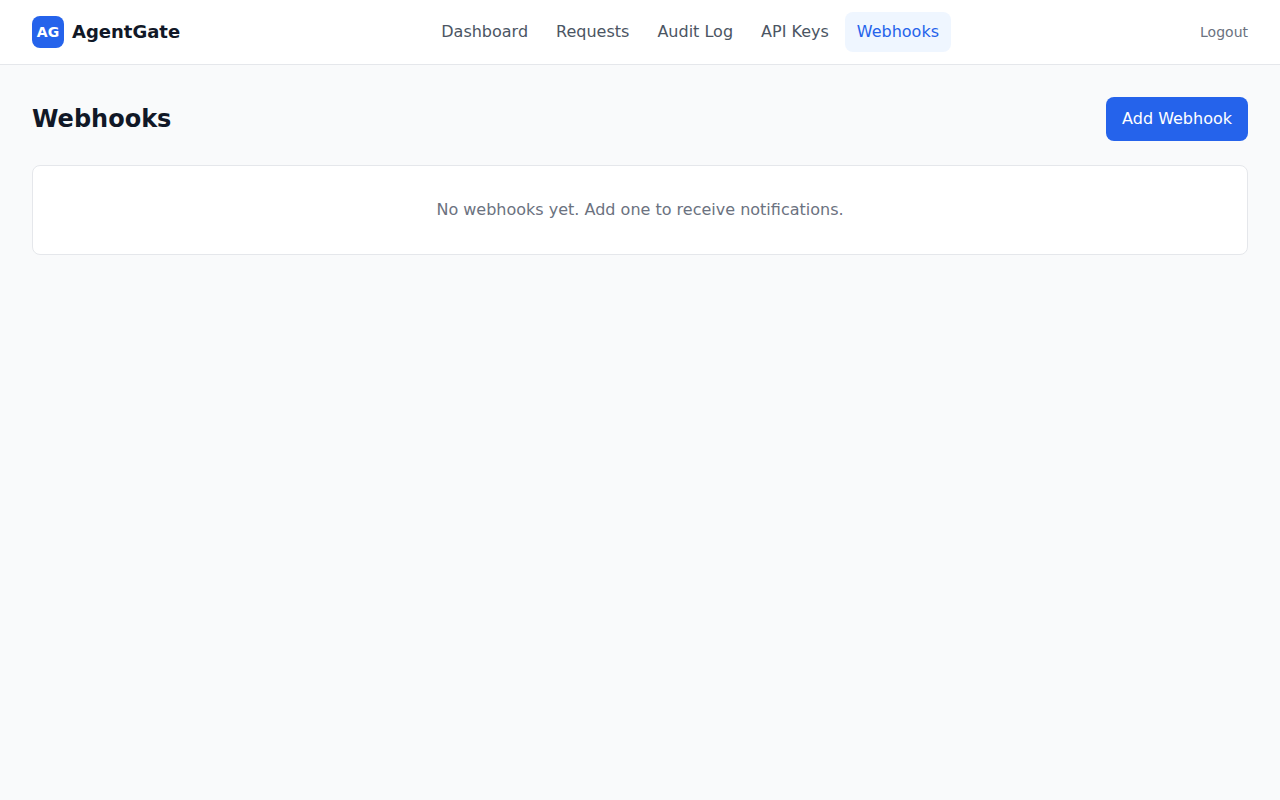
Webhooks
Configure webhook endpoints for real-time notifications. Add URLs, pick events, and let AgentGate handle retries automatically.
Login
Sign in with your API key — create one via the CLI or ask your admin.
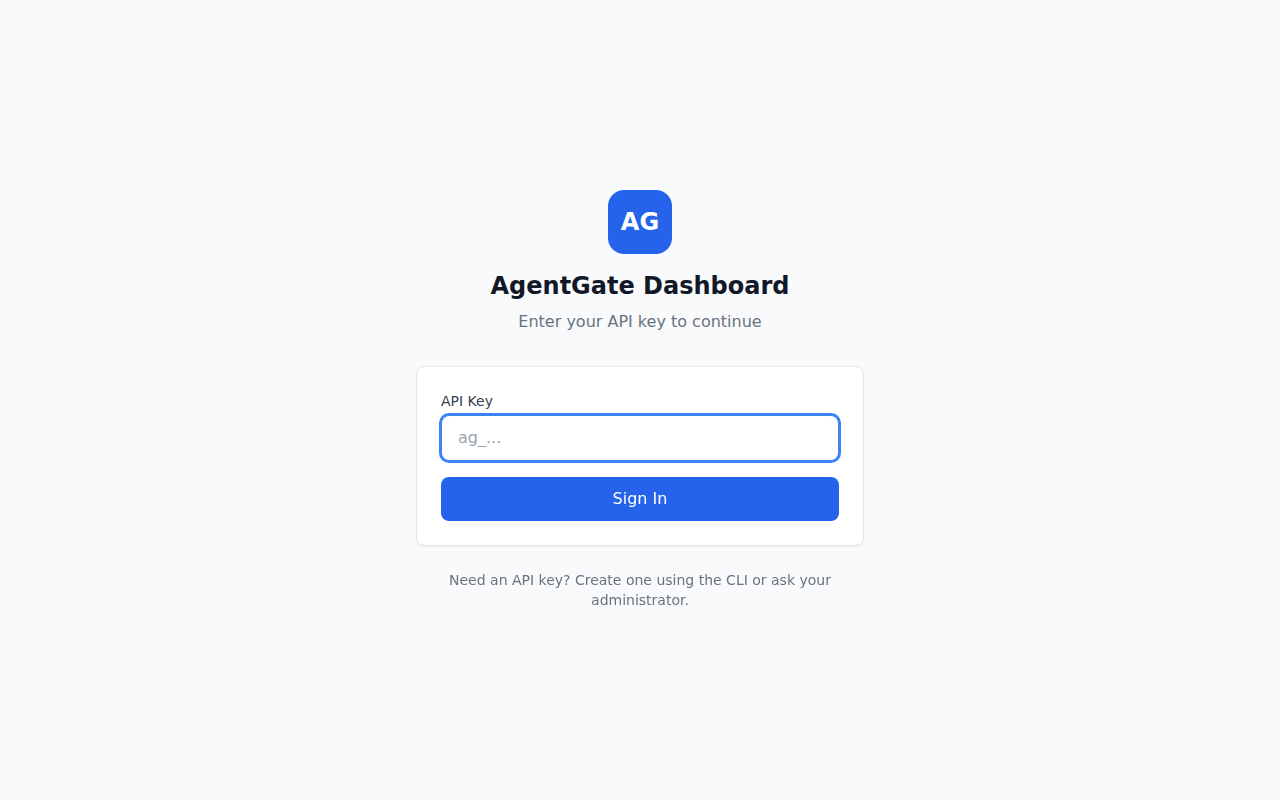
Table of Contents
- Quick Start
- Architecture
- Packages
- SDK Usage
- CLI
- MCP Integration
- Authentication
- API Endpoints
- Rate Limiting
- Webhooks
- Configuration
- Docker Deployment
- Development
- Troubleshooting
- Contributing
- License
Quick Start
1. Install dependencies
pnpm install
2. Run database migrations
pnpm --filter @agentkitai/agentgate-server db:migrate
3. Bootstrap (create admin API key)
pnpm --filter @agentkitai/agentgate-server bootstrap
Save the API key - it's shown once only! Set it in your environment:
export AGENTGATE_API_KEY="agk_..."
4. Start the development environment
# Start server (port 3000) and dashboard (port 5173)
pnpm dev
5. Run the demo
In a new terminal (with API key set):
export AGENTGATE_API_KEY="agk_..."
pnpm demo
6. Open the dashboard
Visit http://localhost:5173 to view and manage approval requests.
Architecture
┌─────────────────────────────────────────────────────────────────┐
│                         AI Agents                                │
│  (use @agentkitai/agentgate-sdk or MCP to request approvals)               │
└───────────────────────────┬─────────────────────────────────────┘
                            │ HTTP API (authenticated)
                            ▼
┌─────────────────────────────────────────────────────────────────┐
│                    AgentGate Server                              │
│  ┌──────────────┐  ┌──────────────┐  ┌──────────────┐          │
│  │ Policy Engine│  │ Request Store│  │ Audit Logger │          │
│  ├──────────────┤  ├──────────────┤  ├──────────────┤          │
│  │  API Keys    │  │  Webhooks    │  │  MCP Server  │          │
│  └──────────────┘  └──────────────┘  └──────────────┘          │
└───────────────────────────┬─────────────────────────────────────┘
                            │
              ┌─────────────┼─────────────┐
              ▼             ▼             ▼
┌────────────────┐ ┌────────────────┐ ┌────────────────┐
│  Web Dashboard │ │   Slack Bot    │ │  Discord Bot   │
│(React+Tailwind)│ │(approve in DM) │ │(approve in ch) │
└────────────────┘ └────────────────┘ └────────────────┘
              │             │             │
              └─────────────┼─────────────┘
                            ▼
                      ┌──────────┐
                      │  Humans  │
                      └──────────┘
Packages
| Package | Description | Docs |
|---|---|---|
@agentkitai/agentgate-core |
Types, schemas, policy engine | - |
@agentkitai/agentgate-server |
Hono API server | - |
@agentkitai/agentgate-sdk |
TypeScript SDK for agents | README |
@agentkitai/agentgate-cli |
Command-line interface | - |
@agentkitai/agentgate-mcp |
MCP server for Claude Desktop | - |
@agentkitai/agentgate-slack |
Slack bot integration | README |
@agentkitai/agentgate-discord |
Discord bot integration | README |
@agentkitai/agentgate-dashboard |
React web dashboard | - |
SDK Usage
import { AgentGateClient } from '@agentkitai/agentgate-sdk';

// Create client with API key
const client = new AgentGateClient({
  baseUrl: 'http://localhost:3000',
  apiKey: process.env.AGENTGATE_API_KEY,
});

// Request approval
const request = await client.request({
  action: 'send_email',
  params: {
    to: 'customer@example.com',
    subject: 'Order shipped!',
  },
  urgency: 'normal',
});

// Wait for human decision
const decided = await client.waitForDecision(request.id, {
  timeout: 60000, // 1 minute
});

if (decided.status === 'approved') {
  // Execute the action
  await sendEmail(decided.params);
} else {
  console.log('Action denied:', decided.decisionReason);
}
CLI
AgentGate includes a command-line interface for managing approval requests.
Installation
# From the monorepo
pnpm --filter @agentkitai/agentgate-cli build

# Or install globally (when published)
npm install -g @agentkitai/agentgate-cli
Configuration
Configure the CLI with your server URL and API key:
# Set server URL
agentgate config set serverUrl http://localhost:3000

# Set API key
agentgate config set apiKey agk_your_api_key

# View current config
agentgate config show
Configuration is stored in ~/.agentgate/config.json. You can also use environment variables:
export AGENTGATE_URL=http://localhost:3000
export AGENTGATE_API_KEY=agk_...
Commands
| Command | Description |
|---|---|
agentgate config show |
Show current configuration |
agentgate config set <key> <value> |
Set a configuration value |
agentgate request <action> |
Create a new approval request |
agentgate status <id> |
Get status of a request |
agentgate list |
List approval requests |
agentgate approve <id> |
Approve a pending request |
agentgate deny <id> |
Deny a pending request |
Examples
# Create a request
agentgate request send_email \
  --params '{"to": "user@example.com", "subject": "Hello"}' \
  --urgency high

# List pending requests
agentgate list --status pending

# Approve a request
agentgate approve req_abc123 --reason "Looks good"

# Deny a request
agentgate deny req_abc123 --reason "Not authorized"

# Output as JSON
agentgate list --json
MCP Integration
AgentGate includes a Model Context Protocol (MCP) server for integration with Claude Desktop and other MCP-compatible clients.
Claude Desktop Configuration
Add to your claude_desktop_config.json:
{
  "mcpServers": {
    "agentgate": {
      "command": "npx",
      "args": ["@agentkitai/agentgate-mcp"],
      "env": {
        "AGENTGATE_URL": "http://localhost:3000",
        "AGENTGATE_API_KEY": "agk_..."
      }
    }
  }
}
Available MCP Tools
| Tool | Description |
|---|---|
agentgate_request |
Submit a new approval request |
agentgate_get |
Get the status of an approval request by ID |
agentgate_list |
List approval requests with optional filters |
agentgate_decide |
Approve or deny a pending request |
agentgate_list_policies |
List all policies ordered by priority |
agentgate_create_policy |
Create a new policy with rules |
agentgate_update_policy |
Replace an existing policy |
agentgate_delete_policy |
Delete a policy by ID |
agentgate_list_audit_logs |
List audit log entries with filters and pagination |
agentgate_get_audit_actors |
Get unique actor values from audit logs |
Authentication
AgentGate uses API keys for authentication. All API requests (except /health) require a valid API key.
API Key Scopes
| Scope | Description |
|---|---|
admin |
Full access to all operations |
request:create |
Create new approval requests |
request:read |
Read approval requests |
request:decide |
Approve or deny requests |
webhook:manage |
Create/update/delete webhooks |
Using API Keys
HTTP Header:
curl -H "Authorization: Bearer agk_..." http://localhost:3000/api/requests
SDK:
const client = new AgentGateClient({
  baseUrl: 'http://localhost:3000',
  apiKey: process.env.AGENTGATE_API_KEY,
});
Creating Additional API Keys
// Via API (requires admin scope)
POST /api/api-keys
{
  "name": "My Agent",
  "scopes": ["request:create", "request:read"]
}
API Endpoints
| Method | Endpoint | Description | Required Scope |
|---|---|---|---|
POST |
/api/requests |
Create approval request | request:create |
GET |
/api/requests |
List requests (with filters) | request:read |
GET |
/api/requests/:id |
Get request by ID | request:read |
POST |
/api/requests/:id/decide |
Submit approval/denial | request:decide |
GET |
/api/requests/:id/audit |
Get audit trail | request:read |
GET |
/api/policies |
List policies | admin |
POST |
/api/policies |
Create policy | admin |
PUT |
/api/policies/:id |
Update policy | admin |
DELETE |
/api/policies/:id |
Delete policy | admin |
POST |
/api/api-keys |
Create API key | admin |
GET |
/api/api-keys |
List API keys | admin |
PATCH |
/api/api-keys/:id |
Update API key | admin |
DELETE |
/api/api-keys/:id |
Revoke API key | admin |
GET |
/api/webhooks |
List webhooks | webhook:manage |
POST |
/api/webhooks |
Create webhook | webhook:manage |
DELETE |
/api/webhooks/:id |
Delete webhook | webhook:manage |
GET |
/health |
Health check | (none) |
Rate Limiting
AgentGate supports per-API-key rate limiting to prevent abuse and ensure fair usage.
How It Works
- Rate limits use a sliding window algorithm (requests per minute)
- Limits are configured per API key
- When exceeded, requests return
429 Too Many Requests - Rate limit headers are included in all authenticated responses
Rate Limit Headers
| Header | Description |
|---|---|
X-RateLimit-Limit |
Maximum requests per minute |
X-RateLimit-Remaining |
Remaining requests in current window |
X-RateLimit-Reset |
Seconds until window resets |
Configuring Rate Limits
Set rate limits when creating or updating API keys:
// Via API (requires admin scope)
POST /api/api-keys
{
  "name": "My Agent",
  "scopes": ["request:create", "request:read"],
  "rateLimit": 60  // 60 requests per minute
}

// null = unlimited
{
  "name": "Internal Service",
  "scopes": ["admin"],
  "rateLimit": null
}
Dashboard
Rate limits can also be managed from the web dashboard under Settings → API Keys.
Webhooks
AgentGate can notify external systems when request events occur.
Setting Up Webhooks
// Create a webhook via API
POST /api/webhooks
{
  "url": "https://your-server.com/webhook",
  "events": ["request.created", "request.decided"],
  "secret": "optional-signing-secret"
}
Webhook Events
| Event | Description |
|---|---|
request.created |
A new approval request was created |
request.decided |
A request was approved or denied |
request.expired |
A request expired without decision |
Webhook Payload
{
  "event": "request.decided",
  "timestamp": "2024-01-15T10:30:00Z",
  "data": {
    "id": "abc123",
    "action": "send_email",
    "status": "approved",
    "decidedBy": "admin@example.com"
  }
}
Webhook Signatures
If you provide a secret, requests are signed with HMAC-SHA256:
X-AgentGate-Signature: sha256=...
Verify by computing HMAC-SHA256(secret, body) and comparing.
Webhook Retry
Failed webhook deliveries are retried automatically with exponential backoff. The server scans for pending deliveries and retries them with increasing delays (2^attempts * 1000ms) until successful or the maximum retry count is reached.
Configuration
Environment Variables
| Variable | Default | Description |
|---|---|---|
PORT |
3000 |
Server port |
DATABASE_URL |
./data/agentgate.db |
SQLite database path |
AGENTGATE_API_KEY |
- | API key for SDK/CLI |
SLACK_BOT_TOKEN |
- | Slack bot token (for Slack integration) |
SLACK_SIGNING_SECRET |
- | Slack signing secret |
DISCORD_BOT_TOKEN |
- | Discord bot token (for Discord integration) |
DISCORD_DEFAULT_CHANNEL |
- | Default Discord channel for notifications |
File-Based Secrets (_FILE suffix)
For Docker secrets or Kubernetes secret mounts, AgentGate supports a _FILE suffix convention. Instead of setting a secret directly in an environment variable, point to a file containing the value:
| Variable | Reads secret from file |
|---|---|
ADMIN_API_KEY_FILE |
Sets ADMIN_API_KEY |
JWT_SECRET_FILE |
Sets JWT_SECRET |
DATABASE_URL_FILE |
Sets DATABASE_URL |
REDIS_URL_FILE |
Sets REDIS_URL |
SLACK_BOT_TOKEN_FILE |
Sets SLACK_BOT_TOKEN |
SLACK_SIGNING_SECRET_FILE |
Sets SLACK_SIGNING_SECRET |
DISCORD_BOT_TOKEN_FILE |
Sets DISCORD_BOT_TOKEN |
SMTP_PASS_FILE |
Sets SMTP_PASS |
Behavior:
- File contents are trimmed of leading/trailing whitespace
- If both the env var and the
_FILEvariant are set, the explicit env var takes precedence - Missing or unreadable files produce a warning but do not crash the server
Example with Docker Compose:
services:
  agentgate:
    environment:
      ADMIN_API_KEY_FILE: /run/secrets/admin_api_key
      JWT_SECRET_FILE: /run/secrets/jwt_secret
    secrets:
      - admin_api_key
      - jwt_secret

secrets:
  admin_api_key:
    file: ./secrets/admin_api_key.txt
  jwt_secret:
    file: ./secrets/jwt_secret.txt
Policy Configuration
Policies are stored in the database and can be managed via API:
// Example: Auto-approve low-risk emails
{
  name: "auto-approve-emails",
  priority: 10,
  enabled: true,
  rules: [
    {
      match: { action: "send_email" },
      decision: "auto_approve"
    }
  ]
}
Docker Deployment
AgentGate provides Docker images for easy self-hosted deployments.
Quick Start
- Copy the example environment file:
cp .env.example .env
- Generate secure credentials:
# Generate admin API key (required)
echo "ADMIN_API_KEY=$(openssl rand -hex 32)" >> .env

# Generate JWT secret (recommended for production)
echo "JWT_SECRET=$(openssl rand -hex 32)" >> .env
- Start all services:
docker-compose up -d
- Access the services:
- Dashboard: http://localhost:3003
- API Server: http://localhost:3002
- Health Check: http://localhost:3002/health
Host ports are configurable via
SERVER_PORT(default3002) andDASHBOARD_PORT(default3003); both map to the container's internal port 3000/80.
Services
| Service | Description | Host Port |
|---|---|---|
server |
AgentGate API server | 3002 |
dashboard |
Web dashboard (nginx) | 3003 |
postgres |
PostgreSQL database | internal only* |
redis |
Redis (rate limiting, queues) | internal only* |
* PostgreSQL and Redis are on an internal Docker network (
agentgate-internal) and are not exposed to the host by default. During development,docker-compose.override.ymlis auto-loaded and exposes them on ports 5432/6379. For production, rundocker-compose -f docker-compose.yml up -dto skip the override.
With Slack or Discord Bots
To include the bot services, use the bots profile:
# Set required bot credentials in .env first
docker-compose --profile bots up -d
Configuration
All configuration is done via environment variables. See .env.example for all options.
Required variables:
ADMIN_API_KEY— Admin API key (min 16 characters)
Recommended for production:
JWT_SECRET— JWT signing secret (min 32 characters)CORS_ALLOWED_ORIGINS— Restrict to your domain(s)POSTGRES_PASSWORD— Use a strong password
Building Images
Build all images locally:
docker-compose build
Build a specific service:
docker-compose build server
docker-compose build dashboard
Database Migrations
Migrations run automatically when the server starts. For manual control:
# Run migrations inside the container
docker-compose exec server node -e "
  import('./dist/db/migrate.js').then(m => m.runMigrations())
"
Viewing Logs
# All services
docker-compose logs -f

# Specific service
docker-compose logs -f server

# Last 100 lines
docker-compose logs --tail=100 server
Stopping Services
# Stop all
docker-compose down

# Stop and remove volumes (WARNING: deletes data)
docker-compose down -v
Production Considerations
- Use a reverse proxy (nginx, Caddy, Traefik) for TLS termination
- Set strong passwords for PostgreSQL
- Restrict CORS origins to your domain
- Use Docker secrets for sensitive values in production
- Set up backups for PostgreSQL data volume
- Monitor health endpoints for uptime checks
Development
# Install dependencies
pnpm install

# Run migrations
pnpm --filter @agentkitai/agentgate-server db:migrate

# Bootstrap (create admin key)
pnpm --filter @agentkitai/agentgate-server bootstrap

# Start development (server + dashboard)
pnpm dev
Testing
AgentGate uses Vitest for testing across all packages.
# Run all tests
pnpm test

# Run tests with coverage report
pnpm test:coverage

# Run tests in watch mode (single package)
pnpm --filter @agentkitai/agentgate-server test:watch

# Run a specific test file
pnpm --filter @agentkitai/agentgate-server test -- src/__tests__/integration.test.ts
Coverage reports are generated per-package and include line, branch, and function coverage.
Code Quality
# Build all packages
pnpm build

# Type checking
pnpm typecheck

# Lint (ESLint)
pnpm lint

# Fix lint issues
pnpm lint:fix

# Format code (Prettier)
pnpm format

# Check formatting
pnpm format:check
Project Structure
agentgate/
├── packages/
│   ├── core/           # Shared types, schemas, policy engine
│   ├── server/         # Hono API server
│   ├── sdk/            # TypeScript SDK
│   ├── cli/            # Command-line interface
│   ├── mcp/            # MCP server for Claude Desktop
│   ├── slack/          # Slack bot
│   ├── discord/        # Discord bot
│   └── dashboard/      # React dashboard
├── apps/
│   └── demo/           # Demo application
├── docker-compose.yml  # Docker deployment
└── package.json        # Monorepo root
Contributing
Contributions are welcome! To get started:
- Fork the repository
- Clone and install dependencies (
pnpm install) - Follow the Development section above to set up your local environment
- Create a feature branch and make your changes
- Run
pnpm build && pnpm testto verify everything works - Open a pull request
Please make sure all tests pass and code is formatted (pnpm format:check && pnpm lint) before submitting.
🧰 AgentKit Ecosystem
| Project | Description | |
|---|---|---|
| AgentLens | Observability & audit trail for AI agents | |
| Lore | Cross-agent memory and lesson sharing | |
| AgentGate | Human-in-the-loop approval gateway | ⬅️ you are here |
| FormBridge | Agent-human mixed-mode forms | |
| AgentEval | Testing & evaluation framework | |
| agentkit-cli | Unified CLI orchestrator |
License
MIT
Вопросы о AgentGate MCP
Как добавить AgentGate MCP в Claude Code?
Выполните claude mcp add agentgate -- npx -y @agentkitai/agentgate-mcp в терминале. Добавьте --scope user, чтобы сервер был доступен во всех проектах.
Как добавить AgentGate MCP в Cursor?
Откройте ~/.cursor/mcp.json и добавьте сервер в mcpServers, используя конфигурацию Cursor из раздела установки выше.
Какие инструменты предоставляет AgentGate MCP?
Он предоставляет 10 инструментов, включая agentgate_request, agentgate_get, agentgate_list, agentgate_decide, agentgate_list_policies.
Как интегрировать AgentGate с Claude Desktop?
Вы можете интегрировать его, добавив пакет @agentkitai/agentgate-mcp в ваш файл claude_desktop_config.json.
Какие каналы можно использовать для подтверждения запросов агента?
Подтверждения можно обрабатывать через веб-панель управления, Slack, Discord или электронную почту.
Предоставляет ли AgentGate журнал аудита для соблюдения нормативных требований?
Да, система ведет полный журнал аудита, где каждое решение фиксируется и помечается соответствующим риском из списка OWASP LLM Top-10.
Как в AgentGate реализована аутентификация?
AgentGate использует API ключи для аутентификации с различными областями доступа (scopes) для разных уровней полномочий.