
MCP server PlainText Wallet Approval Checker
Commit 29 de out. de 2026Traduz aprovações complexas de carteiras de cripto e solicitações de assinatura em vereditos de linguagem simples como SAFE, CAUTION ou RISK.
Também conhecido como Fizzl13/SmartContractExplainer, smartcontractexplainer
- Stars
- 1
- Ferramentas
- —
- Downloads, 30 dias
- —
- Versão mais recente
- 1.1.2
- Último commit
- 29 de out. de 2026
- Licença
- —
O que é o MCP PlainText Wallet Approval Checker?
PlainText Wallet Approval Checker é um MCP server. Traduz aprovações complexas de carteiras de cripto e solicitações de assinatura em vereditos de linguagem simples como SAFE, CAUTION ou RISK.
Resumo gerado a partir do README do projeto
Sobre o MCP server de PlainText Wallet Approval Checker
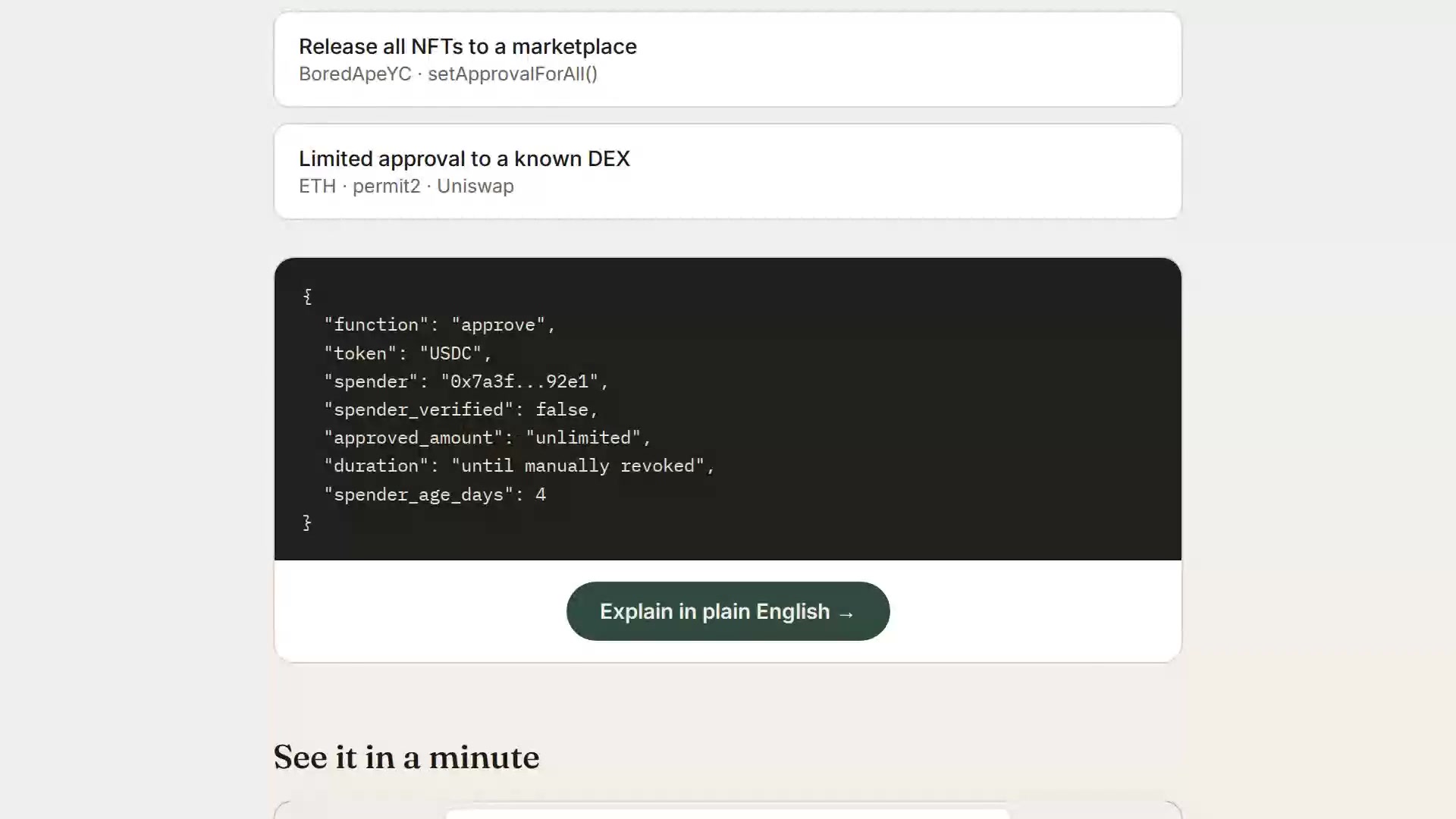
O PlainText Wallet Approval Checker ajuda os usuários a entenderem as implicações de segurança de aprovações de carteiras de criptomoedas e solicitações de assinatura. Ele traduz dados técnicos em vereditos simples, como SAFE, CAUTION ou RISK. O serviço funciona consultando aprovações de tokens e NFTs via GoPlus Security API e usando o Claude para gerar explicações legíveis por humanos sobre os resultados.
Desenvolvedores podem executar esta aplicação Node.js localmente ou implantá-la no Render. A configuração do servidor requer uma ANTHROPIC_API_KEY, e um GOPLUS_ACCESS_TOKEN opcional pode ser usado para contornar o limite do plano gratuito de 30 chamadas por minuto. Para usuários avançados, o sistema pode utilizar o presign-guard para realizar auditorias em transações, assinaturas de typed-data ou aprovações reais usando uma FIZZL_INTERNAL_KEY. O aplicativo é stateless e não armazena nenhum dado do usuário durante o processo de verificação.
O que você pode fazer com ele
- 1Auditar a segurança de transaçõesUse a integração com presign-guard para verificar a segurança de transações e assinaturas de typed-data.
- 2Monitorar segurança via APIIntegre verificações de segurança automatizadas em agentes que exigem códigos de motivo e vereditos específicos.
Escrito a partir do README do projeto. Cada caso de uso é verificado com uma citação dele.
Como instalar o MCP PlainText Wallet Approval Checker
Formatos verificados em 10 nov 2026Adicionar ao CursorAdicionar ao GooseInstalar o MCP PlainText Wallet Approval Checker no Claude Code
$ claude mcp add --transport http smartcontractexplainer https://plaintext.fizzl.eu/mcpInstalar o MCP PlainText Wallet Approval Checker no Cursor
~/.cursor/mcp.json
{
  "mcpServers": {
    "smartcontractexplainer": {
      "url": "https://plaintext.fizzl.eu/mcp"
    }
  }
}Instalar o MCP PlainText Wallet Approval Checker no VS Code
.vscode/mcp.json
{
  "servers": {
    "smartcontractexplainer": {
      "type": "http",
      "url": "https://plaintext.fizzl.eu/mcp"
    }
  }
}Instalar o MCP PlainText Wallet Approval Checker no VS Code CLI
$ code --add-mcp '{"name":"smartcontractexplainer","type":"http","url":"https://plaintext.fizzl.eu/mcp"}'Instalar o MCP PlainText Wallet Approval Checker no Codex
$ codex mcp add smartcontractexplainer --url https://plaintext.fizzl.eu/mcpInstalar o MCP PlainText Wallet Approval Checker no Codex config.toml
~/.codex/config.toml
[mcp_servers.smartcontractexplainer]
url = "https://plaintext.fizzl.eu/mcp"
Instalar o MCP PlainText Wallet Approval Checker no Gemini CLI
$ gemini mcp add -s user --transport http smartcontractexplainer https://plaintext.fizzl.eu/mcpInstalar o MCP PlainText Wallet Approval Checker no Gemini settings.json
~/.gemini/settings.json
{
  "mcpServers": {
    "smartcontractexplainer": {
      "url": "https://plaintext.fizzl.eu/mcp",
      "type": "http"
    }
  }
}Verificações automatizadas
Executado em 15 de nov. de 2026Relatório completo →Ainda não verificado. Um servidor precisa de uma pontuação de 80, nenhum problema grave e dados suficientes para verificarmos. Como as verificações funcionam · O que corrigir para ganhar mais pontos

- Repositório de origem vinculado e acessívelfizzl13/smartcontractexplainer is public and reachablegithub.com/fizzl13/smartcontractexplainer ↗Passou
- O pacote indica este repositório como sua origemNão verificado
- Proveniência da build (atestação Sigstore)Não verificado
- Licença de código aberto (OSI)No licenseProblema encontrado
- Commit ou release no último anoLast commit or release 2026-10-29github.com/fizzl13/smartcontractexplainer ↗Passou
- OpenSSF ScorecardNão verificado
- Nome do pacote não é próximo a um pacote popularNão verificado
- Nenhum aviso crítico no pacote ou em suas dependênciasNão verificado
- Sem instruções ocultas para o modelo0 tool descriptions and the README read; no override phrases, credential paths or hidden charactersPassou
- Ferramentas destrutivas estão rotuladasNão verificado
- O endpoint remoto responde ao handshake do MCPEndpoint did not answer initialize: HTTP 200Problema encontrado
README
Ver no GitHubPlainText — wallet approval translator

Built on presign-guard: PlainText's verdicts now come from presign-guard (the same checks, sanctions list, wallet age and signed receipt); PlainText adds the explanation in plain language for people.
POST /api/check-wallet($0.04) uses presign-guard's approval audit,POST /api/explain($0.03) its pre-sign check when the payload is a real approval, transaction or typed-data signature (anything else is explained by the model alone,source: "model"). Agents that only need the verdict and reason codes can call presign-guard directly ($0.01–$0.02). NeedsFIZZL_INTERNAL_KEY(the same value on both services, Render only); without it the old path (GoPlus + Claude) runs.
A small Node.js app that looks up a wallet's token/NFT approvals via the GoPlus Security API and asks Claude to explain them in plain language.
▶ Watch the 1-minute explainer · Live: https://plaintext.fizzl.eu
Project structure
plaintext-wallet/
├── server.js          Express backend (GoPlus + Anthropic calls)
├── media.js           Serves the explainer video from the explainer-video branch
├── feedback.js        POST /feedback and the MCP tool feedback (same file in every Fizzl service)
├── media/explainer/   Script and pipeline for the explainer video
├── package.json
├── render.yaml         Render deploy config (optional, see below)
├── .env.example         Copy to .env for local dev
└── public/
    └── index.html      Frontend (wallet check + demo scenarios)
Feedback
Found a bug, or missing something? Send it with POST /feedback (free, no payment) or the MCP tool feedback:
curl -X POST https://plaintext.fizzl.eu/feedback \
  -H 'content-type: application/json' \
  -d '{"type": "feature", "message": "Support Solana wallets", "endpoint": "/api/check-wallet"}'
type is bug, feature or other; message is required (up to 2000 characters); endpoint and contact are optional. The answer is 202 with an id. At most 10 reports per hour per caller. Reports go to the usage log, and a person reads every one; nothing in a report is run or changed automatically. GET /feedback shows the schema.
1. Run it locally first
cd plaintext-wallet
npm install
cp .env.example .env
# edit .env and paste your ANTHROPIC_API_KEY
npm start
Open http://localhost:3000 — try the "Try a sample" tab first (no API keys needed besides Anthropic), then "Check a wallet" with a real address once you're happy it works.
2. Deploy to Render
Option A — one-click via render.yaml (Blueprint)
- Push this folder to a new GitHub repo.
- In the Render dashboard: New + → Blueprint → select your repo.
Render reads
render.yamlautomatically and creates the web service. - When prompted, fill in the environment variables:
ANTHROPIC_API_KEY— required, from console.anthropic.comGOPLUS_ACCESS_TOKEN— optional, only needed if you outgrow GoPlus's free 30 calls/minute limit (see console.gopluslabs.io)
- Click Apply — Render builds and deploys automatically.
Option B — manual web service (no render.yaml needed)
- Push this folder to a GitHub repo.
- Render dashboard → New + → Web Service → connect your repo.
- Settings:
- Environment: Node
- Build Command:
npm install - Start Command:
npm start - Instance Type: Free (fine for a prototype)
- Under Environment Variables, add
ANTHROPIC_API_KEY(and optionallyGOPLUS_ACCESS_TOKEN). - Click Create Web Service. Render gives you a
https://<name>.onrender.comURL once the build finishes.
Render's free tier spins the service down after inactivity — the first request after idling will take ~30-50 seconds to wake up. That's normal and fine for a prototype you're sharing for feedback.
Notes on the GoPlus integration
- The wallet check calls
token_approval_securityornft721_approval_securityunderhttps://api.gopluslabs.io/api/v2/.... This is documented but the GoPlus docs site is JS-rendered, so before you rely on this in front of real users, do one manual test call (e.g. withcurl) against a wallet you control, and compare the actual JSON shape to whatserver.jsexpects — field names occasionally shift between GoPlus API versions. - The free GoPlus tier is capped at 30 calls/minute — plenty for early testing, but rate-limit errors will surface as a plain error message in the UI if you exceed it.
- No user data is stored anywhere in this app — every check is a stateless round trip. If you later add accounts, saved wallets, or history, update this note (and your own privacy policy) accordingly.
Costs to expect
- Render free tier: $0/month, with the cold-start behavior above. A paid tier ($7/month "Starter") removes the spin-down if this gets real usage.
- Anthropic API: pay-per-use, billed to whatever key you provide. A single explanation call is small (well under 1K tokens), so cost per check will be a fraction of a cent — but keep an eye on your usage dashboard if this gets shared widely, since there's no rate limiting built into this prototype yet.
Perguntas sobre o MCP PlainText Wallet Approval Checker
Como adiciono o MCP PlainText Wallet Approval Checker ao Claude Code?
Execute claude mcp add --transport http smartcontractexplainer https://plaintext.fizzl.eu/mcp no seu terminal. Adicione --scope user para torná-lo disponível em todos os projetos.
Como adiciono o MCP PlainText Wallet Approval Checker ao Cursor?
Abra ~/.cursor/mcp.json e adicione o servidor em mcpServers, usando a configuração do Cursor mostrada na seção de instalação acima.
Como o serviço determina a segurança de uma carteira?
Ele utiliza a GoPlus Security API para consultar aprovações de tokens e NFTs e utiliza o Claude para explicar os resultados em linguagem clara.
O aplicativo armazena algum dado do usuário?
Não, o aplicativo é stateless e não armazena nenhum dado do usuário durante o processo de verificação.