
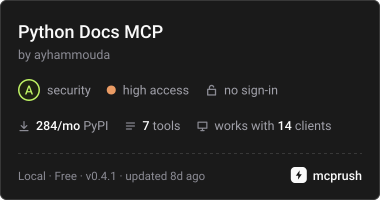
로컬 인덱스 검색을 통해 AI agent에게 공식 Python standard library 문서에 대한 정확한 버전별 접근 권한을 제공합니다.
다른 이름 ayhammouda/python-docs-mcp-server, python-docs-mcp-server
- 스타
- 9
- Tools
- 7
- 다운로드, 30일
- —
- 최신 버전
- 0.4.1
- 마지막 커밋
- 2026년 11월 9일
- 라이선스
- MIT
Python Docs MCP란?
Python Docs은(는) MCP server입니다. 로컬 인덱스 검색을 통해 AI agent에게 공식 Python standard library 문서에 대한 정확한 버전별 접근 권한을 제공합니다. 7개 도구를 제공합니다. 예: search_docs, get_docs, lookup_package_docs.
프로젝트 README에서 생성된 요약
Python Docs MCP server 정보
이 server는 AI 코딩 agent가 공식 Python standard library 문서에 대해 정확하고 버전별로 특화된 접근을 할 수 있도록 지원합니다. Claude Desktop, Cursor 또는 Codex와 같은 client를 사용하는 개발자를 위한 로컬 oracle 역할을 수행하며, 모호한 웹 검색이나 토큰 소모가 큰 문서 덤프에 의존하지 않고도 정확한 심볼과 섹션을 검색할 수 있게 합니다. 이 server는 SQLite 및 FTS5 인덱스를 사용하여 로컬에서 작동하므로 API key가 필요 없으며, 초기 인덱스 구축 후에는 오프라인에서도 작동합니다.
사용자는 공식 문서의 로컬 인덱스를 구축하여 3.10부터 3.15까지의 특정 Python 버전을 관리할 수 있습니다. 이 server는 심볼 및 모듈 조회를 위한 search_docs, 특정 markdown 섹션을 가져오는 get_docs, 서로 다른 Python 릴리스 간의 심볼 변경 사항을 식기 위한 compare_versions를 포함하여 7개의 read-only 도구를 제공합니다. 전체 페이지 대신 관련 문서 스니펫만 반환하도록 설계되어 토큰 사용량을 절약하며, AI에게 고품질의 컨텍스트를 보장합니다.
활용 사례
- 1특정 심볼 시그니처 확인AI agent가 asyncio.TaskGroup과 같은 특정 클래스나 함수의 정확한 시그니처와 동작을 조회할 수 있습니다.
- 2버전 간 라이브러리 변경 사항 비교개발자가 두 가지 서로 다른 Python 버전 사이에서 standard library 심볼이 정확히 어떻게 변경되었는지 확인할 수 있습니다.
- 3릴리스의 새로운 기능 탐색특정 Python 버전에 대한 공식 What's New 문서를 요약하도록 agent에게 요청할 수 있습니다.
- 4PyPI 패키지 메타데이터 찾기agent가 특정 PyPI 패키지에 대한 공식 문서 URL 및 소스 링크를 가져올 수 있습니다.
프로젝트의 README를 바탕으로 작성되었습니다. 모든 활용 사례는 해당 내용의 인용문과 대조하여 확인합니다.
Python Docs MCP 설치 방법
형식 확인: 2026년 11월 10일Claude Code에 Python Docs MCP 설치
$ claude mcp add python-docs-mcp-server -- uvx python-docs-mcp-serverCursor에 Python Docs MCP 설치
~/.cursor/mcp.json
{
  "mcpServers": {
    "python-docs-mcp-server": {
      "command": "uvx",
      "args": [
        "python-docs-mcp-server"
      ]
    }
  }
}VS Code에 Python Docs MCP 설치
.vscode/mcp.json
{
  "servers": {
    "python-docs-mcp-server": {
      "type": "stdio",
      "command": "uvx",
      "args": [
        "python-docs-mcp-server"
      ]
    }
  }
}Claude Desktop에 Python Docs MCP 설치
claude_desktop_config.json
{
  "mcpServers": {
    "python-docs-mcp-server": {
      "command": "uvx",
      "args": [
        "python-docs-mcp-server"
      ]
    }
  }
}Codex에 Python Docs MCP 설치
~/.codex/config.toml
[mcp_servers.python-docs-mcp-server]
command = "uvx"
args = ["python-docs-mcp-server"]
Gemini CLI에 Python Docs MCP 설치
~/.gemini/settings.json
{
  "mcpServers": {
    "python-docs-mcp-server": {
      "command": "uvx",
      "args": [
        "python-docs-mcp-server"
      ]
    }
  }
}Python Docs MCP 도구 7
README에서 감지됨search_docsget_docslookup_package_docslist_versionsdetect_python_versioncompare_versionswhatsnew_for_version
| search_docs | — | |
| get_docs | — | |
| lookup_package_docs | — | |
| list_versions | — | |
| detect_python_version | — | |
| compare_versions | — | |
| whatsnew_for_version | — |
구성
PYTHON_DOCS_MCP_DISABLE_AUTO_INDEX
| 이름 | 설명 | 유형 |
|---|---|---|
| PYTHON_DOCS_MCP_DISABLE_AUTO_INDEX | — |
자동 검사
2026년 11월 12일에 실행됨전체 보고서 →자동 검사를 통과했습니다. 이는 보안 감사가 아닙니다. 코드를 직접 읽고 서버에 필요한 최소한의 권한만 부여하십시오. 검사 방식

- 소스 저장소 연결 및 접근 가능통과
- 오픈 소스 라이선스 (OSI)통과
- 최근 1년 내 커밋 또는 릴리스통과
- 패키지 이름이 인기 패키지와 유사하지 않음통과
- 원격 엔드포인트가 HTTPS 사용검사되지 않음
- 파괴적인 도구에 라벨 표시됨통과
- 모델에 대한 숨겨진 지침 없음통과
- 패키지와 의존성에 심각한 보안 권고 없음통과
README
GitHub에서 보기python-docs-mcp-server
For AI coding agents writing Python, python-docs-mcp-server is the canonical Python stdlib oracle: exact symbols, exact sections, exact versions — offline, always free, always MIT, token-frugal.






Built for the moment your agent needs asyncio.TaskGroup signatures, pathlib.Path semantics, or what changed in 3.12 — not a web fetch, not a hosted API, not a vector store hallucinating section anchors. Just an indexed slice of docs.python.org, returned by symbol or by query, scoped to the version you actually ship on.
Why this exists
There is a difference between long context and usable context. Research like the Lost in the Middle study (Liu et al., 2023) found that models struggle to use relevant information buried in the middle of a long input. Pasting an entire documentation page into the model invites that failure. Returning the exact symbol, section, and version keeps the answer in a short, high-signal context instead.
Generic docs retrieval is a rough fit for Python stdlib questions:
asyncio.TaskGroupshould resolve to the actual symbol, not a fuzzy page hit- Python version matters (
3.12and3.13do not always say the same thing) - fetching a whole page burns tokens when one section answers the question
- the official docs are canonical, but they do not ship as an MCP server
This server indexes the official docs locally and exposes a small set of MCP tools for lookup and section retrieval.
Why use it
- no API keys to manage
- queries run against a local index, not a hosted docs API
- results come from the official Python docs
- the server is read-only at runtime
- fewer dependencies to review in strict environments
What you get
- symbol lookup through Python
objects.inv - page and section retrieval with truncation and pagination
- a local SQLite + FTS5 index; no runtime web scraping
- results for each Python version you index
- seven read-only MCP tools
Quick example
Prompt
What does
asyncio.TaskGroupdo in Python 3.13?
Typical flow
search_docs("asyncio.TaskGroup", kind="symbol", version="3.13")- Call
get_docs(...)using the slug and anchor returned by the best hit
Result
The model gets the matching symbol and the relevant docs section, not a full-page dump.
30-second demo
Ask your MCP client:
In Python 3.13, how should I use
asyncio.TaskGroupand what changed from older asyncio patterns?
If setup is working, the client should use search_docs for the exact symbol,
then get_docs for the matching section. Instead of generic web results or an
entire docs page, it gets official stdlib text for the requested Python version,
trimmed to the section that matters.
Install
Run directly with uvx:
uvx python-docs-mcp-server --version
Or install it once with pipx:
pipx install python-docs-mcp-server
If uv is installed but the uv command is not on your PATH, reopen your
shell or use python -m uv ... as a fallback for local contributor commands.
Search result behavior
For kind="auto" with an explicit version, a nonempty search with spare result
slots may append one exact inventory target when the prompt contains one
known qualified identifier in that version. Original hits, snippets, scores,
order and notes are preserved. Full results, ambiguous identifiers, other kinds
and versionless queries are unchanged; the existing empty-result fallback is
unchanged. Canonical locations are deduplicated, including inventory aliases.
The append is admitted only when the complete proposed response serialized
by Pydantic's compact model_dump_json() is at most 8000 UTF-8 bytes. This is
not a global search cap: oversized original responses remain unchanged. It is
separate from get_docs(max_chars=8000), which limits content characters.
First run
Build the local documentation index:
uvx python-docs-mcp-server build-index --versions 3.10,3.11,3.12,3.13,3.14
If you installed the package persistently, you can drop the uvx prefix:
python-docs-mcp-server build-index --versions 3.10,3.11,3.12,3.13,3.14
The first build downloads Python's objects.inv files, clones CPython docs
sources, runs sphinx-build -b json, and writes an SQLite index to your local
cache. It can take several minutes.
Python 3.15 documentation (opt-in)
The source-pinned documentation targets include Python 3.10–3.15. To index 3.15 alongside 3.14, explicitly run:
uvx python-docs-mcp-server build-index --versions 3.14,3.15
A build replaces the local index with the requested versions; include every
version you want to keep. The first-run examples above intentionally remain
unchanged. The builder still marks the highest requested version as the
index default; adding this target does not select 3.15 in an existing index.
get_docs without a version uses the configured/detected default, while
versionless search spans indexed versions. Pass version="3.15" for isolated
3.15 answers. list_versions reports the actual index, not all build targets;
an unindexed explicit version raises an error, never an older-docs fallback.
This is documentation coverage, not a claim that the server runs on Python 3.15 or that a named MCP client was tested with it. Queries remain offline and read-only after a successful build. Until it is indexed, consult the official 3.15 docs directly.
The 3.15 target is CPython tag v3.15.0, commit
d220409a13b77de7a6c30abe16ea90db01528edc, with Sphinx 8.2.3.
See integration checks
for explicit-version and comparison examples.
Configure your MCP client
Claude Code
This repository includes a project-scoped .mcp.json for clients that support
checked-in MCP server configuration. It points at the published package:
{
  "mcpServers": {
    "python-docs": {
      "type": "stdio",
      "command": "uvx",
      "args": ["python-docs-mcp-server"]
    }
  }
}
Build the local documentation index with the first-run command above before expecting docs queries to return corpus-backed results.
Claude Desktop
Add this to your Claude Desktop configuration file:
macOS: ~/Library/Application Support/Claude/claude_desktop_config.json
Linux: ~/.config/Claude/claude_desktop_config.json
Windows: %APPDATA%\\Claude\\claude_desktop_config.json
{
  "mcpServers": {
    "python-docs": {
      "command": "uvx",
      "args": ["python-docs-mcp-server"]
    }
  }
}
Restart Claude Desktop after editing the config file.
Cursor
Add this to your Cursor MCP settings (.cursor/mcp.json in your project or
global settings):
{
  "mcpServers": {
    "python-docs": {
      "command": "uvx",
      "args": ["python-docs-mcp-server"]
    }
  }
}
Codex
Add this to .codex/config.toml:
[mcp_servers.python-docs]
command = "uvx"
args = ["python-docs-mcp-server"]
Quality checks
- CI runs
ruff,pyright, andpyteston macOS and Linux for Python 3.12 and 3.13 - subprocess-based stdio and smoke tests cover the MCP protocol pipe
- packaging tests check the wheel contents and CLI entry points
- retrieval regression tests cover exact symbol hits, version behavior, missing symbols, truncation, and local-version defaults
- manual MCP QA lives in
.github/INTEGRATION-TEST.md, with MCP Inspector for local checks and Claude/Cursor for real-client checks
Contributor commands and validation steps live in
CONTRIBUTING.md.
Tools
The server currently exposes seven MCP tools:
| Tool | Description |
|---|---|
search_docs |
Search Python stdlib docs by query. Supports symbol lookup (asyncio.TaskGroup), module search (json), and free-text search. Returns ranked hits with BM25 scoring and snippet excerpts. |
get_docs |
Retrieve a specific documentation page or section by slug and optional anchor. Returns markdown content with budget-enforced truncation and pagination. Retrieved results are cached on disk by Python docs version and request identity. |
lookup_package_docs |
Look up official PyPI package metadata and return package-declared documentation/homepage/source URLs. This is a controlled PyPI metadata lookup, not generic web search. |
list_versions |
List all indexed Python versions with metadata. |
detect_python_version |
Report the Python version detected in the user's environment when the server started, and whether that version is indexed. |
compare_versions |
Diff a Python stdlib symbol between two indexed versions. Returns `change=added |
whatsnew_for_version |
Browse nonempty sections of the already-indexed official What's New page for one Python version. Optional kind filters by conservative heading-hierarchy category. start_index and max_sections paginate the filtered results; the structured response is capped at 20,000 characters, and truncated excerpts include a stable anchor and get_docs follow-up hint. Canonical titles and anchors are unchanged; if one section cannot fit its metadata plus nonempty indexed text and any required continuation hint, an explicit bounded error is returned. Page size may be reduced to reserve usable excerpts. The cap counts Unicode characters in the model JSON, excluding the MCP envelope. Querying is offline. |
For search_docs with kind="auto" and an explicit indexed version, the
original lookup and full-text search run first. If both return no hits, the
server looks for dotted Python identifiers in the prompt. Exactly one distinct
identifier registered in that version enables a symbol-lookup fallback; repeated
mentions count once and unknown identifiers do not count. Multiple known
identifiers leave the result empty. A result note identifies fallback matches,
which are symbol documentation, not an answer to the complete prompt. Explicit
kinds, searches without a version, nonempty results, and result budgets are
unchanged.
Why not Context7 or generic docs retrieval?
Use this server when you want precise local Python docs retrieval rather than broad web search:
- official Python docs, not scraped mirrors or summaries
- exact symbol resolution from
objects.inv - version-aware results for Python 3.10 through 3.14
- section retrieval instead of full-page dumps
- PyPI-declared docs, homepage, and source links through
lookup_package_docs - local read-only runtime with no API keys
Use Context7 or a generic docs fetcher for third-party libraries, arbitrary web pages, or framework research. This server is not a universal docs search engine; it is a focused stdlib retrieval tool for AI coding agents.
Retrieved docs cache
get_docs responses are cached across MCP client/server restarts in the
platform cache directory:
<platform cache dir>/mcp-python-docs/retrieved-docs-cache.sqlite3
The cache stores completed get_docs results for the resolved Python docs
version plus request identity (slug, optional anchor, max_chars, and
start_index). Cache misses use the normal local index retrieval path and then
write the result.
Cache entries are also scoped to a fingerprint of the local index.db file
(path, size, and modification timestamp). If you rebuild or replace the local
docs index, older entries are ignored automatically. Deleting
retrieved-docs-cache.sqlite3 is safe; it removes cached retrieval results, not
the docs index.
Air-gapped install
The server needs no network at query time. To install it on a machine with no network:
-
On a connected machine with the same OS, CPU architecture and Python minor version, download the wheels and build the index. Elsewhere, add pip's
--platform,--python-versionand--only-binary=:all:options topip download.pip download python-docs-mcp-server==<version> -d wheels/ pip install python-docs-mcp-server==<version> python-docs-mcp-server build-index --versions 3.10,3.11,3.12,3.13,3.14 -
Copy
wheels/and the builtindex.dbto the target machine. -
On the target, install from the copied wheels only:
pip install --no-index --find-links wheels/ python-docs-mcp-server==<version> -
Put
index.dbat~/Library/Caches/mcp-python-docs/index.dbon macOS, or at~/.cache/mcp-python-docs/index.dbon Linux ($XDG_CACHE_HOME/mcp-python-docs/index.dbwhenXDG_CACHE_HOMEis set). -
Set
PYTHON_DOCS_MCP_DISABLE_AUTO_INDEX=1, so a missing index never starts a network build, and check the install:PYTHON_DOCS_MCP_DISABLE_AUTO_INDEX=1 python-docs-mcp-server doctor
lookup_package_docs needs PyPI. Offline, it returns a clear note instead of
package sources. There is no separate offline command.
PyPI package docs lookup
lookup_package_docs queries the official PyPI JSON API documented at
https://docs.pypi.org/api/json/ (GET /pypi/<project>/json) and returns only
sources declared in that package's PyPI metadata: the PyPI project URL,
docs_url, home_page, and allowlisted project_urls labels such as
Documentation, Homepage, Source, and Repository.
The tool makes the trust boundary explicit with
trust_boundary="pypi-declared-metadata". It does not crawl pages, perform web
search, or silently fall back to unofficial community mirrors.
Diagnostics
Check the local environment:
uvx python-docs-mcp-server doctor
This checks the runtime Python version, SQLite FTS5, cache/index paths, the
index format, disk space, and the venv/ensurepip support needed by
build-index. If it reports FAIL: Index format, run the build-index
command it prints; it lists the versions your index already holds (or every
supported version, if it cannot read them). If it says your index is newer
than this release, upgrade python-docs-mcp-server instead.
Validate an existing index:
uvx python-docs-mcp-server validate-corpus
Troubleshooting
FTS5 unavailable
The index needs SQLite's FTS5 extension. The python.org installers,
uv python install, and the Pythons from Linux distributions, Homebrew and
conda all include it. If doctor reports FAIL: SQLite FTS5, your Python was
built against a SQLite without FTS5. Install one that has it:
uv python install
Or install Python from python.org.
Missing pythonX.Y-venv on Debian/Ubuntu
If doctor says build venv support is unavailable, install the venv package
for the same Python minor version that runs the server:
sudo apt install python3.12-venv
Adjust 3.12 to match the version shown by doctor. Without this package,
build-index cannot create the disposable Sphinx environment it uses to build
JSON documentation content.
Migrating from the pre-rename CLI
Earlier development snapshots of this project used the PyPI name
mcp-server-python-docs. The published PyPI project is
python-docs-mcp-server. If your MCP client config still references
the old name via uvx, you will see a Package not found error,
because uvx resolves projects by PyPI name.
Change your config args from:
"args": ["mcp-server-python-docs"]
to:
"args": ["python-docs-mcp-server"]
The wheel still installs a legacy mcp-server-python-docs console
script for users who already have the package installed and invoke
the binary by name on $PATH. That script is an alias and will be
removed in a future release.
uvx cache stale
If uvx python-docs-mcp-server runs an old version:
uvx --reinstall python-docs-mcp-server
Or clear the uv cache:
uv cache clean python-docs-mcp-server
Claude Desktop on Windows (MSIX)
The MSIX-packaged version of Claude Desktop on Windows may have restricted PATH
access. If uvx is not found, specify the full path in your config:
{
  "mcpServers": {
    "python-docs": {
      "command": "C:\\Users\\YOU\\.local\\bin\\uvx.exe",
      "args": ["python-docs-mcp-server"]
    }
  }
}
Replace YOU with your Windows username. Find the exact path with where uvx.
Restart after rebuild
After running build-index, restart your MCP client so it picks up the new
database file. The server opens the index read-only on startup and does not
reload it while running.
On Windows, close the MCP client before rebuilding if the index file is locked.
Contributor workflow
For contributor setup and verification:
Support
Tested on macOS and Linux. Windows should work, but it is not verified on every release.
The server requires Python 3.12+ to run. Source-pinned documentation targets cover Python 3.10 through 3.15; Python 3.15 is opt-in. The versions available for queries depend on the documentation versions selected when building the index.
License
MIT
Python Docs MCP 질문
Python Docs MCP를 Claude Code에 추가하려면 어떻게 하나요?
터미널에서 claude mcp add python-docs-mcp-server -- uvx python-docs-mcp-server를 실행합니다. 모든 프로젝트에서 사용할 수 있게 하려면 --scope user를 추가합니다.
Python Docs MCP를 Cursor에 추가하려면 어떻게 하나요?
~/.cursor/mcp.json를 열고 mcpServers 아래에 서버를 추가합니다. 위 설치 섹션에 표시된 Cursor 구성을 사용합니다.
Python Docs MCP는 어떤 도구를 제공하나요?
7개 도구를 제공합니다. 예: search_docs, get_docs, lookup_package_docs, list_versions, detect_python_version.
이 server에 API key가 필요한가요?
아니요, 이 server는 작동을 위해 어떠한 API key도 필요로 하지 않습니다.
특정 Python 버전을 어떻게 인덱싱하나요?
원하는 버전을 지정하여 uvx python-docs-mcp-server build-index --versions 3.10,3.11,3.12,3.13,3.14와 같이 build-index 명령어를 실행하면 로컬 문서 인덱스를 구축할 수 있습니다.
server가 실행 중에 웹 스크래핑을 수행하나요?
아니요, 이 server는 실행 중 웹 스크래핑을 하는 대신 로컬 SQLite 및 FTS5 인덱스를 사용합니다.
서로 다른 Python 버전 간의 변경 사항을 비교할 수 있나요?
네, 인덱싱된 두 버전 사이의 Python stdlib 심볼을 diff할 수 있는 도구가 포함되어 있습니다.