
agentsync MCP server
Commit 13 Nov 2026Sinkronisasi rules, skills, dan konfigurasi MCP di berbagai AI coding agents dan IDE dari satu sumber kebenaran tunggal.
Juga dikenal sebagai x0c/agentsync
- Stars
- 9
- Tools
- —
- Unduhan, 30 hari
- —
- Versi terbaru
- —
- Commit terakhir
- 13 Nov 2026
- Lisensi
- MIT
Apa itu agentsync MCP?
agentsync adalah MCP server. Sinkronisasi rules, skills, dan konfigurasi MCP di berbagai AI coding agents dan IDE dari satu sumber kebenaran tunggal.
Ringkasan dibuat dari README proyek
Tentang agentsync MCP server
agentsync menyediakan cara terpusat untuk mengelola rules, skills, dan konfigurasi MCP untuk berbagai macam AI coding agents dan IDE. Alih-alih memperbarui pengaturan secara manual di setiap tool, Anda cukup mengelola satu sumber kebenaran tunggal di direktori konfigurasi lokal. Ini mencakup instruksi global di AGENTS.md, folder skill kustom, dan file mcp.json untuk definisi server.
Tool ini beroperasi sebagai binary standalone ringan yang bekerja di Windows, macOS, dan Linux. Pengguna dapat menginstalnya via PowerShell, shell scripts, Homebrew, atau Go. Setelah terinstal, Anda bisa melihat preview perubahan dengan perintah --check atau menggunakan perintah --watch untuk mendorong update ke tool Anda secara otomatis. Tool ini mendukung daftar klien yang sangat luas termasuk Claude Code, Cursor, Windsurf, Zed, Aider Desk, dan banyak lainnya.
Sistem ini memastikan preferensi coding dan kapabilitas tool Anda tetap konsisten di berbagai lingkungan yang berbeda. Tool ini menangani proses penulisan konfigurasi dalam format native untuk setiap tool spesifik dan secara otomatis membuat backup dari file yang diganti. Meskipun mengelola pengaturan mesin secara global, tool ini juga menyertakan repository mode untuk menghubungkan file spesifik proyek seperti CLAUDE.md ke instruksi pusat Anda.
Apa yang bisa Anda lakukan dengannya
- 1Sinkronisasi instruksi AI globalPerbarui aturan coding Anda satu kali untuk menerapkannya ke seluruh AI agents dan IDE yang terinstal.
- 2Sentralisasi manajemen MCP serverKelola semua konfigurasi MCP server Anda dari satu file mcp.json.
- 3Otomatisasi update konfigurasiGunakan watcher untuk mendorong perubahan dari sumber pusat ke tool Anda secara otomatis.
- 4Melindungi konfigurasi yang adaKembalikan ke pengaturan sebelumnya jika sinkronisasi menyebabkan masalah.
Ditulis berdasarkan README proyek. Setiap use case diperiksa terhadap kutipan dari README tersebut.
Pengecekan otomatis
Berjalan 14 Nov 2026Laporan lengkap →Belum diverifikasi. Sebuah server memerlukan skor 80, tidak ada temuan serius, dan data yang cukup untuk kami periksa. Cara kerja checks · Yang perlu diperbaiki untuk menambah poin

- Source repository terhubung dan dapat dijangkaux0c/agentsync is public and reachablegithub.com/x0c/agentsync ↗Lolos
- Nama paket mencantumkan repositori ini sebagai sumbernyaTidak diperiksa
- Provenance build (atestasi Sigstore)Tidak diperiksa
- Lisensi open source (OSI)MITspdx.org/licenses/MIT.html ↗Lolos
- Ada commit atau release dalam satu tahun terakhirLast commit or release 2026-11-13github.com/x0c/agentsync ↗Lolos
- OpenSSF ScorecardTidak diperiksa
- Nama package tidak mirip dengan package populerTidak diperiksa
- Tidak ada advisory kritis pada paket atau dependensinyaTidak diperiksa
- Tidak ada instruksi tersembunyi untuk model0 tool descriptions and the README read; no override phrases, credential paths or hidden charactersLolos
- Tools yang bersifat destruktif telah diberi labelTidak diperiksa
- Endpoint remote merespons handshake MCPTidak diperiksa
README
Lihat di GitHubLanguages: English | 简体中文
agentsync
One command to share rules, skills, and MCP configs across your AI tools.
Keep one copy across Claude Code, Codex, OpenCode, Gemini CLI, Qwen Code, Copilot CLI, Kimi Code, Grok CLI, Amp, Crush, Goose, Factory Droid, iFlow, Kilo, Pi, dsh, Cursor, Windsurf, Zed, CodeBuddy, Qoder, Junie, Kiro, JoyCode, and Aider Desk, plus the shared ~/.agents entry. A lightweight standalone binary.



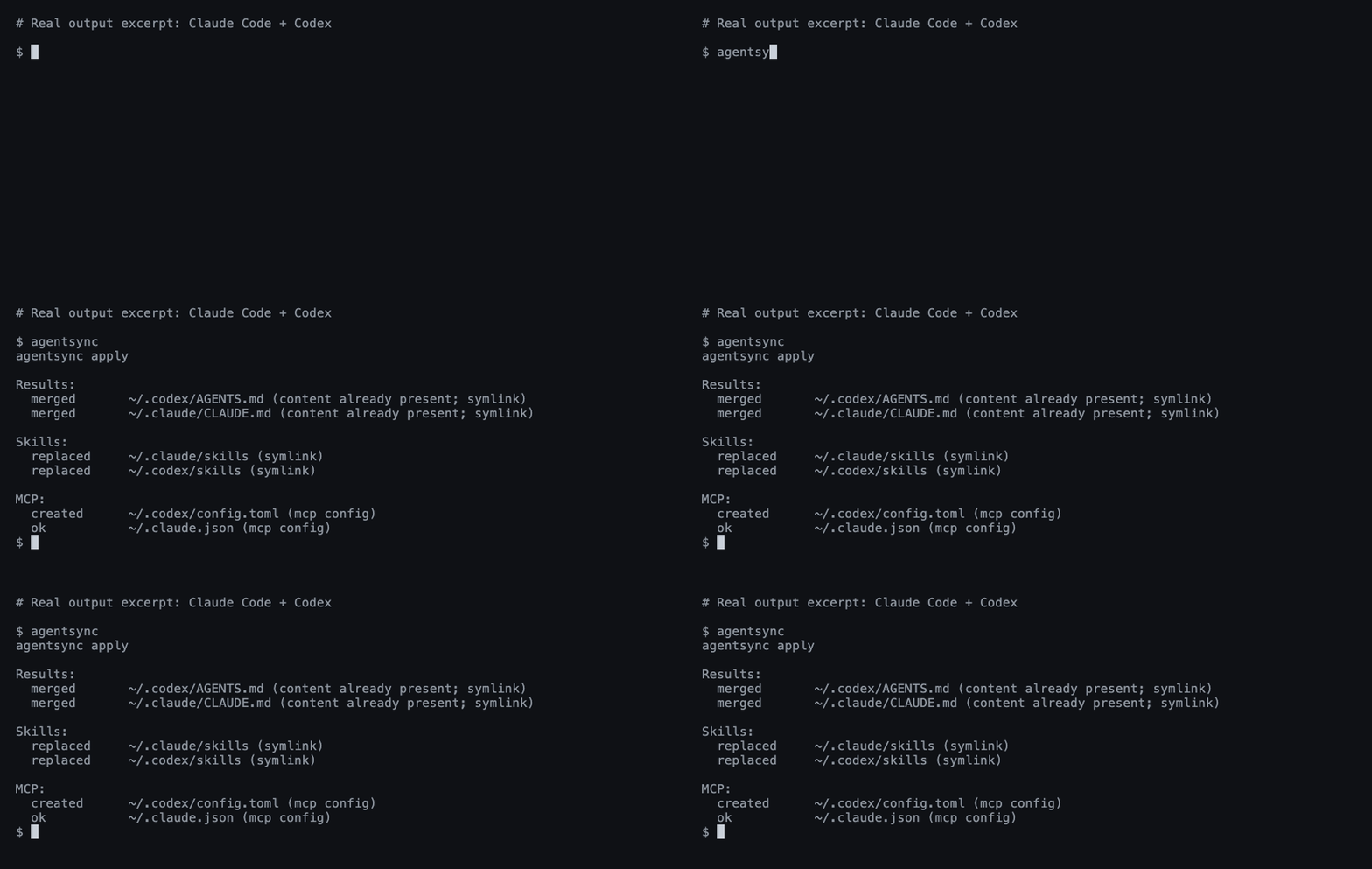
A real Claude Code + Codex run; output excerpted for readability.
Install
Windows — PowerShell:
irm https://raw.githubusercontent.com/x0c/agentsync/main/install.ps1 | iex
macOS / Linux — shell:
curl -fsSL https://raw.githubusercontent.com/x0c/agentsync/main/install.sh | sh
The installers download the matching release archive (agentsync_windows_<arch>.zip on Windows, agentsync_<os>_<arch>.tar.gz on macOS/Linux) and verify its SHA-256 checksum before installing. AGENTSYNC_INSTALL_DIR overrides the default (%LOCALAPPDATA%\Programs\agentsync\bin on Windows, ~/.local/bin on macOS/Linux); the Windows installer adds it to the user PATH.
macOS / Linux — Homebrew:
brew install --cask x0c/tap/agentsync
Any OS — Go 1.25.8+:
go install github.com/x0c/agentsync@latest
Add Go's bin directory to PATH if needed (usually ~/go/bin; %USERPROFILE%\go\bin on Windows).
Without an installer or Go: download and extract a release binary, then put it on PATH. Available for macOS and Linux (arm64 / amd64), and Windows (arm64 / amd64). Checksums are included.
Run
First preview, then apply:
agentsync --check
agentsync
That's it. agentsync merges your existing instructions, collects your skill folders, and imports your MCP servers into one shared source — then links or writes them back to each installed tool in its native format. Files replaced during sync are backed up automatically; tools you haven't installed are skipped.
From then on, maintain these files in ~/.config/agentsync/ (%USERPROFILE%\.config\agentsync\ on Windows):
| File | What you manage once |
|---|---|
AGENTS.md |
Global instructions |
skills/ |
Complete skill folders, including scripts and references |
mcp.json |
MCP servers |
Run agentsync again after changes, or use the optional watcher below.
Optional commands
| Need | Command |
|---|---|
| Preview without writing | agentsync --check |
| Automatically apply source changes | agentsync --watch |
| Restore the latest backup | agentsync --rollback latest |
Link a project's CLAUDE.md to its AGENTS.md |
agentsync --repo |
| Print the version | agentsync --version |
See the workflow guide for background services, batch repository sync, filters, and backup details.
Good to know
- Default sync manages global configuration on this machine. Project files are handled by the separate repository mode.
- Support varies by tool. See instruction and skill support and MCP support.
- Instructions and skills use links where possible. Cursor gets a managed
.mdcrule; on Windows, skill directories link as a symbolic link first, then an NTFS directory junction, otherwise agentsync reports an error naming Windows Developer Mode. See Cursor loading limits. - Exclude servers, skills, or instructions per tool with a
sync-policy.jsonbeside the canonical sources; see filtering. Filtering never removes content from the canonical source. - Edit the shared source. The watcher pushes changes out to your tools; it does not import edits made in another tool's settings. Keep
mcp.jsonlocal: it may contain tokens and machine-specific paths..gitignore/.stignoreentries protectingmcp.jsonare written only when the configuration directory is already a Git repository (.git) or a Syncthing folder (.stfolder). - Safety checks reject unsupported arguments, invalid MCP entries, and unsafe skill-directory overlaps. Your own rules are merged in before copies are generated; Codex servers that share a name keep their local restrictions and authentication options. Rollbacks use collision-resistant backup snapshots, and
latestskips backups with no file changes. See the preservation boundaries.
Questions or a missing tool? Open an issue with the tool name, OS, and redacted output. Contributor instructions: AGENTS.md.
🧩 Related Tools in the AI Coding Suite
If you run multiple AI coding agents daily, check out the rest of the local-first toolkit:
| Repository | Description |
|---|---|
| corral | Run Claude Code, Codex, OpenCode, Cursor & Pi side-by-side in a terminal session manager, then continue from iPhone or Mac. |
| subswap | Check remaining quota and switch Claude Code, Codex, Cursor, Kimi Code & OpenCode accounts without logging out. |
| agent-doc-skills | Navigable project knowledge base skills (doc-init, doc-update, doc-compact) so coding agents don't rediscover your repo every session. |
| sesskit | Parse and export local Claude Code, Codex CLI, and Cursor session transcript files from disk. |
License
Pertanyaan tentang agentsync MCP
Bisakah saya menerapkan perubahan secara otomatis saat file sumber diperbarui?
Ya, Anda bisa menggunakan perintah opsional --watch untuk menerapkan perubahan sumber secara otomatis.
Apa yang terjadi jika proses sinkronisasi bermasalah?
Tool ini menyediakan fitur rollback untuk memulihkan backup terbaru.