
word-aligner MCP server
Commit 11 Nov 2026Membuat diagram penyelarasan kata yang dapat dibagikan untuk menghubungkan kata secara visual antar bahasa yang berbeda atau tingkatan terjemahan.
Juga dikenal sebagai tinygodsdev/bitext-word-alignment, bitext-word-alignment
- Stars
- 5
- Tools
- —
- Unduhan, 30 hari
- —
- Versi terbaru
- 1.0.0
- Commit terakhir
- 11 Nov 2026
- Lisensi
- MIT
Apa itu word-aligner MCP?
word-aligner adalah MCP server. Membuat diagram penyelarasan kata yang dapat dibagikan untuk menghubungkan kata secara visual antar bahasa yang berbeda atau tingkatan terjemahan.
Ringkasan dibuat dari README proyek
Tentang word-aligner MCP server
Word Aligner adalah tool berbasis web yang dirancang untuk pembelajar bahasa, pengajar, linguis, dan pembuat conlang untuk membuat diagram visual terjemahan kata-ke-kata. Tool ini memungkinkan pengguna untuk menumpuk beberapa baris teks, seperti kalimat sumber, terjemahan, IPA, atau gloss, dan menghubungkan kata secara manual menggunakan konektor melengkung. Pendekatan manual ini memastikan Anda memiliki kontrol penuh atas tautan satu-ke-banyak atau banyak-ke-satu, sehingga sangat berguna untuk menunjukkan penyusunan ulang kata yang kompleks atau pergeseran tata bahasa.
Developer dapat mengintegrasikan fungsionalitas ini melalui HTTP API gratis atau MCP server yang menyediakan tool create_word_alignment. Saat digunakan sebagai MCP server, tool ini berjalan melalui Streamable HTTP tanpa memerlukan autentikasi. Server akan mengembalikan URL yang dapat dibagikan dan gambar pratinjau. Anda dapat menyesuaikan tipografi, tokenisasi, dan arah penulisan, termasuk dukungan untuk skrip kanan-ke-kiri dan sistem penulisan vertikal seperti Japanese tategaki. Diagram akhir dapat diekspor sebagai file PNG, SVG, PDF, atau HTML.
Apa yang bisa Anda lakukan dengannya
- 1Visualisasi penyusunan ulang terjemahanMenunjukkan bagaimana kata dalam kalimat sumber dipetakan ke kalimat target meskipun urutan katanya berubah.
- 2Membuat gloss linguistikMenghasilkan gloss interlinear yang mencakup penyelarasan morfem dan anotasi IPA untuk studi akademik.
- 3Dokumentasi bahasa buatanMemetakan bahasa buatan ke dalam bahasa Inggris menggunakan font skrip kustom dan tingkatan anotasi tambahan.
- 4Otomatisasi tautan penyelarasanMenghasilkan URL penyelarasan yang dapat dibagikan secara terprogram menggunakan request POST ke API.
Ditulis berdasarkan README proyek. Setiap use case diperiksa terhadap kutipan dari README tersebut.
Cara menginstal word-aligner MCP
Format diverifikasi 10 Nov 2026Instal word-aligner MCP di Claude Code
$ claude mcp add --transport http bitext-word-alignment https://aligner.tinygods.dev/mcpInstal word-aligner MCP di Cursor
~/.cursor/mcp.json
{
  "mcpServers": {
    "bitext-word-alignment": {
      "url": "https://aligner.tinygods.dev/mcp"
    }
  }
}Instal word-aligner MCP di VS Code
.vscode/mcp.json
{
  "servers": {
    "bitext-word-alignment": {
      "type": "http",
      "url": "https://aligner.tinygods.dev/mcp"
    }
  }
}Instal word-aligner MCP di Codex
~/.codex/config.toml
[mcp_servers.bitext-word-alignment]
url = "https://aligner.tinygods.dev/mcp"
Instal word-aligner MCP di Gemini CLI
~/.gemini/settings.json
{
  "mcpServers": {
    "bitext-word-alignment": {
      "httpUrl": "https://aligner.tinygods.dev/mcp"
    }
  }
}Pengecekan otomatis
Berjalan 14 Nov 2026Laporan lengkap →Belum diverifikasi. Sebuah server memerlukan skor 80, tidak ada temuan serius, dan data yang cukup untuk kami periksa. Cara kerja checks

- Source repository terhubung dan dapat dijangkautinygodsdev/bitext-word-alignment is public and reachablegithub.com/tinygodsdev/bitext-word-alignment ↗Lolos
- Paket menyebut repo ini sebagai sumbernyaTidak diperiksa
- Provenance build (atestasi Sigstore)Tidak diperiksa
- Lisensi open source (OSI)MITspdx.org/licenses/MIT.html ↗Lolos
- Ada commit atau release dalam satu tahun terakhirLast commit or release 2026-11-11github.com/tinygodsdev/bitext-word-alignment ↗Lolos
- OpenSSF ScorecardTidak diperiksa
- Nama package tidak mirip dengan package populerTidak diperiksa
- Tidak ada advisory kritis di paket maupun dependensinyaTidak diperiksa
- Tidak ada instruksi tersembunyi untuk model0 tool descriptions and the README read; no override phrases, credential paths or hidden charactersLolos
- Tools yang bersifat destruktif telah diberi labelTidak diperiksa
- Endpoint remote menjawab handshake MCPinitialize answered with protocol 2025-06-18 in 438 msLolos
README
Lihat di GitHubAligner — word-by-word translation visualizer
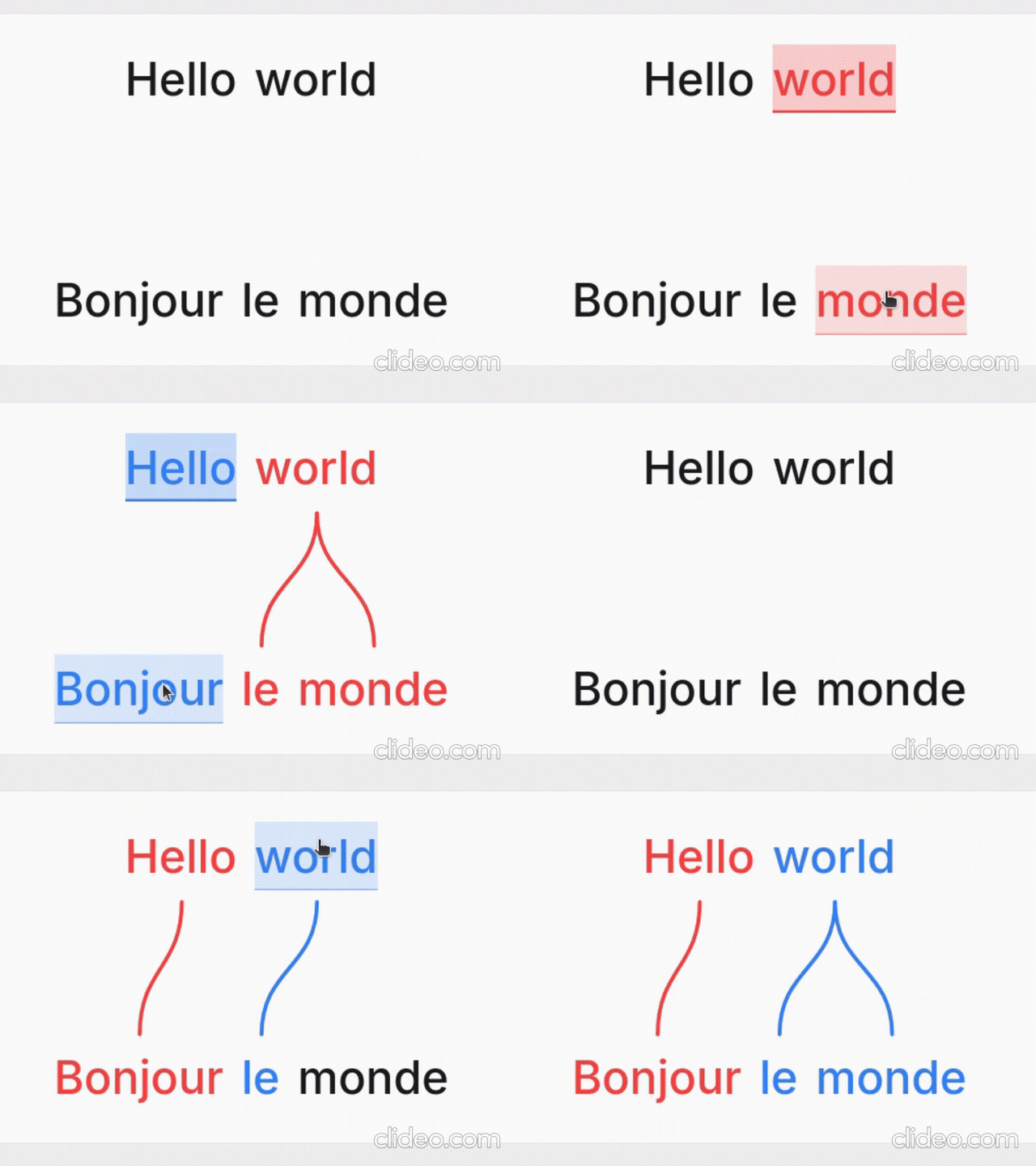
Word Aligner is a free web tool that shows which word matches which across stacked lines of text. Type or paste a sentence and its translation, click a word and then its match on the line above or below, and curved connectors draw the alignment between them. Add extra rows for glosses or IPA, then export the diagram or share it with a link.
No accounts, no machine translation — you stay in control of every link. Great for lessons, social posts, grammar notes, and conlang documentation.
What it's for
- Language learners — see exactly why a translation says what it does: which source word became which target word, what gets dropped, and where word order changes.
- Teachers — build handouts, slides, and flashcards; export a clean PNG or SVG and drop it into a lesson without retyping anything.
- Linguists — produce Leipzig-style interlinear glosses with morpheme alignment, case/agreement tags, and free translations.
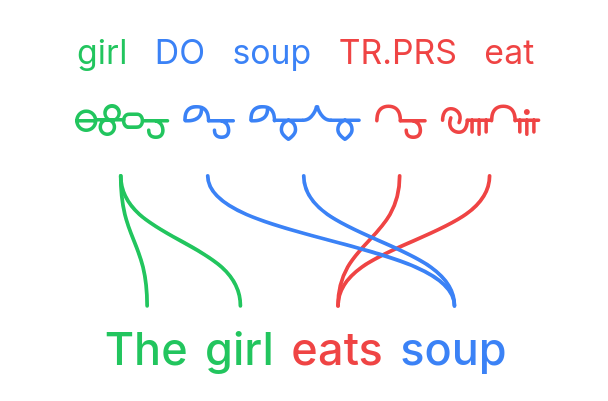
- Conlangers — show how a constructed language maps onto English, with custom script fonts, gloss rows, and IPA.
What it does
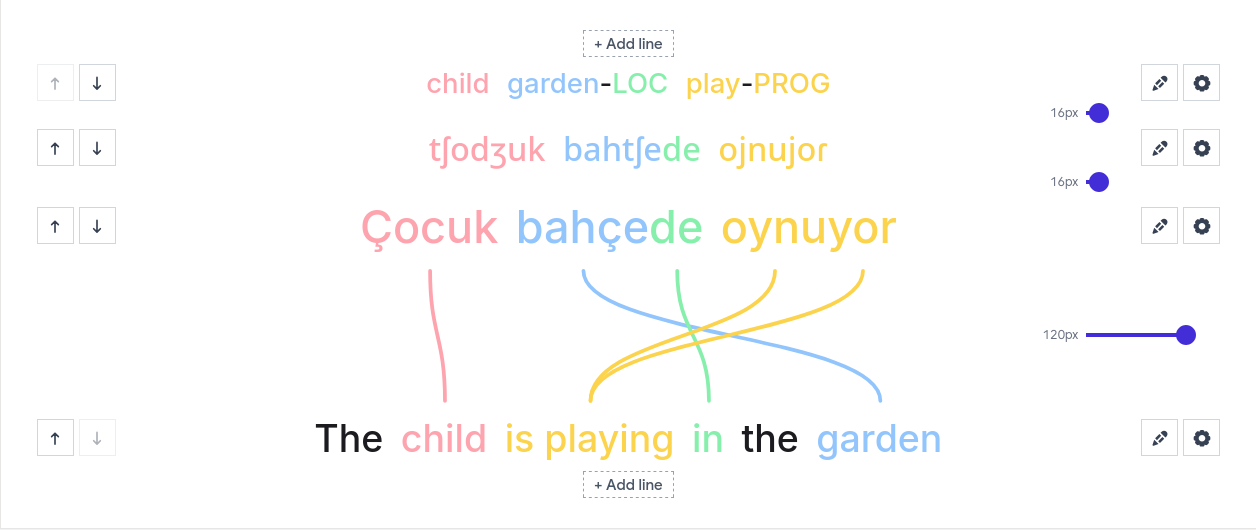
- Multi-line alignment — stack as many rows as you need (source, translation, gloss, IPA); links connect vertically adjacent lines.
- Manual word linking — click a word, then its match; supports one-to-many and many-to-one links and freely crossing connectors for reordered translations.
- Interlinear glosses & IPA — add annotation tiers above or below any line.
- Right-to-left scripts — Hebrew, Arabic, and mixed LTR/RTL layouts.
- Vertical writing systems — stand the whole diagram up as columns for Japanese tategaki, Chinese, or traditional Mongolian; characters stack or the line rotates, chosen per line, so a horizontal translation stays readable beside it.
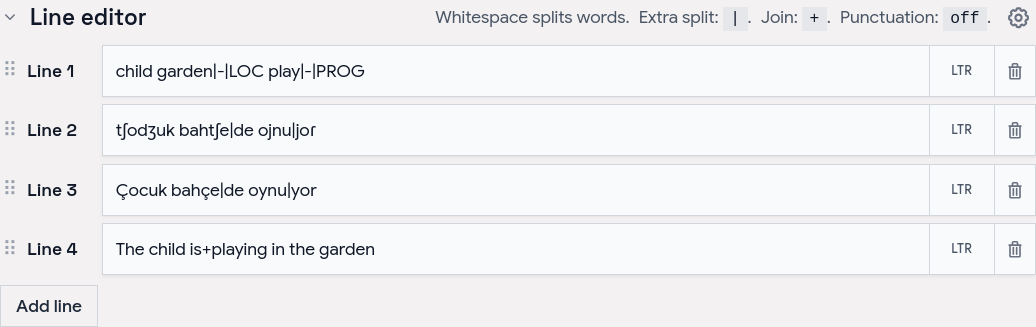
- Tokenization control — choose how text splits into word boxes (split characters, a join marker for fixed expressions, optional punctuation handling).
- Per-line typography — font, size, spacing, and direction per line; custom and Google Fonts.
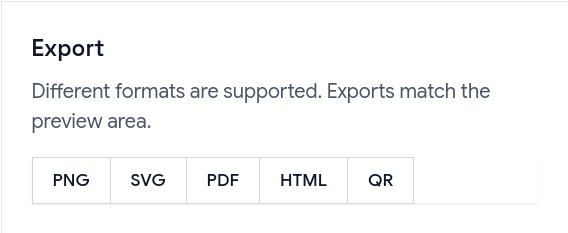
- Exports — PNG, SVG, PDF, and a self-contained HTML file; exports match the preview, including custom-font shaping.
- Shareable URLs — the whole alignment (text, links, and visual settings) is encoded in a
?data=link.
Examples
Browse ready-made examples — bilingual pairs, Turkish interlinear with IPA, RTL scripts, vertical Japanese and traditional Mongolian, Tagalog compounds, Japanese–Chinese–English word order, and more interlinear glosses — at aligner.tinygods.dev/examples. Open any one in the editor to adapt it.
How it works
Edit your lines in the line editor, then link words in the preview.
Tune colors, tokenization, and fonts in settings, then export or share.
Word alignment vs. interlinear vs. parallel text
- Interlinear translation places a gloss directly under each source word — compact, but it hides reordering. Aligner keeps both sentences on their own line and draws connectors, so reorderings, splits, and merges stay obvious.
- Parallel text is side-by-side bilingual reading for long-form study. Aligner focuses on one sentence pair at a time with explicit connectors showing which tokens correspond.
API
Word Aligner has a free HTTP API for generating alignment links programmatically.
POST https://aligner.tinygods.dev/api/align
Content-Type: application/json

{
  "lines": ["Hello world", "Bonjour le monde"],
  "alignments": [[0, 0, 1, 0], [0, 1, 1, 2]]
}
Returns { "url": "https://aligner.tinygods.dev/?data=..." }.
Supports per-line options (font, size, RTL), global visual settings (palette, line style, background), pair-level gap control, and multi-line stacks with selective connectors.
- API docs: aligner.tinygods.dev/api
- OpenAPI schema: aligner.tinygods.dev/api/align/openapi.json
Using Word Aligner as an AI agent tool
The word-aligner-skill/ directory is a ready-to-install skill that teaches AI assistants (Claude, ChatGPT, etc.) how to use the API. Once installed, it enables flows like:
"Translate 'я хочу спать' into English and show me the word alignment."
The agent translates, calls the API, and returns a shareable link.
- For Claude: point your Claude project at this repository or add the contents of
word-aligner-skill/SKILL.mdas a custom instruction. - For ChatGPT: zip
word-aligner-skill/and upload it as a custom Skill.
Install instructions and a downloadable archive are also on the site: aligner.tinygods.dev/skill.
MCP server
There is also an MCP server at https://aligner.tinygods.dev/mcp that exposes a single create_word_alignment tool. It returns a shareable link plus a preview image, and runs inside the same app over Streamable HTTP with no auth. Connect it in Claude:
claude mcp add --transport http word-aligner https://aligner.tinygods.dev/mcp
See docs/mcp-server.md for ChatGPT Developer Mode setup and the tool schema.
Learn more
- App: aligner.tinygods.dev
- About / documentation: aligner.tinygods.dev/about
- Privacy: aligner.tinygods.dev/privacy
Created by Dani Polani. See other tools for linguistics and conlanging.
Pertanyaan tentang word-aligner MCP
Bagaimana cara menambahkan word-aligner MCP ke Claude Code?
Jalankan claude mcp add --transport http bitext-word-alignment https://aligner.tinygods.dev/mcp di terminal Anda. Tambahkan --scope user agar tersedia di semua proyek.
Bagaimana cara menambahkan word-aligner MCP ke Cursor?
Buka ~/.cursor/mcp.json dan tambahkan server di bawah mcpServers, menggunakan config Cursor yang ditunjukkan di bagian instalasi di atas.
Apa kegunaan Word Aligner?
Alat ini digunakan oleh pembelajar bahasa untuk melihat kecocokan kata, pengajar untuk membuat materi cetak, linguis untuk gloss interlinear, dan pembuat conlang untuk memetakan bahasa buatan.
Apakah saya bisa mengekspor diagramnya?
Ya, Anda dapat mengekspor hasil penyelarasan Anda sebagai PNG, SVG, PDF, atau file HTML mandiri.
Bagaimana cara membagikan hasil kerja saya?
Anda dapat membagikan penyelarasan Anda melalui tautan yang sudah menyertakan semua teks, tautan, dan pengaturan visual.